logo
AI Image
AI Video
Library
Solutions
Community
MCP & CLI
Pricing
  1. Home
  2. Image Tools
  3. White Background Remover

White BG remover: Remove white backgrounds instantly

Remove white backgrounds in seconds to give your images a fresh new look. Use Picsart’s white BG remover to automatically remove white backgrounds from images.
remove white background with picsart
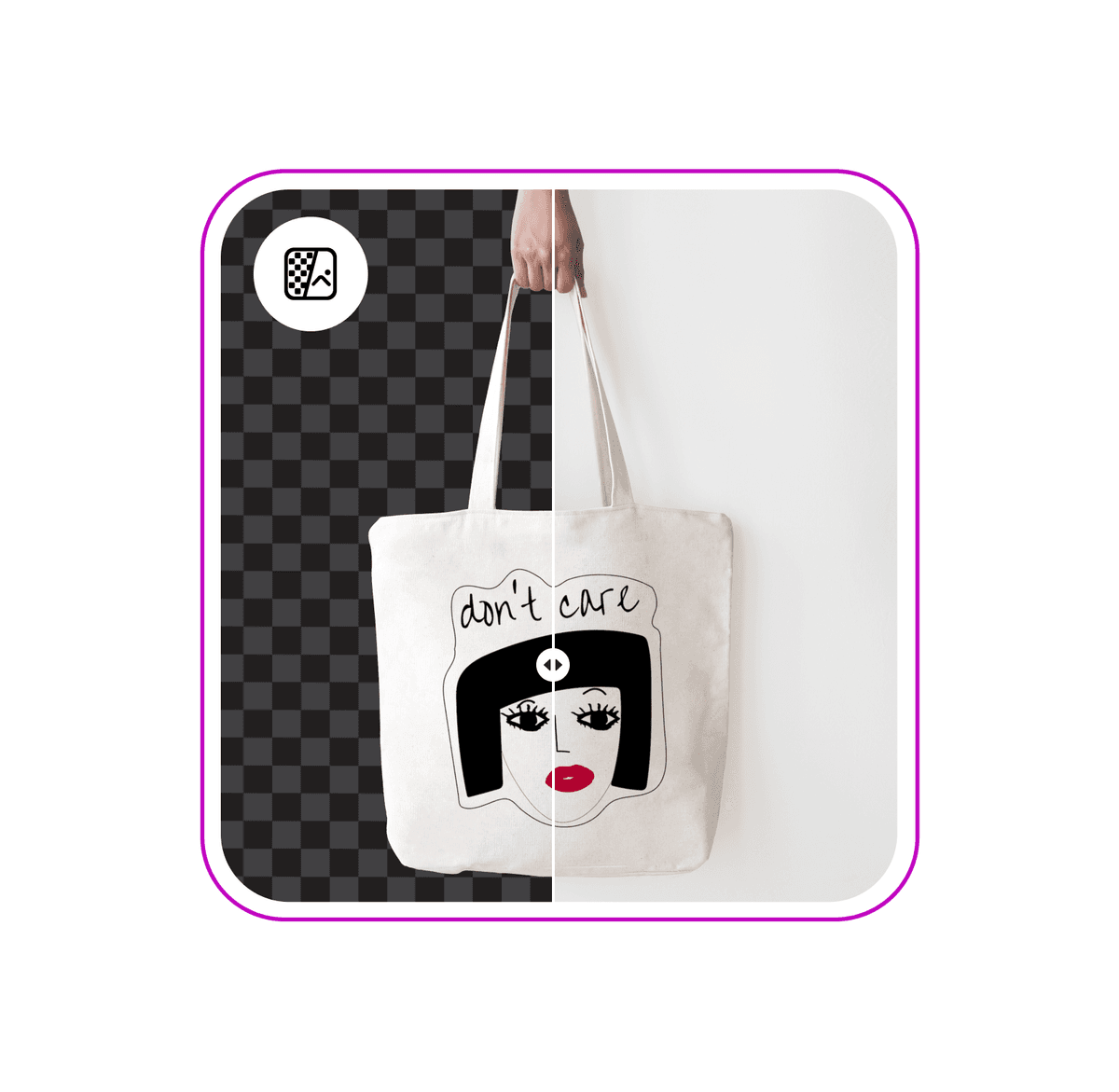
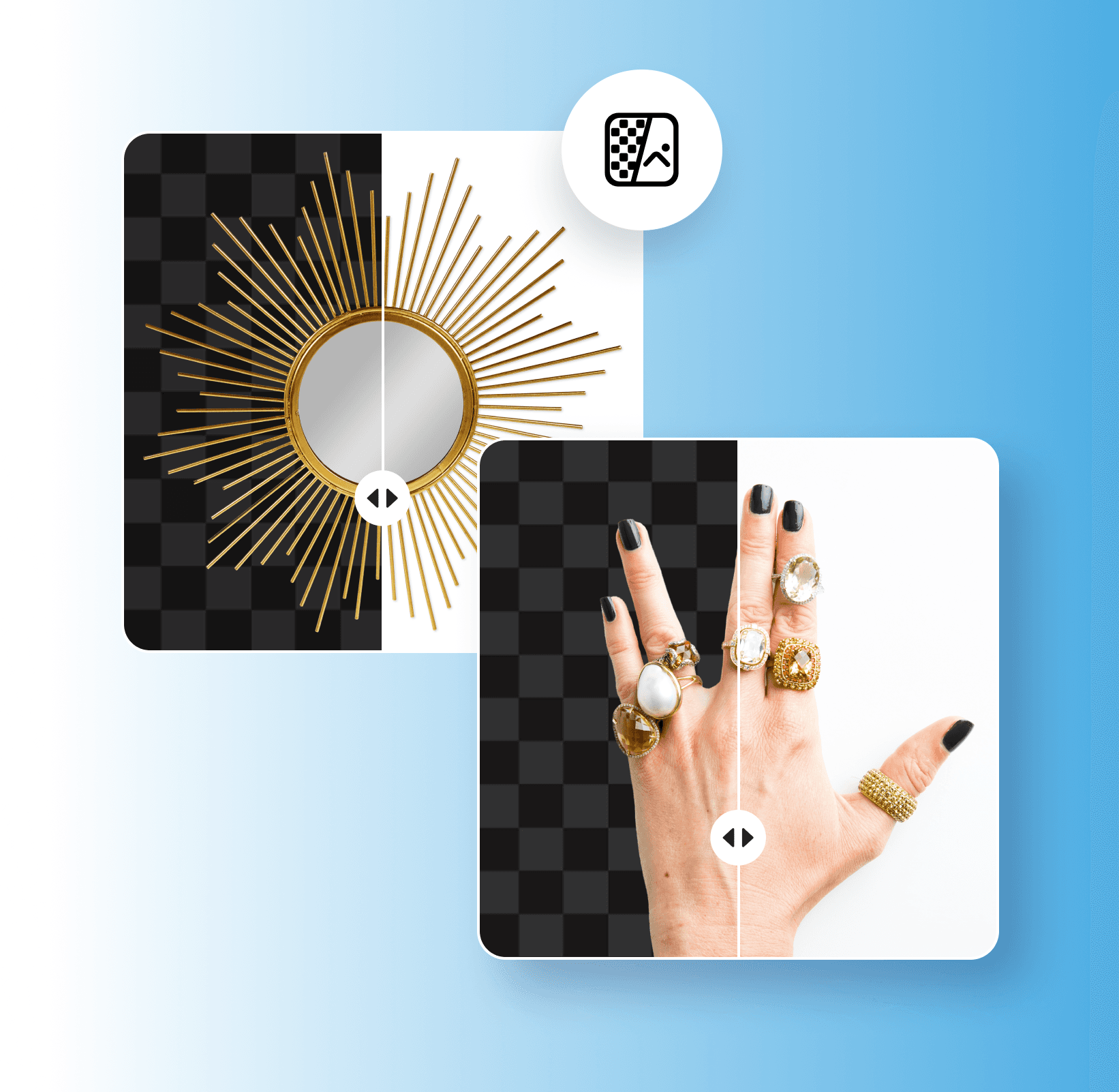
Easily remove white backgrounds

Easily remove white backgrounds

Quickly remove white backgrounds to create versatile images for all of your design needs.

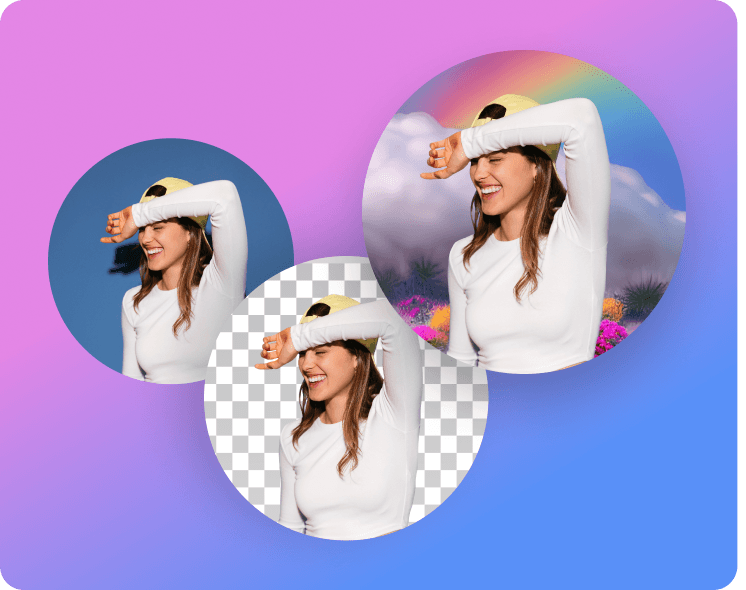
Instantly create transparent backgrounds

Instantly create transparent backgrounds

Give any picture a polished, professional look with a transparent background.

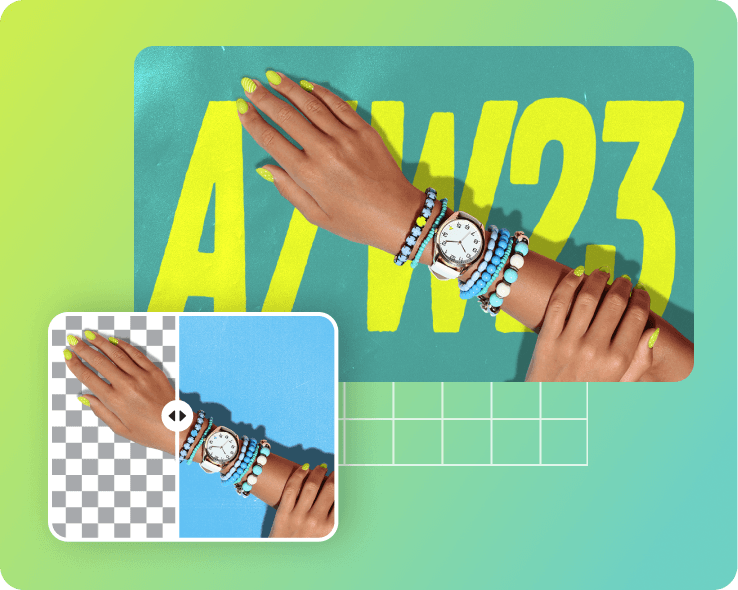
AI-assisted white BG remover

AI-assisted white BG remover

Automatically remove white backgrounds with an AI white BG remover.

How to remove a white background

1

Open the tool

Open the Background Remover tool and upload an image.

2

Remove background

3

Customize background

4

Download

Automatically remove white backgrounds

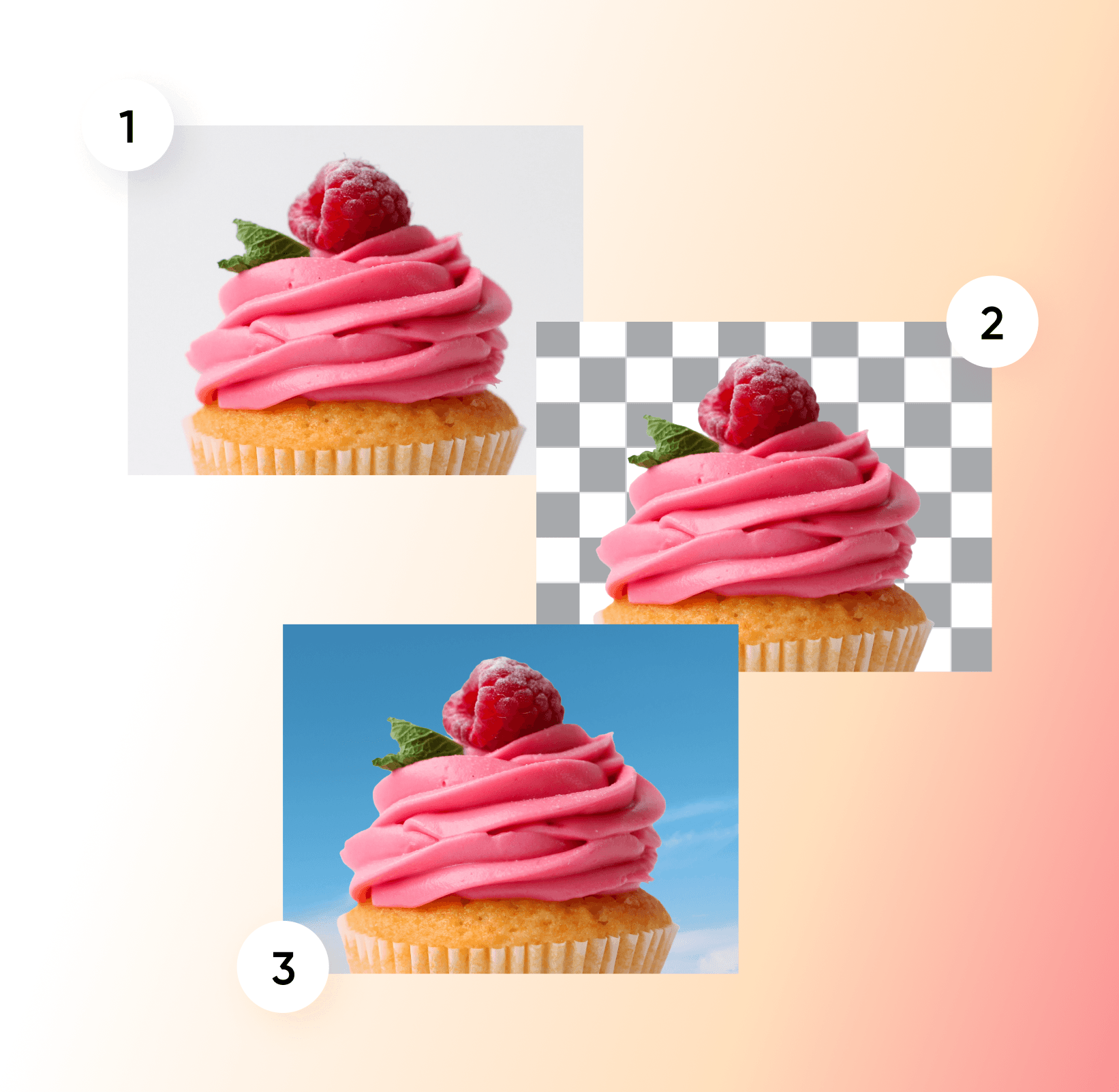
Removing white backgrounds from images can be time-consuming, especially if you don’t have the right editing skills. With Picsart’s Background Remover, it’s easier than ever to remove plain white backgrounds to give your pictures a brand-new look. All you have to do is upload your image, and AI will automatically remove your white background in just a few seconds. From there, you can add a clean transparent background or choose a custom background for your image.
Remove white background
Automatically remove white backgrounds

Transform your designs with a white background remover

Original
Original
Transparent background
New background
New background

Create transparent backgrounds for any platform

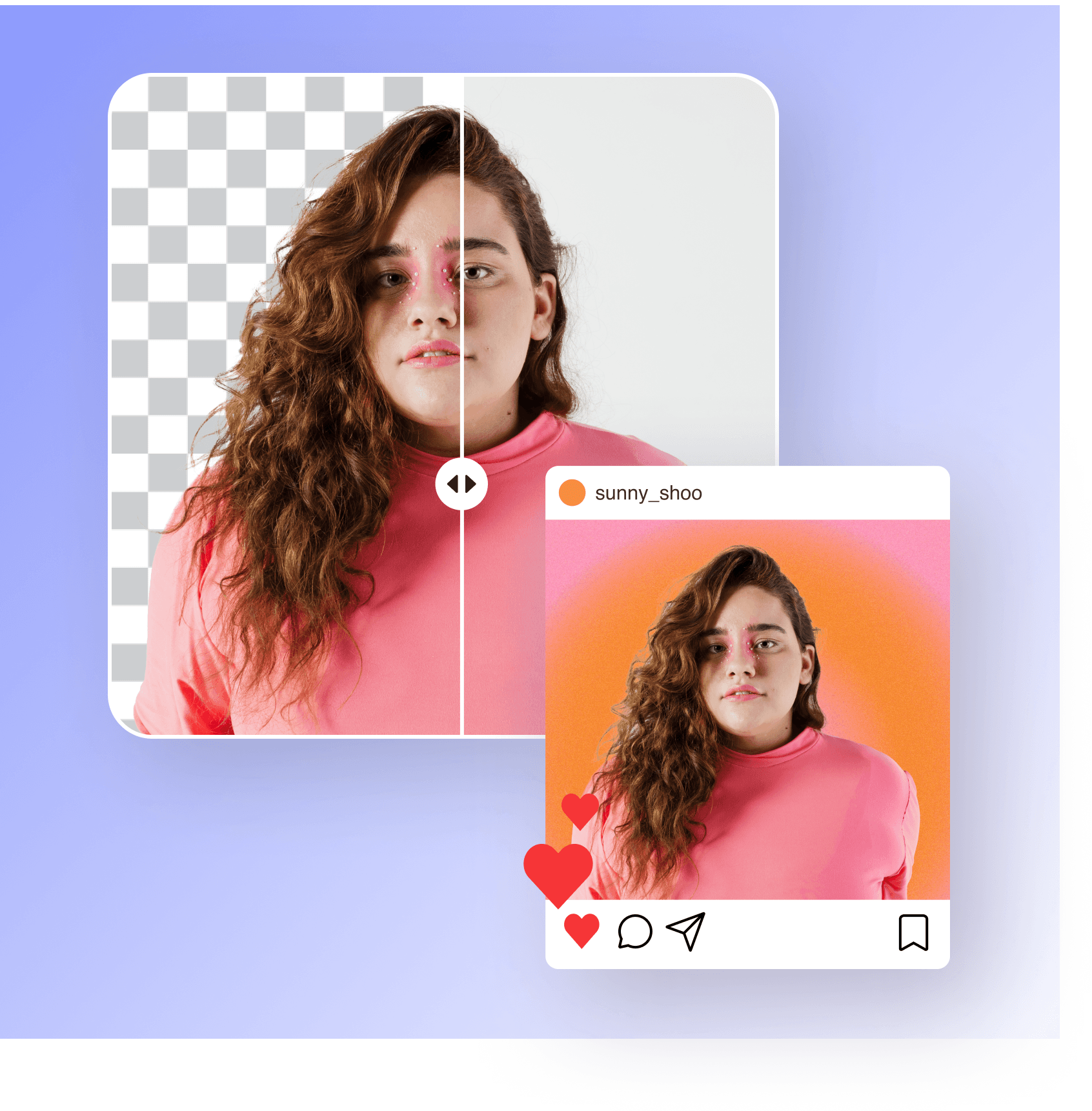
Tired of boring white backgrounds? Picsart’s white background remover uses advanced AI to automatically separate the subjects from your background with high precision. Once you’ve removed the background from your portrait, product picture, or brand logo, you can create a transparent background for versatile sharing across any platform. Plus, you won’t have to worry about losing any image quality when removing the background from your image.
Remove white background
Create transparent backgrounds for any platform

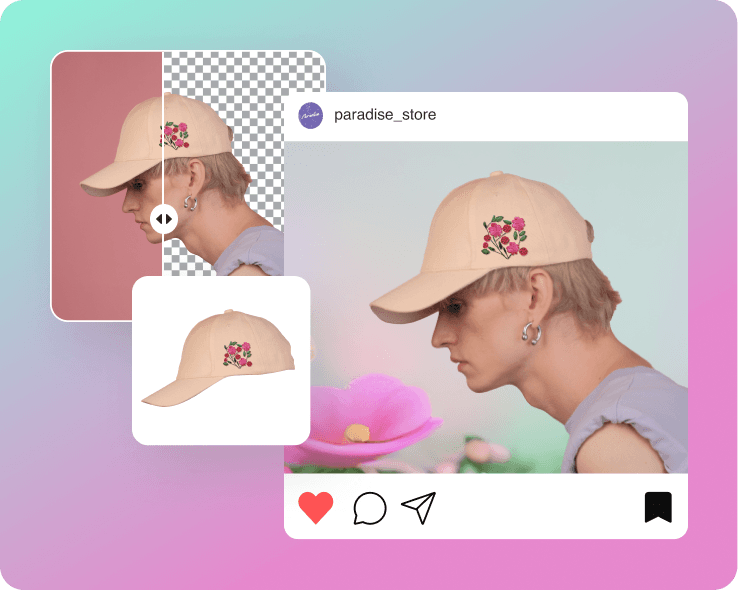
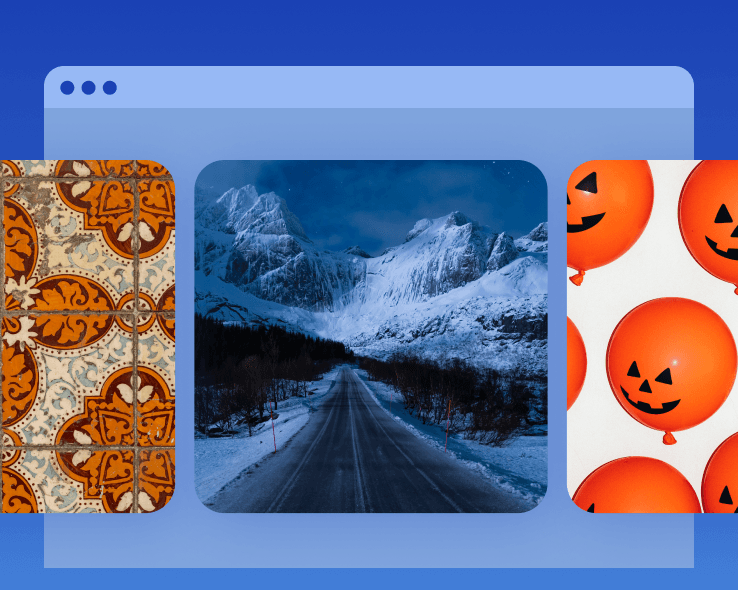
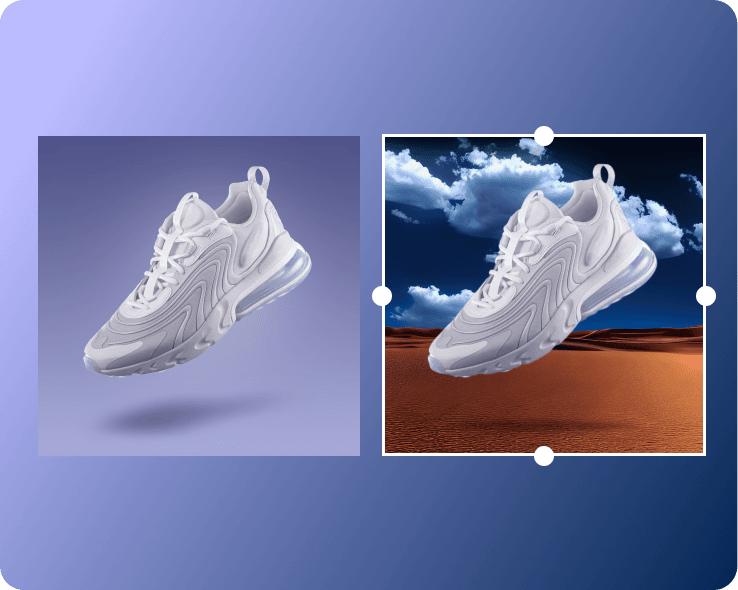
Easily change white backgrounds to anything

With Picsart’s AI-powered white background remover, you can easily change the background to refresh your images with a new look. From Picsart’s vast library of patterns, illustrated and static background colors to pictures from your own library, you can add any background to your edit. In just a few seconds, you can effortlessly swap out boring plain white backgrounds with high-quality, attention-grabbing backgrounds.

Try now
Easily change white backgrounds to anything

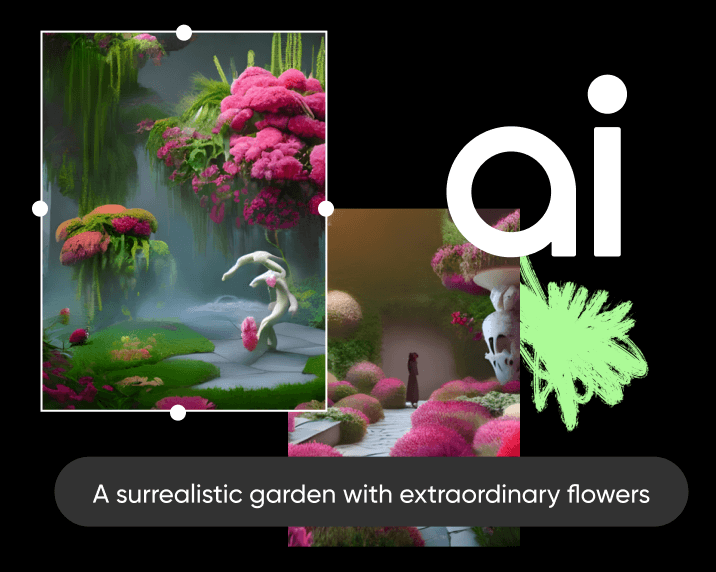
Enhance photos with AI-generated backgrounds

Want to transform your images with extraordinary new backgrounds? Whether you’re editing product shots or brand logos, take a different approach to design with Picsart’s AI background generator. Simply enter a text prompt describing your desired background, choose the right style, and let AI build a backdrop that matches your creative vision. After you remove white backgrounds from images, you can easily add an AI-generated background for a fresh look.
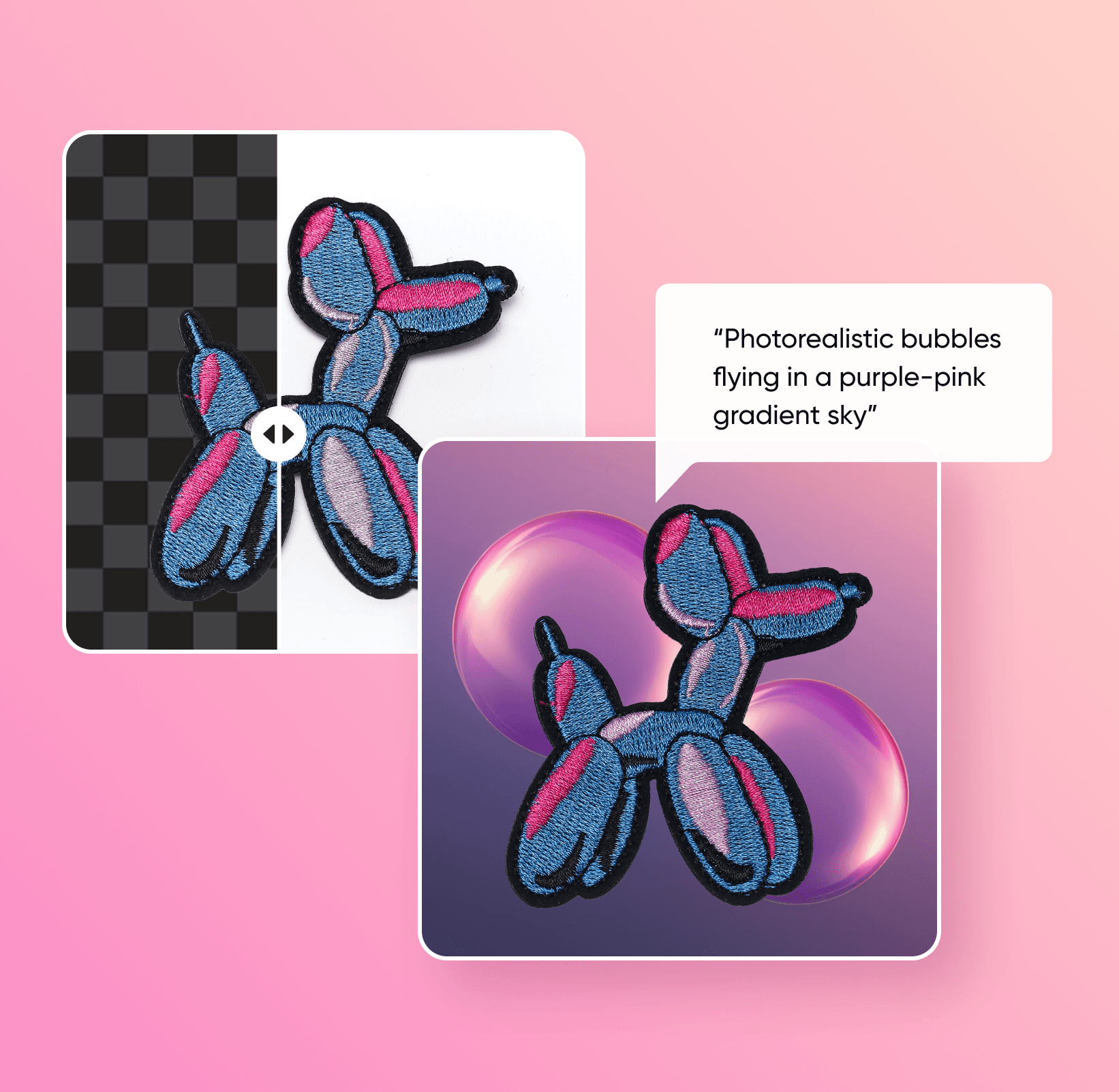
Remove white background
Enhance photos with AI-generated backgrounds

Discover more background editing tools

Try out other Background Remover tools and use cases.
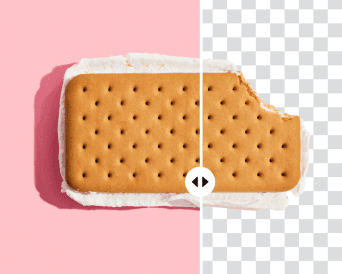
background remover tool in Picsart photo editor

Background remover

Update your pictures with a transparent background in seconds.

Background Remover for Individuals

Background remover for individuals

Quickly remove backgrounds for profile pictures, postcards, and more.

Background Remover for Marketing

Background remover for marketing

Effortlessly boost sales with polished marketing materials.

Background Remover for eCommerce

Background remover for eCommerce

Remove backgrounds from product pictures to make your brand pop. 

zoom background

Zoom background generator

nstantly create custom Zoom backgrounds to add personality to your next call.

background changer

Background changer

Change your backdrop automatically with AI. 

Generate backgrounds with Picsart's AI background generator

AI background generator

Set your photos apart with stunning AI-generated backgrounds.

Customize backgrounds in seconds

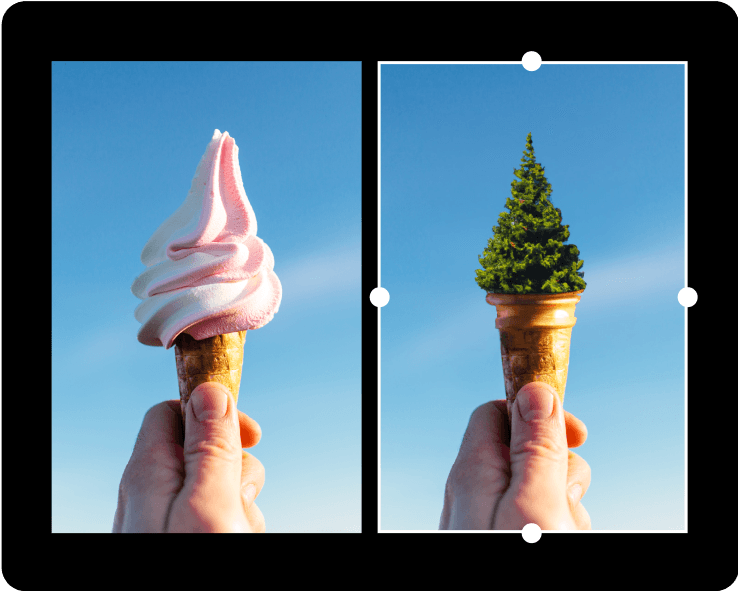
When you’re finished swapping out your image’s background with the white background remover, it’s time to add the finishing touches to your design. Take advantage of Picsart’s AI photo editing tools to enhance your pictures with sharper finishes, trendy filters, AI-generated art, and more. Even if you’re new to editing, Picsart has everything you need to turn your artistic vision into a reality without spending hours on editing.

Try now
Customize backgrounds in seconds

Elevate your photos with more AI editing tools
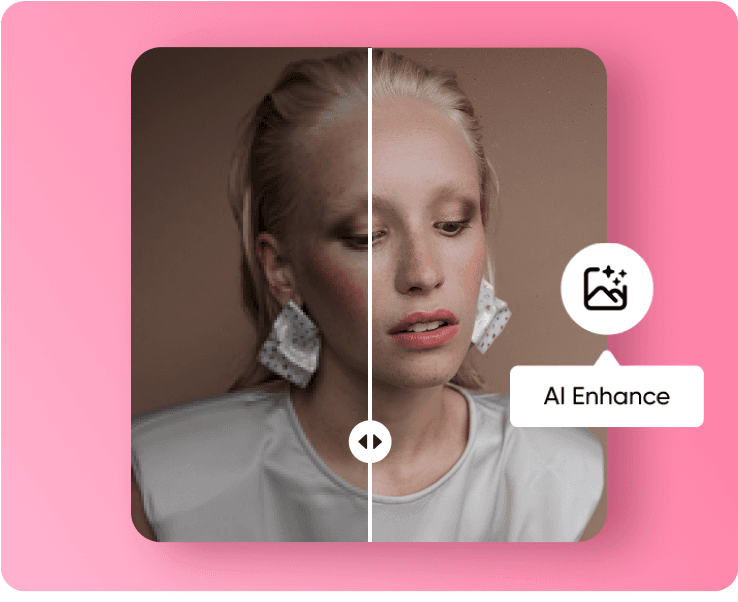
 Elevate your photos with more AI editing tools 
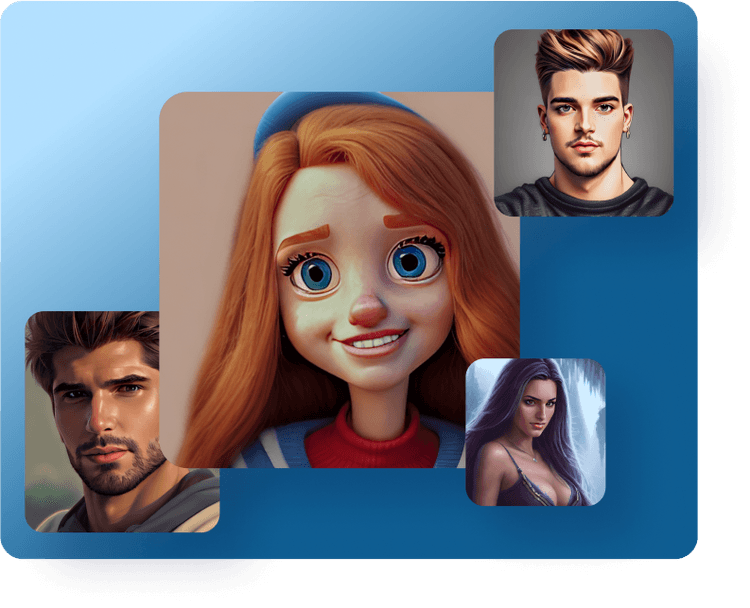
ai image enhancer

AI enhance

Automatically improve your photo’s quality for a sharp, crisp finish.

AI avatar generator tool

AI avatars

Create unique AI avatars for profile pictures, branding, and more.

AI image generator

AI image generator

Generate unique AI images based on simple text prompts.

create art with AI

AI art generator

Bring your creative vision to life with text-to-art AI.

Picsart AI replace tool

AI replace

Add a creative twist by swapping out faces, hair colors, and more.

AI writer

AI writer

Enhance your writing skills with a free AI content generator.

ai photo editing tools

AI photo editing

Tap into AI-powered editing tools to easily perform complex edits.

AI GIF generator

AI GIF generator

Generate animated GIFs in seconds with the power of text-to-GIF AI.

White background remover FAQ

Picsart’s white BG remover tool instantly removes white backgrounds from photos using AI.

Picsart’s background removal tool requires a Picsart Pro membership to use.

Yes, you don’t need to download any software to remove white backgrounds from images with Picsart.

You can use product pictures, signatures, brand logos, portraits, and any other image you might need to remove a white background from.

Picsart uses advanced AI for high precision and accuracy, so you can expect crisp edges and clean background removal.

If you’re creating a transparent image, be sure to save your image in PNG format. Otherwise, you can save your image in any format after removing the background.

As Seen in

  • boredpanda
  • COSMOPOLITAN
  • UPROXX
  • yahoo! news
Less clutter, more impact.
Remove backgroundsErase backgroundsGenerate transparent PNGsDelete green screensEdit backgroundsRemove remove color fromCreate transparent background makerErase signature backgroundsDelete logo backgroundsRemove black backgrounds

Get the free app

Download on the App StoreGET IT ON Google PlayGet it from Microsoft
Pinterest
AICPA SOC

Explore

  • AI Image Generator
  • AI Video Generator
  • AI Playground
  • AI Image Models
  • AI Video Models
  • AI Photo Editor
  • Templates
  • Design Tools

Solutions

  • For Enterprise
  • For Developers
  • For Google Drive
  • For specific Industries
  • Quicktools
  • AI Avatar
  • Pricing

Company

  • Support
  • Careers
  • About us
  • Earn with Picsart
  • Blog
  • Press Center
Terms of UsePrivacy PolicyDo Not SellInternet-Based AdvertisingCommunity GuidelinesDMCASecurity PolicyAccessibility
© 2026 PicsArt, Inc.

Understand background edits

Learn how to remove, replace, and clean up backgrounds.

How to remove backgrounds from photos with AI preview
Backgrounds

How to remove backgrounds from photos with AI

3 minBeginner
How to replace backgrounds with AI-generated scenes preview
Backgrounds

How to replace backgrounds with AI-generated scenes

4 minIntermediate
How to generate custom backgrounds from text descriptions preview
Backgrounds

How to generate custom backgrounds from text descriptions

4 minIntermediate
How to create product photography backgrounds with AI preview
Backgrounds

How to create product photography backgrounds with AI

4 minIntermediate
How to make virtual backgrounds for video calls preview
Backgrounds

How to make virtual backgrounds for video calls

3 minBeginner
Backgrounds

How to replace product photo backgrounds at scale with AI agents

4 minAdvanced
See all tutorials

Create white-background product shots with AI image models

Use image models to clean up cutouts, product photos, and marketplace-ready visuals.

GPT Image 2New
Next-gen GPT image model with arbitrary output dimensions and multi-image input.Reference inputImage generationSee model
Nano Banana 2New
Fast 4K generation with accurate text and search-grounded accuracy.4KFast generationImage generationSee model
Nano Banana ProNew
Top-tier 4K images with precise multilingual text rendering.4KPro qualityImage generationSee model
Flux 2 FlexNew
Adaptable generation across varied visual styles at 2K.Image generationSee model
Seedream 5.0 Lite
Speedy 3K output with negative prompt and dual-image input support.Reference inputFast generationImage generationSee model
Kling 3.0 Image
Cinematic visuals with up to 4K resolution and 10 reference images.Reference input4KCinematicSee model
Kling O1 Image
O1-architecture image generation with multi-reference support.Reference inputCinematicImage generationSee model
Kling V2 New Image
Latest V2 image generation with optional restyle via image reference.Reference inputCinematicImage generationSee model
Hunyuan V3
Infographic-friendly generation with readable text and cfg control.Image generationSee model
Luma UNI-1
Luma UNI-1 — agentic image generation and editing with up to 9 reference images.Reference inputCinematicImage generationSee model
Luma UNI-1 Max
Luma UNI-1 Max — higher-quality UNI-1 variant with the same multi-reference editing controls.Reference inputCinematicImage generationSee model
Seedream 4.5
Detailed 4K renders with clean in-image text and dual-image input.Reference input4KImage generationSee model
GPT Image 2New
Next-gen GPT image model with arbitrary output dimensions and multi-image input.Reference inputImage generationSee model
Nano Banana 2New
Fast 4K generation with accurate text and search-grounded accuracy.4KFast generationImage generationSee model
Nano Banana ProNew
Top-tier 4K images with precise multilingual text rendering.4KPro qualityImage generationSee model
Flux 2 FlexNew
Adaptable generation across varied visual styles at 2K.Image generationSee model
Seedream 5.0 Lite
Speedy 3K output with negative prompt and dual-image input support.Reference inputFast generationImage generationSee model
Kling 3.0 Image
Cinematic visuals with up to 4K resolution and 10 reference images.Reference input4KCinematicSee model
Kling O1 Image
O1-architecture image generation with multi-reference support.Reference inputCinematicImage generationSee model
Kling V2 New Image
Latest V2 image generation with optional restyle via image reference.Reference inputCinematicImage generationSee model
Hunyuan V3
Infographic-friendly generation with readable text and cfg control.Image generationSee model
Luma UNI-1
Luma UNI-1 — agentic image generation and editing with up to 9 reference images.Reference inputCinematicImage generationSee model
Luma UNI-1 Max
Luma UNI-1 Max — higher-quality UNI-1 variant with the same multi-reference editing controls.Reference inputCinematicImage generationSee model
Seedream 4.5
Detailed 4K renders with clean in-image text and dual-image input.Reference input4KImage generationSee model
GPT Image 2New
Next-gen GPT image model with arbitrary output dimensions and multi-image input.Reference inputImage generationSee model
Nano Banana 2New
Fast 4K generation with accurate text and search-grounded accuracy.4KFast generationImage generationSee model
Nano Banana ProNew
Top-tier 4K images with precise multilingual text rendering.4KPro qualityImage generationSee model
Flux 2 FlexNew
Adaptable generation across varied visual styles at 2K.Image generationSee model
Seedream 5.0 Lite
Speedy 3K output with negative prompt and dual-image input support.Reference inputFast generationImage generationSee model
Kling 3.0 Image
Cinematic visuals with up to 4K resolution and 10 reference images.Reference input4KCinematicSee model
Kling O1 Image
O1-architecture image generation with multi-reference support.Reference inputCinematicImage generationSee model
Kling V2 New Image
Latest V2 image generation with optional restyle via image reference.Reference inputCinematicImage generationSee model
Hunyuan V3
Infographic-friendly generation with readable text and cfg control.Image generationSee model
Luma UNI-1
Luma UNI-1 — agentic image generation and editing with up to 9 reference images.Reference inputCinematicImage generationSee model
Luma UNI-1 Max
Luma UNI-1 Max — higher-quality UNI-1 variant with the same multi-reference editing controls.Reference inputCinematicImage generationSee model
Seedream 4.5
Detailed 4K renders with clean in-image text and dual-image input.Reference input4KImage generationSee model
GPT Image 2New
Next-gen GPT image model with arbitrary output dimensions and multi-image input.Reference inputImage generationSee model
Nano Banana 2New
Fast 4K generation with accurate text and search-grounded accuracy.4KFast generationImage generationSee model
Nano Banana ProNew
Top-tier 4K images with precise multilingual text rendering.4KPro qualityImage generationSee model
Flux 2 FlexNew
Adaptable generation across varied visual styles at 2K.Image generationSee model
Seedream 5.0 Lite
Speedy 3K output with negative prompt and dual-image input support.Reference inputFast generationImage generationSee model
Kling 3.0 Image
Cinematic visuals with up to 4K resolution and 10 reference images.Reference input4KCinematicSee model
Kling O1 Image
O1-architecture image generation with multi-reference support.Reference inputCinematicImage generationSee model
Kling V2 New Image
Latest V2 image generation with optional restyle via image reference.Reference inputCinematicImage generationSee model
Hunyuan V3
Infographic-friendly generation with readable text and cfg control.Image generationSee model
Luma UNI-1
Luma UNI-1 — agentic image generation and editing with up to 9 reference images.Reference inputCinematicImage generationSee model
Luma UNI-1 Max
Luma UNI-1 Max — higher-quality UNI-1 variant with the same multi-reference editing controls.Reference inputCinematicImage generationSee model
Seedream 4.5
Detailed 4K renders with clean in-image text and dual-image input.Reference input4KImage generationSee model
GPT Image 2New
Next-gen GPT image model with arbitrary output dimensions and multi-image input.Reference inputImage generationSee model
Nano Banana 2New
Fast 4K generation with accurate text and search-grounded accuracy.4KFast generationImage generationSee model
Nano Banana ProNew
Top-tier 4K images with precise multilingual text rendering.4KPro qualityImage generationSee model
Flux 2 FlexNew
Adaptable generation across varied visual styles at 2K.Image generationSee model
Seedream 5.0 Lite
Speedy 3K output with negative prompt and dual-image input support.Reference inputFast generationImage generationSee model
Kling 3.0 Image
Cinematic visuals with up to 4K resolution and 10 reference images.Reference input4KCinematicSee model
Kling O1 Image
O1-architecture image generation with multi-reference support.Reference inputCinematicImage generationSee model
Kling V2 New Image
Latest V2 image generation with optional restyle via image reference.Reference inputCinematicImage generationSee model
Hunyuan V3
Infographic-friendly generation with readable text and cfg control.Image generationSee model
Luma UNI-1
Luma UNI-1 — agentic image generation and editing with up to 9 reference images.Reference inputCinematicImage generationSee model
Luma UNI-1 Max
Luma UNI-1 Max — higher-quality UNI-1 variant with the same multi-reference editing controls.Reference inputCinematicImage generationSee model
Seedream 4.5
Detailed 4K renders with clean in-image text and dual-image input.Reference input4KImage generationSee model
GPT Image 2New
Next-gen GPT image model with arbitrary output dimensions and multi-image input.Reference inputImage generationSee model
Nano Banana 2New
Fast 4K generation with accurate text and search-grounded accuracy.4KFast generationImage generationSee model
Nano Banana ProNew
Top-tier 4K images with precise multilingual text rendering.4KPro qualityImage generationSee model
Flux 2 FlexNew
Adaptable generation across varied visual styles at 2K.Image generationSee model
Seedream 5.0 Lite
Speedy 3K output with negative prompt and dual-image input support.Reference inputFast generationImage generationSee model
Kling 3.0 Image
Cinematic visuals with up to 4K resolution and 10 reference images.Reference input4KCinematicSee model
Kling O1 Image
O1-architecture image generation with multi-reference support.Reference inputCinematicImage generationSee model
Kling V2 New Image
Latest V2 image generation with optional restyle via image reference.Reference inputCinematicImage generationSee model
Hunyuan V3
Infographic-friendly generation with readable text and cfg control.Image generationSee model
Luma UNI-1
Luma UNI-1 — agentic image generation and editing with up to 9 reference images.Reference inputCinematicImage generationSee model
Luma UNI-1 Max
Luma UNI-1 Max — higher-quality UNI-1 variant with the same multi-reference editing controls.Reference inputCinematicImage generationSee model
Seedream 4.5
Detailed 4K renders with clean in-image text and dual-image input.Reference input4KImage generationSee model