Farbrad
Finde effektive Farbkombinationen in einer Vielzahl von Schemata mit Picsarts Online-Farbrad. Tauche in die Farbtheorie ein und beherrsche mühelos die Farbharmonie für deine kreativen Projekte mit dem komplementären Farbrad.

So verwendest du das Farbrad
How to
Wähle eine Basisfarbe
Nutze den Cursor im Farbrad oben, um eine Basisfarbe auszuwählen und das äußere Rad, um die Helligkeit anzupassen.
Die Verwendungen des Farbrads
Das Farbrad, ein von Isaac Newton erfundenes Kreisdiagramm, dient als Kompass zur Navigation in der Welt der Farbtheorie. Es bildet die Beziehungen zwischen Farben visuell ab und führt dich zu harmonischen Farben – angenehmen Kombinationen, die eine ausgewogene und visuell attraktive Komposition schaffen. Es gibt zwei Haupttypen von Farbrädern:
- RYB (Rot, Gelb, Blau): Wird von Künstlern häufig zum Mischen von physischen Farben verwendet.
- RGB (Rot, Grün, Blau): Für digitale Anwendungen wie Visuals für die Bildschirmnutzung konzipiert, was widerspiegelt, wie Licht Farben auf Bildschirmen erzeugt. Picsarts Farbrad ist ebenfalls RGB, da es für die Online-Verwendung konzipiert ist.
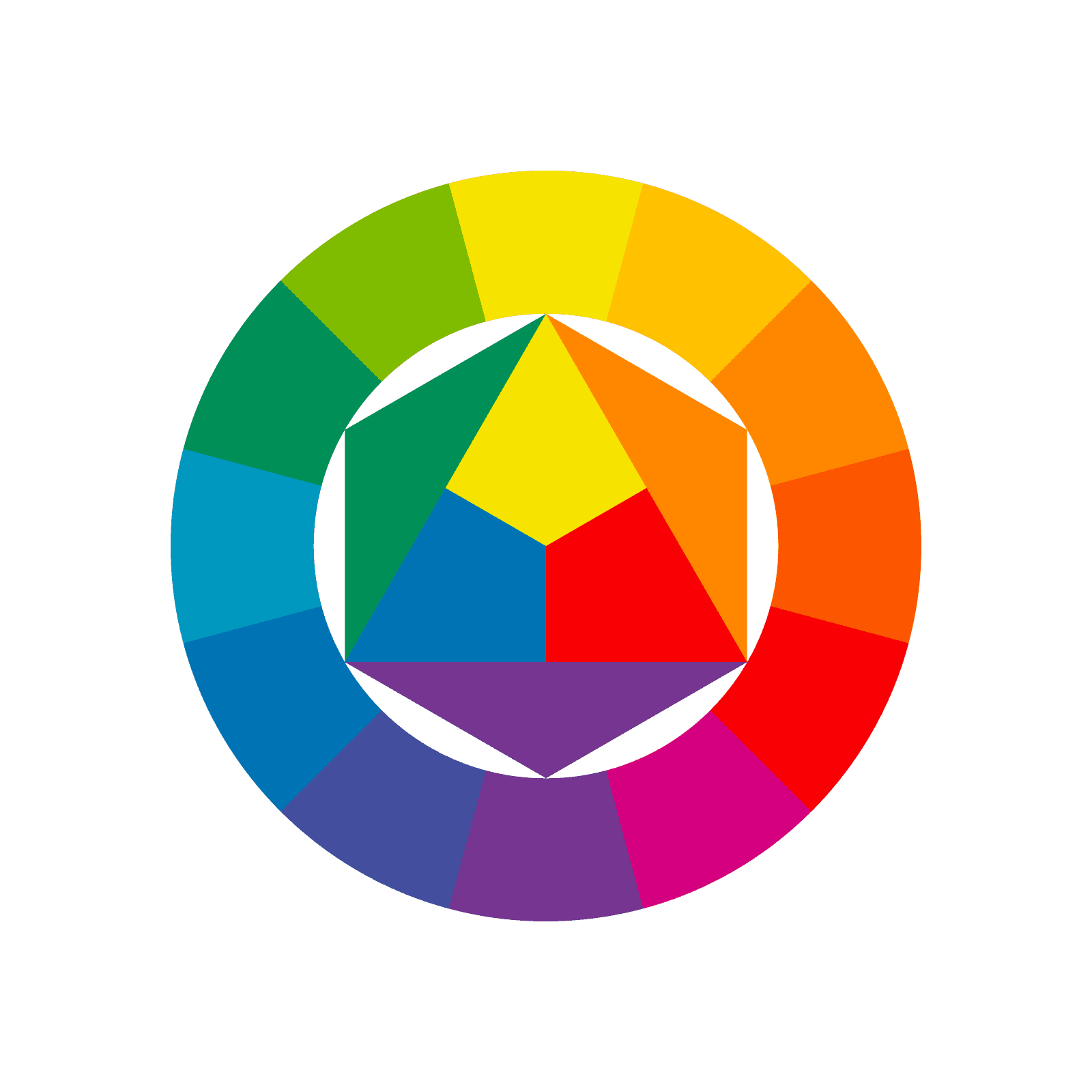
Beherrsche Farbtheorie mit Picsarts Online-Farbrad
Erstelle mühelos faszinierende Kombinationen und Harmonien mit einem interaktiven Online-Farbrad. Erkunde ein breites Farbspektrum und lokalisiere mühelos die exakten Töne, die du benötigst. Finde komplementäre Farben in einer Vielzahl von Palettenkkombinationen wie monochromatisch, analog, tetradesch und triadische Farbschemata. Kopiere und füge HEX-, RGB- und RYB-Farben mühelos ein und exportiere in eine praktische PDF-Zusammenfassung.
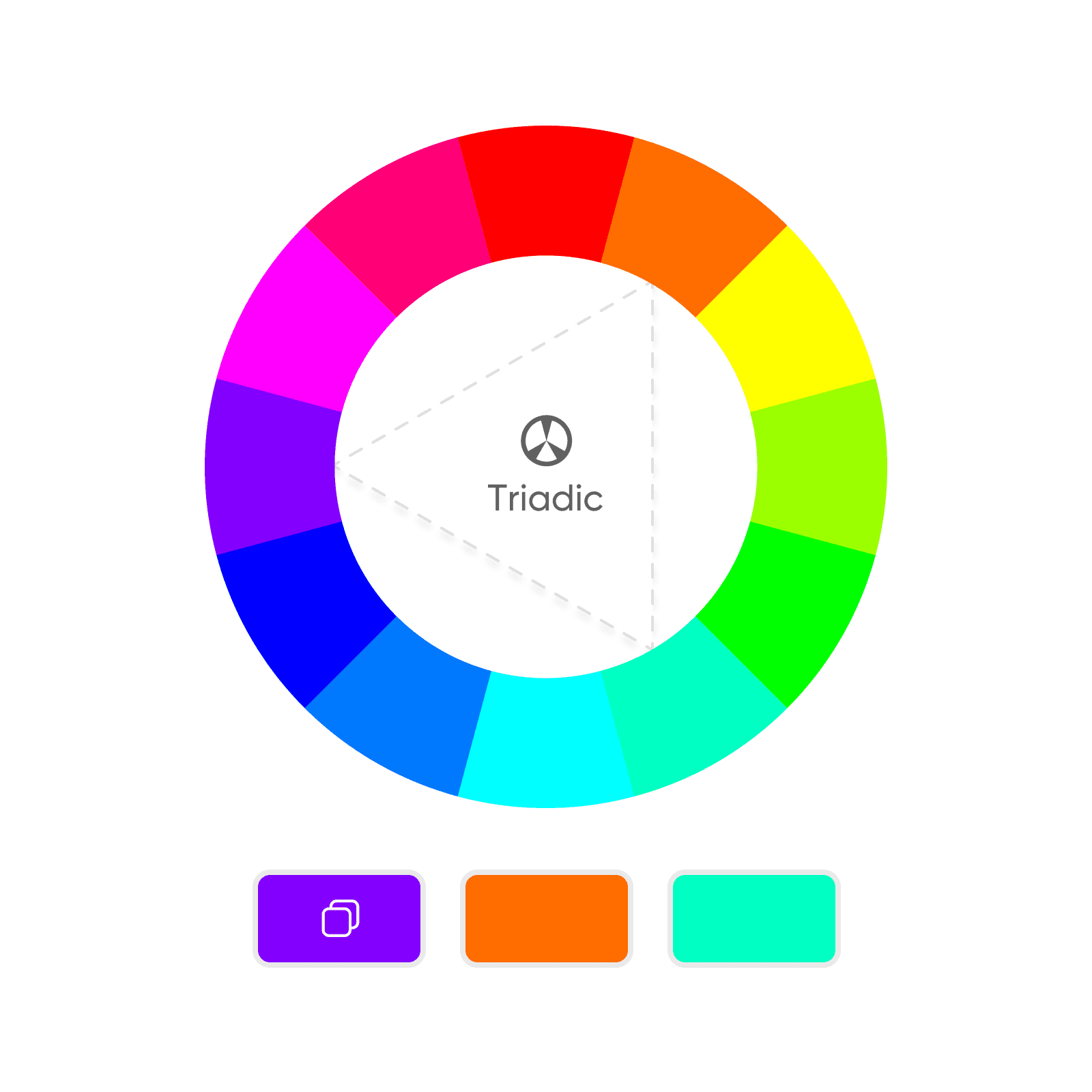
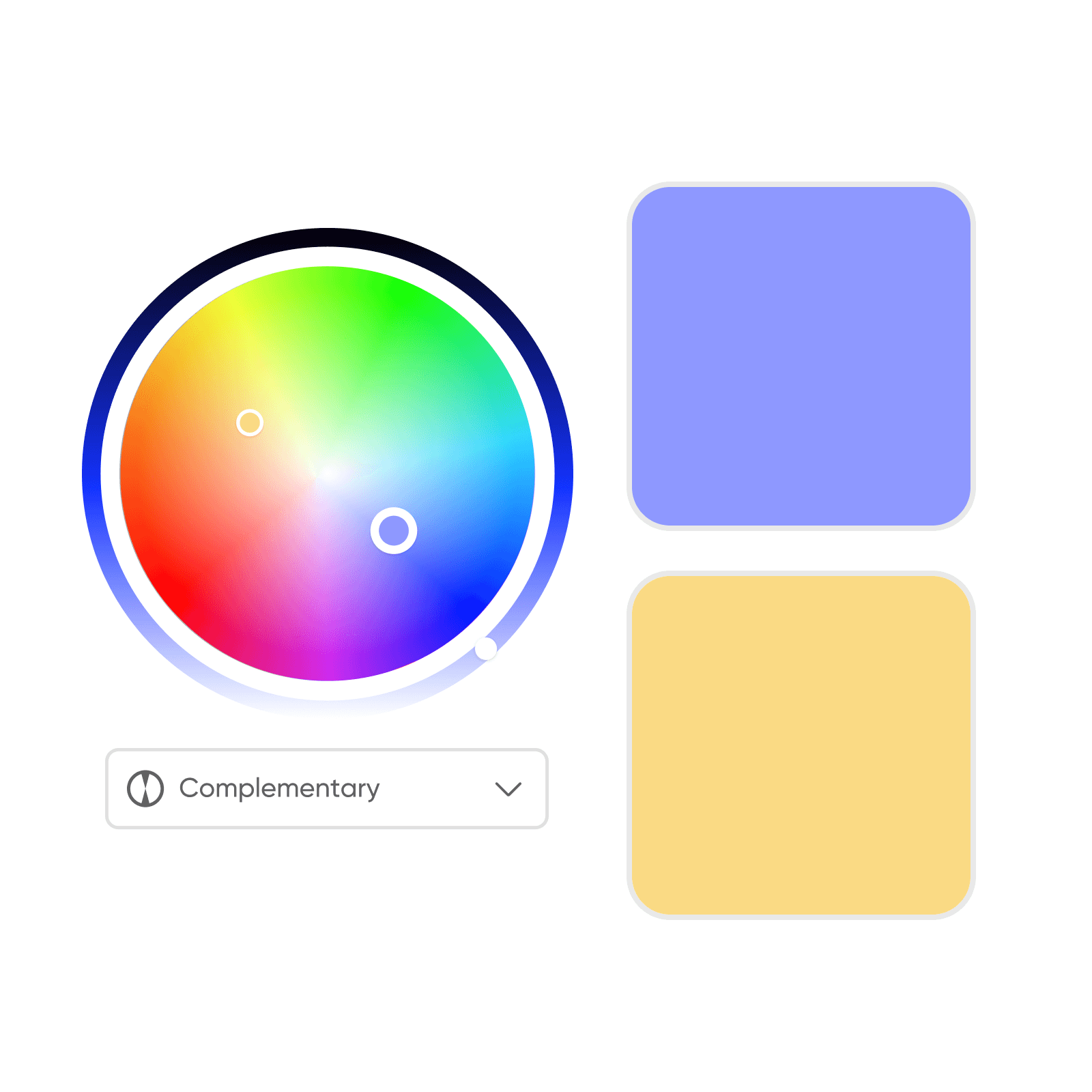
Nutze das komplementäre Farbrad, um harmonische Farbtöne zu finden
Picsarts Farbrad bietet ein komplementäres Farbrad, das Farben hervorhebt, die sich entweder auf dem Farbkreis gegenüber sitzen oder gut zusammenpassen. Dies ist sehr hilfreich, um verschiedene harmonische oder kontrastierende Farben zu finden. Jede Art von Kombination hilft dir, verschiedene Ziele zu erreichen:
- Farbharmonie: Erreiche einen ausgewogenen und ästhetisch ansprechenden Look, indem du Farben verwendest, die sich ergänzen.
- Kontrastierende Farben: Schaffe einen kühnen und dynamischen Effekt mit kontrastierenden Farbkombinationen.
- Farbabstimmung: Stelle die Einhaltung von Markenrichtlinien und Farbgeschichten sicher, indem du das Farbrad als Referenz für deine Farbpalette verwendest.
Das interaktive Farbrad in der Praxis
Das Farbrad übersteigt kreative Disziplinen und dient als universelle Sprache zum Verständnis und zur effektiven Verwendung von Farbe. Unabhängig vom Erfahrungsniveau befähigt das Farbrad Nutzer, informierte Entscheidungen zu treffen und ihre Projekte auf vielfältige Weise zu verbessern:
- Grafikdesign: Das Farbrad kann verwendet werden, um kohärente Markenidentitäten zu schaffen oder Marketing-Kampagnen mit Lebendigkeit zu versehen, indem es Nutzer beim Erstellen von auffälligen Logos, Websites und Marketingmaterialien unterstützt, die einen bleibenden Eindruck hinterlassen.
- Fotografie: Durch die Verwendung des Farbrads können Fotografen Farbstiche korrigieren, die natürlichen Töne ihrer Fotos verbessern oder mit gezielten Farbkorrekturen kreative Akzente setzen und dadurch ausgewogene und visuell ansprechende Kompositionen erreichen.
- Mode: Das Farbrad hilft Nutzern, Kleidungs- und Accessoire-Farbkombinationen zu wählen, die sich ergänzen und ihren persönlichen Stil unterstreichen. Es ermöglicht Experimente mit mutigen Kontrasten oder die Kreation harmonischer monochromatischer Looks.
- Innenarchitektur: Das Farbrad beeinflusst Entscheidungen bei Wandfarben und Raumlayouts und prägt die Stimmung und Atmosphäre eines Raums. Beispielsweise kann es verwendet werden, um Energie und Wärme in einem Wohnzimmer zu schaffen, Ruhe und Entspannung in einem Schlafzimmer oder Kreativität in einem Heimbüro zu inspirieren.
- Produktdesign: Das Farbrad unterstützt beim Entwerfen von Produkten, die nicht nur funktional, sondern auch visuell ansprechend sind. Es hilft Nutzern, Farbschemata zu schaffen, die ihrer Zielgruppe und Markenidentität entsprechen.
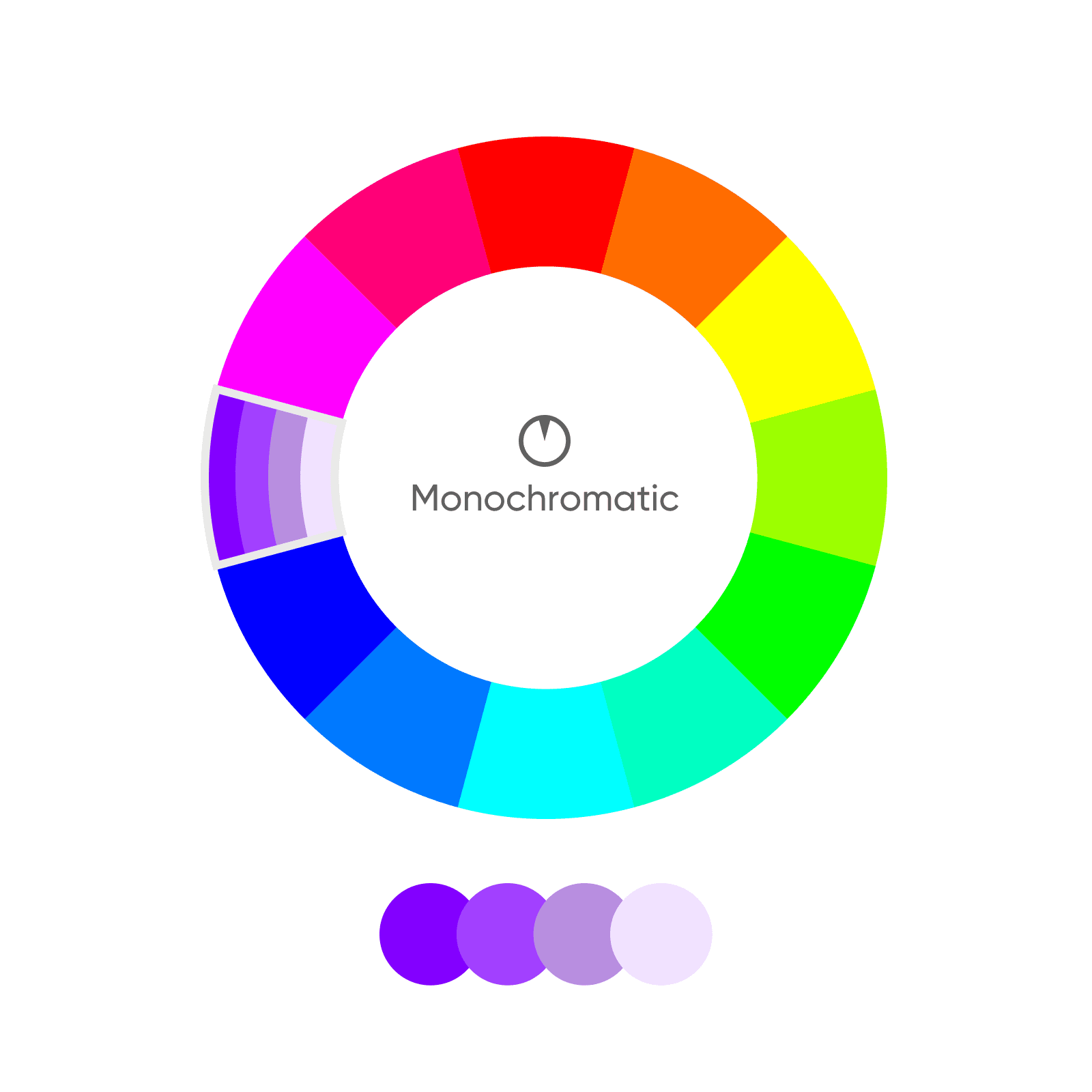
Farbkombinationen ausprobieren
Arten von Farbkombinationen
Farbschemata sind spezifische Farbkombinationen, die verwendet werden, um visuelles Interesse zu schaffen und Emotionen hervorzurufen. Es gibt fünf beliebte Farbschemata, die alle in Picsarts Farbenrad verfügbar sind. Nutze die Pfeile, um zu den nächsten Folien zu navigieren und jedes beliebte Farbschema und seine Bedeutung zu erkunden.
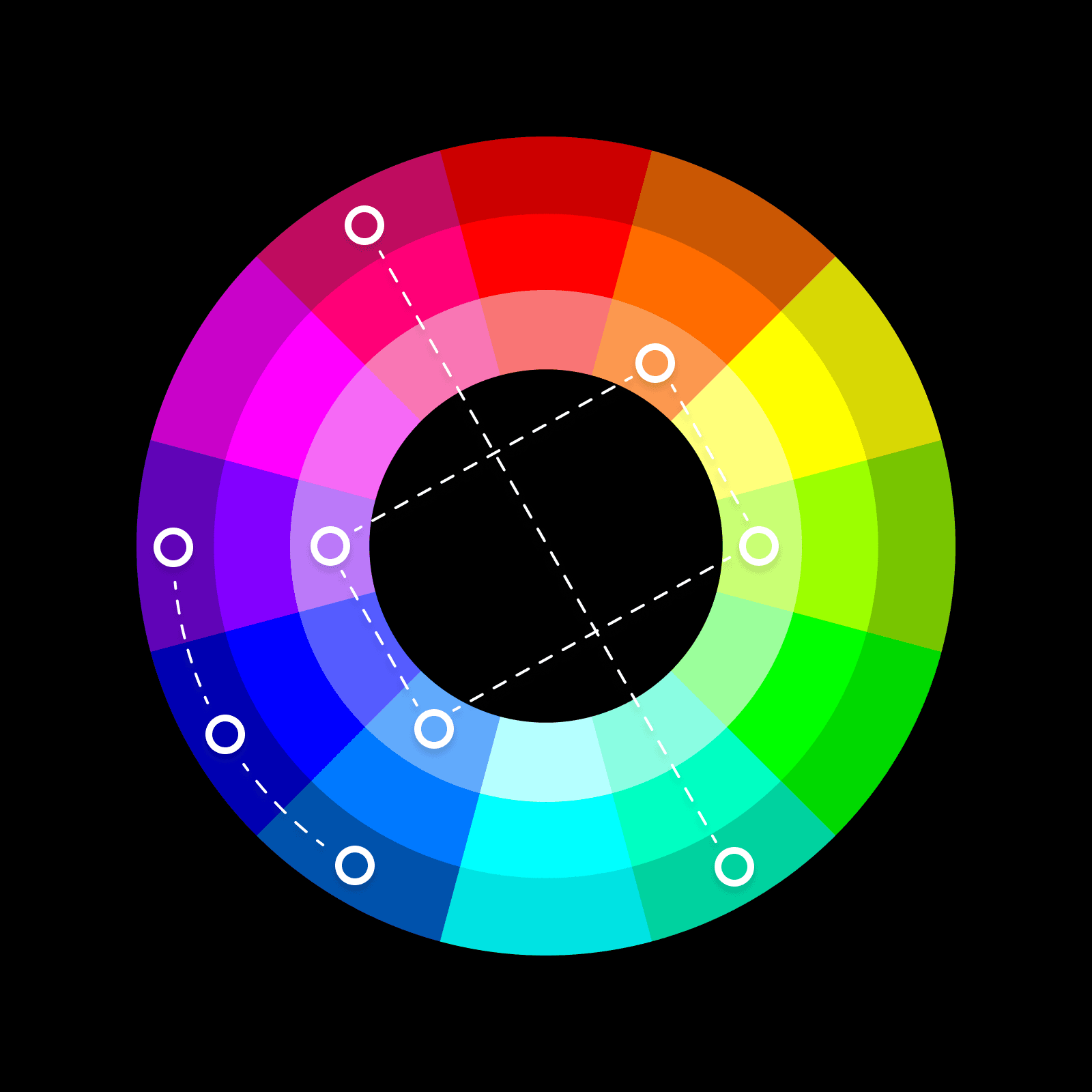
Farbtypen: primär, sekundär und tertiär
Das Farbrad ist um die Primärfarben (Rot, Gelb und Blau) aufgebaut – die grundlegenden Farben, die sich zu Sekundärfarben (Orange, Grün und Violett) kombinieren.
- Primärfarben: Rot, Gelb und Blau. Dies sind die Grundfarben, die zur Erstellung aller anderen Farben auf dem Rad verwendet werden.
- Sekundärfarben: Orange, Grün und Violett. Diese werden durch die Kombination von Primärfarben erstellt.
- Tertiärfarben: Türkis, Olivgrün und Violett. Diese entstehen durch das Mischen einer Primärfarbe mit einer Sekundärfarbe.
Die Klassifizierung in Primär-, Sekundär- und Tertiärfarben hilft beim Verständnis von komplementären Farbbeziehungen und erleichtert die Erstellung und Manipulation einer breiten Palette von Farben im Rad.
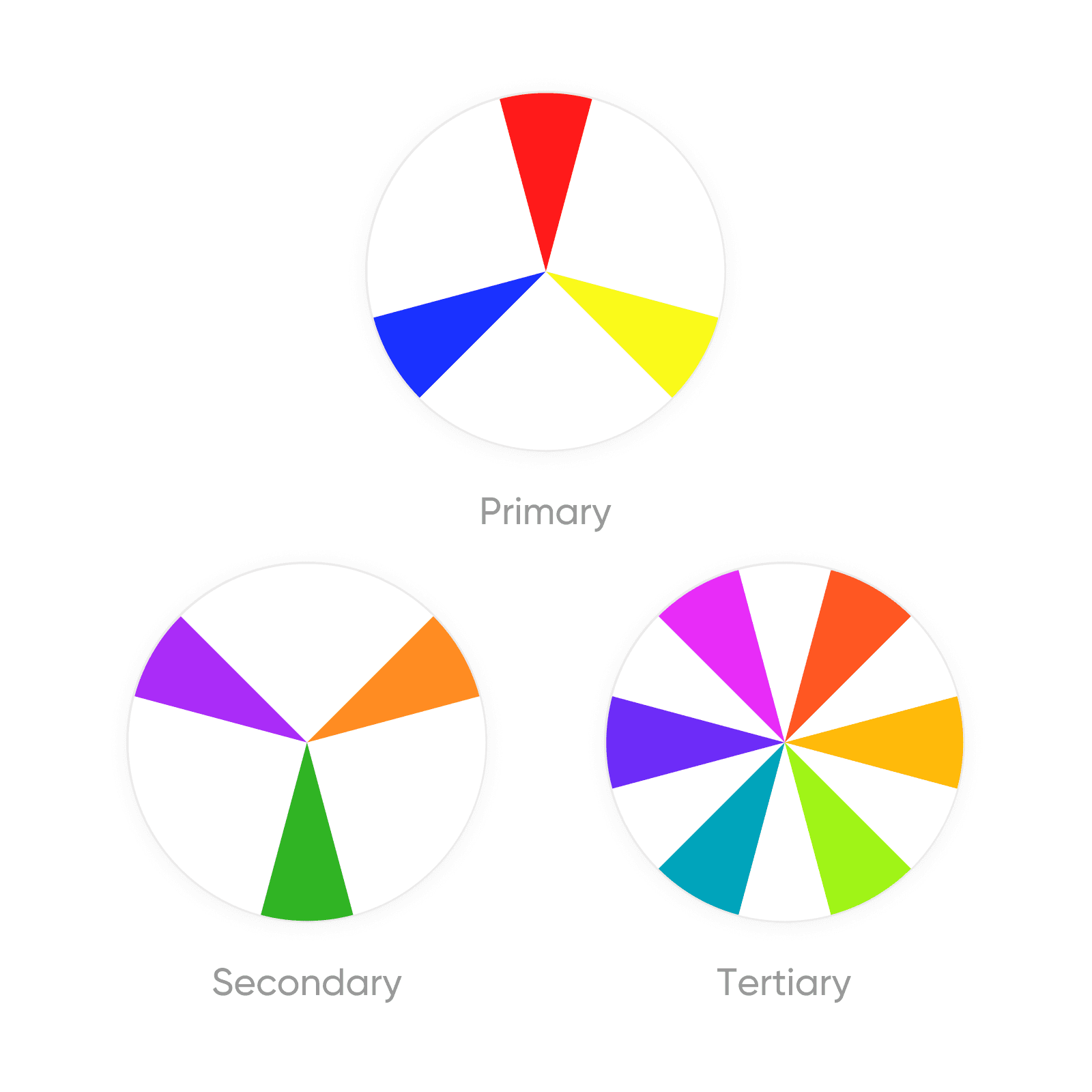
Farbtemperatur: Warme und kühle Farben
Das Verständnis des Konzepts der Farbtemperatur, das das Farbrad in warme und kühle Farben unterteilt, ist entscheidend für die Festlegung der Stimmung und Atmosphäre in deinen Designs.
- Warme Farben, wie Rot, Orange und Gelb, werden oft mit Energie, Leidenschaft und Aufregung verbunden und wecken Gefühle von Wärme und Gemütlichkeit. Sie sind ideal für Designs, die den Betrachter stimulieren und energetisieren sollen.
- Kühle Farben, wie Blau, Grün und Violett, erzeugen typischerweise Gefühle von Ruhe, Frieden und Tranquillität und eignen sich perfekt zur Schaffung einer ruhigen und einladenden Atmosphäre.
Die strategische Nutzung der Farbtemperatur kann die emotionale Reaktion, die von deinen Designs ausgelöst wird, erheblich beeinflussen und dir ermöglichen, Erlebnisse zu schaffen, die tief bei deinem Publikum ankommen.
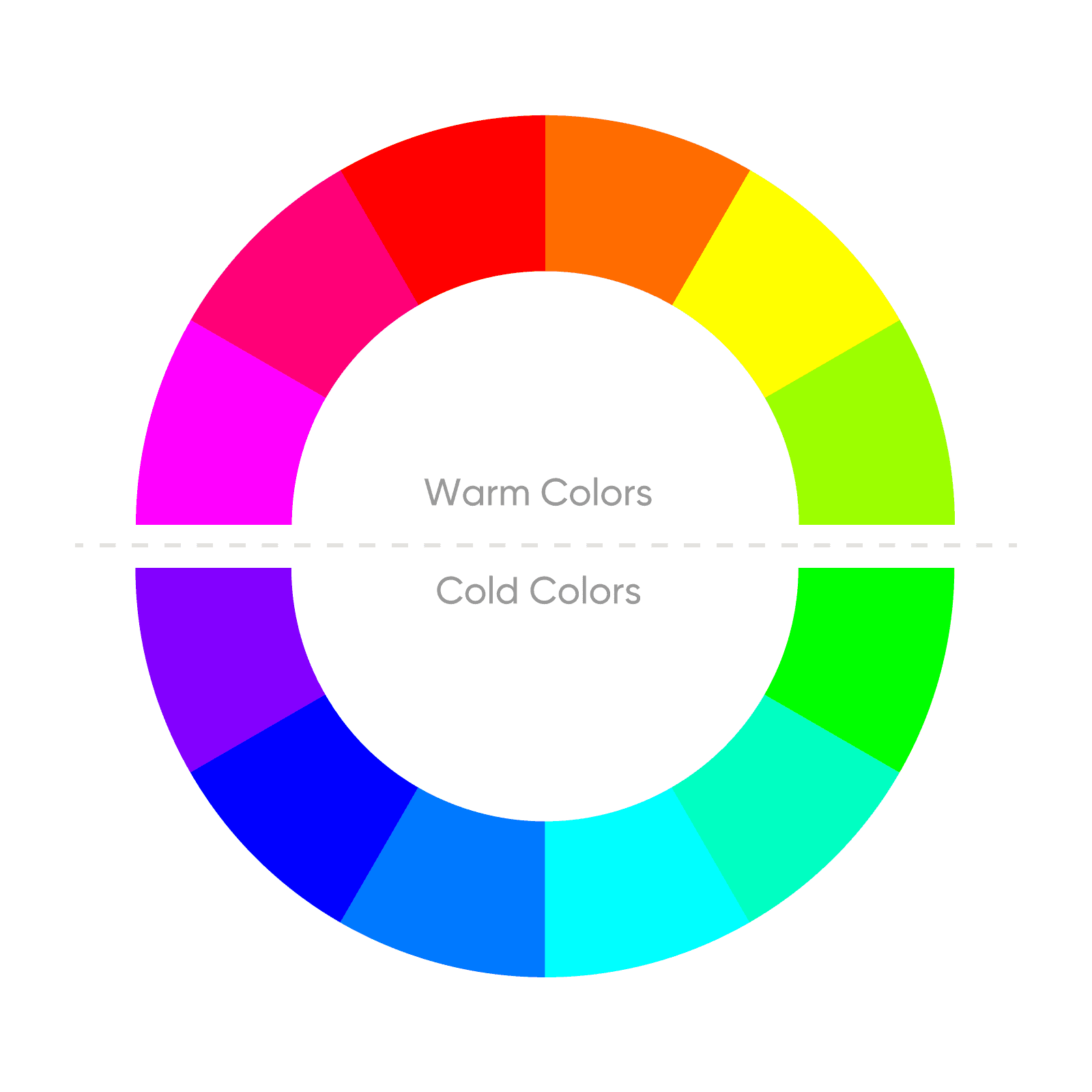
Farbkomponenten: Schatten, Tint und Ton
Die Manipulation der Farben des Farbrads – Schatten, Tint und Ton – ermöglicht eine umfassende Erkundung von Farbvariationen und erweitert deine kreative Palette über die Grundtöne hinaus. Durch das Hinzufügen von Schwarz kannst du Farbschatten erstellen und Tiefe sowie Intensität in deine Designs einführen. Tints werden durch Hinzufügen von Weiß erreicht und bieten eine hellere, sanftere Version der Originalfarbe, ideal für zarte und subtile Designelemente. Töne werden durch Hinzufügen von Grau erstellt, reduzieren die Sättigung einer Farbe und führen zu einem gedämpfteren und sophistizierteren Aussehen.
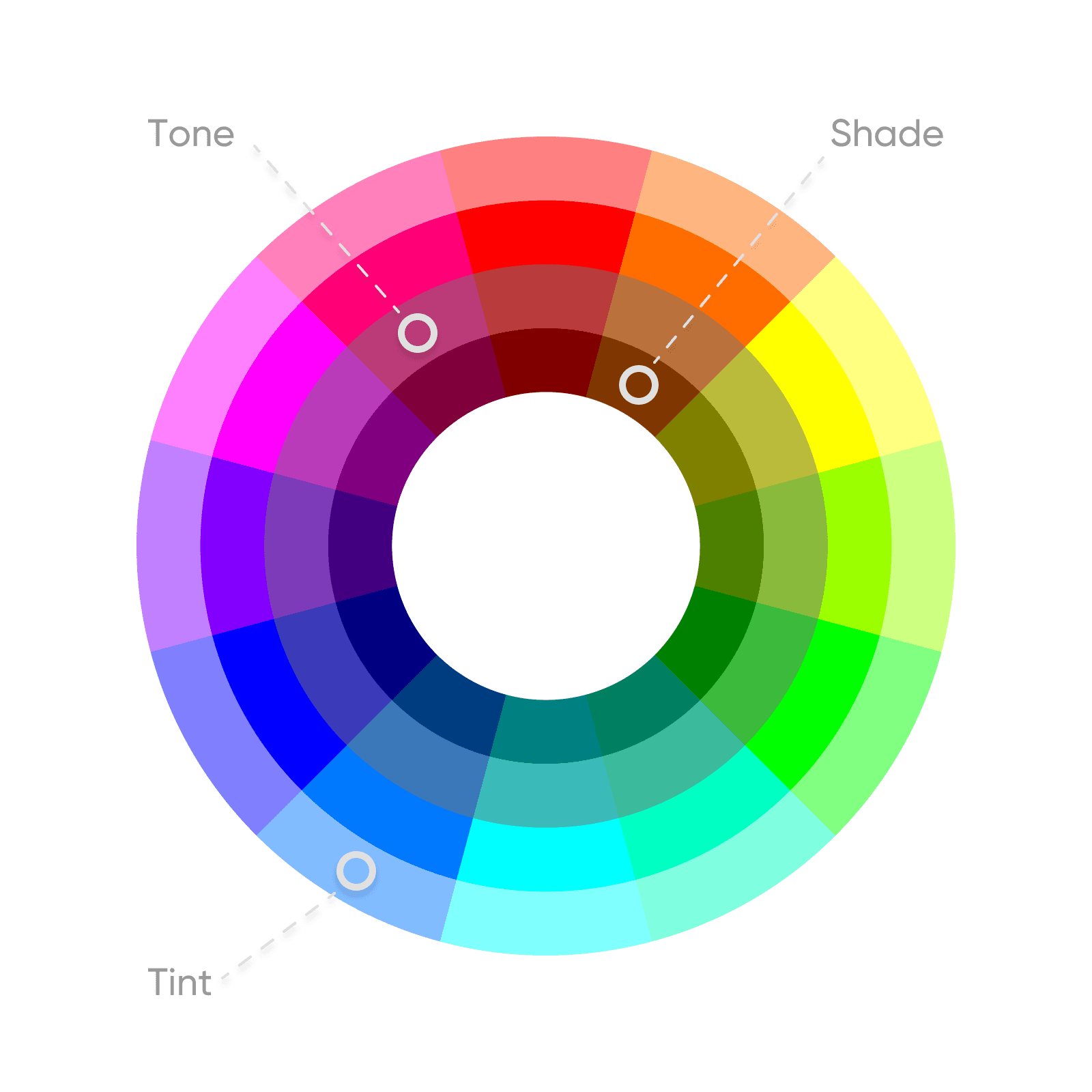
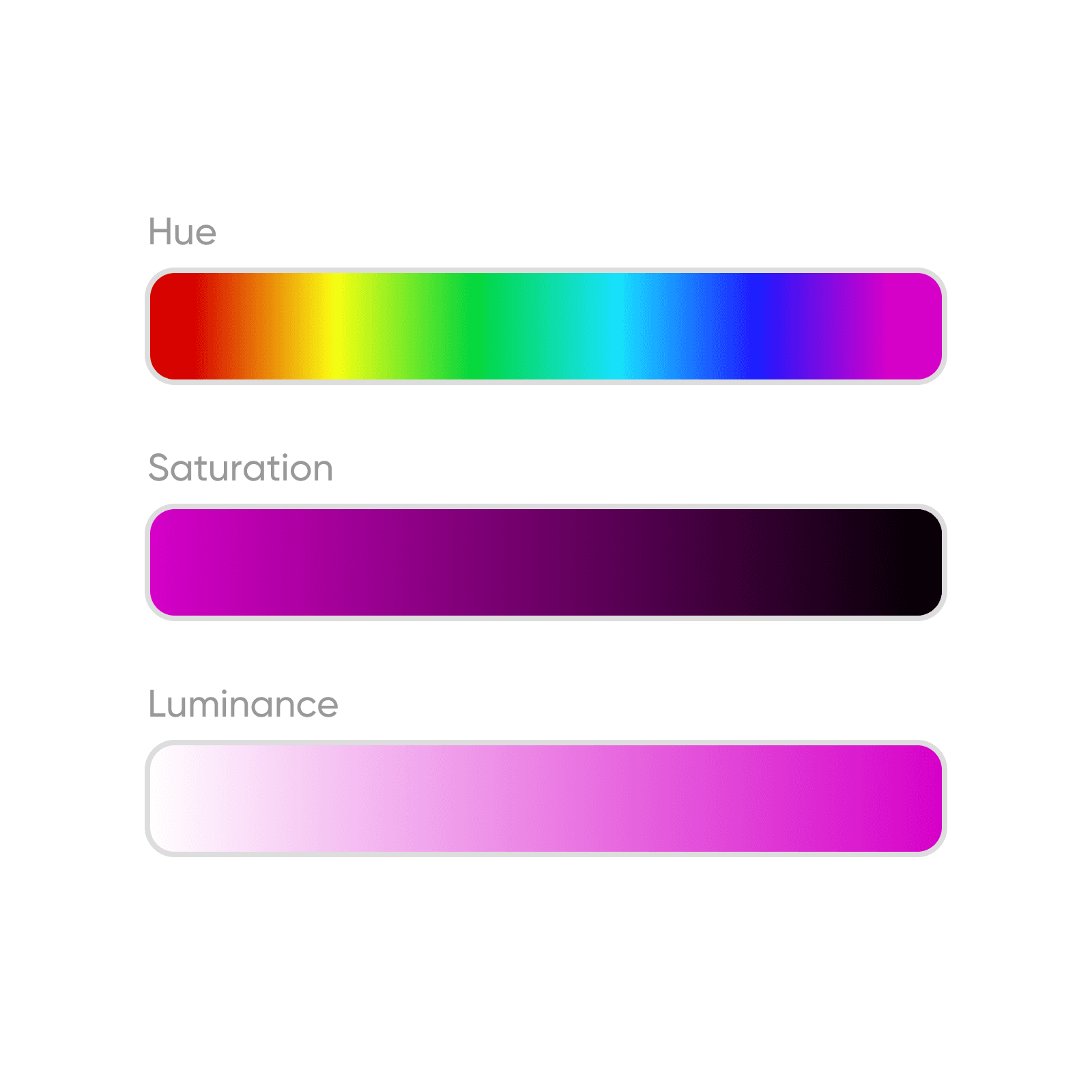
Bausteine von Farbe: Farbton, Sättigung, Leuchtkraft
Um die Kunst der Farbgebung in deinen Projekten wirklich zu beherrschen, ist es entscheidend, die drei grundlegenden Eigenschaften zu verstehen, die Farben ihre einzigartigen Merkmale und Effekte verleihen: Farbton, Sättigung und Leuchtkraft. Das Verständnis dieser Bausteine ist für jeden essentiell, der Farbtheorie effektiv anwenden möchte und sicherstellen möchte, dass ihre Kreationen nicht nur das Auge fesseln, sondern auch die gewünschte emotionale und ästhetische Botschaft vermitteln.
- Farbton: Im Kern der Farbtheorie bezieht sich der Farbton auf die reinen Spektrumfarben, die durch Farbnamen wie Rot, Grün oder Blau gekennzeichnet sind. Es ist der Aspekt der Farbe, den wir am häufigsten erkennen, und ist der Ausgangspunkt für die Erstellung von Farbkombinationen und -schemata.
- Sättigung: Diese Eigenschaft misst die Intensität und Reinheit einer Farbe. Hohe Sättigung bedeutet, dass die Farbe lebendig und voller Leben ist, während niedrige Sättigung ein gedämpftes, gräuliches Aussehen ergibt. Die Sättigung kontrolliert die Lebendigkeit einer Farbe und ihre Auswirkung auf ein Design.
- Leuchtkraft (oder Helligkeit): Die Leuchtkraft bestimmt, wie hell oder dunkel eine Farbe wirkt. Das Anpassen der Leuchtkraft kann die Stimmung und räumliche Dynamik einer Komposition ändern. Hellere Farben (hohe Leuchtkraft) können Elemente hervorheben und näher wirken, während dunklere Farben (niedrige Leuchtkraft) Tiefe und Sophistiziertheit hinzufügen können.
Farbrad FAQ
Ein Farbrad ist ein Kreisdiagramm, das Farben in einem Kreis organisiert, sodass Nutzer visualisieren können, wie Farben zueinander in Beziehung stehen. Es dient als grundlegendes Werkzeug zum Verständnis und zur Anwendung von Farbtheorie und erleichtert die Auswahl harmonischer Farbkombinationen für verschiedene Design- und Kunstprojekte.
Erstelle Farbpaletten für jede Design-Idee
Pro
Most popularAI tools for everyday creative work.
Ultra
Most powerfulHeavy AI usage for creators & teams.
Enterprise
Custom AI solutions for large organizations.
- Volume discounts on credit rate
- On-demand top-ups


