Trasforma le foto all’istante con l’effetto acquerello di Picsart
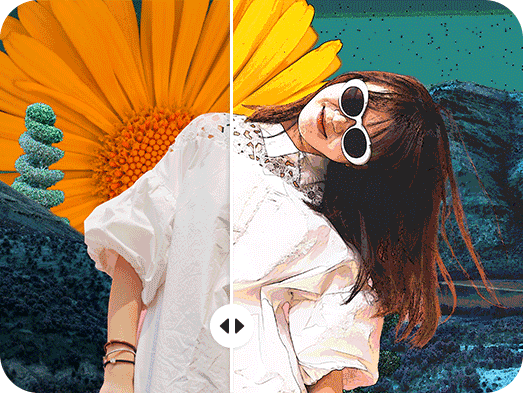
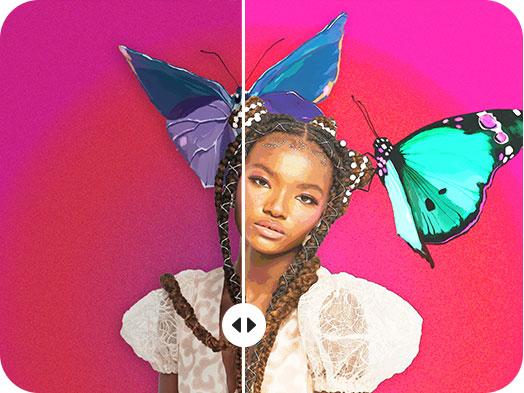
Trasforma facilmente le foto in dipinti ad acquerello con un clic e in pochi secondi.
Crea dipinti ad acquerello con i modelli di immagini AI
Usa i modelli di immagini per trasformare le foto con stili, effetti e spunti visivi pronti da modificare.
Vuoi trasformare una foto in un capolavoro ad acquerello senza alcuno sforzo? Lascia che il filtro acquerello di Picsart faccia il lavoro al posto tuo. Ti basta fare clic una volta e lasciare che la tecnologia intelligente di questo strumento trasformi la tua immagine da semplice foto a opera d’arte in pochi secondi, proprio davanti ai tuoi occhi. Ma non battere ciglio, o te lo perderai! Ogni volta che vuoi condividere o pubblicare un’immagine degna di un museo sui tuoi canali personali o professionali, l’effetto acquerello di Picsart trasformerà all’istante qualsiasi foto in un’opera d’arte. Sarai orgoglioso di mettere in mostra questi risultati magici sui social media e non solo.
L’effetto acquerello è pura magia, proprio davanti ai tuoi occhi
L’effetto acquerello di Picsart trasforma in un attimo anche le immagini più semplici in opere d’arte. In pochi secondi, vedrai le tue foto passare da semplici a straordinarie proprio davanti ai tuoi occhi. Carica l’immagine che vuoi trasformare in un capolavoro ad acquerello e lascia che la tecnologia intelligente faccia il resto. Basta un clic per cambiare all’istante l’aspetto e i colori della tua foto. L’effetto pittura ad acquerello è il modo più rapido e semplice per creare immagini accattivanti da pubblicare sui social media, sul tuo sito web, sul blog, sugli inviti e non solo.
- Dai un effetto pittorico alla foto preferita
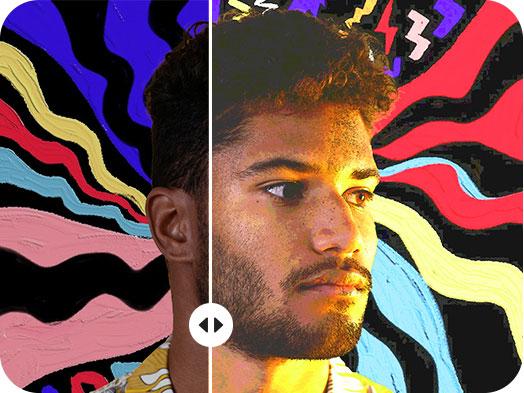
L’effetto acquerello di Picsart è rapido e gratuito
Con l’effetto acquerello di Picsart puoi trasformare qualsiasi foto in un’opera d’arte esteticamente accattivante senza spendere un centesimo. E puoi caricare e modificare tutte le foto che vuoi, senza temere costi esorbitanti. Ogni volta che vuoi pubblicare un’immagine bella e originale, lascia che il filtro acquerello la trasformi per te con facilità e rapidità. Vuoi creare un invito irresistibile per un evento? Aggiungi l’effetto acquerello di Picsart per rinnovarne completamente il design. Devi realizzare un volantino digitale d’impatto per una vendita online o il lancio di un prodotto? L’effetto acquerello farà risaltare i tuoi contenuti.
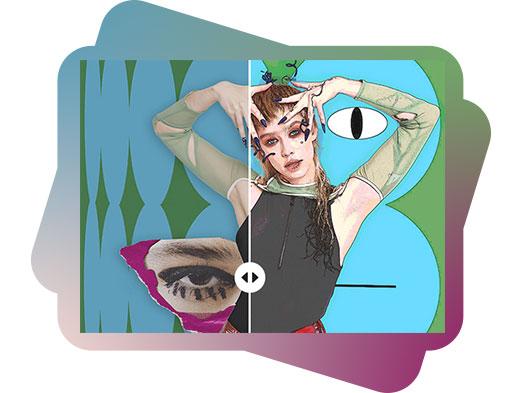
Trasforma qualsiasi foto in un’opera d’arte in pochi secondi
Quando vuoi creare contenuti artistici e accattivanti per le tue pagine personali o aziendali, trasforma le foto in dipinti ad acquerello con l’effetto acquerello di Picsart, perfetto per qualsiasi tipo di immagine. Dai selfie ai ritratti, dai paesaggi e molto altro, questo effetto magico darà vita a immagini degne di essere messe in mostra sui tuoi social media e non solo. E non serve alcuna esperienza di design o arte. Carica l’immagine che vuoi e lascia che lo strumento faccia il resto. Anche se non ti occupi di arte, puoi comunque creare magnifici capolavori ad acquerello capaci di conquistare i tuoi follower.
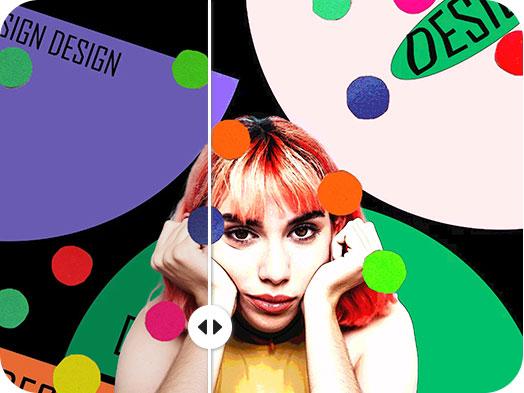
Prova l’effetto acquerello per ogni occasione
Cerchi un modo rapido per trasformare i tuoi profili personali sui social media? Vuoi dare un tocco artistico agli elementi visivi del tuo brand? Che tu pubblichi per motivi personali o professionali, l’effetto acquerello di Picsart ti aiuta a ottenere un look davvero unico in pochi secondi. Stupisci amici e follower condividendo contenuti artistici che sembrano aver richiesto ore di lavoro. Trasforma subito una foto in un dipinto ad acquerello. Personalizza le tue creazioni con i migliori strumenti di fotoritocco di Picsart. Con Picsart non ci sono limiti quando si tratta di creare contenuti perfetti: scegli il filtro acquerello ogni volta che vuoi dare ai tuoi post qualcosa in più.
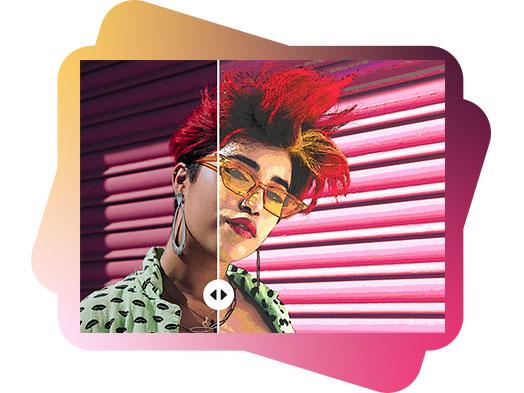
Personalizza facilmente ogni dettaglio con l’effetto acquerello
Dopo aver trasformato una foto in un dipinto ad acquerello, arriva la parte divertente: personalizzare ulteriormente i tuoi contenuti in base al tuo stile e al tuo umore. La personalizzazione è un ottimo modo per far risaltare davvero i tuoi post in qualsiasi feed dei social media. Con gli strumenti di fotoritocco intuitivi e ricchi di funzionalità di Picsart, puoi aggiungere adesivi fantastici, sfondi d’impatto, font originali e molto altro. Non serve esperienza professionale di design per creare contenuti straordinari per i tuoi canali personali e professionali. Se riesci a immaginarlo (e a fare clic), puoi dargli vita su Picsart. Quando vuoi, trasforma all’istante qualsiasi foto in un dipinto ad acquerello, in pochi secondi.
- Affina i dettagli dell’effetto
Come usare l’effetto acquerello
How to
Apri l’editor
Apri Picsart Editor
Picsart sui media






Modifica le foto per creare contenuti curati
Pro
Most popularAI tools for everyday creative work.
Ultra
Most powerfulHeavy AI usage for creators & teams.