Turn rough outlines into final designs with the SketchAI app

Create one-of-a-kind digital artwork with sketch to image AI. It’s easy to take your ideas to the next level with SketchAI. 

  • Start with a sketch you made
  • Guide the result with your words
turn outlines into images with picsart sketch ai app

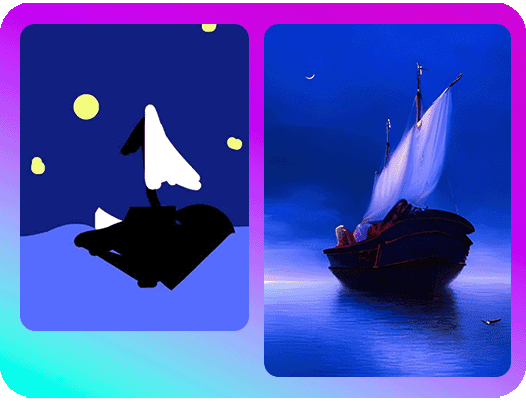
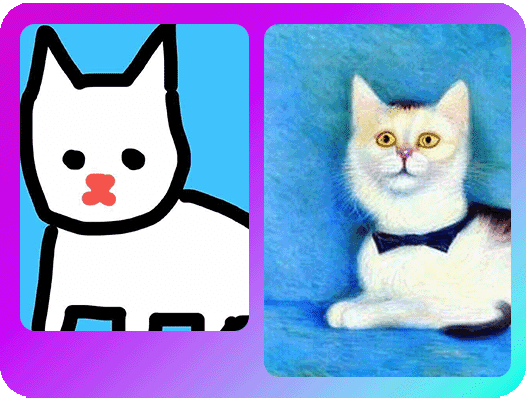
Ready to take your creative skills to the next level? With the Picsart SketchAI app for iOS, all you need to do is draw an image to transform it into AI art. Whether you’re importing older artwork or doing a quick drawing on a blank canvas, it only takes a few seconds to generate AI-enhanced versions of your masterpiece with sketch to image AI.

From sketch to image

Use SketchAI to transform your creative vision into digital art

Starting a new project? Maybe you already have a few ideas in mind, but you’re not sure where to go next. With the Picsart SketchAI app for iOS, you can easily sketch an image and transform it into high-quality digital artwork. Want to get more specific? After uploading your image, type a few words to describe your creative vision to refine your results.
Our app features a wide range of brushes and colors to use for your sketch, along with a bucket tool for easy coloring. From scroll-stopping marketing materials to project mockups, SketchAI has everything you need to generate professional-looking images in seconds.

sketch of a cat transformed into digital artwork

Find your next inspiration with an easy-to-use AI sketch app

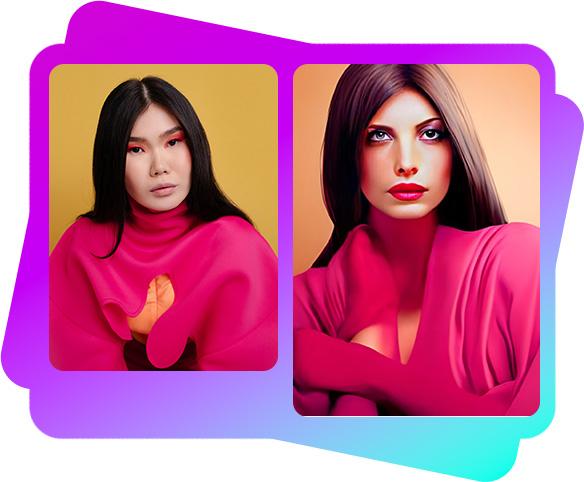
When you’re looking for efficient ways to turn your sketches into digital art, let sketch to image AI be your creative partner. There’s no replacement for awe-inspiring sketches, but SketchAI can guide you to the completed version of your vision. Even if you’re a design newbie, it only takes a few taps to transform your art into AI masterpieces. Whether you’re aiming for pencil sketches or Van Gogh-inspired art, our sketch AI tools feature pre-selected styles that you can apply to your creations so you can nail the right look every time.

  • Explore different treatments of your idea
sketch to image quickly and easily with sketch ai app

How to use SketchAI

How to

Upload images

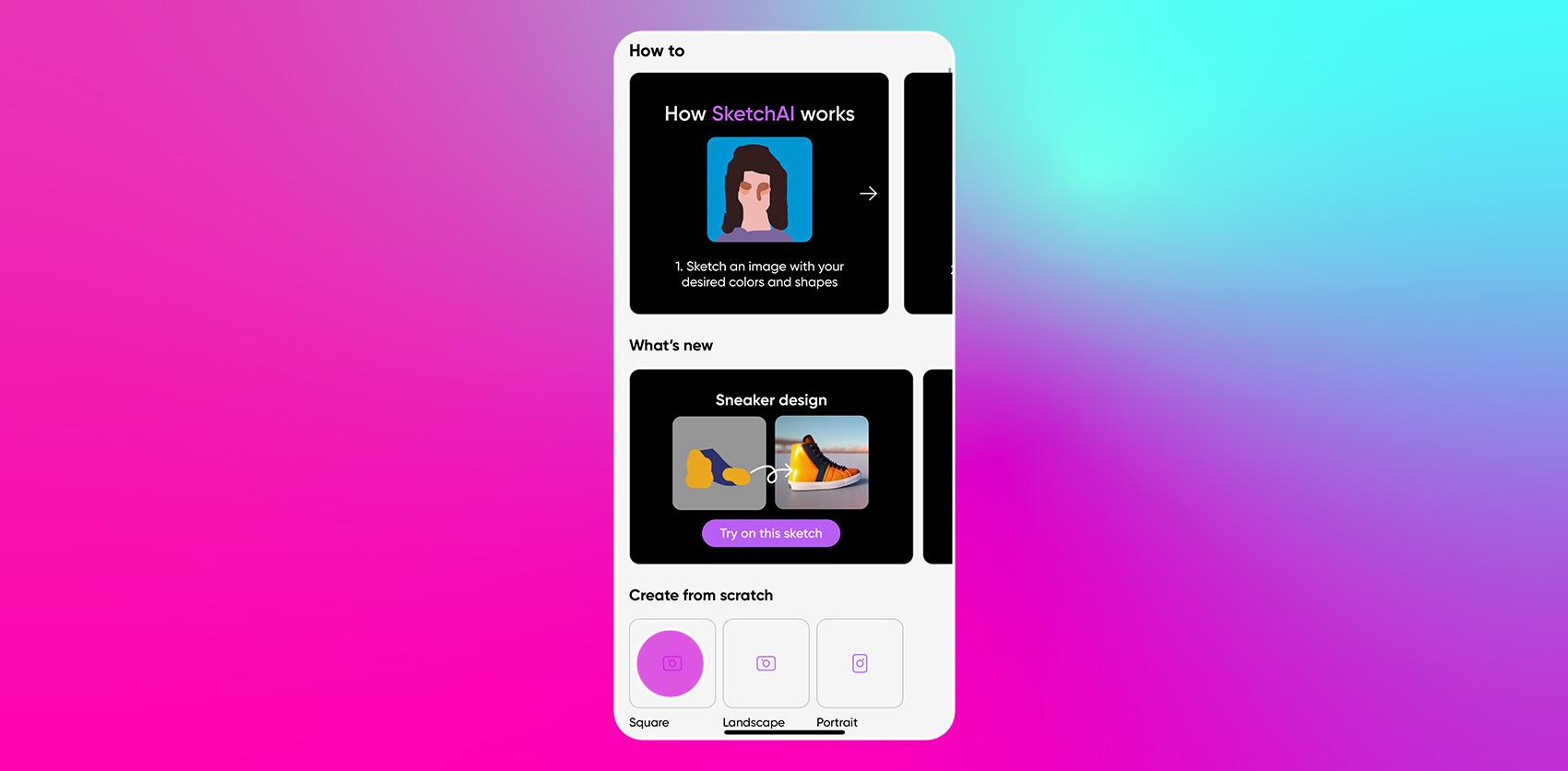
Open the SketchAI app for iOS. Start with a blank canvas or upload your image to get started.

open the sketch ai app for ios

Tap into the power of sketch to image AI

  • Range of drawing tools

    Turn your artistic vision into a reality with professional drawing tools for advanced artists and beginners.

  • Powerful AI technology

    Need some inspiration? Generate as many variations of your sketch as you want for unique results every time.

  • Instantly transform photos

    Whether you’re looking to upgrade your marketing materials or turn your sketch into a digital masterpiece, it only takes a few seconds to enhance images with AI.

  • Adjustable brush size

    Zoom in and out of your canvas and adjust your brush size to take care of the details.

  • Pro-grade presets

    Add the finishing touches to your digital designs with pro-grade presets. At 40+ presets, we’re constantly working to bring your vision to life.

  • Save designs immediately

    With just a few taps, you can easily share your designs right from the app. It’s that simple.

SketchAI FAQ

  • SketchAI is an app powered by Picsart's AI image generator and uses artificial intelligence to turn sketches into digital images. Users can draw an image on a blank canvas or import an existing image from their gallery, and the app will generate an AI-enhanced version of the image.

Picsart Featured In

MashableEsquirePeopleForbesTechCrunchBuzzFeed

Turn ideas into sketches for content and campaigns

Pro

Most popular

AI tools for everyday creative work.

$15 $10.5/mo
Billed yearly
You save $54 with yearly
  • Access to all photo & video editing features
  • Advanced background & object removal
  • Parallel video generations with the world's most powerful AI video models
  • Unlimited image generations with Flex.2 Klein
  • 1-tap image enhancer
  • Millions of stock photos & Getty video clips
  • Selection of trendy fonts, text styles & stickers
  • Thousands of premium templates
  • Support for 3+ brand kits
  • Bulk edit up to 50 images at once
  • 100 GB of cloud storage
New features:
  • Auto-generate content from your terminal or agent with the Picsart CLI
  • Use Picsart inside Claude Code, Cursor, and ChatGPT via MCP — coming soon
  • AI agents for multi-step workflows and batch generation — coming soon

Ultra

Most powerful

Heavy AI usage for creators & teams.

$45 $24.5/mo
Billed yearly, per seat
You save $246 with yearly
  • Everything in Pro
  • Early access to advanced AI features
  • Leading AI models to design & automate workflows (Nano Banana, Veo 3, Seedance 2.0 & more)
  • Parallel video generations with the world's most powerful AI video models
  • Unlimited image generations with Flex.2 Klein
  • Support for 10+ brand kits
  • Add team seats
  • Create ad variations and localize
  • Track ads performance
  • 2000 credits for API services
  • Bulk edit up to 100 images at once
  • 300 GB of cloud storage per seat
New features:
  • Auto-generate content from your terminal or agent with the Picsart CLI
  • Use Picsart inside Claude Code, Cursor, and ChatGPT via MCP — coming soon
  • AI agents for multi-step workflows and batch generation — coming soon

Enterprise

Custom AI solutions for large organizations.

Custom credit volume
  • Volume discounts on credit rate
  • On-demand top-ups
Custom
Contact for pricing
  • Access to photo & video editor SDKs
  • Mobile web SDK support
  • Prepaid or pay-as-you-go creative APIs
  • Embed professional-grade editing into your product or workflow
  • Fully configurable editing experience
  • White-label to match your brand
  • Support for built-in marketing, e-commerce & printing use cases
  • Bring your own assets: images, templates & fonts
  • Enterprise-grade security, SLAs & support
  • Dedicated account manager