FLUX Video Edit vs MiniMax H3 Max: edit your footage or generate a new shot
FLUX Video Edit and MiniMax H3 Max are 2 of the strongest AI video models available today, and they solve opposite problems. FLUX Video Edit takes a clip you already have and changes only what you describe. MiniMax H3 Max writes a new clip from a prompt or a still image. This FLUX Video Edit vs MiniMax H3 Max comparison breaks down inputs, resolution, clip length, speed and cost so you can choose with confidence. Try both side by side in Picsart AI Video Generator or AI Playground.
Feature comparison overview
Compare FLUX Video Edit and MiniMax H3 Max across the features that matter most, from what each one takes as input to resolution, clip length, audio, speed and cost.
| Feature | Creatify Boreal | Veo 3.1 |
|---|---|---|
| Developed by | Creatify BorealBlack Forest Labs | Veo 3.1MiniMax |
| What it does | Creatify BorealEdits an existing clip from a text prompt | Veo 3.1Generates a new clip from text or an image |
| Best for | Creatify BorealFixing one thing in footage you already have | Veo 3.1Creating a shot that does not exist yet |
| Inputs | Creatify BorealVideo and text, prompts 1 to 4,096 characters | Veo 3.1Text and images |
| Audio | Creatify BorealPreserves the source audio, can translate dialogue with lip sync | Veo 3.1Not specified for this variant |
| Resolution | Creatify BorealUp to 720p, inputs above 720p are downscaled | Veo 3.1480p or 768p |
| Frame rate | Creatify Boreal24 fps | Veo 3.1Not officially specified |
| Clip length | Creatify BorealFollows the source, up to 15 seconds | Veo 3.15 to 15 seconds |
| Aspect ratio | Creatify BorealFollows the source | Veo 3.121:9, 16:9, 4:3, 1:1, 3:4, 9:16 |
| Creative control | Creatify BorealThe prompt, plus stacked or layered passes | Veo 3.1Start and end frames, prompt expansion, seed |
| File limits | Creatify BorealSource clips up to 50 MiB | Veo 3.1Not officially specified |
| Speed | Creatify BorealAbout 50 seconds for a 10-second clip | Veo 3.1A 5-second clip in seconds |
| Model pricing | Creatify Boreal$0.03 per second | Veo 3.1Not publicly listed |
| Pricing in Picsart | Creatify BorealCredit-based | Veo 3.1Credit-based |
| In Picsart | Creatify BorealAI Playground | Veo 3.1AI Playground |
What you already have decides which model you need
Every AI video model answers one of 2 questions: make me a shot, or fix the shot I have. MiniMax H3 Max answers the first, generating video from a text prompt or a still image with the prompt adherence that put it top of fal's rankings. FLUX Video Edit answers the second, taking footage you already shot and changing only the part you described. They come from different makers with different ambitions - MiniMax builds generators, Black Forest Labs built the first FLUX that edits - and which one you want is decided before you write a word of prompt, by whether there is a clip on your timeline already.
FLUX Video Edit: change anything in a clip with one sentence
FLUX Video Edit is Black Forest Labs' video-to-video model and the first FLUX built to change footage rather than invent it. Feed it a clip and a prompt of up to 4,096 characters and it returns that clip precisely edited, with everything you did not mention left exactly as shot. Add, remove or replace objects and characters and the scene fills in behind them. Rebuild the setting, rewrite signage and lower-third names in place, change lighting or weather, restyle the footage, or translate spoken dialogue with matching lip sync - no masks, no green screen, no rotoscoping. Output runs at 24 fps up to 720p and holds your source duration, aspect ratio and audio, so the edit drops straight back into the timeline it came from.
MiniMax H3 Max: build a shot and direct how it moves
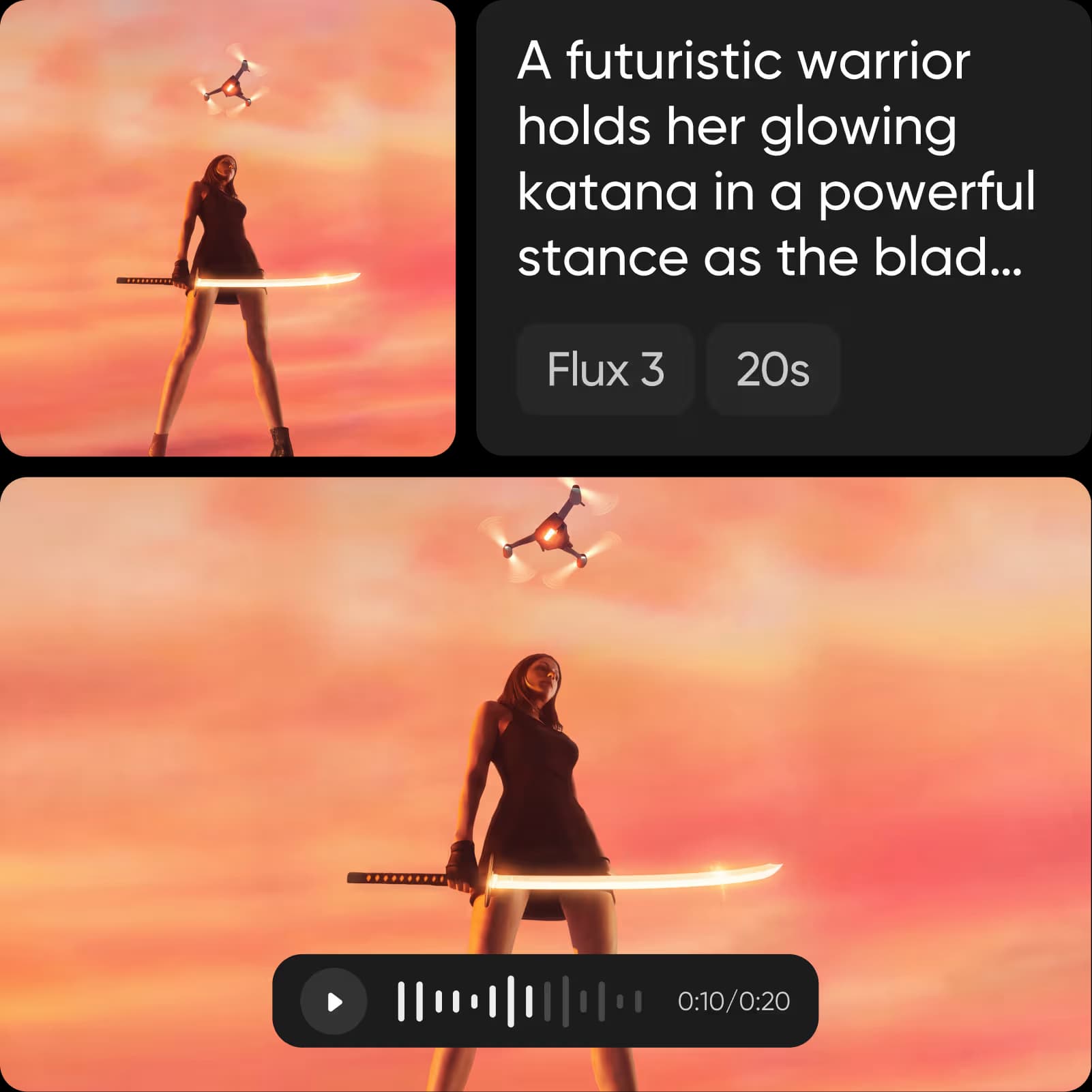
MiniMax H3 Max is the speed-tuned member of the MiniMax H3 family, post-trained for stronger prompt adherence and ranked first in fal's evaluations for overall quality, prompt understanding and aesthetics. Generate from a line of text or a single image at 480p or 768p, anywhere from 5 to 15 seconds. Then direct it: set a start and end frame to lock how the shot opens and closes, choose a prompt-expansion mode - disabled, balanced or quality - to decide how far the model elaborates on your wording, and add a seed when you need the same result twice. Pick the frame before you generate, from 21:9 through to 9:16, rather than cropping after.
Fast enough to run the same idea 5 times
Neither model asks you to wait, and that changes how you work with them. MiniMax H3 Max returns a five-second clip in seconds rather than minutes, so a direction you are unsure about costs you almost nothing to try. FLUX Video Edit turns around a 10-second edit in about 50 seconds, and at $0.03 per second of video it is the most cost-efficient editing model currently available - which matters because editing is iterative by nature, and a model you can run four times on the same clip beats one you run once and accept. Inside Picsart neither is billed per second: both draw on the same credit balance, so generating a scene and editing it happen on one project without a second subscription.
Choose the right model for your workflow
Reach for FLUX Video Edit when the shot is right and one thing in it is wrong - a logo that changed, a sign in the wrong language, an object that should not be in frame, a grade that needs to become a style. Reach for MiniMax H3 Max when there is no footage yet and the shot has to be built from a prompt or a still, with control over how it opens and closes. Most projects want the pair: generate the scene with MiniMax H3 Max, then edit it with FLUX Video Edit once you can see what is off. Choose Picsart to use both - compare FLUX Video Edit and MiniMax H3 Max side by side and pick the best model for each project.
FLUX Video Edit vs MiniMax H3 Max FAQ
FLUX Video Edit is priced at $0.03 per second of video, which works out at roughly 30 cents for a 10-second edit - the cheapest editing model currently on the market. MiniMax H3 Max does not publish a public per-second rate. Inside Picsart neither one is billed directly: both run on your credit balance, so you can generate with one and edit with the other on the same project without a second subscription or an API key.
Understand AI video generation
Learn how prompts, clips, and model choices shape videos.