BLACK FOREST LABS' FASTEST EDITING MODEL
FLUX Video Edit: edit any video with a text prompt
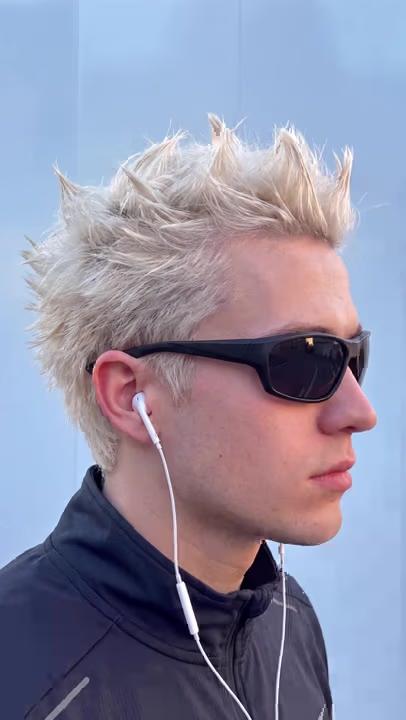
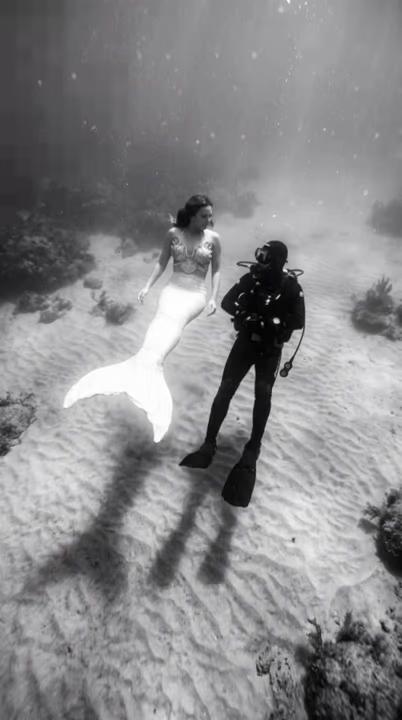
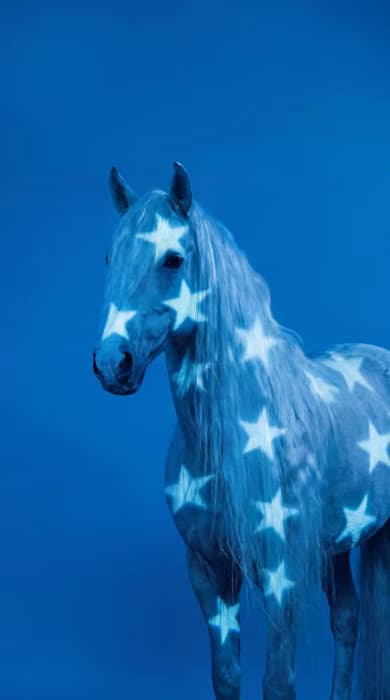
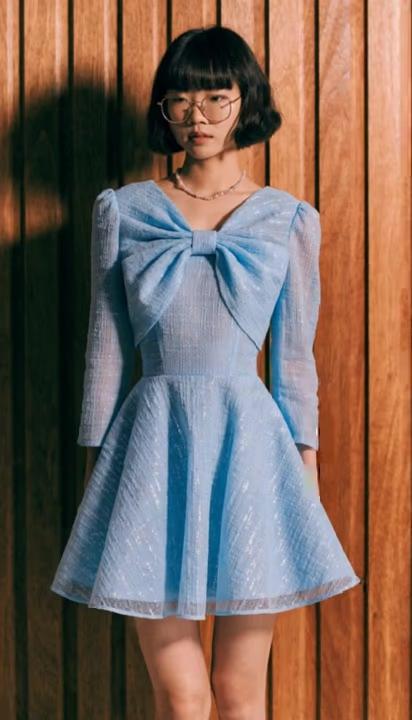
FLUX Video Edit [fast] is Black Forest Labs' video-to-video model: feed it a clip and a sentence, and it returns that clip precisely edited. Add, remove or replace objects and characters, rebuild the setting, restyle the footage, rewrite on-screen text, or change and translate dialogue with lip sync. It is the fastest and most cost-efficient editing model on the market, so a 10-second clip comes back in about 50 seconds. Everything the prompt does not mention stays exactly as shot.

THE FIRST FLUX THAT EDITS
Same video, new product
Every other video model starts from nothing. Ask one for a fix and you get a new clip: different framing, different performance, different light, and a decision to make all over again. FLUX Video Edit starts from the take you already approved. It reads the sentence, finds what you meant, and leaves the rest of the frame untouched. Source duration, aspect ratio and audio all survive, so the edited clip drops straight back into the timeline it came from.

EIGHT EDITS, ONE SENTENCE
Restyle a clip, change the setting, rewrite the text
No masks. No green screen. No rotoscoping. Add, remove or replace objects and characters and the scene fills in behind them. Rebuild the setting while the performance carries on. Rewrite signage, stencils, labels and lower-third names in place. Change colors, materials, lighting and weather. Restyle a clip into watercolor, cartoon or photoreal. Alter the events of the shot. Stack several of those into one prompt, or layer them across passes and judge each before committing to the next. Detail goes where the edit needs it, not spread across a frame that did not change.

FAST ENOUGH TO KEEP TRYING
Stack edits in passes
Put several changes into one prompt, or layer them across passes and judge each before committing to the next. Speed is what makes that practical: when an edit returns in about 50 seconds, you stop rationing attempts and start trying the version you were not sure about. Source clips run up to 15 seconds and 50 MiB, prompts from 1 to 4,096 characters. Output is 24 fps at up to 720p, holding your source duration and aspect ratio; anything larger going in is downscaled to 720p. Edit small, then finish big: once the change is right, send the clip to FLUX Video Upscale and take it to 4K.

LESS PIPELINE, MORE PICTURE
From previz to finished shot
Creators reach for FLUX Video Edit when the shot is right and one thing in it is wrong. It works at both ends of a production: rough previz where you are still deciding what the shot is, and the final cut where one detail needs correcting and nothing else can move. The footage you shot, the performance you chose, the timing you cut to: all of it survives the edit, and only the part that was wrong changes. Less a video generator, more a re-cut of what you already have.

BUILT INTO YOUR TOOLKIT
How FLUX Video Edit works inside Picsart
FLUX Video Edit is built into Picsart: edit with it in the AI Playground and the AI Video Generator, and compare its output against every other video model from a single prompt. No setup, no configuration, just pick the model and edit. It runs on the same credit balance as everything else you generate, so there is no separate subscription and no per-model plan. An edited clip carries straight into the rest of your project without exporting and re-uploading between tools, and upscaling to 4K is one more step in the same place.

What edits can you make with a text prompt?
Swap the product, the packaging or the color way in a spot that is already approved, and ship a version per SKU from one shoot. The lighting, the framing and the talent stay exactly as they were signed off.
Understand video model choices
Learn how to compare video models and choose an output.

Explore more models like Flux Video Edit
Compare Flux Video edit with other video models for cinematic motion, audio, and storytelling.
Flux Video Edit AI model FAQ
Black Forest Labs' video-to-video editing model. It takes a source video and an edit prompt and returns a precisely edited video, leaving everything the prompt does not mention exactly as shot.
Objects and characters, the setting, on-screen text, colours, materials and visual effects, the visual style of the whole clip, the events in the shot, and spoken dialogue with lip sync, including translation into another language. Several changes can be stacked into one prompt.
No. No masks, no green screen, no rotoscoping. The prompt does the selecting.
Up to 15 seconds and 50 MiB, as an MP4, with prompts from 1 to 4,096 characters.
24 fps at up to 720p, preserving your source duration and aspect ratio. Inputs above 720p are downscaled to 720p, and FLUX Video Upscale takes the finished edit to 4K.
About 50 seconds for a 10-second clip. It is the fastest and most cost-efficient video editing model on the market, and the cost of an edit does not change with how much you ask it to alter.
The source track is preserved unless the prompt changes it, which is what happens when you rewrite dialogue or switch language.
Yes. Content created through Picsart's tools powered by FLUX Video Edit can be used for marketing, social media, brand content, and other commercial applications, subject to Picsart's terms of use.
Create image, video, and audio with Flux 3
Pro
Most popularAI tools for everyday creative work.
- Access to all photo & video editing features
- Advanced background & object removal
- Parallel video generations with the world's most powerful AI video models
- Unlimited image generations with Flex.2 Klein
- 1-tap image enhancer
- Millions of stock photos & Getty video clips
- Selection of trendy fonts, text styles & stickers
- Thousands of premium templates
- Support for 3+ brand kits
- Bulk edit up to 50 images at once
- 100 GB of cloud storage
- Auto-generate content from your terminal or agent with the Picsart CLI
- Use Picsart inside Claude Code, Cursor, and ChatGPT via MCP — coming soon
- AI agents for multi-step workflows and batch generation — coming soon
Ultra
Most powerfulHeavy AI usage for creators & teams.
- Everything in Pro
- Early access to advanced AI features
- Leading AI models to design & automate workflows (Nano Banana, Veo 3, Seedance 2.0 & more)
- Parallel video generations with the world's most powerful AI video models
- Unlimited image generations with Flex.2 Klein
- Support for 10+ brand kits
- Add team seats
- Create ad variations and localize
- Track ads performance
- 2000 credits for API services
- Bulk edit up to 100 images at once
- 300 GB of cloud storage per seat
- Auto-generate content from your terminal or agent with the Picsart CLI
- Use Picsart inside Claude Code, Cursor, and ChatGPT via MCP — coming soon
- AI agents for multi-step workflows and batch generation — coming soon
Enterprise
Custom AI solutions for large organizations.
- Volume discounts on credit rate
- On-demand top-ups
- Access to photo & video editor SDKs
- Mobile web SDK support
- Prepaid or pay-as-you-go creative APIs
- Embed professional-grade editing into your product or workflow
- Fully configurable editing experience
- White-label to match your brand
- Support for built-in marketing, e-commerce & printing use cases
- Bring your own assets: images, templates & fonts
- Enterprise-grade security, SLAs & support
- Dedicated account manager
Create image, video, and audio with Flux 3
Pro
Most popularAI tools for everyday creative work.
- Access to all photo & video editing features
- Advanced background & object removal
- Parallel video generations with the world's most powerful AI video models
- Unlimited image generations with Flex.2 Klein
- 1-tap image enhancer
- Millions of stock photos & Getty video clips
- Selection of trendy fonts, text styles & stickers
- Thousands of premium templates
- Support for 3+ brand kits
- Bulk edit up to 50 images at once
- 100 GB of cloud storage
- Auto-generate content from your terminal or agent with the Picsart CLI
- Use Picsart inside Claude Code, Cursor, and ChatGPT via MCP — coming soon
- AI agents for multi-step workflows and batch generation — coming soon
Ultra
Most powerfulHeavy AI usage for creators & teams.
- Everything in Pro
- Early access to advanced AI features
- Leading AI models to design & automate workflows (Nano Banana, Veo 3, Seedance 2.0 & more)
- Parallel video generations with the world's most powerful AI video models
- Unlimited image generations with Flex.2 Klein
- Support for 10+ brand kits
- Add team seats
- Create ad variations and localize
- Track ads performance
- 2000 credits for API services
- Bulk edit up to 100 images at once
- 300 GB of cloud storage per seat
- Auto-generate content from your terminal or agent with the Picsart CLI
- Use Picsart inside Claude Code, Cursor, and ChatGPT via MCP — coming soon
- AI agents for multi-step workflows and batch generation — coming soon
Enterprise
Custom AI solutions for large organizations.
- Volume discounts on credit rate
- On-demand top-ups
- Access to photo & video editor SDKs
- Mobile web SDK support
- Prepaid or pay-as-you-go creative APIs
- Embed professional-grade editing into your product or workflow
- Fully configurable editing experience
- White-label to match your brand
- Support for built-in marketing, e-commerce & printing use cases
- Bring your own assets: images, templates & fonts
- Enterprise-grade security, SLAs & support
- Dedicated account manager