Kling 3.0 Omni: Unified Multimodal AI Video Generation
Kling 3.0 Omni is the first unified multimodal video model - generating video, audio, and character identity in a single pass. Upload reference images and a voice clip to lock a character's look and voice across scenes. Edit specific elements in existing videos with Omni Edit. Generate native dialogue, ambient sound, and lip-synced speech in 5 languages. Available on Picsart in AI Video Generator, AI Playground, Flow, and AI Storyline.
- Keep a character’s look and voice
- Generate dialogue with your scenes
- Edit selected video elements
Multimodal video, one unified model


What is Kling 3.0 Omni?
Kling 3.0 Omni is Kuaishou’s unified multimodal video model that handles text, image, video, and audio in one system. Unlike standard Kling 3.0, it builds videos from references - images and a short voice clip - to create consistent characters. It generates 4K video with synced audio and supports multiple characters, while Omni Edit enables targeted changes without regenerating the full clip. It also supports multi-character coreference, maintaining 3+ distinct characters with separate voices in a single scene.
What you can create with Kling 3.0 Omni Motion Control
Reference-based character videos
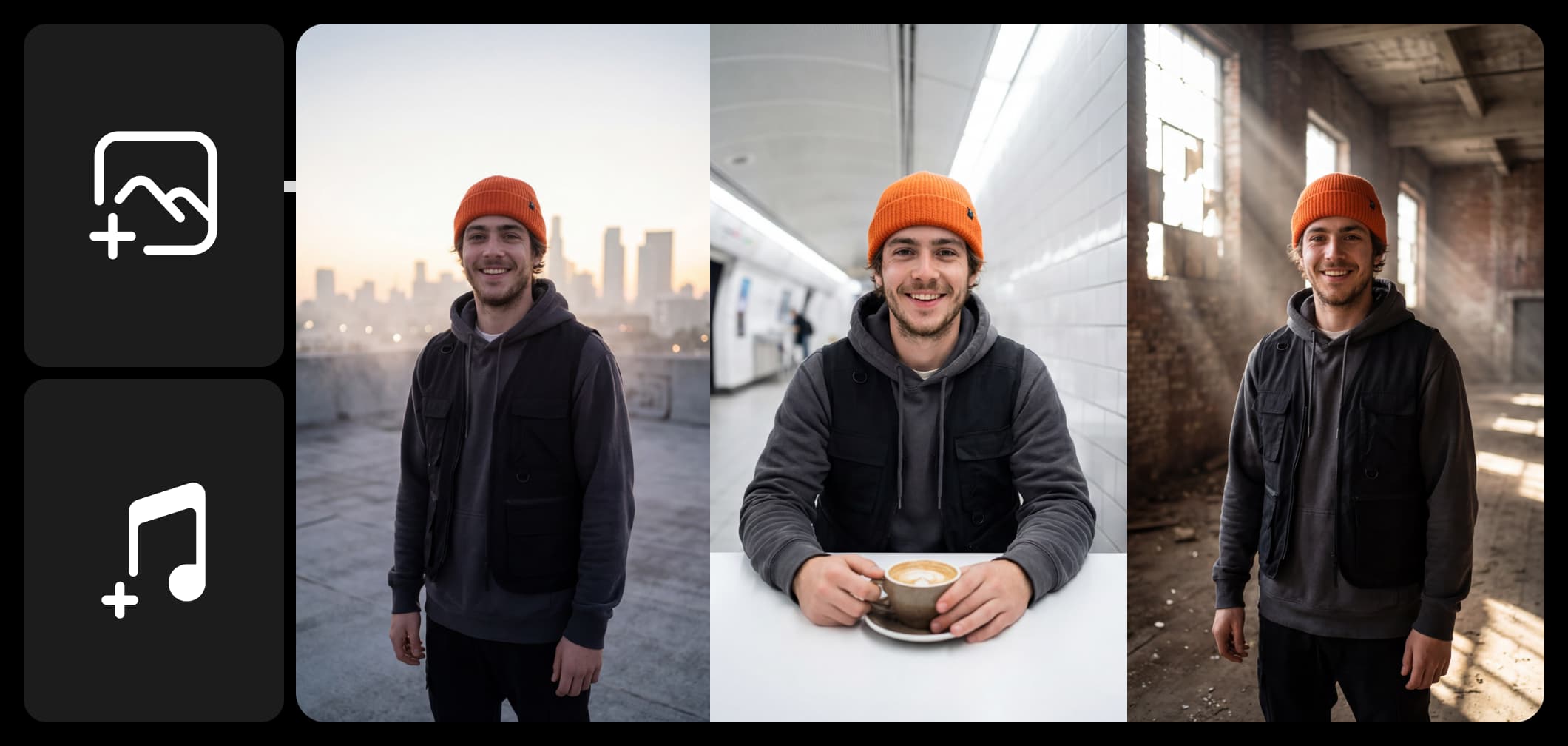
Upload multiple reference images and a voice clip to lock a character's visual identity and voice. Generate consistent character videos across scenes - the same face, outfit, and voice in every shot. Ideal for recurring characters in series content.
How Kling 3.0 Omni works inside Picsart
Kling 3.0 Omni is integrated across four Picsart tools. In the AI Video Generator, select Kling 3.0 Omni to generate reference-based videos with native audio from text or image prompts. In AI Playground, experiment with multi-reference character creation and Omni Edit in an open creative environment. In Flow, build automated video pipelines that chain Kling 3.0 Omni with other models for multi-step production workflows. In AI Storyline, create multi-shot narratives with consistent characters and audio continuity across scenes.
Why creators choose Kling 3.0 Omni
Kling 3.0 Omni solves the biggest pain point in AI video: consistency. By using reference images and a voice clip, it locks a character’s look and voice across scenes. Its unified model generates video, dialogue, and audio in one pass, removing the need for post-production. Omni Edit enables targeted changes without regenerating the full clip, delivering 4K, 60fps results with multilingual lip-sync.
Kling 3.0 Omni in the Picsart ecosystem
Kling 3.0 Omni joins 90+ AI models available on Picsart, sitting alongside Veo 3.1, Runway Gen 4, Seedance 2.0, WAN 2.7, and other leading video models. This multi-model approach lets creators pick the right model for each task: use Kling 3.0 Omni for reference-based character work and native audio, switch to Veo 3.1 for cinematic stability, or try Runway Gen 4 for creative flexibility - all from one platform with no separate subscriptions. As Kuaishou updates Kling, improvements flow directly into Picsart's tools automatically.
Understand video model choices
Learn how to compare video models and choose an output.



Explore more models like Kling 3.0 Omni
Compare Kling 3.0 Omni with other video and audio models for motion, sound, and campaign work.
Kling 3.0 Omni Motion Control FAQ
Kling 3.0 Omni is Kuaishou's unified multimodal AI video model. Unlike standard Kling 3.0 which generates video from prompts, Kling 3.0 Omni processes text, image, video, and audio in a single architecture - generating video with synchronized dialogue, sound effects, and lip-synced speech natively. It supports reference-based generation, multi-character scenes, and targeted video editing via Omni Edit.
Generate AI visuals with Kling 3.0 Omni
Pro
Most popularAI tools for everyday creative work.
Ultra
Most powerfulHeavy AI usage for creators & teams.