फ़ोटो में स्टिकर जोड़ें
Picsart के ऑनलाइन एडिटर से फ़ोटो में स्टिकर जोड़ें। कोई डिज़ाइन खोजें, उसे अपनी इमेज पर रखें और एक्सपोर्ट करने से पहले उसका लेआउट एडजस्ट करें।
फ़ोटो में स्टिकर कैसे जोड़ें
How to
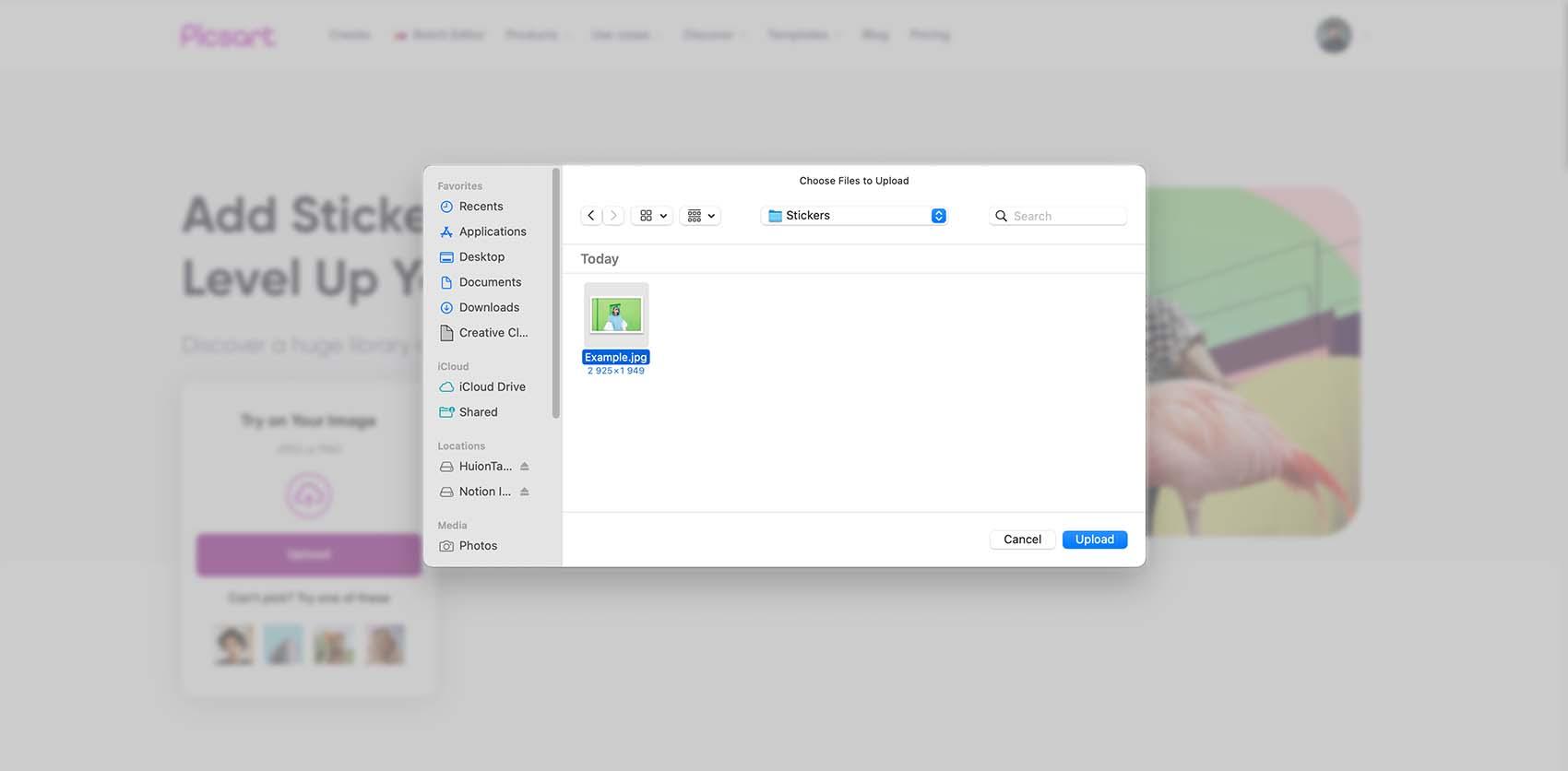
वह फ़ोटो अपलोड करें जिसे आप एडिट करना चाहते हैं
अपनी फ़ोटो को एडिटर में खोलने के लिए इस पेज से अपलोड करें। ऐसी साफ़ इमेज से शुरुआत करें जिसमें स्टिकर की बारीकियाँ उभरकर दिख सकें। अगर अपनी फ़ोटो इस्तेमाल करने से पहले किसी आइडिया को देखना चाहते हैं, तो एडिटर में Photos खोलें और बैकग्राउंड के लिए एक इमेज चुनें।
अपने आइडिया के मुताबिक फ़ोटो स्टिकर खोजें
स्टिकर किसी मूड को दिखा सकता है, किसी खास मौके को चिह्नित कर सकता है या साधारण फ़ोटो को कोलाज में बदल सकता है। पहला दिखने वाला डिज़ाइन चुनने के बजाय, उस चीज़ को खोजें जिसे आप जोड़ना चाहते हैं। पोर्ट्रेट के लिए छोटा दिल या डूडल आज़माएँ। जन्मदिन की फ़ोटो के लिए ऐसी सजावट चुनें जिसमें आपके संदेश के लिए जगह हो।
मुफ़्त एसेट चुनें या Pro के निशान वाले स्टिकर देखें। एडिट करते समय आप अपना चुनाव बदल सकते हैं: अपनी इमेज पर कोई स्टिकर आज़माएँ और लेआउट तब तक एडजस्ट करें जब तक फ़ोटो आपकी अपनी न लगे।
- ज़रूरी विवरण खोजें
- फोटो से मेल खाने वाला स्टिकर जोड़ें

फ़ोटो पर स्टिकर इस्तेमाल करने के तीन तरीके
कोई प्रोजेक्ट चुनें, फिर अपनी फ़ोटो के मुताबिक स्टिकर का अंदाज़ ढालें। इन उदाहरणों में हर जोड़े गए एलिमेंट का एक साफ़ मकसद है।


स्टिकर को फ़ोटो का ही हिस्सा जैसा दिखाएँ
स्टिकर रखने से पहले सोचें कि वह क्या जोड़ता है। विषय के पास लगा छोटा एलिमेंट ध्यान खींच सकता है, जबकि बड़ा डिज़ाइन कोलाज का केंद्र बन सकता है। अपनी फ़ोटो की रेखाओं और खाली जगह के मुताबिक स्टिकर का आकार और कोण बदलें।
चेहरे, प्रोडक्ट और ज़रूरी बारीकियाँ दिखती रहने दें—जब तक उन्हें ढकना आपके डिज़ाइन का हिस्सा न हो। अगर इमेज भरी-भरी लगने लगे, तो कोई बारीकी हटाएँ या उसका आकार कम करें। हर खाली जगह भरने के लिए स्टिकर जोड़ने के बजाय, हर बदलाव के बाद पूरे डिज़ाइन को फिर से देखें।
- आकार और स्थिति नियंत्रित करें

शेयर करने से पहले डिज़ाइन की जाँच करें
अपने स्टिकर डिज़ाइन को अलग-अलग बारीकियों के बजाय पूरी इमेज के रूप में देखें। इस छोटी-सी जाँच से उन एडिट का पता लगाने में मदद मिलेगी जिन पर अभी ध्यान देना बाकी है:
- जगह: क्या हर स्टिकर विषय को उभारता है, या कोई स्टिकर ध्यान भटकाता है?
- लेयर: अगर स्टिकर एक-दूसरे पर हैं, तो क्या ज़रूरी आकार पहचानने और टेक्स्ट पढ़ने में आसानी है?
- किनारे: जिस जगह आप इमेज शेयर करना चाहते हैं, वहाँ क्रॉप होने पर कोई स्टिकर कट तो नहीं जाएगा?
- छोटे आकार में दृश्य: थंबनेल के रूप में दिखाने पर भी क्या डिज़ाइन और संदेश समझ में आते हैं?
ज़्यादा साफ़ नतीजे के लिए, एक और स्टिकर जोड़ने से पहले किसी स्टिकर का आकार बदलें या उसकी जगह एडजस्ट करें।
उसी वर्कस्पेस में एडिट पूरा करें
अपनी स्टिकर इमेज फ़ोटो में जोड़ें
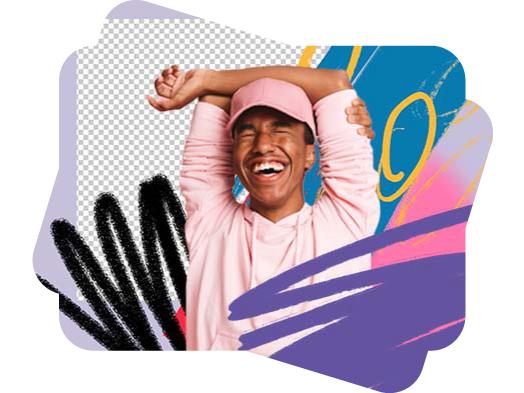
लाइब्रेरी से स्टिकर चुनने के बजाय, अपना मौजूदा स्टिकर इस्तेमाल करें। Uploads के ज़रिए इमेज जोड़ें, फिर उसे अपनी फ़ोटो पर रखें और उसका आकार एडजस्ट करें। पारदर्शी बैकग्राउंड वाली स्टिकर इमेज से आसपास की फ़ोटो दिखती रहती है। यह कटआउट, लोगो या सजावटी बारीकियों के लिए उपयोगी है।
अगर आपकी इमेज में अभी भी बैकग्राउंड है, तो पहले कटआउट तैयार करने के लिए Sticker Maker इस्तेमाल करें। उसे फ़ोटो में रखने के लिए तैयार होने पर फ़ोटो एडिटर पर लौटें। यह पेज स्टिकर लगाने पर केंद्रित है; नया स्टिकर बनाना एक अलग चरण है।
फ़ोटो में स्टिकर जोड़ना: अक्सर पूछे जाने वाले सवाल
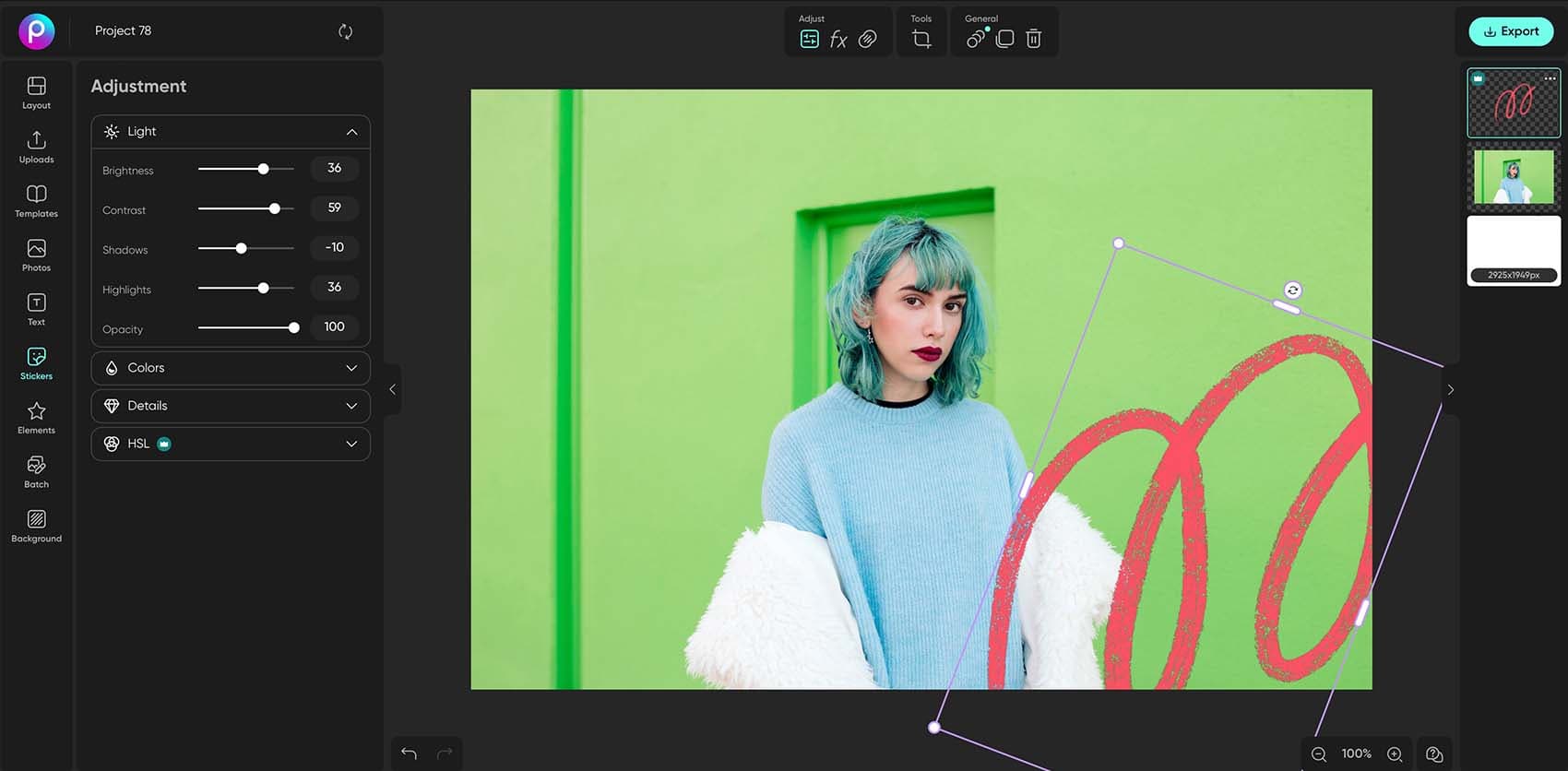
- अपनी फ़ोटो Picsart एडिटर में अपलोड करें, Stickers चुनें और लाइब्रेरी से कोई डिज़ाइन चुनें। स्टिकर का आकार या कोण बदलने के लिए उसके हैंडल इस्तेमाल करें, उसे खींचकर सही जगह रखें और फ़ोटो तैयार होने पर Export चुनें।
इन प्रकाशनों में Picsart






क्रिएटर कंटेंट को निखारने के लिए फ़ोटो एडिट करें
Pro
Most popularAI tools for everyday creative work.
Ultra
Most powerfulHeavy AI usage for creators & teams.