色相・彩度・明度を調整できるHSLカラーエディター

写真の色を細かく調整しましょう。HSLコントロールで色相・彩度・明度を調整しながら、編集結果を比較できます。
サンプル写真でHSL編集を試す

サンプルをAdjustで開き、HSLを展開して色の調整を試してみましょう。

写真編集におけるHSLとは?

HSLは、色相(Hue)、彩度(Saturation)、明度(Lightness)の略です。色相は色合いを、彩度は色の鮮やかさを、明度は色の明るさを調整します。PicsartのHSLコントロールを使えば、写真の特定の色域を調整できます。画像全体の色を一律に変えることなく、風景の緑や服の赤を細かく整えられます。

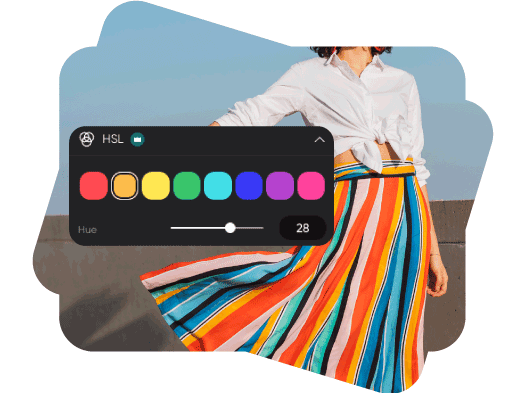
色域の色相を調整

写真に含まれる色を選び、色相スライダーを動かして近い色合いを試しましょう。画像内で選択した色域がどのように変化するかを確認しながら、緑の葉や青空、アクセントカラーを調整できます。

写真の色相を変える

彩度で色の鮮やかさを調整

彩度を上げると色がより鮮やかに、下げると落ち着いた印象になります。選択した色域を調整し、写真の別の色に移る前に少しずつ変化を比べてみましょう。
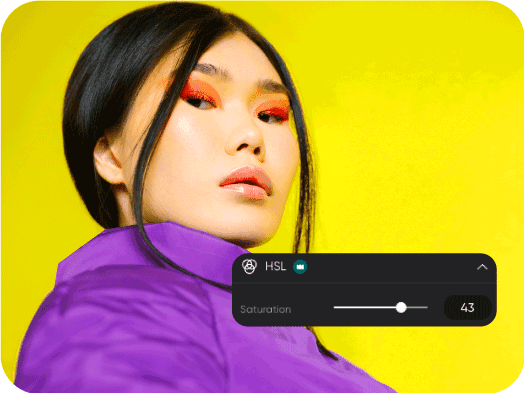
彩度で写真の雰囲気を演出

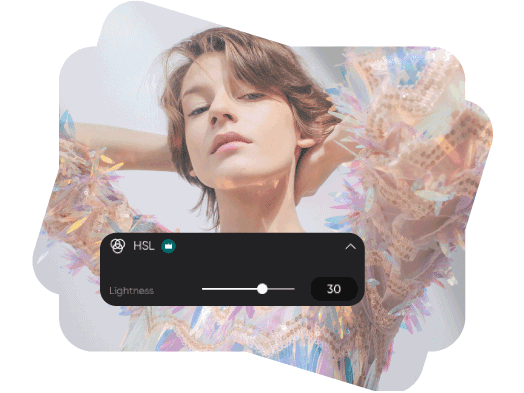
すべての色を明るくせずに明度を調整

明度スライダーで選択した色域を明るくしたり暗くしたりできます。服の色や背景のディテール、商品のアクセントカラーを整えたら、色相と彩度の調整とのバランスを確認しましょう。

明度を調整して写真を編集

オンラインでHSLカラーを調整する方法

エディターで写真を開いて始めましょう。現在の編集ツールでは、HSLにProの表示があります。

How to

写真をアップロード

上の「画像をアップロード」を使うか、エディターを開いて写真を追加します。

Picsart HSLカラー

HSLカラー編集に関するよくある質問

  • 色相は色合い、彩度は色の鮮やかさ、明度は色の明るさを表します。1つのコントロールを変更すれば、3つすべてを変えずにその要素だけを調整できます。

Picsart掲載メディア

MashableEsquirePeopleForbesTechCrunchBuzzFeed

色を細かく調整して、洗練されたデザインやブランドビジュアルに

Pro

Most popular

AI tools for everyday creative work.

$15 $10.5/mo
Billed yearly
You save $54 with yearly
  • Access to all photo & video editing features
  • Advanced background & object removal
  • Parallel video generations with the world's most powerful AI video models
  • Unlimited image generations with Flex.2 Klein
  • 1-tap image enhancer
  • Millions of stock photos & Getty video clips
  • Selection of trendy fonts, text styles & stickers
  • Thousands of premium templates
  • Support for 3+ brand kits
  • Bulk edit up to 50 images at once
  • 100 GB of cloud storage
New features:
  • Auto-generate content from your terminal or agent with the Picsart CLI
  • Use Picsart inside Claude Code, Cursor, and ChatGPT via MCP — coming soon
  • AI agents for multi-step workflows and batch generation — coming soon

Ultra

Most powerful

Heavy AI usage for creators & teams.

$45 $24.5/mo
Billed yearly, per seat
You save $246 with yearly
  • Everything in Pro
  • Early access to advanced AI features
  • Leading AI models to design & automate workflows (Nano Banana, Veo 3, Seedance 2.0 & more)
  • Parallel video generations with the world's most powerful AI video models
  • Unlimited image generations with Flex.2 Klein
  • Support for 10+ brand kits
  • Add team seats
  • Create ad variations and localize
  • Track ads performance
  • 2000 credits for API services
  • Bulk edit up to 100 images at once
  • 300 GB of cloud storage per seat
New features:
  • Auto-generate content from your terminal or agent with the Picsart CLI
  • Use Picsart inside Claude Code, Cursor, and ChatGPT via MCP — coming soon
  • AI agents for multi-step workflows and batch generation — coming soon

Enterprise

Custom AI solutions for large organizations.

Custom credit volume
  • Volume discounts on credit rate
  • On-demand top-ups
Custom
Contact for pricing
  • Access to photo & video editor SDKs
  • Mobile web SDK support
  • Prepaid or pay-as-you-go creative APIs
  • Embed professional-grade editing into your product or workflow
  • Fully configurable editing experience
  • White-label to match your brand
  • Support for built-in marketing, e-commerce & printing use cases
  • Bring your own assets: images, templates & fonts
  • Enterprise-grade security, SLAs & support
  • Dedicated account manager