Dodaj czarne tła do zdjęć natychmiast
Skorzystaj z narzędzia do edycji zdjęć z czarnym tłem Picsart, aby dodać ciemne tła do zdjęć online i zrobić wrażenie.

Ocena narzędzia
Wypróbuj Picsart, aby samemu przekonać się, dlaczego jest to narzędzie do edycji wybierane przez miliony użytkowników.




Jak używać narzędzia do edycji zdjęć z czarnym tłem

Bez trudu dodaj czarne tła do zdjęć
Z narzędziem do edycji zdjęć z czarnym tłem Picsart, dodawanie ciemnego tła nigdy nie było łatwiejsze. Możesz wykorzystać magię kontrastu i wzmocnić głębię swoich zdjęć, skupiając się na szczegółach, kolorach i konturach jak nigdy dotąd. Aby zmienić tło zdjęcia na czarne, po prostu usuń tło za pomocą narzędzia do usuwania tła i zastąp je czarnym tłem, z opcjami od tekstur i wzorów aż po jednolitą czerń.

Zmień tła zdjęć na czarne z precyzją lasera
Od profesjonalnych portretów po materiały marketingowe, narzędzie do usuwania tła Picsart zapewnia wysoką jakość wyników za każdym razem. Gdy skończysz usuwać tło, zmień kolory PNG z precyzją, aby opanować sztukę edycji czarnego tła. Modyfikuj odcienie bez trudu, bez żadnych wad ani pozostałości po wcześniejszym tle, zachowując organiczną jakość twojego obrazu. A jeśli twoje oryginalne zdjęcie brakuje ostrości, możesz polegać na Picsart, aby odwyostrzyć obrazy i przywrócić jakość zdjęcia w zaledwie kilka sekund.
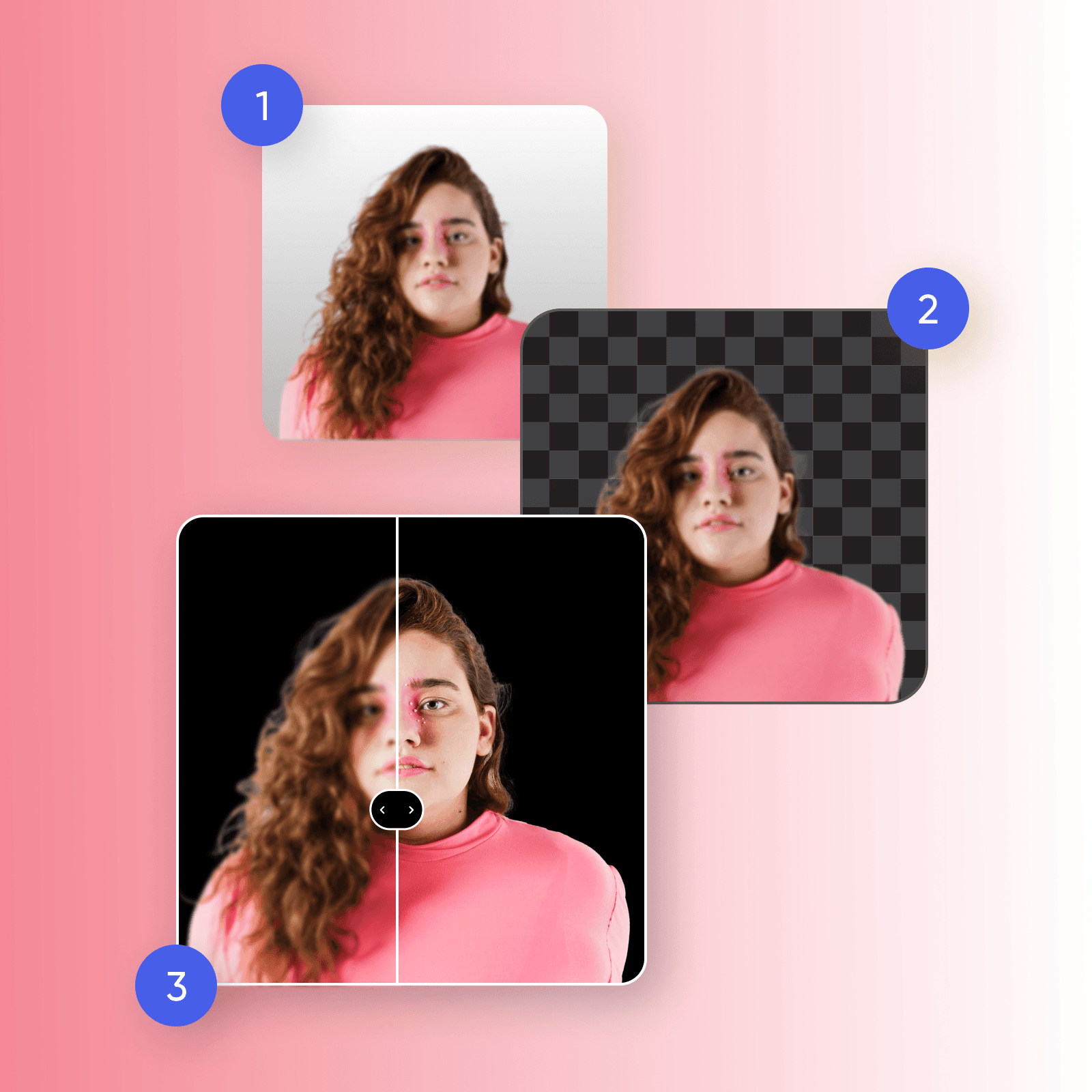
Odkryj eleganckie ciemne tła do edycji
Dodanie czarnego tła do zdjęć może zrewolucjonizować wizualizacje twojej marki, od fotografii produktów eCommerce po marketing w mediach społecznościowych. Zanurz swoje produkty w elegancji z eleganckim czarnym tłem, które przyciąga uwagę do najdrobniejszych szczegółów. Mając edytor czarnych teł w zasięgu ręki, możesz ujednolicić katalog produktów — a wszystko to, tworząc dramatyczne i fascynujące tło dla wiadomości, promocji i ogłoszeń produktowych twojej marki.
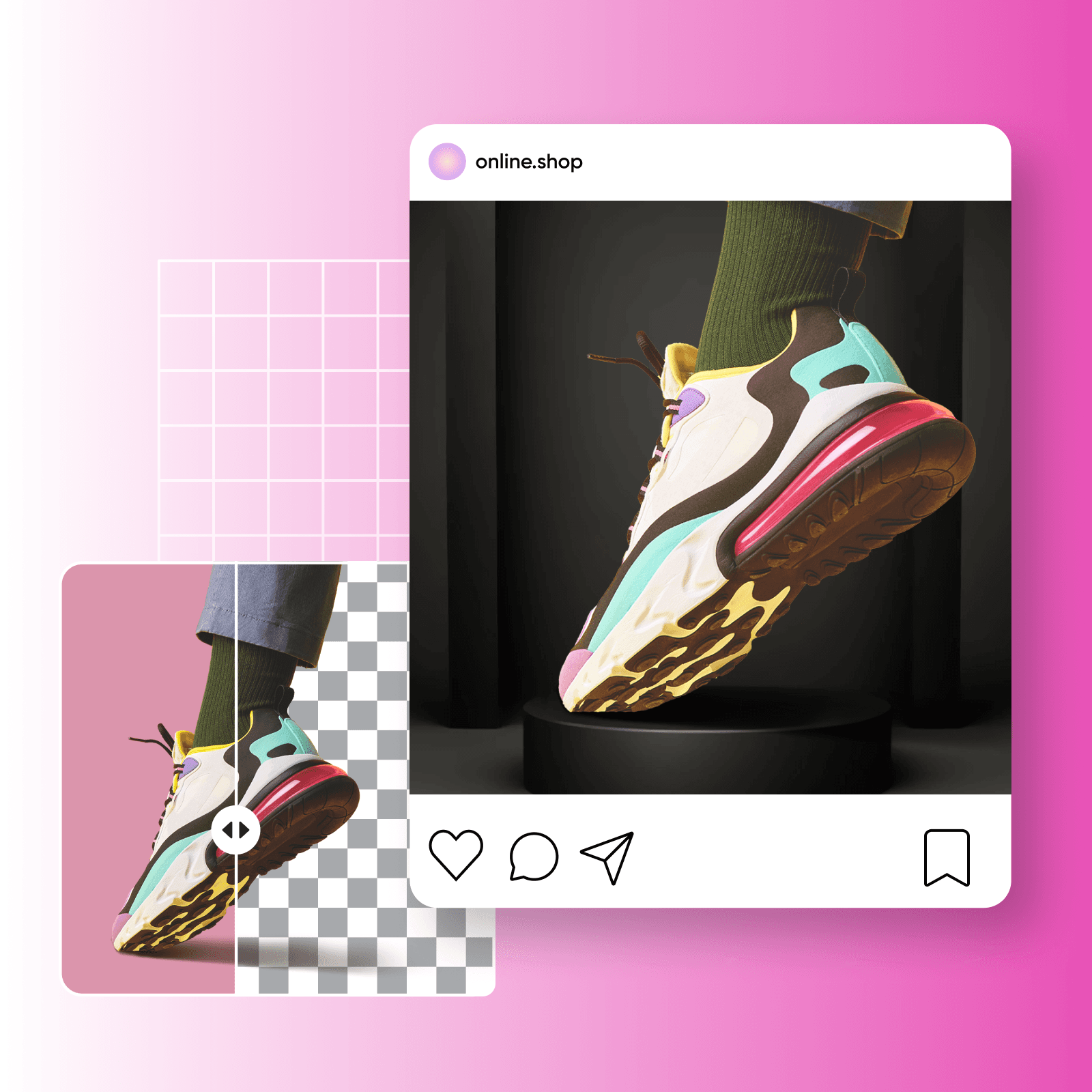
Wyślij właściwe wiadomości z czarnym tłem
Chcesz przyciągnąć uwagę odbiorców i pozostawić trwałe wrażenie? Stwórz uderzające wrażenie przy headshotach, zmieniając kolor tła, dodając głębię, jednocześnie podkreślając cechy twojego tematu. Chcesz przekazać wizerunek marki? Spróbuj podnieść postrzeganie swojego produktu dzięki edycji zdjęć z czarnym tłem, aby zaznaczyć luksus i ekskluzywność, natychmiast pozycjonując swoje oferty jako premium. Czarne tła w opakowaniach pomagają ustanowić wyrafinowaną tożsamość, przyciągając konsumentów i wyróżniając twoje produkty.
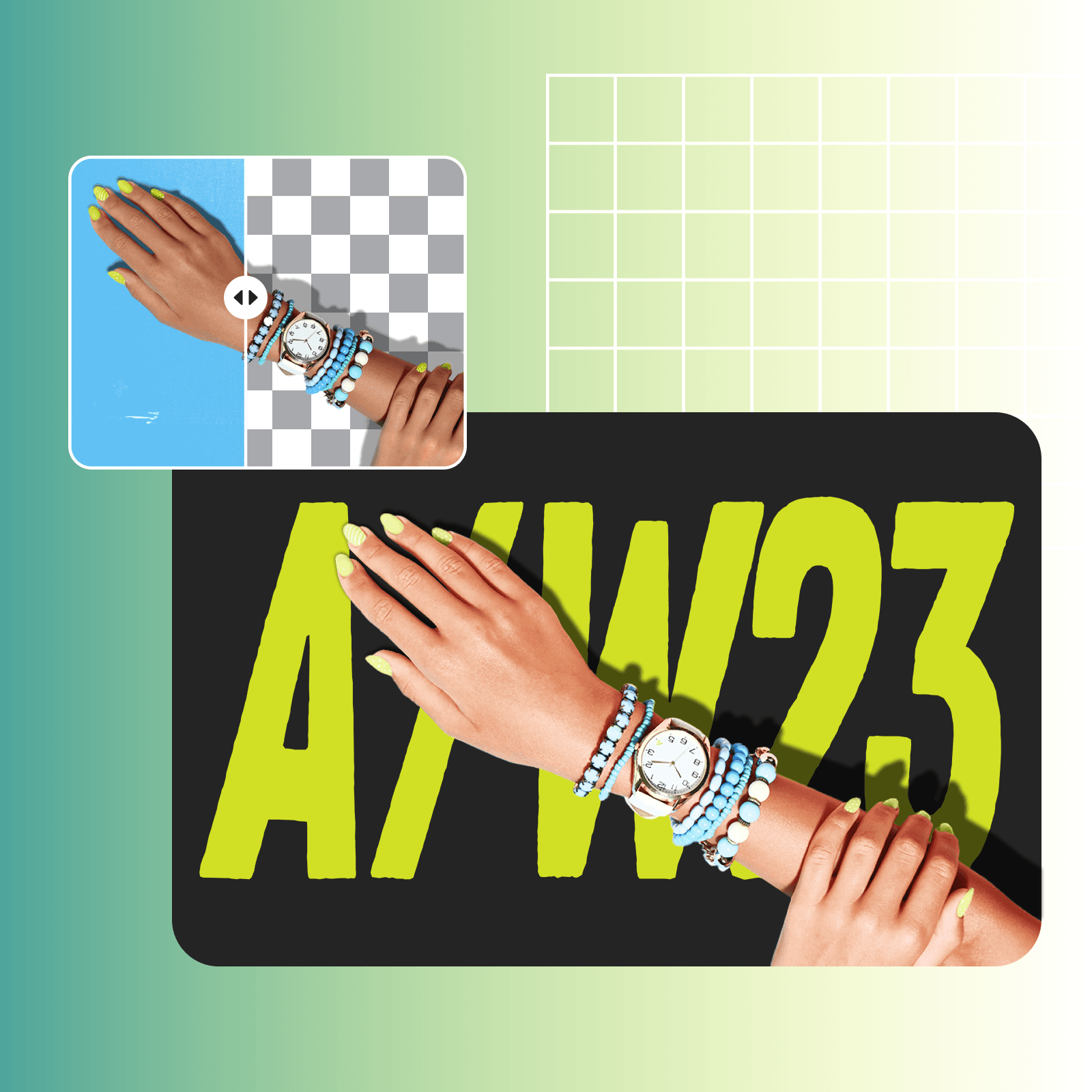
Przekrocz granice edycji zdjęć z czarnym tłem
Kiedy już odkryjesz potencjał edycji zdjęć z czarnym tłem, czas zrobić kolejny krok z nowoczesnymi narzędziami do edycji zdjęć z wykorzystaniem AI. Z Picsart’s generatorem tła AI, możesz się wyróżnić i stworzyć naprawdę unikalne i dostosowane do swoich potrzeb tła. Chcesz przekroczyć statyczne czarne tła? Przewiń przez obszerną bibliotekę ciemnych i czarnych teł Picsart, aby dodać osobisty akcent do edycji zdjęć.

Dlaczego warto zmieniać tła zdjęć na czarne?
Czarne tło zwiększa kontrast w obrazie, podkreślając drobne szczegóły. Jednocześnie zestawienie tematu z ciemnym tłem tworzy uderzający kontrast, czyniąc to potężną techniką w opowieściach wizualnych.
Stwórz zdjęcia z czarnym tłem za pomocą modeli obrazów AI
Użyj modeli obrazów, aby przekształcić tła, ujęcia produktów i wycięcia w dopracowane wizualizacje.
Najczęściej zadawane pytania dotyczące edycji zdjęć z czarnym tłem
Edycja zdjęć z czarnym tłem polega na edytowaniu obrazu, aby zastąpić jego oryginalne tło czarnym tłem. Obejmuje to usunięcie istniejącego tła i zastąpienie go jednolitym czarnym lub ciemnym tłem, co pomaga wzmocnić ogólny wizualny efekt obrazu.
Generuj zmiany tła dla projektów gotowych do produkcji
Pro
Most popularAI tools for everyday creative work.
Ultra
Most powerfulHeavy AI usage for creators & teams.


