Retouch Photos With Red Eye Remover
Fix red eyes and bring your natural eye color back to photos in one quick tap.
- Keep the moment worth saving

Remove Red Eyes From Photos Instantly
Red eyes ruin photos. It’s a fact. And they can be the bane of any photographer’s life, from amateur snappers to seasoned pros alike. But red eyes don’t have to mean that all is lost. Retouch your photos with the Red Eye Remover tool and you can reclaim those almost-perfect shots in an instant. Touch up selfies, portraits, and group photos, using special AI-powered technology developed by Picsart experts. Within seconds, you can say goodbye to the vampire look and see eyes transform back to their natural colors. No need to retake or delete photos, just remove red eyes with Picsart.
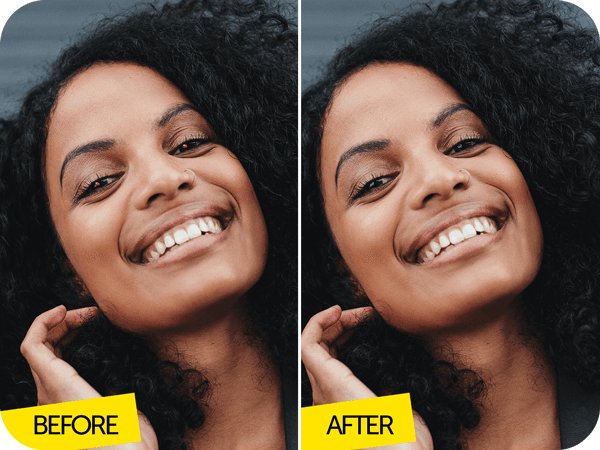
Fix Red Eyes and Keep Your Favorite Photos
Enjoying an outdoor concert with friends. Capturing cozy moments by the campfire. Celebrating a birthday at a club. What do all these things have in common? Low light and dark environments. The perfect conditions for pesky, photo-spoiling red eyes. The good news is that you can easily get rid of them and still share those shots, leaving them looking as if there was nothing to fix in the first place. There are no limits to the number of photos you can edit using the Picsart Red Eye Remover tool. Collect all the images that need touching up, get your natural eye color back, and share your photos wherever you want. This tool is a photo saving game changer.
- Bring a favorite portrait back into use

Red Eye Removal Is Easy
Although removing red eyes might sound complicated, Picsart has made it super easy, thanks to the Red Eye Remover tool. All you have to do is upload the images that need touching up, select the Red Eye tool and let AI work its magic. The tool is designed to automatically locate red eyes, but it’s also possible to manually adjust for greater precision. Cursing your bad luck and casting almost-great images aside will soon be a thing of the past.
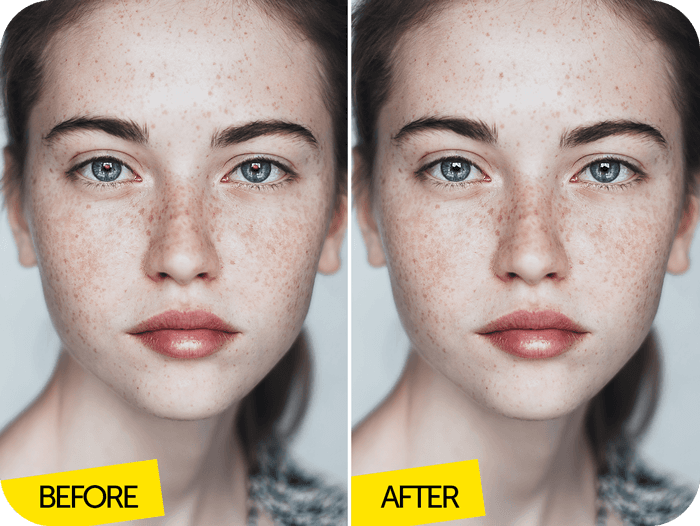
Remove Red Eyes and More with Picsart
Your photos are just a tap away from being red eye proof. Picsart can help you remove them and other imperfections instantly. You can find the Red Eye Remover tool, along with a wide range of powerful features in the Photo Editor. Change the size of your image with the Crop tool, remove unwanted elements with the Background Remover, and so much more. Make Picsart your go-to for red eye correction and creating high-quality edits.
- Continue refining the photo in the app
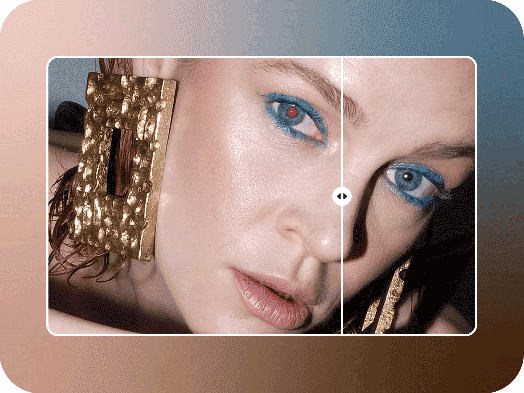
Picsart Featured In






Retouch photos for cleaner portraits and social posts
Pro
Most popularAI tools for everyday creative work.
Ultra
Most powerfulHeavy AI usage for creators & teams.
Enterprise
Custom AI solutions for large organizations.
- Volume discounts on credit rate
- On-demand top-ups