AI Image
AI Video
Library
Solutions
Community
MCP & CLI
Pricing
  1. Home
  2. Windows Photo Editor

Windows Photo Editor: Free & easy photo editing for desktop

Download our photo editor for desktop to take your edits further with pro-grade features, bold effects, and more. Discover why Picsart is the best photo editing app for Windows.
Download photo editorTry Web Photo Editor now
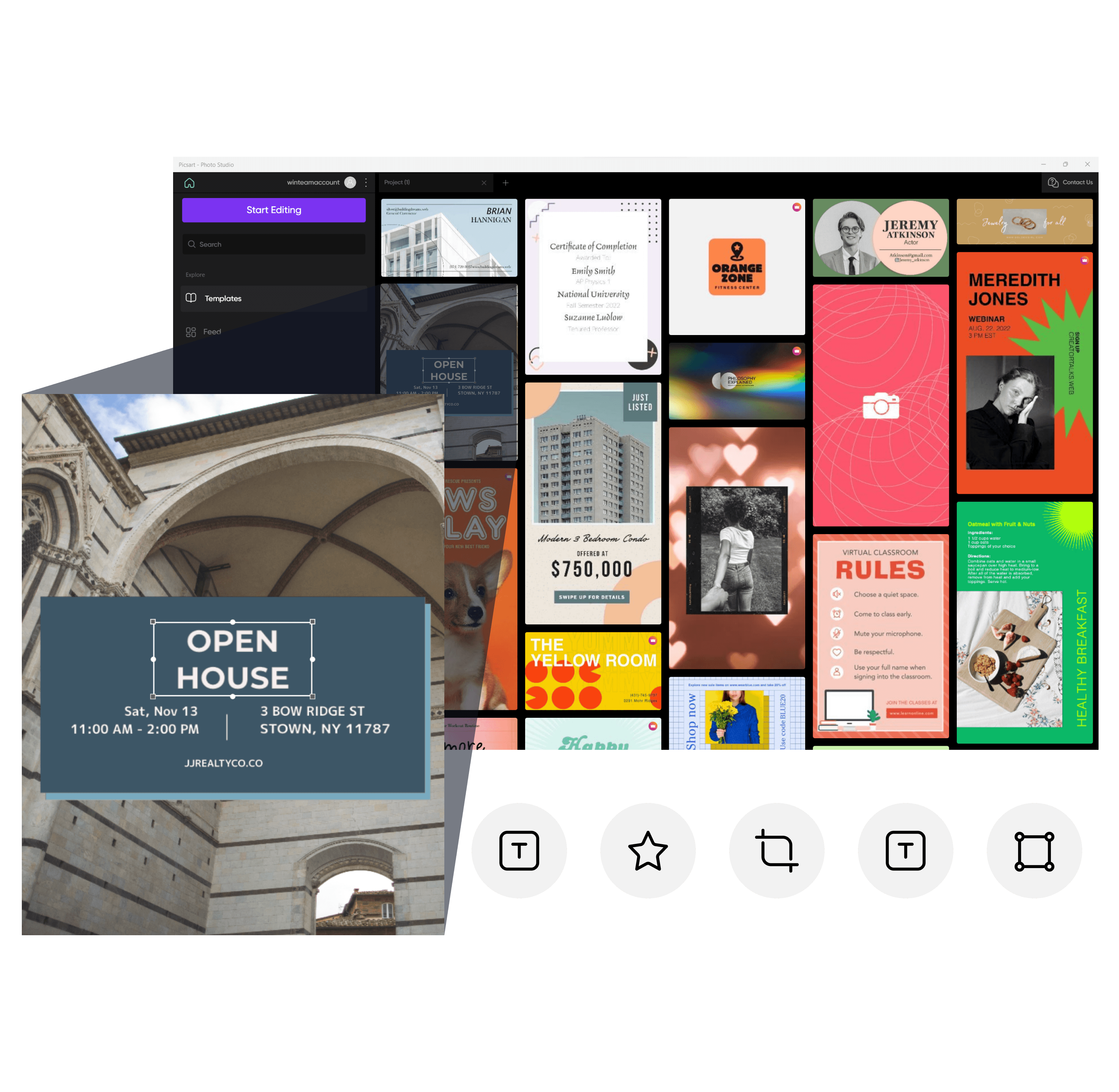
professionally designed templates

1K+ professionally designed templates

From Facebook posts to event posters, Picsart has everything you need to turn your artistic vision into a reality with templates created by our top designers.

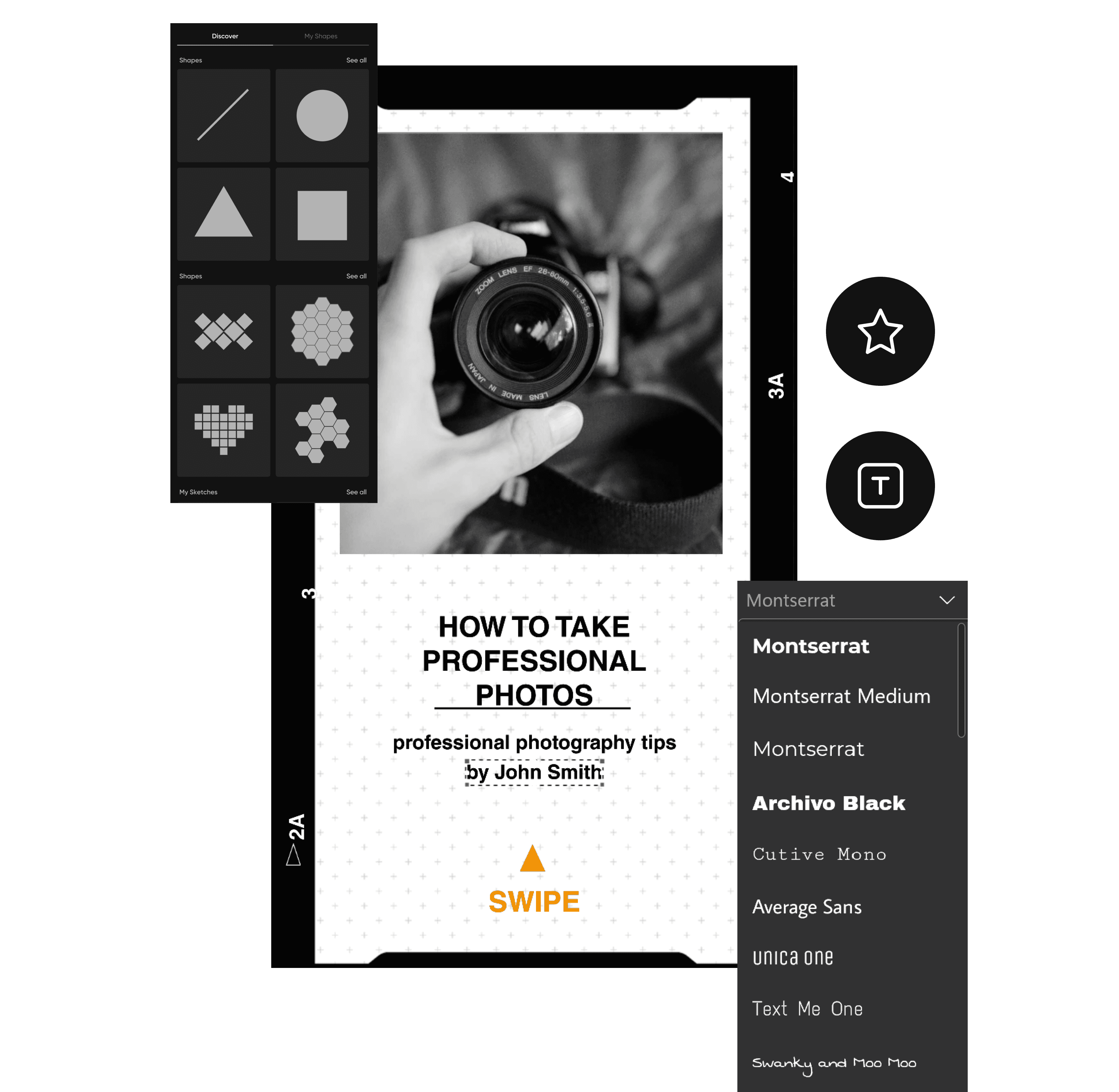
fonts and text templates

Unique fonts and text templates

Stand out from the crowd and create your style with one-of-a-kind fonts, text templates, and more.

free-to-use images and stickers

Dozens of free-to-use images and stickers

Find inspiration for your next creative project with our premium selection of images and stickers.

How to edit photos 

1

Go to Microsoft Store

Install the Picsart Windows Photo Editor on your desktop.

2

Open the desktop app

3

Download

how to use picsart photo editor windows app

Picsart photo editing desktop app

Searching for simple tools to upgrade your edits? Picsart makes it easy to design high-quality, creative content with beginner-friendly and pro-grade editing tools on Windows 10 and 11. Whether you’re editing marketing materials for your small business or creating lesson plans for students, our free photo editor for desktop can bring your creative vision to life with just a few clicks.

Download photo editor
photo editing desktop app

Let the Picsart Windows Photo Editor streamline your process

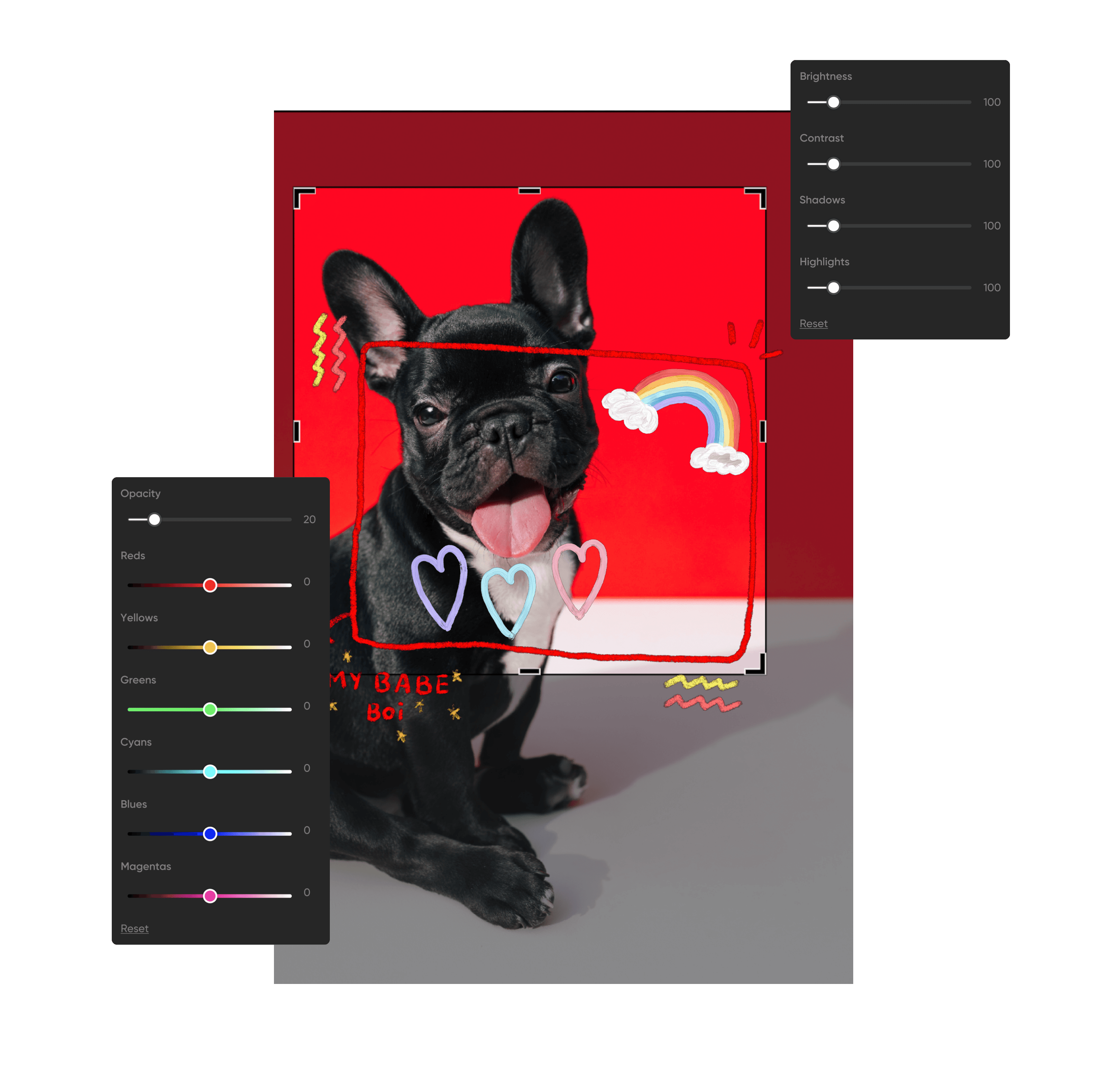
Fine-tuning your pictures to perfection requires time, effort, and imagination — but it’s possible to streamline your creative process with the right tools. Our free photo editor for Windows makes it easy to elevate your pictures with quick edits, whether you need to adjust the colors, crop your image, or tweak the contrast and brightness.
Download photo editor
edit your images with free photo editor for windows

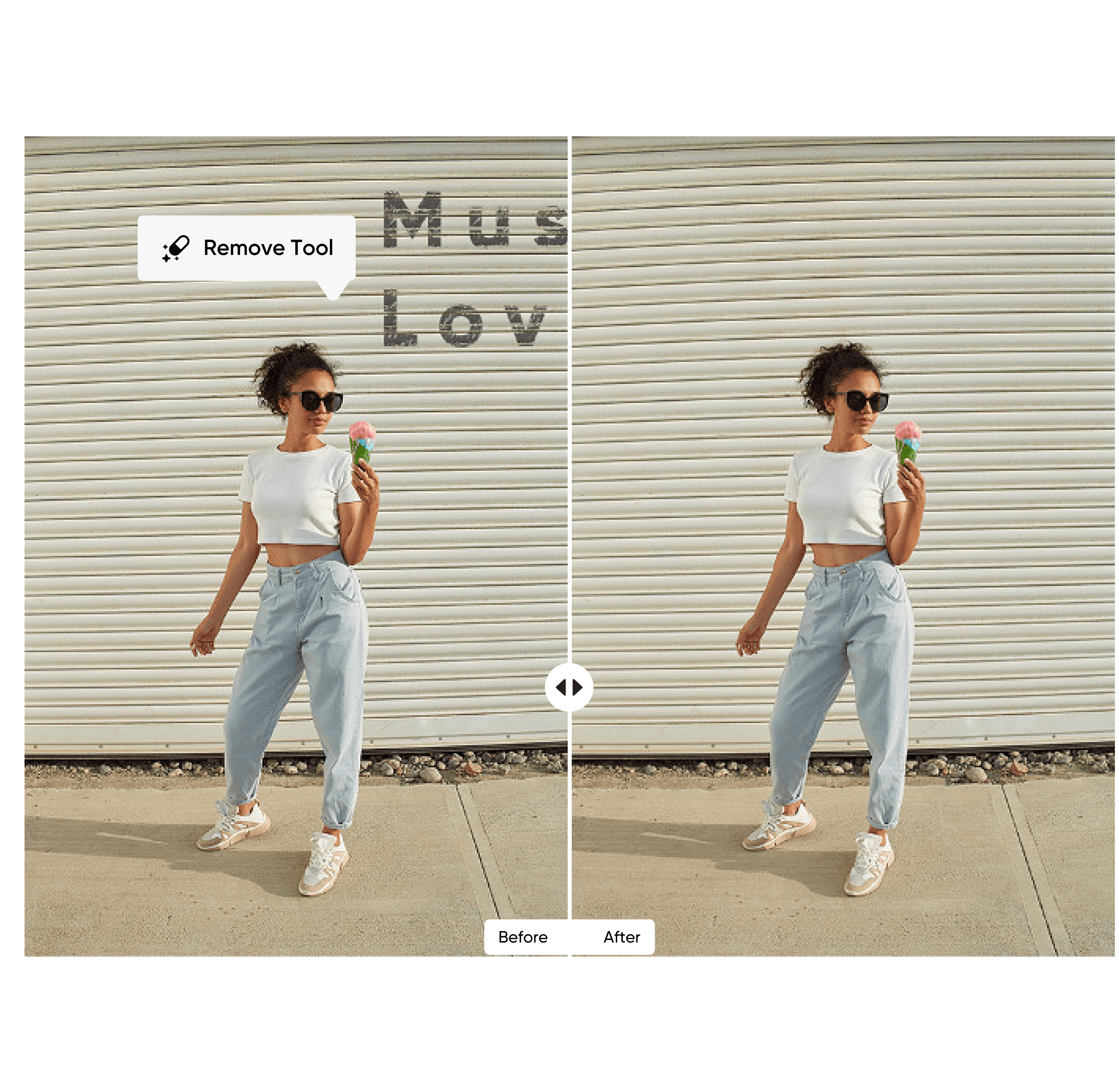
Instantly remove unwanted objects

Need a quick touch-up? Skip the complex photo editing tools and use our upcoming Object Remove feature to transform your image into a work of art. All you have to do is brush over an area of your image and let our advanced AI-powered tools do the rest. Whether you’re looking to remove distracting text or create clean product launch pictures, it’s easier than ever to reclaim control over your images with Picsart.

Download photo editor
remove unwanted objects from photo with windows photo editor

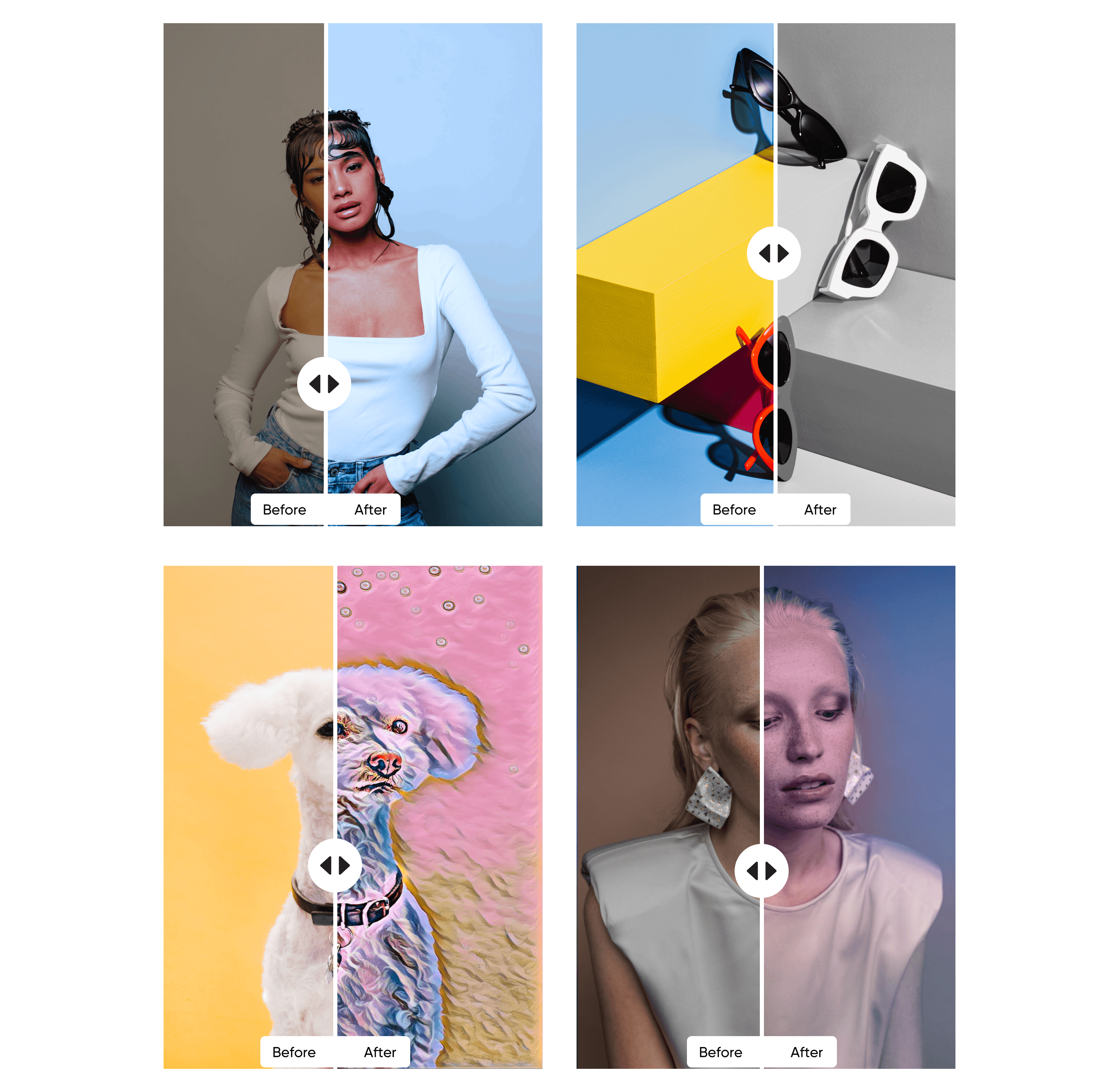
Showcase your aesthetic with trendy filters

Whether you’re curating your Insta feed or building your brand, your aesthetic matters. Choose from our extensive library of bold effects, customizable filters, and more to set your images apart from the crowd. With preset filters for every mood, the Picsart Photo Editor for desktop has everything you need to instantly add style to your image.
Download photo editor
trendy filters available in picsart windows photo editor

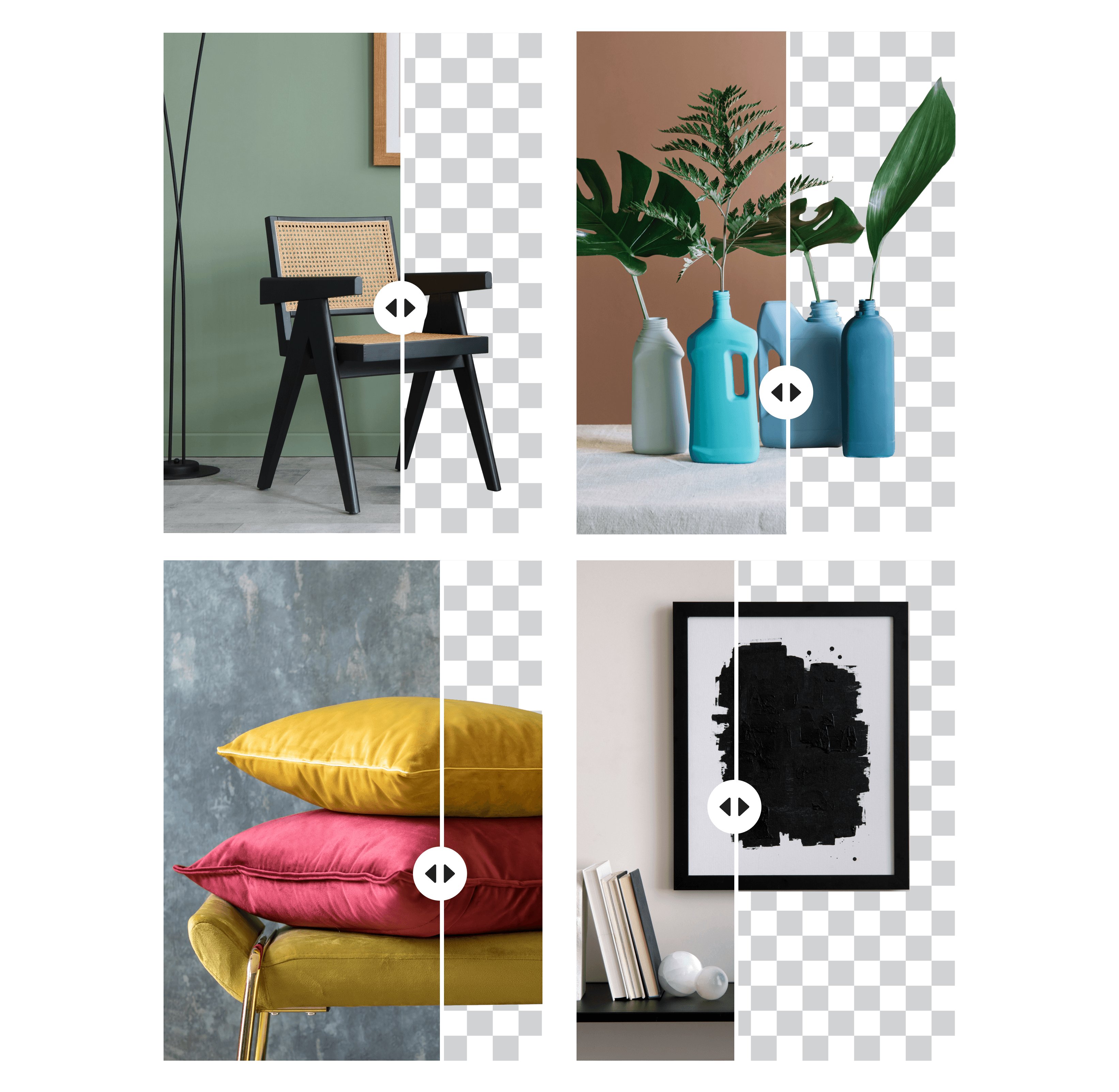
Remove backgrounds with a single click

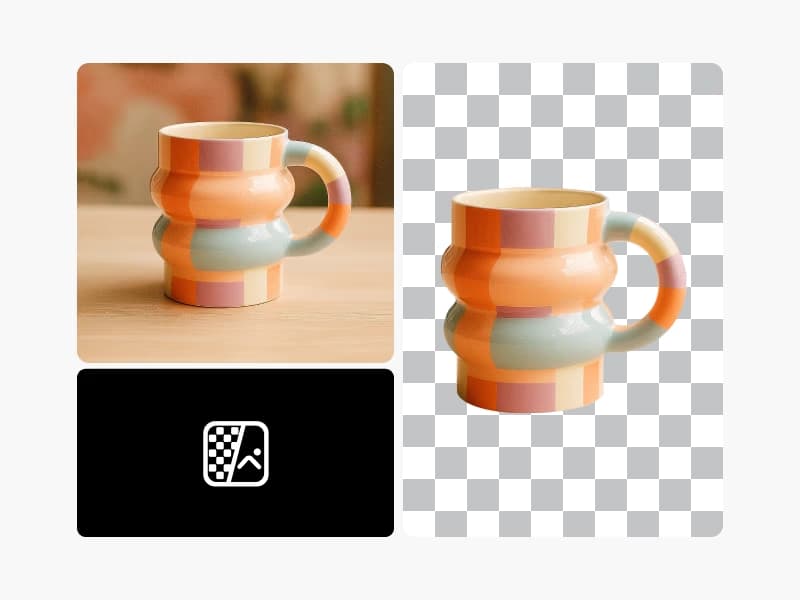
From product pictures to presentations, let your subject shine with our easy-to-use AI-powered background remover. Easily hide unwanted backdrops and create transparent backgrounds for marketing, social media, and more. The Picsart Background Remover even works on complex images with distracting details and elements, so you can ensure high-quality edits every time.

Download photo editor
remove image background with picsart photo editor for desktop app

Get creative with one-of-a-kind templates

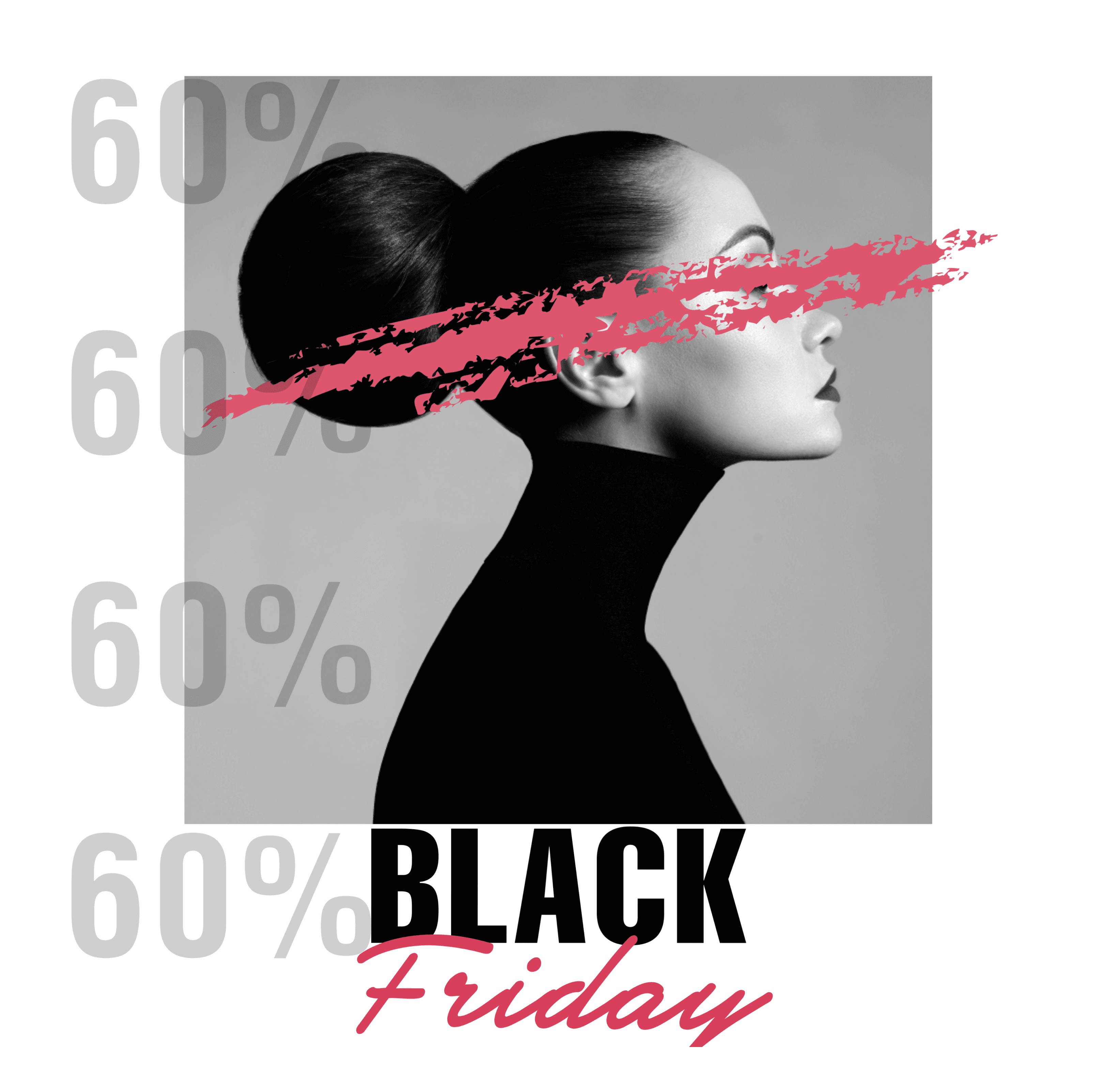
If you don’t feel like starting from scratch, get the creative juices flowing with our pro-grade templates. From beautiful desktop wallpapers to YouTube thumbnails, the Picsart Photo Editor for Windows offers an extensive library of templates to kickstart your next project. Surprise your significant other with a sentimental birthday card or amplify your marketing materials with scroll-stopping sale templates. The creative possibilities are endless!
Download photo editor
stunning design templates available in windows photo editor

 Bring your brand identity to life

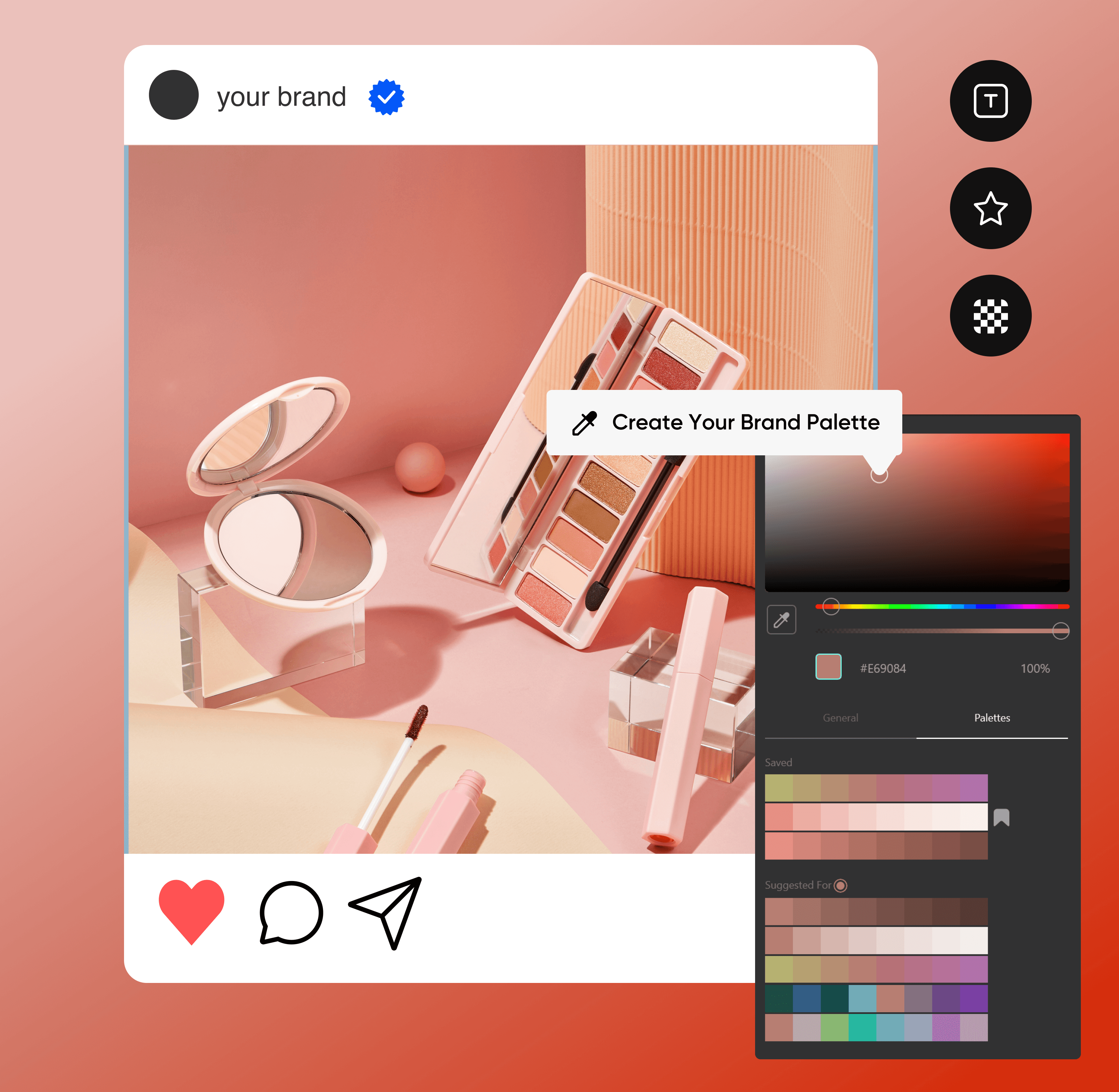
Whether you’re a first-time editor or a seasoned graphic designer, Picsart has something to offer for everyone. Leverage our brand assets and professional tools to highlight your unique brand identity, organize brand color palettes, and keep your brand consistent with stunning visual assets.
Download photo editor
design tools available in all in one windows photo editor


Windows Photo Editor FAQ

The Picsart Windows Photo Editor is a free desktop photo editor.

Yes! When you install our photo editor for desktop, you can easily edit photos from your PC with just a few clicks.

Picsart provides an online photo editor and a desktop app. The online editor is accessed through a web browser, while the desktop app is downloaded and installed. The desktop app allows offline editing 

Yes, the Picsart photo editor app for desktop and Windows is free to install. In-app purchases are also available.

The Picsart Windows Photo Editor offers a wide range of features, including pro-grade photo editing tools, trendy filters, customizable stickers, brushes, text overlays, frames, collages, and templates.

You can install our free photo editor with just a few clicks. Simply open the Microsoft Store and search for “Picsart photo editor.” Then, click the “Get” button to install the app.

Yes, you can edit photos on Picsart for Windows offline. However, some features may require an internet connection to access.

Yes, the Picsart Photo Editor for Windows makes it easy to enhance your images so you can share them on social media platforms such as Instagram, Facebook, and Twitter.

Picsart in the press

  • boredpanda
  • COSMOPOLITAN
  • UPROXX
  • yahoo! news

Level up your photo editing tools

Edit photos onlineCreate photo collagesTry graphic design toolsRemove image backgroundsEnhance photos with AIExplore mobile photo appsTry photo effectsResize your imagesRemove unwanted objectsAdd text to photosCreate social media contentTry video editing tools

Get the free app

Download on the App StoreGET IT ON Google PlayGet it from Microsoft
Pinterest
AICPA SOC

Explore

  • AI Image Generator
  • AI Video Generator
  • AI Playground
  • AI Image Models
  • AI Video Models
  • AI Photo Editor
  • Templates
  • Design Tools

Solutions

  • For Enterprise
  • For Developers
  • For Google Drive
  • For specific Industries
  • Quicktools
  • AI Avatar
  • Pricing

Company

  • Support
  • Careers
  • About us
  • Earn with Picsart
  • Blog
  • Press Center
Terms of UsePrivacy PolicyDo Not SellInternet-Based AdvertisingCommunity GuidelinesDMCASecurity PolicyAccessibility
© 2026 PicsArt, Inc.

Learn image editing basics

Learn how to make cleaner edits with practical steps.
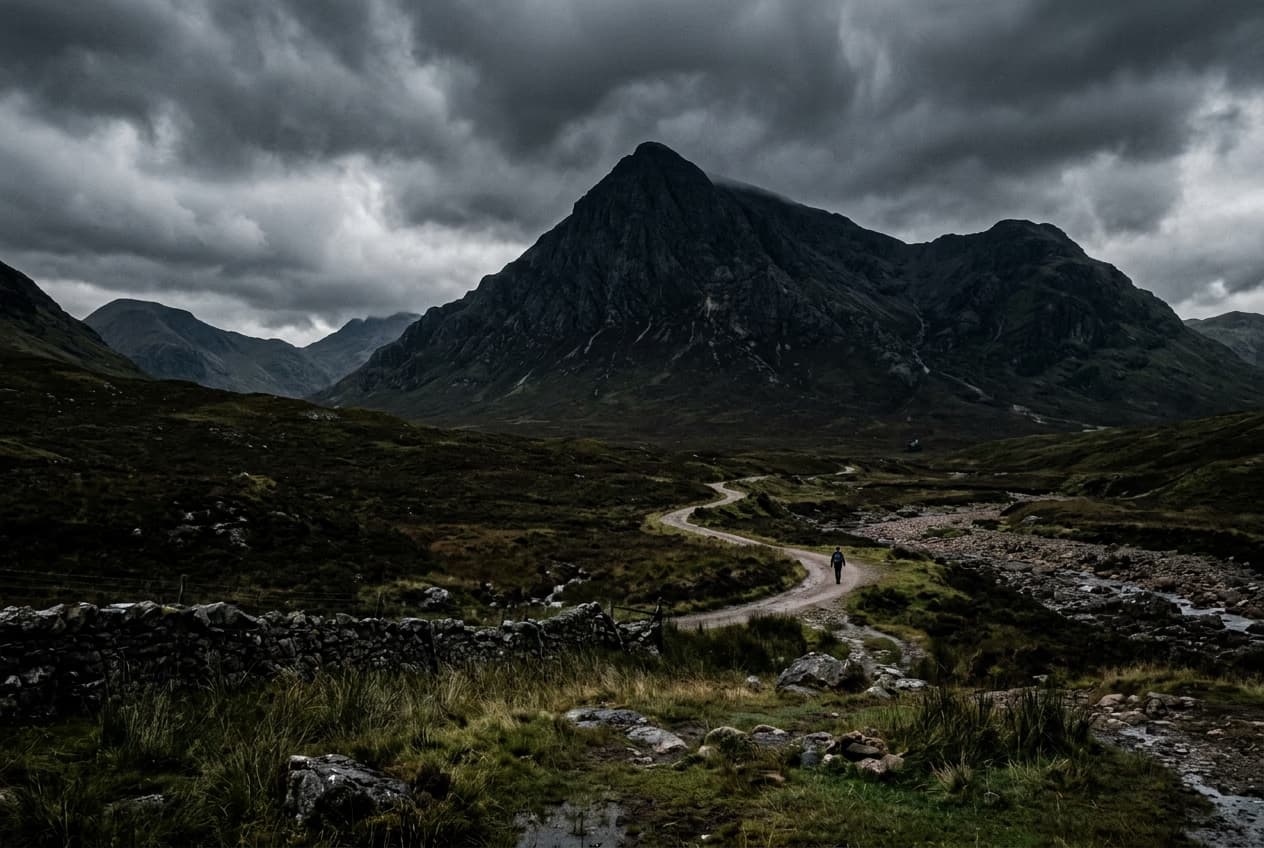
Remove unwanted objects from photos with AI preview
Image editing

Remove unwanted objects from photos with AI

3 minBeginner
Replace objects in photos with AI-generated content preview
Image editing

Replace objects in photos with AI-generated content

4 minIntermediate
How to expand images beyond their borders with AI preview
Image editing

How to expand images beyond their borders with AI

4 minBeginner
Upscale low-resolution images to HD with AI preview
Image editing

Upscale low-resolution images to HD with AI

3 minBeginner
Edit any part of an image with text prompts preview
Image editing

Edit any part of an image with text prompts

4 minIntermediate
See all tutorials

Create windows photo editor with AI image models

Use image models to transform windows photo editor into polished visuals, design ideas, and ready-to-edit assets.

GPT Image 2New
Next-gen GPT image model with arbitrary output dimensions and multi-image input.Reference inputImage generationSee model
Nano Banana 2New
Fast 4K generation with accurate text and search-grounded accuracy.4KFast generationImage generationSee model
Nano Banana ProNew
Top-tier 4K images with precise multilingual text rendering.4KPro qualityImage generationSee model
Flux 2 FlexNew
Adaptable generation across varied visual styles at 2K.Image generationSee model
Seedream 5.0 Lite
Speedy 3K output with negative prompt and dual-image input support.Reference inputFast generationImage generationSee model
Kling 3.0 Image
Cinematic visuals with up to 4K resolution and 10 reference images.Reference input4KCinematicSee model
Kling O1 Image
O1-architecture image generation with multi-reference support.Reference inputCinematicImage generationSee model
Kling V2 New Image
Latest V2 image generation with optional restyle via image reference.Reference inputCinematicImage generationSee model
Hunyuan V3
Infographic-friendly generation with readable text and cfg control.Image generationSee model
Luma UNI-1
Luma UNI-1 — agentic image generation and editing with up to 9 reference images.Reference inputCinematicImage generationSee model
Luma UNI-1 Max
Luma UNI-1 Max — higher-quality UNI-1 variant with the same multi-reference editing controls.Reference inputCinematicImage generationSee model
Seedream 4.5
Detailed 4K renders with clean in-image text and dual-image input.Reference input4KImage generationSee model
GPT Image 2New
Next-gen GPT image model with arbitrary output dimensions and multi-image input.Reference inputImage generationSee model
Nano Banana 2New
Fast 4K generation with accurate text and search-grounded accuracy.4KFast generationImage generationSee model
Nano Banana ProNew
Top-tier 4K images with precise multilingual text rendering.4KPro qualityImage generationSee model
Flux 2 FlexNew
Adaptable generation across varied visual styles at 2K.Image generationSee model
Seedream 5.0 Lite
Speedy 3K output with negative prompt and dual-image input support.Reference inputFast generationImage generationSee model
Kling 3.0 Image
Cinematic visuals with up to 4K resolution and 10 reference images.Reference input4KCinematicSee model
Kling O1 Image
O1-architecture image generation with multi-reference support.Reference inputCinematicImage generationSee model
Kling V2 New Image
Latest V2 image generation with optional restyle via image reference.Reference inputCinematicImage generationSee model
Hunyuan V3
Infographic-friendly generation with readable text and cfg control.Image generationSee model
Luma UNI-1
Luma UNI-1 — agentic image generation and editing with up to 9 reference images.Reference inputCinematicImage generationSee model
Luma UNI-1 Max
Luma UNI-1 Max — higher-quality UNI-1 variant with the same multi-reference editing controls.Reference inputCinematicImage generationSee model
Seedream 4.5
Detailed 4K renders with clean in-image text and dual-image input.Reference input4KImage generationSee model
GPT Image 2New
Next-gen GPT image model with arbitrary output dimensions and multi-image input.Reference inputImage generationSee model
Nano Banana 2New
Fast 4K generation with accurate text and search-grounded accuracy.4KFast generationImage generationSee model
Nano Banana ProNew
Top-tier 4K images with precise multilingual text rendering.4KPro qualityImage generationSee model
Flux 2 FlexNew
Adaptable generation across varied visual styles at 2K.Image generationSee model
Seedream 5.0 Lite
Speedy 3K output with negative prompt and dual-image input support.Reference inputFast generationImage generationSee model
Kling 3.0 Image
Cinematic visuals with up to 4K resolution and 10 reference images.Reference input4KCinematicSee model
Kling O1 Image
O1-architecture image generation with multi-reference support.Reference inputCinematicImage generationSee model
Kling V2 New Image
Latest V2 image generation with optional restyle via image reference.Reference inputCinematicImage generationSee model
Hunyuan V3
Infographic-friendly generation with readable text and cfg control.Image generationSee model
Luma UNI-1
Luma UNI-1 — agentic image generation and editing with up to 9 reference images.Reference inputCinematicImage generationSee model
Luma UNI-1 Max
Luma UNI-1 Max — higher-quality UNI-1 variant with the same multi-reference editing controls.Reference inputCinematicImage generationSee model
Seedream 4.5
Detailed 4K renders with clean in-image text and dual-image input.Reference input4KImage generationSee model
GPT Image 2New
Next-gen GPT image model with arbitrary output dimensions and multi-image input.Reference inputImage generationSee model
Nano Banana 2New
Fast 4K generation with accurate text and search-grounded accuracy.4KFast generationImage generationSee model
Nano Banana ProNew
Top-tier 4K images with precise multilingual text rendering.4KPro qualityImage generationSee model
Flux 2 FlexNew
Adaptable generation across varied visual styles at 2K.Image generationSee model
Seedream 5.0 Lite
Speedy 3K output with negative prompt and dual-image input support.Reference inputFast generationImage generationSee model
Kling 3.0 Image
Cinematic visuals with up to 4K resolution and 10 reference images.Reference input4KCinematicSee model
Kling O1 Image
O1-architecture image generation with multi-reference support.Reference inputCinematicImage generationSee model
Kling V2 New Image
Latest V2 image generation with optional restyle via image reference.Reference inputCinematicImage generationSee model
Hunyuan V3
Infographic-friendly generation with readable text and cfg control.Image generationSee model
Luma UNI-1
Luma UNI-1 — agentic image generation and editing with up to 9 reference images.Reference inputCinematicImage generationSee model
Luma UNI-1 Max
Luma UNI-1 Max — higher-quality UNI-1 variant with the same multi-reference editing controls.Reference inputCinematicImage generationSee model
Seedream 4.5
Detailed 4K renders with clean in-image text and dual-image input.Reference input4KImage generationSee model
GPT Image 2New
Next-gen GPT image model with arbitrary output dimensions and multi-image input.Reference inputImage generationSee model
Nano Banana 2New
Fast 4K generation with accurate text and search-grounded accuracy.4KFast generationImage generationSee model
Nano Banana ProNew
Top-tier 4K images with precise multilingual text rendering.4KPro qualityImage generationSee model
Flux 2 FlexNew
Adaptable generation across varied visual styles at 2K.Image generationSee model
Seedream 5.0 Lite
Speedy 3K output with negative prompt and dual-image input support.Reference inputFast generationImage generationSee model
Kling 3.0 Image
Cinematic visuals with up to 4K resolution and 10 reference images.Reference input4KCinematicSee model
Kling O1 Image
O1-architecture image generation with multi-reference support.Reference inputCinematicImage generationSee model
Kling V2 New Image
Latest V2 image generation with optional restyle via image reference.Reference inputCinematicImage generationSee model
Hunyuan V3
Infographic-friendly generation with readable text and cfg control.Image generationSee model
Luma UNI-1
Luma UNI-1 — agentic image generation and editing with up to 9 reference images.Reference inputCinematicImage generationSee model
Luma UNI-1 Max
Luma UNI-1 Max — higher-quality UNI-1 variant with the same multi-reference editing controls.Reference inputCinematicImage generationSee model
Seedream 4.5
Detailed 4K renders with clean in-image text and dual-image input.Reference input4KImage generationSee model
GPT Image 2New
Next-gen GPT image model with arbitrary output dimensions and multi-image input.Reference inputImage generationSee model
Nano Banana 2New
Fast 4K generation with accurate text and search-grounded accuracy.4KFast generationImage generationSee model
Nano Banana ProNew
Top-tier 4K images with precise multilingual text rendering.4KPro qualityImage generationSee model
Flux 2 FlexNew
Adaptable generation across varied visual styles at 2K.Image generationSee model
Seedream 5.0 Lite
Speedy 3K output with negative prompt and dual-image input support.Reference inputFast generationImage generationSee model
Kling 3.0 Image
Cinematic visuals with up to 4K resolution and 10 reference images.Reference input4KCinematicSee model
Kling O1 Image
O1-architecture image generation with multi-reference support.Reference inputCinematicImage generationSee model
Kling V2 New Image
Latest V2 image generation with optional restyle via image reference.Reference inputCinematicImage generationSee model
Hunyuan V3
Infographic-friendly generation with readable text and cfg control.Image generationSee model
Luma UNI-1
Luma UNI-1 — agentic image generation and editing with up to 9 reference images.Reference inputCinematicImage generationSee model
Luma UNI-1 Max
Luma UNI-1 Max — higher-quality UNI-1 variant with the same multi-reference editing controls.Reference inputCinematicImage generationSee model
Seedream 4.5
Detailed 4K renders with clean in-image text and dual-image input.Reference input4KImage generationSee model