Topaz vs Recraft upscale: which AI upscaler fits your photo
Looking for the best AI upscaler for your photo? This comparison runs the same small, blurry and noisy images through Topaz Generative Upscale and Recraft Creative Upscale, so you can see how each one handles faces, old photos, fine linework and low light, how big the result gets, and which settings you control. Try both in AI Playground.
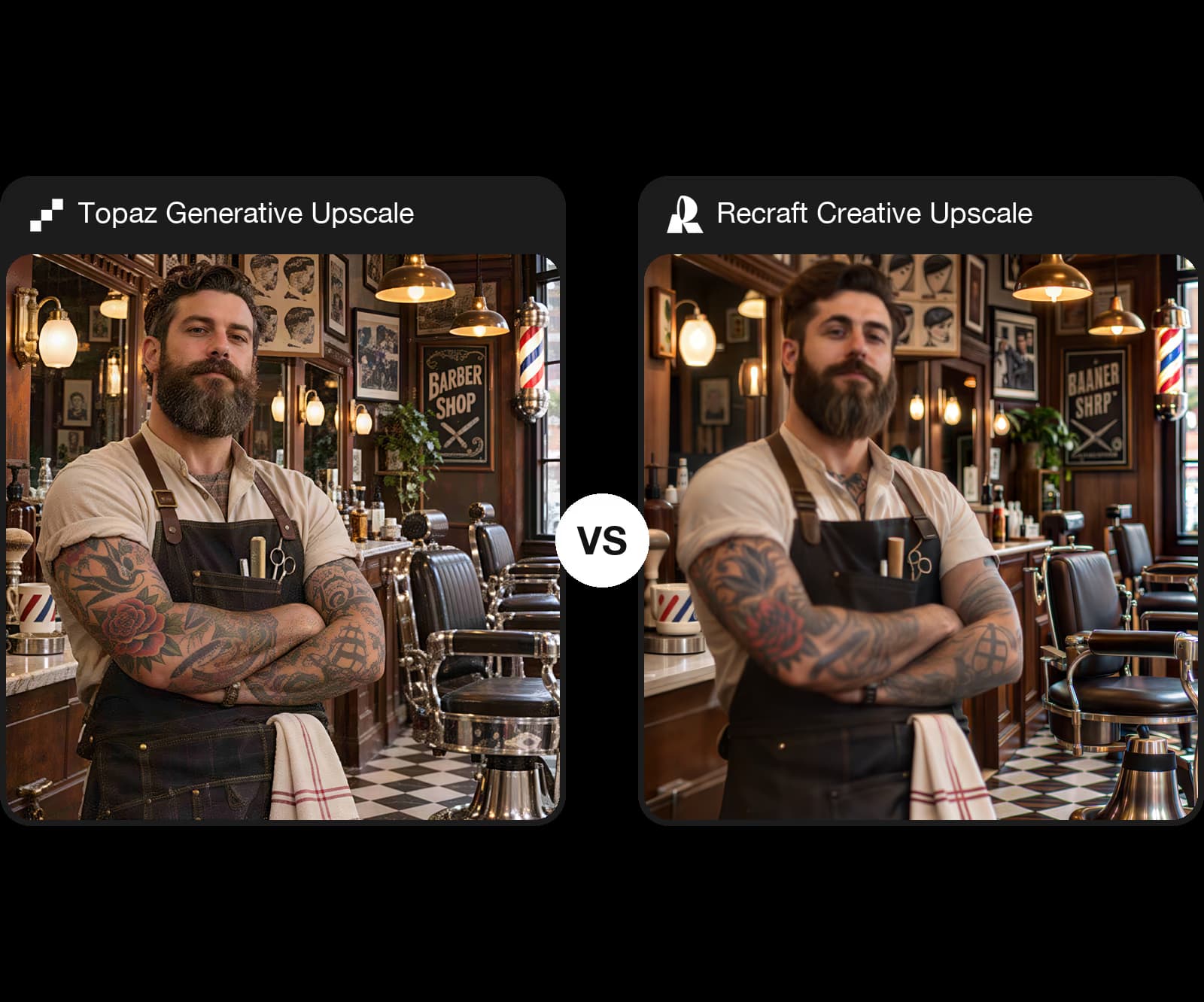
Feature comparison overview
Compare Topaz Generative Upscale vs Recraft Creative Upscale side by side: what each AI image upscaler is built for, its settings, and the output size we got from the same input.
| Feature | Topaz Generative Upscale (Topaz Labs) | Recraft Creative Upscale (Recraft) |
|---|---|---|
| Developer | Topaz Generative Upscale (Topaz Labs)Topaz Labs | Recraft Creative Upscale (Recraft)Recraft |
| Built for | Topaz Generative Upscale (Topaz Labs)Upscaling and fixing noise, blur and soft faces | Recraft Creative Upscale (Recraft)Upscaling that adds creative detail |
| Input | Topaz Generative Upscale (Topaz Labs)One image | Recraft Creative Upscale (Recraft)One image |
| Prompt needed | Topaz Generative Upscale (Topaz Labs)No | Recraft Creative Upscale (Recraft)No |
| Settings | Topaz Generative Upscale (Topaz Labs)Choice of 10 Topaz models | Recraft Creative Upscale (Recraft)None: upload and run |
| Default model | Topaz Generative Upscale (Topaz Labs)Wonder 4 | Recraft Creative Upscale (Recraft)Not applicable |
| Low-resolution and damaged photos | Topaz Generative Upscale (Topaz Labs)Recover 3, Recovery V2 and Recovery models | Recraft Creative Upscale (Recraft)No separate mode |
| More creative result | Topaz Generative Upscale (Topaz Labs)Redefine model | Recraft Creative Upscale (Recraft)Creative detail is the default |
| Output size in our test | Topaz Generative Upscale (Topaz Labs)2x the input (540x810 to 1080x1620) | Recraft Creative Upscale (Recraft)About 6x the input (540x810 to 3344x5016) |
| Blurry, noisy input in our test | Topaz Generative Upscale (Topaz Labs)Rebuilt sharp faces, hair and texture | Recraft Creative Upscale (Recraft)Bigger file, blur mostly kept |
| Sister models in Picsart | Topaz Generative Upscale (Topaz Labs)Topaz Image Upscale, Topaz Video Upscale | Recraft Creative Upscale (Recraft)Recraft Crisp Upscale |
| Where to use it | Topaz Generative Upscale (Topaz Labs)AI Playground, desktop app, CLI, MCP, REST API, SDK | Recraft Creative Upscale (Recraft)AI Playground, desktop app, CLI, MCP, REST API, SDK |
Meet Topaz Generative Upscale and Recraft Creative Upscale
Topaz Generative Upscale is the generative upscaler from Topaz Labs, the team behind Topaz Photo AI and Gigapixel. It makes an image larger and fixes noise, blur and soft faces in the same step, with 10 Topaz models to choose from. Recraft Creative Upscale is the creative upscaler from Recraft: one image in, a much larger image out, with no settings to set. Both take a single image and no prompt, and both run in our AI Playground. We gave them the same degraded photos; the boards show each result at the same display size.
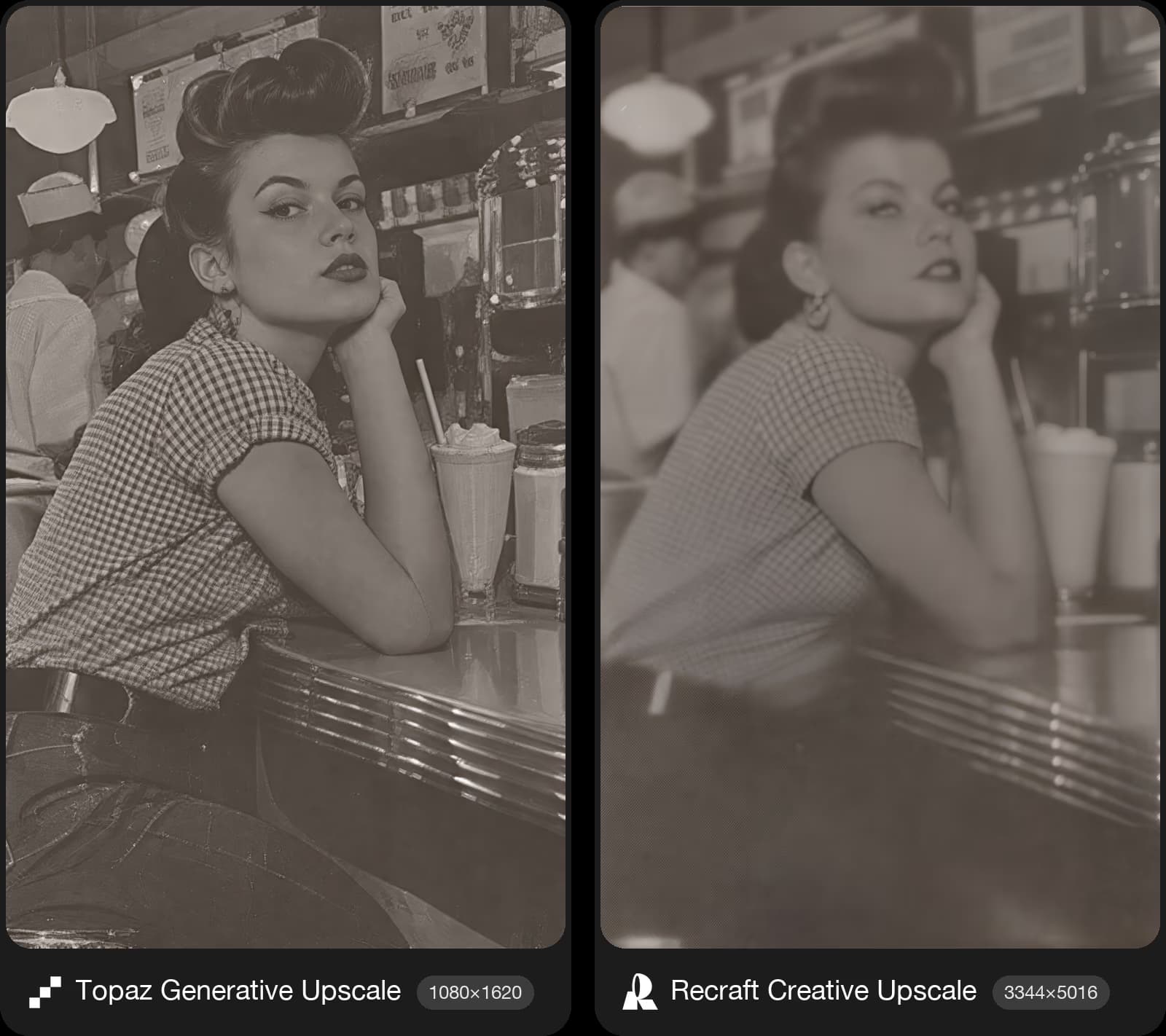
Topaz vs Recraft for restoring old photos
For a faded, soft black-and-white snapshot, Topaz Generative Upscale redrew the face, hair and the diner counter, so the photo reads as sharp again. Recraft Creative Upscale returned a far larger file, but the face and background stayed close to the soft original. If the goal is photo restoration, start with Topaz; for very small or damaged prints it also offers dedicated Recover and Recovery models.
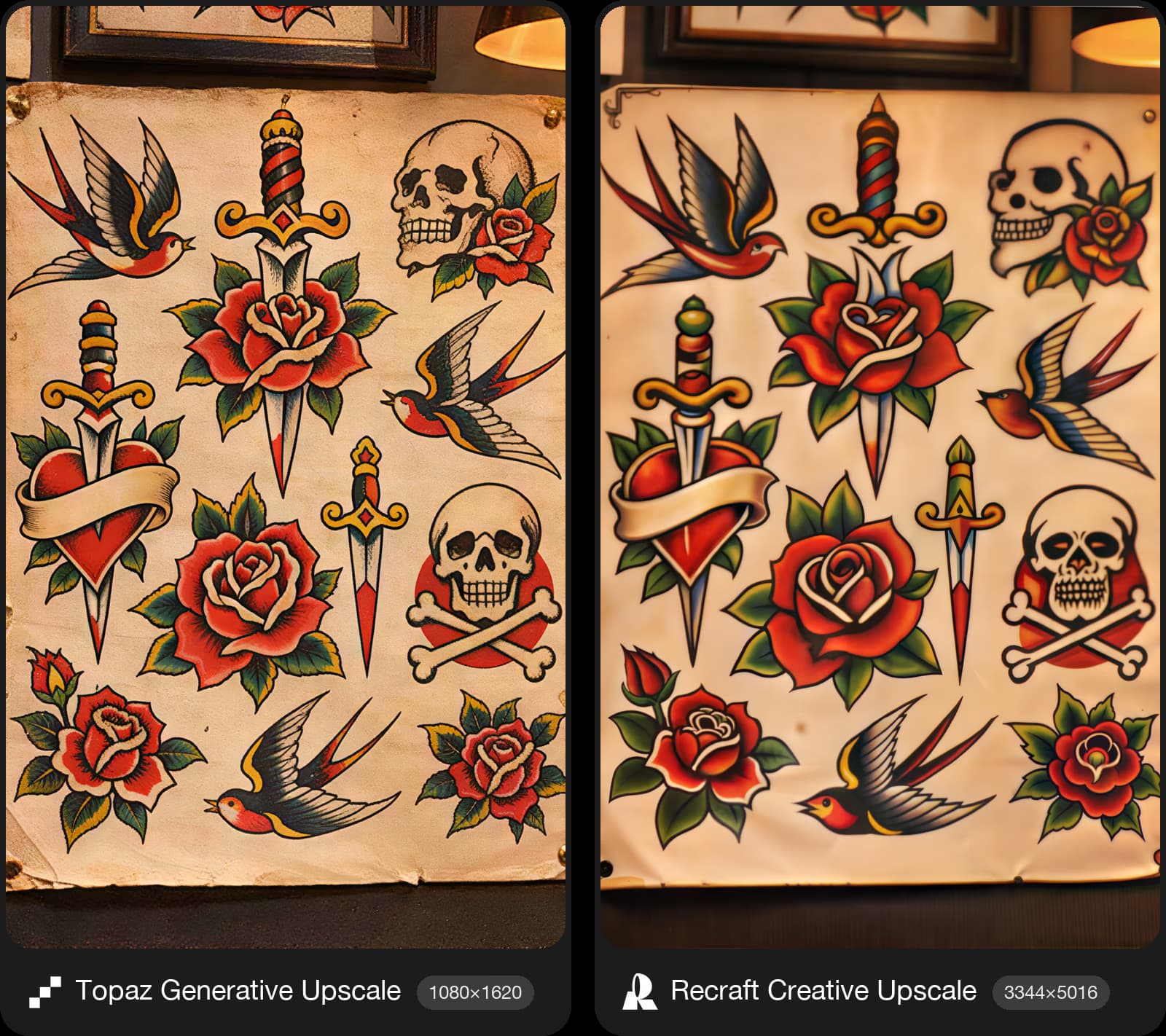
Topaz vs Recraft on linework and color
Flat artwork is easier for both. On a tattoo flash sheet, both kept the shapes, roses and skulls intact. Topaz Generative Upscale gave cleaner edges on the linework, while Recraft Creative Upscale pushed the reds a little warmer and delivered a file about three times larger in each direction. For illustrations and graphics that already look clean, either works; pick by the size you need.
Topaz vs Recraft for noisy, low-light shots
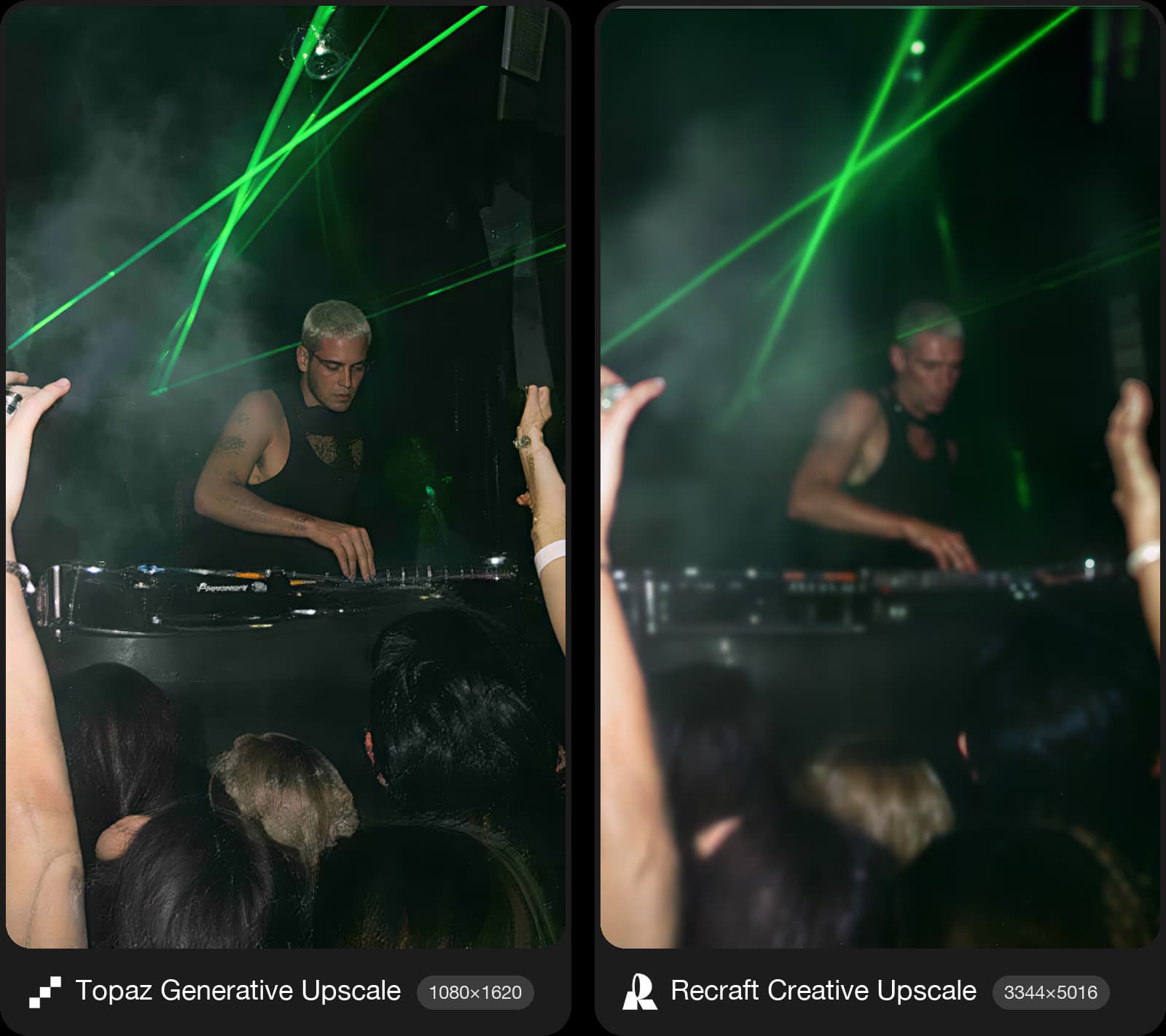
Club and night photos bring grain and motion blur. On a dark DJ shot with lasers, Topaz Generative Upscale cleaned the noise and brought back the face and the decks. Recraft Creative Upscale kept the mood and color but most of the softness stayed. For phone shots from shows, streets and parties, Topaz is the stronger fix.
Output size and settings: 2x with control vs 6x in one click
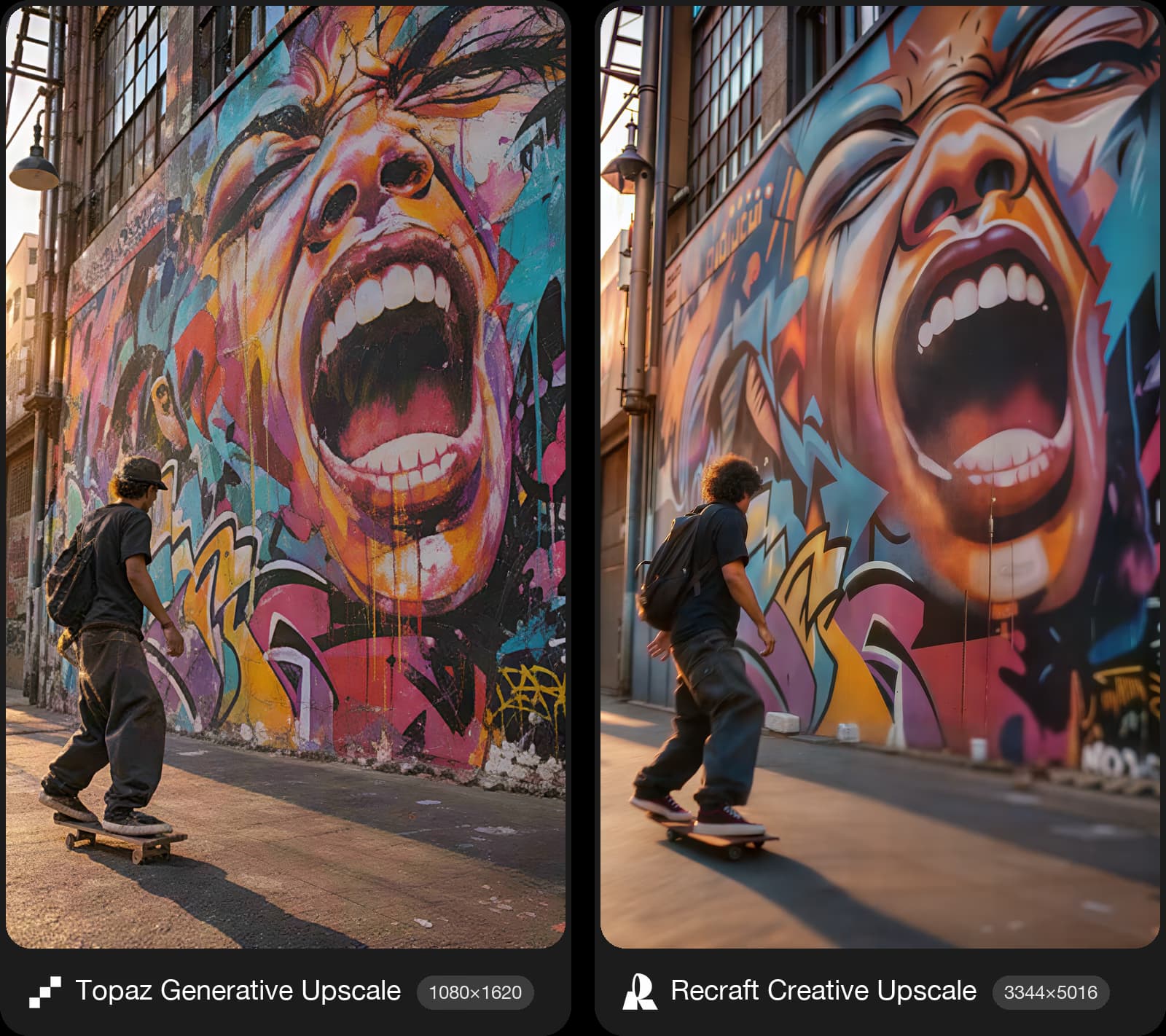
From the same 540x810 input, Topaz Generative Upscale returned 1080x1620 and Recraft Creative Upscale returned 3344x5016. So Recraft makes much bigger files, which helps when an already sharp image has to fill a print or billboard. Topaz gives you control instead: Wonder 4 by default, Recover models for damaged images, Standard MAX for a straight upscale and Redefine for a more creative result.
Choose Topaz Generative Upscale or Recraft Creative Upscale
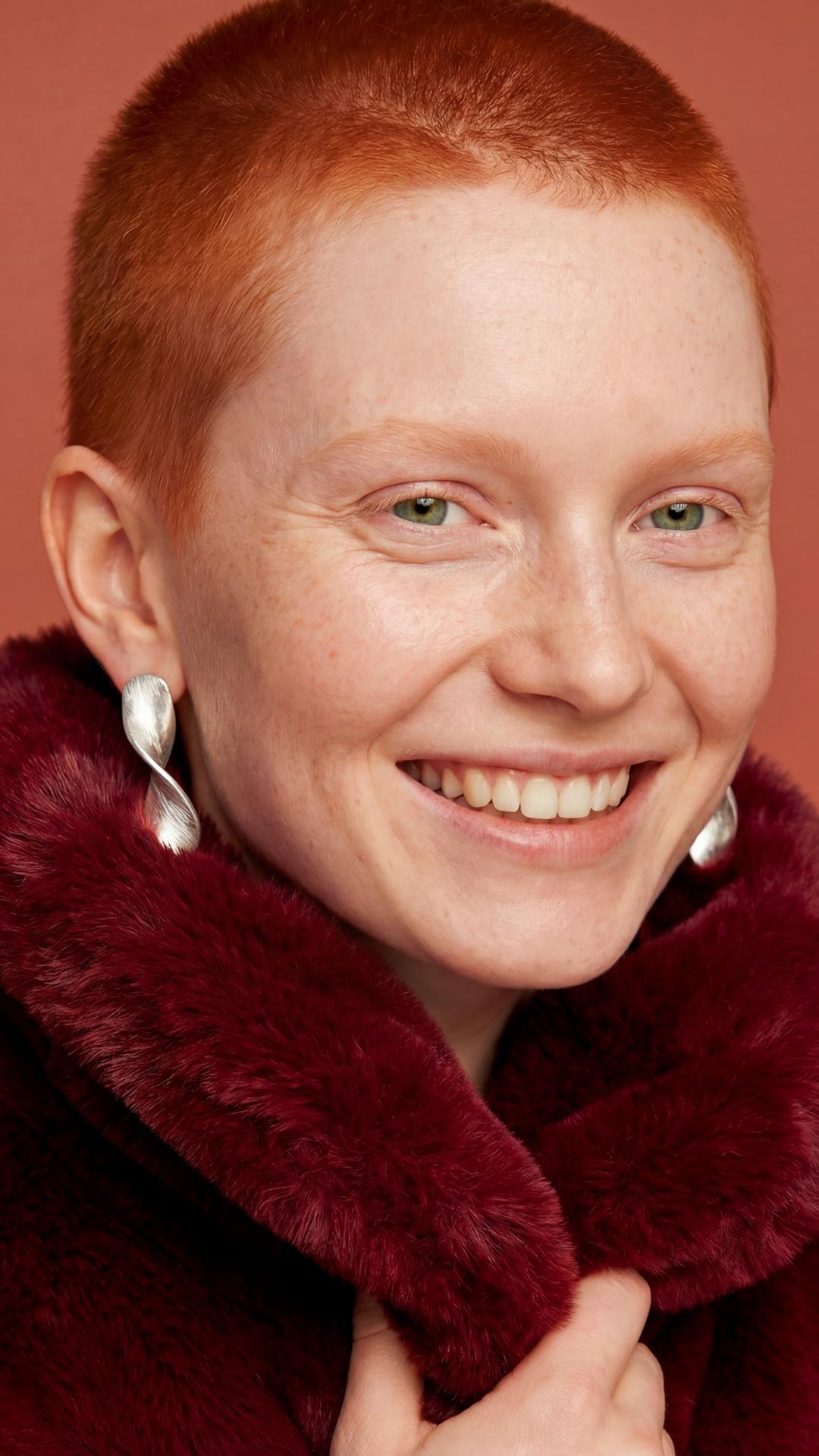
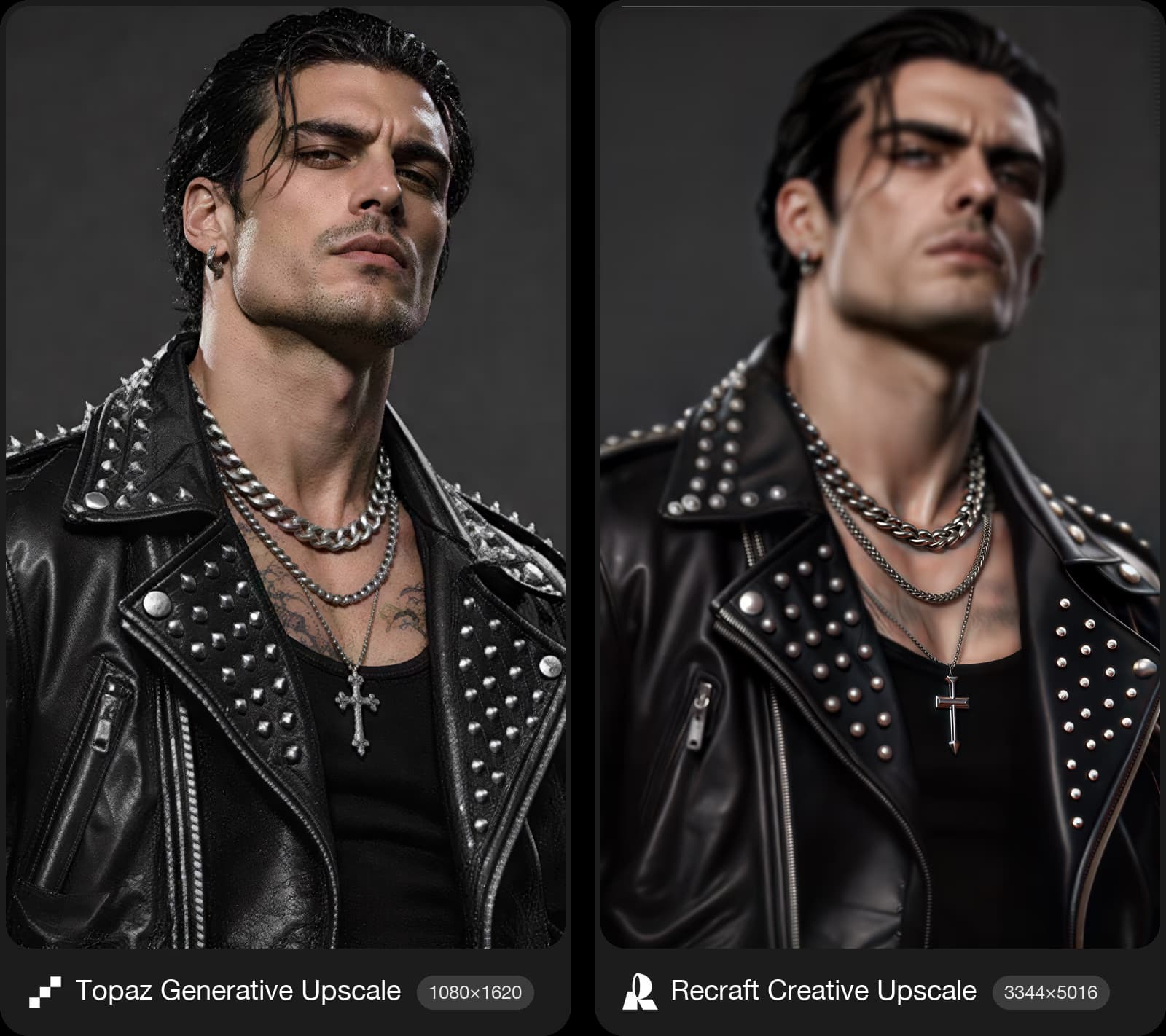
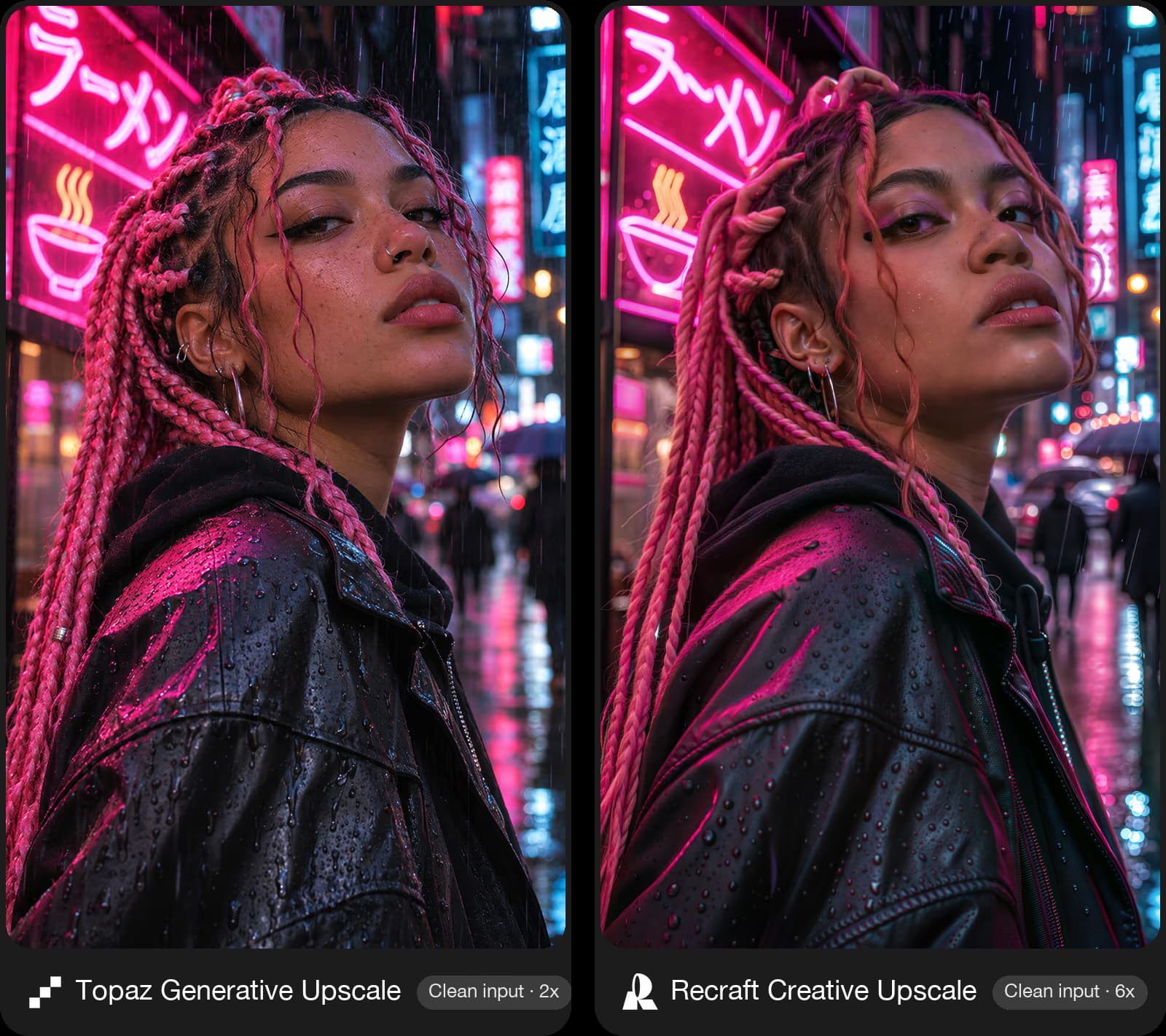
Pick Topaz Generative Upscale when the photo is small, blurry, noisy or old and you want faces and texture rebuilt, or when you want to choose the upscale model. Pick Recraft Creative Upscale when the image is already clean, such as an AI generation or a sharp graphic, and you simply need it much bigger in one click: on a clean portrait both looked sharp, and Recraft added bolder color. Not sure? Run the same image through both in AI Playground and keep the one you like.
Topaz Generative Upscale vs Recraft Creative Upscale FAQ
Answers about generating images with GPT Image 2.6 Sunburst and Nano Banana Pro in Picsart.
Topaz Generative Upscale fixes noise, blur and soft faces while it upscales, and lets you choose from 10 Topaz models. Recraft Creative Upscale has no settings and returns a much larger image, about 6x the input in our test, adding creative detail.
More AI image comparisons
Explore other AI image model comparisons available in Picsart.