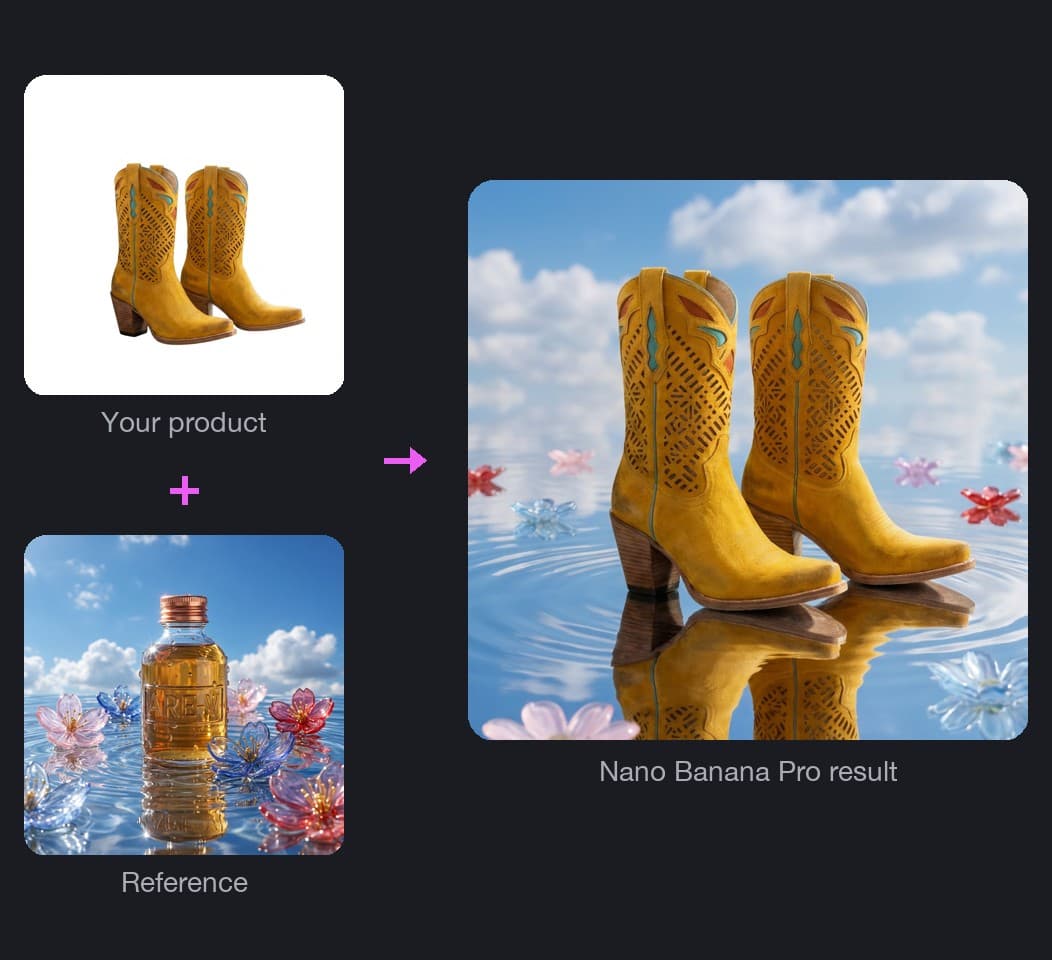
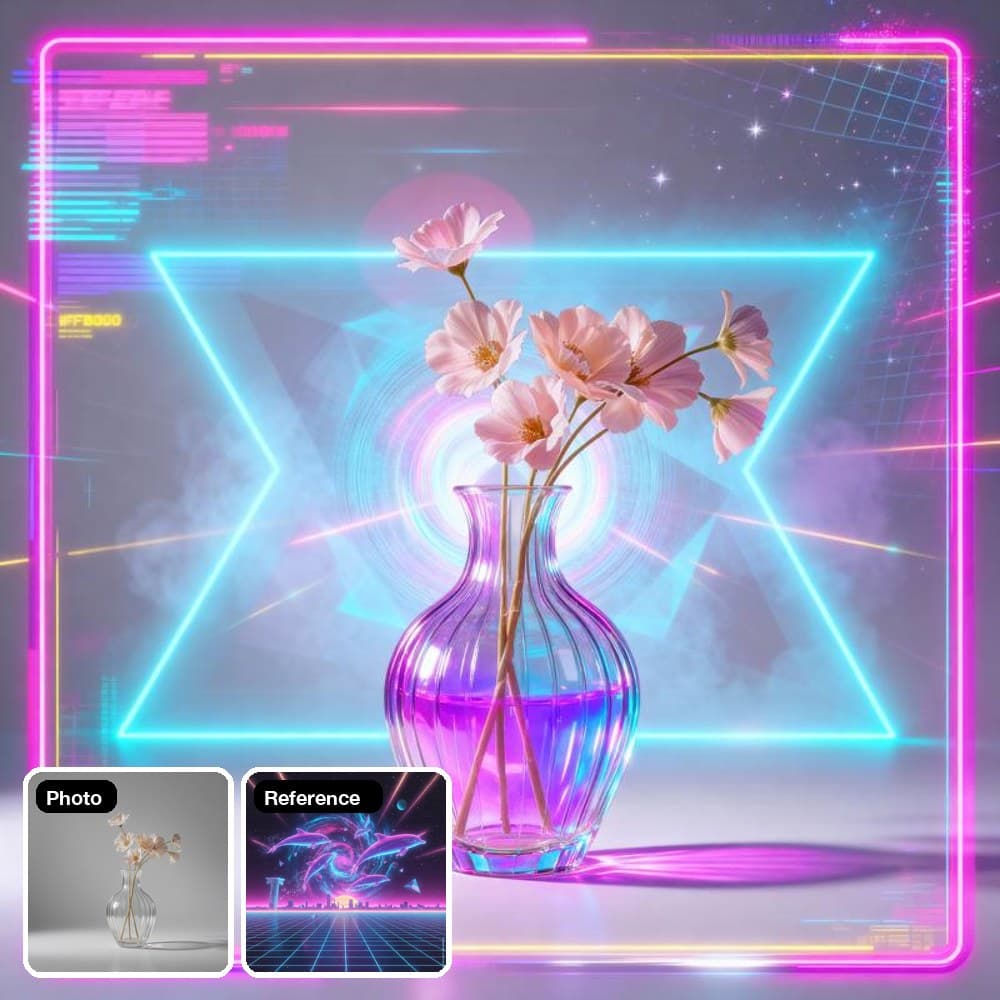
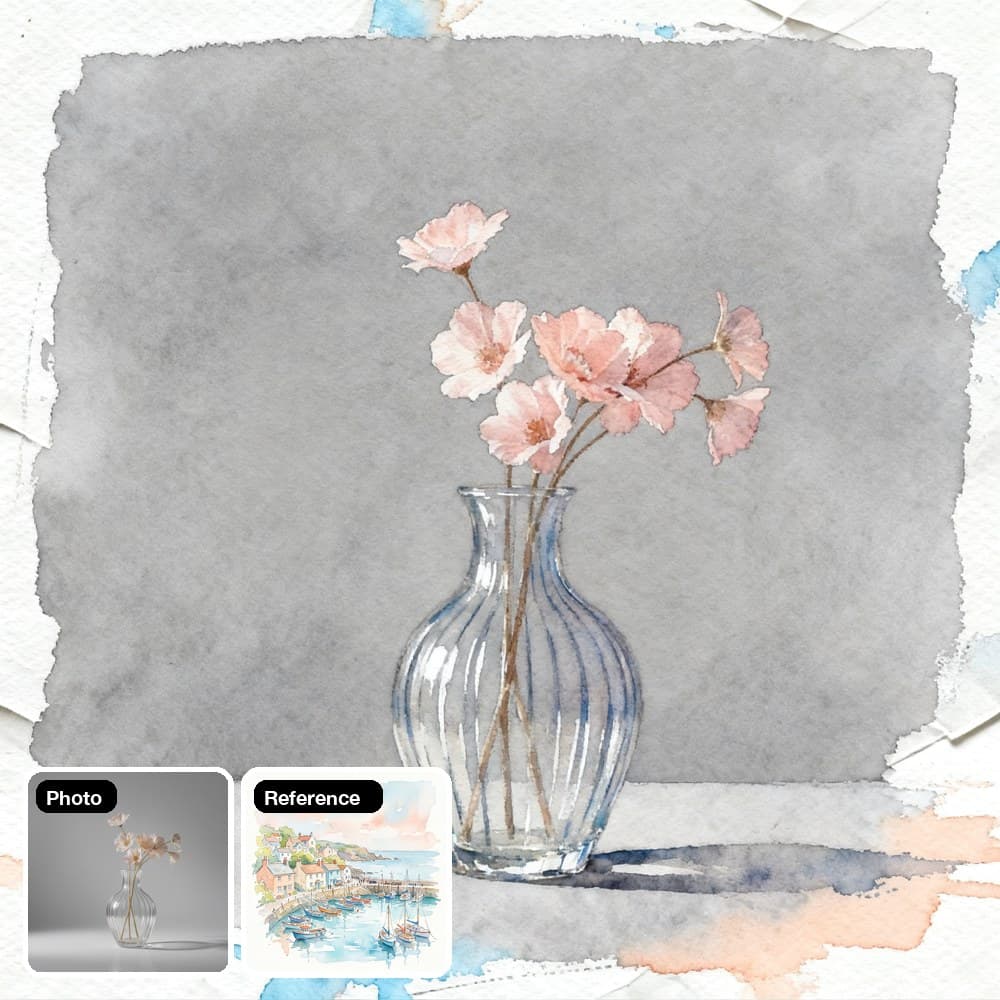
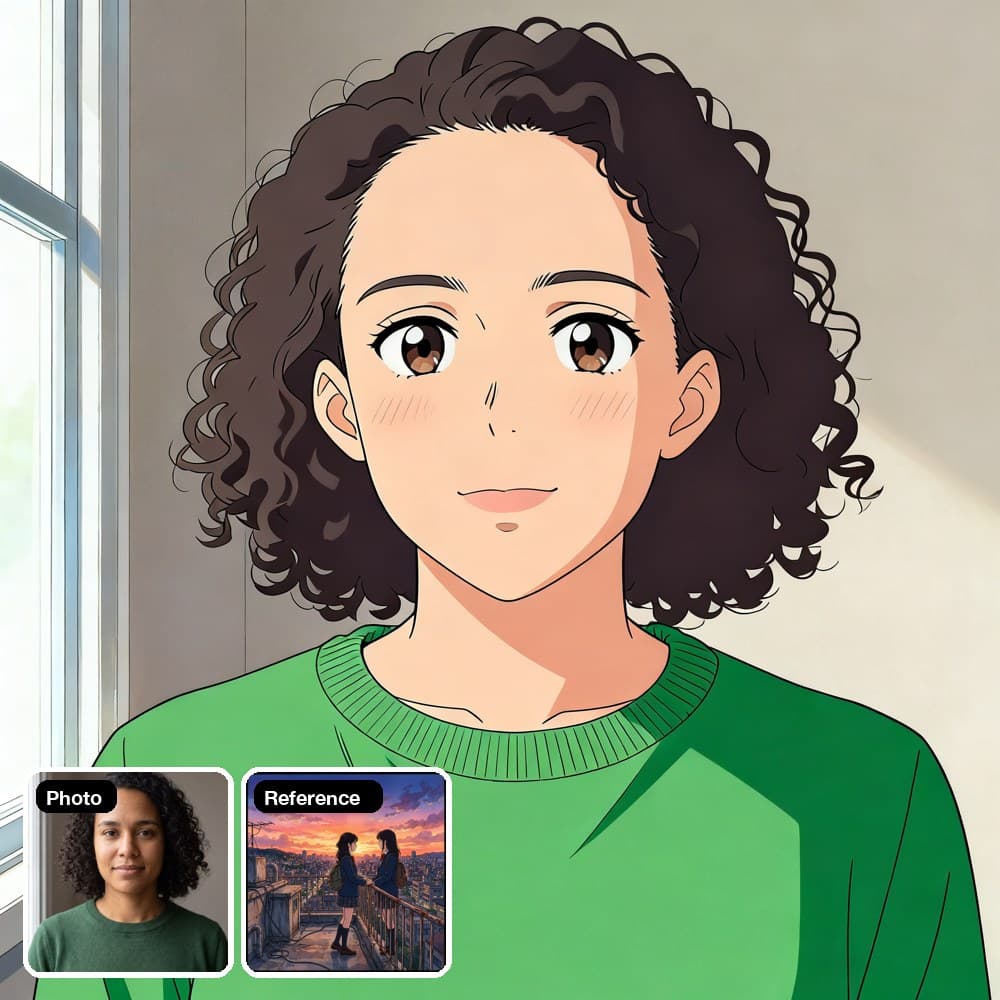
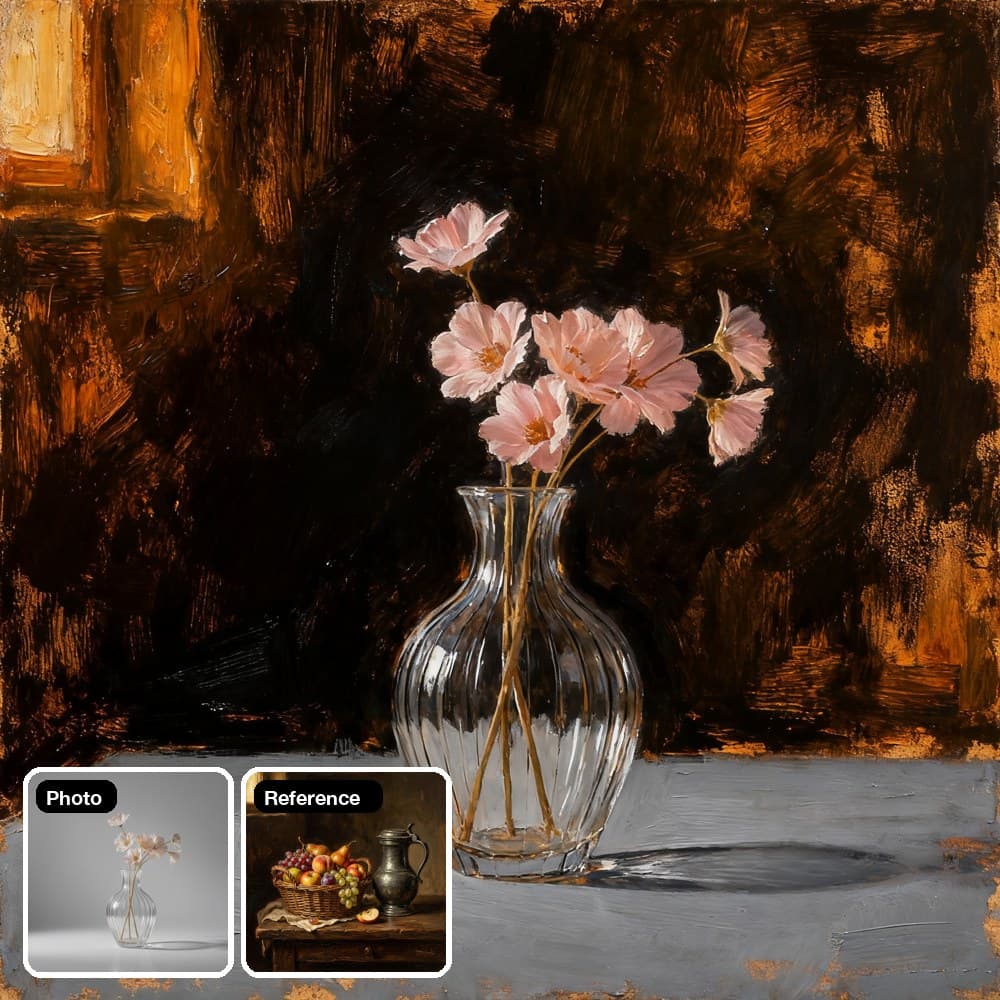
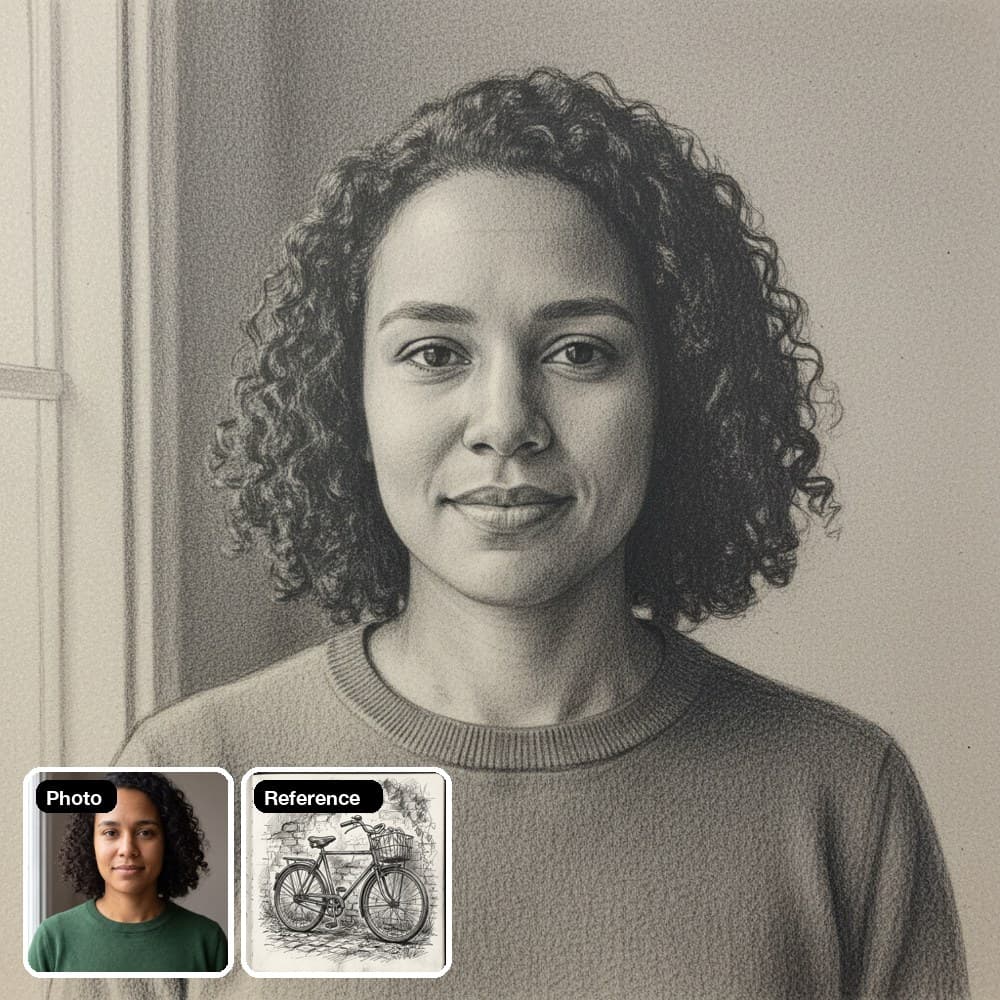
- התמונה שלך

- תמונת ייחוס לסגנון

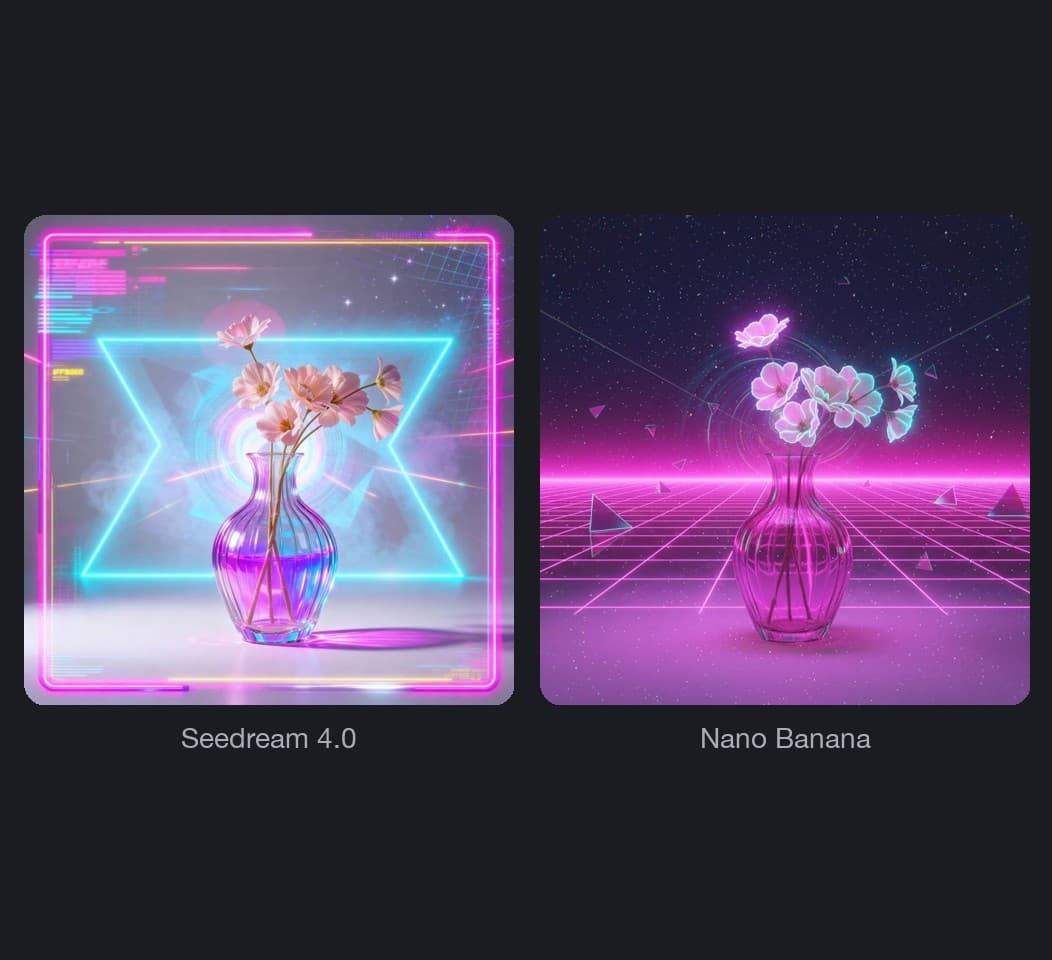
- Seedream 4.0

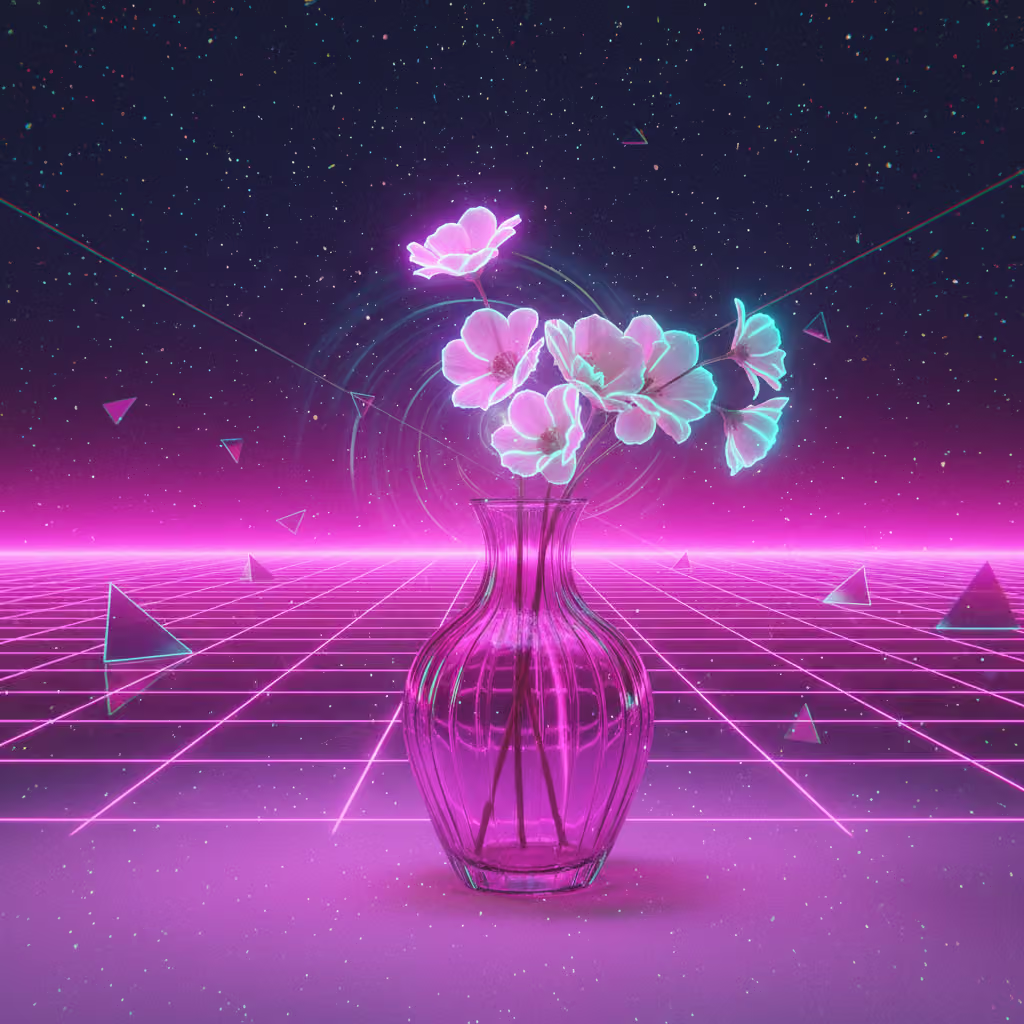
- Nano Banana

העברת סגנון באמצעות AI: להעתיק כל מראה לתמונה שלך
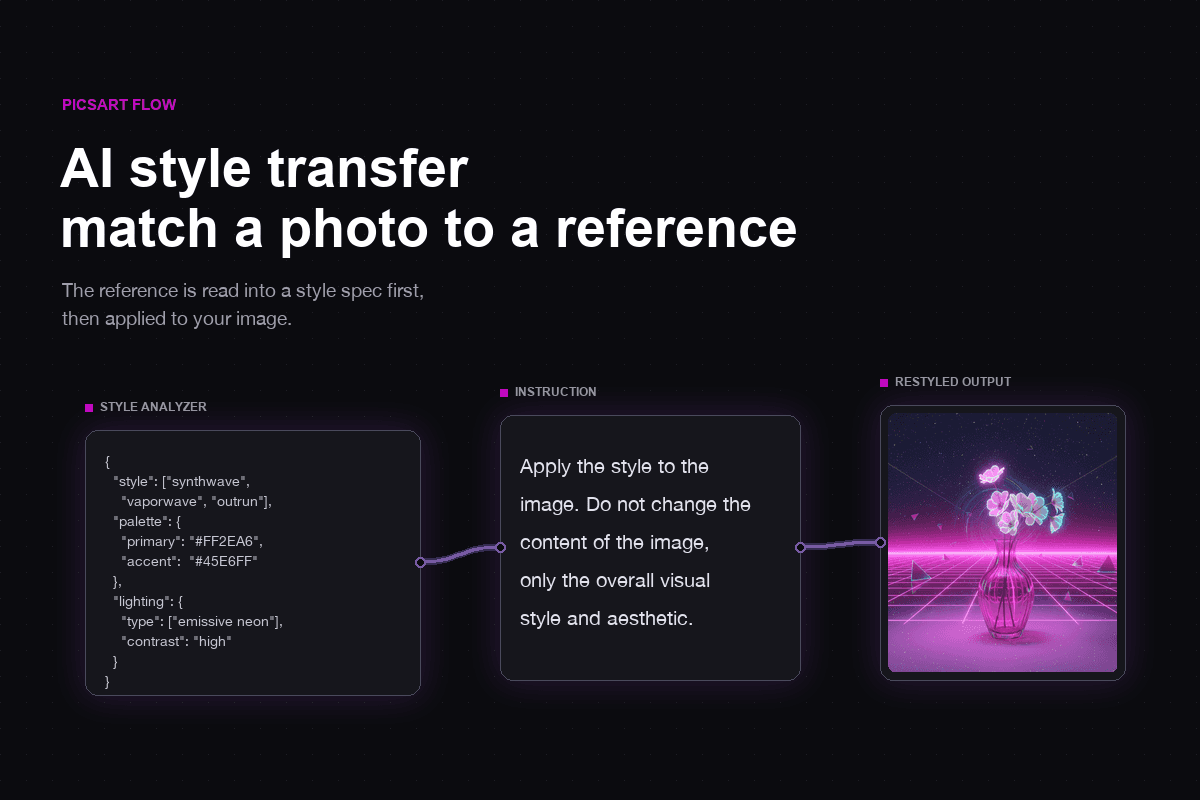
העברת סגנון תמונה ב-Picsart Flow מנתחת תמונת ייחוס ומציירת מחדש את התמונה שלך באותו מראה. מתחילים מתבנית או משתי תמונות.
מריצים העברת סגנון באמצעות AI על קנבס אחד
כל מה שדרוש לשינוי סגנון של תמונה נמצא בקנבס אחד, מניתוח תמונת הייחוס ועד לייצוא הקובץ הסופי.
שינוי סגנון תמונה לכל סוג של צילום
מחפשים כלי AI לשינוי סגנון של תמונות בלי לשנות את הנושא? שנו את הסגנון של כל תמונה ובדקו מה תמונת ייחוס אחת יכולה לעשות לכל אחת מהן.
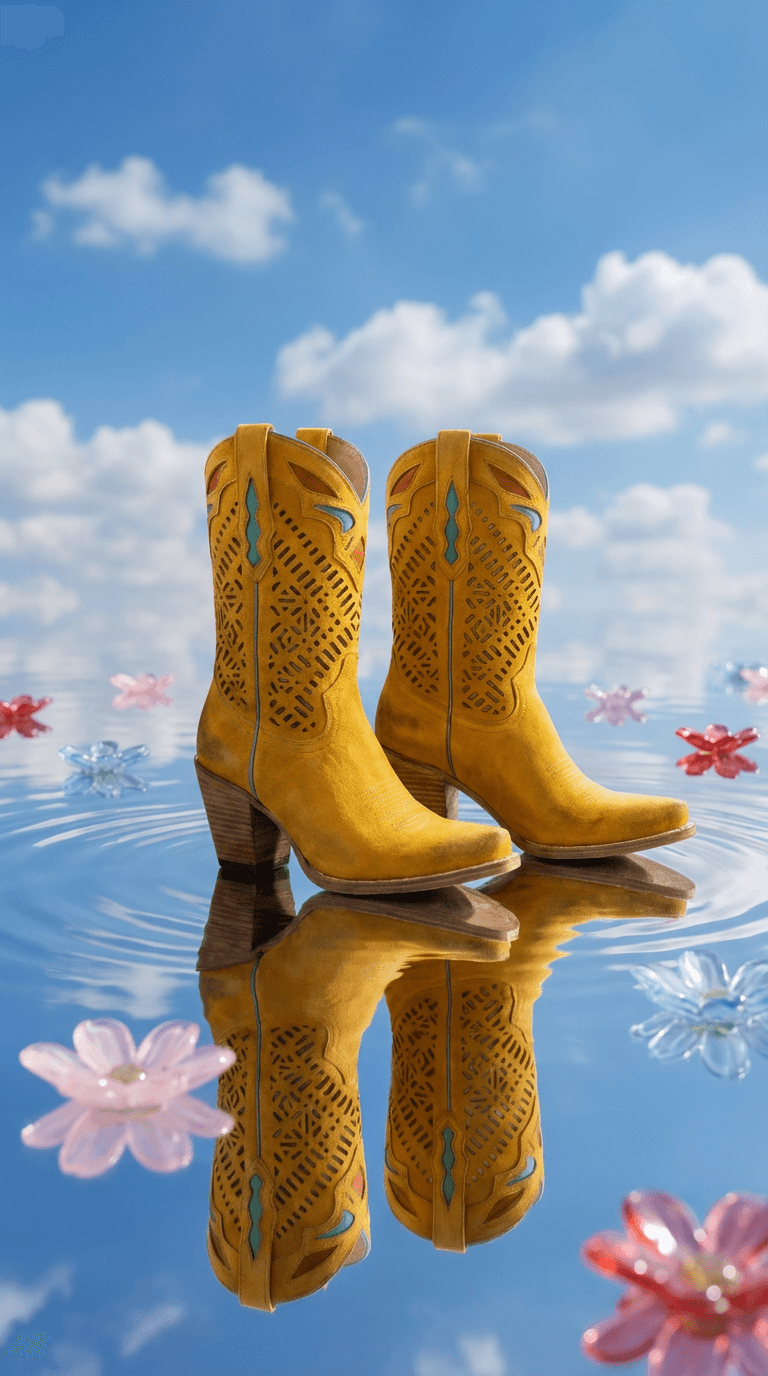
להציב מוצר במראה של תמונת ייחוס
Product Placement Style Transfer חותך את המוצר מתוך התמונה שלו ומשתמש רק באווירה של תמונת הייחוס, בלי להעתיק ממנה אובייקטים. לאחר מכן Nano Banana Pro יוצר סביבו סצנה אנכית ביחס 9:16, מוכנה ל-Stories ול-Reels.
איך מעבירים סגנון תמונה ב-Picsart Flow
ממיר סגנון התמונות הזה פועל על קנבס ריק: מוסיפים את התמונה ובוחרים את המראה. רוצים תהליך מוכן מראש? פתחו את תבנית Style Extractor, הוסיפו שתי תמונות והפעילו אותה.
מציגים את הסגנון או מתארים אותו במילים
Picsart Flow יכול להעתיק סגנון תמונה מתמונת ייחוס או ליצור אותו מתוך המילים שלך. מעלים תמונת ייחוס, וצומת Style Analyzer מתאר את צבעי ה-hex, התאורה, המרקמים והאווירה שלה לפני יצירת התמונה. אין לכם תמונת ייחוס? פשוט כתבו את הסגנון בהנחיה, למשל: צילום פילם משנות ה-70 עם גוונים ירוקים דהויים.
- שואבים השראה מכל תמונה
- מוסיפים הערות להנחיה
ציור מחדש מלא, לא פילטר מעל התמונה
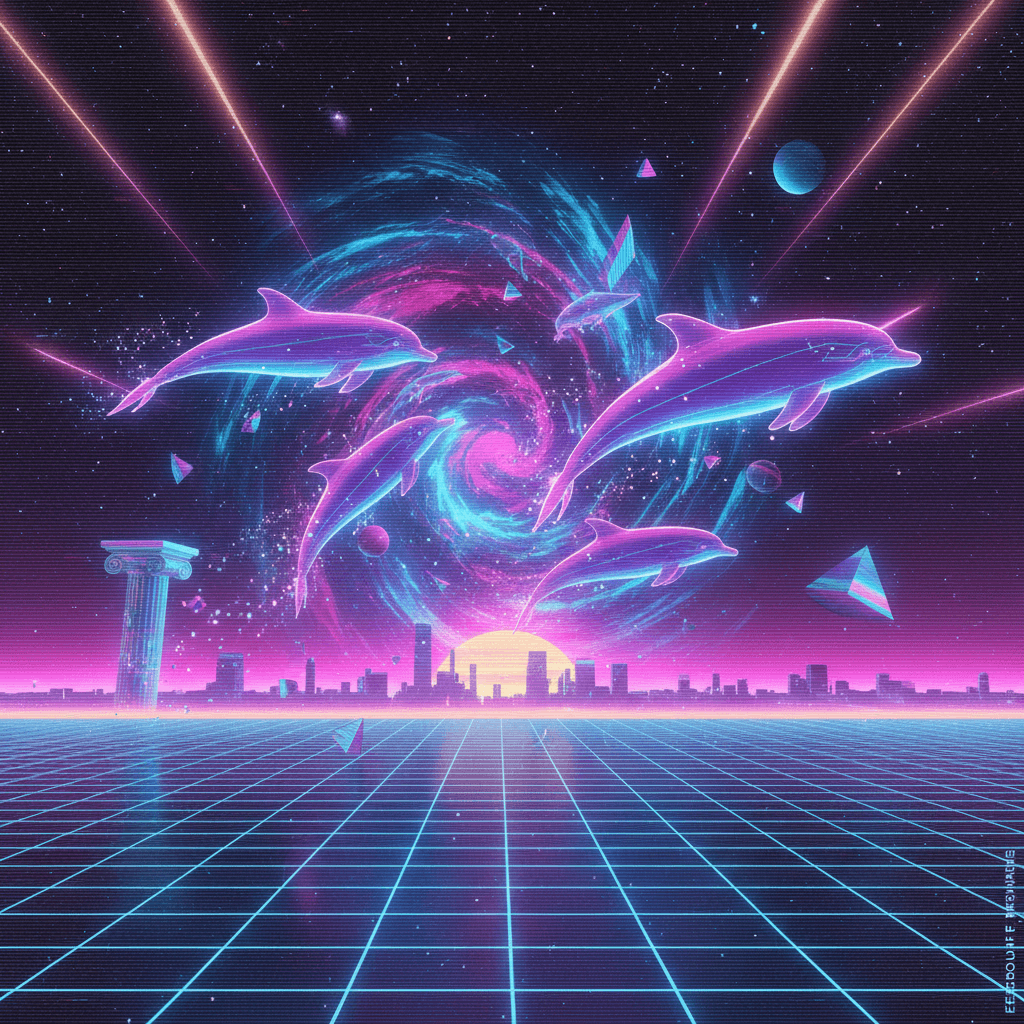
מודלי התמונה ב-Flow מציירים מחדש את התמונה כולה בסגנון החדש, כך שגם משיכות המכחול, הגרעיניות והתאורה משתנות לצד הצבעים. בכל הרצה נוצרת גרסה חדשה, ולכן פרטים קטנים עשויים להשתנות מגרסה לגרסה.
- שני מודלים, שתי גרסאות
- מריצים שוב לקבלת גרסה חדשה
מתקנים כל פרט לאחר שינוי הסגנון
סגנון עוצמתי עשוי לשנות משהו שרציתם לשמור, כמו לוגו או יד. פתחו את Inpaint, אחד מ-כלי העריכה הגנרטיבית של Flow, מתפריט Actions של צומת התמונה, סמנו את האזור במברשת ותארו את התיקון. רק האזור המסומן משתנה, והתוצאה מופיעה בצומת חדש, כך שהגרסה הראשונה נשארת להשוואה.
- ביטול משיכות מכחול אחת-אחת
- משפרים את הרזולוציה לפני ההורדה
משנים סגנון ישירות למידות הרצויות
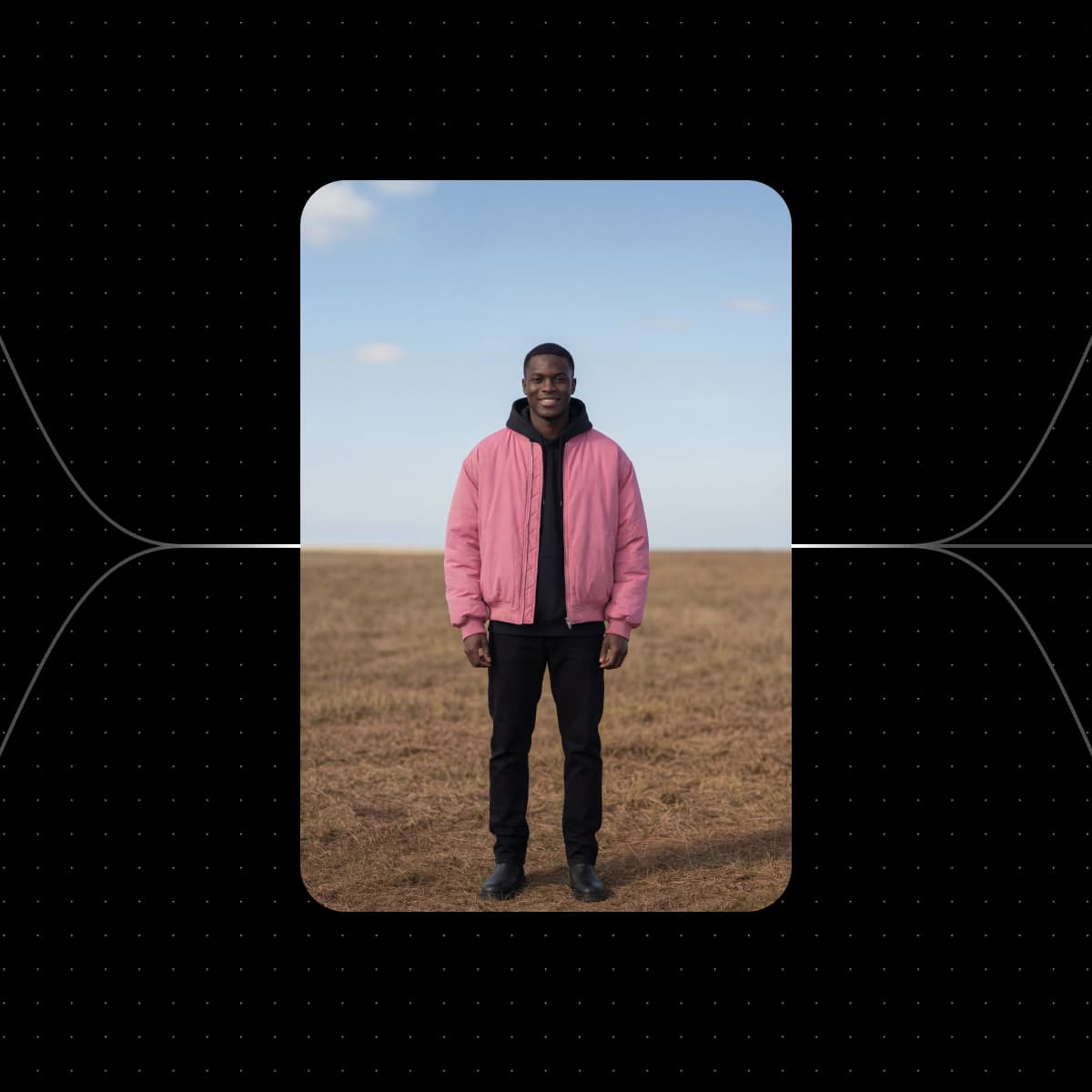
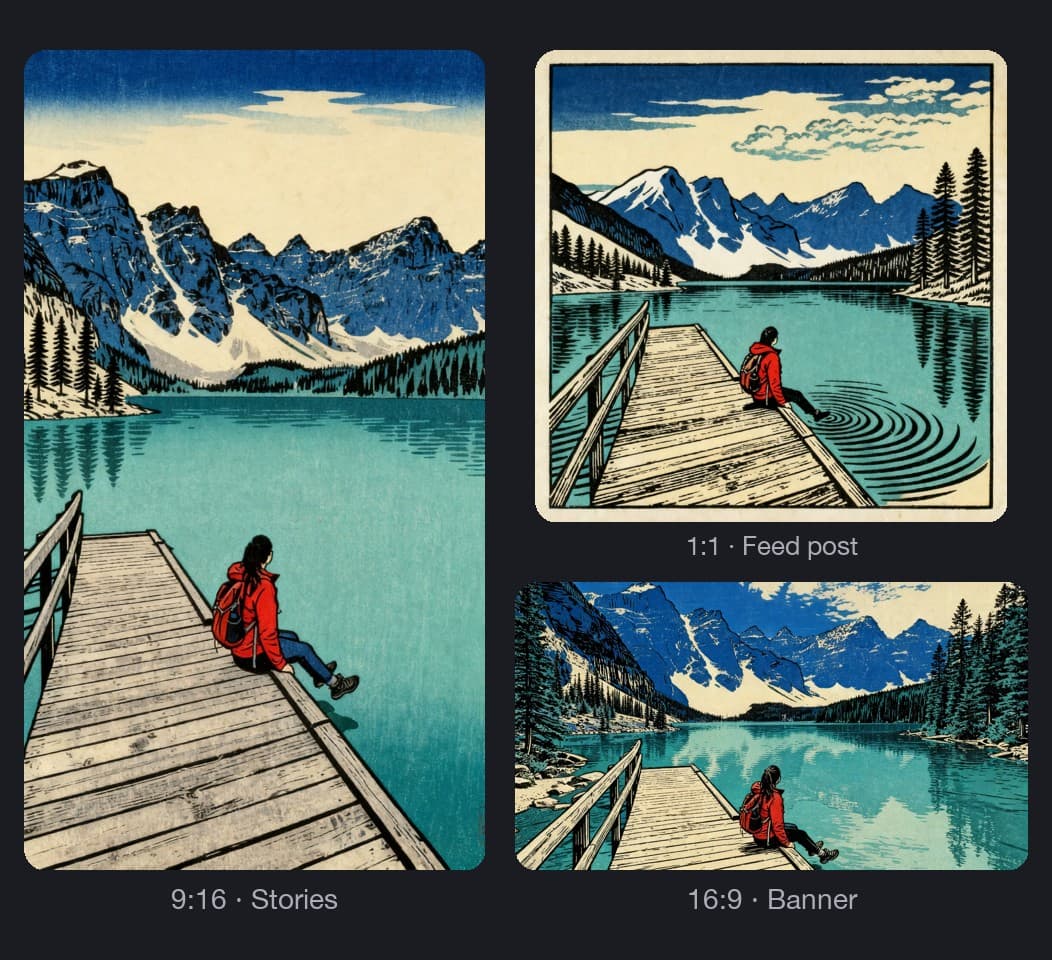
מגדירים את יחס הגובה-רוחב בצומת התמונה לפני ההרצה, והתמונה לאחר שינוי הסגנון תיווצר בצורה המתאימה לשימוש: 1:1 או 4:5 לפוסט בפיד, 9:16 ל-Stories ול-Reels, 16:9 לבאנר. מריצים שני מודלים? משנים את הגודל בשני הצמתים יחד באמצעות עריכת פרמטרים בכמות גדולה.
- ריבוע, לאורך או מסך רחב
- הגדרת רזולוציה לכל צומת
משתמשים שוב באותו סגנון בכל סדרת התמונות
אחרי שמצאתם סגנון שעובד, השתמשו בו בכל תמונה נוספת, למשל כדי לשמור על שפה צבעונית אחידה ברשתות החברתיות. מחליפים את תמונת הקלט ומריצים שוב את המסגרת, ואותה תמונת ייחוס ואותם מפרטי סגנון מעצבים את הצילום הבא. כדי לשתף את המראה עם לקוח או עם חבר צוות, מפרסמים את המסגרת כאפליקציה פשוטה, שהטופס שלה נבנה מתוך הקלטים שלה. ככל שהסדרה גדלה, תגיות צבע וחיפוש בקנבס עוזרים לשמור על קנבס גדול ומסודר.
- פרטי, באמצעות קישור או בהזמנה בלבד
- המשתמשים בהרצה משלמים בקרדיטים שלהם
בוחרים מודל שיצייר כל סגנון
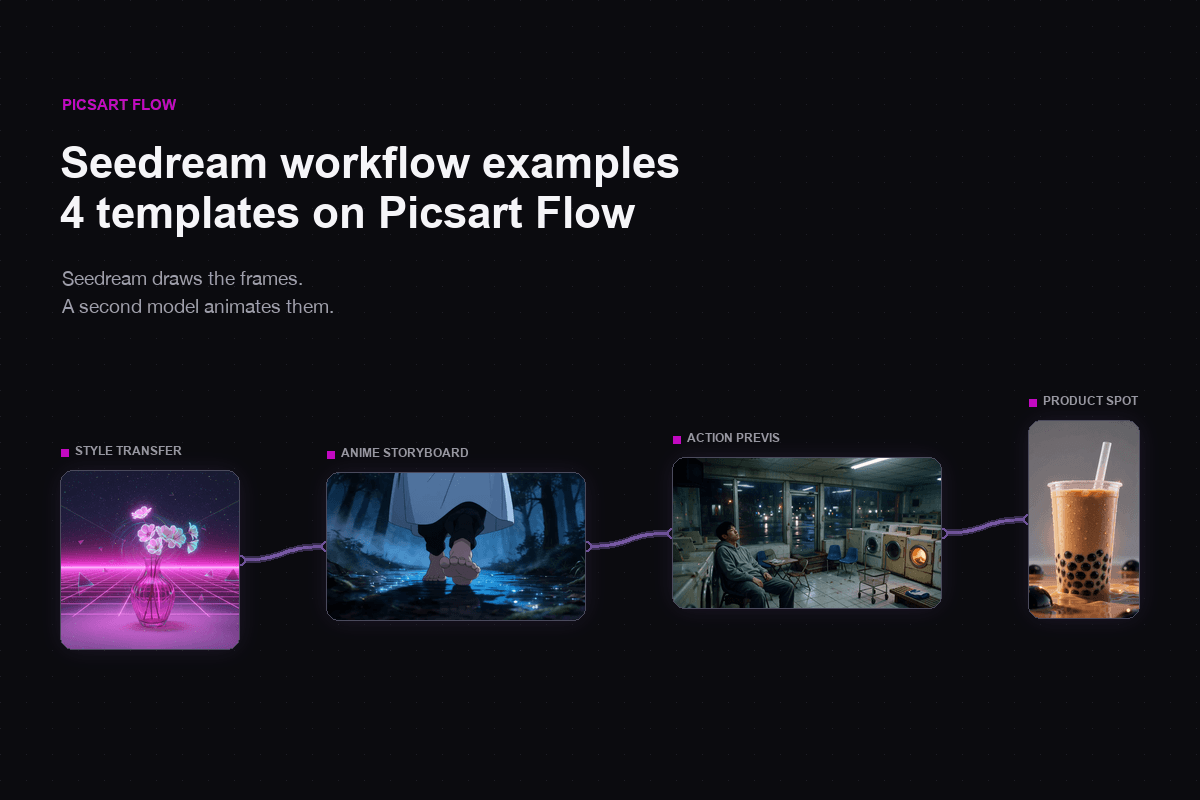
כל צומת בתהליך עבודה לשינוי סגנון תמונה באמצעות AI מריץ מודל משלו, ואפשר להחליף אותו לפני ההרצה. Seedream 4.0: הפקת תמונות מקורית ברזולוציית 4k. Nano Banana Pro: מיועד לעיצוב דמויות עקבי. Nano Banana 2: איכות ברמה מקצועית במהירות הבזק. Flux 2 Pro: תמונות פוטוריאליסטיות עם פרטים עדינים.


שואבים סגנון מכל תמונת ייחוס
בדקו מה יוצרים חושבים על Picsart
ביקורות מאנשים שיוצרים עם Picsart.




שאלות נפוצות על העברת סגנון באמצעות AI
העברת סגנון תמונה של Picsart פועלת באמצעות קרדיטים של AI, כך שמשלמים רק על מה שיוצרים. קרדיטים כלולים במינויי Picsart או זמינים בחבילות חד-פעמיות, כך שאפשר להתחיל ליצור בחינם עם הקרדיטים שכלולים בתוכנית שלך. Flow מציג את כמות הקרדיטים המשוערת לפני כל הרצה, וקרדיטים נוספים לא פגים לעולם.
משנים תמונות באמצעות סגנונות AI לפרויקטים יצירתיים
Pro
Most popularAI tools for everyday creative work.
Ultra
Most powerfulHeavy AI usage for creators & teams.