मुफ्त में छवि में छाया जोड़ें: तत्काल छाया संपादन
उत्पाद तस्वीरों से लेकर इंस्टाग्राम पोस्ट तक, अपनी तस्वीरों को छाया फोटो संपादन के साथ शानदार कलाकृतियों में बदलें।
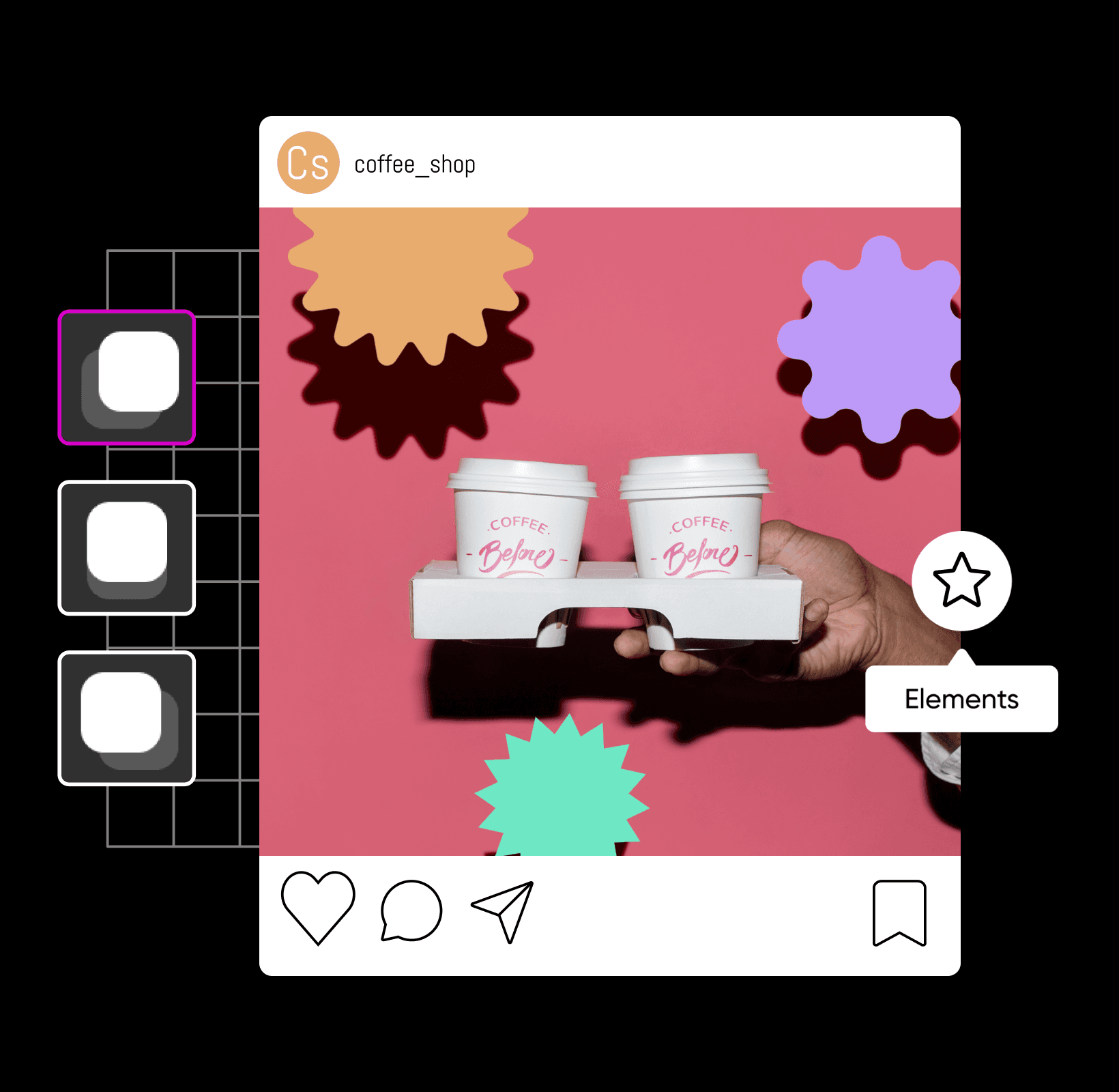
पेशेवर शैडो संपादन के साथ अपने डिज़ाइन को ऊंचा करें
छवि में छाया कैसे जोड़ें
अपनी तस्वीरों को छाया संपादन से सुदृढ़ करें
एक छाया फोटो संपादन में एक छवि में छाया बनाना, संपादित करना या जोड़ना शामिल है। चाहे आप अपने आगामी उत्पाद लॉन्च पर काम कर रहे हों या अपनी नवीनतम फोटोशूट को संपादित कर रहे हों, ड्रॉप शैडो तुरंत किसी भी प्रकार की तस्वीर को सुदृढ़ कर सकते हैं — फोटो संपादन से ग्राफिक डिज़ाइन तक। जब आप अपनी छवियों को संपादित करने के लिए एक फोटो शैडो निर्माता का उपयोग करते हैं, तो आप अल्ट्रा-रियलिस्टिक शैडो के साथ अपनी तस्वीरों को कुछ ही क्लिक में अपग्रेड कर सकते हैं। इस प्रकार, आप इसे ऐसा दिखा सकते हैं जैसे कोई ऑब्जेक्ट पृष्ठभूमि पर एक छाया डाल रहा हो और एक सुंदर संरचना बना रहा हो।
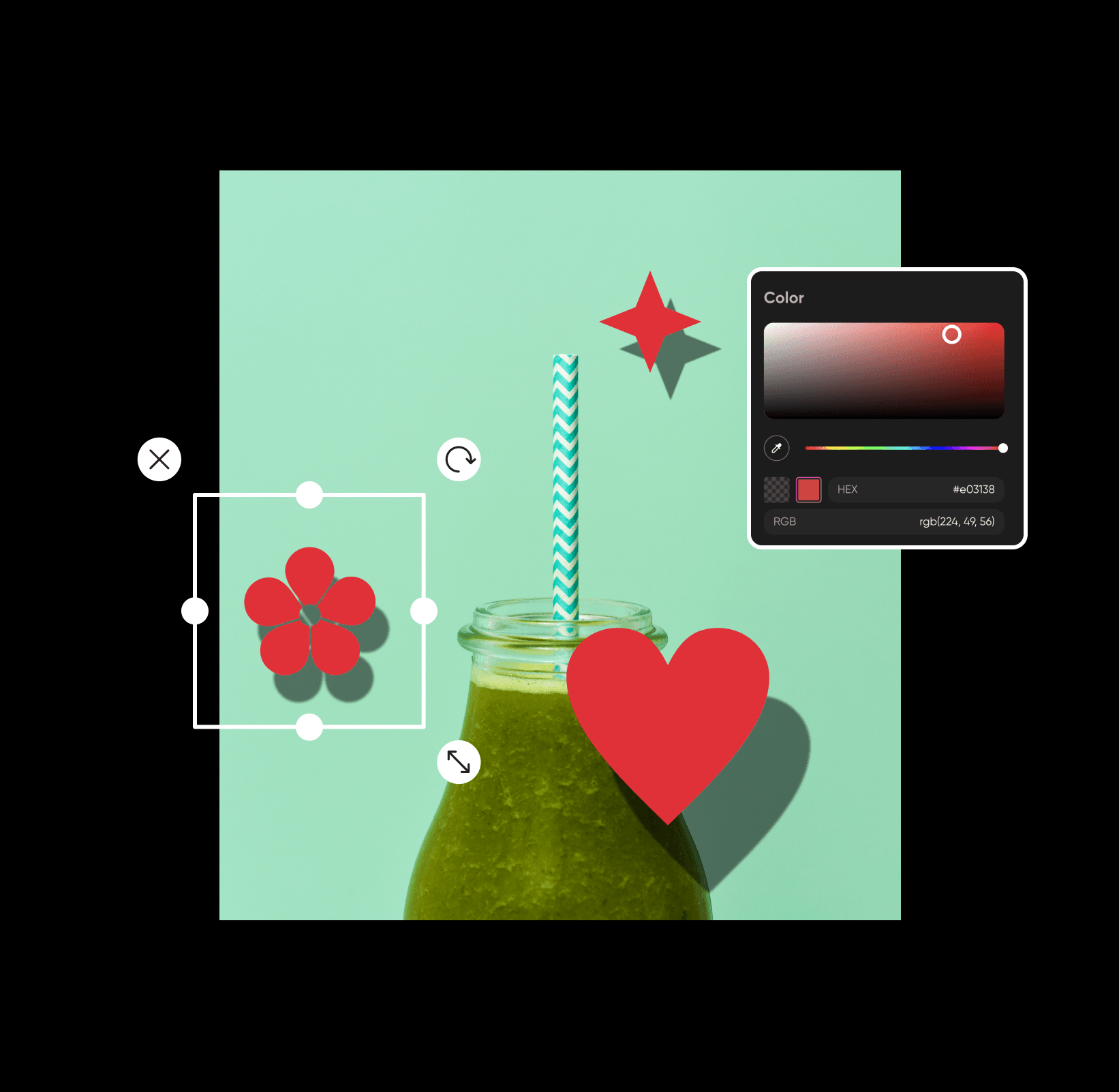
इंटरनेट पर मुफ्त में छवियों में छाया जोड़ें
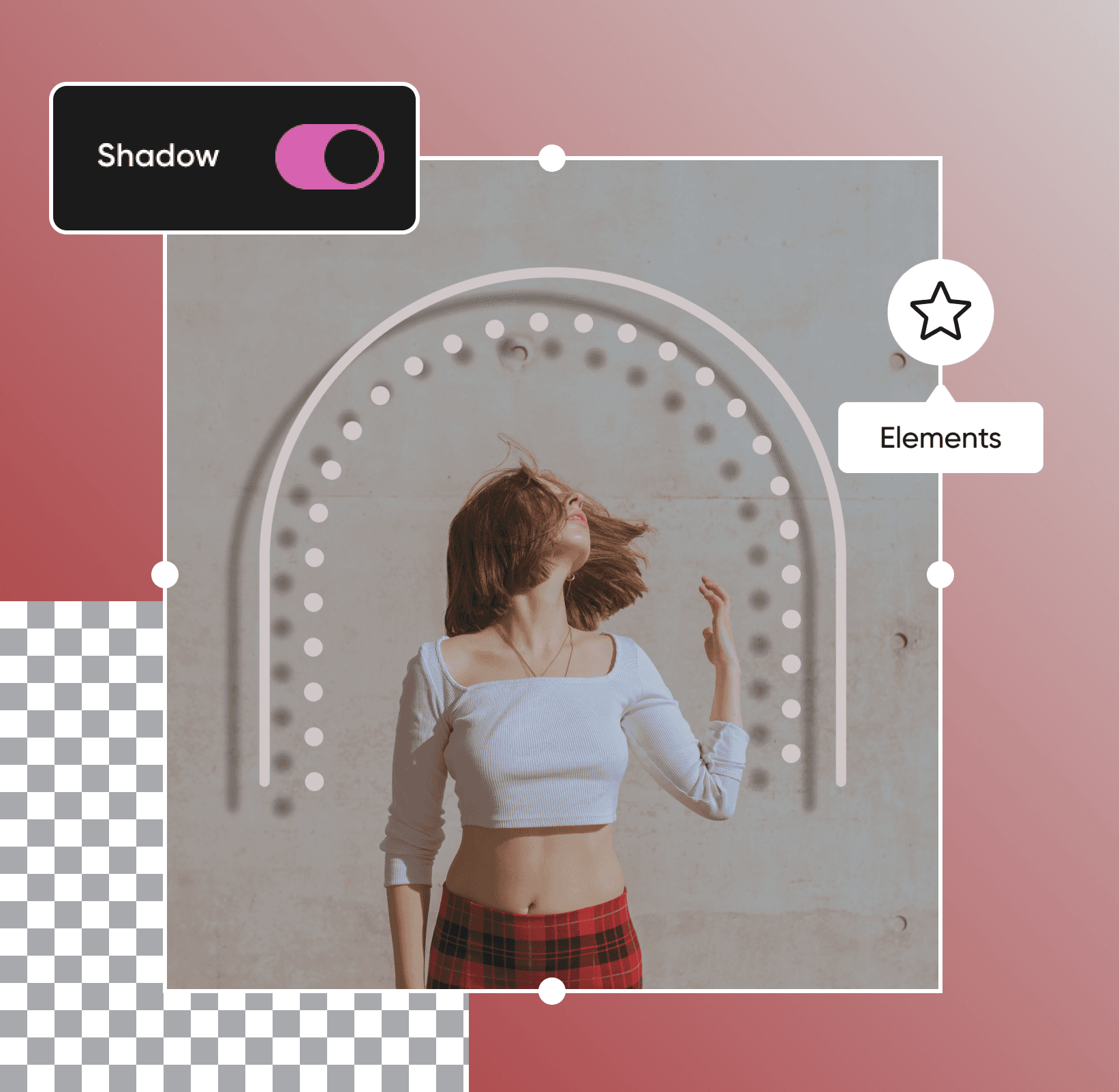
छिपी हुई वस्तुओं से लेकर हवा में लटके हुए पाठ तक, आपके पसंदीदा चित्रों को नाटक और कलात्मकता से भरने के लिए केवल कुछ सेकंड में छाया जोड़ी जा सकती हैं। अच्छी खबर यह है कि भले ही आप प्रो संपादक न हों, आप हमारे शुरुआती-अनुकूल फोटो संपादक के साथ मुफ्त में छवियों में छाया जोड़ सकते हैं। अपनी तस्वीरों को अगले स्तर पर ले जाने के लिए, आपको बस अलग-अलग छायाओं और डिज़ाइन अंशों के साथ मज़े करना है ताकि सही संतुलन मिल सके। यह इतना आसान है!
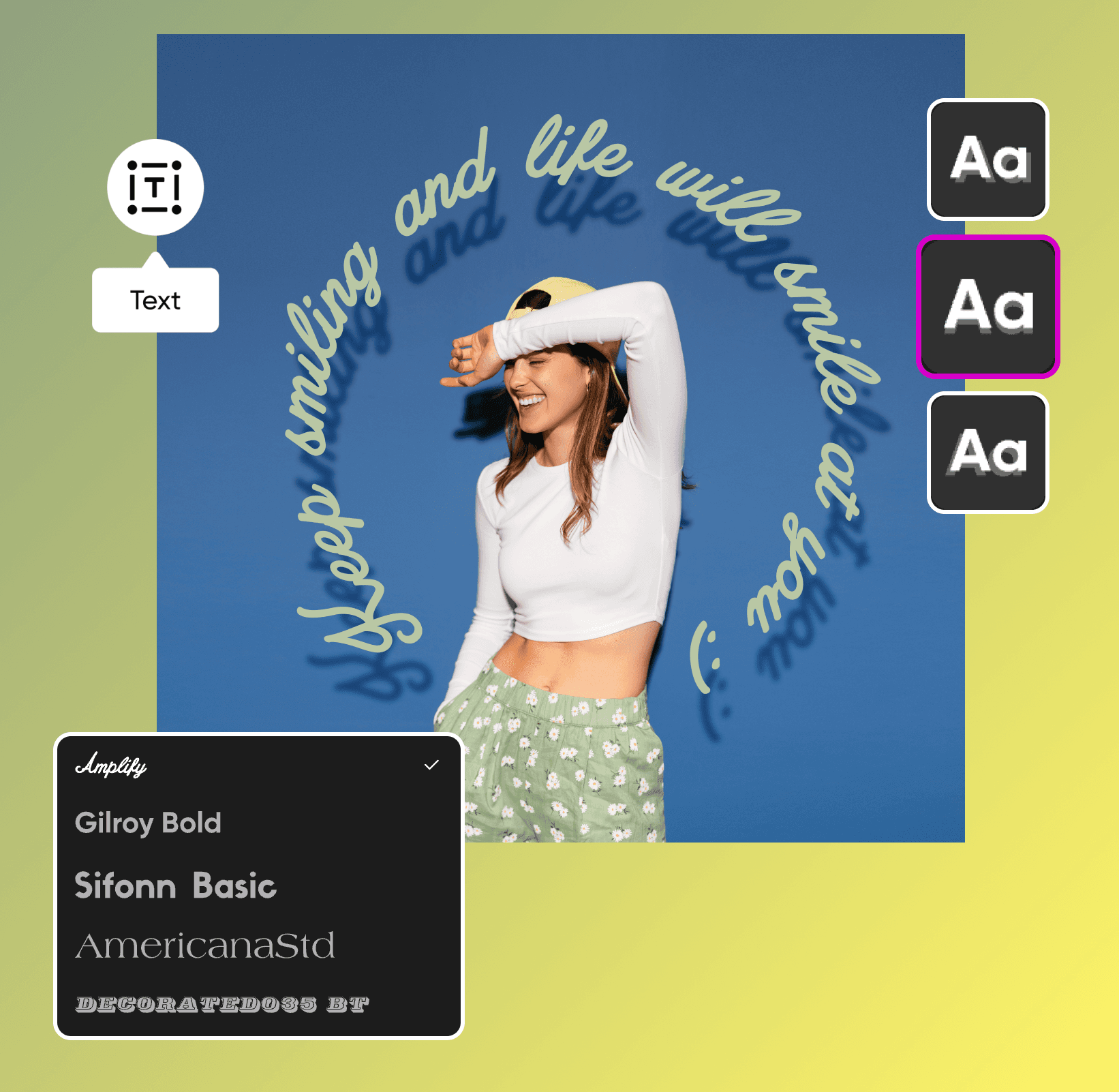
अपना संदेश भेजने के लिए टेक्स्ट शैडो संपादन का इस्तेमाल करें
अपने दर्शकों को सही संदेश भेजना चाहते हैं? चाहे आप अपने मार्केटिंग सामग्रियों पर अंतिम टच दे रहे हों या ध्यान आकर्षित करने वाले इवेंट पोस्टर्स पर काम कर रहे हों, शैडो संपादन आपके डिज़ाइन में अंतर ला सकता है। केवल कुछ ही क्लिक में, आप टेक्स्ट में ड्रॉप शैडो जोड़ सकते हैं ताकि आपका संदेश बाकी डिज़ाइन से अलग दिखे, हमारे उपयोग-में-सहज शैडो फोटो संपादक के साथ। शैडो आपके टेक्स्ट और बाकी डिज़ाइन के बीच अतिरिक्त कंट्रास्ट बनाता है, ताकि आप यह सुनिश्चित कर सकें कि यह आसानी से पढ़ा जा सके, लेआउट साफ-सुथरा हो, और आपका पूरा डिज़ाइन पेशेवर दिखे।
फोटो शैडो प्रभावों से अपने उत्पाद की तस्वीरें बढ़ाएँ
इट्सी की दुकानों से लेकर छोटे व्यवसायों की वेबसाइटों तक, हमारा आगामी ड्रॉप शैडो फीचर ड्रॉप शैडो के साथ फोटो रचना की कला में महारत हासिल करना पहले की तुलना में आसान बना देगा। यदि आप पहले से मौजूद फोटो में नए तत्व जोड़ रहे हैं, तो अपनी रचना को अधिक प्राकृतिक और संतुलित दिखाने के लिए छवियों में ड्रॉप शैडो जोड़ें। चाहे आप उत्पाद की तस्वीरें संपादित कर रहे हों या मार्केटिंग प्रोमोज़, अपनी डिज़ाइन को दुनिया के साथ साझा करने से पहले हमारी शुरुआती-अनुकूल संपादन उपकरणों का उपयोग करें।
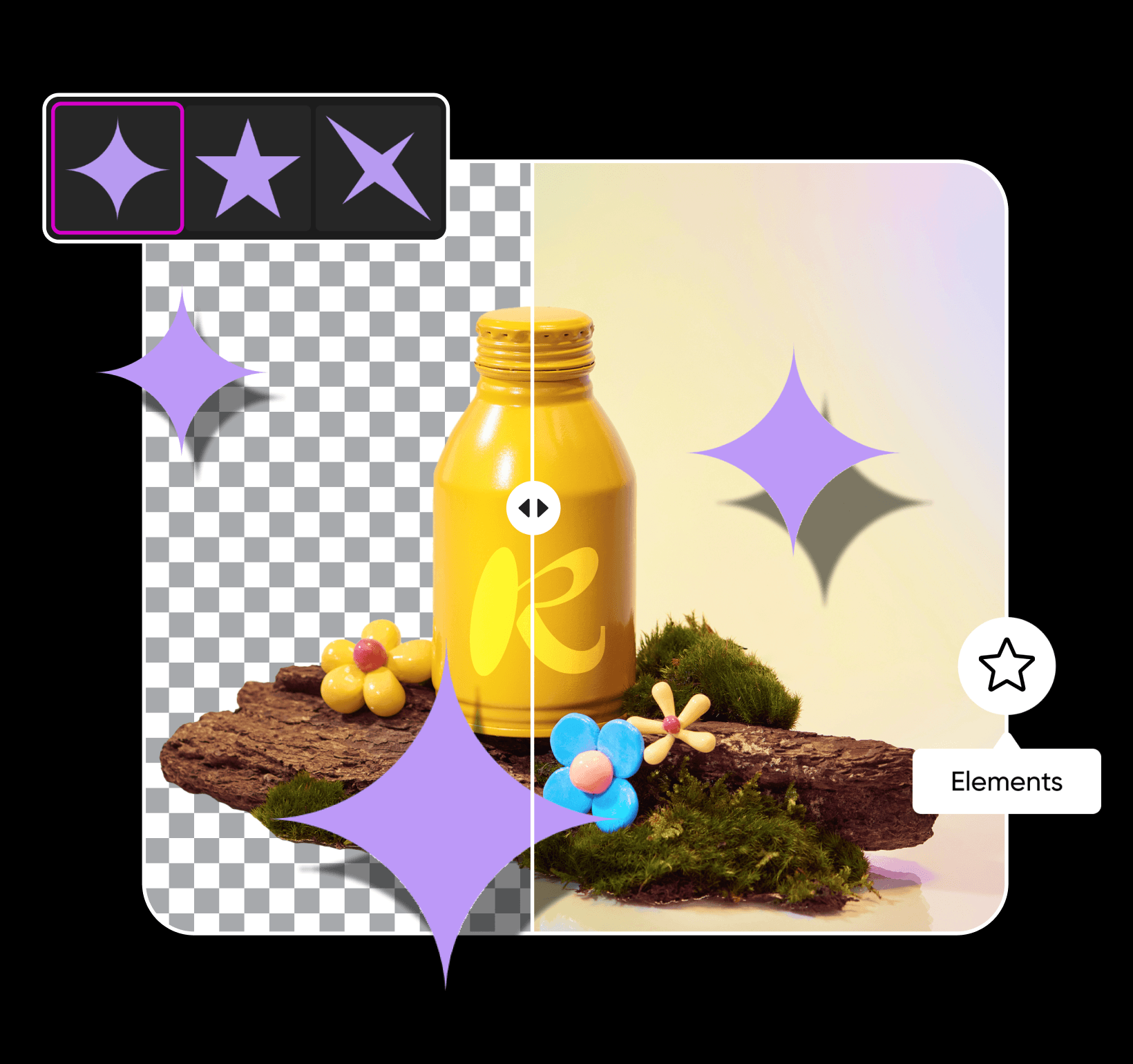
अपनी आवश्यकता अनुसार शैडो का फाइन-ट्यून करें
अपनी शैडो में कुछ समायोजन करने की आवश्यकता है? अपनी तस्वीर में शैडो जोड़ने के बाद, आप एक हाइपर-रियलिस्टिक रूप के लिए इसके रंग, अस्पष्टता, ब्लर, और पोजिशन प्रीसेट बदल सकते हैं। जब आप अपनी शैडो को ऑप्टिमाइज कर लेते हैं, तो हमारी प्रो-ग्रेड संपादन टूल्स के साथ अपनी तस्वीरों को अगले स्तर पर ले जाएँ। अपने आंतरिक कलाकार को ट्रेंडी फोटो प्रभाव, बोल्ड टाइपोग्राफी, कस्टम स्टिकर, और अन्य डिज़ाइन अंशों के साथ अवतरित करें ताकि आपकी रचनात्मकता चमक सके। आपकी दृष्टि चाहे कैसी भी हो, Picsart के साथ अपने संपादन को व्यक्तिगत बनाने में केवल कुछ मिनटों का समय लगता है।
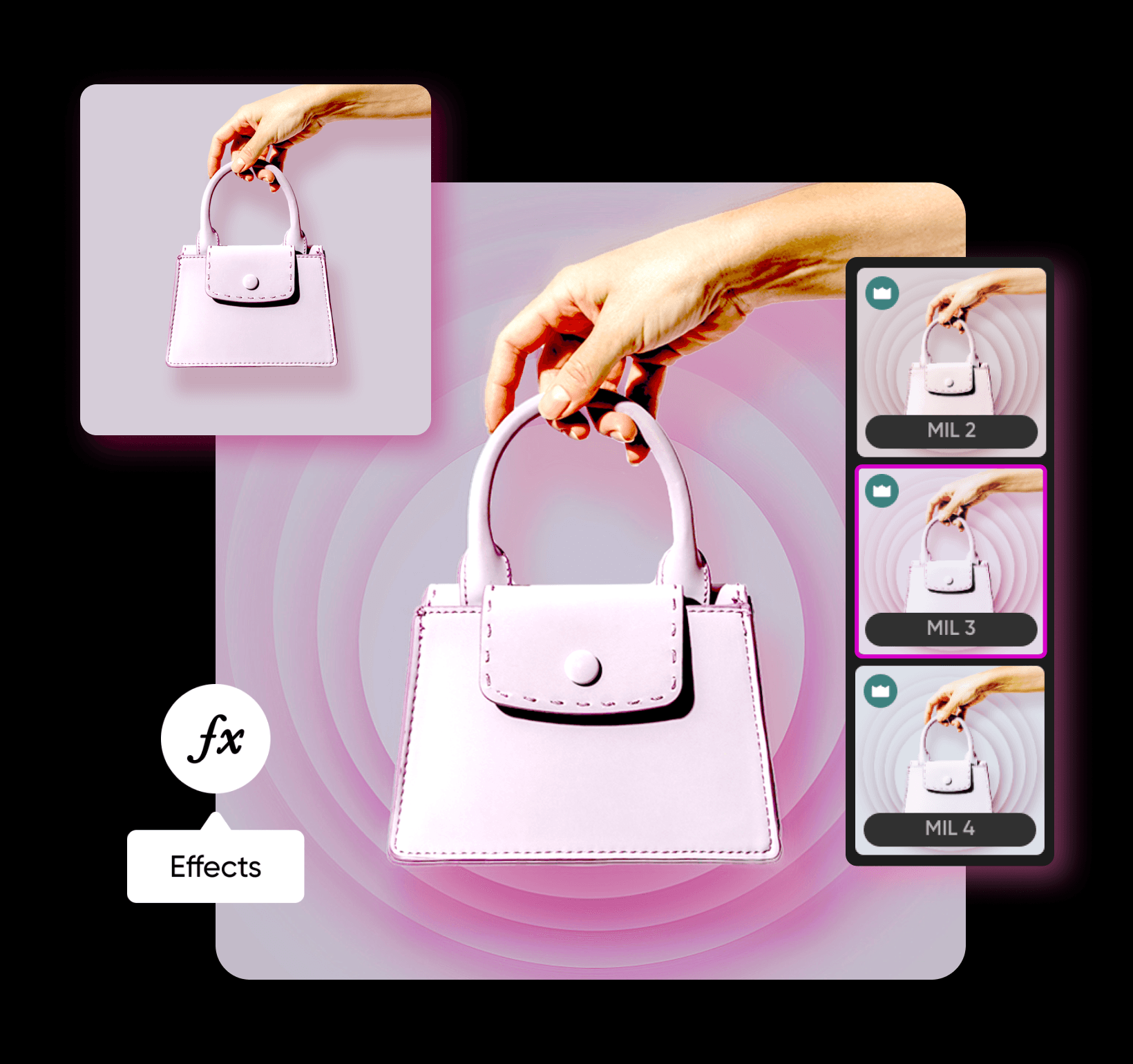
एआई इमेज मॉडल्स के साथ छवि में छाया जोड़ें
इमेज मॉडल्स का उपयोग करके छवि में छाया जोड़ें को परिष्कृत दृश्य, डिज़ाइन आइडिया और संपादन के लिए तैयार संपत्तियों में बदलें।
छवि में शैडो जोड़ें FAQ
बाएँ पैनल टूलबार पर अंश पर क्लिक करें और एक डिज़ाइन अंश चुनें। वहां से, आप अंश में शैडो जोड़ सकते हैं और इसके ब्लर, अस्पष्टता, कोण और बहुत कुछ को समायोजित कर सकते हैं।
रचनाकार की सामग्री को सुधारने के लिए फोटो संपादित करें
Pro
Most popularAI tools for everyday creative work.
Ultra
Most powerfulHeavy AI usage for creators & teams.


