logo
AI Image
AI Video
Library
Solutions
Community
MCP & CLI
Pricing
  1. Home
  2. Photos-to-Cartoon

AI Cartoon Generator के साथ कार्टून शैली की छवियां बनाएं

अपनी रचनात्मकता को अगले स्तर पर ले जाने के लिए ट्रेंडी संपादन खोज रहे हैं? Picsart photo to cartoon फ़िल्टर का उपयोग करके अपनी पसंदीदा तस्वीरों को ऑनलाइन मुफ्त में कार्टून बनाएं।

कार्टून प्रभाव आजमाएं
Picsart के साथ फोटो को कार्टून में बदलें

ट्रेंडिंग AI प्रभाव आजमाएं

सभी देखें
सभी देखें

हमारे साथी

  • Google
  • Meta
  • Getty
  • Ideogram
  • popsockets
अपनी फोटो को जल्दी से कार्टून में बदलें

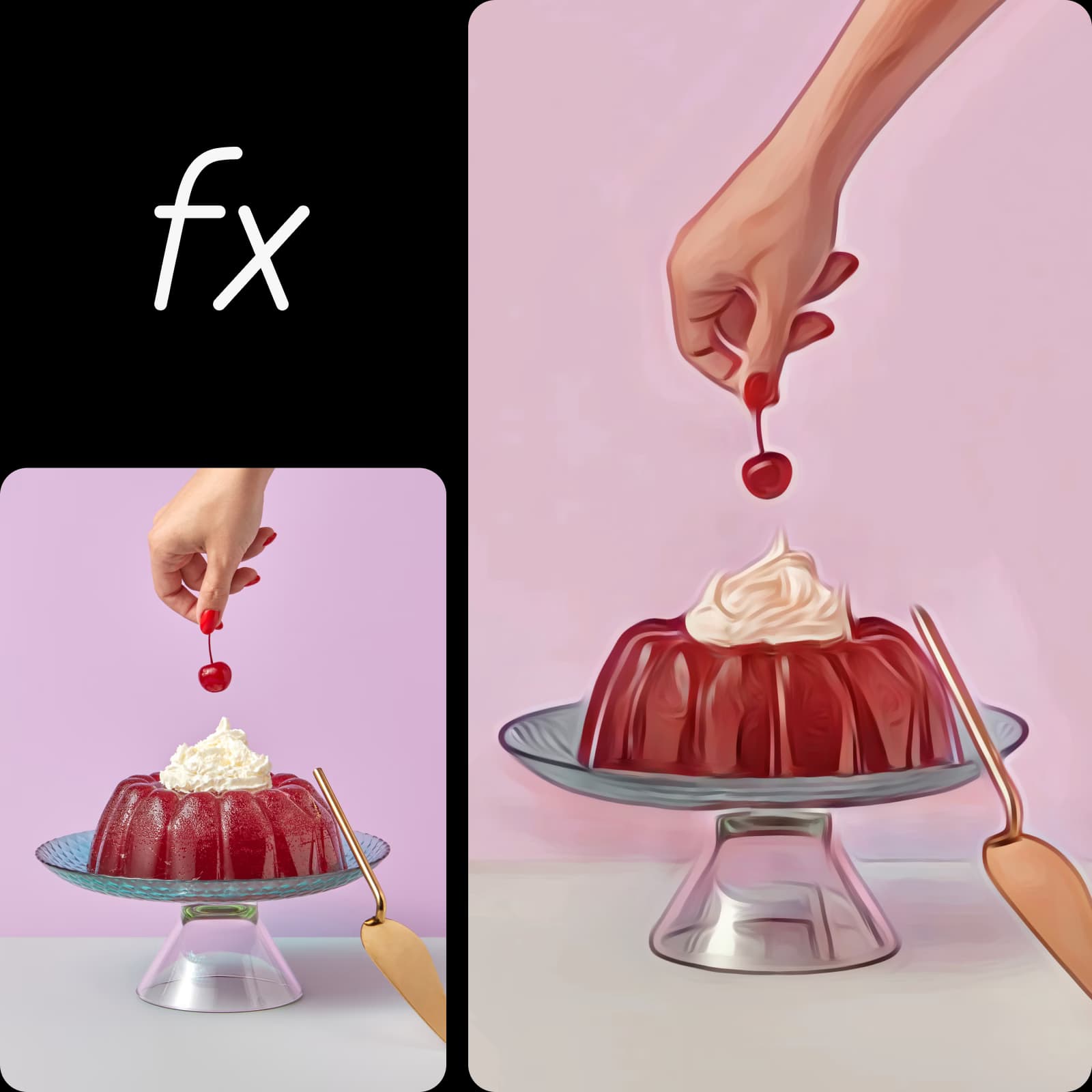
तेज और आसान कार्टून प्रभाव

फोटो को एक टैप में उच्च सटीकता के साथ कार्टून संस्करण में बदलें। 

Picsart फोटो संपादक में विभिन्न कार्टून फ़िल्टर

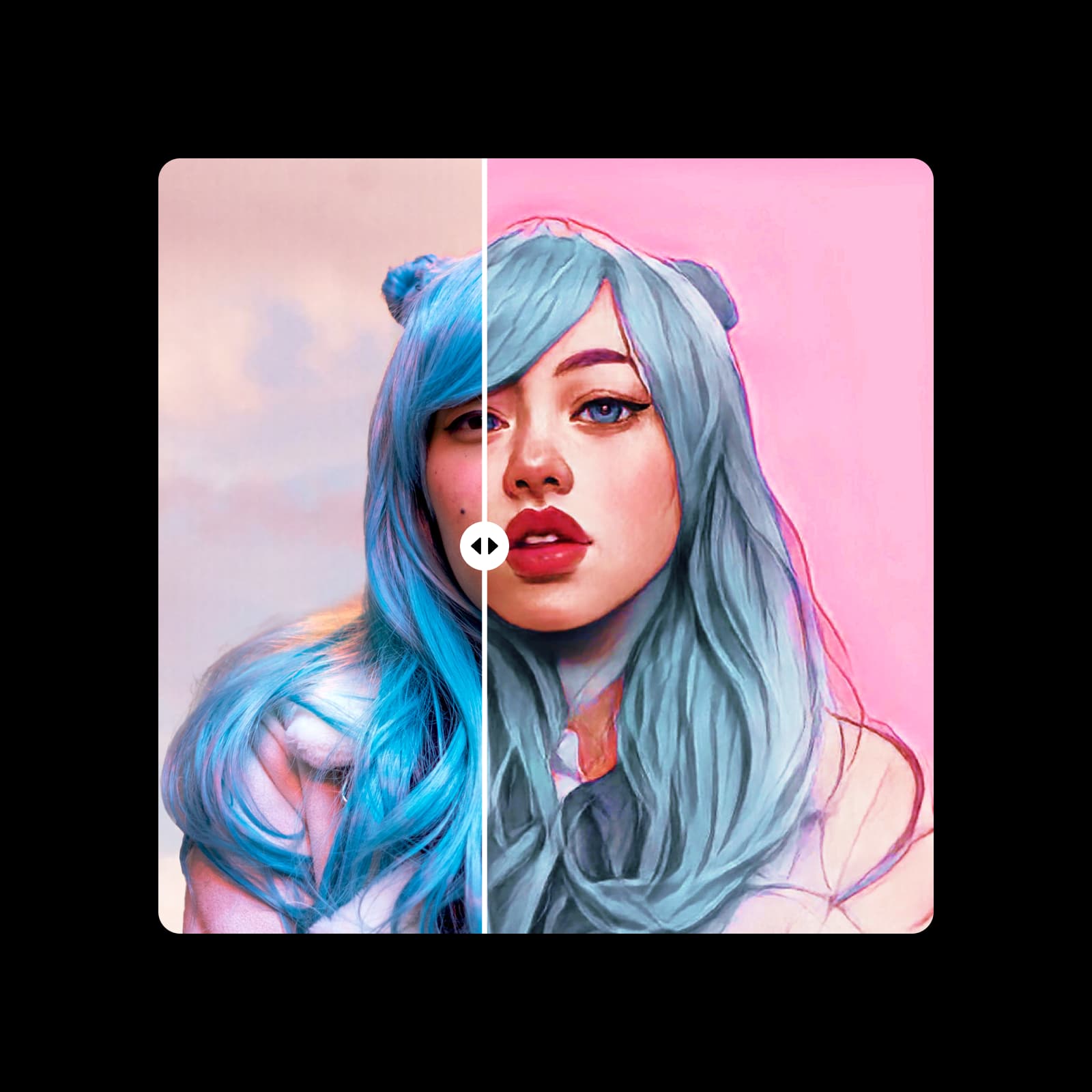
विभिन्न कार्टून शैलियों में से चुनें

विभिन्न शैलियों में कार्टून फ़िल्टर के चयन का लाभ उठाएं और AI के लिए धन्यवाद उच्च गुणवत्ता वाला आउटपुट प्राप्त करें।

Picsart फोटो संपादक के साथ उच्च रिजोल्यूशन कार्टून इमेज बनाएं

उच्च रिजोल्यूशन आउटपुट

स्पष्ट दृश्य जो असाधारण विस्तार और स्पष्टता के साथ मुग्ध करते हैं।

फोटो को कार्टून में कैसे बदलें

1

फोटो संपादक में इमेज अपलोड करें

अपनी फोटो लाइब्रेरी से एक तस्वीर संपादित करना शुरू करने के लिए इमेज अपलोड करें।

2

प्रभाव लागू करें

3

डिजाइन को कस्टमाइज़ करें

4

डाउनलोड और शेयर करें

How to image: फोटो को कार्टून में कैसे बदलें

फोटो को कार्टून में सेकंडों में बदलें

चाहे आप सेल्फी या स्टिल-लाइफ तस्वीरों को संपादित कर रहे हों, अपनी तस्वीरों के लिए सही फ़िल्टर चुनना काफी अभिभूत करने वाला महसूस हो सकता है। अच्छी खबर? Picsart का उपयोग करने में आसान कार्टून प्रभाव आपके आंतरिक कलाकार को पेशेवर-ग्रेड कार्टून फ़िल्टर के साथ खोलने में मदद कर सकता है। AI-सहायता उपकरणों के साथ जो आपके लिए कठिन काम करते हैं, आपकी कलात्मक दृष्टि को जीवन में लाने के लिए आपको किसी संपादन विशेषज्ञता की आवश्यकता नहीं है। सोशल मीडिया पोस्ट से कार्टून कॉमिक्स तक, अपनी रचनात्मक सीमाओं को फोटो को कला में अद्वितीय कार्टून प्रभावों के साथ बदलना अब पहले से कहीं आसान है।

फोटो से कार्टून प्रभाव

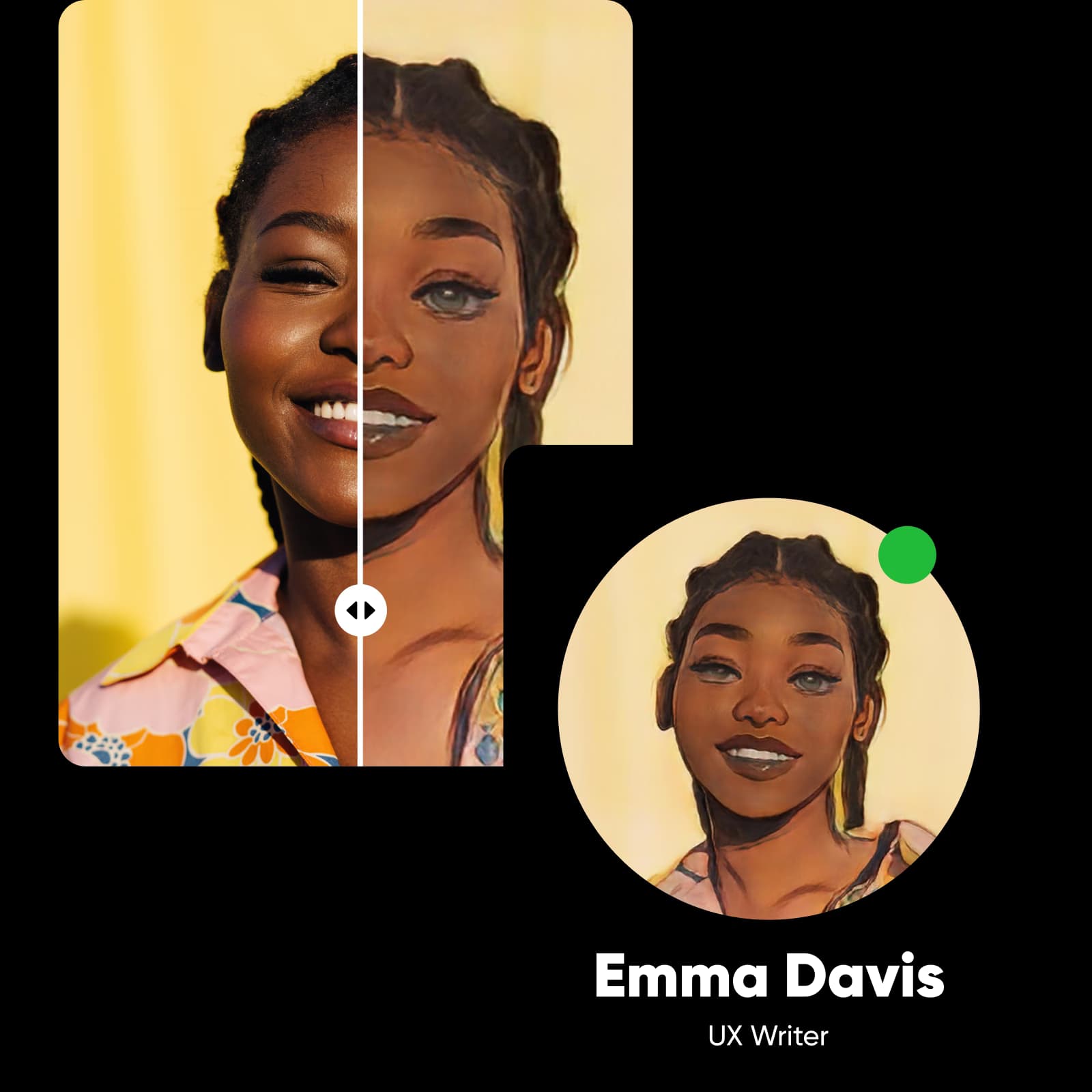
कार्टून पोर्ट्रेट बनाने के लिए अपने आप को कार्टून करें

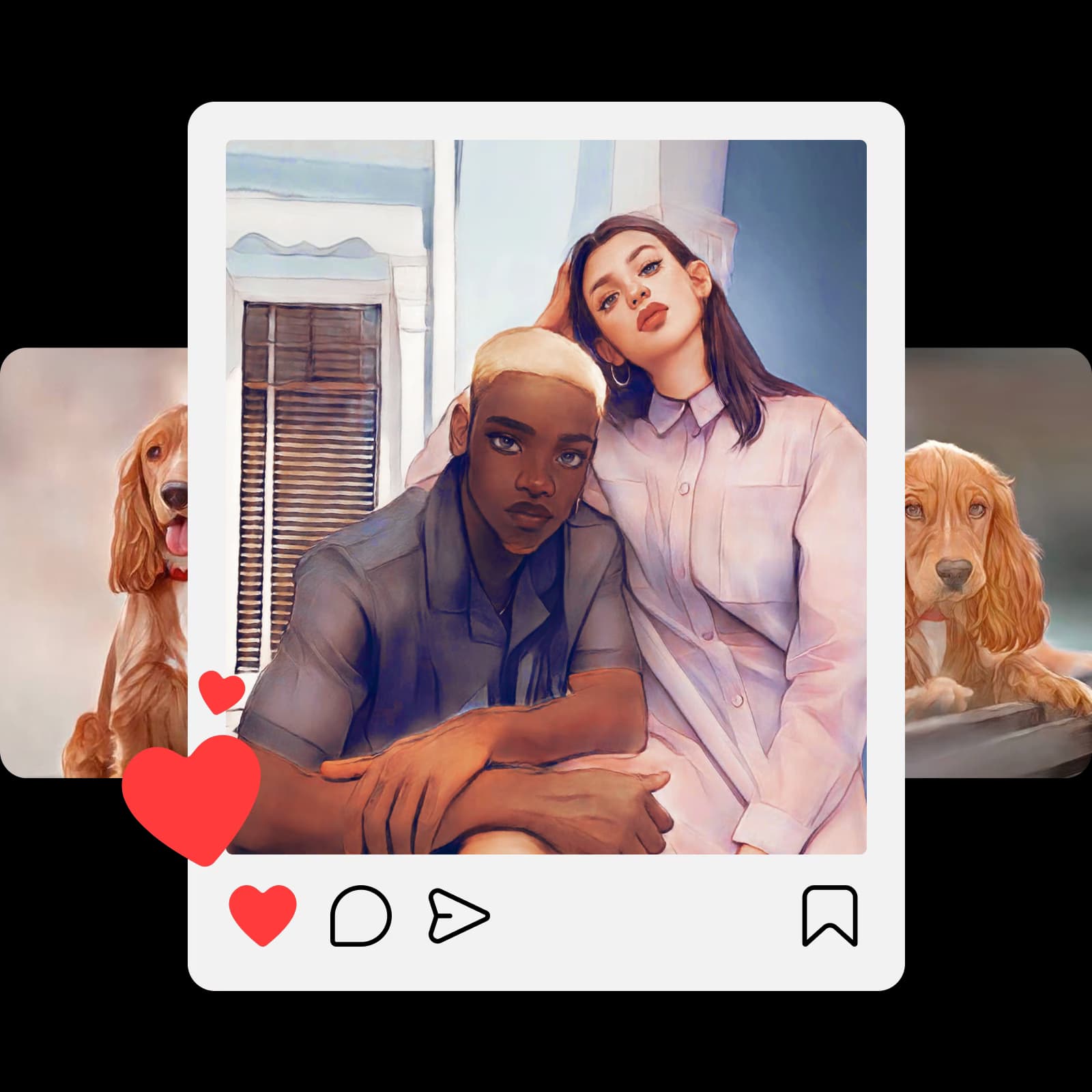
अपनी सेल्फी को शानदार कार्टून में बदलने के लिए तैयार हैं? हम आपको कवर कर गए हैं। Picsart का मुफ्त ऑनलाइन कार्टूनाइजर टूल आपके पोर्ट्रेट को तुरंत कार्टून में बदल सकता है। अपनी रचनात्मक प्रतिभा दिखाएं और विभिन्न फ़िल्टर के साथ प्रयोग करें—या अपने दोस्तों और परिवार को किसी भी अवसर के लिए अनूठे कार्टून पोर्ट्रेट के साथ आश्चर्यचकित करें। चाहे आप अपने नवीनतम पात्रों के लिए एनिमे स्केच पर समय बचाना चाहते हों या एक भावुक जन्मदिन का उपहार खोज रहे हों, आप आसानी से एक तस्वीर को कार्टून कर सकते हैं।

पोर्ट्रेट और सेल्फी को कार्टून करें

अपने पालतू जानवरों को कार्टून करें

अपने प्रिय पालतू जानवरों की तस्वीरों में अंतिम स्पर्श जोड़ना चाहते हैं? Picsart का मुफ्त कार्टूनाइजर आपको अपनी पालतू तस्वीरों में रचनात्मकता लाने के लिए सभी उपकरण हैं। इसके बारे में सोचें: यदि आप भीड़ से अलग खड़े होना चाहते हैं और अपनी कलात्मक कौशल को हाइलाइट करना चाहते हैं, तो पालतू तस्वीरें शुरुआत करने के लिए एक सही कैनवास हो सकती हैं। प्लस, यह वह बहाना हो सकता है जिसकी आपको अपनी बिल्ली, कुत्ते या खरगोश को समर्पित एक विशेष Instagram पृष्ठ शुरू करने की आवश्यकता है।

पालतू जानवरों की फोटो को कार्टून करें

कार्टून फ़िल्टर के साथ अपनी लैंडस्केप फोटो को बढ़ाएं

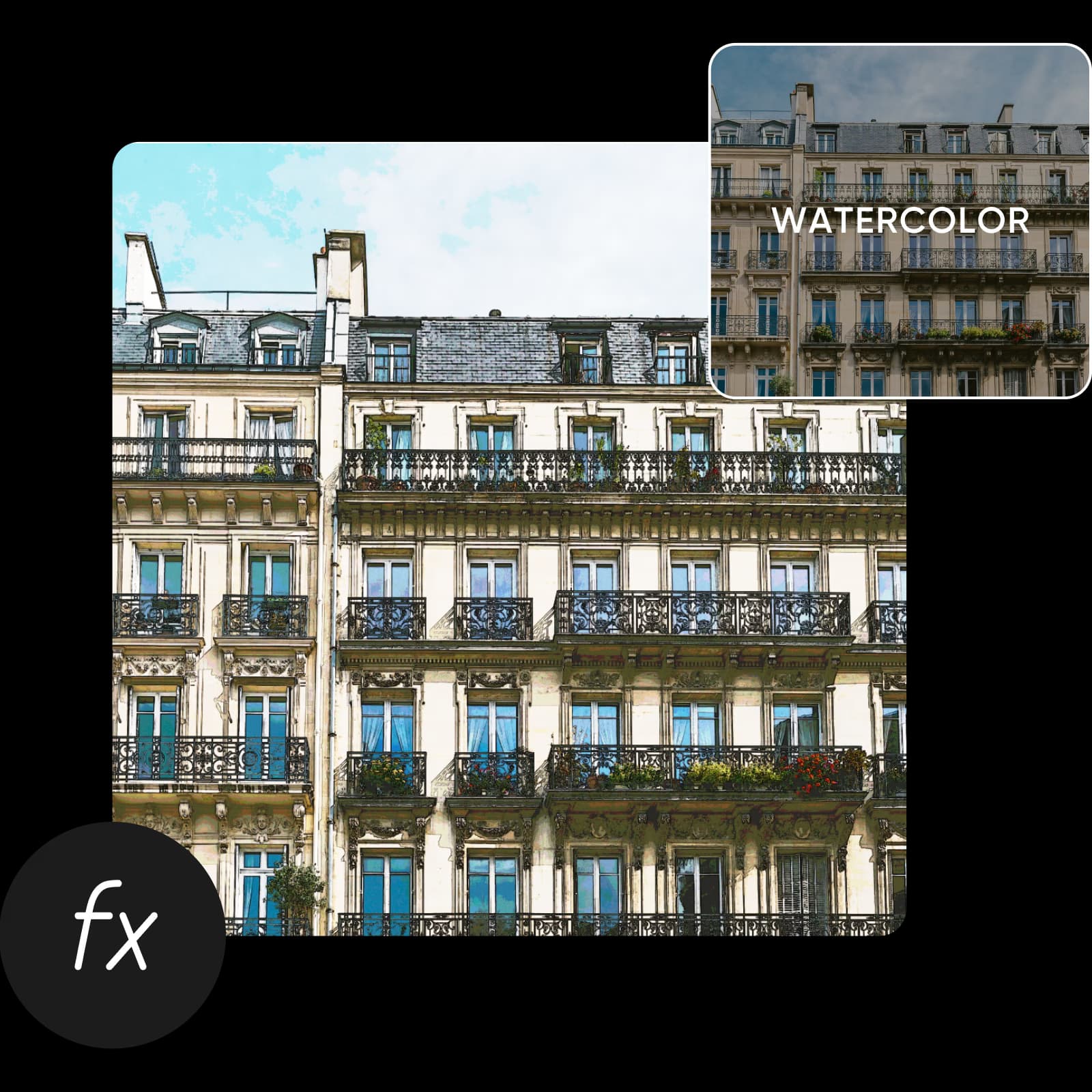
चाहे आप अपने Instagram एस्थेटिक को अगले स्तर पर ले जाने के लिए तैयार हों या अपनी तस्वीरों में एक अद्वितीय मोड़ जोड़ना चाहते हों, कार्टून प्रभाव दिन बचा सकते हैं। भले ही आप सेल्फी संपादित न कर रहे हों, आप लैंडस्केप तस्वीरों को कार्टून कर सकते हैं अपनी रचनात्मकता को हाइलाइट करने और अपनी कलात्मक प्रतिभा दिखाने के लिए। जब आप ऑनलाइन कार्टून तस्वीरें बनाते हैं, तो आपकी कल्पना की कोई सीमा नहीं है; आपको केवल अपनी तस्वीरों को संग्रहालय-योग्य कला में बदलने के लिए सही फ़िल्टर चुनने की आवश्यकता है।

Picsart के साथ लैंडस्केप फोटो को कार्टून में बदलें

कार्टून फ़िल्टर को अपनी आवश्यकताओं के अनुसार मुफ्त में समायोजित करें

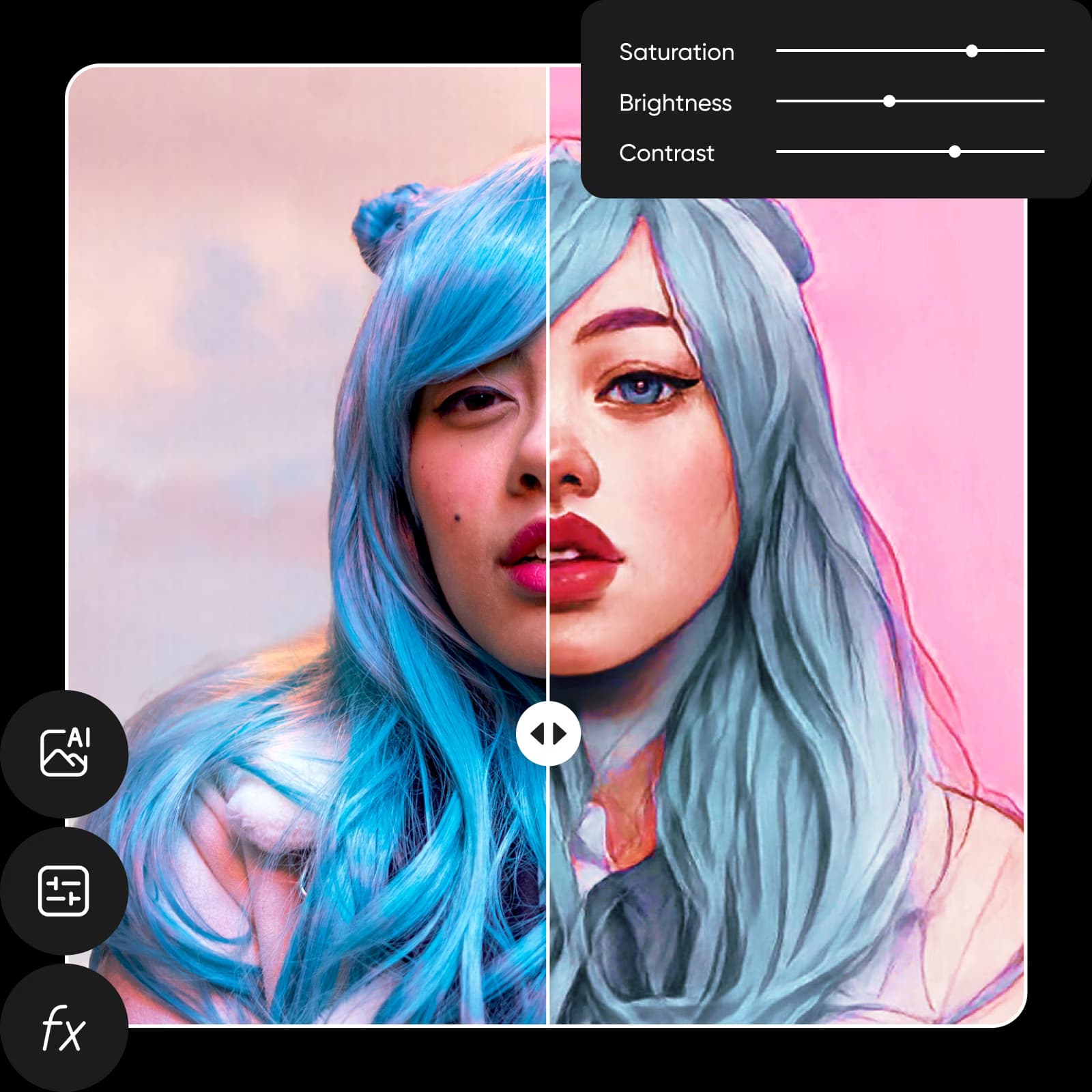
जैसे "कार्टून" शब्द की कला जगत में जड़ें हैं, कार्टून प्रभाव वह स्प्रिंगबोर्ड हो सकते हैं जिसकी आपको अपनी रचनात्मक यात्रा शुरू करने की आवश्यकता है। कैसे? Picsart के ऑनलाइन कार्टून निर्माता उपकरण और फोटो प्रभावों के साथ, आप अपने व्यक्तिगत एस्थेटिक के आधार पर अपने डिजाइन को कस्टमाइज़ कर सकते हैं। एक बार जब आप ऑनलाइन कार्टून में फोटो बदलने के लिए सही फ़िल्टर लागू कर लें, तो आप इसे जैसे चाहें समायोजित कर सकते हैं।

कार्टून फ़िल्टर को अपनी आवश्यकताओं के अनुसार समायोजित करें

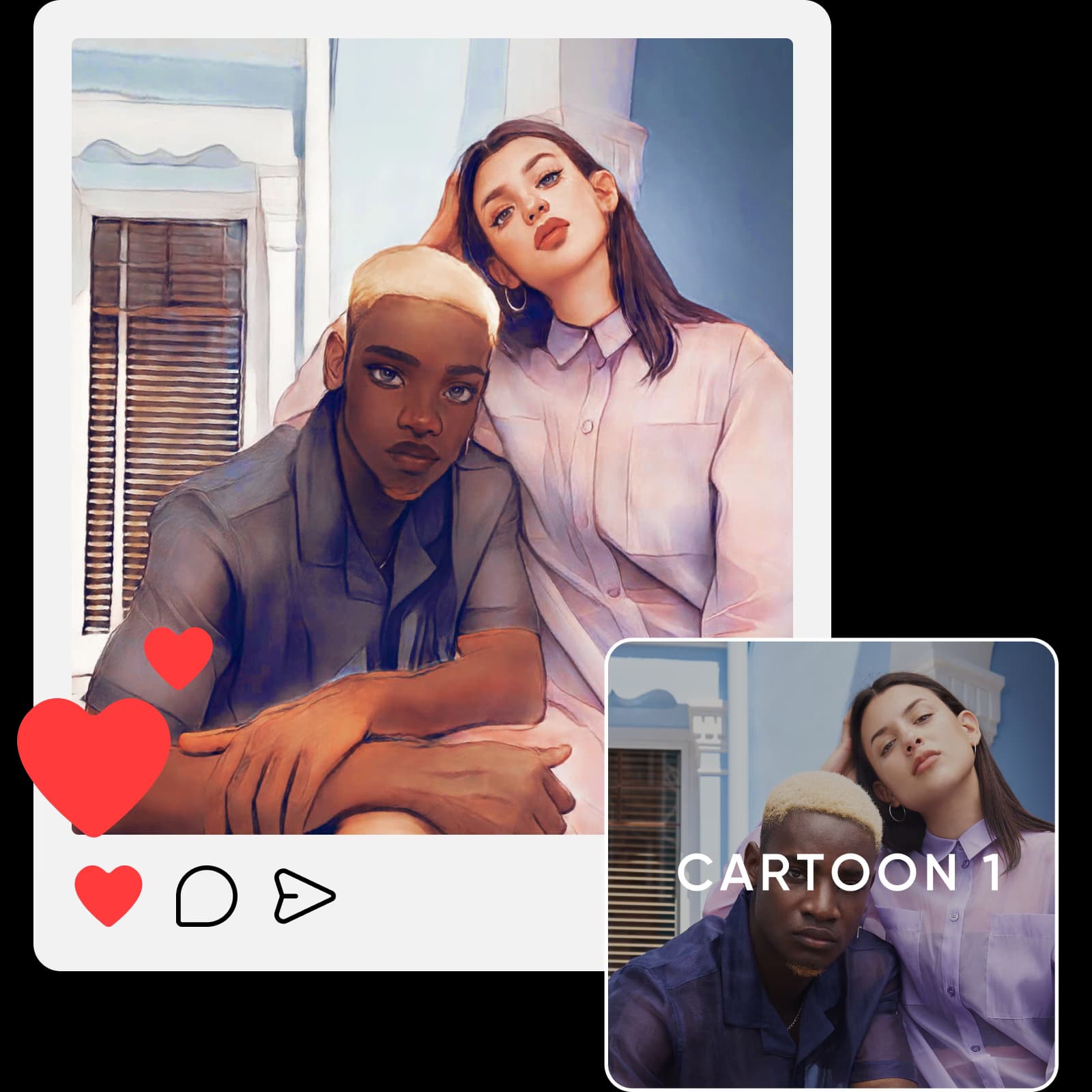
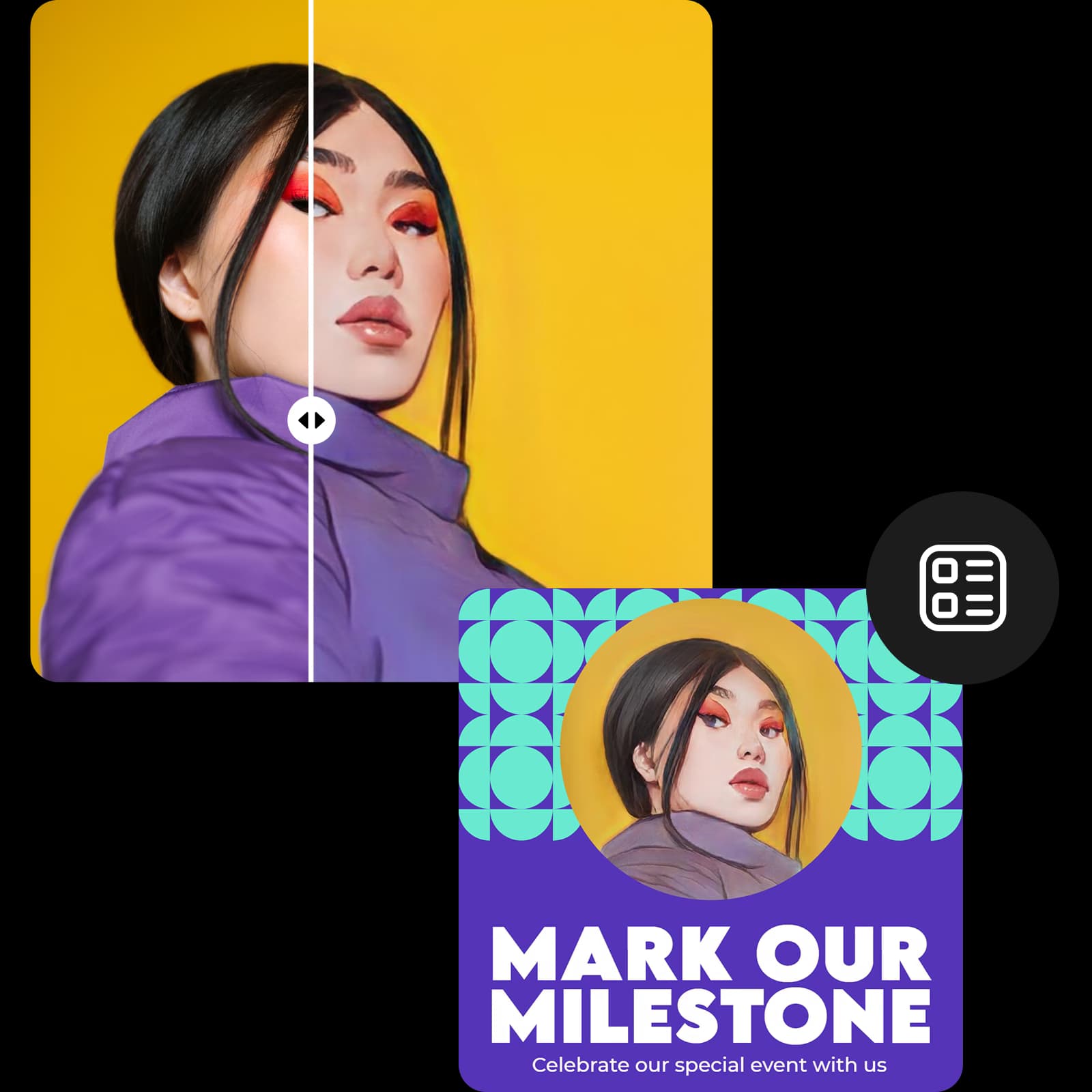
टेम्पलेट में नई कार्टून फोटो डालें

अपनी कार्टून फोटो को आकर्षक सोशल मीडिया विजुअल, कोलाज, पोस्टर, अवतार और यहां तक कि एल्बम कवर में बदलें। Picsart के विविध टेम्पलेट लाइब्रेरी का उपयोग करके सभी अवसरों के लिए तैयार डिजाइन खोजें।

टेम्पलेट में नई कार्टून फोटो डालें

Picsart के AI फोटो संपादन उपकरणों के साथ अंतिम स्पर्श जोड़ें

विभिन्न AI फोटो संपादन उपकरणों के साथ अपनी संपादन को अगले स्तर पर ले जाएं बिना किसी अलग ऐप पर स्विच किए। AI प्रौद्योगिकी में नवीनतम और सर्वश्रेष्ठ का उपयोग करें छवि गुणवत्ता बढ़ाने, हटाने और पृष्ठभूमि बदलने के लिए।

Picsart के AI फोटो संपादन उपकरणों के साथ अपनी इमेज को बेहतर बनाएं

Picsart के कार्टून निर्माता के साथ फोटो को कार्टून में बदलें

Picsart के कार्टून निर्माता के साथ अपनी फोटो को आसानी से पुनः आविष्कार करें। फोटो को कार्टून फ़िल्टर के चयन के साथ प्रयोग करें अलग-अलग कार्टून शैलियों में खुद को देखने के लिए। 

Picsart पर पेशेवर-ग्रेड प्रभाव खोजें

हमारे पेशेवर-ग्रेड फोटो प्रभाव और फ़िल्टर के साथ अपनी फोटो में रचनात्मकता जोड़ें।

फोटो प्रभाव

ट्रेंडी फोटो प्रभाव

ट्रेंडी फोटो प्रभाव, फ़िल्टर और AI-सहायता प्रभावों के साथ सीमाओं के बिना डिजाइन करें। 

फोटो को कला में

फोटो को कला में

अपनी शुरुआत-अनुकूल फोटो प्रभावों के साथ अपनी तस्वीरों को तुरंत संग्रहालय-योग्य कला में बदलें।

इमेज को रंगीन करें

इमेज को रंगीन करें

Picsart के रंगीन इमेज प्रभाव के साथ सेकंडों में उबाऊ तस्वीरों को नई जान दें।

इमेज को धुंधला करें

इमेज को धुंधला करें

धुंधलापन प्रभाव के साथ अपनी संपादन पर नियंत्रण लें।

वॉटरकलर प्रभाव

वॉटरकलर प्रभाव

अपनी सेल्फी, आमंत्रण, सोशल मीडिया पोस्ट और अन्य को आसानी से कलाकृति में बदलें।

प्रकाश प्रभाव

प्रकाश प्रभाव

अपनी संपादन कौशल को प्रकाश में डालें और Picsart के प्रकाश फोटो प्रभावों के साथ अपनी तस्वीरों में जादुई चमक जोड़ें।


फोटो से कार्टून FAQ

अपने आप को कार्टून करने के लिए, आपको बस Picsart संपादक में एक तस्वीर अपलोड करनी है और अपना पसंदीदा कार्टून फ़िल्टर लागू करना है। बस इतना ही!
 

हां, वे पूरी तरह से मुफ्त हैं। आपको अपने आप को कार्टून करने और अपनी पसंदीदा तस्वीरों के साथ कुछ मजा करने के लिए भुगतान नहीं करना पड़ेगा।

एनिमेटिंग। कैरिकेचरिंग। इलस्ट्रेटिंग। कुछ शर्तें हैं जो आप किस फ़िल्टर और विशेषता का उपयोग कर रहे हैं इस पर निर्भर करती हैं। लेकिन अगर सब कुछ विफल हो जाए, तो आप कार्टूनिफाइंग के साथ गलत नहीं जा सकते।

यदि आप शुरुआत-अनुकूल कार्टून फोटो संपादक खोज रहे हैं, तो Picsart के कार्टून प्रभाव उत्तर हैं। बस अपनी तस्वीर अपलोड करें, सही प्रभाव चुनें, और सेकंडों में अपनी तस्वीर को कार्टून करें।

नहीं, Picsart का कार्टूनाइजर आपकी फोटो पर कोई वॉटरमार्क नहीं छोड़ता है।


Picsart के आसान उपयोग में आने वाले संपादन उपकरणों का अन्वेषण करें

अपने डिजाइन को बेहतर बनाने और सहज फोटो संपादन उपकरणों के साथ समय बचाने के लिए रचनात्मक बनें।

Picsart फोटो संपादक

फोटो संपादक

AI-सहायता संपादन उपकरणों, ट्रेंडी फ़िल्टर और अन्य के साथ अपने डिजाइन को अपग्रेड करें।

पृष्ठभूमि परिवर्तक

पृष्ठभूमि परिवर्तक

आकर्षक सामग्री बनाने के लिए सेकंडों में अपनी पृष्ठभूमि बदलें।

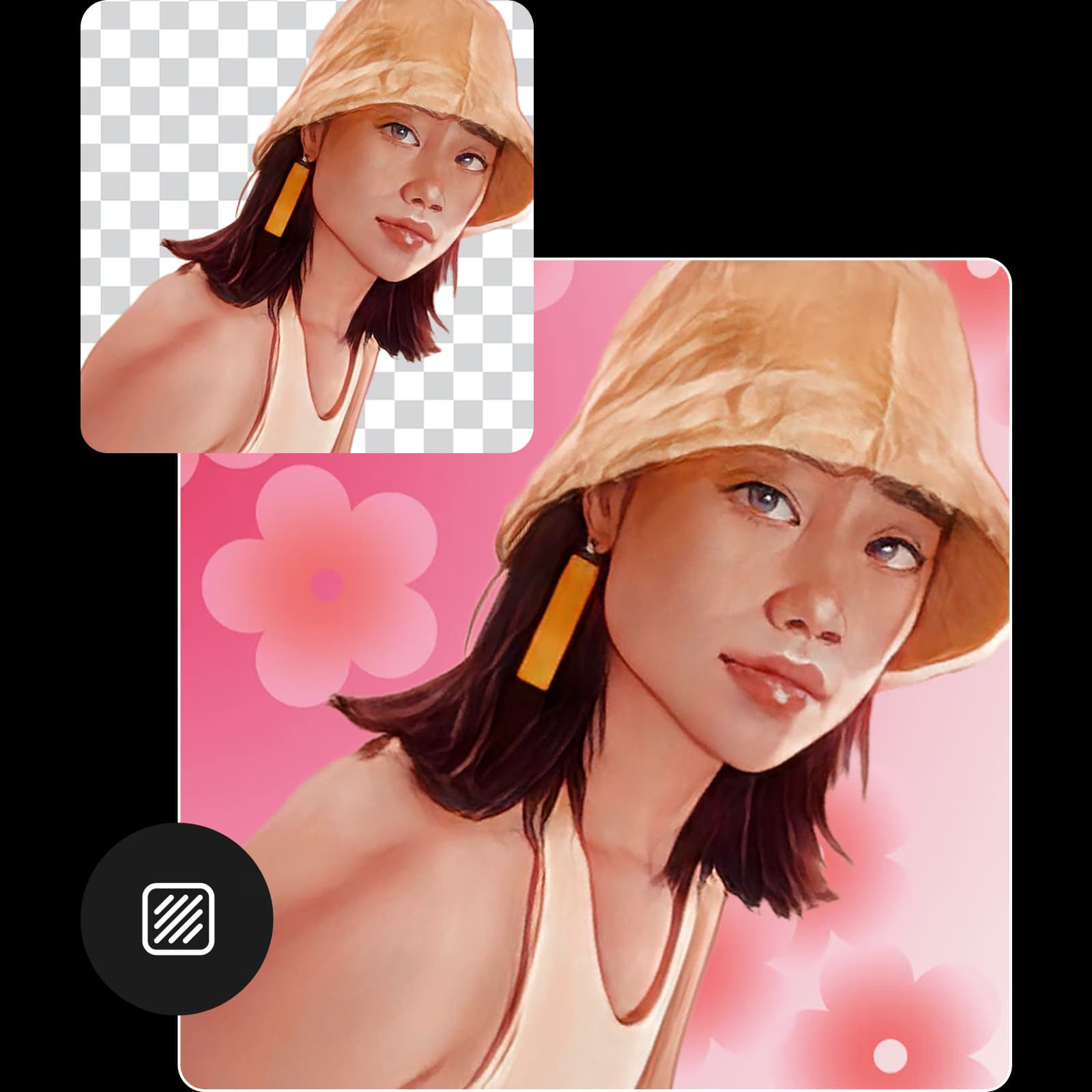
पृष्ठभूमि हटानेवाला

पृष्ठभूमि हटानेवाला

अपनी पृष्ठभूमि हटाएं या पारदर्शी पृष्ठभूमि बनाएं अपनी उत्पाद शॉट, सोशल सामग्री और अन्य को ठीक करने के लिए।

कोलाज निर्माता

कोलाज निर्माता

पेशेवर रूप से डिजाइन किए गए कोलाज टेम्पलेट के साथ अपनी रचनात्मक दृष्टि को वास्तविकता में बदलें।

Picsart में फोटो से ऑब्जेक्ट हटाएं

फोटो से ऑब्जेक्ट हटाएं

हटाएं ऑब्जेक्ट उपकरण का उपयोग करके अपने चित्रों से ऑब्जेक्ट, लोग और पाठ हटाकर नियंत्रण पुनः प्राप्त करें।

AI इमेज एन्हांसर

फोटो एन्हांसर

अपनी पसंदीदा तस्वीरों को तेज, साफ़ फिनिश के साथ बढ़ाने के लिए AI तकनीक की शक्ति का उपयोग करें।

Picsart फोटो संपादक पर इमेज अपस्केल उपकरण

इमेज अपस्केल

Picsart Image Upscale उपकरण के साथ गुणवत्ता का त्याग किए बिना तस्वीरों का आकार बदलें।

इमेज का आकार बदलें

इमेज का आकार बदलें

हमारे शुरुआत-अनुकूल संपादक के साथ सेकंडों में अपनी इमेज का आकार बदलें।

संपादक में पाठ जोड़ें

इमेज में पाठ जोड़ें

मुफ्त फ़ॉन्ट की हमारी विस्तृत लाइब्रेरी का अन्वेषण करें अपनी तस्वीरों को ध्यान आकर्षक टाइपोग्राफी के साथ बढ़ाने के लिए।

AI के साथ कला बनाएं

AI कला जनरेटर

AI के साथ सेकंडों में आकर्षक कला बनाएं।

कार्टून प्रभावों में नवीनतम

तस्वीर को कार्टून में कैसे बदलें

तस्वीर को कार्टून में कैसे बदलें

अपनी फोटो को संग्रहालय योग्य पेंटिंग में बदलें

अपनी फोटो को संग्रहालय योग्य पेंटिंग में बदलें

Picsart फोटो संपादक के साथ अपना अवतार बनाएं

AI अवतार कैसे बनाएं

इन उपकरणों से अपनी कार्टून फोटो को विस्तारित करें

एआई कार्टून वर्ण बनाएंफोटो को कला में बदलेंफोटो को स्केच में परिवर्तित करेंपॉप आर्ट प्रभाव आजमाएंजलरंग प्रभाव बनाएंएआई फ़िल्टर देखेंएआई के साथ पोर्ट्रेट संपादित करेंफोटो प्रभाव ब्राउज़ करेंएआई अवतार बनाएंऑनलाइन फोटो संपादित करेंएआई कला निर्माण आजमाएंएआई 3डी वर्ण बनाएं

Get the free app

Download on the App StoreGET IT ON Google PlayGet it from Microsoft
Pinterest
AICPA SOC

Explore

  • AI Image Generator
  • AI Video Generator
  • AI Playground
  • AI Image Models
  • AI Video Models
  • AI Photo Editor
  • Templates
  • Design Tools

Solutions

  • For Enterprise
  • For Developers
  • For Google Drive
  • For specific Industries
  • Quicktools
  • AI Avatar
  • Pricing

Company

  • Support
  • Careers
  • About us
  • Earn with Picsart
  • Blog
  • Press Center
Terms of UsePrivacy PolicyDo Not SellInternet-Based AdvertisingCommunity GuidelinesDMCASecurity PolicyAccessibility
© 2026 PicsArt, Inc.

AI इमेज मॉडल के साथ कार्टून फोटो बनाएं

शैलियों, प्रभावों और संपादन-तैयार दृश्य दिशाओं के साथ फोटो को बदलने के लिए इमेज मॉडल का उपयोग करें।

GPT Image 2New
Next-gen GPT image model with arbitrary output dimensions and multi-image input.Reference inputImage generationSee model
Nano Banana 2New
Fast 4K generation with accurate text and search-grounded accuracy.4KFast generationImage generationSee model
Nano Banana ProNew
Top-tier 4K images with precise multilingual text rendering.4KPro qualityImage generationSee model
Flux 2 FlexNew
Adaptable generation across varied visual styles at 2K.Image generationSee model
Seedream 5.0 Lite
Speedy 3K output with negative prompt and dual-image input support.Reference inputFast generationImage generationSee model
Kling 3.0 Image
Cinematic visuals with up to 4K resolution and 10 reference images.Reference input4KCinematicSee model
Kling O1 Image
O1-architecture image generation with multi-reference support.Reference inputCinematicImage generationSee model
Kling V2 New Image
Latest V2 image generation with optional restyle via image reference.Reference inputCinematicImage generationSee model
Hunyuan V3
Infographic-friendly generation with readable text and cfg control.Image generationSee model
Luma UNI-1
Luma UNI-1 — agentic image generation and editing with up to 9 reference images.Reference inputCinematicImage generationSee model
Luma UNI-1 Max
Luma UNI-1 Max — higher-quality UNI-1 variant with the same multi-reference editing controls.Reference inputCinematicImage generationSee model
Seedream 4.5
Detailed 4K renders with clean in-image text and dual-image input.Reference input4KImage generationSee model
GPT Image 2New
Next-gen GPT image model with arbitrary output dimensions and multi-image input.Reference inputImage generationSee model
Nano Banana 2New
Fast 4K generation with accurate text and search-grounded accuracy.4KFast generationImage generationSee model
Nano Banana ProNew
Top-tier 4K images with precise multilingual text rendering.4KPro qualityImage generationSee model
Flux 2 FlexNew
Adaptable generation across varied visual styles at 2K.Image generationSee model
Seedream 5.0 Lite
Speedy 3K output with negative prompt and dual-image input support.Reference inputFast generationImage generationSee model
Kling 3.0 Image
Cinematic visuals with up to 4K resolution and 10 reference images.Reference input4KCinematicSee model
Kling O1 Image
O1-architecture image generation with multi-reference support.Reference inputCinematicImage generationSee model
Kling V2 New Image
Latest V2 image generation with optional restyle via image reference.Reference inputCinematicImage generationSee model
Hunyuan V3
Infographic-friendly generation with readable text and cfg control.Image generationSee model
Luma UNI-1
Luma UNI-1 — agentic image generation and editing with up to 9 reference images.Reference inputCinematicImage generationSee model
Luma UNI-1 Max
Luma UNI-1 Max — higher-quality UNI-1 variant with the same multi-reference editing controls.Reference inputCinematicImage generationSee model
Seedream 4.5
Detailed 4K renders with clean in-image text and dual-image input.Reference input4KImage generationSee model
GPT Image 2New
Next-gen GPT image model with arbitrary output dimensions and multi-image input.Reference inputImage generationSee model
Nano Banana 2New
Fast 4K generation with accurate text and search-grounded accuracy.4KFast generationImage generationSee model
Nano Banana ProNew
Top-tier 4K images with precise multilingual text rendering.4KPro qualityImage generationSee model
Flux 2 FlexNew
Adaptable generation across varied visual styles at 2K.Image generationSee model
Seedream 5.0 Lite
Speedy 3K output with negative prompt and dual-image input support.Reference inputFast generationImage generationSee model
Kling 3.0 Image
Cinematic visuals with up to 4K resolution and 10 reference images.Reference input4KCinematicSee model
Kling O1 Image
O1-architecture image generation with multi-reference support.Reference inputCinematicImage generationSee model
Kling V2 New Image
Latest V2 image generation with optional restyle via image reference.Reference inputCinematicImage generationSee model
Hunyuan V3
Infographic-friendly generation with readable text and cfg control.Image generationSee model
Luma UNI-1
Luma UNI-1 — agentic image generation and editing with up to 9 reference images.Reference inputCinematicImage generationSee model
Luma UNI-1 Max
Luma UNI-1 Max — higher-quality UNI-1 variant with the same multi-reference editing controls.Reference inputCinematicImage generationSee model
Seedream 4.5
Detailed 4K renders with clean in-image text and dual-image input.Reference input4KImage generationSee model
GPT Image 2New
Next-gen GPT image model with arbitrary output dimensions and multi-image input.Reference inputImage generationSee model
Nano Banana 2New
Fast 4K generation with accurate text and search-grounded accuracy.4KFast generationImage generationSee model
Nano Banana ProNew
Top-tier 4K images with precise multilingual text rendering.4KPro qualityImage generationSee model
Flux 2 FlexNew
Adaptable generation across varied visual styles at 2K.Image generationSee model
Seedream 5.0 Lite
Speedy 3K output with negative prompt and dual-image input support.Reference inputFast generationImage generationSee model
Kling 3.0 Image
Cinematic visuals with up to 4K resolution and 10 reference images.Reference input4KCinematicSee model
Kling O1 Image
O1-architecture image generation with multi-reference support.Reference inputCinematicImage generationSee model
Kling V2 New Image
Latest V2 image generation with optional restyle via image reference.Reference inputCinematicImage generationSee model
Hunyuan V3
Infographic-friendly generation with readable text and cfg control.Image generationSee model
Luma UNI-1
Luma UNI-1 — agentic image generation and editing with up to 9 reference images.Reference inputCinematicImage generationSee model
Luma UNI-1 Max
Luma UNI-1 Max — higher-quality UNI-1 variant with the same multi-reference editing controls.Reference inputCinematicImage generationSee model
Seedream 4.5
Detailed 4K renders with clean in-image text and dual-image input.Reference input4KImage generationSee model
GPT Image 2New
Next-gen GPT image model with arbitrary output dimensions and multi-image input.Reference inputImage generationSee model
Nano Banana 2New
Fast 4K generation with accurate text and search-grounded accuracy.4KFast generationImage generationSee model
Nano Banana ProNew
Top-tier 4K images with precise multilingual text rendering.4KPro qualityImage generationSee model
Flux 2 FlexNew
Adaptable generation across varied visual styles at 2K.Image generationSee model
Seedream 5.0 Lite
Speedy 3K output with negative prompt and dual-image input support.Reference inputFast generationImage generationSee model
Kling 3.0 Image
Cinematic visuals with up to 4K resolution and 10 reference images.Reference input4KCinematicSee model
Kling O1 Image
O1-architecture image generation with multi-reference support.Reference inputCinematicImage generationSee model
Kling V2 New Image
Latest V2 image generation with optional restyle via image reference.Reference inputCinematicImage generationSee model
Hunyuan V3
Infographic-friendly generation with readable text and cfg control.Image generationSee model
Luma UNI-1
Luma UNI-1 — agentic image generation and editing with up to 9 reference images.Reference inputCinematicImage generationSee model
Luma UNI-1 Max
Luma UNI-1 Max — higher-quality UNI-1 variant with the same multi-reference editing controls.Reference inputCinematicImage generationSee model
Seedream 4.5
Detailed 4K renders with clean in-image text and dual-image input.Reference input4KImage generationSee model
GPT Image 2New
Next-gen GPT image model with arbitrary output dimensions and multi-image input.Reference inputImage generationSee model
Nano Banana 2New
Fast 4K generation with accurate text and search-grounded accuracy.4KFast generationImage generationSee model
Nano Banana ProNew
Top-tier 4K images with precise multilingual text rendering.4KPro qualityImage generationSee model
Flux 2 FlexNew
Adaptable generation across varied visual styles at 2K.Image generationSee model
Seedream 5.0 Lite
Speedy 3K output with negative prompt and dual-image input support.Reference inputFast generationImage generationSee model
Kling 3.0 Image
Cinematic visuals with up to 4K resolution and 10 reference images.Reference input4KCinematicSee model
Kling O1 Image
O1-architecture image generation with multi-reference support.Reference inputCinematicImage generationSee model
Kling V2 New Image
Latest V2 image generation with optional restyle via image reference.Reference inputCinematicImage generationSee model
Hunyuan V3
Infographic-friendly generation with readable text and cfg control.Image generationSee model
Luma UNI-1
Luma UNI-1 — agentic image generation and editing with up to 9 reference images.Reference inputCinematicImage generationSee model
Luma UNI-1 Max
Luma UNI-1 Max — higher-quality UNI-1 variant with the same multi-reference editing controls.Reference inputCinematicImage generationSee model
Seedream 4.5
Detailed 4K renders with clean in-image text and dual-image input.Reference input4KImage generationSee model