1. Home
  2. Red Eye Remover
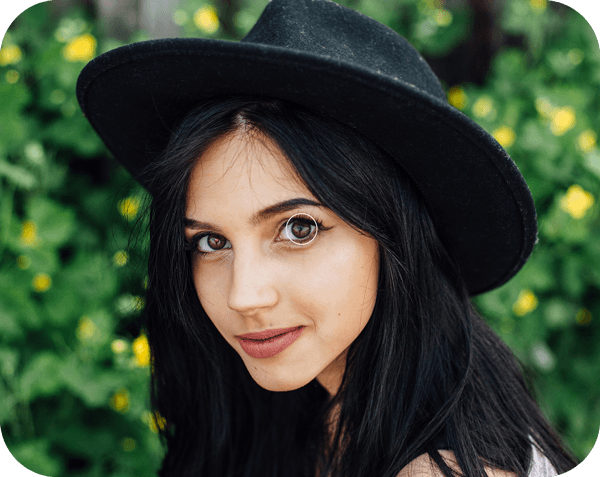
black hair girl with a hat in profile image

Retouch Photos With Red Eye Remover

Fix red eyes and bring your natural eye color back to photos in one quick tap.

Remove Red Eyes
Perfect your portraits with other editing tools
Edit faces with AIEnhance photo qualityFix blurry photosRemove unwanted objectsChange hair colorClean up portraitsRemove people from photosTry AI photo editingCreate cartoon portraitsRestore old photosEdit photos onlineTry portrait filters

Use Picsart anywhere

Install the app, or bring Picsart into the AI workspaces your team already uses.

Use Picsart with

  • ChatGPT / Codex
  • Claude
  • Terminal
  • Cursor
  • OpenClaw
  • Hermes

Download the app

Download on the App StoreGET IT ON Google PlayGet it from Microsoft

Follow Picsart

Pinterest
AICPA SOC

Create

  • AI Image Generator
  • AI Video Generator
  • AI Playground
  • Flow
  • AI Photo Editor
  • AI Video Editor
  • AI Agents
  • Content Library
  • AI Models

Creators

  • Earn with Picsart
  • Earn campaigns
  • Clipping
  • For Brands
  • Video Studio
  • Tutorials
  • Challenges

Connect

  • ChatGPT / Codex
  • MCP setup
  • Command line
  • Developers
  • Google Drive

Business

  • Pricing
  • Enterprise
  • Industries
  • Quicktools

Company

  • Support
  • Careers
  • About us
  • Blog
  • Press Center
Terms of UsePrivacy PolicyInternet-Based AdvertisingCommunity GuidelinesDMCASecurity PolicyAccessibility
© 2026 PicsArt, Inc.
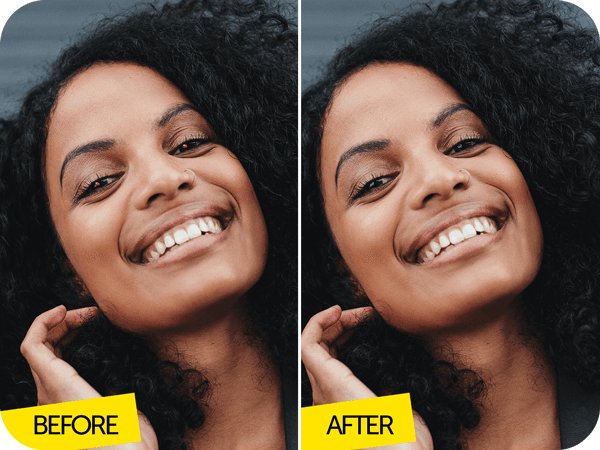
happy black hair girl before after image

Remove Red Eyes From Photos Instantly

Red eyes ruin photos. It’s a fact. And they can be the bane of any photographer’s life, from amateur snappers to seasoned pros alike. But red eyes don’t have to mean that all is lost. Retouch your photos with the Red Eye Remover tool and you can reclaim those almost-perfect shots in an instant. Touch up selfies, portraits, and group photos, using special AI-powered technology developed by Picsart experts. Within seconds, you can say goodbye to the vampire look and see eyes transform back to their natural colors. No need to retake or delete photos, just remove red eyes with Picsart.

Remove Red Eyes
happy boy in hoodie profile image

Fix Red Eyes and Keep Your Favorite Photos

Enjoying an outdoor concert with friends. Capturing cozy moments by the campfire. Celebrating a birthday at a club. What do all these things have in common? Low light and dark environments. The perfect conditions for pesky, photo-spoiling red eyes. The good news is that you can easily get rid of them and still share those shots, leaving them looking as if there was nothing to fix in the first place. There are no limits to the number of photos you can edit using the Picsart Red Eye Remover tool. Collect all the images that need touching up, get your natural eye color back, and share your photos wherever you want. This tool is a photo saving game changer.

Remove Red Eyes
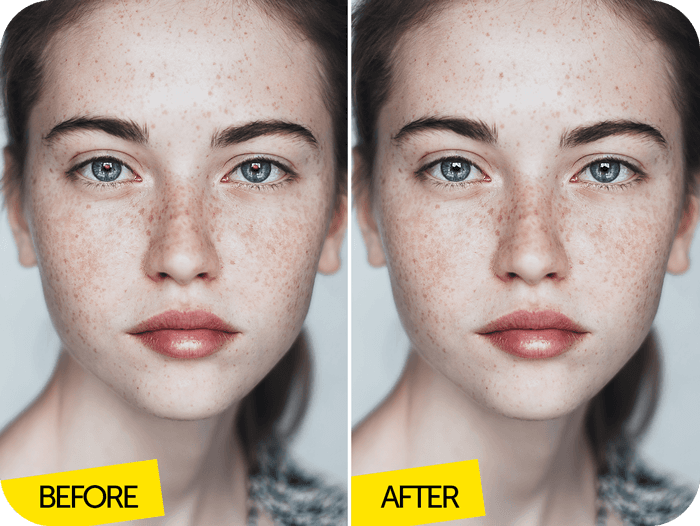
freckles girl before after Image

Red Eye Removal Is Easy

Although removing red eyes might sound complicated, Picsart has made it super easy, thanks to the Red Eye Remover tool. All you have to do is upload the images that need touching up, select the Red Eye tool and let AI work its magic. The tool is designed to automatically locate red eyes, but it’s also possible to manually adjust for greater precision. Cursing your bad luck and casting almost-great images aside will soon be a thing of the past.

Remove Red Eyes
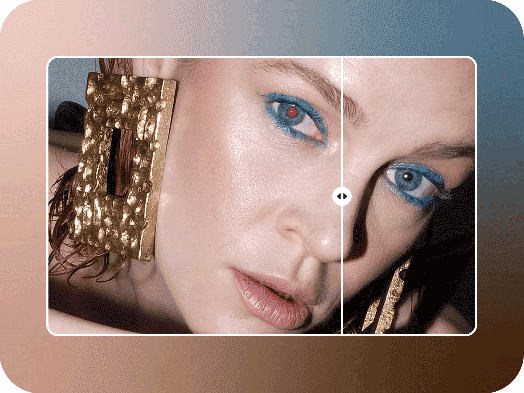
remove red eyes from photos in seconds

Remove Red Eyes and More with Picsart

Your photos are just a tap away from being red eye proof. Picsart can help you remove them and other imperfections instantly. You can find the Red Eye Remover tool, along with a wide range of powerful features in the Photo Editor. Change the size of your image with the Crop tool, remove unwanted elements with the Background Remover, and so much more. Make Picsart your go-to for red eye correction and creating high-quality edits.

Remove Red Eyes

How to Get Rid of Red Eyes

  • 1
    Upload the image you want to retouch.
  • 2
    Select the Red Eye Remover tool and manually adjust if needed.
  • 3
    Tap on the Checkmark icon to apply changes.
  • 4
    Download your photo and share.

Picsart Featured In

  • Mashable
  • Esquire
  • People
  • Forbes
  • TechCrunch
  • BuzzFeed
PricingSave big

Retouch photos for cleaner portraits and social posts

Pro

Most popular

AI tools for everyday creative work.

$15 $10.5/mo
Billed yearly
You save $54 with yearly
  • Access to all photo & video editing features
  • Advanced background & object removal
  • Parallel video generations with the world's most powerful AI video models
  • Unlimited image generations with Flex.2 Klein
  • 1-tap image enhancer
  • Millions of stock photos & Getty video clips
  • Selection of trendy fonts, text styles & stickers
  • Thousands of premium templates
  • Support for 3+ brand kits
  • Bulk edit up to 50 images at once
  • 100 GB of cloud storage
New features:
  • Auto-generate content from your terminal or agent with the Picsart CLI
  • Use Picsart inside Claude Code, Cursor, and ChatGPT via MCP — coming soon
  • AI agents for multi-step workflows and batch generation — coming soon

Ultra

Most powerful

Heavy AI usage for creators & teams.

$45 $24.5/mo
Billed yearly, per seat
You save $246 with yearly
  • Everything in Pro
  • Early access to advanced AI features
  • Leading AI models to design & automate workflows (Nano Banana, Veo 3, Seedance 2.0 & more)
  • Parallel video generations with the world's most powerful AI video models
  • Unlimited image generations with Flex.2 Klein
  • Support for 10+ brand kits
  • Add team seats
  • Create ad variations and localize
  • Track ads performance
  • 2000 credits for API services
  • Bulk edit up to 100 images at once
  • 300 GB of cloud storage per seat
New features:
  • Auto-generate content from your terminal or agent with the Picsart CLI
  • Use Picsart inside Claude Code, Cursor, and ChatGPT via MCP — coming soon
  • AI agents for multi-step workflows and batch generation — coming soon

Enterprise

Custom AI solutions for large organizations.

Custom credit volume
  • Volume discounts on credit rate
  • On-demand top-ups
Custom
Contact for pricing
  • Access to photo & video editor SDKs
  • Mobile web SDK support
  • Prepaid or pay-as-you-go creative APIs
  • Embed professional-grade editing into your product or workflow
  • Fully configurable editing experience
  • White-label to match your brand
  • Support for built-in marketing, e-commerce & printing use cases
  • Bring your own assets: images, templates & fonts
  • Enterprise-grade security, SLAs & support
  • Dedicated account manager