Tạo thiệp trực tuyến: Sáng tạo thiệp tùy chỉnh bằng AI
Tạo thiệp trực tuyến trong Picsart Flow bằng các mẫu thiệp có sẵn, hoặc bắt đầu từ ảnh hay câu lệnh. AI tạo thiệp để bạn in hoặc chia sẻ, từ lời chúc sinh nhật đến lời chúc ngày lễ và thiệp cảm ơn.

Chọn các mô hình tạo ảnh AI hàng đầu cho thiệp của bạn
Tìm hiểu cách tạo thiệp trực tuyến bằng AI

Bắt đầu với mẫu thiết kế thiệp trong Picsart Flow
Chọn quy trình tạo thiệp phù hợp nhất với dịp của bạn, thay bằng ảnh của mình rồi chạy. Điều chỉnh bất kỳ bước nào và chạy lại đến khi ưng ý.


Tạo thiệp cho mọi dịp với công cụ tạo thiệp
Công cụ tạo thiệp tùy chỉnh trong Picsart Flow phù hợp với mọi dịp, từ ngày lễ và Ngày của Mẹ đến sinh nhật, đám cưới và lễ tốt nghiệp. Chọn một quy trình, thay bằng ảnh và lời nhắn của bạn, rồi chạy để tạo thiệp cho dịp đặc biệt đang được chúc mừng. Lưu ảnh gia đình trong Picsart Drive và thêm ảnh vào bất kỳ thiết kế thiệp nào bằng nút Asset để đưa mọi phiên bản ảnh đã lưu vào quy trình. Khi đến dịp tiếp theo, hãy đổi chủ đề trong câu lệnh và chạy lại quy trình đó.

Tạo thiết kế thiệp thật riêng tư
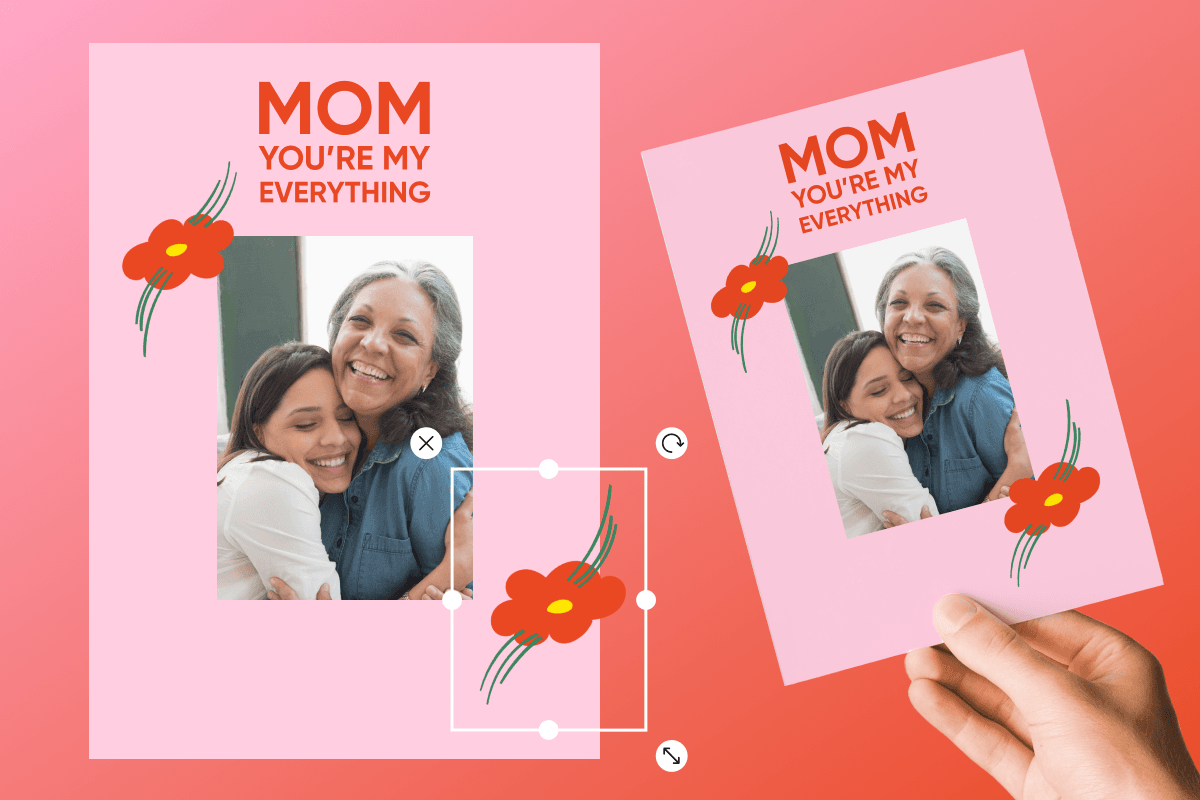
Tự tạo tấm thiệp mang dấu ấn cá nhân mà người nhận sẽ nhận ra. Thả ảnh chân dung vào công cụ tạo thiệp ảnh này, rồi quy trình sẽ thiết kế thiệp dựa trên ảnh đó, từ bố cục hoa lá cho Ngày của Mẹ đến thiệp lưu niệm kiểu Polaroid. Với thiệp nhóm, hãy mời gia đình hoặc đồng nghiệp cùng vào canvas của công cụ tạo thiệp trực tuyến để thêm ảnh và bình luận trực tiếp. Khung và thẻ màu giúp bạn sắp xếp canvas gọn gàng, còn tính năng tìm kiếm trên canvas giúp tìm bất kỳ nút hoặc ghi chú nào trong tích tắc, để bạn luôn dễ dàng tìm thấy mọi đóng góp.
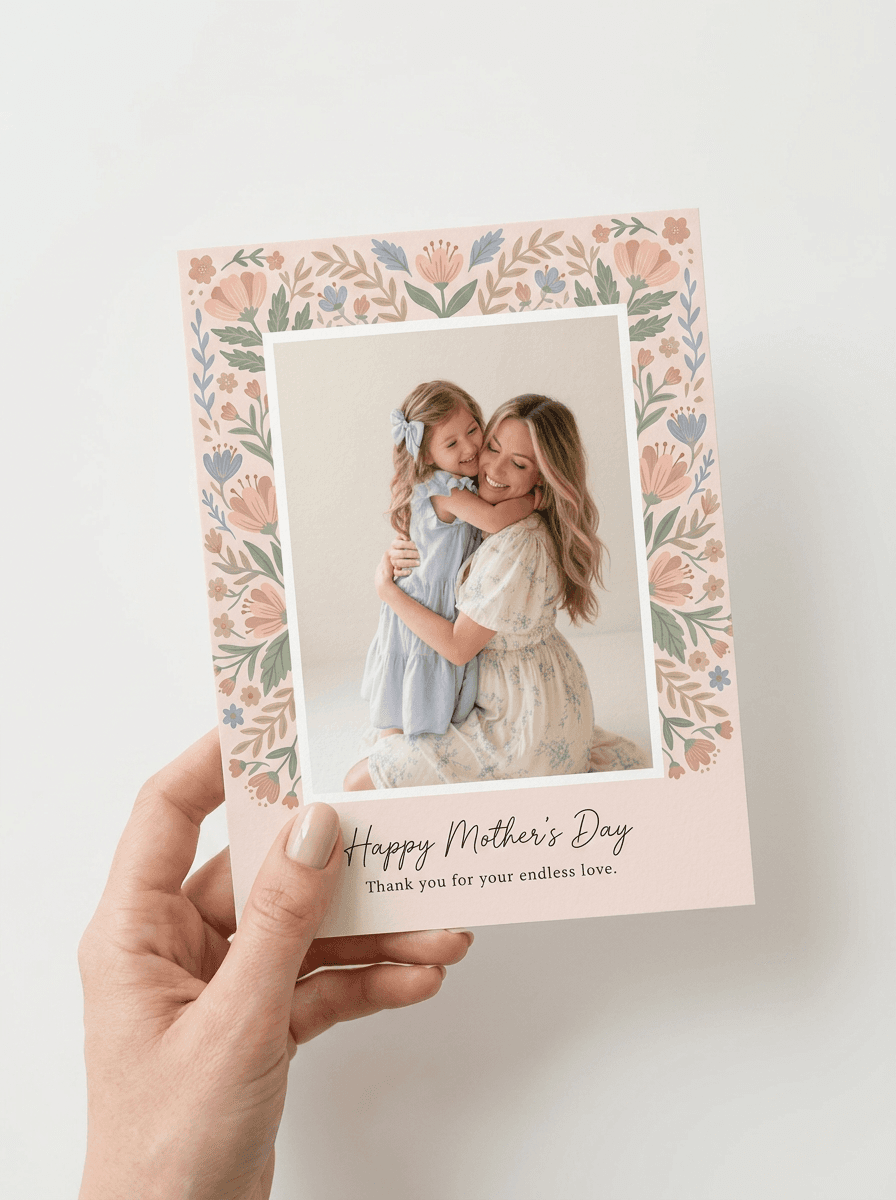
Tạo mọi thiết kế thiệp bằng công cụ tạo thiệp AI
Mô tả dịp, phong cách, màu sắc và lời nhắn bạn muốn, Picsart Flow sẽ biến chúng thành thiết kế thiệp AI. Nhấp chuột phải ở bất cứ đâu, tìm mô hình rồi nhấn Enter để chèn mô hình vào vị trí cần thiết trong quy trình tạo thiệp, giúp bạn tạo quy trình thiệp nhanh hơn. Bộ công cụ này còn cho phép nhân bản toàn bộ khung, kết nối nhiều nút chỉ bằng một thao tác kéo và liệt kê mọi lần tạo trong hàng đợi chạy. Dùng Flow như một công cụ tạo thiệp AI: đổi mô hình cho nhiều nút cùng lúc, rồi nhấn Shift+Click Generate để chạy lại toàn bộ chuỗi.
Chỉnh sửa mọi chi tiết bằng trình chỉnh sửa thiệp ngay trên canvas
Chỉnh sửa thiệp trong Flow thật đơn giản nhờ tính năng chỉnh sửa tạo sinh ngay trên canvas, cho phép vẽ lại một vùng, mở rộng hình ảnh, điều chỉnh ánh sáng cho video hoặc chụp lại ảnh từ góc nhìn mới. Với thiệp, hãy dùng Inpaint tô lên tên, ảnh hoặc lời chúc rồi mô tả thay đổi bạn muốn. Chỉ phần đó trong thiết kế thiệp được cập nhật, còn phần còn lại giữ nguyên từng pixel. Các thẻ tỷ lệ khung hình của Outpaint mở rộng thiệp theo đúng tỷ lệ in, và mọi chỉnh sửa thiệp đều tạo thành một nút mới trong khi bản gốc vẫn nguyên vẹn.

Biến thiệp thành lời chúc động với thiệp hoạt hình
Biến thiệp hoàn chỉnh thành lời chúc chuyển động bằng nút Camera Motion trong Picsart Flow. Nút này tạo đoạn video dài 5 đến 15 giây, trong đó camera tiến gần hoặc xoay quanh, còn thiết kế thiệp vẫn giữ nguyên như ban đầu. Công cụ tạo thiệp kỹ thuật số này giúp bạn có một đoạn video để gửi trực tuyến và một tấm thiệp tĩnh để in. Để khám phá thêm ý tưởng, hãy xem các quy trình tạo hoạt ảnh video bằng AI với mẫu chuyển động, chú thích động và cảnh biến một hình ảnh thành câu chuyện ngắn.
In thiệp sắc nét như khi hiển thị trên màn hình
Thiệp in từ Picsart Flow sắc nét trên giấy như khi hiển thị trên màn hình. Trước khi in, hãy nâng cấp độ phân giải ảnh bằng AI: công cụ nâng cấp phóng ảnh lên 2x hoặc 4x mà vẫn giữ rõ nét kết cấu và chữ nhỏ. Sau đó tải ảnh xuống và hoàn tất việc tạo thiệp trực tuyến tại nhà bằng cách in lên giấy bìa cứng hoặc chia sẻ thiệp trực tuyến.
- Bắt đầu bằng ảnh sắc nét, đủ sáng để bản in rõ ràng.
- Giữ thông điệp ngắn để dễ đọc ở mặt trước.
- Chọn cỡ tiêu chuẩn 5 × 7 inch và in trên giấy bìa.






Giải đáp thắc mắc về công cụ tạo thiệp trực tuyến
Có, bạn có thể bắt đầu miễn phí. Tạo tài khoản Picsart và mở các mẫu thiệp Picsart Flow hoàn toàn miễn phí. Việc tạo thiết kế sử dụng tín dụng AI trong gói Picsart của bạn. Flow hiển thị chi phí ước tính trước mỗi lần chạy, vì vậy bạn chỉ dùng tín dụng khi tạo thiệp.
Thiết kế thiệp cho mọi lời nhắn và khoảnh khắc
Pro
Most popularAI tools for everyday creative work.
Ultra
Most powerfulHeavy AI usage for creators & teams.
Enterprise
Custom AI solutions for large organizations.
- Volume discounts on credit rate
- On-demand top-ups
Tìm công cụ tạo thiệp phù hợp cho mọi dịp
Cần công cụ tạo thiệp trực tuyến miễn phí cho một dịp cụ thể? Bắt đầu với các trang Picsart này.