Luma Ray 3.2 Edit AI Model - Direct & Edit AI Video
Luma Ray 3.2 Edit: direct every frame of your AI video
Picsart’s AI Playground now runs Luma Ray 3.2 Edit, the latest video model from Luma Labs built for directed editing rather than prompt-and-regenerate. Reshape footage you already have, place precise keyframes, and carry real performances across takes — all inside your Picsart workflow with cinematic, production-ready output.
Luma Ray 3.2 Edit is the editing-focused release of Luma Labs’ Ray 3.2 video model, announced in June 2026. Instead of regenerating a clip from scratch for every change, it takes a source video and returns a re-imagined version of that same shot — letting you make surgical, directed adjustments. It generates up to 20 seconds at 1080p and is engineered for precision, giving production teams real authority over how a scene moves from start to finish.
Luma Ray 3.2 Edit capabilities
Place up to 16 keyframes inside a single clip to choreograph exact pacing, camera paths, and motion. Enhanced performance tracking carries complex actor performances across takes while tracking the full expressive state of up to eight faces simultaneously, frame by frame. The enhanced reframe tool reshapes a shot after the take — adapt aspect ratios, extend the frame, or replace a background while preserving the original lighting. Native HDR generation and 16-bit EXR export drop cleanly into existing post-production pipelines.
What you can create with Luma Ray 3.2 Edit
Start from a clip you already have and return a re-imagined version of the same shot — make precise, directed changes instead of prompting a brand-new video every time.
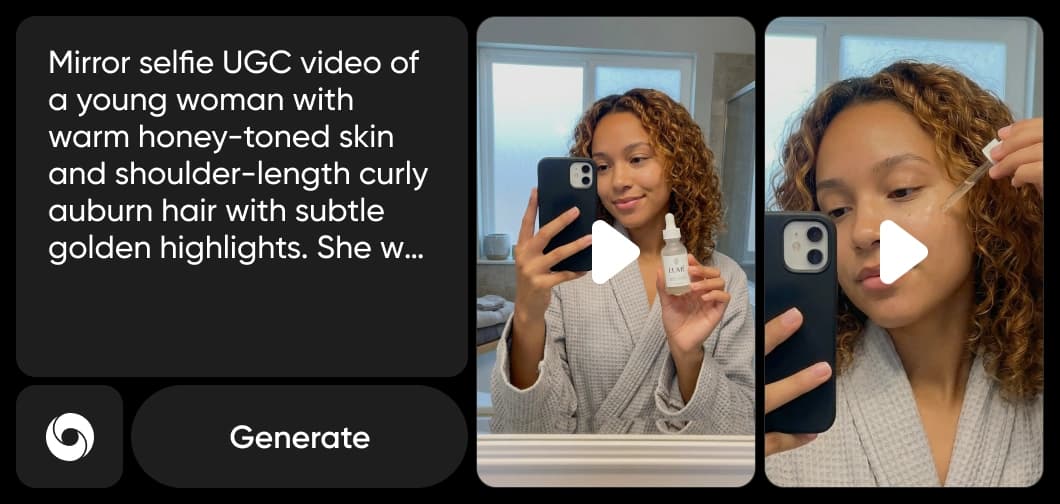
How Luma Ray 3.2 Edit works inside Picsart
Picsart integrates Luma Ray 3.2 Edit directly into its AI Playground, so you can direct and refine video without touching the underlying model. It pairs naturally with the AI Video Editor and AI Voice Generator, helping you assemble complete, polished video projects faster.
Why creators choose Luma Ray 3.2 Edit
Creators choose Luma Ray 3.2 Edit when they need control, not luck. Its directed-editing approach means revisions are surgical instead of starting over, performances stay consistent across takes, and pro-grade HDR and 16-bit EXR output slots straight into existing pipelines. Inside Picsart’s AI Video Generator, that production-level command over every frame is available without specialized software or technical setup.
Explore more models like Luma Ray 3.2 Edit
Compare Luma Ray 3.2 Edit with other video models for motion, ads, and social clips.
Luma Ray 3.2 Edit FAQ
Luma Ray 3.2 Edit is the editing-focused release of Luma Labs’ Ray 3.2 video model. Rather than regenerating a clip for every change, it takes a source video and returns a directed, re-imagined version of the same shot with frame-level control.
Picsart has integrated Luma Ray 3.2 Edit into its AI Video Generator and AI Playground, so you can direct and refine video content directly in the platform without interacting with the model itself.
Standard models regenerate a whole clip from a prompt. Luma Ray 3.2 Edit is built for directed editing — it edits the footage you already have, supports up to 16 keyframes per clip, and preserves real performances across takes for surgical, repeatable changes.
You can place up to 16 keyframes within a single clip to choreograph pacing, camera paths, and motion, giving you precise authority over how action progresses from the first frame to the last.
Yes. Its enhanced reframe tool lets you adapt aspect ratios for different platforms, extend the frame, or replace a background after the take while preserving the original lighting.
Luma Ray 3.2 Edit generates clips up to 20 seconds long at 1080p, with native HDR generation and 16-bit EXR export designed to drop cleanly into professional post-production pipelines.
Yes. Videos produced through Picsart’s tools powered by Luma Ray 3.2 Edit can be used for marketing, social media, brand content, and other commercial applications, subject to Picsart’s terms of use.
Faster V3 variant — long-form video up to 15s with native audio, start/end frame control, and 720p/1080p output.Audio1080pFast generationCinematicSee model
Fast cinematic video with audio, reference images, and start/end frame control.Reference inputAudioFast generationCinematicSee model
Edit video — replace subjects, add or remove objects, restyle scenes with reference images.Video editingReference inputVideo generationSee model
Fast video edit — modify scenes with reference images.Video editingReference inputFast generationSee model
Up to 1080p with strong physical realism and optional reference image.Reference input1080pPro qualityCinematicSee model
Naturalistic 720p video with lifelike motion and character detail.CinematicVideo generationSee model
Wan 2.7 T2V — up to 15s at 1080p with audio input and prompt enhancement.Text to videoAudio1080pCinematicSee model
Long-form video up to 15s with native audio and start/end frame control.AudioCinematicVideo generationSee model
Faster V3 variant — long-form video up to 15s with native audio, start/end frame control, and 720p/1080p output.Audio1080pFast generationCinematicSee model
Mature pipeline with audio, adjustable cfg, and standard/pro rendering.
Fast cinematic video with audio, reference images, and start/end frame control.Reference inputAudioFast generationCinematicSee model
Edit video — replace subjects, add or remove objects, restyle scenes with reference images.Video editingReference inputVideo generationSee model
Fast video edit — modify scenes with reference images.Video editingReference inputFast generationSee model
Up to 1080p with strong physical realism and optional reference image.Reference input1080pPro qualityCinematicSee model
Naturalistic 720p video with lifelike motion and character detail.CinematicVideo generationSee model
Wan 2.7 T2V — up to 15s at 1080p with audio input and prompt enhancement.Text to videoAudio1080pCinematicSee model
Long-form video up to 15s with native audio and start/end frame control.AudioCinematicVideo generationSee model
Faster V3 variant — long-form video up to 15s with native audio, start/end frame control, and 720p/1080p output.Audio1080pFast generationCinematicSee model
Mature pipeline with audio, adjustable cfg, and standard/pro rendering.
Fast cinematic video with audio, reference images, and start/end frame control.Reference inputAudioFast generationCinematicSee model
Edit video — replace subjects, add or remove objects, restyle scenes with reference images.Video editingReference inputVideo generationSee model
Fast video edit — modify scenes with reference images.Video editingReference inputFast generationSee model
Up to 1080p with strong physical realism and optional reference image.Reference input1080pPro qualityCinematicSee model
Naturalistic 720p video with lifelike motion and character detail.CinematicVideo generationSee model
Wan 2.7 T2V — up to 15s at 1080p with audio input and prompt enhancement.Text to videoAudio1080pCinematicSee model
Long-form video up to 15s with native audio and start/end frame control.AudioCinematicVideo generationSee model
Faster V3 variant — long-form video up to 15s with native audio, start/end frame control, and 720p/1080p output.Audio1080pFast generationCinematicSee model
Mature pipeline with audio, adjustable cfg, and standard/pro rendering.
Fast cinematic video with audio, reference images, and start/end frame control.Reference inputAudioFast generationCinematicSee model
Edit video — replace subjects, add or remove objects, restyle scenes with reference images.Video editingReference inputVideo generationSee model
Fast video edit — modify scenes with reference images.Video editingReference inputFast generationSee model
Up to 1080p with strong physical realism and optional reference image.Reference input1080pPro qualityCinematicSee model
Naturalistic 720p video with lifelike motion and character detail.CinematicVideo generationSee model
Wan 2.7 T2V — up to 15s at 1080p with audio input and prompt enhancement.Text to videoAudio1080pCinematicSee model
Long-form video up to 15s with native audio and start/end frame control.AudioCinematicVideo generationSee model
Faster V3 variant — long-form video up to 15s with native audio, start/end frame control, and 720p/1080p output.Audio1080pFast generationCinematicSee model
Mature pipeline with audio, adjustable cfg, and standard/pro rendering.
Fast cinematic video with audio, reference images, and start/end frame control.Reference inputAudioFast generationCinematicSee model
Edit video — replace subjects, add or remove objects, restyle scenes with reference images.Video editingReference inputVideo generationSee model
Fast video edit — modify scenes with reference images.Video editingReference inputFast generationSee model
Up to 1080p with strong physical realism and optional reference image.Reference input1080pPro qualityCinematicSee model
Naturalistic 720p video with lifelike motion and character detail.CinematicVideo generationSee model
Wan 2.7 T2V — up to 15s at 1080p with audio input and prompt enhancement.Text to videoAudio1080pCinematicSee model
Long-form video up to 15s with native audio and start/end frame control.AudioCinematicVideo generationSee model
Faster V3 variant — long-form video up to 15s with native audio, start/end frame control, and 720p/1080p output.Audio1080pFast generationCinematicSee model
Mature pipeline with audio, adjustable cfg, and standard/pro rendering.


