Compare Recraft V4 vs Midjourney V7 for AI image generation
Recraft V4 and Midjourney V7 represent two distinct approaches to AI image generation. Recraft focuses on design precision, typography, and vector output, while Midjourney is known for artistic quality and creative expression. This Recraft V4 vs Midjourney comparison helps you choose the right model for your workflow.
The generation action on this comparison currently opens Recraft V4 in Picsart. Check the selected model before generating.
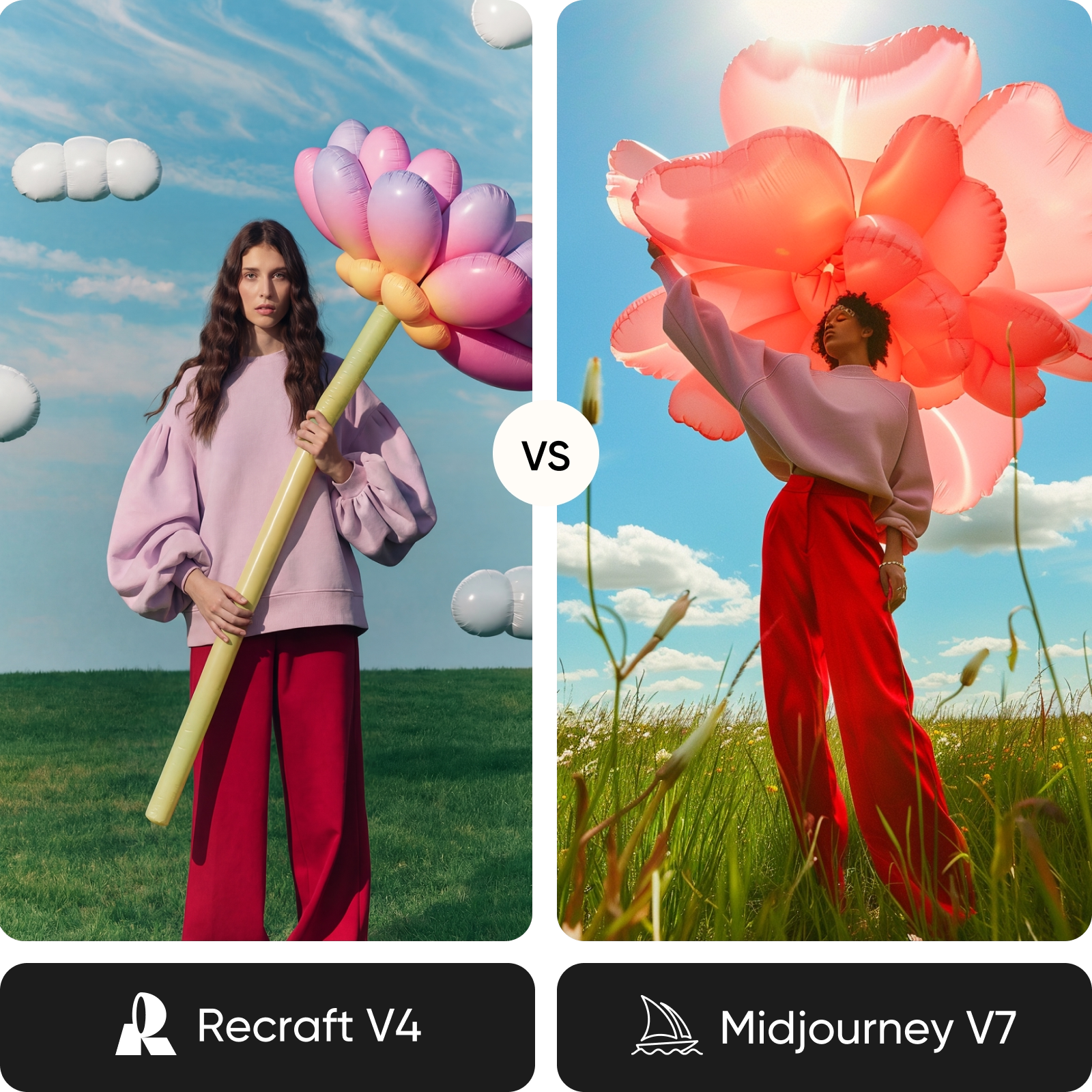
Feature comparison overview
Compare Recraft V4 vs Midjourney side by side to understand how they differ in typography, output formats, quality, and creative control.
| Feature | Recraft V4 | Midjourney V7 |
|---|---|---|
| Developer | Recraft V4Recraft | Midjourney V7Midjourney |
| Architecture | Recraft V4Design-focused model | Midjourney V7Aesthetic-focused model |
| Max resolution | Recraft V4Up to 2048x2048 | Midjourney V71024x1024 (upscale to 4K) |
| Generation speed | Recraft V4~10-30 sec | Midjourney V7Fast (Draft mode available) |
| Typography | Recraft V4Best-in-class, layout-aware | Midjourney V7Improved but inconsistent |
| Vector output | Recraft V4Native SVG support | Midjourney V7Not available |
| Personalization | Recraft V4Exploration Mode | Midjourney V7Deep personalization profiles |
| Style control | Recraft V4Structured consistency | Midjourney V7Style references (--sref) |
| Editing tools | Recraft V4Background removal, style tools | Midjourney V7Remix, pan, zoom, vary |
| API access | Recraft V4Yes | Midjourney V7No |
| Pricing | Recraft V4Free + subscription | Midjourney V7Subscription only |
| Best for | Recraft V4Branding, design assets | Midjourney V7Artistic visuals, concept art |
Break down Recraft V4 vs Midjourney models
Recraft V4 focuses on design workflows. It produces structured layouts, accurate typography, and scalable vector graphics, making it ideal for brand assets and production-ready visuals. Midjourney V7 focuses on artistic output. It generates visually rich, stylized images with strong aesthetics, making it a popular choice for creative exploration and concept-driven work.
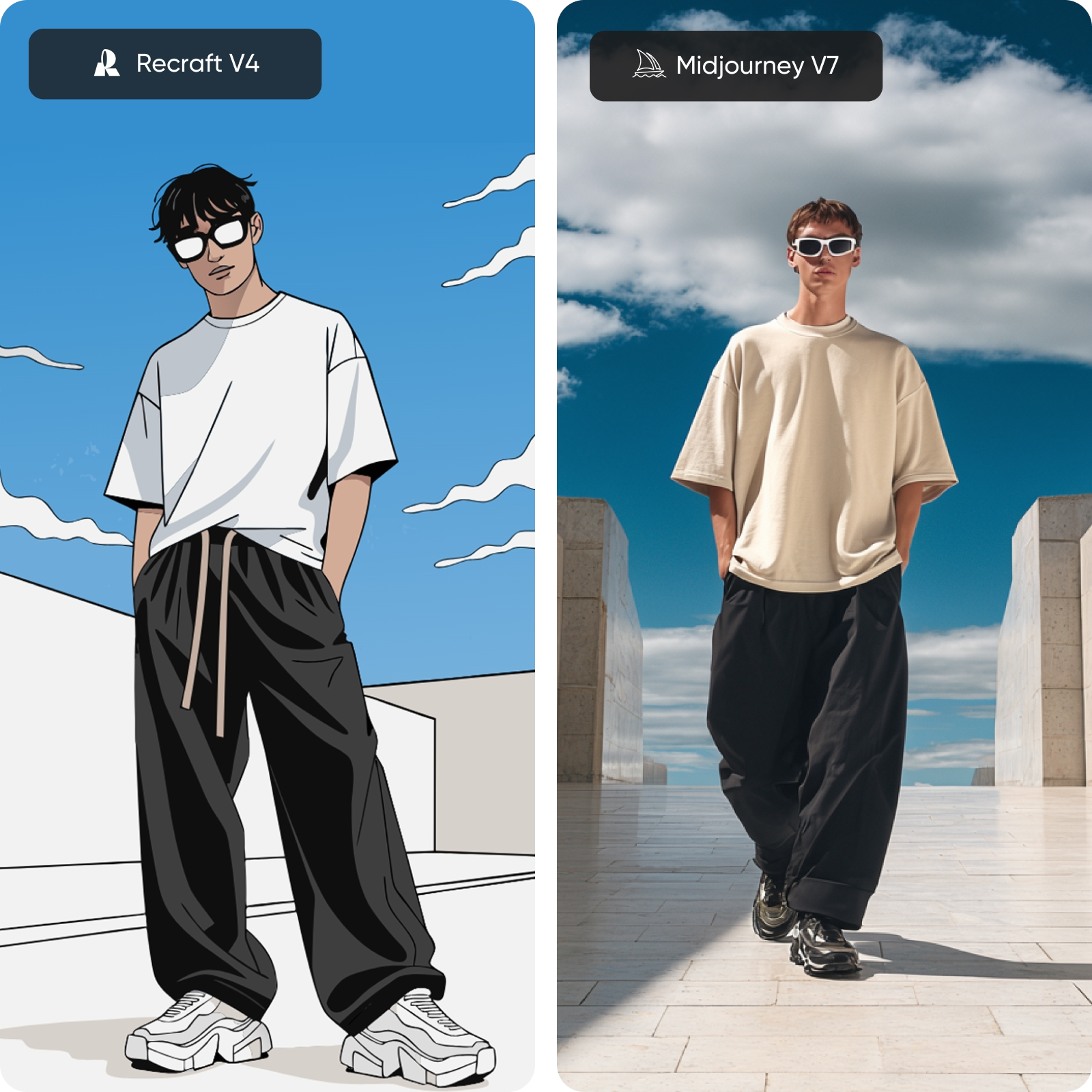
Explore image quality: design precision vs artistic output
The difference comes down to purpose. Recraft V4 treats text and layout as part of the composition, producing clean, balanced designs with accurate typography. Midjourney V7 emphasizes visual depth, generating more expressive images with rich textures and atmospheric lighting. Choose based on whether you need structure or style.
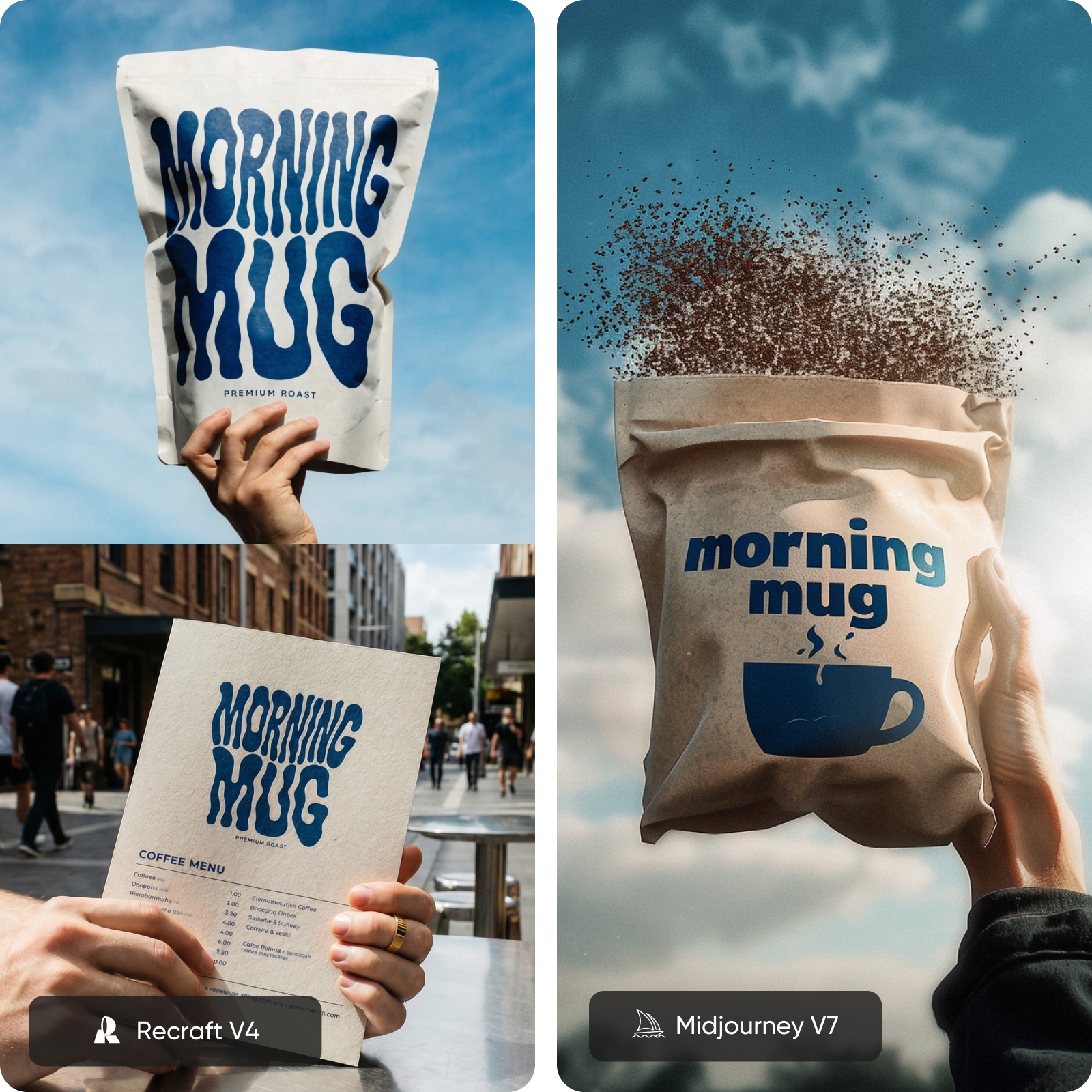
Discover creative tools and workflow
Creative workflows differ significantly. Recraft V4 offers tools built for production, including SVG output, multi-format export, and structured generation. Midjourney focuses on exploration, with personalization, style references, and remix tools that help refine visual direction. Recraft is built for design systems, while Midjourney supports creative experimentation.
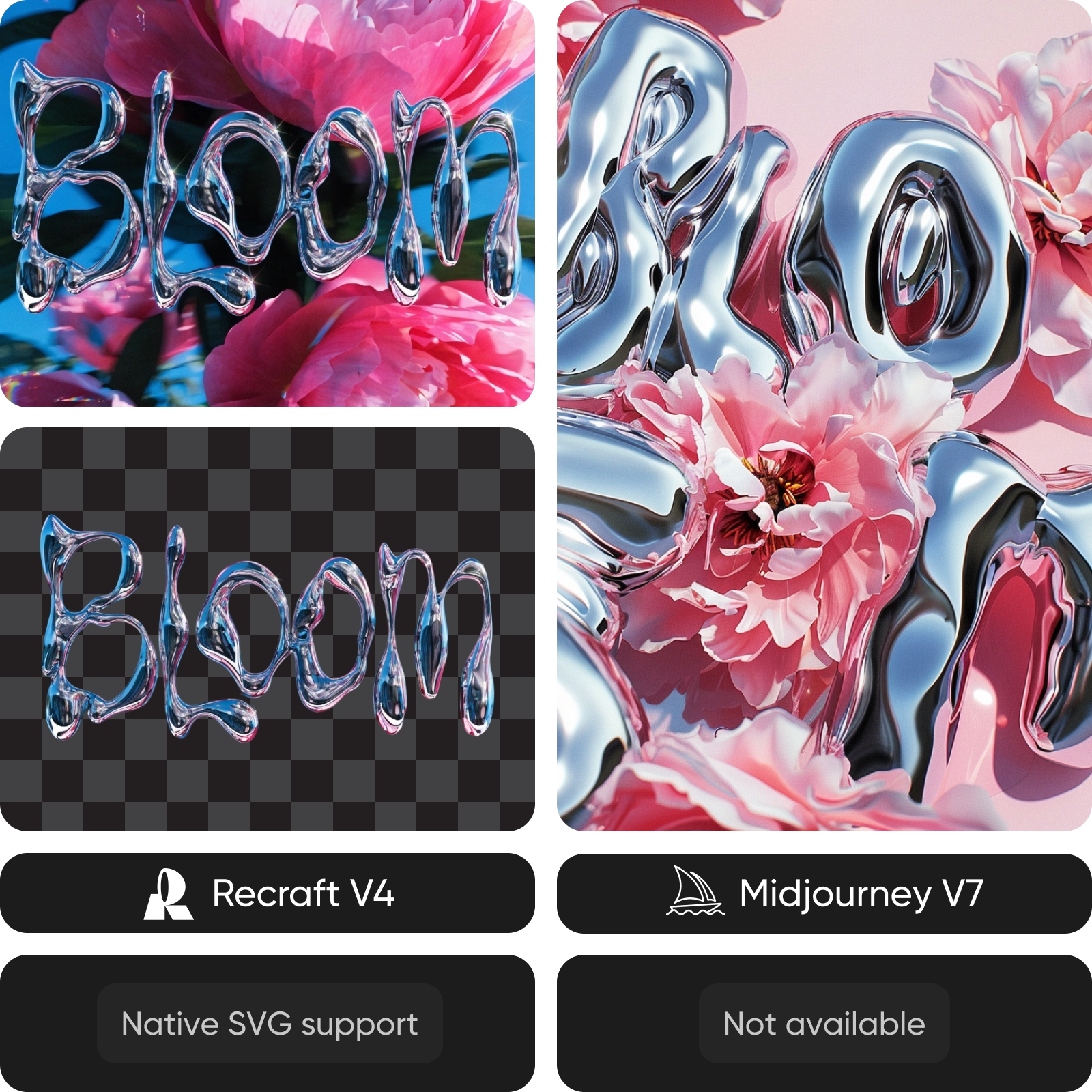
Review speed, pricing, and access
Speed is comparable overall, though Midjourney's Draft Mode enables faster iteration. Recraft includes a free tier and transparent API pricing, making it more flexible for teams and developers. Midjourney requires a subscription and operates within a closed ecosystem. Access depends on your workflow needs - open integration vs creative platform.
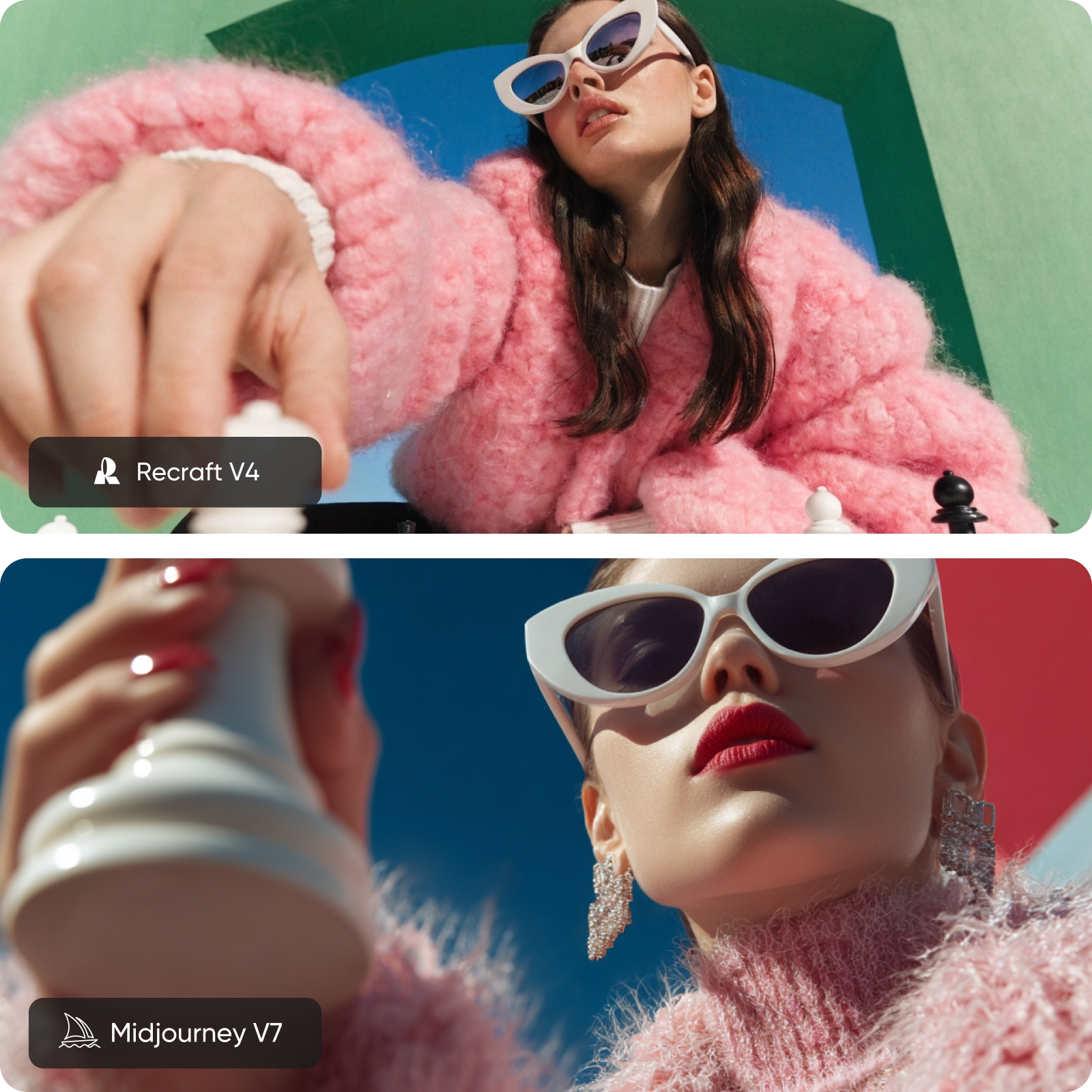
Try Recraft V4 and Midjourney in one place
Switching between tools slows you down. With Picsart's AI Image Generator and AI Playground, you can access multiple image models in one place and test them using the same prompt. Compare results instantly, refine your ideas, and choose what works best for your project.
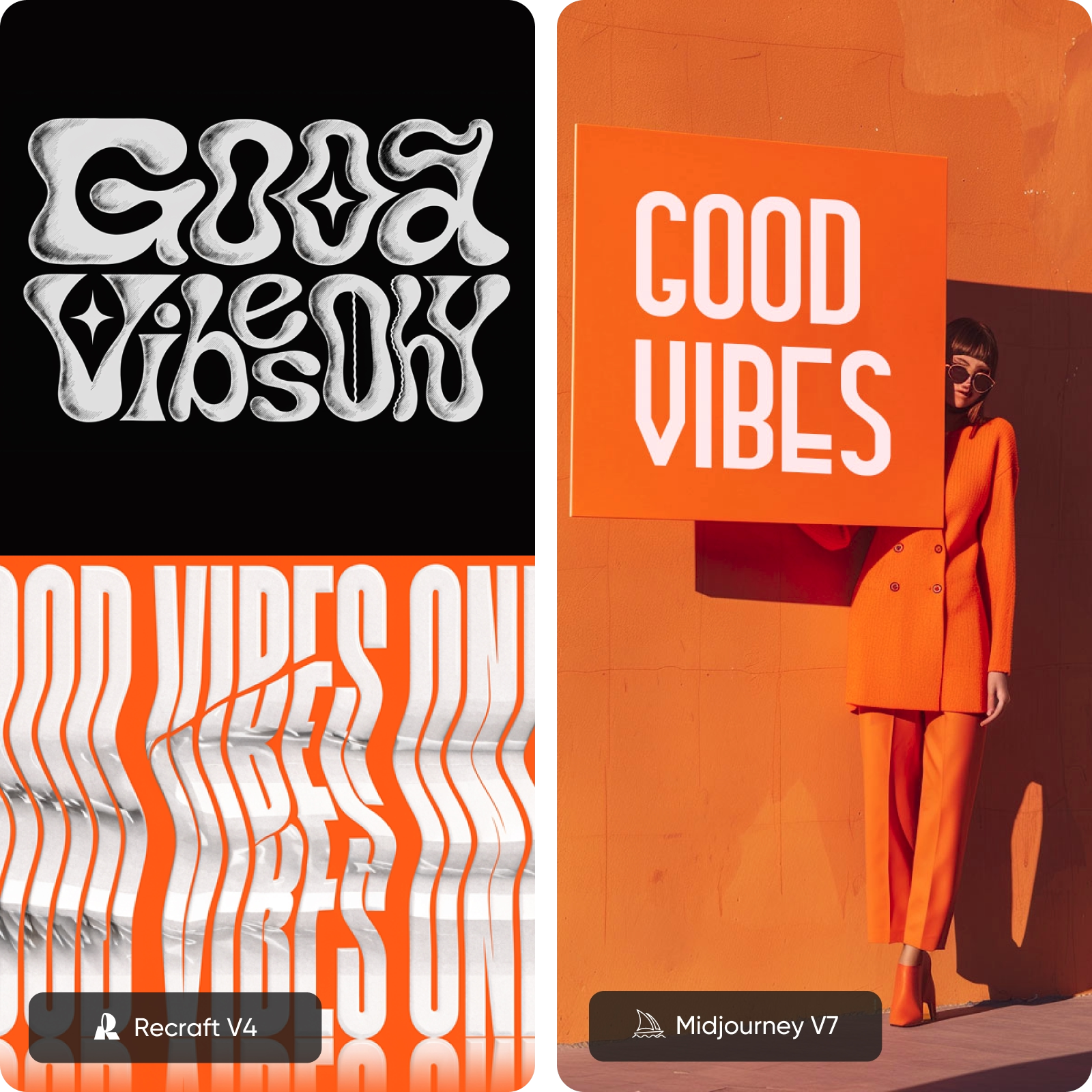
Recraft V4 vs Midjourney FAQ
It depends on your goal. Recraft V4 is better for design precision, typography, and vector output. Midjourney V7 is stronger for artistic visuals and creative exploration.
Compare AI image models for creative projects
Pro
Most popularAI tools for everyday creative work.
Ultra
Most powerfulHeavy AI usage for creators & teams.