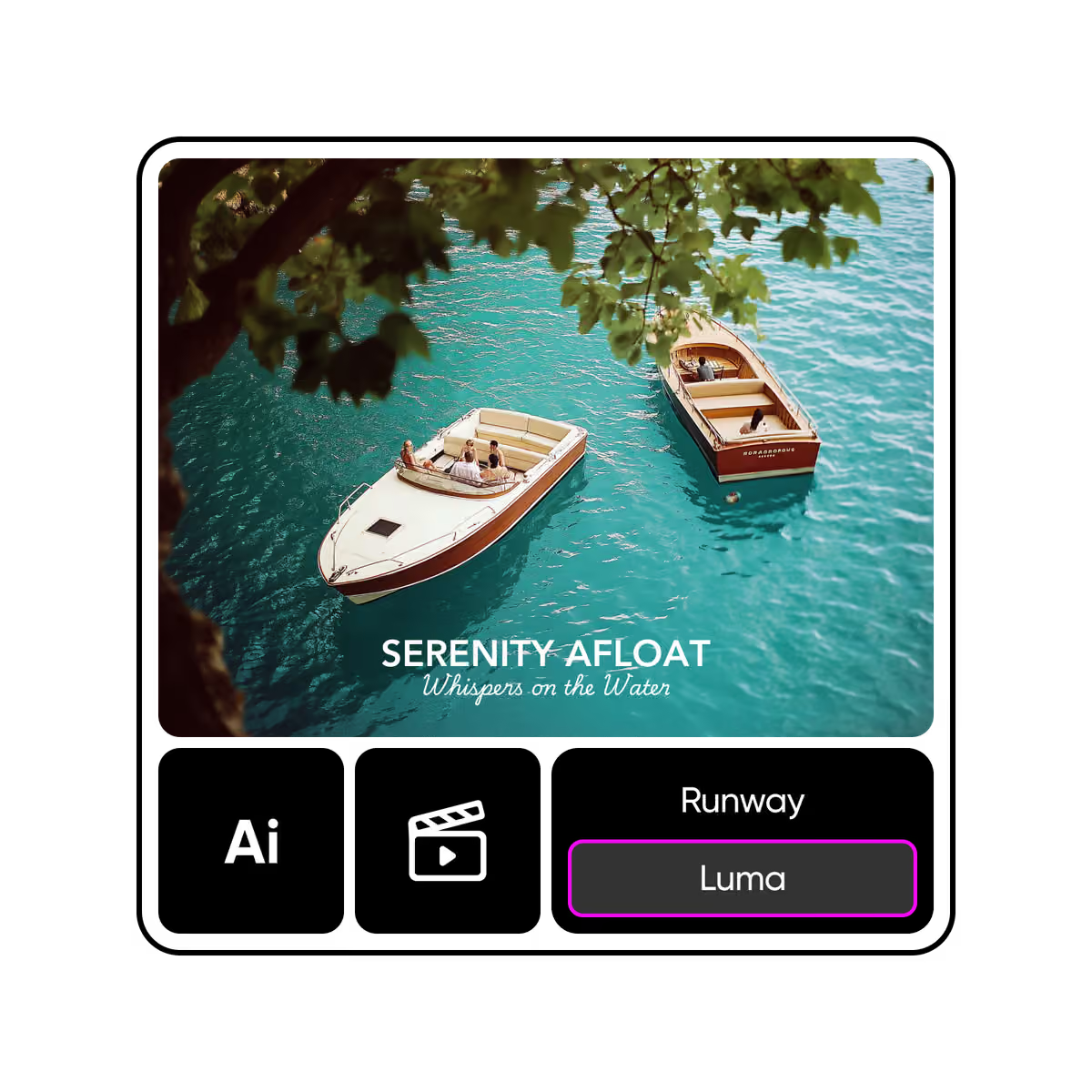
1. Home
  2. Image IA en Vidéo

Animer vos photos avec Image-to-Video AI en quelques secondes

Avec l'outil Image-to-Video de Picsart, transformer des images statiques en vidéos courtes est rapide et simple. Téléchargez 1 à 2 photos pour créer des visuels de produit accrocheurs - complets avec mouvement, animations subtiles et finition de qualité professionnelle. Idéal pour montrer des articles sur les réseaux sociaux, sites web et supports marketing sans aucune compétence en montage vidéo.
Télécharger l'image
Plus d'outils pour améliorer votre contenu
Créer des vidéos IA à partir de texteGénérer des GIFs animésÉditer vos vidéosCréer des publicités pour produitsSupprimer les arrière-plans vidéoAjouter des filtres IA aux vidéosAnimer vos photosCréer des diaporamas vidéoPréparer les photos de produitsGénérer des maquettes de produitsSupprimer les objets des vidéosConcevoir des publicités pour les réseaux sociauxGénérer des Avatars Vidéo IA

Use Picsart anywhere

Install the app, or bring Picsart into the AI workspaces your team already uses.

Use Picsart with

  • ChatGPT / Codex
  • Claude
  • Terminal
  • Cursor
  • OpenClaw
  • Hermes

Download the app

Download on the App StoreGET IT ON Google PlayGet it from Microsoft

Follow Picsart

Pinterest
AICPA SOC

Create

  • AI Image Generator
  • AI Video Generator
  • AI Playground
  • Flow
  • AI Photo Editor
  • AI Video Editor
  • AI Agents
  • Content Library
  • AI Models

Creators

  • Earn with Picsart
  • Earn campaigns
  • Clipping
  • For Brands
  • Video Studio
  • Tutorials
  • Challenges

Connect

  • ChatGPT / Codex
  • MCP setup
  • Command line
  • Developers
  • Google Drive

Business

  • Pricing
  • Enterprise
  • Industries
  • Quicktools

Company

  • Support
  • Careers
  • About us
  • Blog
  • Press Center
Terms of UsePrivacy PolicyInternet-Based AdvertisingCommunity GuidelinesDMCASecurity PolicyAccessibility
© 2026 PicsArt, Inc.
4.9/5
ExcellentTrustpilot
G2 Spring 2026 Leader badgeG2 Spring 2026 Momentum Leader badgeG2 Spring 2026 Fastest Implementation badgeG2 Users Love Us badge
icône pour IA

Conversion image en vidéo par IA

Transformez des images statiques en mouvement - sans équipement, sans tracas.

icône pour générateur vidéo

Résultats vidéo de qualité professionnelle rapides

Produisez des vidéos de haute qualité instantanément - aucun logiciel ou compétence vidéo requis.

icône pour un dossier

Styles personnalisés et suggestions guidées

Choisissez un style et ajoutez une suggestion pour donner forme au look, à l'ambiance, et au mouvement de votre vidéo.

Explorez les effets IA prêts pour la vidéo

Voir tout
Voir tout

Améliorez la performance de votre contenu

avec Image-to-Video AI

80%

temps de création vidéo plus rapide

10x

sortie de contenu plus élevée

58%

taux d'engagement plus élevés

80%

économies de coûts


Comment transformer des images en vidéos avec AI

1

Téléchargez vos images

Choisissez une ou deux photos comme cadres de référence pour démarrer votre vidéo.

2

Sélectionnez un modèle d'IA

3

Ajustez les paramètres

4

Générez et téléchargez


Animer vos photos avec Image to Video AI  

L'outil Image to Video AI de Picsart transforme des images fixes en vidéos dynamiques en quelques instants. Téléchargez votre photo, choisissez un style, et laissez l'IA ajouter des effets cinématographiques avec un mouvement fluide et des transitions naturelles pour une finition professionnelle. Passez de mouvements doux à des effets dramatiques, avec des résultats qui semblent réalisés en studio. Utilisez-le pour créer du contenu engageant pour les réseaux sociaux, mettre en valeur des produits ou améliorer votre marketing avec du mouvement.


Créez des vidéos engageantes pour vos fiches produits

Utilisez l'outil Image-to-Video de Picsart pour transformer des photos de produits simples en vidéos courtes et engageantes. L'IA prend en charge l'animation, la voix-off et les arrière-plans propres - parfait pour transformer des images statiques en contenu abouti pour vos annonces Etsy ou eBay et vos campagnes publicitaires. 


Convertissez des images en vidéos pour des événements, histoires et branding

L'Image to Video AI de Picsart peut transformer n'importe quelle image en une vidéo dynamique pour une large gamme de projets. Utilisez-le pour des promotions d'événements, des campagnes de marque, des contenus éducatifs, des portfolios créatifs ou des histoires personnelles. Avec des styles flexibles et des effets intelligents, les visuels s'adaptent naturellement à différents thèmes et objectifs.



Transformez des images en vidéos sociales virales

Transformez des photos statiques en vidéos courtes dynamiques pour TikTok, Instagram et plus en utilisant l'outil Image-to-Video de Picsart. Que vous partagiez un concept ou mettiez en avant un produit, cet outil facilite l'émergence en transformant des images statiques en vidéos courtes conçues pour un engagement maximal. 


Personnalisez votre vidéo IA pour un impact maximal

Personnalisez facilement chaque élément lors de la transformation d'images statiques en vidéos courtes. Ajustez la durée, sélectionnez votre résolution et appliquez des mouvements de caméra dynamiques tels que des balayages fluides, des zooms rapprochés ou des rotations cinématographiques. Ajoutez une voix-off pour délivrer le message exactement comme vous le souhaitez - entièrement adapté et soigné. 

PricingSave big

Créez des clips image en vidéo avec des modèles vidéo IA

Utilisez des modèles vidéo pour transformer des clips, métrages et suggestions en clips image en vidéo pour les réseaux sociaux, publicités, et flux créatifs.

SESeedance 2.0New
Next-gen cinematic video with optional audio and reference image. Up to 4K.Reference inputAudio4KCinematicSee model
SESeedance 2.0 FastNew
SESeedance 2.0 Video EditNew
SESeedance 2.0 Fast Video EditNew
WAWan 2.7
KLKling V3
KLKling V3 TurboNew
KLKling V2.6
KLKling V3 Omni
KLKling Video O1New
KLKling Motion Control V3
KLKling Motion Control 2.6
SESeedance 2.0New
SESeedance 2.0New
SESeedance 2.0New
SESeedance 2.0New
SESeedance 2.0New
Fast cinematic video with audio, reference images, and start/end frame control.Reference inputAudioFast generationCinematicSee model
Edit video — replace subjects, add or remove objects, restyle scenes with reference images.Video editingReference inputVideo generationSee model
Fast video edit — modify scenes with reference images.Video editingReference inputFast generationSee model
Wan 2.7 T2V — up to 15s at 1080p with audio input and prompt enhancement.Text to videoAudio1080pCinematicSee model
Long-form video up to 15s with native audio and start/end frame control.AudioCinematicVideo generationSee model
Faster V3 variant — long-form video up to 15s with native audio, start/end frame control, and 720p/1080p output.Audio1080pFast generationCinematicSee model
Mature pipeline with audio and pro-tier rendering.
AudioPro qualityCinematic
See model
Flexible generation across creative styles using V3 Omni architecture, with optional 4K output.
4KCinematicVideo generation
See model
O1-architecture video generation with 5 or 10 second output.CinematicVideo generationSee model
Map body movement from a video clip onto a portrait photo — V3 quality.CinematicPhotorealVideo generationSee model
Transfer body movement from a reference video onto a portrait photo.Reference inputCinematicPhotorealSee model
Next-gen cinematic video with optional audio and reference image. Up to 4K.Reference inputAudio4KCinematicSee model
SESeedance 2.0 FastNew
Fast cinematic video with audio, reference images, and start/end frame control.Reference inputAudioFast generationCinematicSee model
SESeedance 2.0 Video EditNew
Edit video — replace subjects, add or remove objects, restyle scenes with reference images.Video editingReference inputVideo generationSee model
SESeedance 2.0 Fast Video EditNew
Fast video edit — modify scenes with reference images.Video editingReference inputFast generationSee model
WAWan 2.7
Wan 2.7 T2V — up to 15s at 1080p with audio input and prompt enhancement.Text to videoAudio1080pCinematicSee model
KLKling V3
Long-form video up to 15s with native audio and start/end frame control.AudioCinematicVideo generationSee model
KLKling V3 TurboNew
Faster V3 variant — long-form video up to 15s with native audio, start/end frame control, and 720p/1080p output.Audio1080pFast generationCinematicSee model
KLKling V2.6
Mature pipeline with audio and pro-tier rendering.AudioPro qualityCinematicSee model
KLKling V3 Omni
Flexible generation across creative styles using V3 Omni architecture, with optional 4K output.4KCinematicVideo generationSee model
KLKling Video O1New
O1-architecture video generation with 5 or 10 second output.CinematicVideo generationSee model
KLKling Motion Control V3
Map body movement from a video clip onto a portrait photo — V3 quality.CinematicPhotorealVideo generationSee model
KLKling Motion Control 2.6
Transfer body movement from a reference video onto a portrait photo.Reference inputCinematicPhotorealSee model
Next-gen cinematic video with optional audio and reference image. Up to 4K.Reference inputAudio4KCinematicSee model
SESeedance 2.0 FastNew
Fast cinematic video with audio, reference images, and start/end frame control.Reference inputAudioFast generationCinematicSee model
SESeedance 2.0 Video EditNew
Edit video — replace subjects, add or remove objects, restyle scenes with reference images.Video editingReference inputVideo generationSee model
SESeedance 2.0 Fast Video EditNew
Fast video edit — modify scenes with reference images.Video editingReference inputFast generationSee model
WAWan 2.7
Wan 2.7 T2V — up to 15s at 1080p with audio input and prompt enhancement.Text to videoAudio1080pCinematicSee model
KLKling V3
Long-form video up to 15s with native audio and start/end frame control.AudioCinematicVideo generationSee model
KLKling V3 TurboNew
Faster V3 variant — long-form video up to 15s with native audio, start/end frame control, and 720p/1080p output.Audio1080pFast generationCinematicSee model
KLKling V2.6
Mature pipeline with audio and pro-tier rendering.AudioPro qualityCinematicSee model
KLKling V3 Omni
Flexible generation across creative styles using V3 Omni architecture, with optional 4K output.4KCinematicVideo generationSee model
KLKling Video O1New
O1-architecture video generation with 5 or 10 second output.CinematicVideo generationSee model
KLKling Motion Control V3
Map body movement from a video clip onto a portrait photo — V3 quality.CinematicPhotorealVideo generationSee model
KLKling Motion Control 2.6
Transfer body movement from a reference video onto a portrait photo.Reference inputCinematicPhotorealSee model
Next-gen cinematic video with optional audio and reference image. Up to 4K.Reference inputAudio4KCinematicSee model
SESeedance 2.0 FastNew
Fast cinematic video with audio, reference images, and start/end frame control.Reference inputAudioFast generationCinematicSee model
SESeedance 2.0 Video EditNew
Edit video — replace subjects, add or remove objects, restyle scenes with reference images.Video editingReference inputVideo generationSee model
SESeedance 2.0 Fast Video EditNew
Fast video edit — modify scenes with reference images.Video editingReference inputFast generationSee model
WAWan 2.7
Wan 2.7 T2V — up to 15s at 1080p with audio input and prompt enhancement.Text to videoAudio1080pCinematicSee model
KLKling V3
Long-form video up to 15s with native audio and start/end frame control.AudioCinematicVideo generationSee model
KLKling V3 TurboNew
Faster V3 variant — long-form video up to 15s with native audio, start/end frame control, and 720p/1080p output.Audio1080pFast generationCinematicSee model
KLKling V2.6
Mature pipeline with audio and pro-tier rendering.AudioPro qualityCinematicSee model
KLKling V3 Omni
Flexible generation across creative styles using V3 Omni architecture, with optional 4K output.4KCinematicVideo generationSee model
KLKling Video O1New
O1-architecture video generation with 5 or 10 second output.CinematicVideo generationSee model
KLKling Motion Control V3
Map body movement from a video clip onto a portrait photo — V3 quality.CinematicPhotorealVideo generationSee model
KLKling Motion Control 2.6
Transfer body movement from a reference video onto a portrait photo.Reference inputCinematicPhotorealSee model
Next-gen cinematic video with optional audio and reference image. Up to 4K.Reference inputAudio4KCinematicSee model
SESeedance 2.0 FastNew
Fast cinematic video with audio, reference images, and start/end frame control.Reference inputAudioFast generationCinematicSee model
SESeedance 2.0 Video EditNew
Edit video — replace subjects, add or remove objects, restyle scenes with reference images.Video editingReference inputVideo generationSee model
SESeedance 2.0 Fast Video EditNew
Fast video edit — modify scenes with reference images.Video editingReference inputFast generationSee model
WAWan 2.7
Wan 2.7 T2V — up to 15s at 1080p with audio input and prompt enhancement.Text to videoAudio1080pCinematicSee model
KLKling V3
Long-form video up to 15s with native audio and start/end frame control.AudioCinematicVideo generationSee model
KLKling V3 TurboNew
Faster V3 variant — long-form video up to 15s with native audio, start/end frame control, and 720p/1080p output.Audio1080pFast generationCinematicSee model
KLKling V2.6
Mature pipeline with audio and pro-tier rendering.AudioPro qualityCinematicSee model
KLKling V3 Omni
Flexible generation across creative styles using V3 Omni architecture, with optional 4K output.4KCinematicVideo generationSee model
KLKling Video O1New
O1-architecture video generation with 5 or 10 second output.CinematicVideo generationSee model
KLKling Motion Control V3
Map body movement from a video clip onto a portrait photo — V3 quality.CinematicPhotorealVideo generationSee model
KLKling Motion Control 2.6
Transfer body movement from a reference video onto a portrait photo.Reference inputCinematicPhotorealSee model
Next-gen cinematic video with optional audio and reference image. Up to 4K.Reference inputAudio4KCinematicSee model
SESeedance 2.0 FastNew
Fast cinematic video with audio, reference images, and start/end frame control.Reference inputAudioFast generationCinematicSee model
SESeedance 2.0 Video EditNew
Edit video — replace subjects, add or remove objects, restyle scenes with reference images.Video editingReference inputVideo generationSee model
SESeedance 2.0 Fast Video EditNew
Fast video edit — modify scenes with reference images.Video editingReference inputFast generationSee model
WAWan 2.7
Wan 2.7 T2V — up to 15s at 1080p with audio input and prompt enhancement.Text to videoAudio1080pCinematicSee model
KLKling V3
Long-form video up to 15s with native audio and start/end frame control.AudioCinematicVideo generationSee model
KLKling V3 TurboNew
Faster V3 variant — long-form video up to 15s with native audio, start/end frame control, and 720p/1080p output.Audio1080pFast generationCinematicSee model
KLKling V2.6
Mature pipeline with audio and pro-tier rendering.AudioPro qualityCinematicSee model
KLKling V3 Omni
Flexible generation across creative styles using V3 Omni architecture, with optional 4K output.4KCinematicVideo generationSee model
KLKling Video O1New
O1-architecture video generation with 5 or 10 second output.CinematicVideo generationSee model
KLKling Motion Control V3
Map body movement from a video clip onto a portrait photo — V3 quality.CinematicPhotorealVideo generationSee model
KLKling Motion Control 2.6
Transfer body movement from a reference video onto a portrait photo.Reference inputCinematicPhotorealSee model