Red Eye Remover로 사진 보정하기

빠르게 한 번 탭해 적목 현상을 보정하고 사진 속 눈을 자연스러운 색으로 되돌려 보세요.

  • 소중한 순간을 기록하기
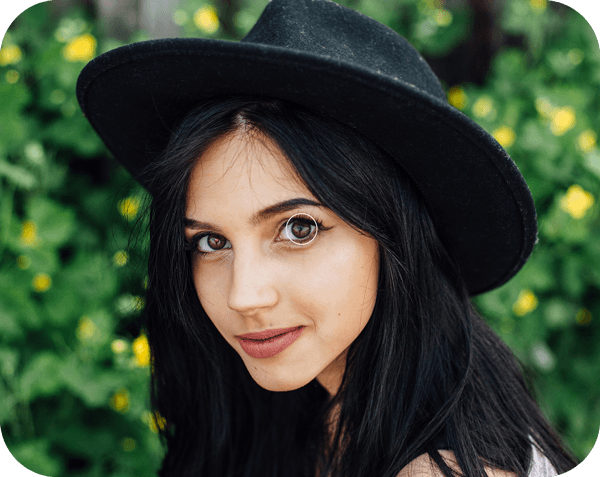
모자를 쓴 검은 머리 여성의 옆모습 이미지

사진의 적목 현상 순식간에 제거하기

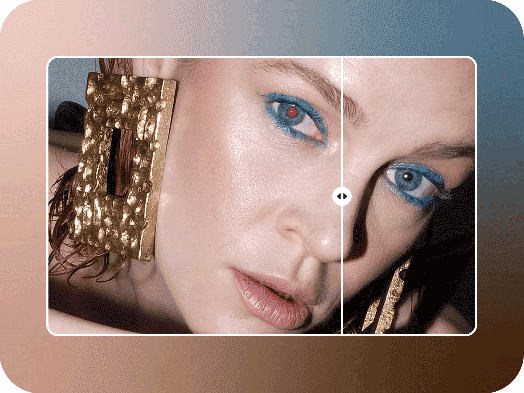
적목 현상은 사진을 망칩니다. 정말 그렇죠. 아마추어 사진가부터 숙련된 전문가까지, 누구에게나 골칫거리가 될 수 있습니다. 하지만 적목 현상이 생겼다고 해서 사진을 포기할 필요는 없습니다. Red Eye Remover 도구로 사진을 보정하면 거의 완벽한 사진을 순식간에 되살릴 수 있습니다. Picsart 전문가가 개발한 특별한 AI 기술로 셀카, 인물 사진, 단체 사진을 보정해 보세요. 몇 초 만에 흡혈귀 같은 눈을 자연스러운 색으로 되돌릴 수 있습니다. 사진을 다시 찍거나 삭제할 필요 없이 Picsart로 적목 현상만 제거하세요.
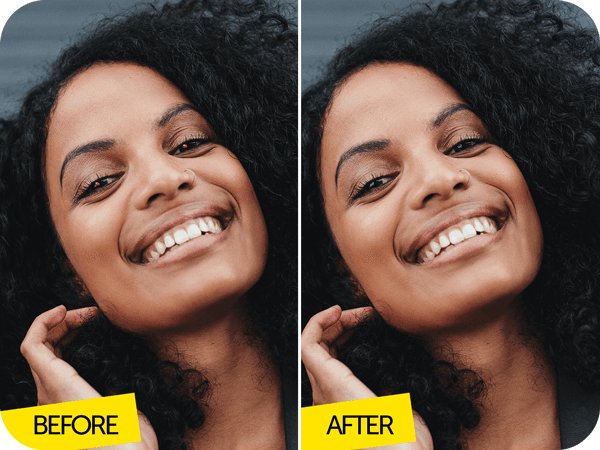
검은 머리 여성의 보정 전후 이미지

적목 현상을 보정하고 좋아하는 사진 간직하기

친구들과 야외 콘서트를 즐기고, 캠프파이어 곁에서 포근한 순간을 담고, 클럽에서 생일을 축하하는 일. 이 모든 순간의 공통점은 무엇일까요? 바로 어둡고 빛이 부족한 환경입니다. 성가신 적목 현상이 생겨 사진을 망치기 딱 좋은 조건이죠. 다행히 적목 현상을 간편하게 제거하면 사진을 그대로 공유하면서 처음부터 아무 문제도 없었던 것처럼 만들 수 있습니다. Picsart Red Eye Remover 도구로 편집할 수 있는 사진 수에는 제한이 없습니다. 보정이 필요한 이미지를 모두 모아 눈을 자연스러운 색으로 되돌리고 원하는 곳에 공유해 보세요. 사진을 살려 주는 획기적인 도구입니다.

  • 좋아하는 초상화 다시 활용하기
후드티를 입은 소년의 옆모습 이미지

적목 현상 제거, 간편하게

적목 현상 제거가 복잡하게 느껴질 수 있지만, Picsart의 Red Eye Remover 도구를 사용하면 아주 간편합니다. 보정할 이미지를 업로드하고 Red Eye Remover 도구를 선택한 다음 AI가 작업하도록 두기만 하면 됩니다. 이 도구는 적목 현상을 자동으로 찾아내도록 설계되었으며, 더 정밀한 보정을 위해 직접 조정할 수도 있습니다. 운이 나빴다며 아쉬운 사진을 포기하는 일은 이제 과거의 일이 될 거예요.
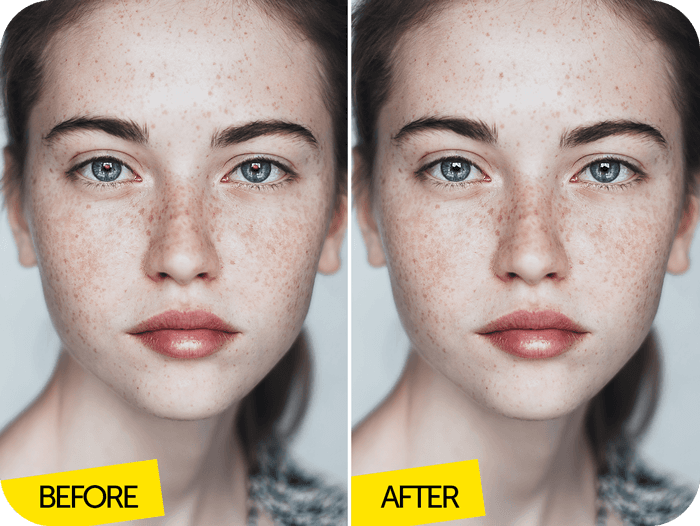
주근깨가 있는 여성의 보정 전후 이미지

Picsart로 적목 현상 등을 제거하세요

탭 한 번이면 사진의 적목 현상을 깔끔하게 제거할 수 있습니다. Picsart로 적목 현상과 다른 결점을 순식간에 보정해 보세요. Red Eye Remover 도구를 비롯한 다양한 강력한 기능은 Photo Editor에서 사용할 수 있습니다. Crop tool로 이미지 크기를 변경하고, Background Remover로 원하지 않는 요소를 제거하는 등 다양한 작업을 해보세요. 적목 현상 보정과 고품질 사진 편집을 위한 첫 번째 선택으로 Picsart를 만나 보세요.

  • 앱에서 사진 계속 다듬기
몇 초 만에 사진의 적목 현상 제거

적목 현상 제거 방법

How to

사진 업로드하기

보정할 이미지를 업로드하세요.

모자를 쓴 검은 머리 여성의 옆모습 이미지

Picsart 소개 매체

MashableEsquirePeopleForbesTechCrunchBuzzFeed

인물 사진과 소셜 게시물을 깔끔하게 보정하세요

Pro

Most popular

AI tools for everyday creative work.

$15 $10.5/mo
Billed yearly
You save $54 with yearly
  • Access to all photo & video editing features
  • Advanced background & object removal
  • Parallel video generations with the world's most powerful AI video models
  • Unlimited image generations with Flex.2 Klein
  • 1-tap image enhancer
  • Millions of stock photos & Getty video clips
  • Selection of trendy fonts, text styles & stickers
  • Thousands of premium templates
  • Support for 3+ brand kits
  • Bulk edit up to 50 images at once
  • 100 GB of cloud storage
New features:
  • Auto-generate content from your terminal or agent with the Picsart CLI
  • Use Picsart inside Claude Code, Cursor, and ChatGPT via MCP — coming soon
  • AI agents for multi-step workflows and batch generation — coming soon

Ultra

Most powerful

Heavy AI usage for creators & teams.

$45 $24.5/mo
Billed yearly, per seat
You save $246 with yearly
  • Everything in Pro
  • Early access to advanced AI features
  • Leading AI models to design & automate workflows (Nano Banana, Veo 3, Seedance 2.0 & more)
  • Parallel video generations with the world's most powerful AI video models
  • Unlimited image generations with Flex.2 Klein
  • Support for 10+ brand kits
  • Add team seats
  • Create ad variations and localize
  • Track ads performance
  • 2000 credits for API services
  • Bulk edit up to 100 images at once
  • 300 GB of cloud storage per seat
New features:
  • Auto-generate content from your terminal or agent with the Picsart CLI
  • Use Picsart inside Claude Code, Cursor, and ChatGPT via MCP — coming soon
  • AI agents for multi-step workflows and batch generation — coming soon

Enterprise

Custom AI solutions for large organizations.

Custom credit volume
  • Volume discounts on credit rate
  • On-demand top-ups
Custom
Contact for pricing
  • Access to photo & video editor SDKs
  • Mobile web SDK support
  • Prepaid or pay-as-you-go creative APIs
  • Embed professional-grade editing into your product or workflow
  • Fully configurable editing experience
  • White-label to match your brand
  • Support for built-in marketing, e-commerce & printing use cases
  • Bring your own assets: images, templates & fonts
  • Enterprise-grade security, SLAs & support
  • Dedicated account manager