1. Home
  2. படத்தில் உரையை தொகுக்கவும்

படத்தில் உரையைத் திருத்தவும்: படங்களில் இருந்து உரையை அகற்று மற்றும் உங்களுடையதை எழுதவும்

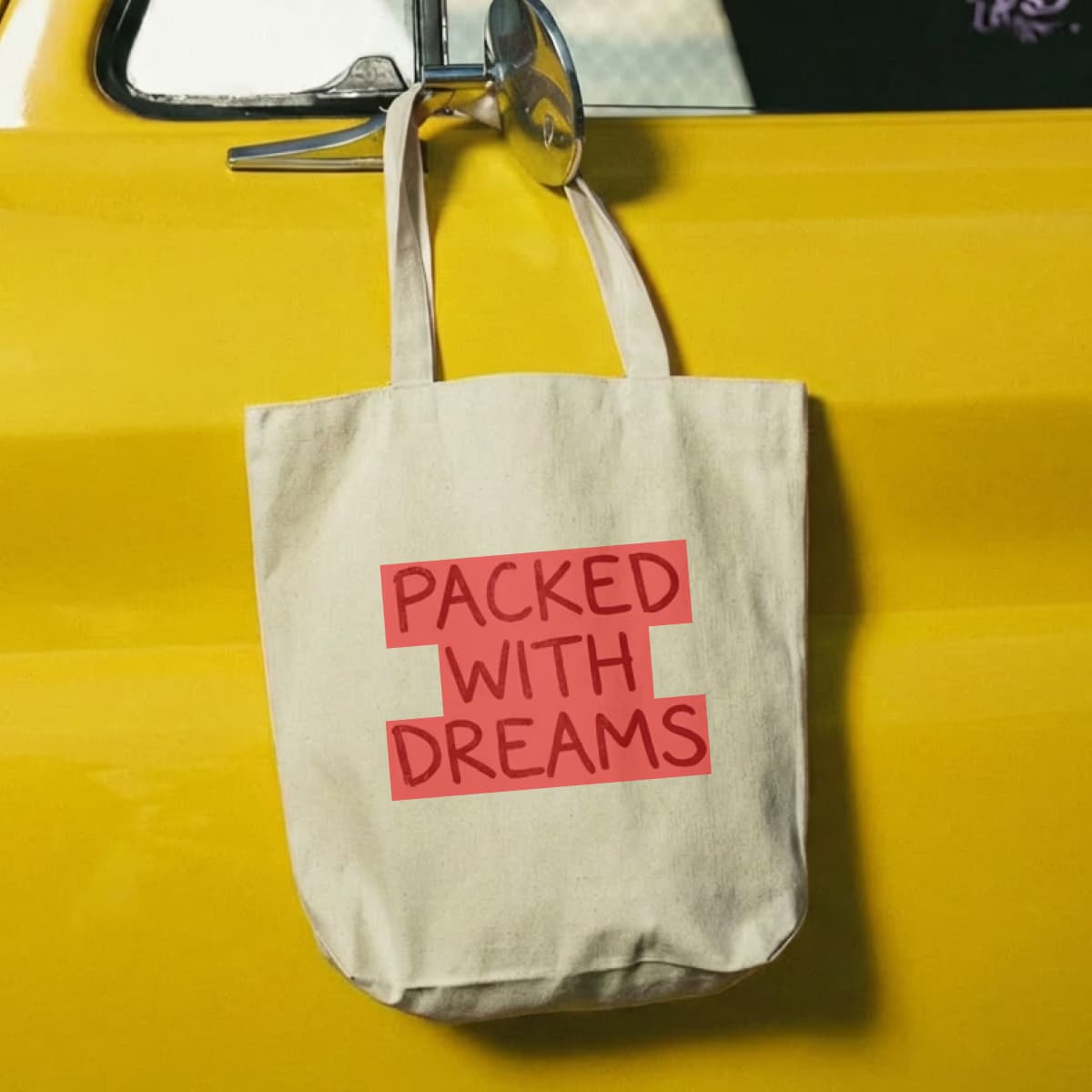
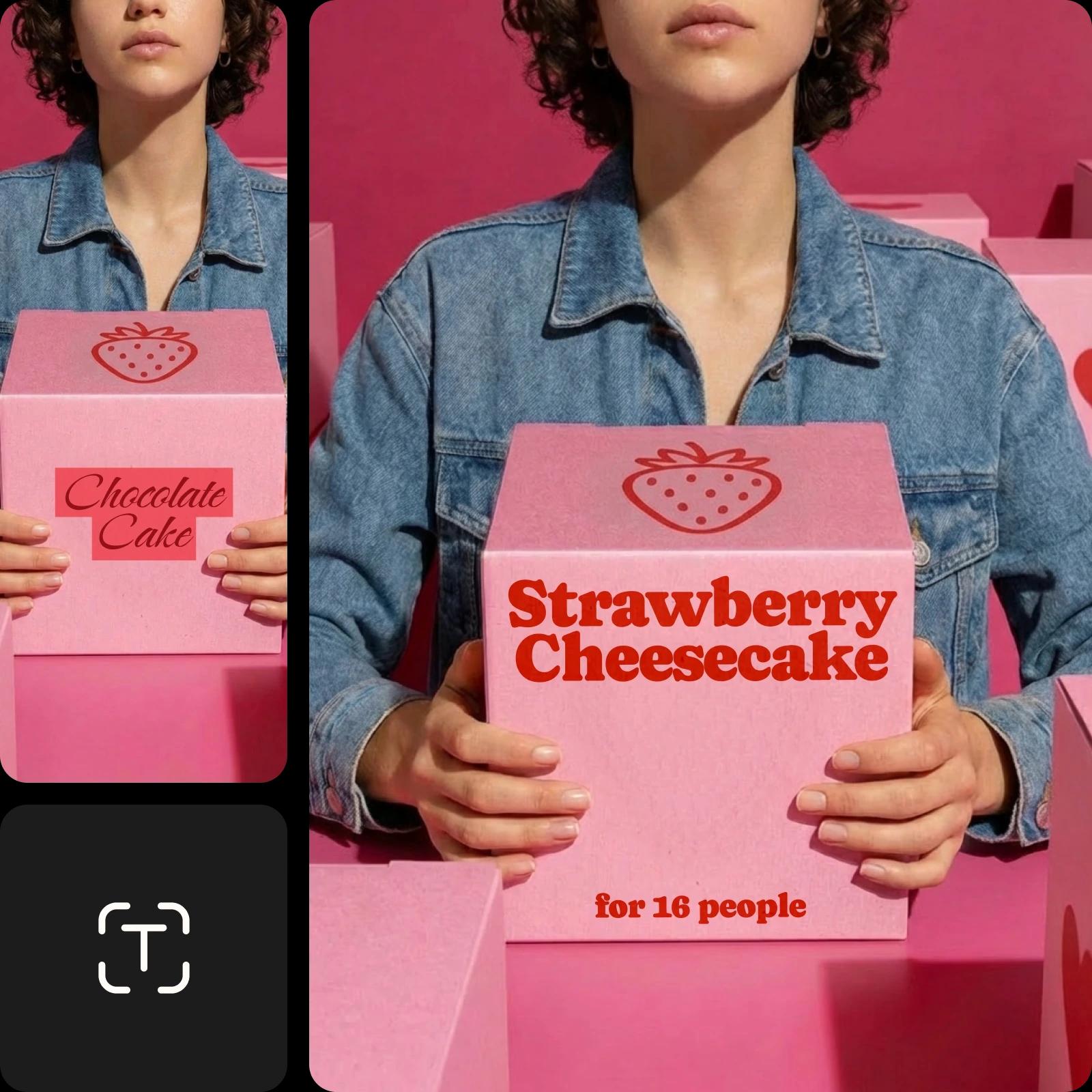
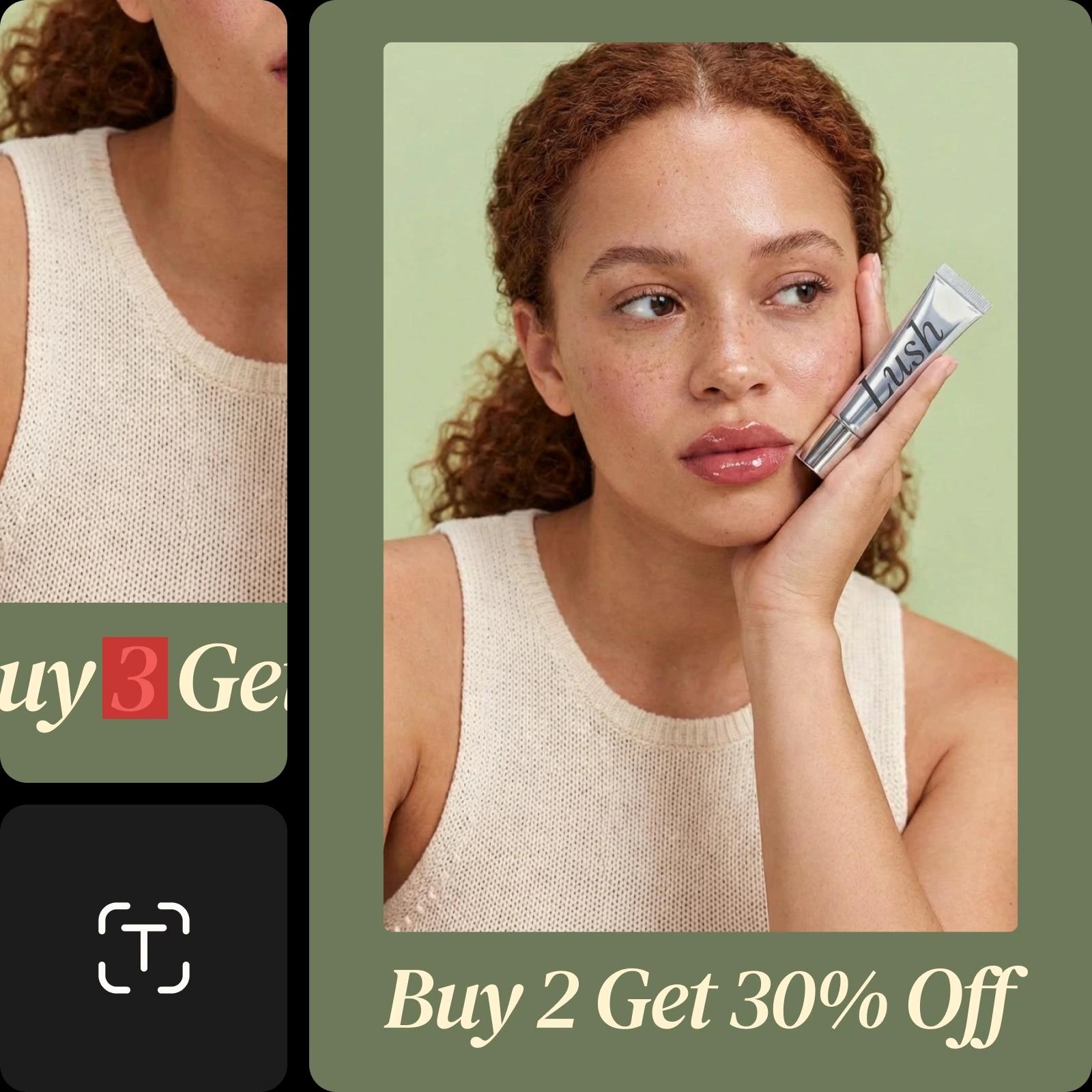
உங்களுக்கு விரைவான மாற்றங்களுக்கும், உயர் தரமான காட்சிகளுக்கும் வடிவமைக்கப்பட்டுள்ள புகைப்பட உரைத் தொகுப்பாளரைப் பயன்படுத்தி படங்களில் சொற்களைச் சேர்க்கவும், மாற்றவும் அல்லது சேர்க்கவும்.

படத்தில் உரையை தொகுக்கவும்
உங்கள் படத்தை மேலும் மேம்படுத்தவும்
தேவையற்ற பொருட்களை அகற்றவும்படத்தில் இருந்து உரையை அகற்றவும்படங்களில் சுத்தம் செய்யவும்படங்களில் உரையைச் சேர்க்கவும்AI உரை வகைகள் முயற்சிக்கவும்எழுத்துரு விருப்பங்களை ஆராயவும்வளைந்த உரை உருவாக்கவும்ஆன்லைனில் படங்களைத் தொகுக்கவும்படத்தில் இருந்து மக்களைக் அகற்றவும்AI உள்ளடக்கத்தை உருவாக்கவும்AI புகைப்படத் தொகுப்பை முயற்சி செய்யவும்

Use Picsart anywhere

Install the app, or bring Picsart into the AI workspaces your team already uses.

Use Picsart with

  • ChatGPT / Codex
  • Claude
  • Terminal
  • Cursor
  • OpenClaw
  • Hermes

Download the app

Download on the App StoreGET IT ON Google PlayGet it from Microsoft

Follow Picsart

Pinterest
AICPA SOC

Create

  • AI Image Generator
  • AI Video Generator
  • AI Playground
  • Flow
  • AI Photo Editor
  • AI Video Editor
  • AI Agents
  • Content Library
  • AI Models

Creators

  • Earn with Picsart
  • Earn campaigns
  • Clipping
  • For Brands
  • Video Studio
  • Tutorials
  • Challenges

Connect

  • ChatGPT / Codex
  • MCP setup
  • Command line
  • Developers
  • Google Drive

Business

  • Pricing
  • Enterprise
  • Industries
  • Quicktools

Company

  • Support
  • Careers
  • About us
  • Blog
  • Press Center
Terms of UsePrivacy PolicyInternet-Based AdvertisingCommunity GuidelinesDMCASecurity PolicyAccessibility
© 2026 PicsArt, Inc.
படத்தில் உரையை தொகுக்கவும்
4.9/5
(1,379 reviews)
ExcellentTrustpilot
ஆப்பிள் சிறந்த செயலி தேர்வு10+ மில்லியன் பின்னணிகள் அகற்றப்பட்டதுஆண்ட்ராய்டு மிகச்சிறந்த செயலி தேர்வு
படத் திருத்த ஐகான்

விரைவான பட உரை மாற்றங்கள்

உடனடி இடங்களில் படங்களில் புதிய உரையை சேர்க்கவும், மாற்றவும், அகற்றவும், மாற்றவும்.

எழுத்துரு வகைகள் ஐகான்

பல்வேறு எழுத்துரு வகைகள்

உங்கள் தேர்ந்தெடுத்த எழுத்துரு வடிவம், நிறம் மற்றும் அளவைப் பயன்படுத்தி ஆன்லைனில் உரையுடன் ஒரு படம் தொகுக்கவும்.

உயர் தீர்மான படங்கள் ஐகான்

உயர் தகவமைப்பு முடிவுகள்

உங்கள் படத்தில் உள்ள சொற்களை எளிமையாகத் திருத்தி கட்டமைப்பு இழப்பின்றி ஒரு தெளிவான தோற்றத்தைப் பெறுங்கள்.


படத்தில் உரையை எவ்வாறு திருத்துவது

1

உங்கள் படத்தை பதிவேற்றவும்

ஒரு புகைப்படத்தை அல்லது ஸ்கிரீன்ஷாட்டை பதிவேற்றம் செய்யவும். திருத்தகருவி உடனடியாக திறக்கிறது மற்றும் உரையைத் திருத்த தயாராக உங்கள் படத்தை பரிசோதனையிடுகிறது – எந்த அமைப்புகளும் அல்லது கையேடு தயாரிப்புகளும் தேவையில்லை.

2

மாற்றத்திற்கான உரையைத் தேர்ந்தெடுக்கவும்

3

உரையை அகற்ற அல்லது மாற்ற

4

மாற்றங்களைக் கையாளவும் மற்றும் ஏற்றுமதி செய்யவும்


ஆன்லைனில் பட உரைகளைத் திருத்தி தனிப்பயன் வார்த்தைகளை எளிதில் சேர்க்கவும்

Picsart இன் பொருள் அகற்று மொழிபெயர்ப்பாளர் தேவையற்ற பொருட்களை அகற்றவும் புதிய உரையைச் சேர்க்கவும் விரைவான மற்றும் எளிதான வழியை வழங்குகிறது. உரை அகற்று எதுவுமே இல்லாத தெளிவான படங்களை உருவாக்கவும், அல்லது வேறு திட்டங்களுக்கான காட்சிகளை மாற்ற புத்துயிர்ப்பாய் டிஸைன் செய்யவும். ஆன்லைன் உரை அகற்றகருவி இலவசமானது மற்றும் பயனர் நட்பு நுட்பம் இருப்பதால் ஏதேனும் தொழில்நுட்ப அல்லது வடிவமைப்பு திறன்கள் இல்லாமல் அனைவரும் புகைப்படங்களை பதிவேற்றி, தேவையற்ற உரையைத் தேர்ந்தெடுத்து மற்றும் படங்களில் சொற்களை எடிட் செய்யலாம்.

ஆன்லைன் தயாரிப்புகளில் உரையைத் திருத்தவும்

நிபுணத்துவம் வாய்ந்த நுட்பங்களை ஒரு படத்தில் எழுத்து சேர்க்க உபயோகப்படுத்தவும்

அசல் படத்தின் தரத்தை மற்றும் ஐயோதிக்கத்தன்மையைப் பராமரிக்க உங்களுக்கு உதவும். நீங்கள் பட உரையை திருத்தும்போது, பொருள் அகற்றம் பின்னணி ஒழுங்குகளையும் நிறங்களையும் துல்லியமாக பொருந்துகிறது, அதன் சீரமைக்கப்பட்டப் படத்தைத் தடுக்கும்படி வினைவிழிக்கவும். Picsart இன் பரந்த எழுத்துரு நூலகத்தை ஆராய்ந்து உங்கள் ‘edited’ புகைப்படத்தில் சரிசெய்யலாம்.

ஆன்லைனில் தயாரிப்பில் உரையைத் திருத்தவும்

சந்தைப்படுத்தல் பொருள்களுக்கு சிறப்பு சொந்த உரைகளை உருவாக்கவும்

சந்தைப்படுத்தல் மற்றும் வணிக ஆவணங்களில் உள்ள படங்களை இலக்கியமாக மாற்ற டைம் சேமித்து பணியை ஊக்குவிக்கவும். சுயவிவரங்கள், விலை பட்டியல்கள் முதல் மீம்ஸ் வரை, தொடர்ந்து மாற்றங்கள் தேவைப்படும் விஷயங்களில் Picsart இன் ஸ்கிரீன்ஷாட் உரைத் தொகுப்பாளர் விரைவாக புதுப்பிக்கப்பட்ட விலைகளையும், விற்பனை தகவல்களையும், தலைப்புக்களையும் அல்லது பருவச் செய்தியையும் ஒரிசெய்ய மட்டுமே சில அடிக்குறிய மாதிரி தேவையில்.

இவ்விதான உரையை உள்ளிடவும்

தொகுத்து மேம்பட்ட வெறுமைகளை உருவாக்குவதற்கான உடைமைகளை மாற்றவும்

சிறிய வெறுமைகள் படத்தை எறிவதைத் தடுப்பதன் மூலம் ஸ்கிரீன்ஷாட் உரையை ஆன்லைனில் திருத்தவும். நபர்களை அகற்றவும் அல்லது படங்களை Picsart இன் Photo Text Editor இல் உரை நிர்வாகத்திற்கும் மன்றியில் புதிய முறையான உரையை உருவாக்கவும்.

செய்கை ஸ்கிரீன்ஷாட் உரை

உலகிடத்தளவியல் சந்தைப்படுத்தும் ஆவணங்களை உருவாக்கி பதில்வழங்க விரைவாக

Design visuals that showcase your brand message or personal creativity while leaving out anything unwanted. Add brand information or captions to images with Picsart’s Photo Text Editor to create unique content, such as greeting cards, invitations, and flyers. The integrated AI object remover tool lets you easily remove people from photos or clean up pictures to make more room for text and personalization.

உலகிடத்தளவியல் சந்தைப்படுத்தும் ஆவணங்களை உருவாக்கவும்

AI மூலம் பட எழுத்தை திருத்தவும்

நீங்கள் மாற்ற விரும்பும் விஷயங்களை எளிய விளக்கத்துடன் AI மூலம் படத்தின் எழுத்தை திருத்தவும். உள்ளமைந்த வார்த்தைகளை நீக்க மற்றும் புதிய எழுத்துக்களை மாற்ற அதன் முன், பளிச்சென பார்க்க AI கையாளும் தேர்வு, சுத்தம் மற்றும் மாற்றம் செய்யும் செயல்முறைகளை AI செய்துவிடுகிறது, விம்மரிப்புள்ள திருத்தங்களை சில வினாடிகளில் வழங்குகிறது.


புகைப்பட எழுத்து திருத்தி அடிக்கடி கேட்கப்படும் கேள்விகள்

புகைப்பட எழுத்து திருத்தியில் உங்கள் படத்தை பதிவேற்றவும், கருவி தானாகவே எழுத்தை கண்டறிய அனுமதிக்கவும். தானியங்கி கண்டறிதல், தூரிகை அல்லது சொடுக்க செலக்ட் கருவிகளைப் பயன்படுத்தி எழுத்தை தேர்வு செய்து, அதை நீக்க அல்லது மாற்றவும். புதிய எழுத்தை தனிப்பயன் செய்து, மாற்றங்களை விவரிக்க AI ஐப் பயன்படுத்தவும், திருத்தங்களைப் பயன்படுத்தி, உங்கள் புதிய படத்தைப் பதிவிறக்கவும்.

Picsart இன் புகைப்பட எழுத்து திருத்தி உங்கள் படத்தின் தரத்தை குறைப்பதில்லை. இருப்பினும், கூடுதல் திருத்தங்களைச் செய்யும் முன் படத்தை மேம்படுத்த AI மேம்படுத்தும் கருவியைப் பயன்படுத்துவது பொருத்தமாக இருக்கும்.

Picsart இன் பெரிய எழுத்துப்பாணி நூலகம் பிரபல பாணிகளை எளிதில் தேடி, உங்கள் படத்தில் உள்ள உரையைப் பொருத்த புதிய உரையை தேட உதவுகிறது. கூடுதலாக, நீங்கள் Picsart இல் ஒரு Pro உறுப்பினர் மூலம் உங்கள் தனிப்பயன் எழுத்துப்பாணிகளை பதிவேற்றி கொள்ளலாம்.

Picsart எழுத்து திருத்தி பொதுவாக திறையில் இருந்து உரையை சில வினாடிகளில் அகற்ற முடியும். இருப்பினும், அதை எடுக்கும் நேரம் உங்கள் இணைப்பு வேகத்தைப் பொறுத்தது. அனைத்து திருத்தும் கருவிகளும் வாய்த்துச் செயலாற்றி, உடனடி முடிவுகளை வழங்குவதில் வேகமாக செயல்படுகின்றன, அதனால் மேம்படுத்தல் செய்ய நீங்கள் செலவிடும் நேரதான் முக்கியமாகும்.

Text editing isn’t a 100% free feature. The Picsart photo editor includes a variety of free tools for enhancing images, including the ability to add text to an image. However, changing existing text in an image requires the use of the object remover tool, which is a paid feature.


More tools to love from Picsart

black hair woman standing in a white sand with blue long piece of cloth

Object Remover

Erase unwanted objects, such as texts and backgrounds, from your images.

remove text from images

Remove Text from Image

Erase unwanted text and advertisements from any image with AI.

remove people from photos online

People Remover

Reclaim control over your photos and remove people from the background with Picsart.

cleanup pictures

Cleanup Pictures

Erase unwanted objects and people from your photos with the help of AI.

Add text to photos with Picsart

Text Editor

Complement your images with a vast library of free fonts.

AI Image Extender

AI Image Extender

Capture what was left out of the lens with generative AI.

unpixelate images online

Unpixelate Images

Clear up images using Picsart’s AI-powered image enhancer.

Sharpen images with Picsart

Sharpen Images

Bump up the image quality in seconds with the help of AI.

image background color remover

Background Color Remover

Get rid of unwanted background colors in images in an instant.

PricingSave big

AI படம் மாதிரிகளுடன் திருத்தப்பட்ட உரைகளை உருவாக்கவும்

திருத்தப்பட்ட படங்களின் உரைகளைச் செம்மையான காட்சிகளாக, வடிவமைப்பு யோசனைகளாக, மற்றும் தொகுக்க தயாராக இருக்கும் கருப்பொருட்களாக மாற்ற படம் மாதிரிகளைப் பயன்படுத்தவும்.

GPT Image 2NewImage
Next-gen GPT image model with arbitrary output dimensions and multi-image input.Reference inputImage generationSee model
SESeedance 2.0NewVideo
SESeedance 2.0 FastNewVideo
SESeedance 2.0 Video EditNewVideo
SESeedance 2.0 Fast Video EditNewVideo
WAWan 2.7Video
Nano Banana 2Image
Nano Banana ProImage
FLFlux 2 FlexImage
SESeedream 5.0 LiteImage
KLKling V3Video
KLKling V3 TurboNewVideo
GPT Image 2NewImage
GPT Image 2NewImage
GPT Image 2NewImage
GPT Image 2NewImage
GPT Image 2NewImage
Next-gen cinematic video with optional audio and reference image. Up to 4K.Reference inputAudio4KCinematicSee model
Fast cinematic video with audio, reference images, and start/end frame control.Reference inputAudioFast generationCinematicSee model
Edit video — replace subjects, add or remove objects, restyle scenes with reference images.Video editingReference inputVideo generationSee model
Fast video edit — modify scenes with reference images.Video editingReference inputFast generationSee model
Wan 2.7 T2V — up to 15s at 1080p with audio input and prompt enhancement.Text to videoAudio1080pCinematicSee model
Fast 4K generation with accurate text and search-grounded accuracy.4KFast generationImage generationSee model
Top-tier 4K images with precise multilingual text rendering.4KPro qualityImage generationSee model
Adaptable generation across varied visual styles up to 4K.4KImage generationSee model
Speedy 3K output with negative prompt and dual-image input support.Reference inputFast generationImage generationSee model
Long-form video up to 15s with native audio and start/end frame control.AudioCinematicVideo generationSee model
Faster V3 variant — long-form video up to 15s with native audio, start/end frame control, and 720p/1080p output.Audio1080pFast generationCinematicSee model
Next-gen GPT image model with arbitrary output dimensions and multi-image input.Reference inputImage generationSee model
SESeedance 2.0NewVideo
Next-gen cinematic video with optional audio and reference image. Up to 4K.Reference inputAudio4KCinematicSee model
SESeedance 2.0 FastNewVideo
Fast cinematic video with audio, reference images, and start/end frame control.Reference inputAudioFast generationCinematicSee model
SESeedance 2.0 Video EditNewVideo
Edit video — replace subjects, add or remove objects, restyle scenes with reference images.Video editingReference inputVideo generationSee model
SESeedance 2.0 Fast Video EditNewVideo
Fast video edit — modify scenes with reference images.Video editingReference inputFast generationSee model
WAWan 2.7Video
Wan 2.7 T2V — up to 15s at 1080p with audio input and prompt enhancement.Text to videoAudio1080pCinematicSee model
Nano Banana 2Image
Fast 4K generation with accurate text and search-grounded accuracy.4KFast generationImage generationSee model
Nano Banana ProImage
Top-tier 4K images with precise multilingual text rendering.4KPro qualityImage generationSee model
FLFlux 2 FlexImage
Adaptable generation across varied visual styles up to 4K.4KImage generationSee model
SESeedream 5.0 LiteImage
Speedy 3K output with negative prompt and dual-image input support.Reference inputFast generationImage generationSee model
KLKling V3Video
Long-form video up to 15s with native audio and start/end frame control.AudioCinematicVideo generationSee model
KLKling V3 TurboNewVideo
Faster V3 variant — long-form video up to 15s with native audio, start/end frame control, and 720p/1080p output.Audio1080pFast generationCinematicSee model
Next-gen GPT image model with arbitrary output dimensions and multi-image input.Reference inputImage generationSee model
SESeedance 2.0NewVideo
Next-gen cinematic video with optional audio and reference image. Up to 4K.Reference inputAudio4KCinematicSee model
SESeedance 2.0 FastNewVideo
Fast cinematic video with audio, reference images, and start/end frame control.Reference inputAudioFast generationCinematicSee model
SESeedance 2.0 Video EditNewVideo
Edit video — replace subjects, add or remove objects, restyle scenes with reference images.Video editingReference inputVideo generationSee model
SESeedance 2.0 Fast Video EditNewVideo
Fast video edit — modify scenes with reference images.Video editingReference inputFast generationSee model
WAWan 2.7Video
Wan 2.7 T2V — up to 15s at 1080p with audio input and prompt enhancement.Text to videoAudio1080pCinematicSee model
Nano Banana 2Image
Fast 4K generation with accurate text and search-grounded accuracy.4KFast generationImage generationSee model
Nano Banana ProImage
Top-tier 4K images with precise multilingual text rendering.4KPro qualityImage generationSee model
FLFlux 2 FlexImage
Adaptable generation across varied visual styles up to 4K.4KImage generationSee model
SESeedream 5.0 LiteImage
Speedy 3K output with negative prompt and dual-image input support.Reference inputFast generationImage generationSee model
KLKling V3Video
Long-form video up to 15s with native audio and start/end frame control.AudioCinematicVideo generationSee model
KLKling V3 TurboNewVideo
Faster V3 variant — long-form video up to 15s with native audio, start/end frame control, and 720p/1080p output.Audio1080pFast generationCinematicSee model
Next-gen GPT image model with arbitrary output dimensions and multi-image input.Reference inputImage generationSee model
SESeedance 2.0NewVideo
Next-gen cinematic video with optional audio and reference image. Up to 4K.Reference inputAudio4KCinematicSee model
SESeedance 2.0 FastNewVideo
Fast cinematic video with audio, reference images, and start/end frame control.Reference inputAudioFast generationCinematicSee model
SESeedance 2.0 Video EditNewVideo
Edit video — replace subjects, add or remove objects, restyle scenes with reference images.Video editingReference inputVideo generationSee model
SESeedance 2.0 Fast Video EditNewVideo
Fast video edit — modify scenes with reference images.Video editingReference inputFast generationSee model
WAWan 2.7Video
Wan 2.7 T2V — up to 15s at 1080p with audio input and prompt enhancement.Text to videoAudio1080pCinematicSee model
Nano Banana 2Image
Fast 4K generation with accurate text and search-grounded accuracy.4KFast generationImage generationSee model
Nano Banana ProImage
Top-tier 4K images with precise multilingual text rendering.4KPro qualityImage generationSee model
FLFlux 2 FlexImage
Adaptable generation across varied visual styles up to 4K.4KImage generationSee model
SESeedream 5.0 LiteImage
Speedy 3K output with negative prompt and dual-image input support.Reference inputFast generationImage generationSee model
KLKling V3Video
Long-form video up to 15s with native audio and start/end frame control.AudioCinematicVideo generationSee model
KLKling V3 TurboNewVideo
Faster V3 variant — long-form video up to 15s with native audio, start/end frame control, and 720p/1080p output.Audio1080pFast generationCinematicSee model
Next-gen GPT image model with arbitrary output dimensions and multi-image input.Reference inputImage generationSee model
SESeedance 2.0NewVideo
Next-gen cinematic video with optional audio and reference image. Up to 4K.Reference inputAudio4KCinematicSee model
SESeedance 2.0 FastNewVideo
Fast cinematic video with audio, reference images, and start/end frame control.Reference inputAudioFast generationCinematicSee model
SESeedance 2.0 Video EditNewVideo
Edit video — replace subjects, add or remove objects, restyle scenes with reference images.Video editingReference inputVideo generationSee model
SESeedance 2.0 Fast Video EditNewVideo
Fast video edit — modify scenes with reference images.Video editingReference inputFast generationSee model
WAWan 2.7Video
Wan 2.7 T2V — up to 15s at 1080p with audio input and prompt enhancement.Text to videoAudio1080pCinematicSee model
Nano Banana 2Image
Fast 4K generation with accurate text and search-grounded accuracy.4KFast generationImage generationSee model
Nano Banana ProImage
Top-tier 4K images with precise multilingual text rendering.4KPro qualityImage generationSee model
FLFlux 2 FlexImage
Adaptable generation across varied visual styles up to 4K.4KImage generationSee model
SESeedream 5.0 LiteImage
Speedy 3K output with negative prompt and dual-image input support.Reference inputFast generationImage generationSee model
KLKling V3Video
Long-form video up to 15s with native audio and start/end frame control.AudioCinematicVideo generationSee model
KLKling V3 TurboNewVideo
Faster V3 variant — long-form video up to 15s with native audio, start/end frame control, and 720p/1080p output.Audio1080pFast generationCinematicSee model
Next-gen GPT image model with arbitrary output dimensions and multi-image input.Reference inputImage generationSee model
SESeedance 2.0NewVideo
Next-gen cinematic video with optional audio and reference image. Up to 4K.Reference inputAudio4KCinematicSee model
SESeedance 2.0 FastNewVideo
Fast cinematic video with audio, reference images, and start/end frame control.Reference inputAudioFast generationCinematicSee model
SESeedance 2.0 Video EditNewVideo
Edit video — replace subjects, add or remove objects, restyle scenes with reference images.Video editingReference inputVideo generationSee model
SESeedance 2.0 Fast Video EditNewVideo
Fast video edit — modify scenes with reference images.Video editingReference inputFast generationSee model
WAWan 2.7Video
Wan 2.7 T2V — up to 15s at 1080p with audio input and prompt enhancement.Text to videoAudio1080pCinematicSee model
Nano Banana 2Image
Fast 4K generation with accurate text and search-grounded accuracy.4KFast generationImage generationSee model
Nano Banana ProImage
Top-tier 4K images with precise multilingual text rendering.4KPro qualityImage generationSee model
FLFlux 2 FlexImage
Adaptable generation across varied visual styles up to 4K.4KImage generationSee model
SESeedream 5.0 LiteImage
Speedy 3K output with negative prompt and dual-image input support.Reference inputFast generationImage generationSee model
KLKling V3Video
Long-form video up to 15s with native audio and start/end frame control.AudioCinematicVideo generationSee model
KLKling V3 TurboNewVideo
Faster V3 variant — long-form video up to 15s with native audio, start/end frame control, and 720p/1080p output.Audio1080pFast generationCinematicSee model

Clean up images for polished creator content

Pro

Most popular

AI tools for everyday creative work.

$15 $10.5/mo
Billed yearly
You save $54 with yearly
  • Access to all photo & video editing features
  • Advanced background & object removal
  • Parallel video generations with the world's most powerful AI video models
  • Unlimited image generations with Flex.2 Klein
  • 1-tap image enhancer
  • Millions of stock photos & Getty video clips
  • Selection of trendy fonts, text styles & stickers
  • Thousands of premium templates
  • Support for 3+ brand kits
  • Bulk edit up to 50 images at once
  • 100 GB of cloud storage
New features:
  • Auto-generate content from your terminal or agent with the Picsart CLI
  • Use Picsart inside Claude Code, Cursor, and ChatGPT via MCP — coming soon
  • AI agents for multi-step workflows and batch generation — coming soon

Ultra

Most powerful

Heavy AI usage for creators & teams.

$45 $24.5/mo
Billed yearly, per seat
You save $246 with yearly
  • Everything in Pro
  • Early access to advanced AI features
  • Leading AI models to design & automate workflows (Nano Banana, Veo 3, Seedance 2.0 & more)
  • Parallel video generations with the world's most powerful AI video models
  • Unlimited image generations with Flex.2 Klein
  • Support for 10+ brand kits
  • Add team seats
  • Create ad variations and localize
  • Track ads performance
  • 2000 credits for API services
  • Bulk edit up to 100 images at once
  • 300 GB of cloud storage per seat
New features:
  • Auto-generate content from your terminal or agent with the Picsart CLI
  • Use Picsart inside Claude Code, Cursor, and ChatGPT via MCP — coming soon
  • AI agents for multi-step workflows and batch generation — coming soon

Enterprise

Custom AI solutions for large organizations.

Custom credit volume
  • Volume discounts on credit rate
  • On-demand top-ups
Custom
Contact for pricing
  • Access to photo & video editor SDKs
  • Mobile web SDK support
  • Prepaid or pay-as-you-go creative APIs
  • Embed professional-grade editing into your product or workflow
  • Fully configurable editing experience
  • White-label to match your brand
  • Support for built-in marketing, e-commerce & printing use cases
  • Bring your own assets: images, templates & fonts
  • Enterprise-grade security, SLAs & support
  • Dedicated account manager