Kling Video O1: generate and edit in one model
Kling Video O1 brings up to 18 video skills into one model. Generate videos from text, use images and saved subjects as references, transform existing footage, or continue a scene from a video. You can also combine these capabilities in a single prompt, so you can create a shot and then shape what happens next without switching between separate models.
- Combine references in one prompt
- Create and transform video scenes


What is Kling Video O1 AI?
Kling Video O1 is a unified multimodal video model that brings different video tasks into one place. It can generate, transform, reference, and continue video using images, existing clips, saved subjects, and text as inputs. Instead of switching between separate modes for each task, you can combine different instructions in the same prompt and shape the video you want from there.
What Video O1 is built to do
Keep characters and products consistent
Save a character, product, or prop as an Element and reuse it across shots, while keeping its appearance consistent as the camera and scene change.
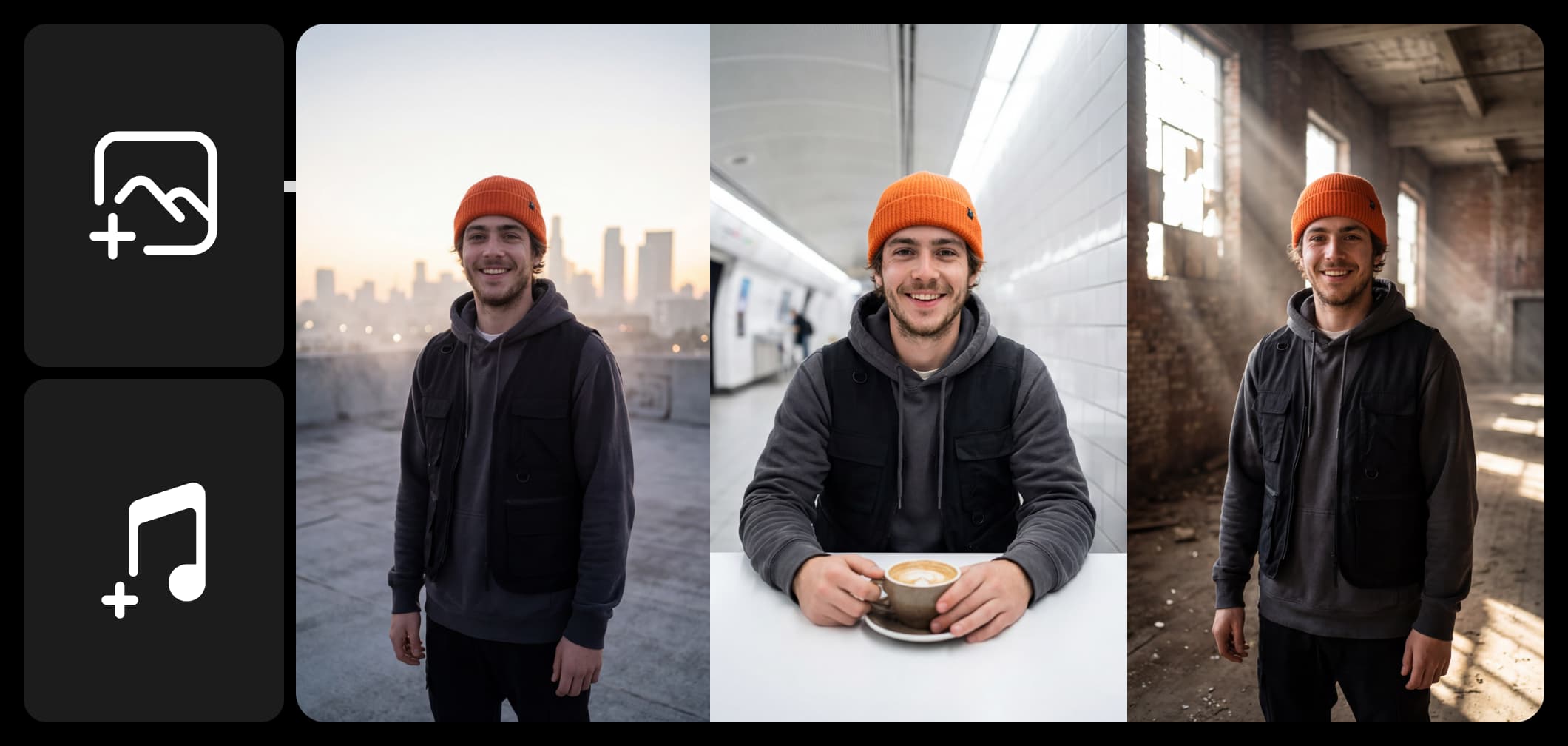
Keep the same characters across scenes
Kling Video O1 can use reference images to keep a character, product, or object consistent as you create new shots. Change the camera angle, movement, or scene, and the model works to preserve how your subject looks. You can also reference multiple characters or objects at once, making it easier to create a sequence without their appearance changing from shot to shot.
- Keep characters consistent across shots
Generate, edit, and continue your video
Video O1 goes beyond generating a new clip. Describe what you want to change - remove something from the shot, switch the background, restyle the scene, change the weather, or adjust an object - without manually masking or setting keyframes. You can also give it an existing video and generate the shot before or after it, or use the clip’s action or camera movement as a reference for something new.
- Continue a clip before or after its action
Using the latest Kling models in Picsart's AI Playground
Generate with the latest Kling models in Picsart's AI Playground, where one prompt runs against 150+ models, so you can explore different approaches to the same idea. Keep shaping the result - edit the scene, change specific details, or build on a video you’ve already created without starting over - on web, desktop, CLI, MCP, REST API, or SDK, with no third-party API keys or separate subscriptions.
Understand video model choices
Learn how to compare video models and choose an output.



Explore more models like Kling Video O1
Compare Kling Video O1 with other video and audio models for motion, sound, and campaign work.
Kling Video O1 Control FAQ
Kling Video O1 is a unified multimodal video model released on 1 December 2025. It covers five categories of skill - image and element reference, transformation, video reference, start and end frames, and text-to-video - adding up to 18 skills, all driven from a single prompt box.
Generate AI visuals with Kling 3.0 Omni
Pro
Most popularAI tools for everyday creative work.
Ultra
Most powerfulHeavy AI usage for creators & teams.
Enterprise
Custom AI solutions for large organizations.
- Volume discounts on credit rate
- On-demand top-ups
Generate AI visuals with Kling 3.0 Omni
Pro
Most popularAI tools for everyday creative work.
Ultra
Most powerfulHeavy AI usage for creators & teams.
Enterprise
Custom AI solutions for large organizations.
- Volume discounts on credit rate
- On-demand top-ups