Creative Scorer for better ads

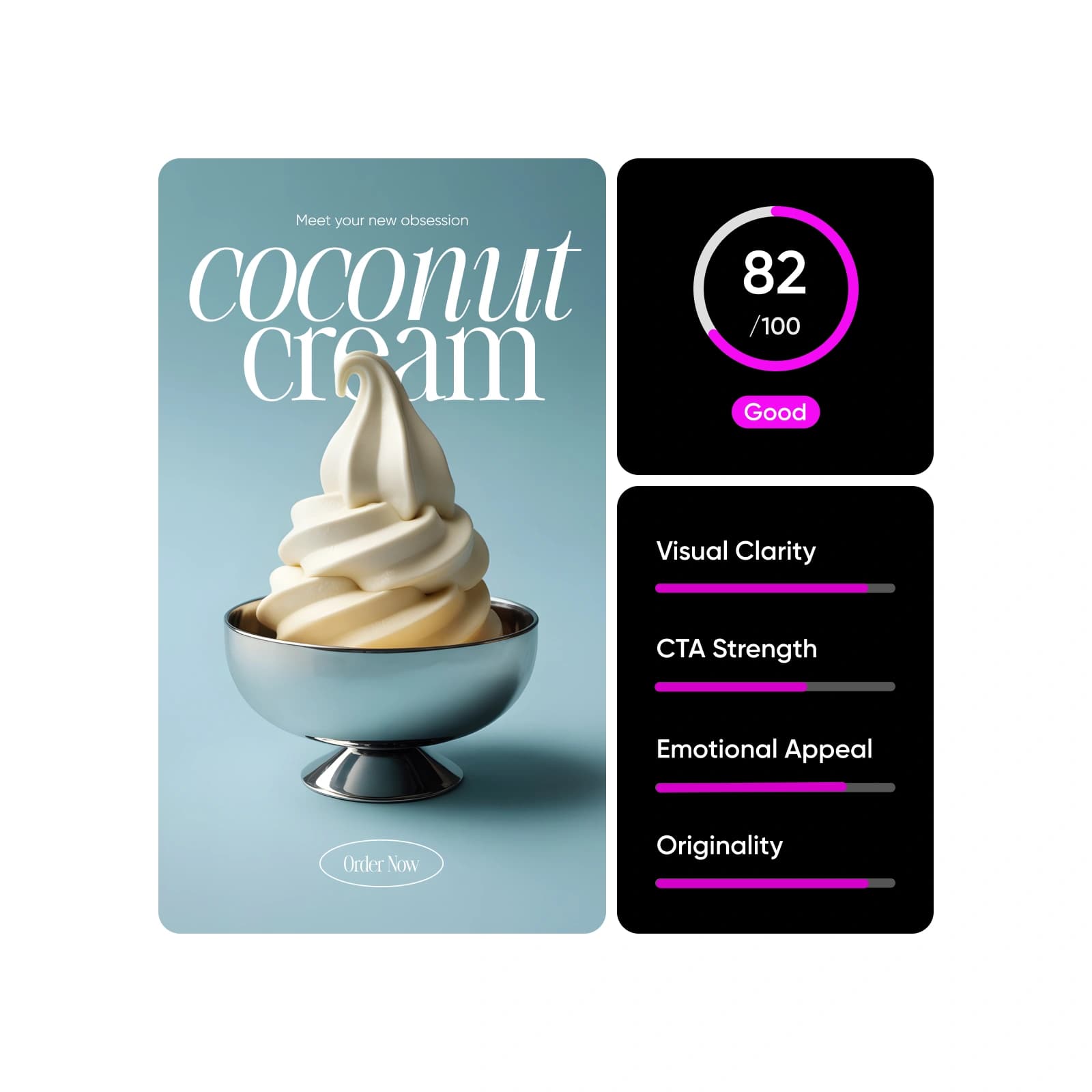
Optimize your ad performance with Creative Scorer - an AI creative analysis tool that scores your visuals, predicts engagement, and gives clear improvement tips.

Upload creative and add context
Upload or drag & drop an image or videoSupports images PNG, JPG, HEIC, WEBP up to 30MB and videos MP4, MOV, WebM up to 10MB
Ad copy or headline
Target audience
Campaign goal

How to use Creative Scorer

1

Upload your creative

Drop in an image or video to begin using this AI ad performance evaluator.

2

Add helpful context

3

Analyze your creative

4

Review insights and optimize


All the essentials for creative scoring

Discover the key features that make Creative Scorer an essential tool for fast, accurate, and marketer-ready creative analysis.

Creative Scorer FAQ

What is the Creative Scorer tool?

How does Creative Scorer work?

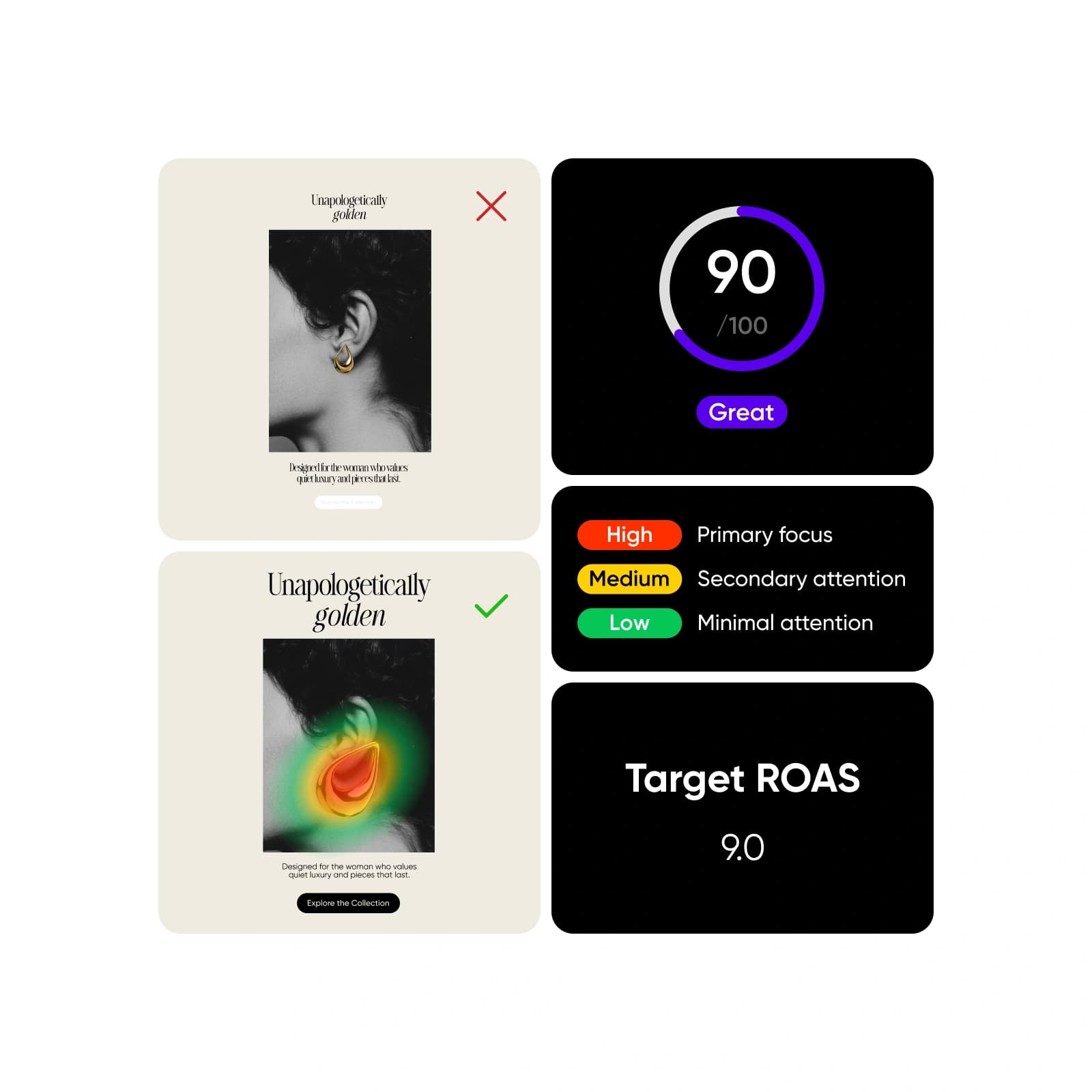
You upload your visual, and the tool instantly analyzes it using computer vision and marketing-focused AI models. It generates a performance score, breaks down factors like clarity and emotional appeal, displays attention heatmaps, and provides practical fixes for headlines, visuals, and CTAs - all within one workflow.

What types of ads can I test? How accurate is the scoring system?

You can test static ads across social platforms, banners, product promos, and any image-based creative. The scoring model is trained on large datasets that reflect real viewer behavior, giving you highly reliable, predictive guidance. While no tool can guarantee results, Creative Scorer closely mirrors how audiences respond in real-world scenarios.

Does it only analyze visuals, or does it consider text too?

It evaluates both. The tool checks visual hierarchy, contrast, and composition while also assessing headline clarity, readability, message placement, and how well text supports the intended action. This helps you optimize the full creative, not just the imagery.

Can I use Creative Scorer for non-ad creatives?

Yes. You can analyze posters, thumbnails, promo graphics, social visuals, and any creative where attention, clarity, or visual hierarchy matters. It’s useful whenever you want to understand how people will interpret your design.

How can Creative Scorer improve my ROI?

By identifying weaknesses before launch - like confusing text, weak CTAs, or poor visual hierarchy - you can fix issues early and avoid wasted spend. Higher-performing creatives typically drive stronger engagement, better CTRs, and more efficient budgets, giving your campaigns a higher return on investment.


Improve ads and creative before they go live

MOST POPULAR

Pro

AI tools for everyday creative work.

$15$10.5/mo
Billed yearly
012345678901234567890123456789credits/month
Add credits as needed
  • Access to all photo & video editing features
  • Advanced background & object removal
  • Parallel video generations with the world's most powerful AI video models
  • Unlimited image generations with Flex.2 Klein
  • 1-tap image enhancer
  • Millions of stock photos & Getty video clips
  • Selection of trendy fonts, text styles & stickers
  • Thousands of premium templates
  • Support for 3+ brand kits
  • Bulk edit up to 50 images at once
  • 100 GB of cloud storage
New features:
  • Auto-generate content from your terminal or agent with the Picsart CLI
  • Use Picsart inside Claude Code, Cursor, and ChatGPT via MCP — coming soon
  • AI agents for multi-step workflows and batch generation — coming soon

Ultra

Heavy AI usage for creators & teams.

$45$24.5/mo
Billed yearly, per seat
0123456789,012345678901234567890123456789credits/month
Add credits as needed
5x more usage than Pro
  • Everything in Pro
  • Early access to advanced AI features
  • Leading AI models to design & automate workflows (Nano Banana, Veo 3, Seedance 2.0 & more)
  • Parallel video generations with the world's most powerful AI video models
  • Unlimited image generations with Flex.2 Klein
  • Support for 10+ brand kits
  • Add team seats
  • Create ad variations and localize
  • Track ads performance
  • 2000 credits for API services
  • Bulk edit up to 100 images at once
  • 300 GB of cloud storage per seat
New features:
  • Auto-generate content from your terminal or agent with the Picsart CLI
  • Use Picsart inside Claude Code, Cursor, and ChatGPT via MCP — coming soon
  • AI agents for multi-step workflows and batch generation — coming soon

Enterprise

Custom AI solutions for large organizations.

Custom
Contact for pricing
Custom credit volume
  • Access to photo & video editor SDKs
  • Mobile web SDK support
  • Prepaid or pay-as-you-go creative APIs
  • Embed professional-grade editing into your product or workflow
  • Fully configurable editing experience
  • White-label to match your brand
  • Support for built-in marketing, e-commerce & printing use cases
  • Bring your own assets: images, templates & fonts
  • Enterprise-grade security, SLAs & support
  • Dedicated account manager