1. Home
  2. Variation Generator

Bulk creation made simple with Picsart’s Variation Generator

Create designs in bulk with Picsart’s Variation Generator - a powerful creative automation tool for automated content creation. Bulk generate images from data, streamline workflows and scale ad variations automatically. Ideal for marketing teams and e-commerce businesses looking to save time and boost output without manual design work.
Bulk create now
Variation generator
Icon for bulk image creation

Bulk create from data

Upload a CSV, Excel file or product URLs to bulk create images, banners and marketing visuals - perfect for data-driven creative automation.

Icon for automation

Automate creative variations

Skip repetitive edits by generating design versions in seconds for ecommerce, print and campaigns - all while keeping layout and branding consistent.

Icon for a/b test

Scale ad and social visuals

Quickly generate creative variations for ads and social media. Ideal for A/B testing and publishing across multiple platforms.


How to bulk create visual variations using data

1

Select your design

Choose or design a template tailored to your campaign’s specific needs.
2

Choose your variation method

3

Upload or provide data

4

Link data points to design elements

5

Automate design generation

6

Download and deploy

How to bulk create visual variations using data
You are the designer. Design more.
Generate AI imagesCreate AI artworkGenerate AI adsDesign marketing assetsLocalize your designsGenerate AI backgroundsCreate brand assetsTry AI mockupsGenerate AI text contentTry AI text stylesCreate social media contentEdit designs with AIExplore all AI tools

Use Picsart anywhere

Install the app, or bring Picsart into the AI workspaces your team already uses.

Use Picsart with

  • ChatGPT / Codex
  • Claude
  • Terminal
  • Cursor
  • OpenClaw
  • Hermes

Download the app

Download on the App StoreGET IT ON Google PlayGet it from Microsoft

Follow Picsart

Pinterest
AICPA SOC

Create

  • AI Image Generator
  • AI Video Generator
  • AI Playground
  • Flow
  • AI Photo Editor
  • AI Video Editor
  • AI Agents
  • Content Library
  • AI Models

Creators

  • Earn with Picsart
  • Earn campaigns
  • Clipping
  • For Brands
  • Video Studio
  • Tutorials
  • Challenges

Connect

  • ChatGPT / Codex
  • MCP setup
  • Command line
  • Developers
  • Google Drive

Business

  • Pricing
  • Enterprise
  • Industries
  • Quicktools

Company

  • Support
  • Careers
  • About us
  • Blog
  • Press Center
Terms of UsePrivacy PolicyInternet-Based AdvertisingCommunity GuidelinesDMCASecurity PolicyAccessibility
© 2026 PicsArt, Inc.

Variation Generator in action

Follow along with this detailed tutorial from Picsart’s YouTube channel to master your bulk editing skills. Start creating variations now with expert guidance that breaks down every step of the process.


Bulk create from data

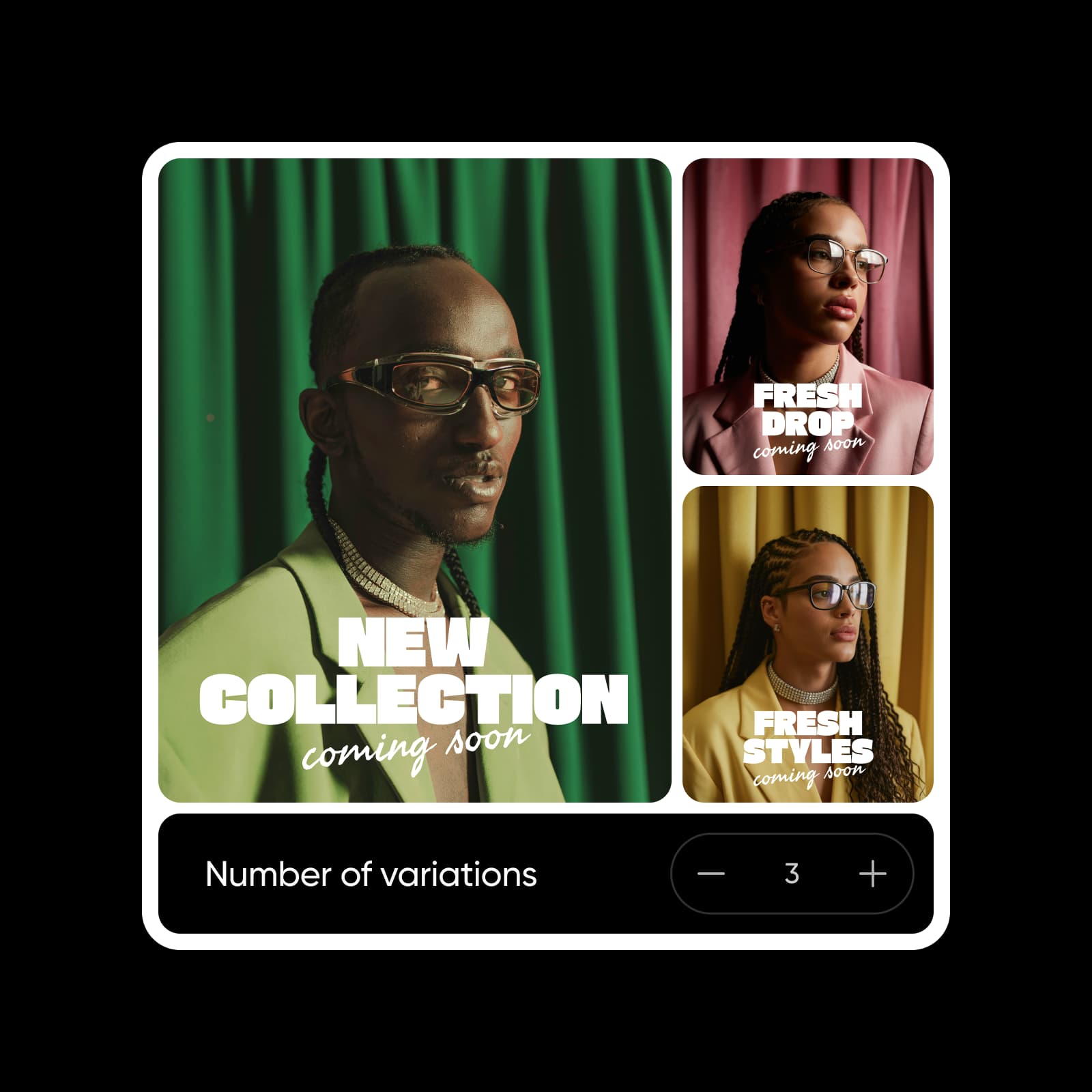
Instantly bulk generate designs from CSV/XLSX, directly linking to your designs. Create image variations and bulk personalized assets for e-commerce visuals, company business cards, real estate flyers, restaurant menus, employee badges, event invites and more, dramatically cutting manual production time.
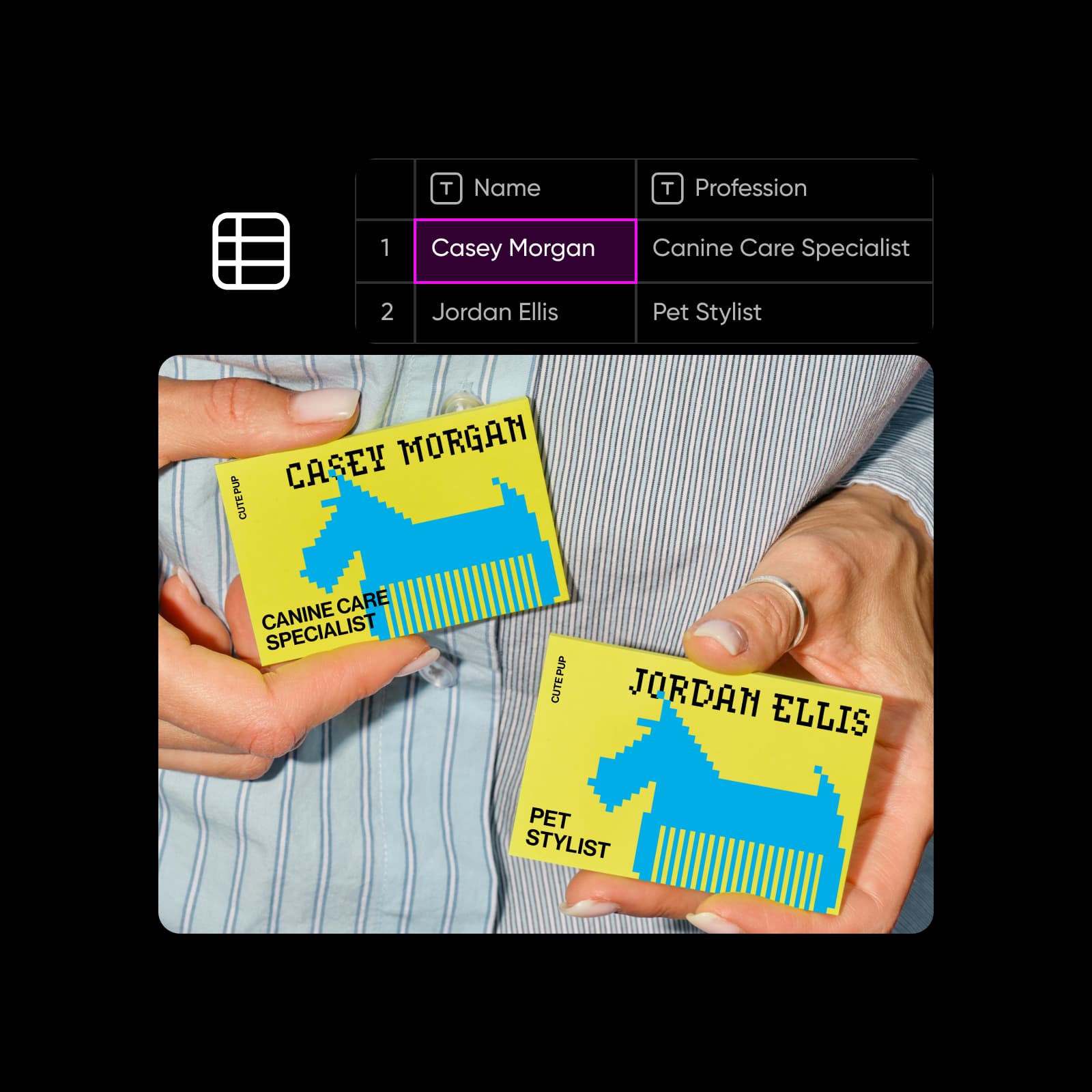
Bulk image creation from data

Bulk create from URLs

Effortlessly turn product links into ready-to-use visuals by automatically extracting images, prices, descriptions, and details. Ideal for scaling assets creation for product ads, digital catalogs, real estate listings, online storefront visuals, PPC ad campaigns, and social media content.
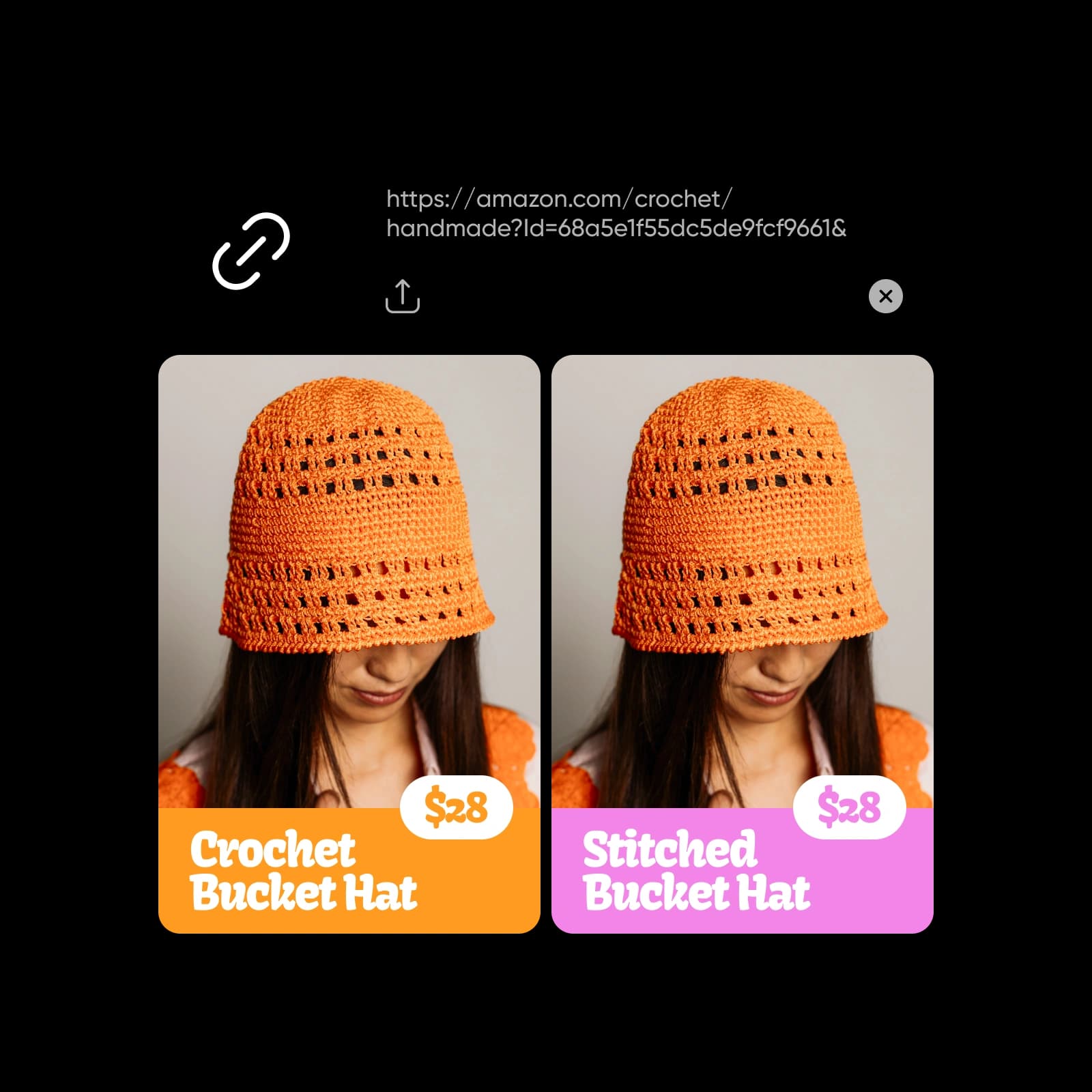
bulk image creation from urls

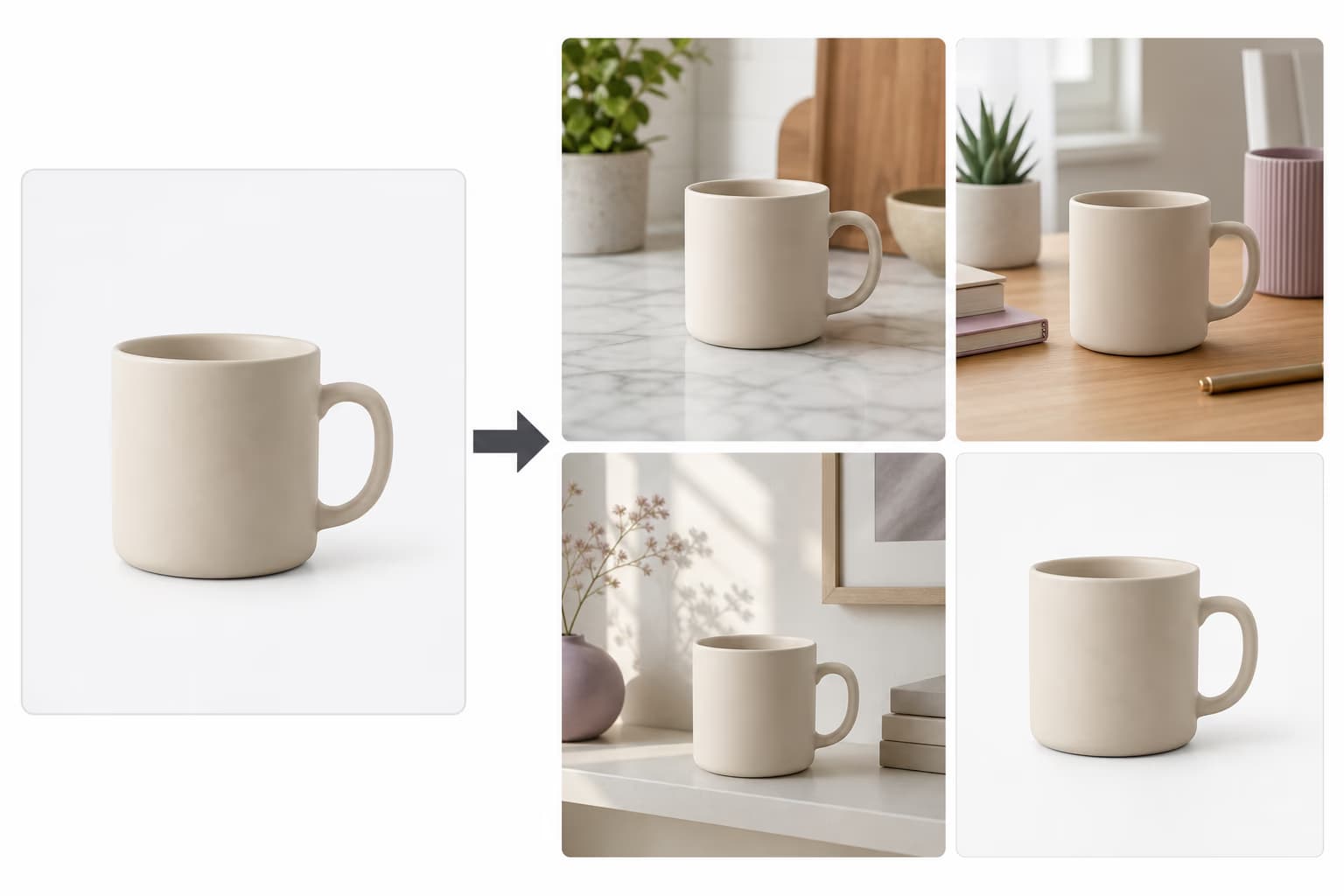
Remix image variations

Quickly scale ad variations automatically by using AI to intelligently remix your existing elements into fresh variations. Perfect for social media posts, ad creatives for A/B testing, content repurposing, digital signage, marketing collateral, and dynamic promotions.
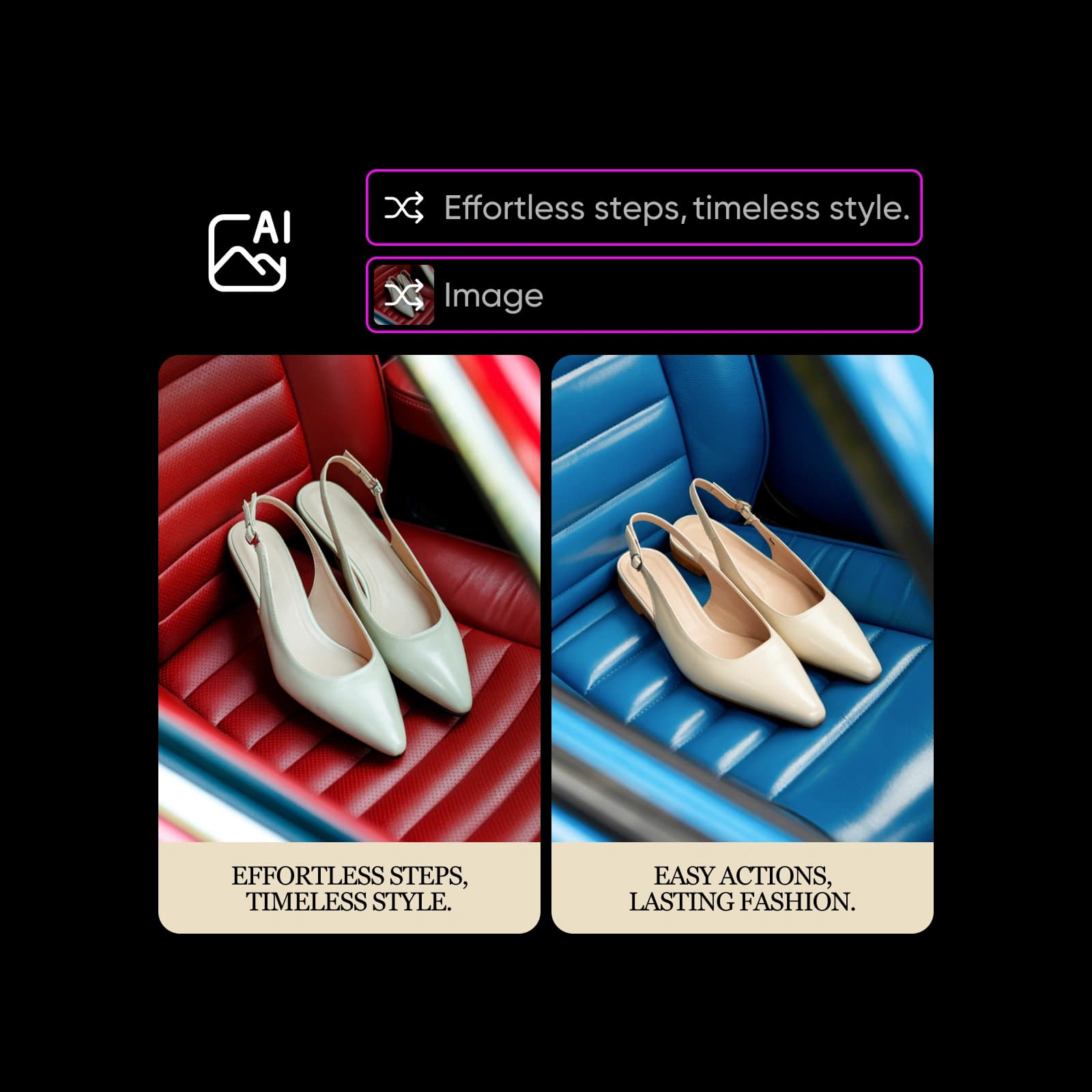
Remix image variations

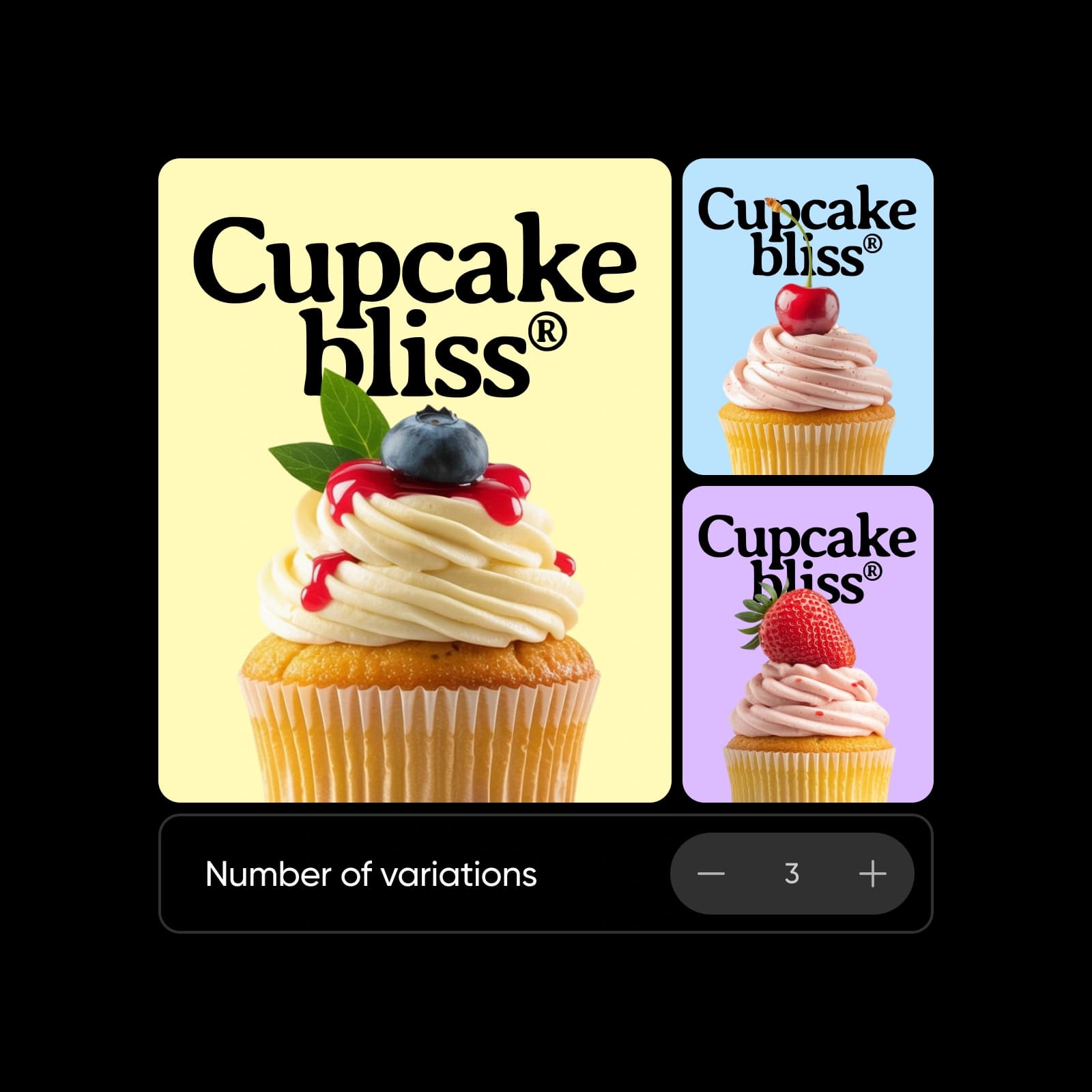
Bulk create via customizing  tone and palette

Maintain brand consistency and creatively automate ad creative variations by adjusting designs with your chosen tone of voice and brand colors. Great for A/B testing assets,  localized marketing campaigns, personalized emails, multi-channel ad assets, app store graphics and branded certificates or awards.
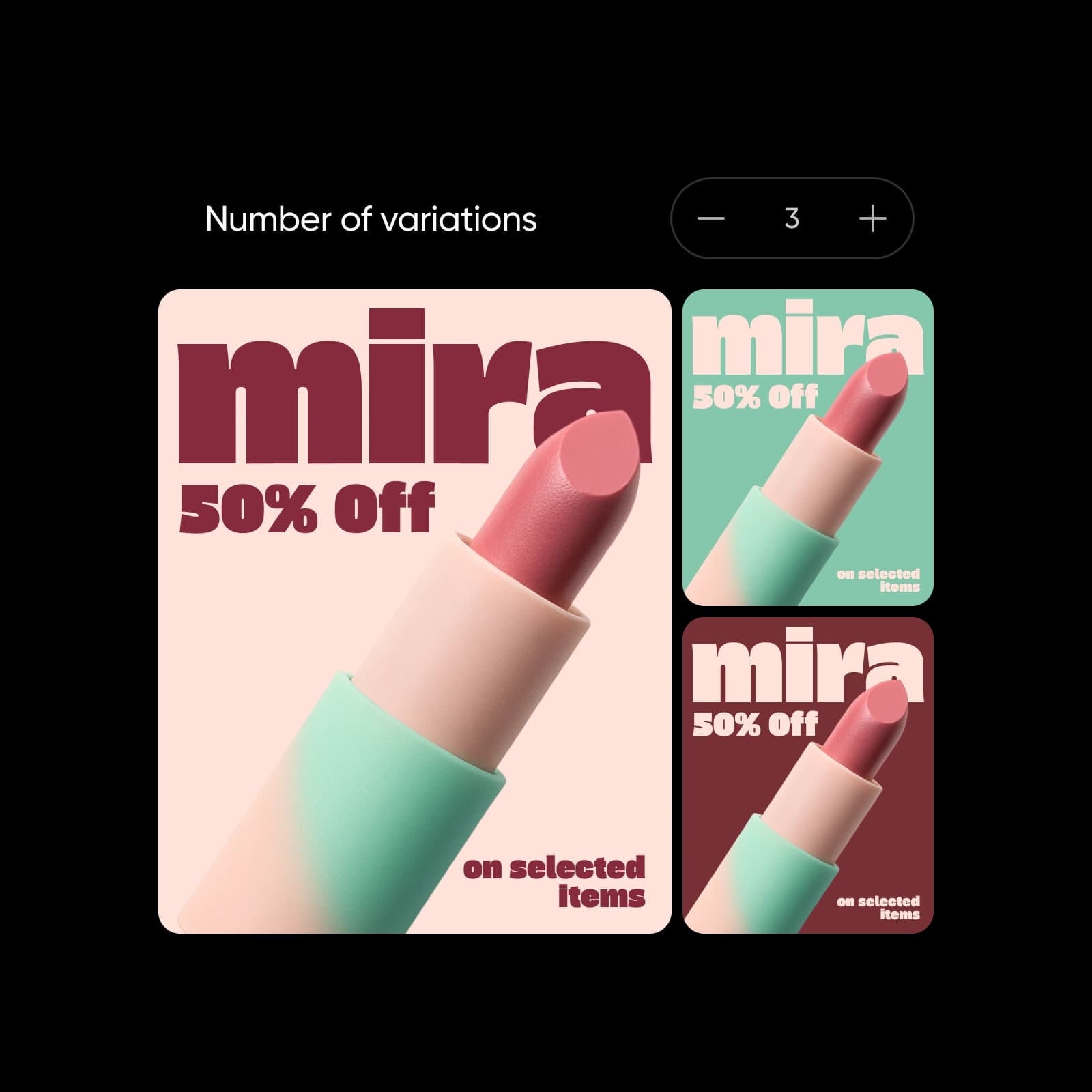
Bulk create images with different color palettes

One-stop bulk creation for various cases

Find all necessary tools for automated bulk content creation and explore all opportunities in one convenient interface.

Social media marketing

Create multiple post versions quickly for diverse channels.

E-commerce visuals

Generate personalized product visuals at scale.

A/B testing

Rapidly create ad variations for effective testing.

Advertising & PPC

Instantly produce bulk ad creatives for digital campaigns.

Personalized email

Automate visuals tailored for email campaigns.

Creative agencies

Deliver diverse client assets swiftly and easily.

Event promotion

Mass-create event visuals adapted to each channel.

Content repurposing

Remix existing visuals effortlessly into new assets.

Company business cards

Generate branded cards for all employees at once.

Real estate flyers

Automatically populate flyers with property details.

Restaurant menu updates

Update menu visuals instantly from menu item data.

Custom invitations

Quickly create invitations personalized from attendee lists.

Conference badges

Automate badge personalization for large events.

Certificates & awards

Mass-generate personalized course or workshop certificates.

Employee ID badges

Bulk create employee badges with consistent branding.

Catalog production

Populate catalogs instantly from product databases.


AI Variation Generator FAQ

Creative automation refers to the use of technology to automate repetitive creative tasks, such as bulk creating design variations, allowing teams to scale asset creation efficiently.

Picsart's Variation Generator is a creative automation tool designed to bulk create visual assets and automate image variations using data-driven inputs like spreadsheets or templates.

Yes, you can easily upload a CSV or Excel file to bulk generate images from data instantly with Picsart’s Variation Generator.

Absolutely. The tool is built specifically for automating content creation and effortlessly scaling assets creation.

Yes, the Variation Generator allows you to bulk generate personalized assets , perfect for tailored marketing campaigns and audience-specific assets.

Yes, you can automatically scale ad variations for efficient A/B testing and multi-platform campaigns using the Variation Generator.

You can bulk create banners, ads, social media posts, e-commerce visuals, and personalized marketing assets.

Yes, the tool is ideal for businesses looking for creative automation for ecommerce, it helps bulk create assets in seconds and streamlines the creative operations.

You can use any images, graphics, or designs to bulk create visuals automatically.

Picsart offers advanced bulk content creation features available through premium subscription.

More tools to love

Design Localization

Design Localization

Transform a single asset into high-performing, localized creative assets without extra tools or delays in seconds.

resize image

Resize Image

Switching between different layouts isn’t a time-consuming hassle anymore.

Picsart AI Ad Maker: The all-in-one ad maker platform

AI Ad Maker

Create ads, optimize performance, and scale campaigns using smart tools built to deliver results.

PricingSave big

Generate fresh options for every concept

Pro

Most popular

AI tools for everyday creative work.

$15 $10.5/mo
Billed yearly
You save $54 with yearly
  • Access to all photo & video editing features
  • Advanced background & object removal
  • Parallel video generations with the world's most powerful AI video models
  • Unlimited image generations with Flex.2 Klein
  • 1-tap image enhancer
  • Millions of stock photos & Getty video clips
  • Selection of trendy fonts, text styles & stickers
  • Thousands of premium templates
  • Support for 3+ brand kits
  • Bulk edit up to 50 images at once
  • 100 GB of cloud storage
New features:
  • Auto-generate content from your terminal or agent with the Picsart CLI
  • Use Picsart inside Claude Code, Cursor, and ChatGPT via MCP — coming soon
  • AI agents for multi-step workflows and batch generation — coming soon

Ultra

Most powerful

Heavy AI usage for creators & teams.

$45 $24.5/mo
Billed yearly, per seat
You save $246 with yearly
  • Everything in Pro
  • Early access to advanced AI features
  • Leading AI models to design & automate workflows (Nano Banana, Veo 3, Seedance 2.0 & more)
  • Parallel video generations with the world's most powerful AI video models
  • Unlimited image generations with Flex.2 Klein
  • Support for 10+ brand kits
  • Add team seats
  • Create ad variations and localize
  • Track ads performance
  • 2000 credits for API services
  • Bulk edit up to 100 images at once
  • 300 GB of cloud storage per seat
New features:
  • Auto-generate content from your terminal or agent with the Picsart CLI
  • Use Picsart inside Claude Code, Cursor, and ChatGPT via MCP — coming soon
  • AI agents for multi-step workflows and batch generation — coming soon

Enterprise

Custom AI solutions for large organizations.

Custom credit volume
  • Volume discounts on credit rate
  • On-demand top-ups
Custom
Contact for pricing
  • Access to photo & video editor SDKs
  • Mobile web SDK support
  • Prepaid or pay-as-you-go creative APIs
  • Embed professional-grade editing into your product or workflow
  • Fully configurable editing experience
  • White-label to match your brand
  • Support for built-in marketing, e-commerce & printing use cases
  • Bring your own assets: images, templates & fonts
  • Enterprise-grade security, SLAs & support
  • Dedicated account manager

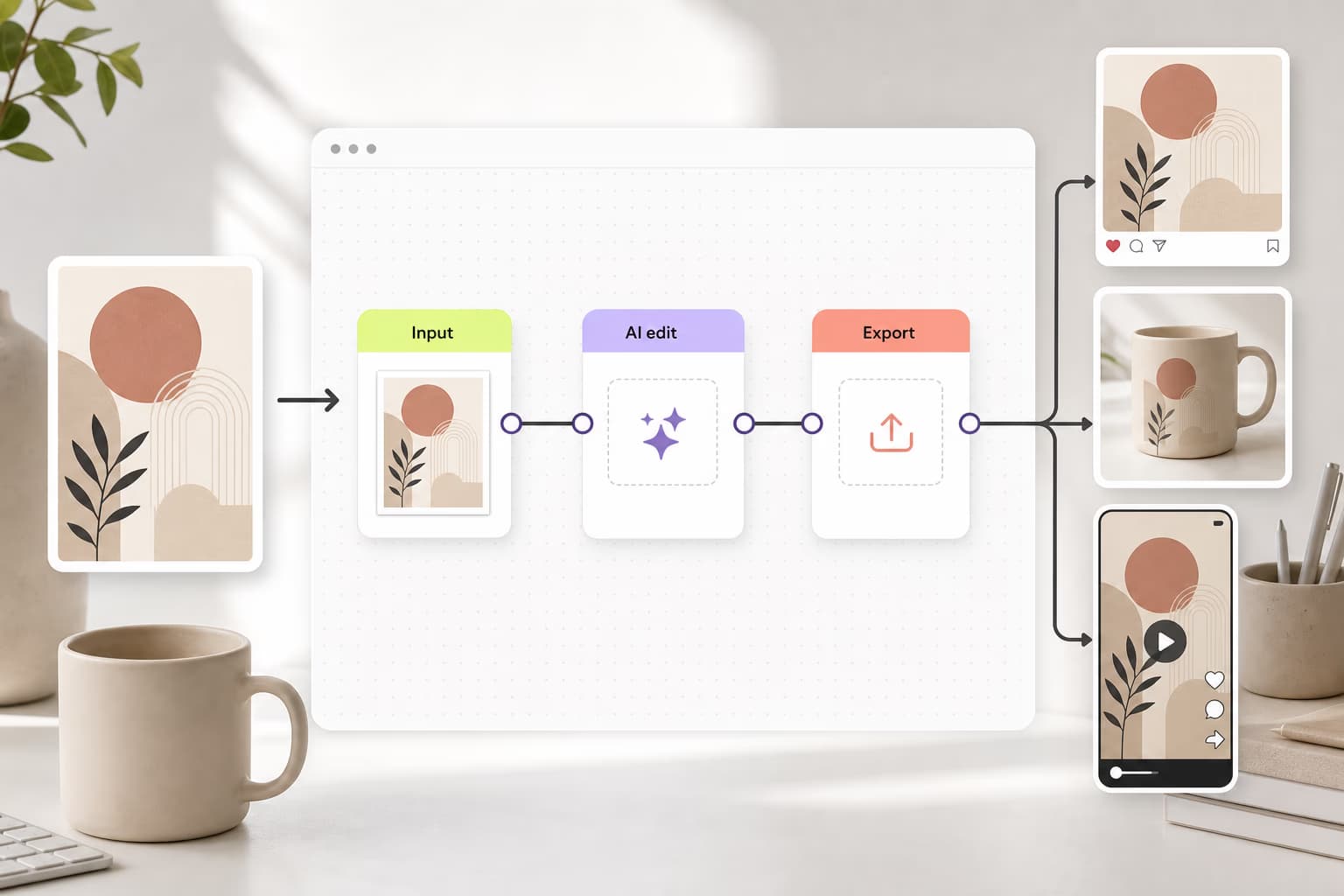
Learn workflow building

Learn how to connect tools, steps, and outputs.
How to build your first AI workflow in Picsart Flow preview
Workflows

How to build your first AI workflow in Picsart Flow

4 minIntermediate
How to create a TikTok content machine workflow in Picsart Flow preview
Workflows

How to create a TikTok content machine workflow in Picsart Flow

5 minIntermediate
Workflows

How to build a brand identity kit workflow in Picsart Flow

5 minAdvanced
How to create a product shot studio workflow in Picsart Flow preview
Workflows

How to create a product shot studio workflow in Picsart Flow

4 minIntermediate
How to share and reuse workflows with your team in Picsart Flow preview
Workflows

How to share and reuse workflows with your team in Picsart Flow

3 minBeginner
Workflows

How to localize creative campaigns for 10+ countries with AI workflows

8 minAdvanced
Workflows

Create professional AI headshots for any occasion instantly

4 minBeginner
Workflows

Turn a rough sketch into a finished design with Picsart Flow

8 minAdvanced
Workflows

How to make AI CGI product ads with Picsart Flow

4 minIntermediate
Workflows

How to replace multiple AI tools with 1 Picsart Flow workflow

5 minIntermediate
Workflows

How to make YouTube thumbnails that get clicks with AI

4 minIntermediate
Workflows

How to make realistic AI UGC ads with Picsart Flow

5 minAdvanced
Workflows

How to make an AI fashion photoshoot with Picsart Flow

5 minAdvanced
Workflows

How to create 50 ad variations with AI workflows

4 minAdvanced
Workflows

Resize one asset for every social format with AI workflows

4 minIntermediate
How to run batch processing workflows with Picsart Flow preview
Workflows

How to run batch processing workflows with Picsart Flow

4 minBeginner
Workflows

How to replace stock photos in articles with custom AI visuals

4 minIntermediate
How to create a rotating product showcase video from one photo preview
Workflows

How to create a rotating product showcase video from one photo

4 minIntermediate
How to make before-and-after transformation collages with AI preview
Workflows

How to make before-and-after transformation collages with AI

4 minIntermediate
Workflows

How to turn one product photo into a full asset pack with AI

4 minIntermediate
Workflows

How to turn rough ideas into prompts and shot lists with Picsart Flow Copilot

4 minIntermediate
How to create die-cut sticker animations from photos with Picsart Flow preview
Workflows

How to create die-cut sticker animations from photos with Picsart Flow

3 minBeginner
How to create a logo reveal animation for a small business with Picsart Flow preview
Workflows

How to create a logo reveal animation for a small business with Picsart Flow

4 minBeginner
How to batch-create skincare ad creatives with Picsart Flow templates preview
Workflows

How to batch-create skincare ad creatives with Picsart Flow templates

4 minIntermediate
How to design a printable kids coloring book cover with AI preview
Workflows

How to design a printable kids coloring book cover with AI

4 minIntermediate
How to create a travel vlog thumbnail with AI in Picsart Flow preview
Workflows

How to create a travel vlog thumbnail with AI in Picsart Flow

4 minIntermediate
How to relight product photos with AI for better catalog images preview
Workflows

How to relight product photos with AI for better catalog images

4 minIntermediate
How to create logo and brand mockups with AI preview
Workflows

How to create logo and brand mockups with AI

5 minIntermediate
How to preview out-of-home ad mockups with AI preview
Workflows

How to preview out-of-home ad mockups with AI

4 minBeginner
How to turn product photos into campaign moodboards with AI preview
Workflows

How to turn product photos into campaign moodboards with AI

4 minIntermediate
How to extract fashion color palettes from photos with AI preview
Workflows

How to extract fashion color palettes from photos with AI

3 minBeginner
How to create we're-open business flyers with AI preview
Workflows

How to create we're-open business flyers with AI

4 minIntermediate
How to turn outfit photos into style breakdown collages with AI preview
Workflows

How to turn outfit photos into style breakdown collages with AI

4 minIntermediate
How to turn travel photos into short vlogs with AI preview
Workflows

How to turn travel photos into short vlogs with AI

3 minBeginner
How to batch-create product ad creatives from multiple photos with AI preview
Workflows

How to batch-create product ad creatives from multiple photos with AI

4 minIntermediate
Workflows

How to plan complete outfits with AI Stylist

3 minBeginner
Workflows

How to create a month of branded content with Flow

5 minIntermediate
How to create product reveal videos with AI templates preview
Workflows

How to create product reveal videos with AI templates

3 minBeginner
How to create ASMR eating videos with AI templates preview
Workflows

How to create ASMR eating videos with AI templates

3 minBeginner
Workflows

Create a month of LinkedIn posts from your founder story with AI

5 minIntermediate
Workflows

Animate your photos with AI motion effects in seconds

4 minBeginner
Create product assembly animations from a single image preview
Workflows

Create product assembly animations from a single image

4 minBeginner
Create beauty product reels with polished transitions and pacing preview
Workflows

Create beauty product reels with polished transitions and pacing

4 minBeginner
How to create data infographics with Picsart Flow preview
Workflows

How to create data infographics with Picsart Flow

4 minIntermediate
How to design email campaigns with Picsart Flow preview
Workflows

How to design email campaigns with Picsart Flow

5 minIntermediate
How to bulk edit PDF pages with Picsart Flow preview
Workflows

How to bulk edit PDF pages with Picsart Flow

4 minIntermediate
How to turn PDFs into social carousels with Picsart Flow preview
Workflows

How to turn PDFs into social carousels with Picsart Flow

5 minAdvanced
Workflows

How to keep AI characters consistent across images with Picsart Flow

4 minIntermediate
Workflows

How to create coordinated projects with Picsart Aura AI agent

5 minIntermediate
See all tutorials