1. Home
  2. Batch Editor

Batch Photo Editor: Edit Multiple Photos at Once

Edit, enhance, and export a whole batch of photos at once with the Picsart batch photo editor. Crop, resize, remove and replace backgrounds, apply filters and effects, add watermarks, and AI-enhance up to 50 images in a single pass, and apply one look across the set or different settings to each image without leaving the tool.

Start batch editing
batch photo editor
Faster editing

Edit in bulk, not one by one

Crop, resize, remove backgrounds, apply effects, and AI-enhance up to 50 photos in one pass.

all-in-one batch editing

AI built into every step

Generate AI backgrounds, enhance quality, and remove backgrounds across a whole batch in seconds.

Consistent results for every image

Control every image

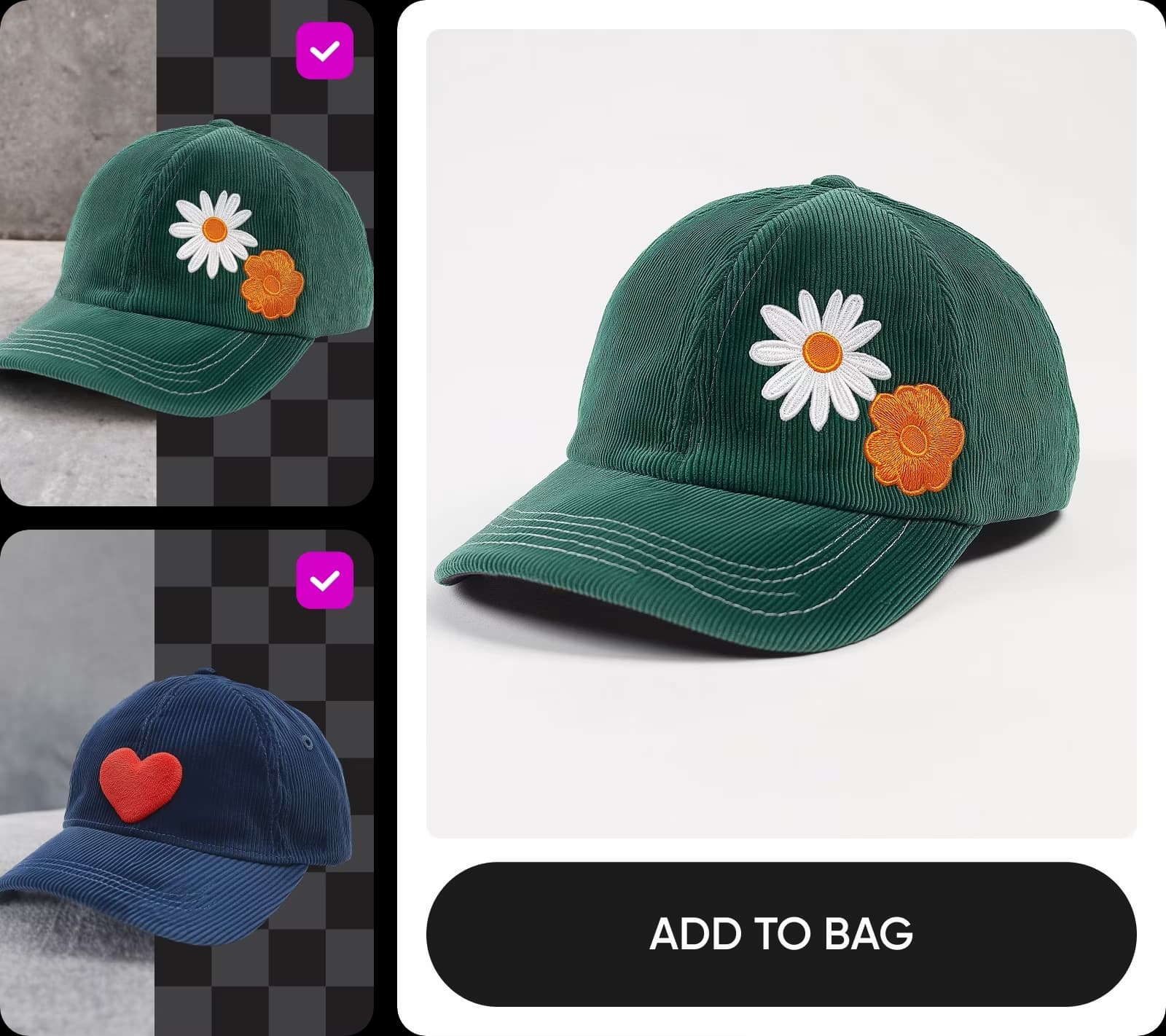
Give different photos different settings in one batch - just select which images each edit applies to.

Multiple images, multiple outcomes.
Batch enhance photosBatch resize imagesBatch crop photosRemove backgrounds in bulkEdit single photosAdd watermarks to photosEnhance photo qualityProcess photos for webEdit product photosTry AI photo editingResize for InstagramExplore all editing tools

Use Picsart anywhere

Install the app, or bring Picsart into the AI workspaces your team already uses.

Use Picsart with

  • ChatGPT / Codex
  • Claude
  • Terminal
  • Cursor
  • OpenClaw
  • Hermes

Download the app

Download on the App StoreGET IT ON Google PlayGet it from Microsoft

Follow Picsart

Pinterest
AICPA SOC

Create

  • AI Image Generator
  • AI Video Generator
  • AI Playground
  • Flow
  • AI Photo Editor
  • AI Video Editor
  • AI Agents
  • Content Library
  • AI Models

Creators

  • Earn with Picsart
  • Earn campaigns
  • Clipping
  • For Brands
  • Video Studio
  • Tutorials
  • Challenges

Connect

  • ChatGPT / Codex
  • MCP setup
  • Command line
  • Developers
  • Google Drive

Business

  • Pricing
  • Enterprise
  • Industries
  • Quicktools

Company

  • Support
  • Careers
  • About us
  • Blog
  • Press Center
Terms of UsePrivacy PolicyInternet-Based AdvertisingCommunity GuidelinesDMCASecurity PolicyAccessibility
© 2026 PicsArt, Inc.

How to use the batch photo editor

1

Open Batch Editor

Click Select File to open the batch editor.

2

Upload images

3

Edit photos

4

Save

how to edit images in batches

Automate your editing workflow with the Batch Editor

Handle repetitive edits across dozens of photos in one move. Cropping, resizing, and adjusting images one by one eats hours, so the Picsart batch photo editor applies your changes to up to 50 photos at once and gets the busywork done in a single pass.

workflow automation with bulk editing

Remove and replace backgrounds in bulk

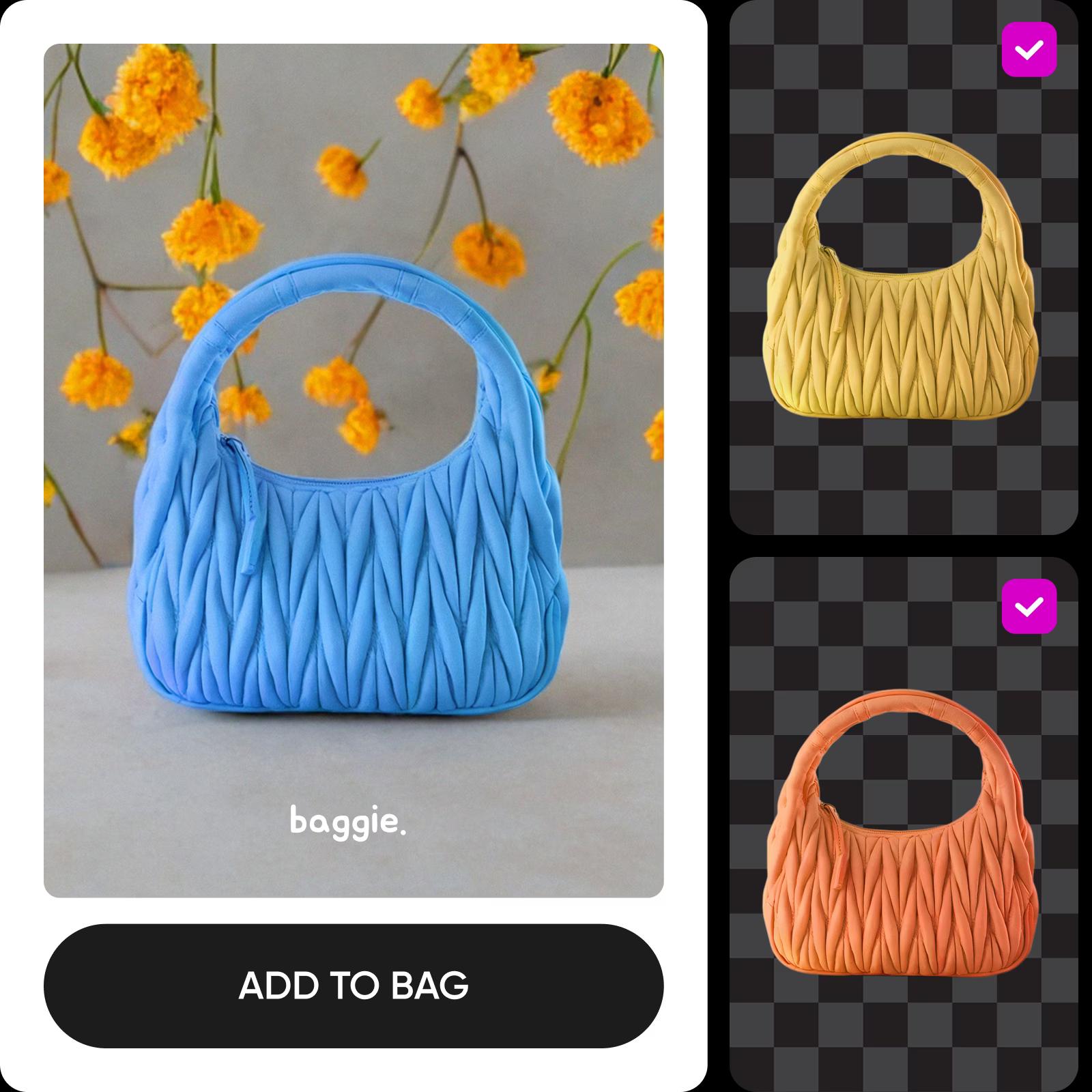
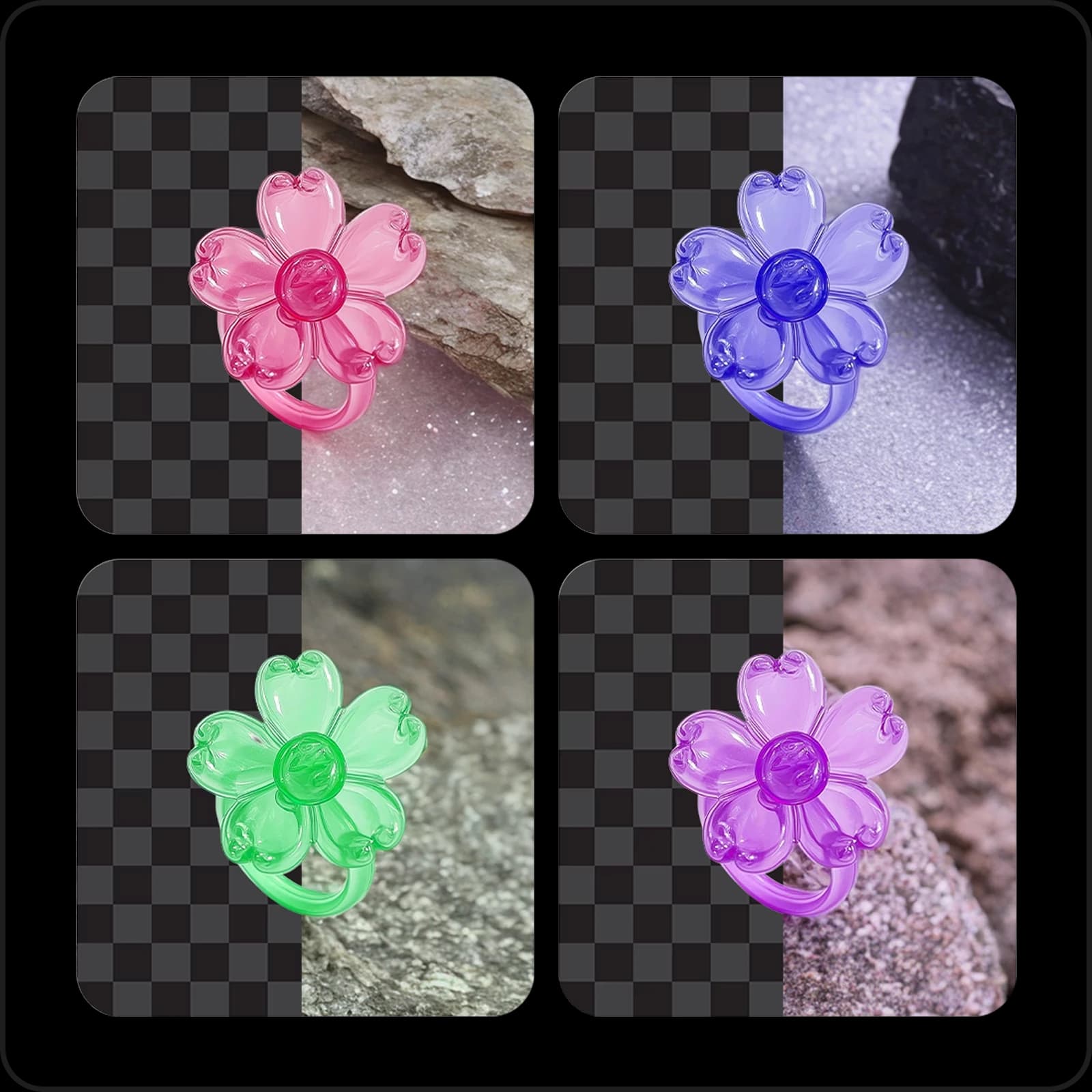
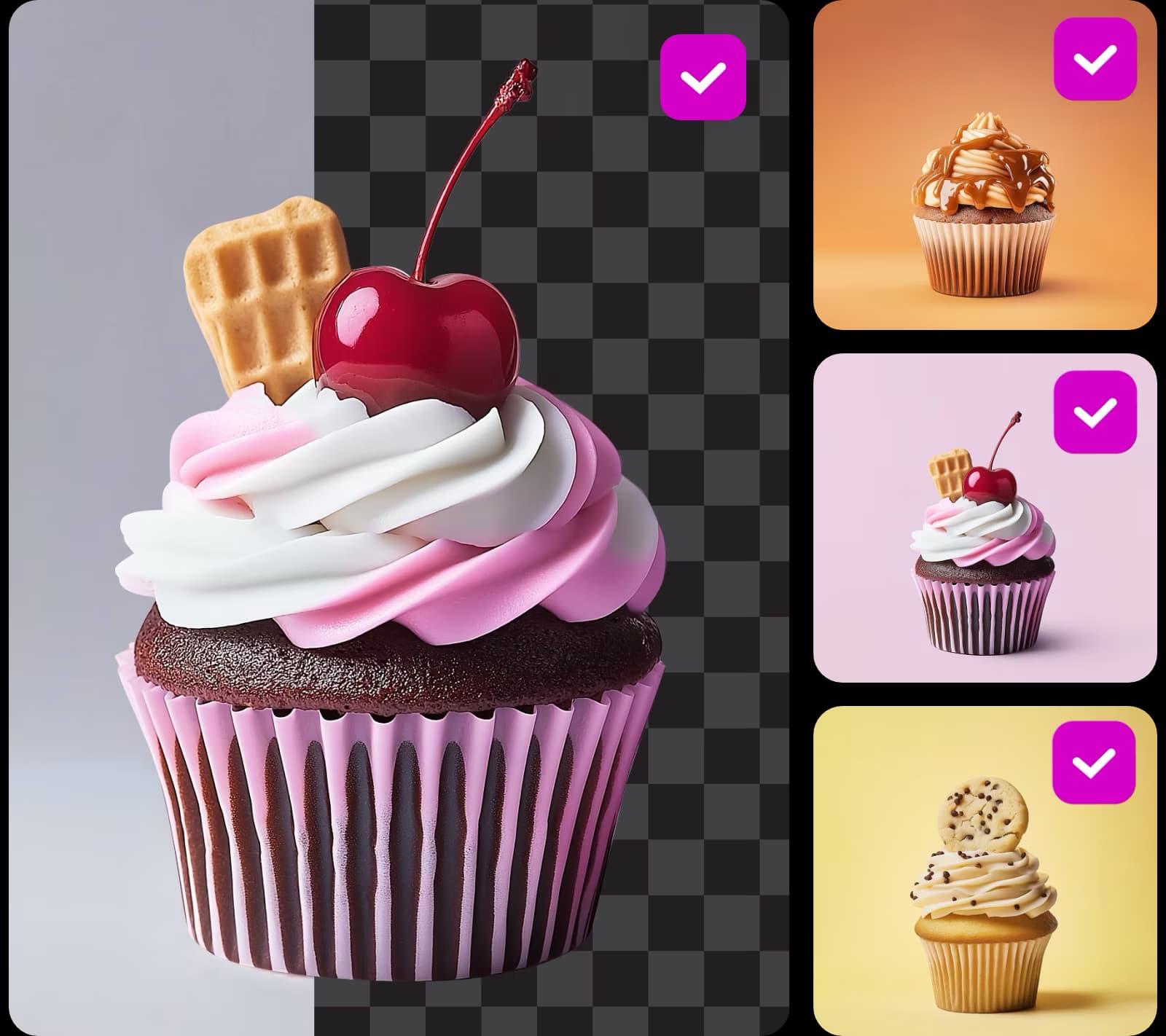
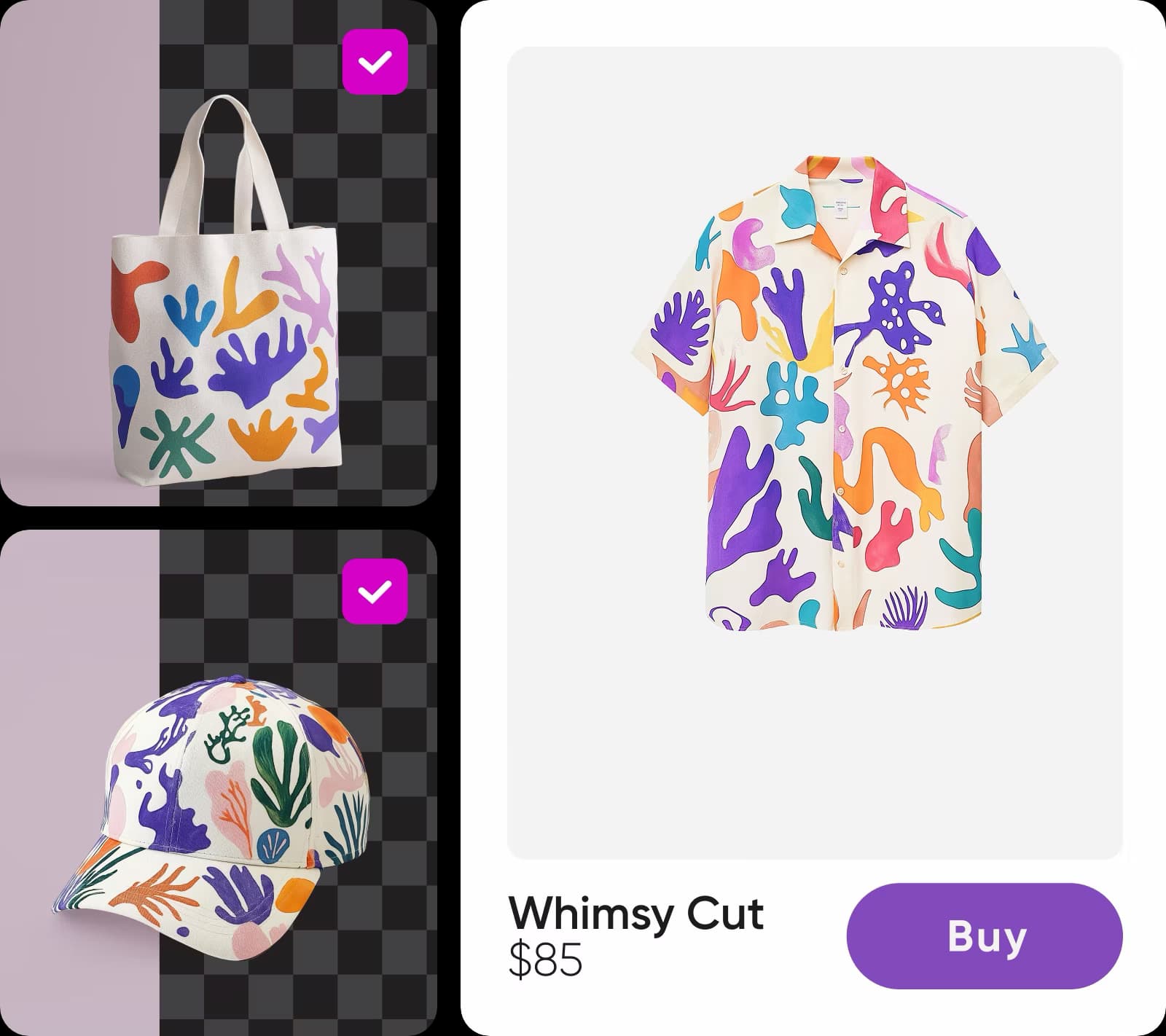
Polish images for social and e-commerce with the built-in bulk background remover. AI erases backgrounds across your whole batch automatically, for people or objects, with high accuracy. Replace them with a transparent background, a solid color, an AI-generated backdrop, or a shadow or minimalist style from the built-in library, then use the Position controls to move, scale, and rotate your subject until it sits exactly right. 

batch background removal

Generate professional AI backgrounds in bulk

Transform an entire photoshoot in seconds with AI background generation, now front and center with a redesigned, easy-to-find action. Pick a suggested AI style and create studio-quality backdrops with a consistent look across every image, whether you need professional headshots or product shots that make your subjects stand out.

Generate professional AI backgrounds in bulk

Improve image quality simultaneously

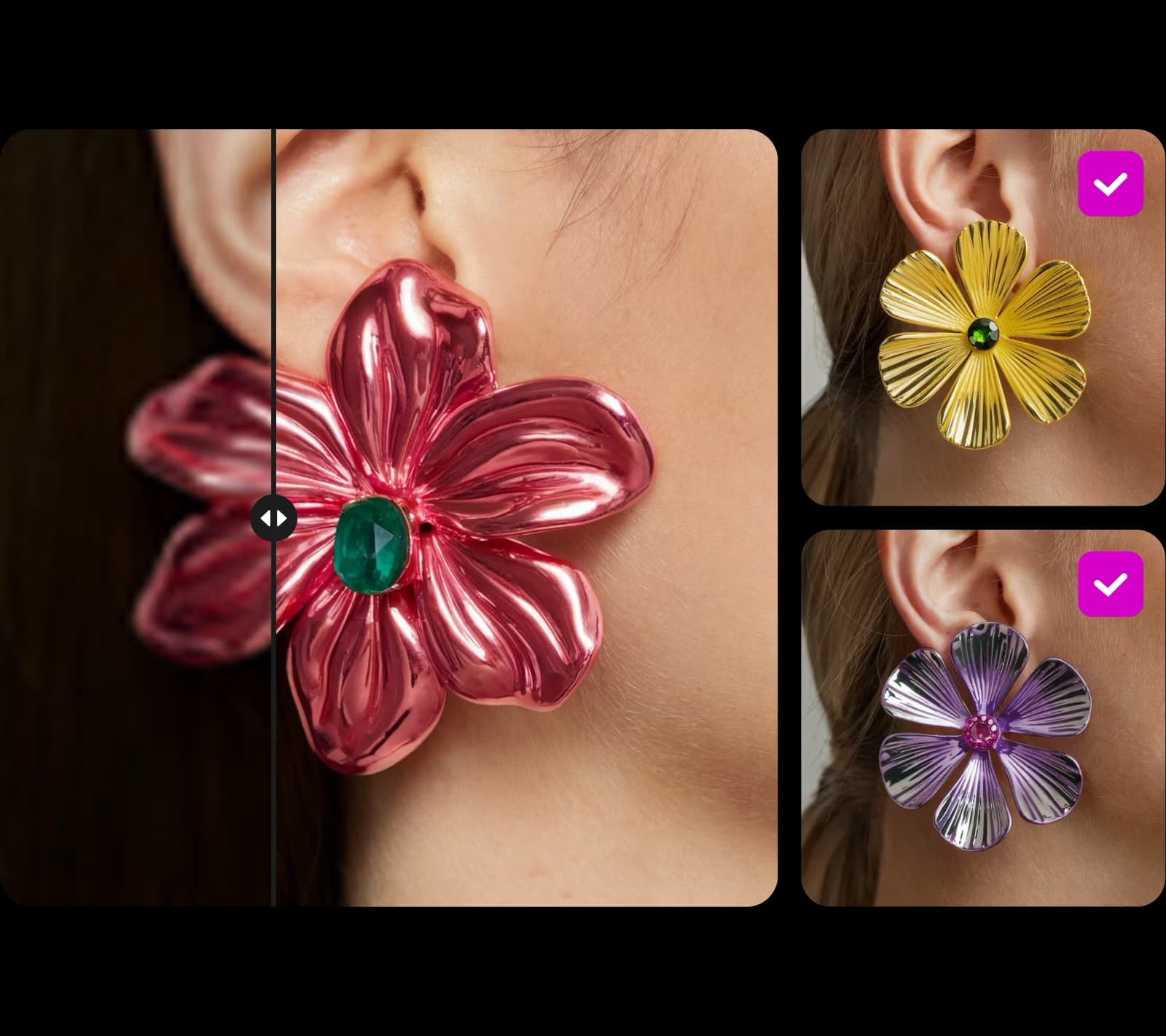
Give blurry or pixelated photos a second life with the built-in AI enhancer. One click enhances your whole batch, ideal for product and real estate listings, carousel posts, and anywhere image quality matters. The AI handles the rest.

improve image quality in batches

Flip, crop, and rotate up to 50 photos

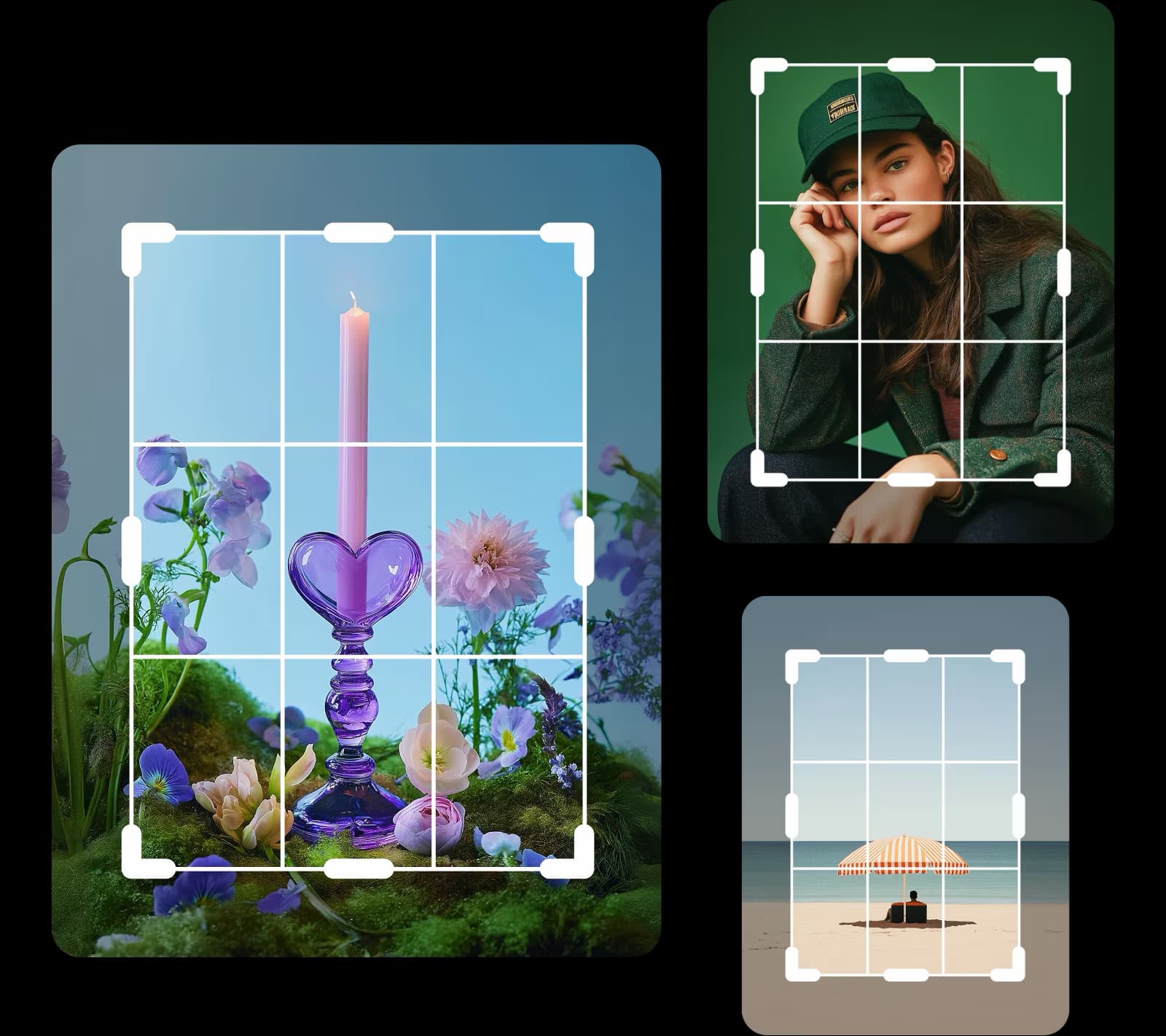
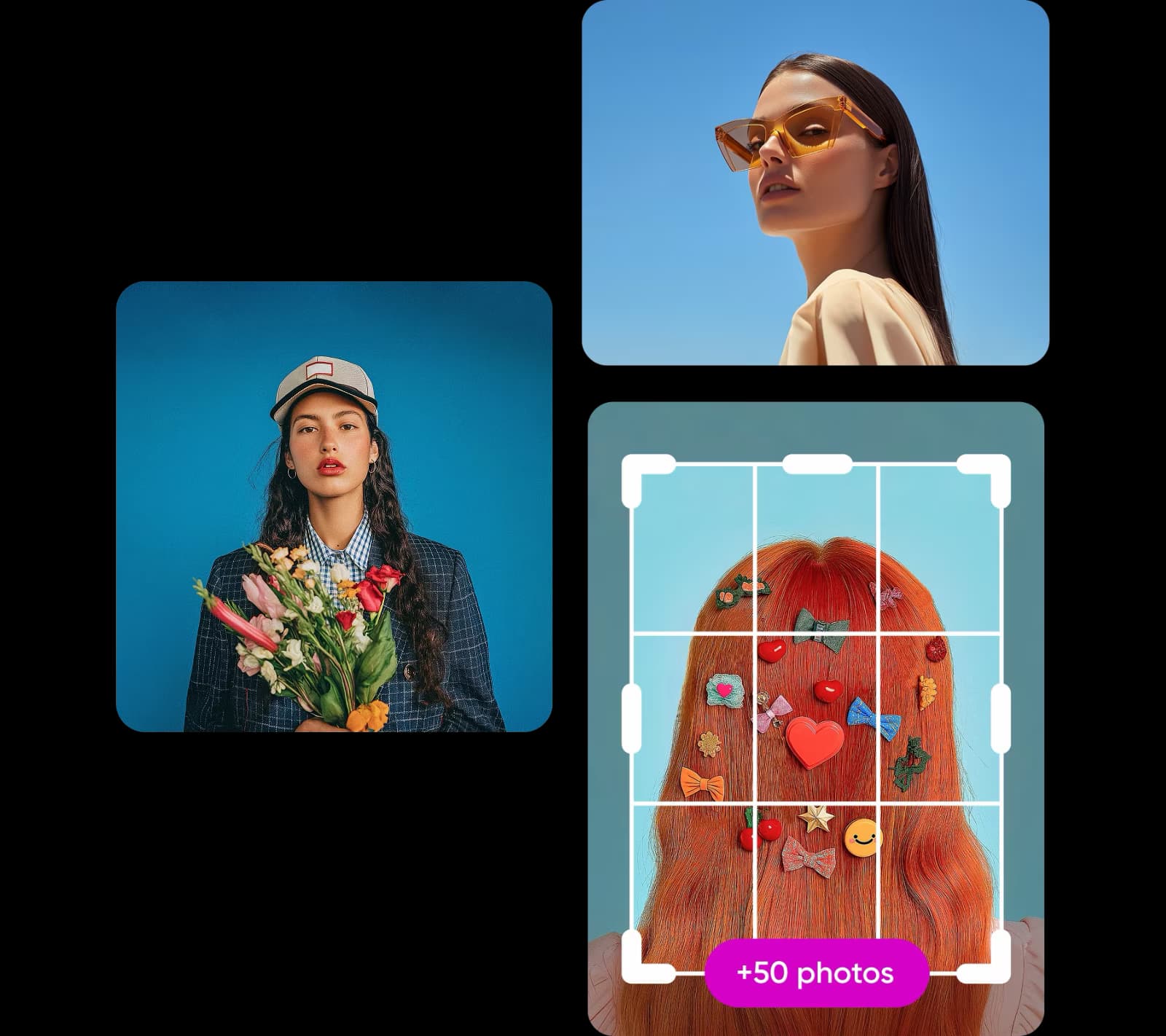
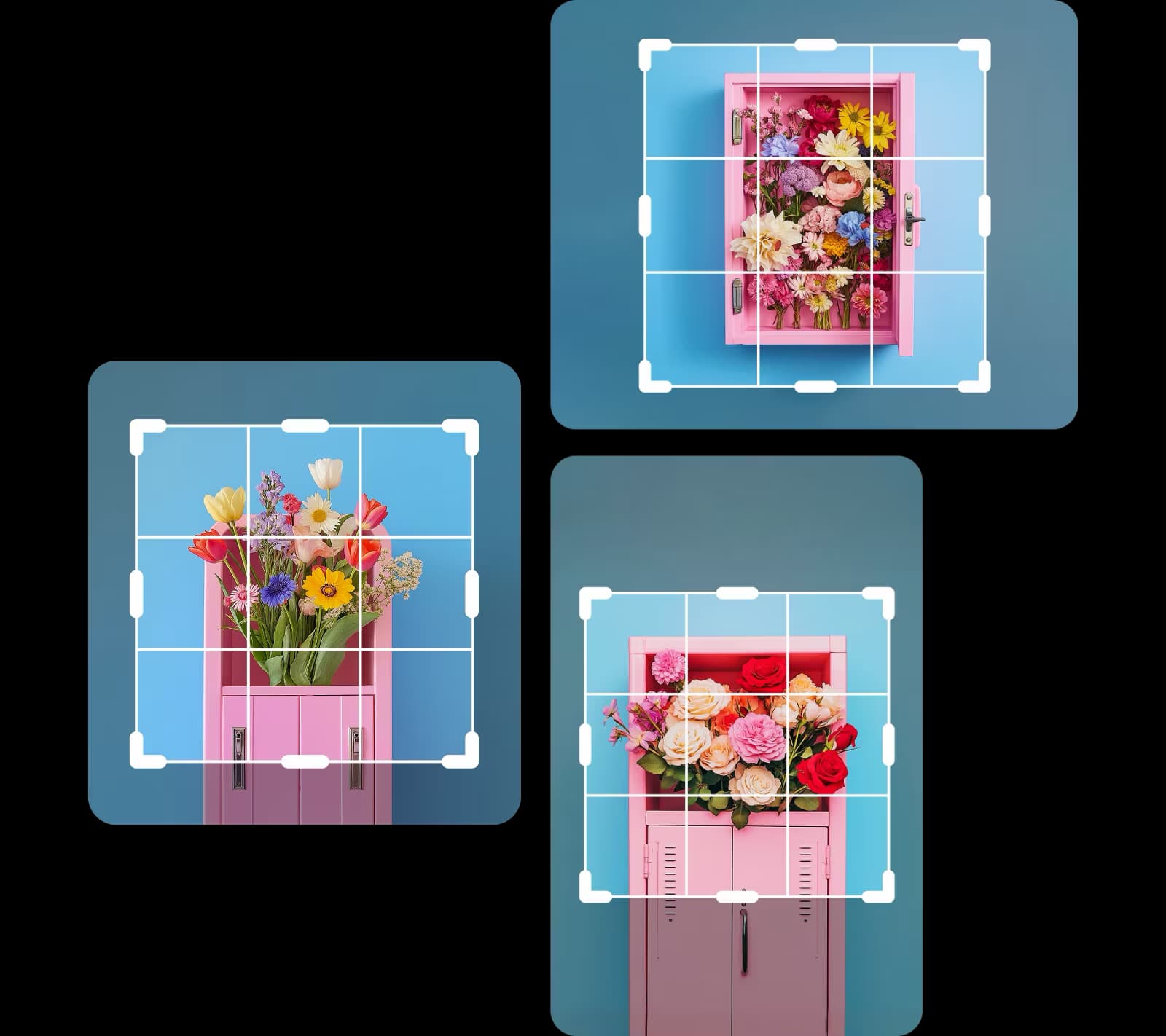
Crop, rotate, and flip up to 50 photos in a single pass. Free-form crop each image before applying, or pick a preset size like an Instagram Story, a Pinterest Pin, a TikTok Post, or a LinkedIn Post to batch crop for any platform.

rotate multiple photos as once

Add watermarks fast with bulk editing

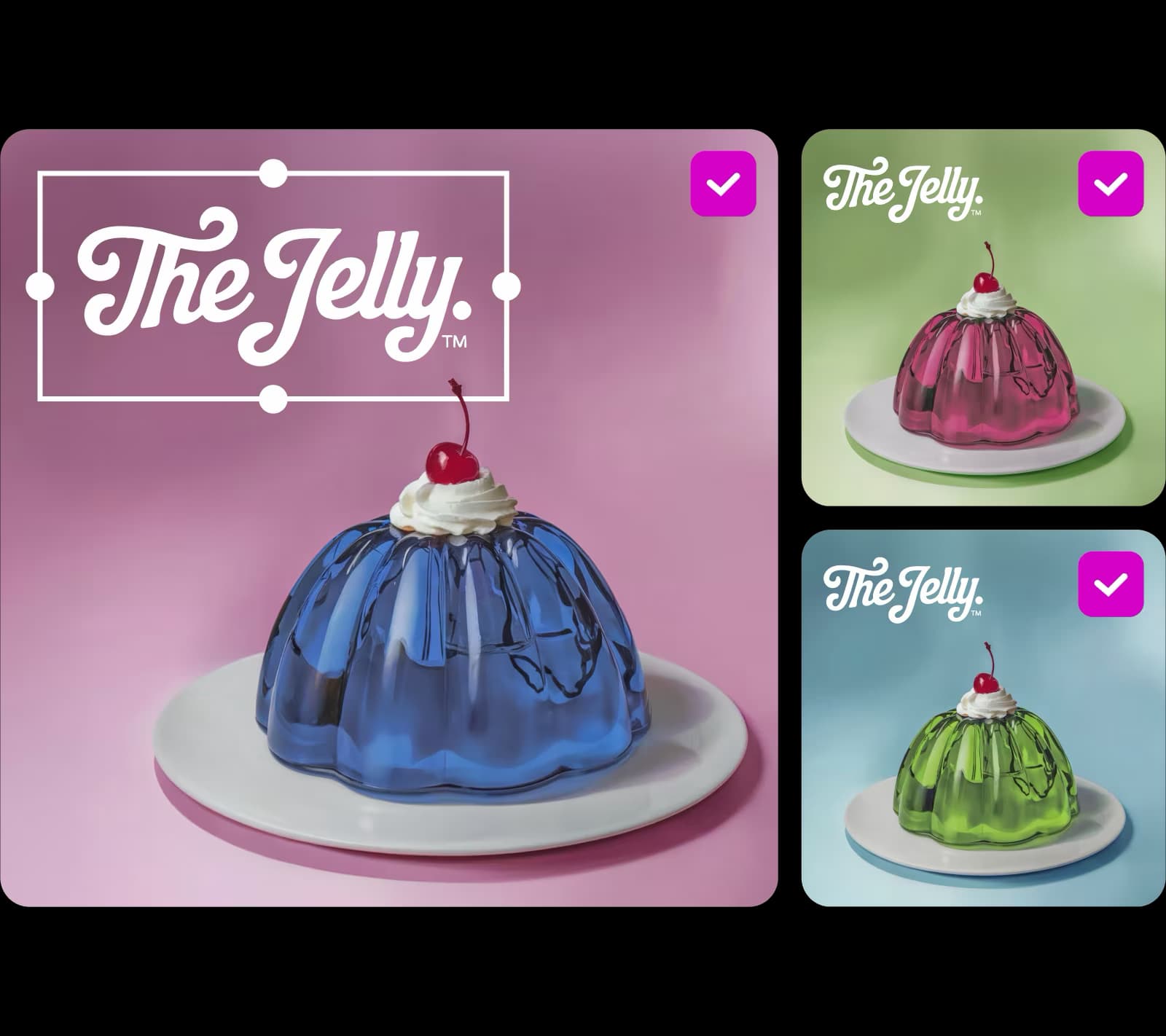
Watermark a whole set in one go. Upload your logo, choose a position or pattern, set the opacity, and apply it across the batch. Protect your photos and stock images without spending hours doing it by hand.

add watermarks on photos in bulk

Resize photos in batch for socials and e-commerce

Resize a whole batch to the exact dimensions a platform needs, with no quality loss and no percentage-based guessing. Upload your images, set a custom resolution, and the built-in bulk resizer sizes them for socials and e-commerce in seconds.

resize photos in batch

Boost your small business’ online presence with ease

Run your small business or freelance work on far less editing time. The batch photo editor automates the repetitive parts, from social content calendars to e-commerce listings and event galleries, so you reclaim hours for the work that actually grows the business.

online batch photo editing

Continue your editing journey with Picsart

background remover tool in Picsart photo editor

Remove background

Masterfully remove the background with AI or make it transparent.

ai image enhancer

AI enhance

Upscale the resolution of one or multiple images with AI in one go. 

Crop images online tool on Picsart photo editor

Image cropper

Keep what matters with an easy-to-use image cropper tool.

resize images

Resize image

Get the right fit for your photos with ease and in a matter of seconds.

ai photo editing tools

AI photo editor

Speed up your editing process with an AI-powered photo editor.

all in one photo editor

Photo Editor

Finetune your images with trendy fonts, filters and effects, stickers, and more. 

background changer

Background changer

Swap up the backdrop or remove it altogether

Create a transparent background for versatile branding.

Logo background remover

Create transparent backgrounds for your logo files with ease.

remove text from images

Text remover

Erase unwanted text and advertisements from any image with AI.

Batch Editor FAQ

A batch photo editor lets you apply the same, or different, edits to many photos at once instead of editing each one by hand. Picsart's handles up to 50 images per batch.

Anyone editing large batches of photos saves time with the bulk photo editor, including online shop owners, social media managers, photographers, and real estate agents.

The Batch Editor includes background remover and changer, AI enhancer, crop, resize, effects and filters, and watermark tools, plus AI background generation and saved presets, all in bulk.

Yes. The Batch Editor is also on the Picsart mobile app for iOS and Android.

The Batch Editor supports JPG and PNG files.

You can bulk edit up to 50 photos in one go.

Yes. Select and unselect individual images inside any tool, so each photo can get its own crop, background, or enhancement within the same session.

PricingSave big

Edit batches with AI image models

Use image models to clean up, restyle, and prepare large photo sets for publishing.

GPT Image 2New
Next-gen GPT image model with arbitrary output dimensions and multi-image input.Reference inputImage generationSee model
Nano Banana 2New
Nano Banana ProNew
FLFlux 2 FlexNew
SESeedream 5.0 Lite
KLKling 3.0 Image
KLKling O1 Image
HUHunyuan V3
LULuma UNI-1
LULuma UNI-1 Max
SESeedream 5.0 Pro
SESeedream 4.7
GPT Image 2New
GPT Image 2New
GPT Image 2New
GPT Image 2New
GPT Image 2New
Fast 4K generation with accurate text and search-grounded accuracy.4KFast generationImage generationSee model
Top-tier 4K images with precise multilingual text rendering.4KPro qualityImage generationSee model
Adaptable generation across varied visual styles up to 4K.4KImage generationSee model
Speedy 3K output with negative prompt and dual-image input support.Reference inputFast generationImage generationSee model
Cinematic visuals with up to 4K resolution and 10 reference images.
Reference input4KCinematic
See model
O1-architecture image generation with multi-reference support.
Reference inputCinematicImage generation
See model
Infographic-friendly generation with readable text and cfg control.
Image generation
See model
Luma UNI-1 — agentic image generation and editing with up to 9 reference images.
Reference inputCinematicImage generation
See model
Luma UNI-1 Max — higher-quality UNI-1 variant with the same multi-reference editing controls.
Reference inputCinematicImage generation
See model
Top-tier single-image generation with up to 10 reference images and 2K detail.
Reference inputPro qualityImage generation
See model
Reliable all-purpose generation with readable text overlay.
Image generation
See model
Next-gen GPT image model with arbitrary output dimensions and multi-image input.Reference inputImage generationSee model
Nano Banana 2New
Fast 4K generation with accurate text and search-grounded accuracy.4KFast generationImage generationSee model
Nano Banana ProNew
Top-tier 4K images with precise multilingual text rendering.4KPro qualityImage generationSee model
FLFlux 2 FlexNew
Adaptable generation across varied visual styles up to 4K.4KImage generationSee model
SESeedream 5.0 Lite
Speedy 3K output with negative prompt and dual-image input support.Reference inputFast generationImage generationSee model
KLKling 3.0 Image
Cinematic visuals with up to 4K resolution and 10 reference images.Reference input4KCinematicSee model
KLKling O1 Image
O1-architecture image generation with multi-reference support.Reference inputCinematicImage generationSee model
HUHunyuan V3
Infographic-friendly generation with readable text and cfg control.Image generationSee model
LULuma UNI-1
Luma UNI-1 — agentic image generation and editing with up to 9 reference images.Reference inputCinematicImage generationSee model
LULuma UNI-1 Max
Luma UNI-1 Max — higher-quality UNI-1 variant with the same multi-reference editing controls.Reference inputCinematicImage generationSee model
SESeedream 5.0 Pro
Top-tier single-image generation with up to 10 reference images and 2K detail.Reference inputPro qualityImage generationSee model
SESeedream 4.7
Reliable all-purpose generation with readable text overlay.Image generationSee model
Next-gen GPT image model with arbitrary output dimensions and multi-image input.Reference inputImage generationSee model
Nano Banana 2New
Fast 4K generation with accurate text and search-grounded accuracy.4KFast generationImage generationSee model
Nano Banana ProNew
Top-tier 4K images with precise multilingual text rendering.4KPro qualityImage generationSee model
FLFlux 2 FlexNew
Adaptable generation across varied visual styles up to 4K.4KImage generationSee model
SESeedream 5.0 Lite
Speedy 3K output with negative prompt and dual-image input support.Reference inputFast generationImage generationSee model
KLKling 3.0 Image
Cinematic visuals with up to 4K resolution and 10 reference images.Reference input4KCinematicSee model
KLKling O1 Image
O1-architecture image generation with multi-reference support.Reference inputCinematicImage generationSee model
HUHunyuan V3
Infographic-friendly generation with readable text and cfg control.Image generationSee model
LULuma UNI-1
Luma UNI-1 — agentic image generation and editing with up to 9 reference images.Reference inputCinematicImage generationSee model
LULuma UNI-1 Max
Luma UNI-1 Max — higher-quality UNI-1 variant with the same multi-reference editing controls.Reference inputCinematicImage generationSee model
SESeedream 5.0 Pro
Top-tier single-image generation with up to 10 reference images and 2K detail.Reference inputPro qualityImage generationSee model
SESeedream 4.7
Reliable all-purpose generation with readable text overlay.Image generationSee model
Next-gen GPT image model with arbitrary output dimensions and multi-image input.Reference inputImage generationSee model
Nano Banana 2New
Fast 4K generation with accurate text and search-grounded accuracy.4KFast generationImage generationSee model
Nano Banana ProNew
Top-tier 4K images with precise multilingual text rendering.4KPro qualityImage generationSee model
FLFlux 2 FlexNew
Adaptable generation across varied visual styles up to 4K.4KImage generationSee model
SESeedream 5.0 Lite
Speedy 3K output with negative prompt and dual-image input support.Reference inputFast generationImage generationSee model
KLKling 3.0 Image
Cinematic visuals with up to 4K resolution and 10 reference images.Reference input4KCinematicSee model
KLKling O1 Image
O1-architecture image generation with multi-reference support.Reference inputCinematicImage generationSee model
HUHunyuan V3
Infographic-friendly generation with readable text and cfg control.Image generationSee model
LULuma UNI-1
Luma UNI-1 — agentic image generation and editing with up to 9 reference images.Reference inputCinematicImage generationSee model
LULuma UNI-1 Max
Luma UNI-1 Max — higher-quality UNI-1 variant with the same multi-reference editing controls.Reference inputCinematicImage generationSee model
SESeedream 5.0 Pro
Top-tier single-image generation with up to 10 reference images and 2K detail.Reference inputPro qualityImage generationSee model
SESeedream 4.7
Reliable all-purpose generation with readable text overlay.Image generationSee model
Next-gen GPT image model with arbitrary output dimensions and multi-image input.Reference inputImage generationSee model
Nano Banana 2New
Fast 4K generation with accurate text and search-grounded accuracy.4KFast generationImage generationSee model
Nano Banana ProNew
Top-tier 4K images with precise multilingual text rendering.4KPro qualityImage generationSee model
FLFlux 2 FlexNew
Adaptable generation across varied visual styles up to 4K.4KImage generationSee model
SESeedream 5.0 Lite
Speedy 3K output with negative prompt and dual-image input support.Reference inputFast generationImage generationSee model
KLKling 3.0 Image
Cinematic visuals with up to 4K resolution and 10 reference images.Reference input4KCinematicSee model
KLKling O1 Image
O1-architecture image generation with multi-reference support.Reference inputCinematicImage generationSee model
HUHunyuan V3
Infographic-friendly generation with readable text and cfg control.Image generationSee model
LULuma UNI-1
Luma UNI-1 — agentic image generation and editing with up to 9 reference images.Reference inputCinematicImage generationSee model
LULuma UNI-1 Max
Luma UNI-1 Max — higher-quality UNI-1 variant with the same multi-reference editing controls.Reference inputCinematicImage generationSee model
SESeedream 5.0 Pro
Top-tier single-image generation with up to 10 reference images and 2K detail.Reference inputPro qualityImage generationSee model
SESeedream 4.7
Reliable all-purpose generation with readable text overlay.Image generationSee model
Next-gen GPT image model with arbitrary output dimensions and multi-image input.Reference inputImage generationSee model
Nano Banana 2New
Fast 4K generation with accurate text and search-grounded accuracy.4KFast generationImage generationSee model
Nano Banana ProNew
Top-tier 4K images with precise multilingual text rendering.4KPro qualityImage generationSee model
FLFlux 2 FlexNew
Adaptable generation across varied visual styles up to 4K.4KImage generationSee model
SESeedream 5.0 Lite
Speedy 3K output with negative prompt and dual-image input support.Reference inputFast generationImage generationSee model
KLKling 3.0 Image
Cinematic visuals with up to 4K resolution and 10 reference images.Reference input4KCinematicSee model
KLKling O1 Image
O1-architecture image generation with multi-reference support.Reference inputCinematicImage generationSee model
HUHunyuan V3
Infographic-friendly generation with readable text and cfg control.Image generationSee model
LULuma UNI-1
Luma UNI-1 — agentic image generation and editing with up to 9 reference images.Reference inputCinematicImage generationSee model
LULuma UNI-1 Max
Luma UNI-1 Max — higher-quality UNI-1 variant with the same multi-reference editing controls.Reference inputCinematicImage generationSee model
SESeedream 5.0 Pro
Top-tier single-image generation with up to 10 reference images and 2K detail.Reference inputPro qualityImage generationSee model
SESeedream 4.7
Reliable all-purpose generation with readable text overlay.Image generationSee model

Edit photos for polished creator content

Pro

Most popular

AI tools for everyday creative work.

$15 $10.5/mo
Billed yearly
You save $54 with yearly
Trending models
Full access
  • Nano Banana Pro180 MP
  • Nano Banana 290 MP
  • Kling 3.01080p 30s
  • Seedance 2.51080p 12s
Free access
  • Flux.2 KleinUnlimited access
  • Access to all photo & video editing features
  • Advanced background & object removal
  • Parallel video generations with the world's most powerful AI video models
  • Unlimited image generations with Flex.2 Klein
  • 1-tap image enhancer
  • Millions of stock photos & Getty video clips
  • Selection of trendy fonts, text styles & stickers
  • Thousands of premium templates
  • Support for 3+ brand kits
  • Bulk edit up to 50 images at once
  • 100 GB of cloud storage
New features:
  • Auto-generate content from your terminal or agent with the Picsart CLI
  • Use Picsart inside Claude Code, Cursor, and ChatGPT via MCP — coming soon
  • AI agents for multi-step workflows and batch generation — coming soon

Ultra

Most powerful

Heavy AI usage for creators & teams.

$45 $24.5/mo
Billed yearly, per seat
You save $246 with yearly
Trending models
Full access
  • Nano Banana Pro180 MP
  • Nano Banana 290 MP
  • Kling 3.01080p 30s
  • Seedance 2.51080p 12s
Free access
  • Flux.2 KleinUnlimited access
  • Everything in Pro
  • Early access to advanced AI features
  • Leading AI models to design & automate workflows (Nano Banana, Veo 3, Seedance 2.0 & more)
  • Parallel video generations with the world's most powerful AI video models
  • Unlimited image generations with Flex.2 Klein
  • Support for 10+ brand kits
  • Add team seats
  • Create ad variations and localize
  • Track ads performance
  • 2000 credits for API services
  • Bulk edit up to 100 images at once
  • 300 GB of cloud storage per seat
New features:
  • Auto-generate content from your terminal or agent with the Picsart CLI
  • Use Picsart inside Claude Code, Cursor, and ChatGPT via MCP — coming soon
  • AI agents for multi-step workflows and batch generation — coming soon

Enterprise

Custom AI solutions for large organizations.

Custom credit volume
  • Volume discounts on credit rate
  • On-demand top-ups
Custom
Contact for pricing
  • Access to photo & video editor SDKs
  • Mobile web SDK support
  • Prepaid or pay-as-you-go creative APIs
  • Embed professional-grade editing into your product or workflow
  • Fully configurable editing experience
  • White-label to match your brand
  • Support for built-in marketing, e-commerce & printing use cases
  • Bring your own assets: images, templates & fonts
  • Enterprise-grade security, SLAs & support
  • Dedicated account manager

Learn image editing basics

Learn how to make cleaner edits with practical steps.

Remove unwanted objects from photos with AI preview
Image editing

Remove unwanted objects from photos with AI

3 minBeginner
Replace objects in photos with AI-generated content preview
Image editing

Replace objects in photos with AI-generated content

4 minIntermediate
How to expand images beyond their borders with AI preview
Image editing

How to expand images beyond their borders with AI

4 minBeginner
Upscale low-resolution images to HD with AI preview
Image editing

Upscale low-resolution images to HD with AI

3 minBeginner
Edit any part of an image with text prompts preview
Image editing

Edit any part of an image with text prompts

4 minIntermediate
See all tutorials