เครื่องมือสร้างแบนเนอร์ Twitch: ออกแบบแบนเนอร์ Twitch ให้สะดุดตา
ยกระดับช่อง Twitch ของคุณด้วยแบนเนอร์สุดโดดเด่นที่สร้างด้วยเครื่องมือทำแบนเนอร์ออนไลน์ของ Picsart เลือกดูเทมเพลตมากมายเพื่อสร้างงานได้อย่างรวดเร็ว หรือเริ่มออกแบบใหม่ตั้งแต่ต้นด้วยชุดเครื่องมือที่ใช้งานง่าย
- สร้างเอกลักษณ์ที่จดจำได้ให้ช่องของคุณ
- ปรับให้เข้ากับธีมสตรีมของคุณ

ออกแบบแบนเนอร์ Twitch ด้วยโมเดลสร้างภาพ AI
ใช้โมเดลสร้างภาพเพื่อเปลี่ยนแบนเนอร์ Twitch ให้เป็นภาพที่สวยสมบูรณ์ ไอเดียการออกแบบ และไฟล์พร้อมแก้ไข
เลือกดูเทมเพลตแบนเนอร์ Twitch
ค้นพบเทมเพลตแบนเนอร์ Twitch ที่ปรับแต่งได้หลากหลาย เพื่อยกระดับรูปลักษณ์ของช่องคุณ


วิธีสร้างแบนเนอร์ Twitch ด้วย Picsart
How to
เปิด Picsart
กดปุ่มเริ่มสร้างสรรค์เพื่อเปิดโปรแกรมแก้ไขของ Picsart
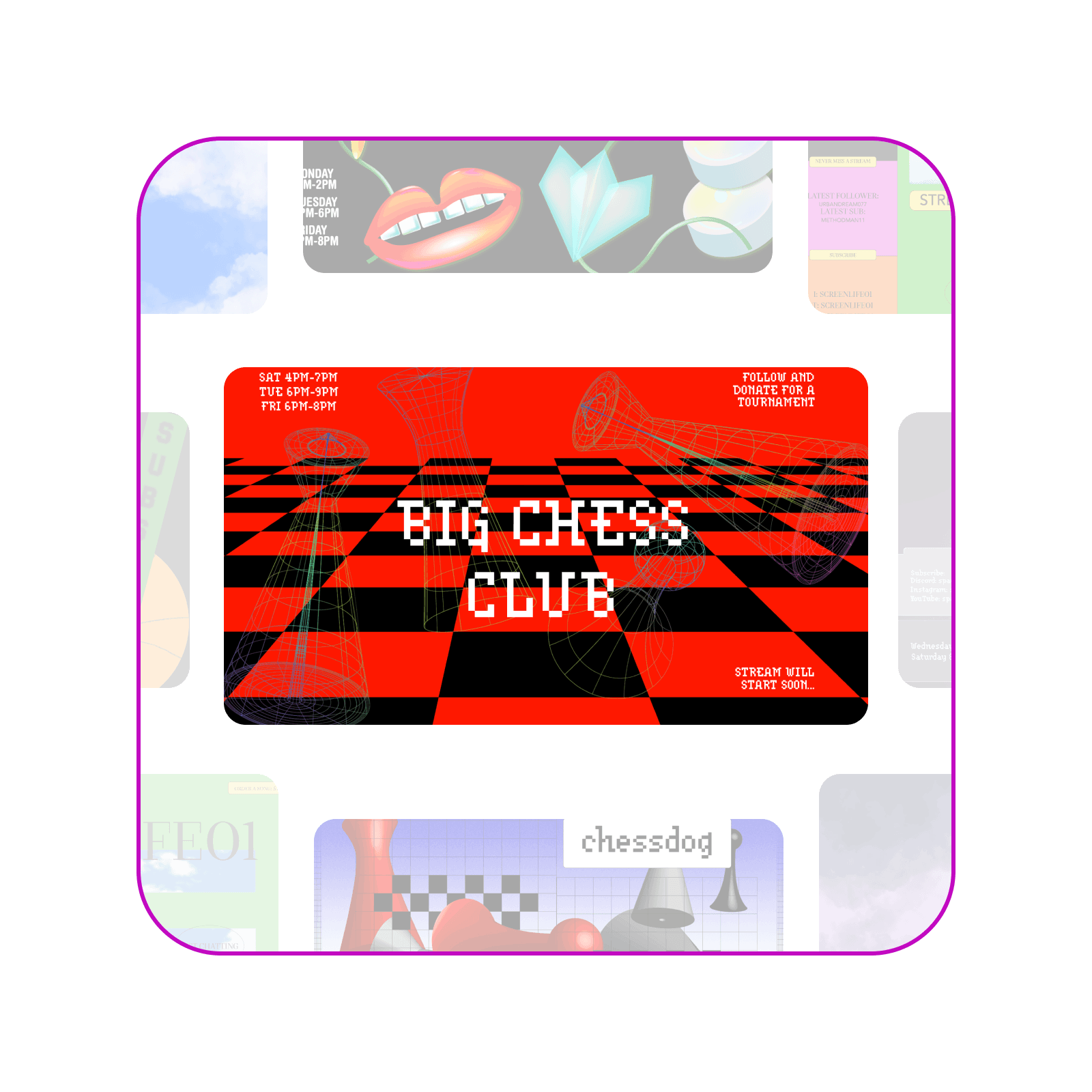
สร้างแบนเนอร์ Twitch ในแบบที่ใช่ได้ในไม่กี่นาที
ใช้ประโยชน์จากเทมเพลตและเครื่องมือที่ใช้งานง่ายของ Picsart เพื่อออกแบบแบนเนอร์ Twitch ที่สะท้อนสไตล์เฉพาะตัวของช่องคุณได้อย่างลงตัว แพลตฟอร์มที่ใช้งานง่ายช่วยให้สร้างสรรค์ผลงานได้สะดวกและรวดเร็ว คุณจึงออกแบบแบนเนอร์ที่โดดเด่นได้ในเวลาไม่นาน นอกจากนี้ การเริ่มต้นใช้งานก็ทำได้อย่างสมบูรณ์

ประหยัดเวลาด้วยเทมเพลตแบนเนอร์ Twitch ที่ออกแบบอย่างมืออาชีพ
จะเริ่มออกแบบใหม่ตั้งแต่ต้นไปทำไม ในเมื่อคุณเลือกดูเทมเพลตแบนเนอร์ Twitchมากมายของ Picsart ได้? เทมเพลตแต่ละแบบสร้างสรรค์โดยมืออาชีพ คุณจึงเลือกดีไซน์ที่เข้ากับสไตล์ของช่องได้อย่างลงตัว ปรับอีกเพียงเล็กน้อยก็ได้แบนเนอร์ที่พร้อมสร้างความประทับใจ และหากอยากหาแรงบันดาลใจเพิ่มเติม ก็เลือกดูเทมเพลตอีกมากมายที่รอให้คุณค้นพบได้เลย

ยกระดับแบนเนอร์ด้วยเครื่องมือแก้ไขอันทรงพลัง
ยกระดับแบนเนอร์ของคุณด้วยเครื่องมือแก้ไขสุดล้ำของ Picsart ที่ใช้งานง่ายและอัดแน่นด้วยฟีเจอร์ ให้คุณปรับแต่งดีไซน์จนสะท้อนสไตล์เฉพาะตัวได้อย่างลงตัว ไม่ว่าจะปรับแก้เล็กน้อยหรือลองใช้เอฟเฟกต์ขั้นสูง คุณก็มีทุกสิ่งที่ต้องใช้เพื่อสร้างแบนเนอร์ที่สะดุดตา ลองใช้ชุดเครื่องมือแก้ไขรูปภาพเพื่อทำได้ตั้งแต่ปรับปรุงคุณภาพรูปภาพด้วย AI ไปจนถึงสร้างรูปภาพจากพรอมต์ข้อความ

ฟีเจอร์ที่จำเป็นครบจบในที่เดียว
ออกแบบแบนเนอร์ Twitch ให้โดดเด่นด้วยเทมเพลตที่ปรับแต่งได้และเครื่องมือแก้ไขอันทรงพลัง ครบจบในแพลตฟอร์มเดียว
คำถามที่พบบ่อยเกี่ยวกับเครื่องมือสร้างแบนเนอร์ Twitch
Twitch แนะนำขนาด 1200 x 480 พิกเซลเพื่อผลลัพธ์ที่ดีที่สุด แต่ด้วยคลังพรีเซ็ตขนาดที่อัปเดตอยู่เสมอของ Picsart คุณจึงไม่ต้องจัดการเรื่องพิกเซลเอง
ออกแบบแบนเนอร์ Twitch สำหรับแบรนด์ โปรไฟล์ และแคมเปญ
Pro
Most popularAI tools for everyday creative work.
Ultra
Most powerfulHeavy AI usage for creators & teams.
Enterprise
Custom AI solutions for large organizations.
- Volume discounts on credit rate
- On-demand top-ups