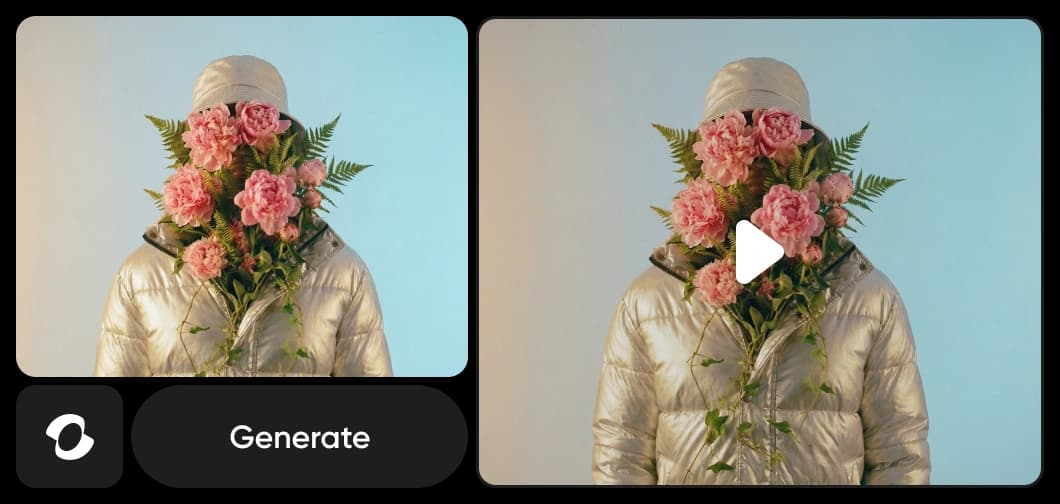
Kling 3.0 משולבת כעת ב-מחולל הווידאו של Picsart וב-AI Playground, והביאה בקרת תנועה קולנועית מתקדמת ישירות לזרימת העבודה היצירתית שלך. עם תנועת מצלמה מדויקת, מעברי סצנה חלקים, ועקביות דמויות Multi-Elements, Kling 3.0 נותנת לווידאוهای שנוצרו ב-AI תנועה טבעית יותר, פרטים עשירים יותר, וזהות נושא אמינה על פני סצנות. השתמש בעד 4 תמונות התייחסות כדי לנעול דמויות, אובייקטים וסצנות — ואז תן ל-Kling 3.0 להחיות אותם בדיוק קולנועי.
בקרת תנועה של Kling Video 3.0 היא האבולוציה העדכנית של מודל הווידאו Kling AI, תוכננה במיוחד כדי לשפר את בקרת התנועה של ווידאו AI ודיוק המצלמה הקולנועית. במקום פשוט לייצר קליפים מונפשים, היא מתמקדת בכיצד התנועה מתנהגת בתוך סצנה — מתזוזות מצלמה מבוקרות ועד לתנועת נושא יציבה. גרסה זו מציגה בקרת תנועה מתקדמת, קוהרנטיות סצנה חזקה יותר, והנאה ויזואלית גבוהה יותר. היא כוללת גם Multi-Elements, מערכת עקביות דמויות ואובייקטים שמאפשרת לך להשלב עד 4 תמונות התייחסות לדמויות, אובייקטים או סצנות לווידאוهים דינמיים. הוסף, החלף או הסר אלמנטים כדי לשמור על זהות ויזואלית על פני שדות — אידיאלי לספרות רב-סצנות ותוכן בר-מותג.
מה אתה יכול ליצור עם בקרת תנועה של Kling Video 3.0
צור ווידאוהים ברמת סטודיו מהודעות טקסט באמצעות בקרת התנועה המתקדמת של Kling 3.0, הנחיית תנועת המצלמה, זרימת הסצנה ודינמיקת הדמויות בדיוק קולנועי.
כיצד בקרת תנועה של Kling Video 3.0 עובדת בתוך Picsart
בקרת תנועה של Kling Video 3.0 מביאה בקרת תנועה ווידאו AI מתקדמת ל-Picsart, המאפשרת תנועה קולנועית, מעברים חלקים, ודינמיקה דמויות ריאליסטית. ב-Flow, בונה זרימת העבודה AI ללא קוד, היא מופעלת בצנרים מונעי תנועה מובנים. ב-GenAI, ייצור ווידאו בלחיצת כפתור אחת, היא הופכת הודעות לסצנות קולנועיות זורמות. היא עובדת גם עם מחולל הווידאו של AI (טקסט לווידאו מהיר) ו-מחולל הקול של AI (סקריפטים לנאומים קוליים טבעיים), שילוב תנועה, חזותיות וקול בפלטפורמה אחת.
למה יוצרים בוחרים בבקרת תנועה של Kling 3.0
בקרת תנועה של Kling 3.0 מספקת קפיצה משמעותית בחומרי הווידאו, המשלבת ריאליזם משופר, זרימת תנועה חלקה יותר, ופרט ויזואלי עדין יותר מאשר דורות קודמים. יוצרים בוחרים ב-Kling 3.0 בגלל בקרת התנועה המתקדמת שלה — היכולת להנחות תנועת מצלמה, לייצב מעברי סצנה, ולחזק דינמיקה דמויות ללא הגדרות עריכה מורכבות. Multi-Elements מוסיפה שכבה נוספת: העלה תמונות התייחסות לדמויות ואובייקטים, ו-Kling 3.0 שומרת עליהם עקביים בחזותית על פני כל סצנה. משולבת ישירות לכלים Flow ו-GenAI של Picsart, היא מקטינה את זמן הייצור תוך שהיא נותנת ליוצרים בקרה מדויקת יותר על איך כל פריים נע, מתחבר, ומרגיש.
בקרת תנועה של Kling 3.0 כחלק מפלטפורמת Picsart
בקרת תנועה של Kling Video 3.0 היא אחד המודלים האחרונים של AI המנעים את הקוסיסטם היצירתי של Picsart, בנוי כדי לספק בקרת תנועה ווידאו AI מתקדמת בהיקף. משולבת גם ל-Flows וגם ל-GenAI, היא עובדת לצד מודלים מובילים אחרים כדי לאפשר תנועת מצלמה קולנועית, מעברי סצנה מבוקרים, ודינמיקה דמויות ריאליסטית על פני פרויקטים. גישה רב-מודל זו נותנת ליוצרים את הגמישות לבחור את הכלי הנכון לכל משימה תוך נהנים משיפורי ביצועים מתמשכים וייצור תנועה דקדקני בהולך וגובר.
חקור מודלים נוספים כמו Kling 3.0
השווה ב-Kling 3.0 עם מודלי ווידאו אחרים לתנועה, מודעות וקליפים חברתיים.
שאלות נפוצות על בקרת תנועה של Kling 3.0
בקרת תנועה של Kling Video 3.0 היא דור חדש של מודל Kling AI, תוכננה ליצירת ווידאו ברמת קולנוע. היא כוללת בקרת תנועה מתקדמת, קוהרנטיות סצנה משופרת, והנאה ויזואלית גבוהה יותר בהשוואה לגרסאות קודמות.
Picsart משלבת את בקרת התנועה של Kling 3.0 ל-Flow ו-GenAI, המאפשרת למשתמשים ליצור ולעצב תוכן ווידאו קולנועי ישירות בתוך הפלטפורמה ללא אינטראקציה עם המודל עצמו.
בקרת תנועה של Kling Video 3.0 מציגה ריאליזם ברמה הבאה, בקרת תנועה חלקה יותר, תאורה פרטים משופרים, וקוהרנטיות סצנה משופרת. ווידאוהים שנוצרו עם Kling 3.0 נראים ומרגישים קולנועיים וטבעיים יותר מאלה מגרסאות קודמות.
לא. בקרת תנועה של Kling Video 3.0 עובדת מאחורי הקלעים בתוך כלים Flow ו-GenAI של Picsart, שנבנו כדי להיות אינטואיטיביים ליוצרים ללא ניסיון טכני או עריכת ווידאו.
הגישה תלויה בכלי ובתוכנית ספציפיים. בקרת תנועה של Kling 3.0 Video היא חלק מהמודלים של AI המשמשים על פני הפלטפורמה של Picsart, עם זמינות משתנה לפי תכונה וסוג מנוי.
בקרת תנועה של Kling 3.0 מנעה את ייצור הווידאו בתוך כלים Flow ו-GenAI של Picsart. במקום חשיפת מודלים ישירות, Picsart משלבת AI ברמת הכלי, המאפשרת יצירת ווידאו קולנועית, תכונות קול וזרימות עבודה עריכה בצורה חלקה.
כן. ווידאוהים שנוצרו דרך כלים של Picsart המונעים על ידי בקרת תנועה של Kling Video 3.0 AI יכולים לשמש לשיווק, מדיה חברתית, תוכן בר-מותג ויישומים מסחריים אחרים, בכפוף לתנאי השימוש של Picsart.
Multi-Elements היא תכונת עקביות דמויות ואובייקטים ב-Kling 3.0 שמאפשרת לך להעלות עד 4 תמונות התייחסות — דמויות, אובייקטים או סצנות — וייצור ווידאוהים שבהם אלמנטים אלה נשארים עקביים בחזותית. אתה יכול להוסיף, להחליף או להסיר הפניות בין דורות, מה שהופך אותו אידיאלי לספרות רב-סצנות, תוכן סדרות, וווידאוהים בר-מותג הדרוש להם מראה קוהזיבי.
Faster V3 variant — long-form video up to 15s with native audio, start/end frame control, and 720p/1080p output.Audio1080pFast generationCinematicSee model
Fast cinematic video with audio, reference images, and start/end frame control.Reference inputAudioFast generationCinematicSee model
Edit video — replace subjects, add or remove objects, restyle scenes with reference images.Video editingReference inputVideo generationSee model
Fast video edit — modify scenes with reference images.Video editingReference inputFast generationSee model
Wan 2.7 T2V — up to 15s at 1080p with audio input and prompt enhancement.Text to videoAudio1080pCinematicSee model
Long-form video up to 15s with native audio and start/end frame control.AudioCinematicVideo generationSee model
Faster V3 variant — long-form video up to 15s with native audio, start/end frame control, and 720p/1080p output.Audio1080pFast generationCinematicSee model
Mature pipeline with audio and pro-tier rendering.
Map body movement from a video clip onto a portrait photo — V3 quality.CinematicPhotorealVideo generationSee model
Transfer body movement from a reference video onto a portrait photo.Reference inputCinematicPhotorealSee model
Fast cinematic video with audio, reference images, and start/end frame control.Reference inputAudioFast generationCinematicSee model
Edit video — replace subjects, add or remove objects, restyle scenes with reference images.Video editingReference inputVideo generationSee model
Fast video edit — modify scenes with reference images.Video editingReference inputFast generationSee model
Wan 2.7 T2V — up to 15s at 1080p with audio input and prompt enhancement.Text to videoAudio1080pCinematicSee model
Long-form video up to 15s with native audio and start/end frame control.AudioCinematicVideo generationSee model
Faster V3 variant — long-form video up to 15s with native audio, start/end frame control, and 720p/1080p output.Audio1080pFast generationCinematicSee model
Mature pipeline with audio and pro-tier rendering.
Map body movement from a video clip onto a portrait photo — V3 quality.CinematicPhotorealVideo generationSee model
Transfer body movement from a reference video onto a portrait photo.Reference inputCinematicPhotorealSee model
Fast cinematic video with audio, reference images, and start/end frame control.Reference inputAudioFast generationCinematicSee model
Edit video — replace subjects, add or remove objects, restyle scenes with reference images.Video editingReference inputVideo generationSee model
Fast video edit — modify scenes with reference images.Video editingReference inputFast generationSee model
Wan 2.7 T2V — up to 15s at 1080p with audio input and prompt enhancement.Text to videoAudio1080pCinematicSee model
Long-form video up to 15s with native audio and start/end frame control.AudioCinematicVideo generationSee model
Faster V3 variant — long-form video up to 15s with native audio, start/end frame control, and 720p/1080p output.Audio1080pFast generationCinematicSee model
Mature pipeline with audio and pro-tier rendering.
Map body movement from a video clip onto a portrait photo — V3 quality.CinematicPhotorealVideo generationSee model
Transfer body movement from a reference video onto a portrait photo.Reference inputCinematicPhotorealSee model
Fast cinematic video with audio, reference images, and start/end frame control.Reference inputAudioFast generationCinematicSee model
Edit video — replace subjects, add or remove objects, restyle scenes with reference images.Video editingReference inputVideo generationSee model
Fast video edit — modify scenes with reference images.Video editingReference inputFast generationSee model
Wan 2.7 T2V — up to 15s at 1080p with audio input and prompt enhancement.Text to videoAudio1080pCinematicSee model
Long-form video up to 15s with native audio and start/end frame control.AudioCinematicVideo generationSee model
Faster V3 variant — long-form video up to 15s with native audio, start/end frame control, and 720p/1080p output.Audio1080pFast generationCinematicSee model
Mature pipeline with audio and pro-tier rendering.
Map body movement from a video clip onto a portrait photo — V3 quality.CinematicPhotorealVideo generationSee model
Transfer body movement from a reference video onto a portrait photo.Reference inputCinematicPhotorealSee model
Fast cinematic video with audio, reference images, and start/end frame control.Reference inputAudioFast generationCinematicSee model
Edit video — replace subjects, add or remove objects, restyle scenes with reference images.Video editingReference inputVideo generationSee model
Fast video edit — modify scenes with reference images.Video editingReference inputFast generationSee model
Wan 2.7 T2V — up to 15s at 1080p with audio input and prompt enhancement.Text to videoAudio1080pCinematicSee model
Long-form video up to 15s with native audio and start/end frame control.AudioCinematicVideo generationSee model
Faster V3 variant — long-form video up to 15s with native audio, start/end frame control, and 720p/1080p output.Audio1080pFast generationCinematicSee model
Mature pipeline with audio and pro-tier rendering.