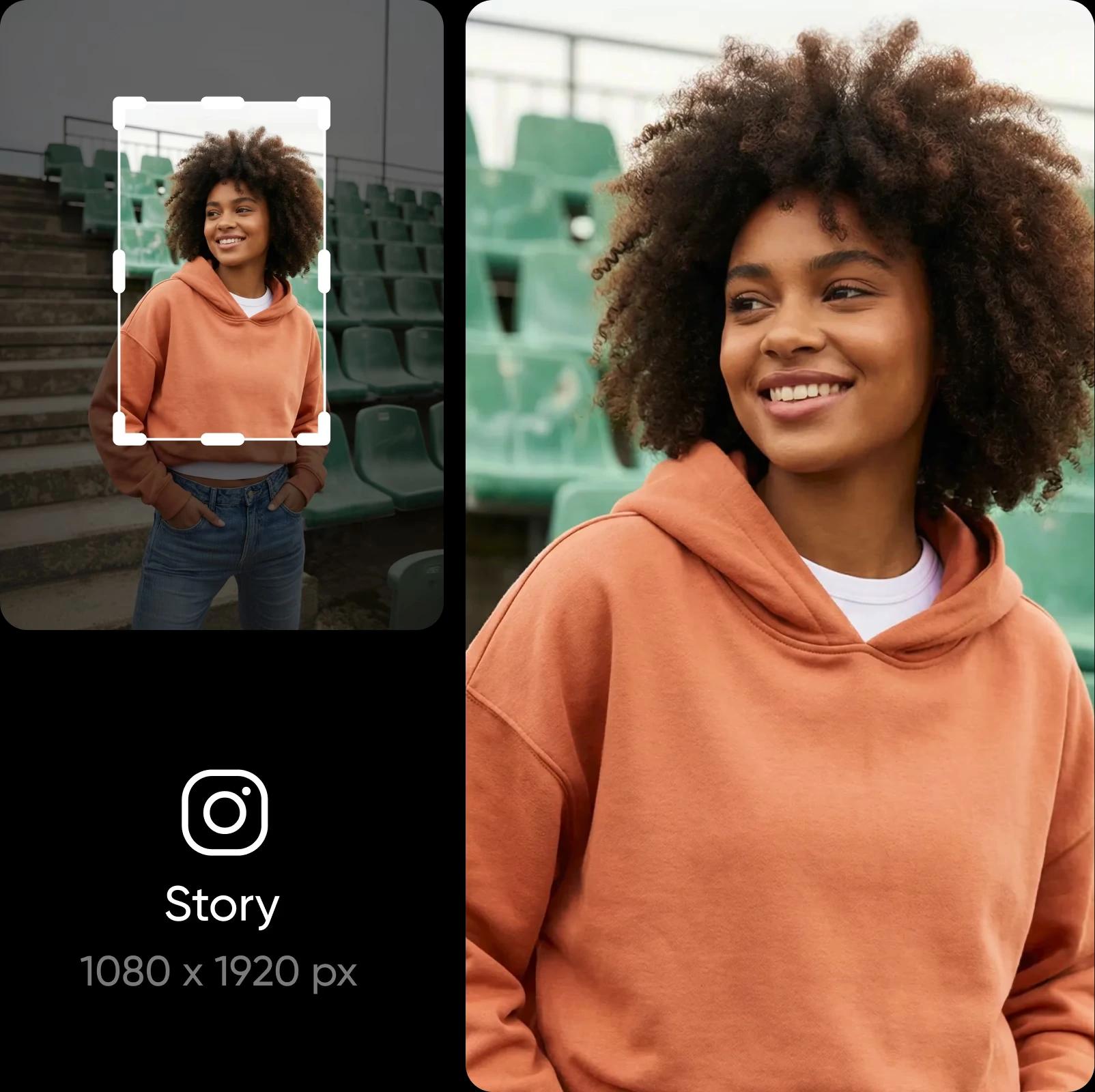
Picsart के इमेज रिसाइज़र से मुफ़्त में इमेज का आकार बदलें

Picsart के मुफ़्त इमेज रिसाइज़र से लेआउट के कई प्रीसेट इस्तेमाल करके तुरंत इमेज का आकार बदलें।

छवि आकार बदलने क्यों करें?

  • इस्तेमाल करने के लिए मुफ़्त

    Picsart के ऑल-इन-वन फ़ोटो एडिटर से मुफ़्त में इमेज का आकार बदलें।

  • क्वालिटी में कोई कमी नहीं

    लुक और क्वालिटी से समझौता किए बिना इमेज का आकार बदलें। 

  • फ़ाइलें पूरी तरह सुरक्षित

    अपलोड की गई फ़ाइलें सिर्फ़ कुछ समय के लिए स्टोर की जाती हैं और हर बार इस्तेमाल के दौरान सुरक्षित रहती हैं।

4.9/5
G2 Spring 2026 Leader badgeG2 Spring 2026 Momentum Leader badgeG2 Spring 2026 Fastest Implementation badge

ऑनलाइन मुफ़्त में इमेज का आकार कैसे बदलें

How to

Image Resize खोलें

सीधे Picsart Photo Editor पर जाने के लिए नीचे दिए गए बटन का इस्तेमाल करें।

कुछ ही सेकंड में इमेज का आकार बदलें

अब अलग-अलग लेआउट के बीच स्विच करने में समय बर्बाद नहीं होगा। ऑनलाइन इमेज रिसाइज़र से एक ही जगह पर अपनी सभी इमेज का आकार बदलें। लोकप्रिय प्लेटफ़ॉर्म पर अपलोड करना है? सही रिज़ॉल्यूशन खोजने की ज़रूरत नहीं—तैयार लेआउट प्रीसेट इस्तेमाल करें और अपनी इमेज के डाइमेंशन और भी तेज़ी से बदलें। 

  • उपयोग के स्थान के लिए माप निर्धारित करें
Picsart इमेज रिसाइज़र से कुछ ही सेकंड में इमेज का आकार बदलें

बारीकियाँ खोए बिना इमेज का साइज़ घटाएँ

हर बारीकी को साफ़ रखते हुए अपनी इमेज का आकार बदलें। डाइमेंशन बदलते समय Picsart आपकी फ़ोटो की स्पष्टता बनाए रखता है, ताकि वह खिंची हुई या धुंधली न दिखे। और अगर आपकी फ़ोटो पहले से धुंधली है, तो उसे भी Picsart से ठीक करें। बस बिल्ट-इन Image Upscaler से उसे बेहतर क्वालिटी की इमेज में बदलें—इसे इस्तेमाल करना रिसाइज़र जितना ही आसान है।

बारीकियाँ खोए बिना इमेज का साइज़ घटाएँ

अपनी इमेज का आकार बदलने के लोकप्रिय तरीके जानें

अपनी छवि के लिए गंतव्य चुनें, फिर इसके आयाम फ़ॉर्मेट और संरचना के अनुसार समायोजित करें।

अपनी अगली सोशल पोस्ट के लिए फ़ोटो का आकार बदलें

अपनी इमेज का आकार Instagram, Facebook, TikTok, Pinterest और LinkedIn पर इस्तेमाल होने वाले साइज़ के मुताबिक बदलें। आपकी पोस्ट, Stories, विज्ञापन, थंबनेल और हेडर हर प्लेटफ़ॉर्म पर साफ़ और एक जैसे दिखेंगे।

इमेज का आकार बदलें
resize image for social media

एक साथ कई इमेज का आकार बदलें

गलत साइज़ की वजह से कई इमेज रिजेक्ट हो गईं? उन्हें एक-एक करके बदलने की ज़रूरत नहीं। Picsart से आसानी से एक साथ कई इमेज का आकार बदलें और अपना कीमती समय बचाएँ। एक इमेज में बदलाव करें, और वही बाकी इमेज पर भी लागू हो जाएगा। यह कई ई-कॉमर्स फ़ोटो का साइज़ बदलने, कैरोसेल पोस्ट के विज़ुअल का आकार एडजस्ट करने और ऐसे ही दूसरे कामों के लिए एकदम सही है।

Picsart के फ़ोटो एडिटर से और भी बहुत कुछ करें

फ़ोटो एडिटिंग की आपकी हर ज़रूरत Picsart पूरी करता है। बैकग्राउंड बदलने और हटाने जैसे जटिल एडिट आसानी से करें, या अपनी फ़ोटो से ऑब्जेक्ट हटाएँ। AI की मदद से यह सब अपने आप आसानी से हो जाता है। इफ़ेक्ट लगाकर और अपनी फ़ोटो में टेक्स्ट जोड़कर उसे पूरा लुक दें। यह सब एक ही सुविधाजनक फ़ोटो एडिटर में।

  • फोटो के आकार पर डिज़ाइन पूरा करें
Picsart फ़ोटो एडिटर

AI इमेज मॉडल से इमेज का आकार बदलें

इमेज मॉडल की मदद से इमेज का आकार बदलकर आकर्षक विज़ुअल, डिज़ाइन आइडिया और एडिट करने के लिए तैयार एसेट बनाएँ।

इमेज रिसाइज़र से जुड़े अक्सर पूछे जाने वाले सवाल

  • Picsart इमेज रिसाइज़र से आप अलग-अलग साइज़ की ज़रूरतों के मुताबिक अपनी इमेज का रिज़ॉल्यूशन एडजस्ट कर सकते हैं। 

क्रिएटर कंटेंट को शानदार बनाने के लिए फ़ोटो एडिट करें

Pro

Most popular

AI tools for everyday creative work.

$15 $10.5/mo
Billed yearly
You save $54 with yearly
  • Access to all photo & video editing features
  • Advanced background & object removal
  • Parallel video generations with the world's most powerful AI video models
  • Unlimited image generations with Flex.2 Klein
  • 1-tap image enhancer
  • Millions of stock photos & Getty video clips
  • Selection of trendy fonts, text styles & stickers
  • Thousands of premium templates
  • Support for 3+ brand kits
  • Bulk edit up to 50 images at once
  • 100 GB of cloud storage
New features:
  • Auto-generate content from your terminal or agent with the Picsart CLI
  • Use Picsart inside Claude Code, Cursor, and ChatGPT via MCP — coming soon
  • AI agents for multi-step workflows and batch generation — coming soon

Ultra

Most powerful

Heavy AI usage for creators & teams.

$45 $24.5/mo
Billed yearly, per seat
You save $246 with yearly
  • Everything in Pro
  • Early access to advanced AI features
  • Leading AI models to design & automate workflows (Nano Banana, Veo 3, Seedance 2.0 & more)
  • Parallel video generations with the world's most powerful AI video models
  • Unlimited image generations with Flex.2 Klein
  • Support for 10+ brand kits
  • Add team seats
  • Create ad variations and localize
  • Track ads performance
  • 2000 credits for API services
  • Bulk edit up to 100 images at once
  • 300 GB of cloud storage per seat
New features:
  • Auto-generate content from your terminal or agent with the Picsart CLI
  • Use Picsart inside Claude Code, Cursor, and ChatGPT via MCP — coming soon
  • AI agents for multi-step workflows and batch generation — coming soon

Enterprise

Custom AI solutions for large organizations.

Custom credit volume
  • Volume discounts on credit rate
  • On-demand top-ups
Custom
Contact for pricing
  • Access to photo & video editor SDKs
  • Mobile web SDK support
  • Prepaid or pay-as-you-go creative APIs
  • Embed professional-grade editing into your product or workflow
  • Fully configurable editing experience
  • White-label to match your brand
  • Support for built-in marketing, e-commerce & printing use cases
  • Bring your own assets: images, templates & fonts
  • Enterprise-grade security, SLAs & support
  • Dedicated account manager

और टूल देखें

Picsart photo enhancer से इमेज का रिज़ॉल्यूशन बढ़ाएँ
AI इमेज एन्हांसरAI की मदद से एक या कई इमेज का रिज़ॉल्यूशन एक बार में बढ़ाएँ।
ऑनलाइन AI अवतार जनरेटर
AI अवतारAI से कई स्टाइल में पोर्ट्रेट बनाएँ।
AI इमेज जनरेटर
AI इमेज जनरेटरअपना आइडिया लिखें और AI को आपके शब्दों से दिलचस्प इमेज बनाने दें।