Buat gambar hitam putih dengan filter B&W
Jelajahi filter hitam putih berkualitas tinggi dari Picsart untuk mengubah foto Anda tanpa mengorbankan kualitas dalam prosesnya.

Buat filter hitam putih dengan model gambar AI
Gunakan model gambar untuk mengubah foto dengan gaya, efek, dan arahan visual siap edit.
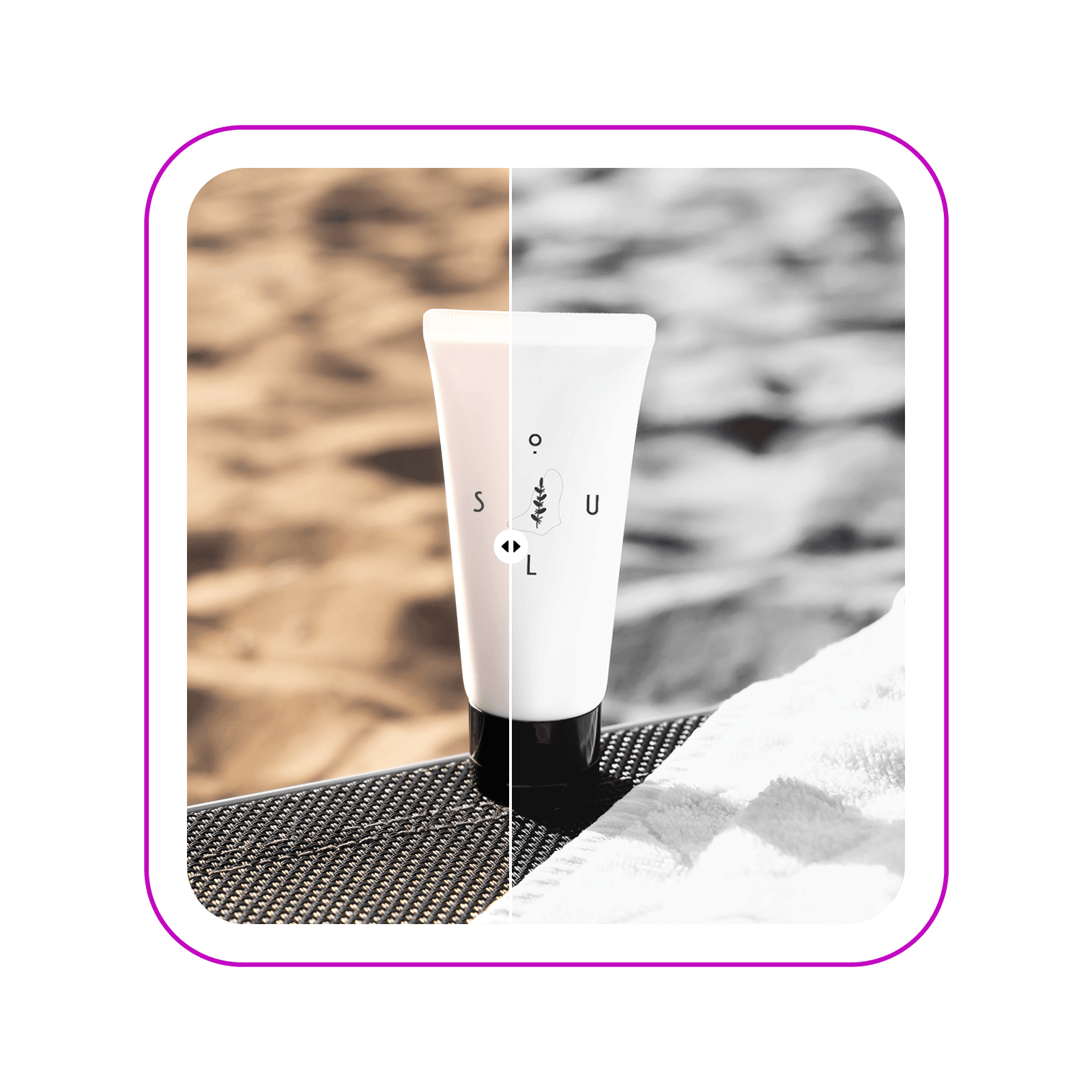
Ciptakan foto abadi dengan filter hitam putih
Ubah visual Anda dalam sekejap dengan pilihan filter hitam putih dari Picsart. Pilih dari lebih dari selusin filter B&W untuk mencapai tampilan yang Anda inginkan. Ubah foto sehari-hari menjadi kenangan profesional yang layak dibingkai atau tingkatkan visual pemasaran Anda dengan materi B&W yang elegan.

Jelajahi pilihan filter B&W
Apakah Anda ingin meniru efek hitam-putih vintage, film, atau digital, Picsart memiliki semuanya. Jelajahi pilihan lebih dari selusin filter hitam putih dan sesuaikan intensitas setiap filter sesuai keinginan Anda. Bereksperimenlah dengan mode pencampuran untuk menambah sentuhan lebih lanjut.

Tingkatkan visual pemasaran dengan editor hitam putih
Ubah tampilan visual promosi Anda dengan konverter hitam putih. Ciptakan visual tanpa gangguan setara studio dalam sekejap. Terapkan filter B&W pada fotografi produk Anda untuk mendapatkan tampilan elegan dalam kampanye Anda dan dengan mudah menjaga konsistensinya di kampanye lain dengan editor foto Picsart yang mudah digunakan.

Buat kenangan monokrom abadi
Apakah Anda membuat foto hitam putih untuk feed media sosial yang seragam, menangkap lanskap, atau momen sehari-hari, Picsart membantu memastikan kenangan Anda terjaga dengan kualitas tinggi. Bahkan jika aslinya sedikit buram, alat AI unblur bawaan ada di sini untuk menyelamatkan dan memastikan hasil akhir yang tajam.

Lampaui filter B&W dengan editor foto Picsart
Jelajahi rangkaian lengkap alat pengeditan foto Picsart untuk terus mempercantik foto hitam putih baru Anda. Gunakan editor foto AI untuk membuat suntingan tingkat dasar hingga profesional seperti memangkas, menerapkan efek kartun, atau bahkan memperluas gambar Anda. Setiap alat dirancang untuk menyempurnakan foto Anda untuk keperluan apa pun, baik itu proyek pribadi atau portofolio profesional.

Buat edit hitam putih
Kuasi seni membuat gambar hitam putih dan banyak lagi dengan efek foto dari Picsart. Manfaatkan pilihan beragam filter dari berbagai kategori dan rangkaian lengkap alat pengeditan foto yang semuanya dikemas dalam satu antarmuka yang mudah digunakan.
FAQ filter hitam dan putih
Ikuti langkah-langkah ini untuk membuat gambar hitam putih menggunakan Picsart.
- Buka Picsart dan unggah foto yang ingin Anda edit.
- Pilih gambar di editor lalu gunakan tombol Efek untuk membuka filter.
- Pilih B&W dari menu samping untuk melihat filter hitam dan putih.
- Pilih filter lagi untuk menyesuaikan intensitas sesuai keinginan Anda.
- Terus sesuaikan dengan alat pengeditan foto bawaan lainnya atau gunakan tombol Ekspor untuk mengunduh.
Diliput di


Edit foto untuk konten kreator yang dipoles
Pro
Most popularAI tools for everyday creative work.
Ultra
Most powerfulHeavy AI usage for creators & teams.
Enterprise
Custom AI solutions for large organizations.
- Volume discounts on credit rate
- On-demand top-ups


