Image
Video
Library
Creators
Solutions
Community
MCP & CLI
Pricing
  1. Home
  2. Image Tools
  3. Add White Background

Add white backgrounds to photos online

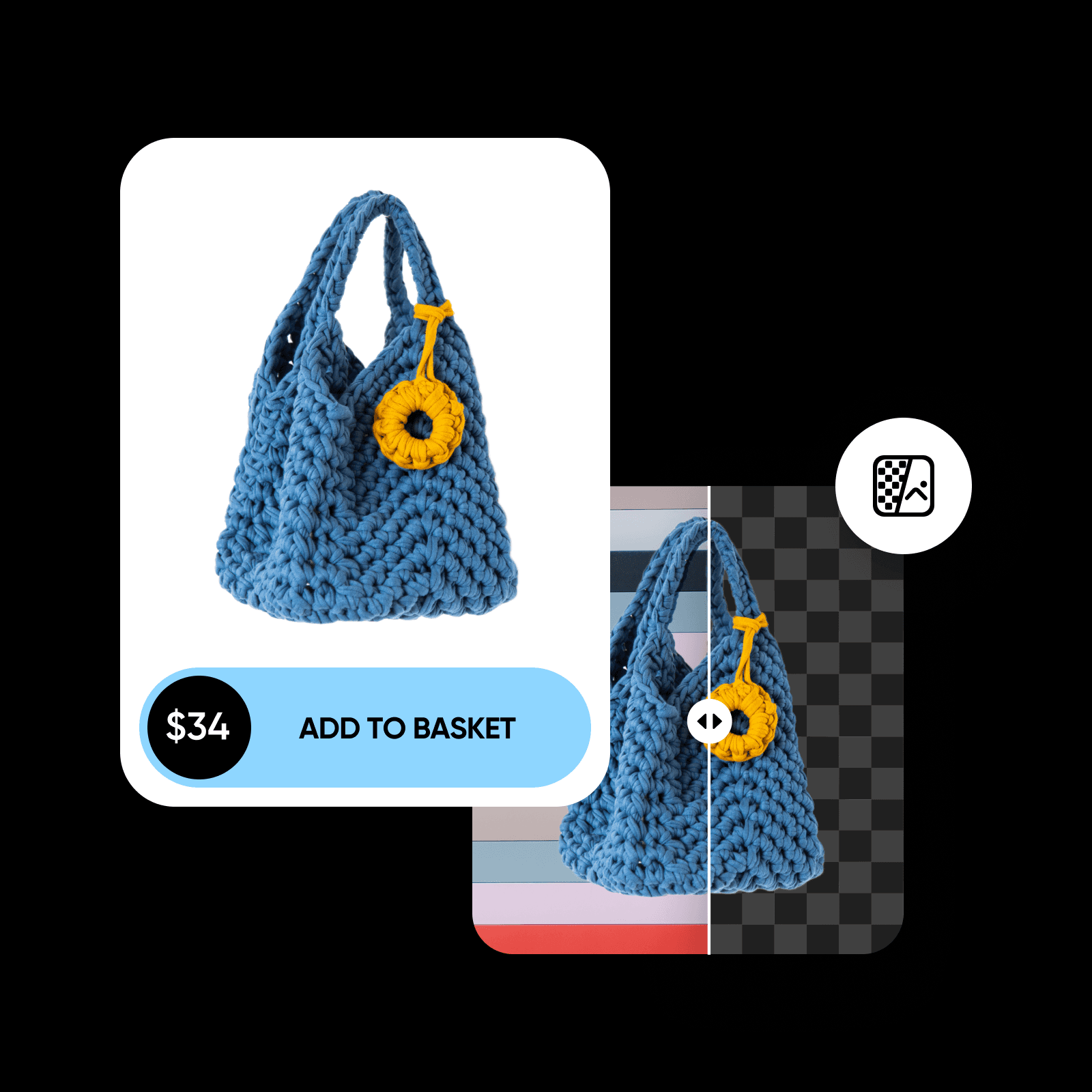
Instantly get rid of the existing backdrop and add a white background to photos with Picsart. Use an easy-to-use white background editor to polish your visuals online for cleaner e-commerce product listings, portrait photos, and more.

Add white background to photo online

Tool rating

4.9/5
(1,379 reviews)
Trustpilot
Latest G2 badges for Picsart leadership, momentum, implementation, and customer loveG2 awards
G2 Spring 2026 Leader badgeG2 Spring 2026 Momentum Leader badgeG2 Spring 2026 Fastest Implementation badgeG2 Users Love Us badge
Icon for instant editing

Instant editing

Accurately add white backgrounds to photos in seconds with Picsart. 

Icon for e-commerce

Built for e-commerce

Elevate your product presentation on e-commerce platforms with the white background photo editor.

Icon for precise background removal

Precise background removal

Picsart will automatically recognize the subject of your image and precisely erase the background.

How to change the photo background to white

1

Upload your image

Select the image you’d like to add a white background to.

2

Remove the background

3

Edit background

4

Customize and export

Polish visuals with a white background edit

Replace a busy background with a white one with ease. Tweak your existing photos without having to worry about the quality. Picsart’s AI-powered white background photo editor will take care of the accurate extraction of the subject from the original backdrop so you can automate your editing process while maintaining quality.

white background editor

Extract your image subjects with AI precision

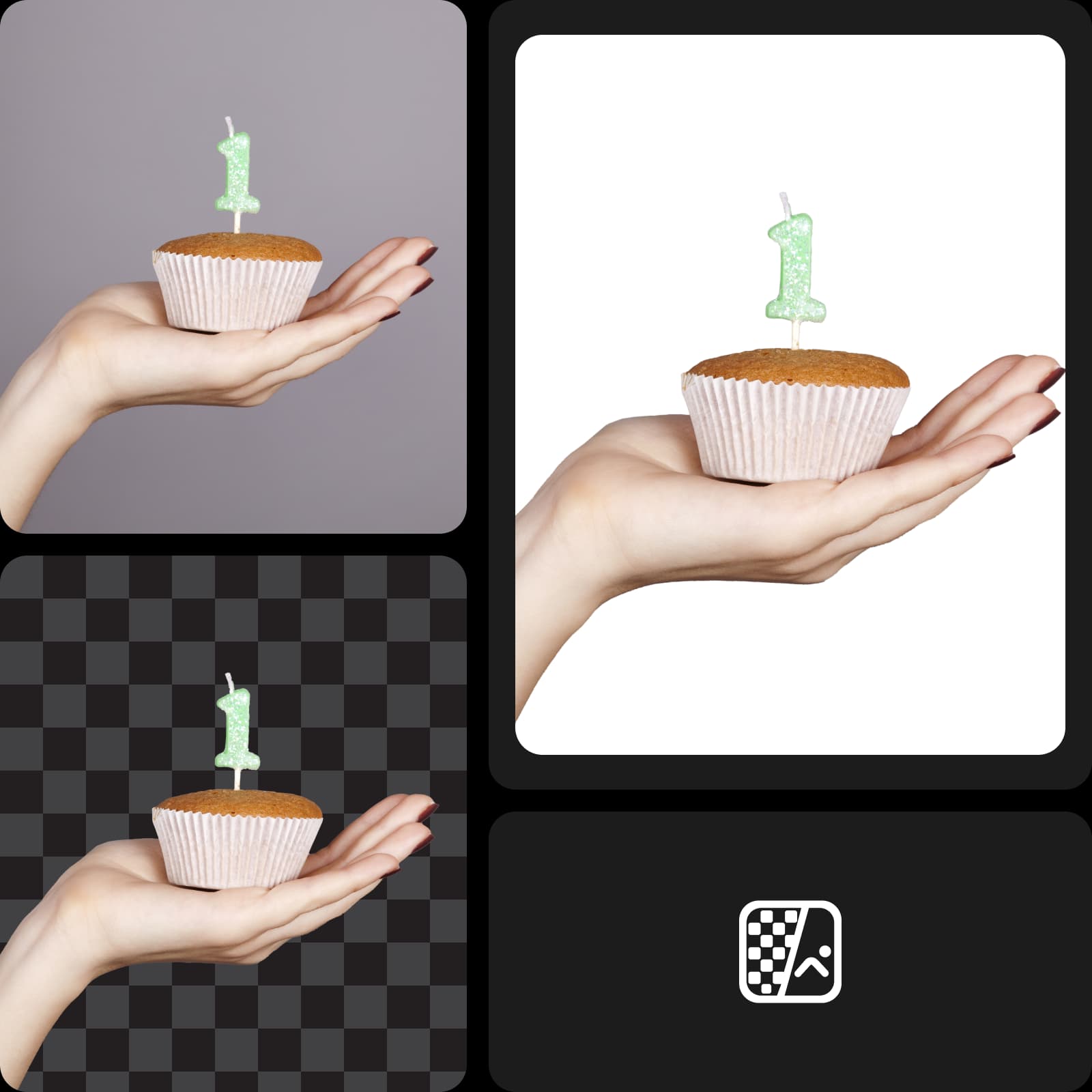
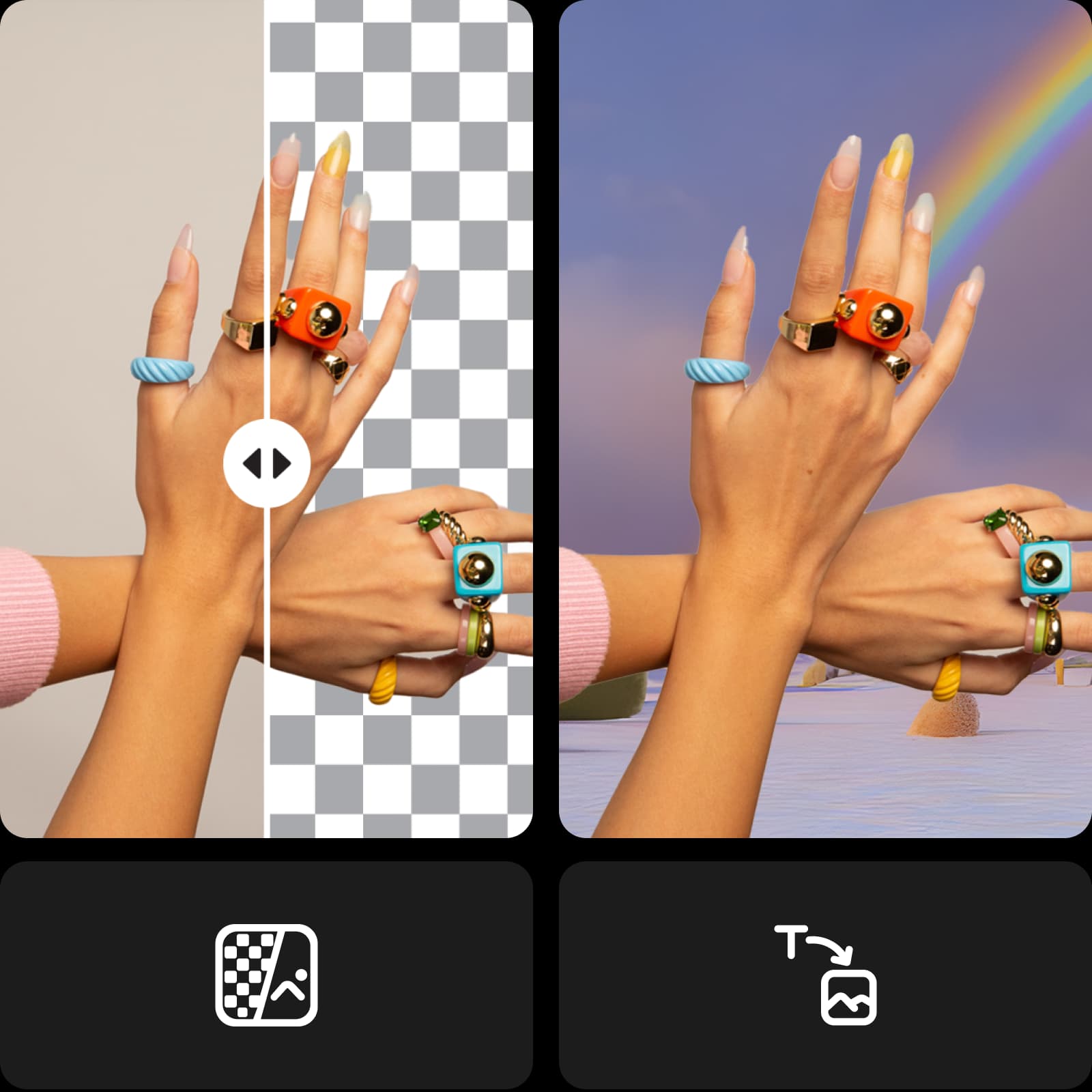
No need to worry about tracing your subject accurately with the cursor for hours. That’s in the past! Thanks to machine learning, Picsart’s background changer can recognize the subject and extract it while perfectly preserving even the tiniest details. Create white background photo edits for your products or portraits and make it look like it was taken in a studio-level setup.

extract photo background and add a white background


Make your e-commerce visuals pop

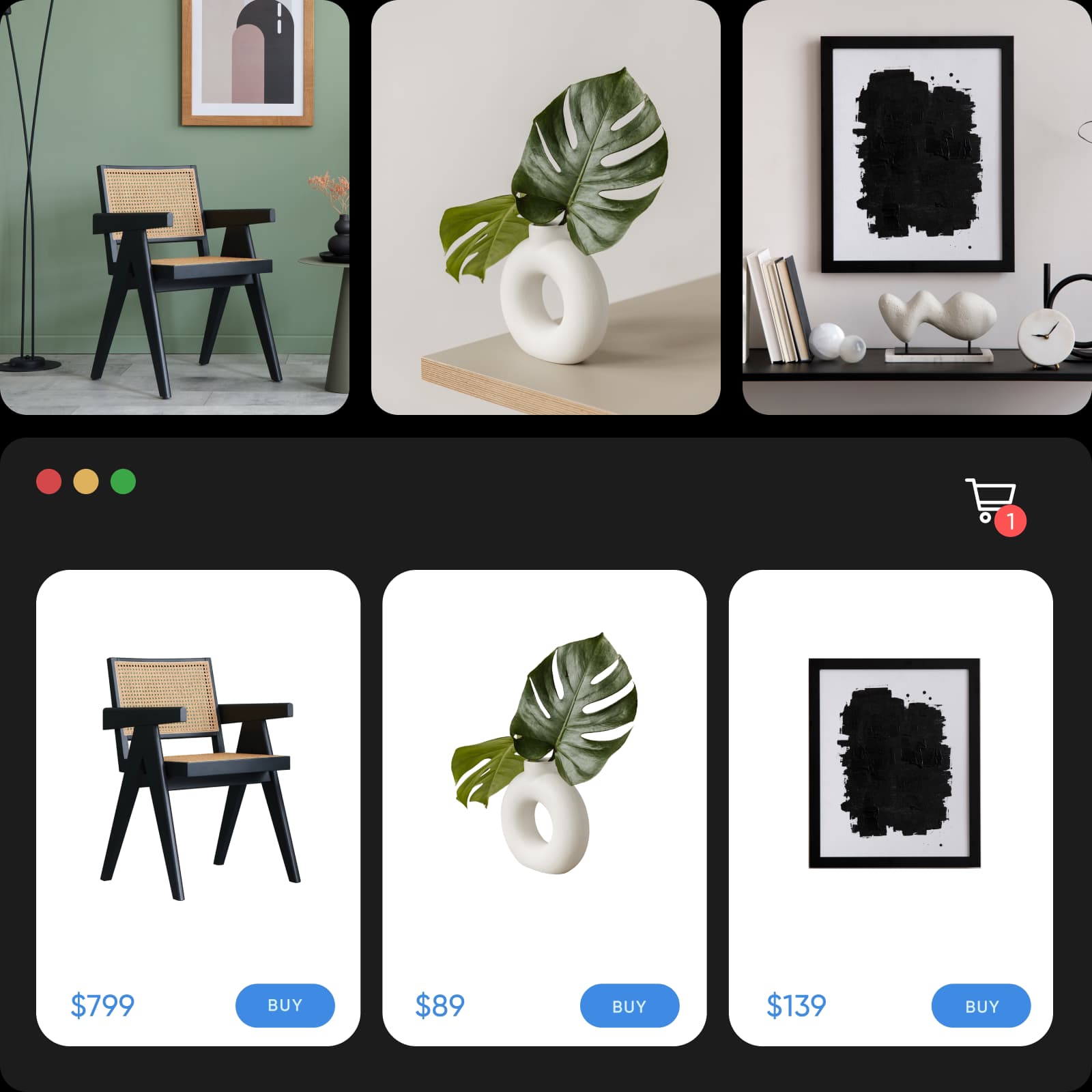
Eliminate distracting backgrounds from your product photography and increase the effectiveness of your online presentation with a white background edit. Effortlessly satisfy e-commerce platform photo requirements by changing the background color to white. And even significantly speed up the process by editing multiple images at once with Picsart.

change background color to white

Keep a consistent look on social media

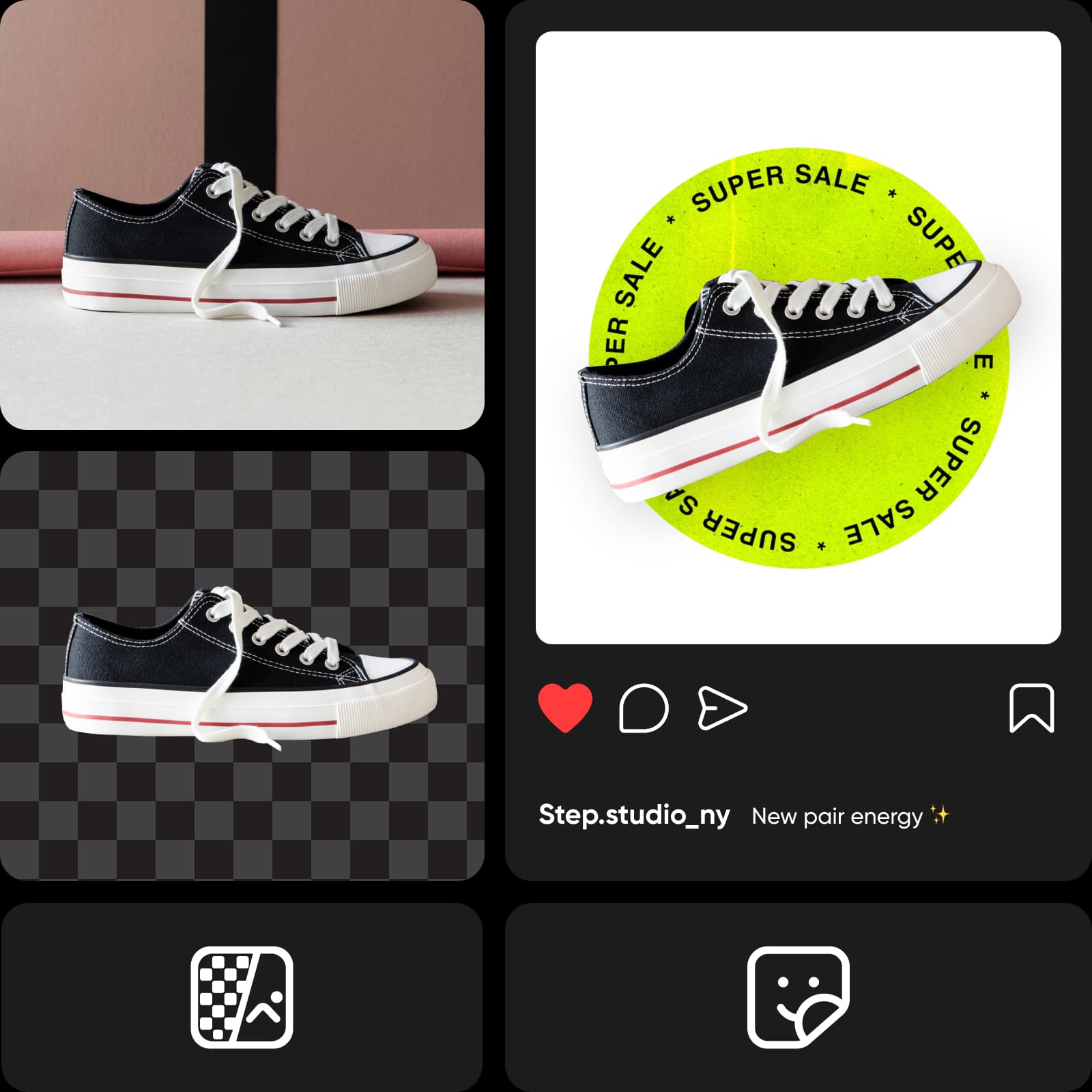
Whether you’re looking to improve your personal brand on LinkedIn or build awareness and increase sales through social media, Picsart’s white background photo editor has got your back. Create scroll-stopping carousel ads and professional portraits by getting rid of distracting backgrounds. And if you want to spice things up while keeping things minimalistic, try the PNG color changer.

white background edits online

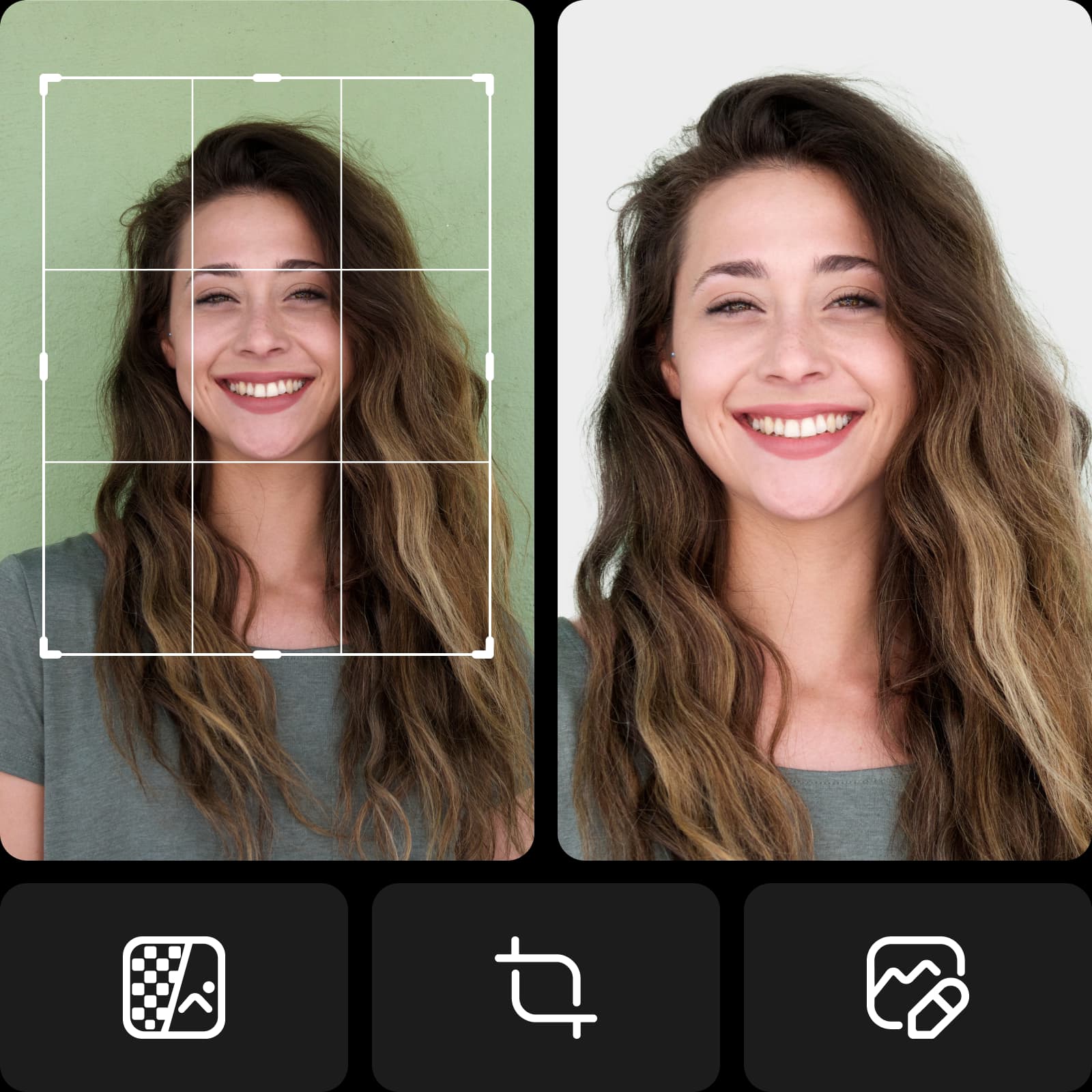
Create white background portraits with ease

No need to ever unpack that green screen again! Create professional white background portraits with minimal gear and setup. Whether you’re shooting a professional headshot for a corporate messaging platform or an ID photo, you can make even the most casual takes look professional with white background editing.

create white background portraits with ease

Continue your creative journey with Picsart

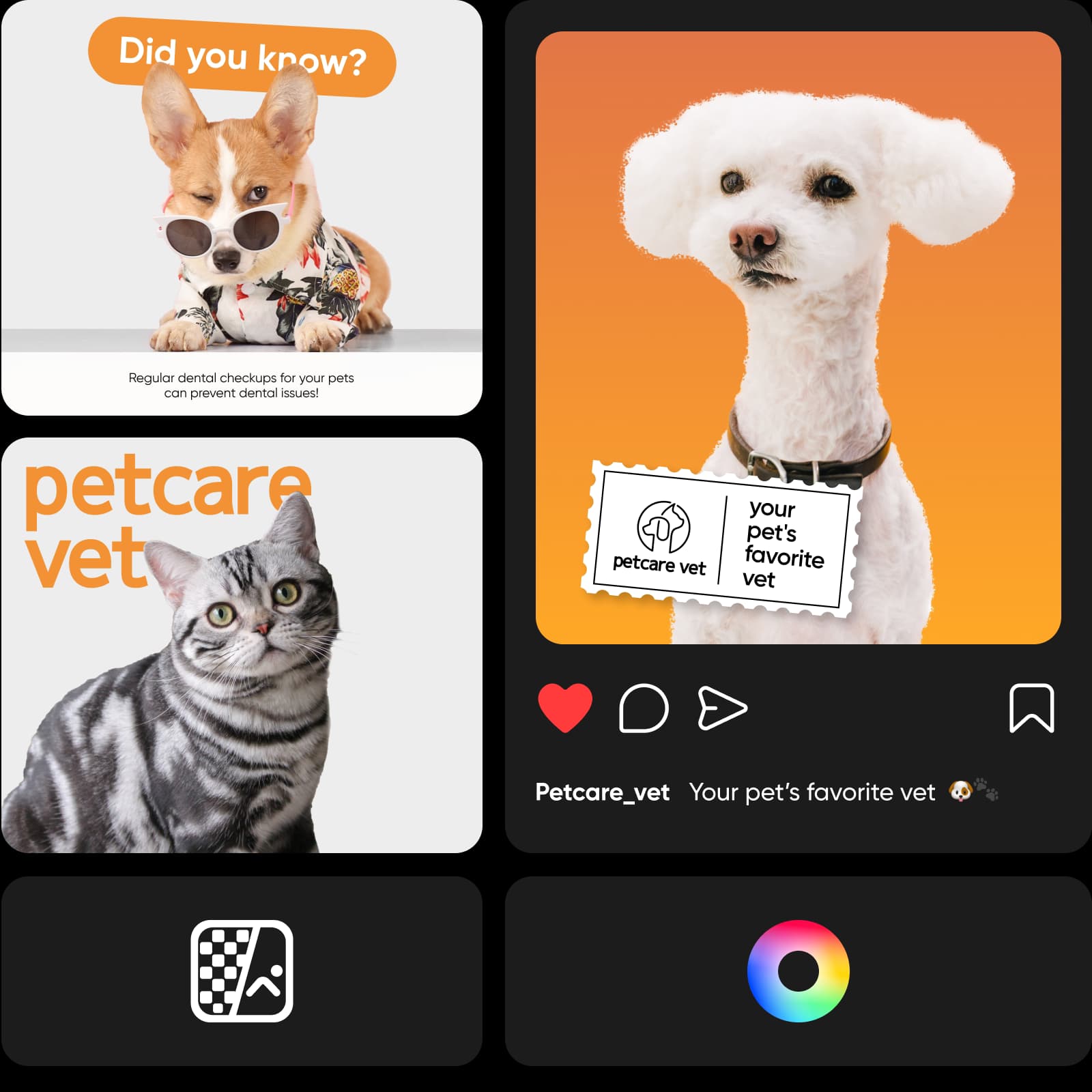
Add final touches to your edit without having to switch between editing tools. Take advantage of Picsart’s AI photo editor which comes with an all-inclusive toolset packaged inside one intuitive interface. Utilize the latest and greatest in AI technology with tools like AI background generator to create custom backdrops from scratch or momentarily reinvent the look with AI filters.

ai editing with picsart

Explore Picsart's social media templates

Get a massive head start in your content creation with Picsart's expert-crafted templates. Find a ready-to-go design for any purpose and style that suits professional and personal projects. Easily customize each template to meet your content and style needs in a matter of minutes.

Vibrant Summer Instagram Portrait TemplatePlus
Try it out
Vibrant Summer Vibes Instagram Story Template
Try it out
Charming Coastal YouTube Thumbnail in BluePlus
Try it out
Elegant Beauty Poster Featuring Warm Beige Tones
Try it out
Chic Beige A4 Style Inspiration PosterPlus
Try it out
Ocean Blue Beach Vibes Social Post
Try it out
Vibrant Ocean Adventure Instagram Portrait PostPlus
Try it out
Seaside Adventure Summer Surfing Poster
Try it out
Peaceful Outdoor Adventure Instagram Story TemplatePlus
Try it out
Summer Splash Travel Poster in Vibrant Turquoise
Try it out
Joyful Mother's Day Instagram Story in PinkPlus
Try it out
Vibrant Summer Instagram Story Template Inspiration
Try it out
Serene Instagram-Portrait With Tranquil Blue VibesPlus
Try it out
Stylish Girls Trip Recap Instagram Story
Try it out
Relaxing Summer Vibes Instagram Story TemplatePlus
Try it out
Browse social media templates

A white background editor that saves you time

Streamline your editing workflow and get better results at the same time. Ensure a polished and professional look for your visuals without having to put in extra effort. Picsart’s state-of-the-art AI does all the work for you. Try and experience the momentary magic yourself.


White background editor FAQ

Just upload your image to Picsart to automatically remove the background with high precision. Then, use the Background button on the left toolbar to select a white color fill.

White backgrounds help the subject pop more by eliminating the distracting background. Plain backgrounds are especially effective for e-commerce listings and social media ads because the user is able to immediately notice and understand what is the product.

Depends on the case. In some cases, it is required if the e-commerce platform has it as a requirement. Either way, removing product image backgrounds increases the effectiveness of the product’s online presentation.

In some cases, you have to use the right shade of white – #FFFFFF. Some platforms don’t allow off-white shades.

Not with Picsart. The image you upload isn’t compressed. And even if the original quality isn’t up to your expectations, you can use Picsart’s AI enhance tool to improve it using machine learning.

Yes, absolutely! Picsart is designed to be beginner-friendly and you don’t need any prior experience or knowledge to add a white background to your photos.

Discover more editing tools

background remover tool in Picsart photo editor

Background remover

Erase the background with AI to add more flexibility to your visuals.

Background remover

Background changer

Elevate your pictures with a unique backdrop.

Change background color

Change background color

Effortlessly change the color of any background.

ai photo editing tools

AI photo editing

Supercharge your visuals with state-of-the-art AI editing tools.

AI background generator

AI background generator

Generate unique backgrounds to make your edits stand out.

Logo background remover

Create transparent backgrounds for your logo files with ease.

remove object

Remove object from photo

No more ruined photos! Get rid of unwanted texts and backgrounds with just a few clicks. 

Background tools

Tweak the scene with ease using Picsart’s background editing tools.

PNG color changer

Add a background color to your transparent PNG files.

Picsart in the press

  • boredpanda
  • COSMOPOLITAN
  • UPROXX
  • yahoo! news

Generate background changes for creator-ready projects

Continue with your white background

Remove image backgroundsChange background colorsTry black backgroundsAdd blue backgroundsCreate transparent backgroundsEdit product photosMake PNG imagesRemove white backgroundsEdit photos onlineGenerate AI backgroundsExplore background toolsChange photo backgrounds

Use Picsart anywhere

Install the app, or bring Picsart into the AI workspaces your team already uses.

Use Picsart with

  • ChatGPT / Codex
  • Claude
  • Terminal
  • Cursor
  • OpenClaw
  • Hermes

Download the app

Download on the App StoreGET IT ON Google PlayGet it from Microsoft

Follow Picsart

Pinterest
AICPA SOC

Create

  • AI Image Generator
  • AI Video Generator
  • AI Playground
  • Flow
  • AI Photo Editor
  • AI Video Editor
  • AI Agents
  • Content Library
  • AI Models

Creators

  • Earn with Picsart
  • Earn campaigns
  • Clipping
  • For Brands
  • Video Studio
  • Tutorials
  • Challenges

Connect

  • ChatGPT / Codex
  • MCP setup
  • Command line
  • Developers
  • Google Drive

Business

  • Pricing
  • Enterprise
  • Industries
  • Quicktools

Company

  • Support
  • Careers
  • About us
  • Blog
  • Press Center
Terms of UsePrivacy PolicyDo Not SellInternet-Based AdvertisingCommunity GuidelinesDMCASecurity PolicyAccessibility
© 2026 PicsArt, Inc.

Create white-background photos with AI image models

Use image models to transform backgrounds, product shots, and cutouts into polished visuals.

GPT Image 2New
Next-gen GPT image model with arbitrary output dimensions and multi-image input.Reference inputImage generationSee model
Nano Banana 2New
Fast 4K generation with accurate text and search-grounded accuracy.4KFast generationImage generationSee model
Nano Banana ProNew
Top-tier 4K images with precise multilingual text rendering.4KPro qualityImage generationSee model
Flux 2 FlexNew
Adaptable generation across varied visual styles at 2K.Image generationSee model
Seedream 5.0 Lite
Speedy 3K output with negative prompt and dual-image input support.Reference inputFast generationImage generationSee model
Kling 3.0 Image
Cinematic visuals with up to 4K resolution and 10 reference images.Reference input4KCinematicSee model
Kling O1 Image
O1-architecture image generation with multi-reference support.Reference inputCinematicImage generationSee model
Kling V2 New Image
Latest V2 image generation with optional restyle via image reference.Reference inputCinematicImage generationSee model
Hunyuan V3
Infographic-friendly generation with readable text and cfg control.Image generationSee model
Luma UNI-1
Luma UNI-1 — agentic image generation and editing with up to 9 reference images.Reference inputCinematicImage generationSee model
Luma UNI-1 Max
Luma UNI-1 Max — higher-quality UNI-1 variant with the same multi-reference editing controls.Reference inputCinematicImage generationSee model
Seedream 5.0 Pro
Top-tier single-image generation with up to 10 reference images and 2K detail.Reference inputPro qualityImage generationSee model
GPT Image 2New
Next-gen GPT image model with arbitrary output dimensions and multi-image input.Reference inputImage generationSee model
Nano Banana 2New
Fast 4K generation with accurate text and search-grounded accuracy.4KFast generationImage generationSee model
Nano Banana ProNew
Top-tier 4K images with precise multilingual text rendering.4KPro qualityImage generationSee model
Flux 2 FlexNew
Adaptable generation across varied visual styles at 2K.Image generationSee model
Seedream 5.0 Lite
Speedy 3K output with negative prompt and dual-image input support.Reference inputFast generationImage generationSee model
Kling 3.0 Image
Cinematic visuals with up to 4K resolution and 10 reference images.Reference input4KCinematicSee model
Kling O1 Image
O1-architecture image generation with multi-reference support.Reference inputCinematicImage generationSee model
Kling V2 New Image
Latest V2 image generation with optional restyle via image reference.Reference inputCinematicImage generationSee model
Hunyuan V3
Infographic-friendly generation with readable text and cfg control.Image generationSee model
Luma UNI-1
Luma UNI-1 — agentic image generation and editing with up to 9 reference images.Reference inputCinematicImage generationSee model
Luma UNI-1 Max
Luma UNI-1 Max — higher-quality UNI-1 variant with the same multi-reference editing controls.Reference inputCinematicImage generationSee model
Seedream 5.0 Pro
Top-tier single-image generation with up to 10 reference images and 2K detail.Reference inputPro qualityImage generationSee model
GPT Image 2New
Next-gen GPT image model with arbitrary output dimensions and multi-image input.Reference inputImage generationSee model
Nano Banana 2New
Fast 4K generation with accurate text and search-grounded accuracy.4KFast generationImage generationSee model
Nano Banana ProNew
Top-tier 4K images with precise multilingual text rendering.4KPro qualityImage generationSee model
Flux 2 FlexNew
Adaptable generation across varied visual styles at 2K.Image generationSee model
Seedream 5.0 Lite
Speedy 3K output with negative prompt and dual-image input support.Reference inputFast generationImage generationSee model
Kling 3.0 Image
Cinematic visuals with up to 4K resolution and 10 reference images.Reference input4KCinematicSee model
Kling O1 Image
O1-architecture image generation with multi-reference support.Reference inputCinematicImage generationSee model
Kling V2 New Image
Latest V2 image generation with optional restyle via image reference.Reference inputCinematicImage generationSee model
Hunyuan V3
Infographic-friendly generation with readable text and cfg control.Image generationSee model
Luma UNI-1
Luma UNI-1 — agentic image generation and editing with up to 9 reference images.Reference inputCinematicImage generationSee model
Luma UNI-1 Max
Luma UNI-1 Max — higher-quality UNI-1 variant with the same multi-reference editing controls.Reference inputCinematicImage generationSee model
Seedream 5.0 Pro
Top-tier single-image generation with up to 10 reference images and 2K detail.Reference inputPro qualityImage generationSee model
GPT Image 2New
Next-gen GPT image model with arbitrary output dimensions and multi-image input.Reference inputImage generationSee model
Nano Banana 2New
Fast 4K generation with accurate text and search-grounded accuracy.4KFast generationImage generationSee model
Nano Banana ProNew
Top-tier 4K images with precise multilingual text rendering.4KPro qualityImage generationSee model
Flux 2 FlexNew
Adaptable generation across varied visual styles at 2K.Image generationSee model
Seedream 5.0 Lite
Speedy 3K output with negative prompt and dual-image input support.Reference inputFast generationImage generationSee model
Kling 3.0 Image
Cinematic visuals with up to 4K resolution and 10 reference images.Reference input4KCinematicSee model
Kling O1 Image
O1-architecture image generation with multi-reference support.Reference inputCinematicImage generationSee model
Kling V2 New Image
Latest V2 image generation with optional restyle via image reference.Reference inputCinematicImage generationSee model
Hunyuan V3
Infographic-friendly generation with readable text and cfg control.Image generationSee model
Luma UNI-1
Luma UNI-1 — agentic image generation and editing with up to 9 reference images.Reference inputCinematicImage generationSee model
Luma UNI-1 Max
Luma UNI-1 Max — higher-quality UNI-1 variant with the same multi-reference editing controls.Reference inputCinematicImage generationSee model
Seedream 5.0 Pro
Top-tier single-image generation with up to 10 reference images and 2K detail.Reference inputPro qualityImage generationSee model
GPT Image 2New
Next-gen GPT image model with arbitrary output dimensions and multi-image input.Reference inputImage generationSee model
Nano Banana 2New
Fast 4K generation with accurate text and search-grounded accuracy.4KFast generationImage generationSee model
Nano Banana ProNew
Top-tier 4K images with precise multilingual text rendering.4KPro qualityImage generationSee model
Flux 2 FlexNew
Adaptable generation across varied visual styles at 2K.Image generationSee model
Seedream 5.0 Lite
Speedy 3K output with negative prompt and dual-image input support.Reference inputFast generationImage generationSee model
Kling 3.0 Image
Cinematic visuals with up to 4K resolution and 10 reference images.Reference input4KCinematicSee model
Kling O1 Image
O1-architecture image generation with multi-reference support.Reference inputCinematicImage generationSee model
Kling V2 New Image
Latest V2 image generation with optional restyle via image reference.Reference inputCinematicImage generationSee model
Hunyuan V3
Infographic-friendly generation with readable text and cfg control.Image generationSee model
Luma UNI-1
Luma UNI-1 — agentic image generation and editing with up to 9 reference images.Reference inputCinematicImage generationSee model
Luma UNI-1 Max
Luma UNI-1 Max — higher-quality UNI-1 variant with the same multi-reference editing controls.Reference inputCinematicImage generationSee model
Seedream 5.0 Pro
Top-tier single-image generation with up to 10 reference images and 2K detail.Reference inputPro qualityImage generationSee model
GPT Image 2New
Next-gen GPT image model with arbitrary output dimensions and multi-image input.Reference inputImage generationSee model
Nano Banana 2New
Fast 4K generation with accurate text and search-grounded accuracy.4KFast generationImage generationSee model
Nano Banana ProNew
Top-tier 4K images with precise multilingual text rendering.4KPro qualityImage generationSee model
Flux 2 FlexNew
Adaptable generation across varied visual styles at 2K.Image generationSee model
Seedream 5.0 Lite
Speedy 3K output with negative prompt and dual-image input support.Reference inputFast generationImage generationSee model
Kling 3.0 Image
Cinematic visuals with up to 4K resolution and 10 reference images.Reference input4KCinematicSee model
Kling O1 Image
O1-architecture image generation with multi-reference support.Reference inputCinematicImage generationSee model
Kling V2 New Image
Latest V2 image generation with optional restyle via image reference.Reference inputCinematicImage generationSee model
Hunyuan V3
Infographic-friendly generation with readable text and cfg control.Image generationSee model
Luma UNI-1
Luma UNI-1 — agentic image generation and editing with up to 9 reference images.Reference inputCinematicImage generationSee model
Luma UNI-1 Max
Luma UNI-1 Max — higher-quality UNI-1 variant with the same multi-reference editing controls.Reference inputCinematicImage generationSee model
Seedream 5.0 Pro
Top-tier single-image generation with up to 10 reference images and 2K detail.Reference inputPro qualityImage generationSee model