Maak afbeeldingen zwart-wit met zwart-witfilters
Ontdek de hoogwaardige zwart-witfilters van Picsart en geef je foto's moeiteloos een compleet nieuwe uitstraling, zonder kwaliteitsverlies.

Maak een zwart-witfilter met AI-afbeeldingsmodellen
Gebruik afbeeldingsmodellen om foto's te transformeren met stijlen, effecten en kant-en-klare visuele ideeën die je direct kunt bewerken.
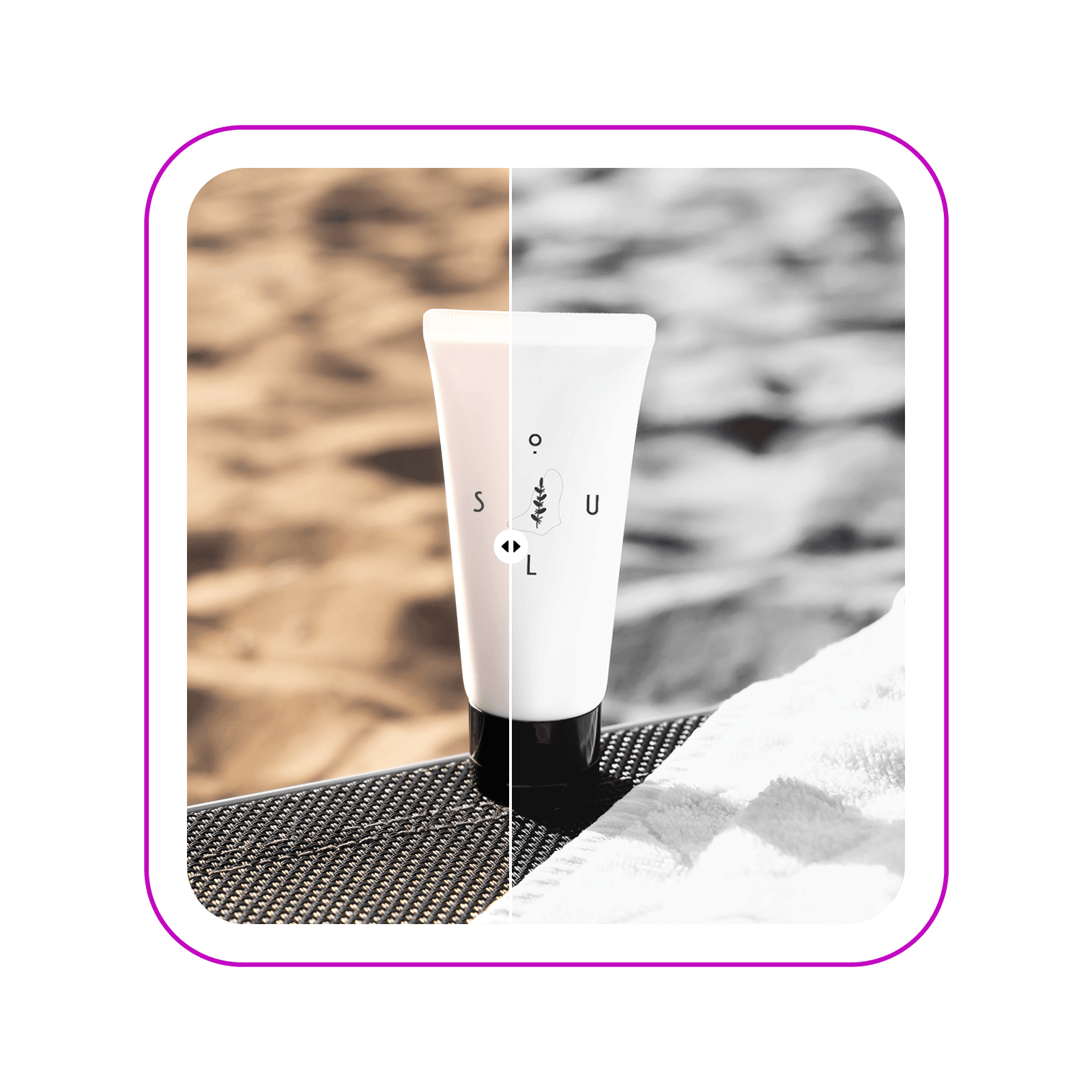
Maak tijdloze foto's met zwart-witfilters
Geef je beelden direct een nieuwe uitstraling met de zwart-witfilters van Picsart. Kies uit meer dan twaalf zwart-witfilters om precies de look te creëren die je zoekt. Verander alledaagse foto's in professionele, ingelijste herinneringen of geef je marketingbeelden een elegante zwart-witstijl.

Ontdek verschillende zwart-witfilters
Of je nu vintage-, film- of digitale zwart-witeffecten wilt nabootsen, Picsart heeft het allemaal. Ontdek meer dan twaalf zwart-witfilters en pas de intensiteit van elk filter naar wens aan. Experimenteer met overvloeimodi om de look verder te verfijnen.

Geef marketingbeelden een boost met de zwart-witeditor
Geef je promotiemateriaal een nieuwe uitstraling met de zwart-witconverter. Creëer direct professionele beelden zonder afleiding. Pas zwart-witfilters toe op je productfoto's voor een verfijnde uitstraling in je campagnes en zorg eenvoudig voor een consistente look in al je campagnes met de gebruiksvriendelijke foto-editor van Picsart.

Creëer tijdloze herinneringen in zwart-wit
Of je nu foto's zwart-wit maakt voor een samenhangende socialmediafeed, landschappen vastlegt of alledaagse momenten bewaart, Picsart helpt je herinneringen in hoge kwaliteit te bewaren. Zelfs als het origineel wat wazig is, staat de ingebouwde AI-tool om foto's onscherp te maken voor je klaar om het beeld te redden en te zorgen voor een scherp eindresultaat.

Ga verder dan zwart-witfilters met de foto-editor van Picsart
Ontdek het volledige aanbod aan fotobewerkingstools van Picsart en verfijn je zwart-witfoto's verder. Gebruik de AI-foto-editor voor eenvoudige en professionele bewerkingen, zoals bijsnijden, het toepassen van cartooneffecten of zelfs je afbeeldingen uitbreiden. Elke tool is ontworpen om je foto's voor elk doel te verfijnen, of het nu gaat om een persoonlijk project of een professionele portfolio.

Maak een zwart-witbewerking
Beheers de kunst van afbeeldingen zwart-wit maken en nog veel meer met de foto-effecten van Picsart. Kies uit een ruime selectie filters in verschillende categorieën en een compleet pakket fotobewerkingstools in één gebruiksvriendelijke interface.
Veelgestelde vragen over zwart-witfilters
Volg deze stappen om een foto zwart-wit te maken met Picsart.
- Open Picsart en upload de foto die je wilt bewerken.
- Selecteer de afbeelding in de editor en tik op de knop Effecten om de filters te openen.
- Kies Zwart-wit in het zijmenu om de zwart-witfilters te bekijken.
- Selecteer het filter opnieuw om de intensiteit naar wens aan te passen.
- Pas de foto verder aan met andere ingebouwde fotobewerkingstools of gebruik de knop Exporteren om te downloaden.
Bekend van


Bewerk foto's voor professionele content als creator
Pro
Most popularAI tools for everyday creative work.
Ultra
Most powerfulHeavy AI usage for creators & teams.
Enterprise
Custom AI solutions for large organizations.
- Volume discounts on credit rate
- On-demand top-ups


