Kling 3.0: ควบคุมการเคลื่อนไหวในวิดีโอด้วย AI ได้ล้ำหน้ายิ่งขึ้น
Kling 3.0 ผสานรวมอยู่ใน AI Video Generator และ AI Playground ของ Picsart แล้ว มาพร้อมการควบคุมการเคลื่อนไหวสไตล์ภาพยนตร์ขั้นสูงที่ใช้งานได้โดยตรงในเวิร์กโฟลว์สร้างสรรค์ของคุณ ด้วยการเคลื่อนกล้องอย่างแม่นยำ การเปลี่ยนฉากที่ลื่นไหล และ Multi-Elements ที่ช่วยให้ตัวละครคงรูปลักษณ์เดิม Kling 3.0 ทำให้วิดีโอที่สร้างด้วย AI เคลื่อนไหวได้เป็นธรรมชาติยิ่งขึ้น มีรายละเอียดสมบูรณ์ยิ่งขึ้น และคงเอกลักษณ์ของตัวแบบได้อย่างสม่ำเสมอตลอดทุกฉาก ใช้ภาพอ้างอิงได้สูงสุด 4 ภาพเพื่อล็อกตัวละคร วัตถุ และฉาก แล้วให้ Kling 3.0 เนรมิตสิ่งเหล่านั้นให้มีชีวิตด้วยความแม่นยำแบบภาพยนตร์
- ควบคุมการเคลื่อนกล้องแบบภาพยนตร์
- รักษารูปลักษณ์ของตัวละครให้สม่ำเสมอ
- สร้างการเปลี่ยนฉากที่ลื่นไหลยิ่งขึ้น


Kling Video 3.0 Motion Control คืออะไร
Kling Video 3.0 Motion Control คือวิวัฒนาการล่าสุดของโมเดลวิดีโอ AI Kling ที่ออกแบบมาเพื่อยกระดับการควบคุมการเคลื่อนไหวในวิดีโอ AI และความแม่นยำของการเคลื่อนกล้องสไตล์ภาพยนตร์โดยเฉพาะ แทนที่จะสร้างเพียงคลิปแอนิเมชันทั่วไป โมเดลนี้ให้ความสำคัญกับการเคลื่อนไหวภายในฉาก ตั้งแต่การปรับตำแหน่งกล้องอย่างควบคุมได้ไปจนถึงการเคลื่อนไหวของตัวแบบที่คงที่ เวอร์ชันนี้มาพร้อมการควบคุมการเคลื่อนไหวขั้นสูง ความต่อเนื่องของฉากที่ดียิ่งขึ้น และความเที่ยงตรงของภาพที่สูงขึ้น นอกจากนี้ยังมี Multi-Elements ซึ่งเป็นระบบที่ช่วยให้ตัวละครและวัตถุคงรูปลักษณ์เดิม โดยนำภาพอ้างอิงได้สูงสุด 4 ภาพของตัวละคร วัตถุ หรือฉากมารวมไว้ในวิดีโอที่มีการเคลื่อนไหว เพิ่ม สลับ หรือลบองค์ประกอบเพื่อรักษาเอกลักษณ์ทางภาพในทุกช็อต เหมาะสำหรับการเล่าเรื่องหลายฉากและคอนเทนต์แบรนด์
สร้างอะไรได้บ้างด้วย Kling Video 3.0 Motion Control
สร้างวิดีโอ AI สไตล์ภาพยนตร์
สร้างวิดีโอคุณภาพระดับสตูดิโอจากพรอมต์ข้อความด้วยระบบควบคุมการเคลื่อนไหวขั้นสูงของ Kling 3.0 พร้อมกำหนดการเคลื่อนกล้อง ลำดับฉาก และการเคลื่อนไหวของตัวละครได้อย่างแม่นยำแบบภาพยนตร์
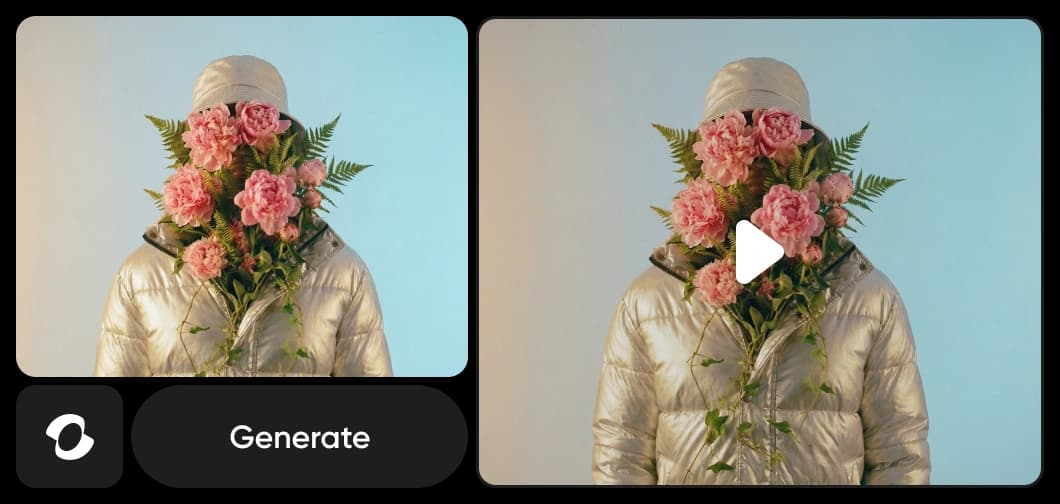
Kling Video 3.0 Motion Control ทำงานใน Picsart อย่างไร
Kling Video 3.0 Motion Control นำการควบคุมการเคลื่อนไหวในวิดีโอด้วย AI ขั้นสูงมาไว้ใน Picsart เพื่อสร้างการเคลื่อนไหวสไตล์ภาพยนตร์ การเปลี่ยนฉากที่ลื่นไหล และการเคลื่อนไหวของตัวละครที่สมจริง ใน Flow เครื่องมือสร้างเวิร์กโฟลว์ AI แบบไม่ต้องเขียนโค้ด เทคโนโลยีนี้ช่วยขับเคลื่อนเวิร์กโฟลว์ที่จัดลำดับตามการเคลื่อนไหว ใน GenAI เครื่องมือสร้างวิดีโอในคลิกเดียว เทคโนโลยีนี้เปลี่ยนพรอมต์ให้เป็นฉากสไตล์ภาพยนตร์ที่ลื่นไหล นอกจากนี้ยังใช้งานร่วมกับ AI Video Generator (เปลี่ยนข้อความเป็นวิดีโอได้อย่างรวดเร็ว) และ AI Voice Generator (เปลี่ยนสคริปต์เป็นเสียงบรรยายที่เป็นธรรมชาติ) เพื่อผสานการเคลื่อนไหว ภาพ และเสียงไว้ในแพลตฟอร์มเดียว
ทำไมครีเอเตอร์จึงเลือก Kling 3.0 Motion Control
Kling 3.0 Motion Control ยกระดับคุณภาพวิดีโออย่างก้าวกระโดด ด้วยความสมจริงที่ดีขึ้น การเคลื่อนไหวที่ลื่นไหลขึ้น และรายละเอียดภาพที่คมชัดกว่าโมเดลรุ่นก่อน ครีเอเตอร์เลือก Kling 3.0 เพราะความสามารถในการควบคุมการเคลื่อนไหวขั้นสูง ไม่ว่าจะเป็นการกำหนดการเคลื่อนกล้อง ทำให้การเปลี่ยนฉากมีความต่อเนื่อง หรือปรับการเคลื่อนไหวของตัวละคร โดยไม่ต้องตั้งค่าการตัดต่อที่ซับซ้อน Multi-Elements ยังเพิ่มความสามารถอีกขั้น เพียงอัปโหลดภาพอ้างอิงของตัวละครและวัตถุ Kling 3.0 ก็ช่วยให้ทั้งสองคงรูปลักษณ์เดิมในทุกฉาก เมื่อผสานรวมโดยตรงกับเครื่องมือ Flow และ GenAI ของ Picsart จึงช่วยลดเวลาการผลิต พร้อมให้ครีเอเตอร์ควบคุมการเคลื่อนไหว การเชื่อมต่อ และอารมณ์ของแต่ละเฟรมได้อย่างแม่นยำยิ่งขึ้น
Kling 3.0 Motion Control ในแพลตฟอร์ม Picsart
Kling Video 3.0 Motion Control เป็นหนึ่งในโมเดล AI รุ่นล่าสุดที่ขับเคลื่อนระบบนิเวศสร้างสรรค์ของ Picsart ออกแบบมาเพื่อรองรับการควบคุมการเคลื่อนไหวในวิดีโอขั้นสูงในวงกว้าง เมื่อผสานรวมเข้ากับทั้ง Flows และ GenAI โมเดลนี้จะทำงานร่วมกับโมเดลชั้นนำอื่น ๆ เพื่อสร้างการเคลื่อนกล้องสไตล์ภาพยนตร์ การเปลี่ยนฉากที่ควบคุมได้ และการเคลื่อนไหวของตัวละครที่สมจริงในหลากหลายโปรเจกต์ แนวทางที่ใช้หลายโมเดลนี้ช่วยให้ครีเอเตอร์เลือกเครื่องมือที่เหมาะกับแต่ละงานได้อย่างยืดหยุ่น พร้อมรับประโยชน์จากการพัฒนาประสิทธิภาพอย่างต่อเนื่องและการสร้างการเคลื่อนไหวที่แม่นยำยิ่งขึ้น
ทำความเข้าใจตัวเลือกโมเดลวิดีโอ
เรียนรู้วิธีเปรียบเทียบโมเดลวิดีโอ การเคลื่อนไหว และผลลัพธ์



สำรวจโมเดลอื่น ๆ เช่น Kling 3.0
เปรียบเทียบ Kling 3.0 กับโมเดลวิดีโออื่น ๆ สำหรับการเคลื่อนไหว โฆษณา และคลิปโซเชียล
คำถามที่พบบ่อยเกี่ยวกับ Kling 3.0 Motion Control
Kling Video 3.0 Motion Control คือโมเดล Kling AI รุ่นล่าสุดที่ออกแบบมาสำหรับสร้างวิดีโอคุณภาพระดับภาพยนตร์ มาพร้อมการควบคุมการเคลื่อนไหวขั้นสูง ความต่อเนื่องของฉากที่ดีขึ้น และความเที่ยงตรงของภาพที่สูงกว่าเวอร์ชันก่อนหน้า
สร้างภาพด้วย AI ด้วย Kling 3.0
Pro
Most popularAI tools for everyday creative work.
Ultra
Most powerfulHeavy AI usage for creators & teams.