Робіть зображення чорно-білими з чорно-білими фільтрами
Досліджуйте високоякісні чорно-білі фільтри Picsart, щоб легко перевинайти ваші фото без втрати якості.

Створіть чорно-білий фільтр за допомогою AI моделей зображень
Використовуйте моделі зображень для перетворення фотографій у стилі, ефекти та готових до редагування візуальних напрямків.
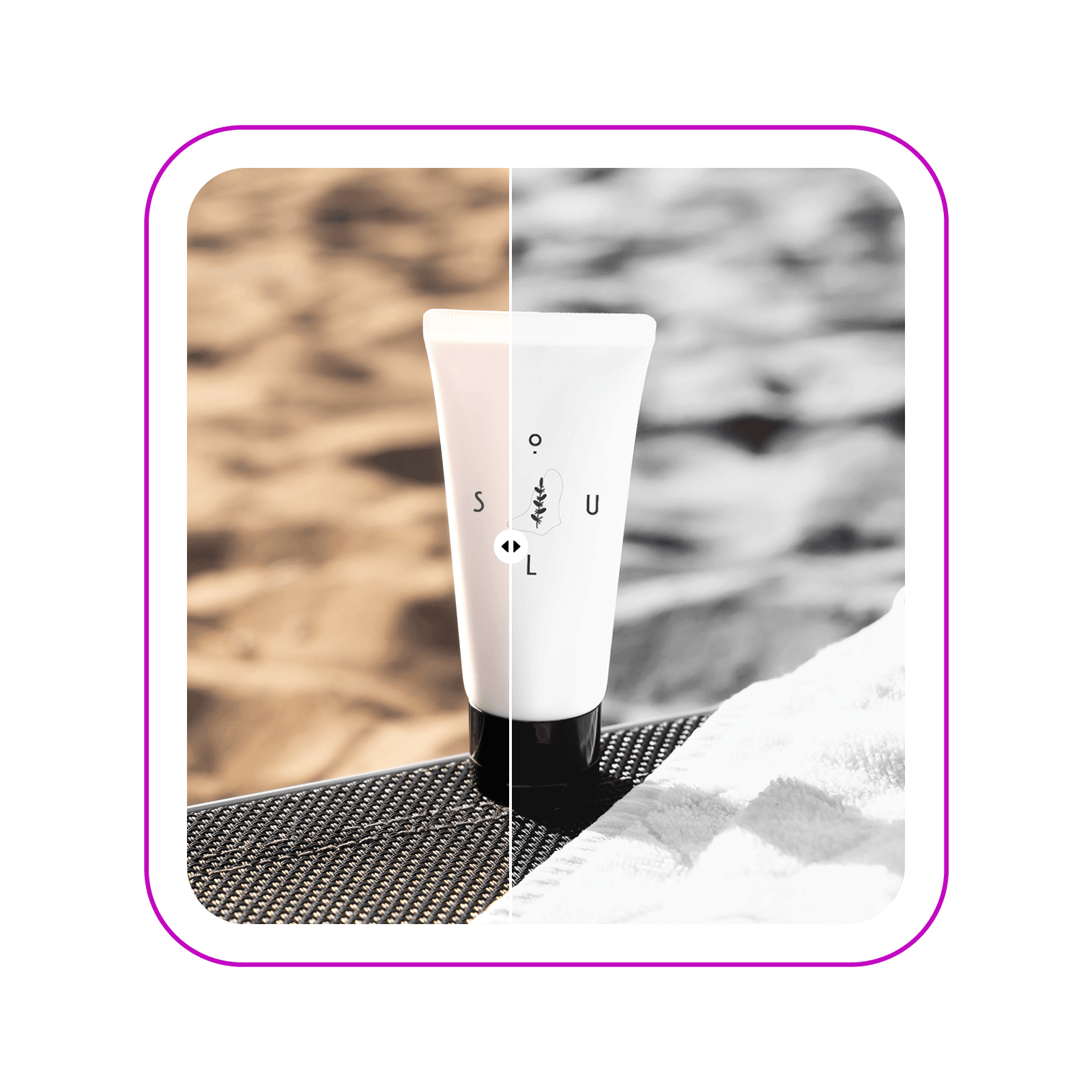
Створюйте безчасові фотографії з чорно-білими фільтрами
Перетворіть ваші візуали миттєво за допомогою добору чорно-білих фільтрів Picsart. Обирайте з понад десятка фільтрів B&W для досягнення саме того вигляду, який вам потрібен. Перетворіть повсякденні фото на професійні спогади, які варто зберегти у рамці, або піднесіть ваші маркетингові візуали завдяки елегантним матеріалам B&W.

Досліджуйте вибір фільтрів B&W
Чи хочете ви повторити вінтажні, плівкові або цифрові чорно-білі ефекти, у Picsart є все. Досліджуйте вибір з більш ніж дюжини чорно-білих фільтрів і налаштуйте інтенсивність кожного фільтра відповідно до ваших уподобань. Експериментуйте з режимами змішування, щоб вдосконалити вигляд далі.

Піднесіть маркетингові візуали за допомогою чорно-білого редактора
Перевинайдіть вигляд ваших промоційних візуалів за допомогою чорно-білого конвертора. Створіть студійні візуали без відволікаючих ефектів миттєво. Застосовуйте фільтри B&W на вашій продуктній фотографії, щоб добитися витонченого вигляду у ваших кампаніях та легко підтримуйте його узгодженим у інших кампаніях з простим у використанні фоторедактором Picsart.

Створюйте безчасові монохромні спогади
Чи ви робите фото чорно-білими для однорідної стрічки в соціальних мережах, чи захоплюєте пейзажі, чи повсякденні моменти, Picsart допомагає забезпечити, що ваші спогади зберігаються в високій якості. Навіть якщо оригінал трохи розмитий, вбудований інструмент AI unblur готовий врятувати ситуацію та забезпечити чіткий кінцевий результат.

Перейдіть за межі фільтрів B&W за допомогою фоторедактора Picsart
Досліджуйте повний набір інструментів редагування фото від Picsart, щоб продовжувати удосконалювати ваші нові чорно-білі фото. Використовуйте AI фоторедактор для виконання базових до професійних редагувань, таких як обрізання, застосування картун-ефектів, або навіть розширення зображень. Кожен інструмент створений для того, щоб вдосконалити ваші фото для будь-якої мети, будь то особистий проект або професійне портфоліо.

Створіть чорно-білий варіант
Опануйте мистецтво чорно-білих зображень та інше з фотоефектами Picsart. Досліджуйте широкий вибір фільтрів різних категорій і повний набір інструментів редагування в одному зручному інтерфейсі.
Питания щодо чорно-білих фільтрів
Виконайте ці кроки, щоб зробити картинку чорно-білою за допомогою Picsart.
- Відкрийте Picsart і завантажте фото, яке хочете редагувати.
- Виберіть зображення у редакторі та використовуйте кнопку Ефекти, щоб відкрити фільтри.
- Виберіть B&W у бічному меню, щоб побачити чорно-білі фільтри.
- Виберіть фільтр знову, щоб налаштувати інтенсивність відповідно до ваших уподобань.
- Продовжуйте налаштовувати з іншими вбудованими інструментами редагування фото або використовуйте кнопку Експорт для завантаження.
Як представлено в


Редагуйте фото для полірованого контенту творця
Pro
Most popularAI tools for everyday creative work.
Ultra
Most powerfulHeavy AI usage for creators & teams.
Enterprise
Custom AI solutions for large organizations.
- Volume discounts on credit rate
- On-demand top-ups


