Seedance 2.0 - Mô Hình AI Đa Phương Tiện – Tạo Video & Hình Ảnh
Mô hình AI Seedance 2.0 để tạo nội dung hình ảnh
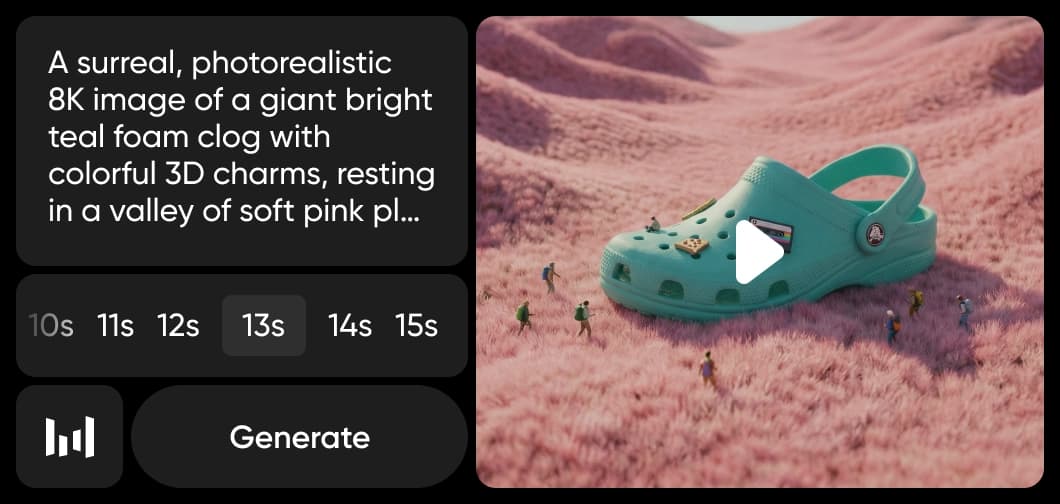
Seedance 2.0 được tích hợp vào AI Video Generator và AI Playground của Picsart, mang mô hình video đa phương tiện tiên tiến nhất của ByteDance trực tiếp vào quy trình sáng tạo của bạn. Tạo video AI điện ảnh với tới 12 đầu vào tham chiếu — kết hợp văn bản, hình ảnh, video và âm thanh — với đồng bộ môi miệng, tính nhất quán của nhân vật và lên kế hoạch storyboard nhiều cảnh. Sử dụng Seedance 2.0 để tạo nội dung video chuyên nghiệp từ một lời nhắc duy nhất.
Mô hình AI Seedance 2.0 là một hệ thống AI sinh tạo được xây dựng để cho phép tạo nội dung hình ảnh và video thông qua tự động hóa thông minh và hiểu biết hình ảnh. Nó hỗ trợ các tác vụ sáng tạo đa phương tiện, kết hợp mô hình tạo ảnh AI và mô hình tạo video AI trong các quy trình tích hợp. Được thiết kế cho việc tạo hình ảnh có khả năng mở rộng, Seedance 2.0 tập trung vào tự động hóa thay vì độ phức tạp thủ công và hoạt động liền mạch trong môi trường phần mềm sáng tạo.
Bạn có thể tạo gì với AI Seedance 2.0
Tạo tài sản video như một phần của các quy trình do AI hỗ trợ rộng hơn kết nối tạo, chỉnh sửa và cải thiện thành một quy trình sáng tạo hợp lý. Seedance 2.0 hỗ trợ khả năng mô hình tạo video AI được thiết kế cho sản xuất nội dung hình ảnh hiệu quả và có khả năng mở rộng.
Cách Seedance 2.0 hoạt động bên trong các công cụ Picsart
Picsart tích hợp mô hình Seedance 2.0 vào AI Video Generator và AI Playground, cho phép người dùng tạo và chuyển đổi nội dung video mà không cần tương tác với chính mô hình. Chọn Seedance 2.0 từ bộ chọn mô hình và tạo video từ lời nhắc văn bản hoặc hình ảnh với âm thanh gốc. Trong Flow, kết nối Seedance 2.0 với các mô hình khác để xây dựng đường dẫn sản xuất video tự động nhiều bước.
Tại sao Seedance 2.0 quan trọng với các nhà sáng tạo và đội
Seedance 2.0 hỗ trợ lặp lại sáng tạo nhanh hơn, giảm các bước chỉnh sửa thủ công và cho phép sản xuất nội dung có khả năng mở rộng cho cá nhân và đội. Bằng cách tăng cường các quy trình video do AI hỗ trợ và hệ thống tạo hình ảnh, nó tự động hóa các quy trình lặp lại trong khi duy trì chất lượng nhất quán trên các kết quả.
Điều này dẫn đến những lợi ích rõ ràng, thực tế cho các nhà sáng tạo hiện đại:
Seedance 2.0 và quy trình làm việc AI đa phương tiện
Seedance 2.0 góp phần vào các quy trình làm việc AI đa phương tiện nơi tạo video giao nhau với các quy trình chỉnh sửa và cải thiện tự động. Với tới 12 đầu vào tham chiếu kết hợp văn bản, hình ảnh, video và âm thanh, nó hỗ trợ các môi trường sản xuất sáng tạo thống nhất. Bên trong AI Video Generator và AI Playground của Picsart, Seedance 2.0 cho phép tạo nội dung hình ảnh thích ứng với các định dạng kỹ thuật số hiện đại và nhu cầu sản xuất hợp tác.
Seedance trong nền tảng Picsart
Seedance là một trong những mô hình AI được sử dụng trên toàn bộ nền tảng sáng tạo Picsart. Nó hoạt động cùng với các mô hình như Kling 3.0, Runway Gen 4, Veo 3.1 và WAN 2.7 để cấp nguồn cho AI Video Generator và AI Playground. Cùng nhau, những mô hình này hỗ trợ tạo video, tạo hình ảnh và quy trình tự động — cho các nhà sáng tạo quyền truy cập vào mô hình tốt nhất cho mọi dự án mà không cần chuyển nền tảng.
Khám phá thêm mô hình như Seedance 2.0
So sánh Seedance 2.0 với các mô hình video khác cho chuyển động, quảng cáo và clip xã hội.
Seedance 2.0 AI model FAQ
Mô hình AI Seedance 2.0 là một mô hình AI sinh tạo đa phương tiện được thiết kế cho tạo nội dung hình ảnh và video. Nó hỗ trợ tạo hình ảnh tự động, cải thiện và quy trình sản xuất có khả năng mở rộng.
Picsart tích hợp mô hình Seedance trực tiếp vào các công cụ sáng tạo của nó. Seedance Pro và Seedance Fast đã có sẵn, và Seedance 2.0 sẽ sớm cấp năng lượng cho AI Video Generator và AI Playground với tạo video đa phương tiện nâng cao, âm thanh gốc và kiểm soát đa tham chiếu.
Không. Seedance hoạt động phía sau trong các công cụ Picsart, giúp tạo hình ảnh do AI hỗ trợ nâng cao dễ tiếp cận mà không cần chuyên môn kỹ thuật.
Quyền truy cập phụ thuộc vào công cụ cụ thể và kế hoạch đăng ký. Seedance là một phần của các mô hình AI được sử dụng trên toàn bộ nền tảng Picsart, với tính khả dụng thay đổi theo tính năng.
Seedance cấp năng lượng cho tạo video trong AI Video Generator của Picsart và có sẵn để so sánh trong AI Playground. Thay vì lộ mô hình trực tiếp, Picsart tích hợp AI ở cấp công cụ — cho phép tạo video điện ảnh và quy trình chỉnh sửa liền mạch.
Thêm mô hình AI để sử dụng
Khám phá thêm các công cụ do AI hỗ trợ và các mô hình có sẵn trên Picsart.
Faster V3 variant — long-form video up to 15s with native audio, start/end frame control, and 720p/1080p output.Audio1080pFast generationCinematicSee model
Fast cinematic video with audio, reference images, and start/end frame control.Reference inputAudioFast generationCinematicSee model
Edit video — replace subjects, add or remove objects, restyle scenes with reference images.Video editingReference inputVideo generationSee model
Fast video edit — modify scenes with reference images.Video editingReference inputFast generationSee model
Wan 2.7 T2V — up to 15s at 1080p with audio input and prompt enhancement.Text to videoAudio1080pCinematicSee model
Long-form video up to 15s with native audio and start/end frame control.AudioCinematicVideo generationSee model
Faster V3 variant — long-form video up to 15s with native audio, start/end frame control, and 720p/1080p output.Audio1080pFast generationCinematicSee model
Mature pipeline with audio and pro-tier rendering.
Map body movement from a video clip onto a portrait photo — V3 quality.CinematicPhotorealVideo generationSee model
Transfer body movement from a reference video onto a portrait photo.Reference inputCinematicPhotorealSee model
Fast cinematic video with audio, reference images, and start/end frame control.Reference inputAudioFast generationCinematicSee model
Edit video — replace subjects, add or remove objects, restyle scenes with reference images.Video editingReference inputVideo generationSee model
Fast video edit — modify scenes with reference images.Video editingReference inputFast generationSee model
Wan 2.7 T2V — up to 15s at 1080p with audio input and prompt enhancement.Text to videoAudio1080pCinematicSee model
Long-form video up to 15s with native audio and start/end frame control.AudioCinematicVideo generationSee model
Faster V3 variant — long-form video up to 15s with native audio, start/end frame control, and 720p/1080p output.Audio1080pFast generationCinematicSee model
Mature pipeline with audio and pro-tier rendering.
Map body movement from a video clip onto a portrait photo — V3 quality.CinematicPhotorealVideo generationSee model
Transfer body movement from a reference video onto a portrait photo.Reference inputCinematicPhotorealSee model
Fast cinematic video with audio, reference images, and start/end frame control.Reference inputAudioFast generationCinematicSee model
Edit video — replace subjects, add or remove objects, restyle scenes with reference images.Video editingReference inputVideo generationSee model
Fast video edit — modify scenes with reference images.Video editingReference inputFast generationSee model
Wan 2.7 T2V — up to 15s at 1080p with audio input and prompt enhancement.Text to videoAudio1080pCinematicSee model
Long-form video up to 15s with native audio and start/end frame control.AudioCinematicVideo generationSee model
Faster V3 variant — long-form video up to 15s with native audio, start/end frame control, and 720p/1080p output.Audio1080pFast generationCinematicSee model
Mature pipeline with audio and pro-tier rendering.
Map body movement from a video clip onto a portrait photo — V3 quality.CinematicPhotorealVideo generationSee model
Transfer body movement from a reference video onto a portrait photo.Reference inputCinematicPhotorealSee model
Fast cinematic video with audio, reference images, and start/end frame control.Reference inputAudioFast generationCinematicSee model
Edit video — replace subjects, add or remove objects, restyle scenes with reference images.Video editingReference inputVideo generationSee model
Fast video edit — modify scenes with reference images.Video editingReference inputFast generationSee model
Wan 2.7 T2V — up to 15s at 1080p with audio input and prompt enhancement.Text to videoAudio1080pCinematicSee model
Long-form video up to 15s with native audio and start/end frame control.AudioCinematicVideo generationSee model
Faster V3 variant — long-form video up to 15s with native audio, start/end frame control, and 720p/1080p output.Audio1080pFast generationCinematicSee model
Mature pipeline with audio and pro-tier rendering.
Map body movement from a video clip onto a portrait photo — V3 quality.CinematicPhotorealVideo generationSee model
Transfer body movement from a reference video onto a portrait photo.Reference inputCinematicPhotorealSee model
Fast cinematic video with audio, reference images, and start/end frame control.Reference inputAudioFast generationCinematicSee model
Edit video — replace subjects, add or remove objects, restyle scenes with reference images.Video editingReference inputVideo generationSee model
Fast video edit — modify scenes with reference images.Video editingReference inputFast generationSee model
Wan 2.7 T2V — up to 15s at 1080p with audio input and prompt enhancement.Text to videoAudio1080pCinematicSee model
Long-form video up to 15s with native audio and start/end frame control.AudioCinematicVideo generationSee model
Faster V3 variant — long-form video up to 15s with native audio, start/end frame control, and 720p/1080p output.Audio1080pFast generationCinematicSee model
Mature pipeline with audio and pro-tier rendering.