1. Home
  2. वीडियो से ऑब्जेक्ट हटाएं

वीडियो से ऑब्जेक्ट को आसानी से हटाएं

Picsart के शुरुआत-अनुकूल वीडियो ऑब्जेक्ट रिमूवर से वीडियो से अनावश्यक ऑब्जेक्ट को आसानी से हटाएं। वीडियो से ऑब्जेक्ट तेजी से हटाकर अपनी कंटेंट को साफ करें, बिना किसी परेशानी के। iOS पर अभी उपलब्ध है, अन्य प्लेटफॉर्म पर जल्द आ रहा है!

Use Picsart anywhere

Install the app, or bring Picsart into the AI workspaces your team already uses.

Use Picsart with

  • ChatGPT / Codex
  • Claude
  • Terminal
  • Cursor
  • OpenClaw
  • Hermes

Download the app

Download on the App StoreGET IT ON Google PlayGet it from Microsoft

Follow Picsart

Pinterest
AICPA SOC

Create

  • AI Image Generator
  • AI Video Generator
  • AI Playground
  • Flow
  • AI Photo Editor
  • AI Video Editor
  • AI Agents
  • Content Library
  • AI Models

Creators

  • Earn with Picsart
  • Earn campaigns
  • Clipping
  • For Brands
  • Video Studio
  • Tutorials
  • Challenges

Connect

  • ChatGPT / Codex
  • MCP setup
  • Command line
  • Developers
  • Google Drive

Business

  • Pricing
  • Enterprise
  • Industries
  • Quicktools

Company

  • Support
  • Careers
  • About us
  • Blog
  • Press Center
Terms of UsePrivacy PolicyInternet-Based AdvertisingCommunity GuidelinesDMCASecurity PolicyAccessibility
© 2026 PicsArt, Inc.

AI वीडियो मॉडल के साथ साफ वीडियो बनाएं

क्लिप्स, फुटेज और प्रॉम्प्ट को साफ वीडियो में बदलने के लिए वीडियो मॉडल का उपयोग करें सोशल, विज्ञापन और रचनात्मक वर्कफ़्लो के लिए।

  • उपयोग में आसान

    वीडियो से चीजों को प्रभावी ढंग से हटाएं, यहां तक कि अगर आप वीडियो एडिटिंग में बिल्कुल नए हैं।

  • तुरंत हटाएं

    सेकंड में वीडियो से अनावश्यक ऑब्जेक्ट हटाकर समय और मानसिक शांति बचाएं।

  • उच्च गुणवत्ता वाली निर्यात

    वीडियो ऑब्जेक्ट रिमूवर का उपयोग करके बिना किसी गुणवत्ता खोए पेशेदार-ग्रेड वीडियो निर्यात करें।

वीडियो से ऑब्जेक्ट कैसे हटाएं

How to

वीडियो अपलोड करें

ऑब्जेक्ट हटाना शुरू करने के लिए एक वीडियो अपलोड करें।
बिना किसी एडिटिंग कौशल के वीडियो से अनावश्यक ऑब्जेक्ट हटाएं

वीडियो से ऑब्जेक्ट मिटाने में आमतौर पर समय और विशेषज्ञ एडिटिंग कौशल की आवश्यकता होती है, लेकिन Picsart का वीडियो ऑब्जेक्ट रिमूवर आपके वीडियो से कुछ भी मिटाने में मदद कर सकता है। वर्तमान में iOS के लिए उपलब्ध है, आपको बस अपना वीडियो टूल में अपलोड करना है और अनावश्यक ऑब्जेक्ट पर पेंट करना है (या कई फ्रेम से कई ऑब्जेक्ट पर पेंट करें) इसे हटाने के लिए। स्थिर या गतिशील ऑब्जेक्ट हटाने के बाद, आप गुणवत्ता खोए बिना उच्च गुणवत्ता वाले वीडियो निर्यात कर सकते हैं। ऑनलाइन वीडियो ऑब्जेक्ट रिमूवर ढूंढ रहे हैं? अपडेट के लिए ध्यान दें!

वीडियो ऑब्जेक्ट हटाने के साथ अपनी एडिटिंग प्रक्रिया को तेज करें

घंटों संपादित करने से थक गए? पोस्ट-प्रोडक्शन वीडियो अस्पष्टता से लेकर अनावश्यक व्याकुलता तक, आप Picsart के वीडियो ऑब्जेक्ट हटाने के ऐप के साथ अपने एडिटिंग समय को कुछ सेकंड तक कम कर देंगे। वीडियो को पुनः शूट करने के बजाय जब तक आप उन्हें सही न समझ लें, बस ऑब्जेक्ट पर ब्रश करें वीडियो से कुछ हटाने के लिए। इसके अलावा, आप पेड़, विद्युत लाइनें और अन्य अस्पष्टता को हटाकर पेशेदार, पॉलिश किए गए वीडियो के लिए अपने परिदृश्य और शहर के शॉट को कुशलतापूर्वक बदल सकते हैं।

सेकंड में वीडियो से लोगों को आसानी से हटाएं

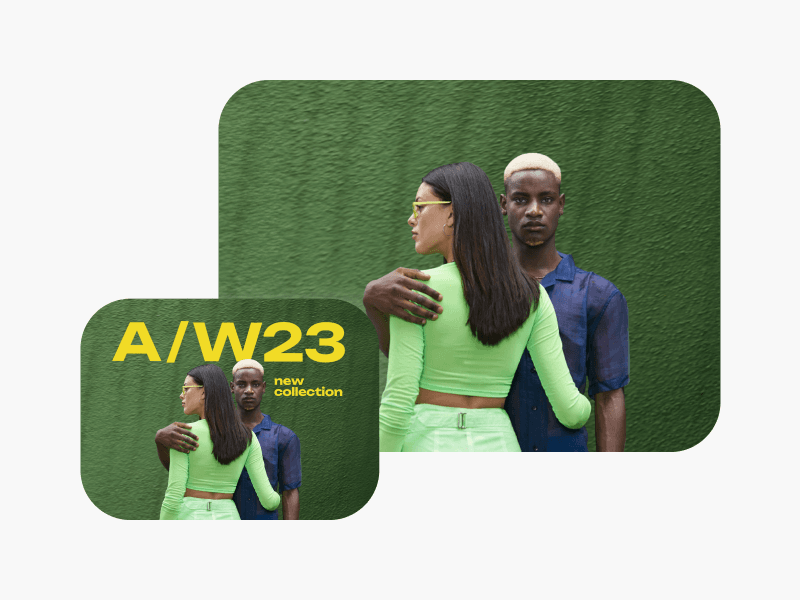
जब आप सार्वजनिक स्थानों पर फिल्माने हैं, तो हमेशा संभव नहीं है कि लोग आपके शॉट में आएं। अच्छी खबर? Picsart के साथ, आप तुरंत अपने विज्ञापन, सोशल मीडिया पोस्ट और अन्य जगहों से लोगों और अनावश्यक ब्रांडिंग को हटा सकते हैं। भले ही वे चल रहे हों, आप आसानी से एक वीडियो से एक व्यक्ति को हटा सकते हैं शानदार, विकर्षण-मुक्त वीडियो सामग्री का आनंद लेने के लिए।

सभी के लिए एक आसान-से-उपयोग वीडियो ऑब्जेक्ट रिमूवर

इन्फ्लूएंसर से लेकर डिजिटल निर्माता और छोटे व्यवसायी तक, कोई भी सोशल मीडिया पोस्ट, रियल एस्टेट प्रचार, ई-कॉमर्स मार्केटिंग और अन्य के लिए वीडियो ऑब्जेक्ट रिमूवर का उपयोग कर सकता है। ऑनलाइन साझा करने से पहले वीडियो शॉट को पॉलिश करने में केवल कुछ क्षण लगते हैं — यहां तक कि अगर आपके पास कोई एडिटिंग कौशल नहीं है। अगर आप फोटो से अस्पष्टता हटाना चाहते हैं, तो फोटो से ऑब्जेक्ट हटाना उपकरण का उपयोग करने का प्रयास करें।

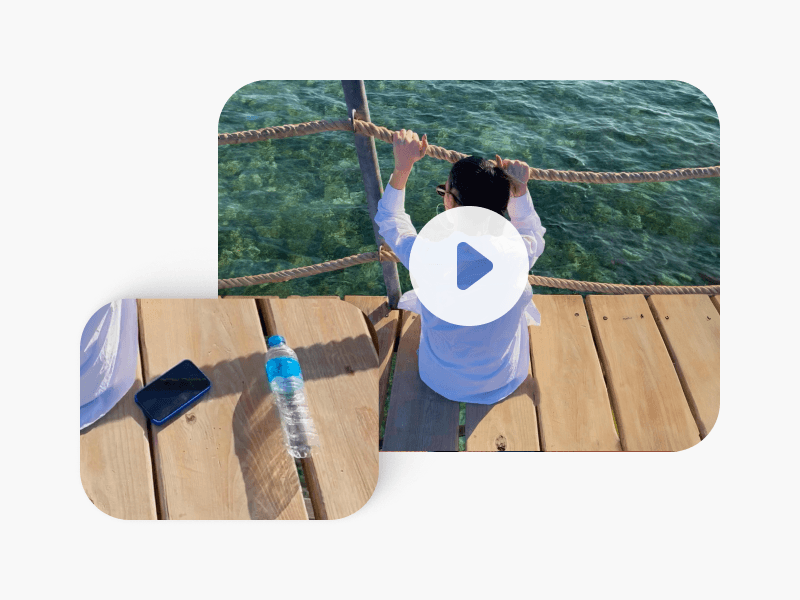
किसी भी वीडियो कंटेंट से पृष्ठभूमि हटाएं

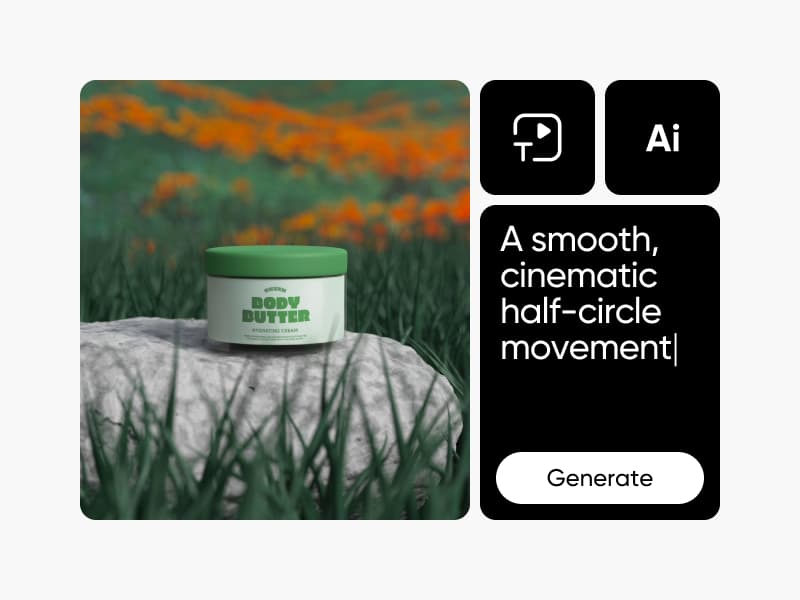
उत्पाद वीडियो में सुधार करें

उत्पाद डेमो और ई-कॉमर्स क्लिप से प्रतिबिंब, तार या आकस्मिक प्रॉप्स को साफ करें। हर फ्रेम पॉलिश और पेशेदार आता है।

उत्पाद वीडियो के लिए वीडियो ऑब्जेक्ट रिमूवर

वीडियो से ऑब्जेक्ट हटाना FAQ

  • Picsart का वीडियो ऑब्जेक्ट रिमूवर एक AI-संचालित संपादन उपकरण है जो आपके फुटेज से अनावश्यक तत्वों का पता लगाता है और मिटाता है। यह हटाने के बाद पृष्ठभूमि को स्वचालित रूप से पुनर्निर्माण करता है, स्थिर प्रॉप्स से लेकर गतिशील विषयों तक सब कुछ संभालता है जबकि आपके वीडियो की प्राकृतिक गति और दृश्य प्रवाह को बरकरार रखता है।

  • Picsart में अपना वीडियो अपलोड करें और अनावश्यक ऑब्जेक्ट का चयन करें जिसे आप मिटाना चाहते हैं। वीडियो ऑब्जेक्ट रिमूवर फुटेज को स्वचालित रूप से संसाधित करता है, मैनुअल फ्रेम-दर-फ्रेम संपादन के बिना पृष्ठभूमि को पुनर्निर्माण करता है। पूर्ण वर्कफ़्लो अपलोड से साफ, निर्यात-तैयार वीडियो तक कुछ क्लिक में लगता है।

  • Picsart का वीडियो ऑब्जेक्ट रिमूवर वेब और मोबाइल दोनों पर उपलब्ध है। आप डिवाइस भर में समान ऑब्जेक्ट हटाने वाले उपकरणों का उपयोग कर सकते हैं, इसलिए आपका संपादन वर्कफ़्लो सुसंगत रहता है चाहे आप अपने फोन पर शुरू करें या मध्य-परियोजना में डेस्कटॉप पर स्विच करें।

  • प्रसंस्करण समय आपके वीडियो की लंबाई और हटाए जा रहे ऑब्जेक्ट की जटिलता पर निर्भर करता है। अधिकांश मानक क्लिप कुछ सेकंड से कुछ मिनट के भीतर समाप्त हो जाते हैं। Picsart का वीडियो ऑब्जेक्ट रिमूवर AI का उपयोग करता है जो अन्यथा घंटों मैनुअल फ्रेम-दर-फ्रेम संपादन कार्य की आवश्यकता होती।

  • हां, आप Picsart के ऑब्जेक्ट रिमूवर का उपयोग करके वीडियो से लोगों को हटा सकते हैं। यह उपकरण आपके फुटेज से व्यक्तियों का पता लगाता है और मिटाता है — चाहे वह खड़े हों या फ्रेम के माध्यम से चल रहे हों और एक निर्बाध, प्राकृतिक-दिखने वाली परिणति के लिए स्थान को पुनर्निर्मित करता है।

  • Picsart का वीडियो ऑब्जेक्ट रिमूवर लोग, पाठ ओवरले, लोगो, प्रॉप्स, तार, प्रतिबिंब और पृष्ठभूमि अस्पष्टता सहित विभिन्न तत्वों को संभालता है। AI विभिन्न ऑब्जेक्ट आकार और गति पैटर्न के अनुकूल है, जो इसे उत्पाद, सोशल मीडिया और रचनात्मक वीडियो परियोजनाओं में प्रभावी बनाता है।

  • नहीं। Picsart का वीडियो ऑब्जेक्ट रिमूवर प्रसंस्करण के दौरान आपके मूल वीडियो रिजॉल्यूशन को संरक्षित करता है। AI आसपास के दृश्य डेटा का उपयोग करके हटाए गए क्षेत्र को पुनर्निर्माण करता है, सुसंगत गुणवत्ता, रंग और बनावट को बनाए रखता है ताकि अंतिम परिणाम प्राकृतिक दिखे और आपके बाकी फुटेज से मेल खाए।

अधिक संपादन सुविधाओं की खोज करें

Picsart AI वीडियो जनरेटर

AI Video Generator

अपनी दृष्टि का एक संक्षिप्त विवरण लिखकर AI के साथ कस्टम वीडियो जनरेट करें।
Picsart का AI वीडियो स्टाइल परिवर्तनकर्ता

AI Video Filters

AI-संचालित वीडियो फिल्टर के साथ अपने वीडियो की दिखावट को फिर से तैयार करें।
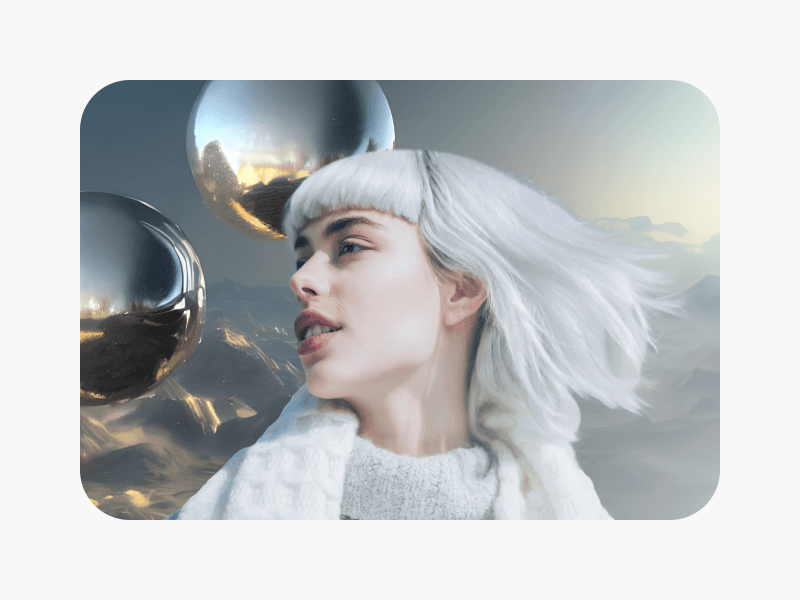
सफेद रेत पर काली बाल वाली महिला खड़ी है और नीला लंबा कपड़ा है

Remove Object from Photo

अपनी छवियों से पाठ और पृष्ठभूमि जैसी अनावश्यक वस्तुओं को मिटाएं।
छवियों से पाठ हटाएं

Remove Text from Image

AI के साथ किसी भी छवि से अनावश्यक पाठ और विज्ञापन हटाएं।
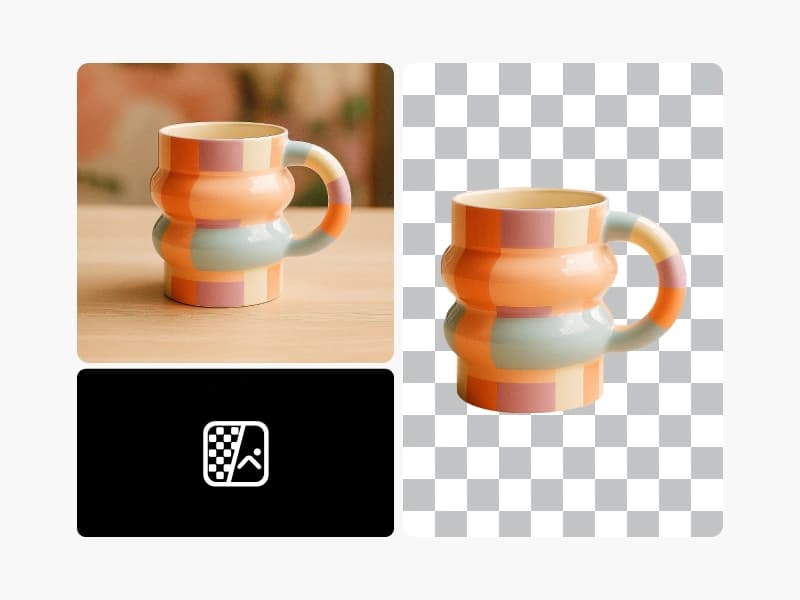
Picsart का पृष्ठभूमि रिमूवर

Background Remover

AI के साथ पृष्ठभूमि को बेहतरी से हटाएं या इसे पारदर्शी बनाएं।
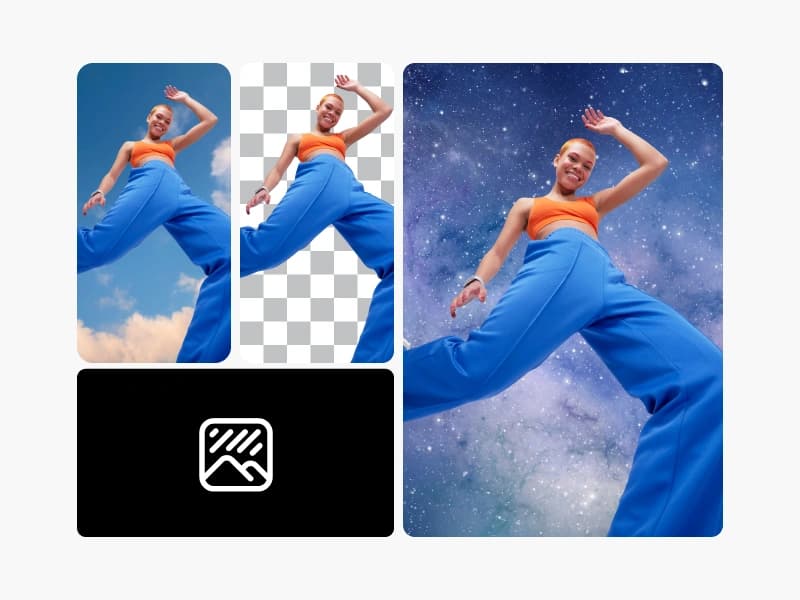
Picsart के पृष्ठभूमि रिमूवर उपकरण के साथ छवियों की पृष्ठभूमि बदलें

Background Changer

पृष्ठभूमि को स्वैप करें या इसे पूरी तरह से हटाएं।
picsart ai gif जनरेटर के साथ ai gifs जनरेट करें

AI GIF Generator

खरोंच से कस्टम GIF दृश्य आसानी से जनरेट करें।
ai फोटो एडिटर

AI Photo Editor

AI-संचालित फोटो एडिटर के साथ अपनी संपादन प्रक्रिया को गति दें।

अपने वीडियो को और भी अधिक संपादित करें

  • वीडियो पृष्ठभूमि हटाएँ
  • वीडियो को ऑनलाइन संपादित करें
  • वीडियो फ़िल्टर जोड़ें
  • वीडियो क्लिप ट्रिम करें
  • वीडियो सामग्री क्रॉप करें
  • अपने वीडियो को रिसाइज़ करें
  • वीडियो में टेक्स्ट जोड़ें
  • वीडियो में सबटाइटल जोड़ें
  • वीडियो टूल्स देखें
PricingSave big
  • SESeedance 2.0Next-gen cinematic video with optional audio and reference image. Up to 4K.Reference inputAudio4KCinematicExplore
  • SESeedance 2.0 FastFast cinematic video with audio, reference images, and start/end frame control.Reference inputAudioFast generationCinematicExplore
  • SESeedance 2.0 Video EditEdit video — replace subjects, add or remove objects, restyle scenes with reference images.Video editingReference inputVideo generationExplore
  • SESeedance 2.0 Fast Video EditFast video edit — modify scenes with reference images.Video editingReference inputFast generationExplore
  • WAWan 2.7Wan 2.7 T2V — up to 15s at 1080p with audio input and prompt enhancement.Text to videoAudio1080pCinematicExplore
  • Kling V3Long-form video up to 15s with native audio and start/end frame control.AudioCinematicVideo generationExplore
  • Kling V3 TurboFaster V3 variant — long-form video up to 15s with native audio, start/end frame control, and 720p/1080p output.Audio1080pFast generationCinematicExplore
  • Kling V2.6Mature pipeline with audio and pro-tier rendering.AudioPro qualityCinematicExplore
  • Kling V3 OmniFlexible generation across creative styles using V3 Omni architecture, with optional 4K output.4KCinematicVideo generationExplore
  • Kling Video O1O1-architecture video generation with 5 or 10 second output.CinematicVideo generationExplore
  • Kling Motion Control V3Map body movement from a video clip onto a portrait photo — V3 quality.CinematicPhotorealVideo generationExplore
  • Kling Motion Control 2.6Transfer body movement from a reference video onto a portrait photo.Reference inputCinematicPhotorealExplore
  • Kling AvatarLip-synced talking head from a portrait and speech audio.AudioCinematicVideo generationExplore
  • Kling Video EffectsApply curated Kling visual effects to photos — single or dual-image scenes.CinematicPhotorealVideo generationExplore
  • LTLTX 2.3 Pro4K output with audio and aspect ratio control — production-ready v2.3.Audio4KPro qualityExplore
  • LTLTX 2.3 FastFast 2.3 with long video support — up to 20s at 1080p with aspect ratio control.1080pFast generationVideo generationExplore
  • LTLTX 2.3 Audio-to-VideoGenerate video driven by an audio track — 2-20s, optional image for first frame.AudioVideo generationExplore
  • LTLTX 2.3 ExtendSeamlessly extend an existing video forward or backward — up to 20s.Video generationExplore
  • LTLTX 2.3 RetakeRetake video with new direction — replace audio, video, or both.AudioVideo generationExplore
  • LTLTX 2.3 ReframeReframe a video into a new aspect ratio — the source is re-cropped and the newly exposed edges are generated to match. Takes no prompt.Video generationExplore
  • LTLTX 2.3 OutpaintExpand a video past its original frame — the source stays put inside a wider canvas and the surrounding region is generated to match.Video generationExplore
  • LTLTX 2.5 ProQuality-optimized 2.5 with synchronized native audio in a single pass — 720p/1080p, 6-10s, with camera motion control.Audio1080pPro qualityExplore
  • LTLTX 2.5 FastSpeed-optimized 2.5 with synchronized native audio — up to 4K, up to 20s, with camera motion control.Audio4KFast generationExplore
  • CRCreatify Aurora HDProduct showcase from still images with gentle camera motion.Video generationExplore
  • CRCreatify BorealText-to-video with synchronized native audio for product, UGC, and presenter clips.Text to videoAudioVideo generationExplore
  • VEVEED Fabric 1.0Image-driven video with layered ambient atmosphere and optional audio.AudioVideo generationExplore
  • VEVEED Fabric 1.0 FastQuick ambient video from images with optional audio overlay.AudioFast generationVideo generationExplore
  • OVOVIStraightforward text/image-to-video at 720p with broad style coverage.Image to videoVideo generationExplore
  • ByteDance OmniHumanAnimate a portrait with realistic body movement driven by audio.AudioPhotorealVideo generationExplore
  • ByteDance Video EnhanceDenoise, color-correct and super-resolve existing footage up to 8K, with frame-rate conversion.Video generationExplore
  • VIVideographyTurn a still photo into polished video with automated composition.PhotorealVideo generationExplore
  • MIHailuo 2.3Stylized 768p animation with strong character expression and emotion.Video generationExplore
  • MIHailuo 2.3 Pro1080p output focused on detailed scenes and polished short-form content.1080pPro qualityVideo generationExplore
  • MIHailuo 2.3 FastQuick 768p previews with expressive characters for rapid experimentation.Fast generationVideo generationExplore
  • MIHailuo 2.3 Fast ProFast 1080p output for short, polished clips with varied styles.1080pFast generationPro qualityExplore
  • MIMiniMax H3MiniMax H3 2K video from text, start/last frame, or image/video/audio references.Reference inputAudioVideo generationExplore
  • WAWan 2.7 Ref-to-VideoWan 2.7 R2V — generate video from reference images/video with style direction.Reference inputCinematicVideo generationExplore
  • WAWan 3.0Wan 3.0 all-in-one — text, image/video/audio references, and start/end frames with adaptive ratio, intelligent duration, and audio.Reference inputAudioCinematicExplore
  • WAWan 3.0 PrimeWan 3.0 Prime — the same all-in-one model as Wan 3.0, up to 7x faster.Fast generationCinematicVideo generationExplore
  • LULuma Ray 2Smooth video with a dreamy, polished aesthetic — up to 4K resolution.4KCinematicVideo generationExplore
  • LULuma Flash 2Quick image-to-video with smooth, stylized motion — up to 4K.Image to video4KFast generationCinematicExplore
  • LULuma Ray 2 ReframeReframe a video to a new aspect ratio using Luma Ray 2.CinematicVideo generationExplore
  • LULuma Flash 2 ReframeReframe a video to a new aspect ratio using Luma Flash 2.Fast generationCinematicVideo generationExplore
  • LULuma Ray 3.2Luma Ray 3.2 — high-fidelity video generation with start/end frames, HDR, and looping (early access).CinematicVideo generationExplore
  • LULuma Ray 3.2 EditEdit a prior video from a prompt using Luma Ray 3.2 — preservation-vs-reimagination presets (early access).CinematicVideo generationExplore
  • LULuma Ray 3.2 ReframeReframe a video to a new aspect ratio using Luma Ray 3.2 (early access).CinematicVideo generationExplore
  • SESeedance 2.5Latest cinematic video with audio, multi-reference input, and mp4/mov output in 10- or 8-bit. Up to 30s.Reference inputAudioCinematicExplore
  • SESeedance 2.5 Video EditEdit video — replace subjects, add or remove objects, restyle scenes with reference images.Video editingReference inputVideo generationExplore
  • SESeedance 2.5 Video ExtendStitch up to 10 clips into one continuous, extended video.Video generationExplore
  • SESeedance 2.0 MiniLightweight cinematic video with audio, reference images, and start/end frame control.Reference inputAudioCinematicExplore

हर निर्माता परियोजना के लिए साफ वीडियो संपादित करें

Pro

Most popular

AI tools for everyday creative work.

$15 $10.5/mo
Billed yearly
You save $54 with yearly
  • Access to all photo & video editing features
  • Advanced background & object removal
  • Parallel video generations with the world's most powerful AI video models
  • Unlimited image generations with Flex.2 Klein
  • 1-tap image enhancer
  • Millions of stock photos & Getty video clips
  • Selection of trendy fonts, text styles & stickers
  • Thousands of premium templates
  • Support for 3+ brand kits
  • Bulk edit up to 50 images at once
  • 100 GB of cloud storage
New features:
  • Auto-generate content from your terminal or agent with the Picsart CLI
  • Use Picsart inside Claude Code, Cursor, and ChatGPT via MCP — coming soon
  • AI agents for multi-step workflows and batch generation — coming soon

Ultra

Most powerful

Heavy AI usage for creators & teams.

$45 $24.5/mo
Billed yearly, per seat
You save $246 with yearly
  • Everything in Pro
  • Early access to advanced AI features
  • Leading AI models to design & automate workflows (Nano Banana, Veo 3, Seedance 2.0 & more)
  • Parallel video generations with the world's most powerful AI video models
  • Unlimited image generations with Flex.2 Klein
  • Support for 10+ brand kits
  • Add team seats
  • Create ad variations and localize
  • Track ads performance
  • 2000 credits for API services
  • Bulk edit up to 100 images at once
  • 300 GB of cloud storage per seat
New features:
  • Auto-generate content from your terminal or agent with the Picsart CLI
  • Use Picsart inside Claude Code, Cursor, and ChatGPT via MCP — coming soon
  • AI agents for multi-step workflows and batch generation — coming soon

Enterprise

Custom AI solutions for large organizations.

Custom credit volume
  • Volume discounts on credit rate
  • On-demand top-ups
Custom
Contact for pricing
  • Access to photo & video editor SDKs
  • Mobile web SDK support
  • Prepaid or pay-as-you-go creative APIs
  • Embed professional-grade editing into your product or workflow
  • Fully configurable editing experience
  • White-label to match your brand
  • Support for built-in marketing, e-commerce & printing use cases
  • Bring your own assets: images, templates & fonts
  • Enterprise-grade security, SLAs & support
  • Dedicated account manager

छवि संपादन बेसिक जानें

व्यावहारिक चरणों के साथ साफ संपादन करने का तरीका जानें।

  • Remove unwanted objects from photos with AI

    Remove unwanted objects from photos with AI

    3 minBeginner

  • Replace objects in photos with AI-generated content

    Replace objects in photos with AI-generated content

    4 minIntermediate
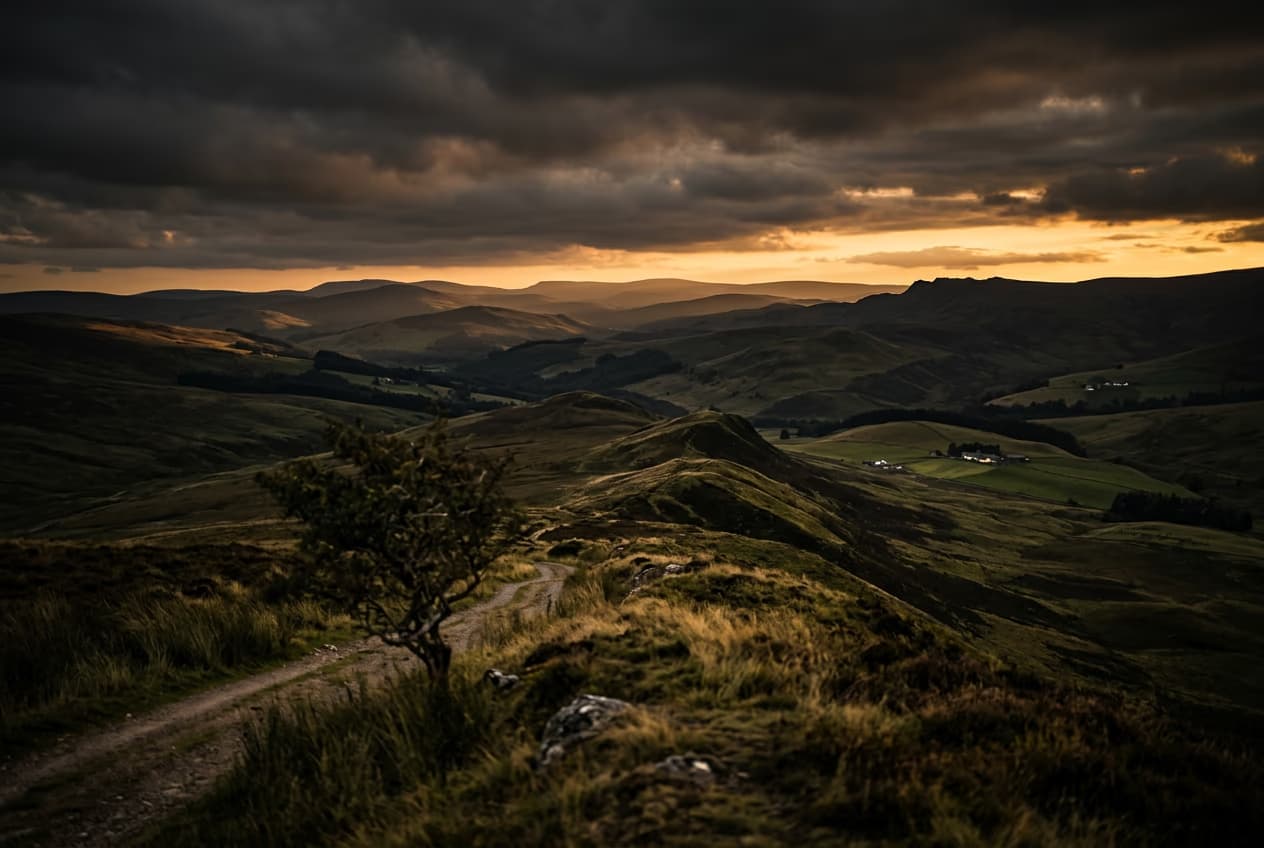
  • How to expand images beyond their borders with AI

    How to expand images beyond their borders with AI

    4 minBeginner
  • Upscale low-resolution images to HD with AI

    Upscale low-resolution images to HD with AI

    3 minBeginner
  • Edit any part of an image with text prompts

    Edit any part of an image with text prompts

    4 minIntermediate
सभी ट्यूटोरियल देखें