1. Home
  2. Easiest Design Software for Non Designers

Create with the easiest design software for non-designers

Designing shouldn’t feel like decoding a secret language. With Picsart, you jump straight into creating - no long setup process, no complicated menus, just simple tools that help you turn ideas into polished visuals. You can make a quick social post, build a clean flyer, or design anything else you need, and it all looks polished, even without design experience.

Design software for non designers
You are the designer. Design more.
Generate AI imagesCreate AI artworkGenerate AI adsDesign marketing assetsLocalize your designsGenerate AI backgroundsCreate brand assetsTry AI mockupsGenerate AI text contentTry AI text stylesCreate social media contentEdit designs with AIExplore all AI tools

Use Picsart anywhere

Install the app, or bring Picsart into the AI workspaces your team already uses.

Use Picsart with

  • ChatGPT / Codex
  • Claude
  • Terminal
  • Cursor
  • OpenClaw
  • Hermes

Download the app

Download on the App StoreGET IT ON Google PlayGet it from Microsoft

Follow Picsart

Pinterest
AICPA SOC

Create

  • AI Image Generator
  • AI Video Generator
  • AI Playground
  • Flow
  • AI Photo Editor
  • AI Video Editor
  • AI Agents
  • Content Library
  • AI Models

Creators

  • Earn with Picsart
  • Earn campaigns
  • Clipping
  • For Brands
  • Video Studio
  • Tutorials
  • Challenges

Connect

  • ChatGPT / Codex
  • MCP setup
  • Command line
  • Developers
  • Google Drive

Business

  • Pricing
  • Enterprise
  • Industries
  • Quicktools

Company

  • Support
  • Careers
  • About us
  • Blog
  • Press Center
Terms of UsePrivacy PolicyInternet-Based AdvertisingCommunity GuidelinesDMCASecurity PolicyAccessibility
© 2026 PicsArt, Inc.

Create beginner-friendly designs with AI image models

Use image models to transform beginner-friendly designs into polished visuals, design ideas, and ready-to-edit assets.

Powerful tools that make designing easy for everyone

Create confidently with tools built into the easiest design software for any non-designer. Picsart’s beginner-friendly workflow, supported by its no-skill image editor, keeps everything simple so you can design visually without getting stuck on technical steps.

Picsart online photo editor

Enhance photos instantly

Use AI Photo Editor to boost lighting, color, and clarity with smart automatic adjustments.

Image enlarger

Upscale without losing detail

Use Image Enlarger to make photos or graphics bigger while keeping edges sharp.

resize image

Resize in seconds

Use Image Resizer to fit your visuals perfectly to any platform, format, or layout.

online cv maker

Build resumes effortlessly

Use CV Maker to create clean, professional CVs with guided, ready-to-fill templates.

free online vintage filter

Vintage Filter

Use Vintage Filter to add warm, nostalgic tones that transform the mood of your visuals.

image background color remover

Highlight key elements

Use Remove Color From Image to desaturate select areas and draw attention where it matters.

unpixelate images online

Fix blurry images

Use Unpixelate Image to sharpen low-resolution or unclear visuals for a cleaner result.

flip images with ease

Flip your perspective

Use Flip Image to mirror photos or graphics horizontally or vertically with one tap.

AI Image Extender

Extend backgrounds cleanly

Use Image Extender to expand your canvas using smart AI-generated fill.

remove Black Backgrounds from any image

Remove dark backgrounds

Use Remove Black Background to isolate subjects cleanly without manual cutouts.

Bridge the gap between ideas and design

Beginner-friendly tools make creation easier by cutting out the usual complexity. You work visually instead of managing layers or technical menus. Pick a template, move elements where you want them, and let AI refine the layout. It’s a simple way to start designing without learning complicated software, even turning plain text into a ready-to-use ad.


What makes beginner-friendly tools so effective?

Discover the core features that make Picsart a go-to choice for any non-designer who wants simple, fast, and flexible creation.

Drag-and-drop creation

Easily build layouts using drag-and-drop design tool built for simplicity.

AI-powered assistance

Get instant help from smart tools that refine your design automatically.

Fast performance

Enjoy smooth editing and quick responsiveness across projects.

Smart alignment guides

Line up elements precisely with intuitive snap-to-grid cues.

Fully customizable designs

Adjust colors, fonts, and styles to match your exact vision.

Real-time previews

See every change as you make it - no waiting or reloading.

Multi-layer editing

Rearrange and adjust elements with flexible, clear layer control.

Cloud-synced projects

Start on one device and pick up your design anywhere.

Responsive canvas

Adapt your layout instantly to different sizes and formats.

AI style adaptation

Apply cohesive visual looks tailored to your project’s mood.

High-quality rendering

Export crisp, professional-grade graphics every time.

Template flexibility

Customize ready-made layouts to speed up your creative flow.

Easy collaboration

Share drafts and gather feedback without exporting files.

One-click enhancements

Improve images instantly with quick, intelligent adjustments.

Multi-format export

Save your work in the file types you need for every platform.

Cross-device compatibility

Create seamlessly across desktop, tablet, and mobile.


How to create with beginner-friendly design tools

1

Start with a template or blank canvas

Choose a ready-made layout or begin from scratch to shape your idea quickly.

2

Add and arrange your elements

3

Use AI to refine your design

4

Save and share your final visual

Designed for everyone, powered by AI

Everything about Picsart is built for ease of use, giving you tools that feel intuitive from the moment you start. You create visually, explore ideas freely, and rely on AI to smooth out the details. It’s a space where anyone can design confidently, no matter their experience.
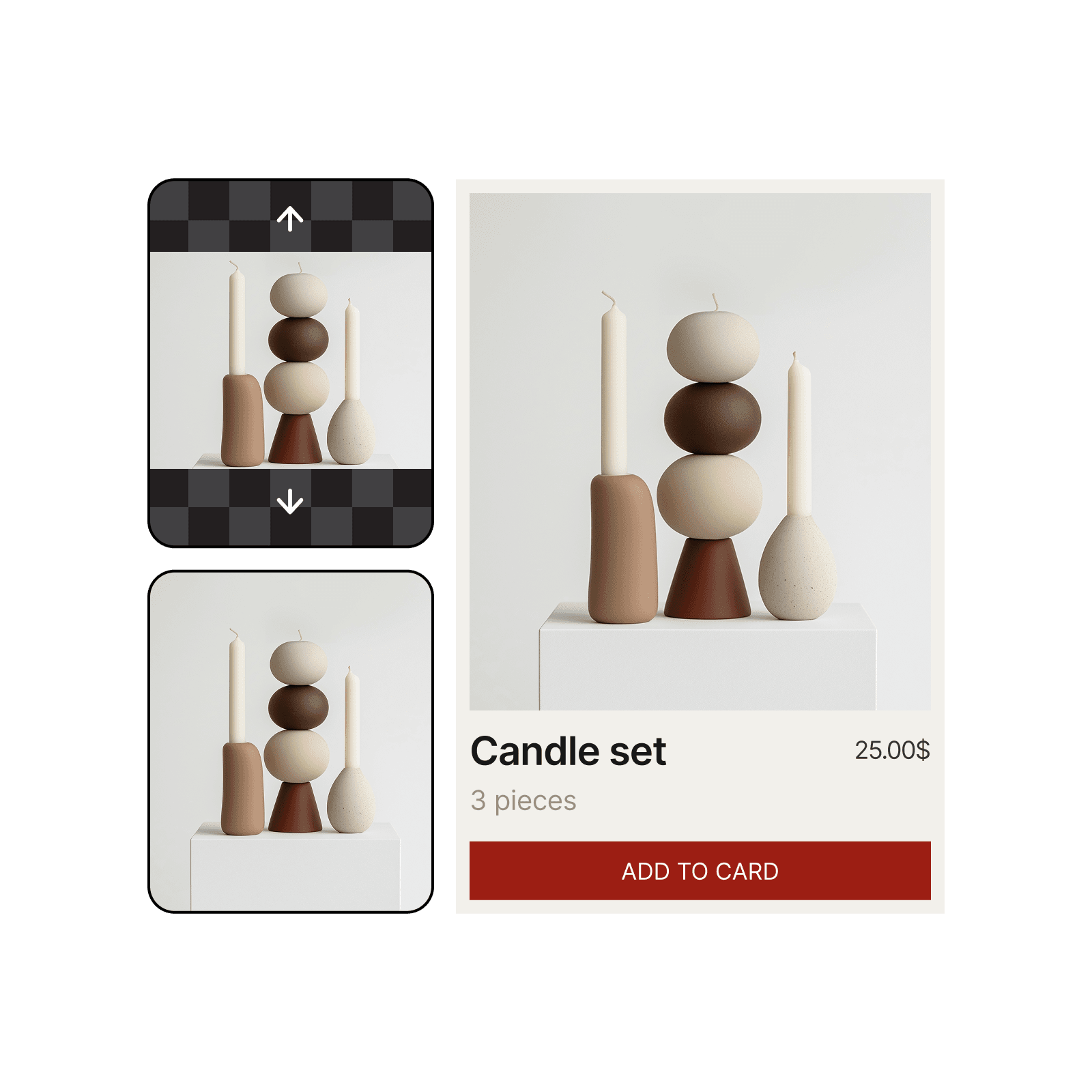
easiest ai photo editor

FAQ

The easiest software is one that removes complexity. Picsart lets you design visually with drag-and-drop tools, templates, and AI features that guide your layout, so you can create polished visuals without needing design knowledge.

Yes. With ready-made templates, simple editing tools, and AI that handles cleanup and adjustments, beginners can produce professional-looking graphics from day one.

Picsart offers free tools for editing photos, resizing images, adding text, and creating social content. You can design at no cost, with optional upgrades for advanced features.

It replaces complicated controls with a visual workflow. You drag elements into place, adjust settings through simple sliders, and use AI to handle time-consuming tasks like retouching or background removal.

Absolutely. Picsart includes platform-ready templates, quick text tools, and one-tap effects so you can create scroll-stopping posts for any channel in minutes.


PricingSave big
GPT Image 2New
Next-gen GPT image model with arbitrary output dimensions and multi-image input.Reference inputImage generationSee model
Nano Banana 2New
Nano Banana ProNew
FLFlux 2 FlexNew
SESeedream 5.0 Lite
KLKling 3.0 Image
KLKling O1 Image
HUHunyuan V3
LULuma UNI-1
LULuma UNI-1 Max
SESeedream 5.0 Pro
SESeedream 4.7
GPT Image 2New
GPT Image 2New
GPT Image 2New
GPT Image 2New
GPT Image 2New
Fast 4K generation with accurate text and search-grounded accuracy.4KFast generationImage generationSee model
Top-tier 4K images with precise multilingual text rendering.4KPro qualityImage generationSee model
Adaptable generation across varied visual styles up to 4K.4KImage generationSee model
Speedy 3K output with negative prompt and dual-image input support.Reference inputFast generationImage generationSee model
Cinematic visuals with up to 4K resolution and 10 reference images.
Reference input4KCinematic
See model
O1-architecture image generation with multi-reference support.
Reference inputCinematicImage generation
See model
Infographic-friendly generation with readable text and cfg control.
Image generation
See model
Luma UNI-1 — agentic image generation and editing with up to 9 reference images.
Reference inputCinematicImage generation
See model
Luma UNI-1 Max — higher-quality UNI-1 variant with the same multi-reference editing controls.
Reference inputCinematicImage generation
See model
Top-tier single-image generation with up to 10 reference images and 2K detail.
Reference inputPro qualityImage generation
See model
Reliable all-purpose generation with readable text overlay.
Image generation
See model
Next-gen GPT image model with arbitrary output dimensions and multi-image input.Reference inputImage generationSee model
Nano Banana 2New
Fast 4K generation with accurate text and search-grounded accuracy.4KFast generationImage generationSee model
Nano Banana ProNew
Top-tier 4K images with precise multilingual text rendering.4KPro qualityImage generationSee model
FLFlux 2 FlexNew
Adaptable generation across varied visual styles up to 4K.4KImage generationSee model
SESeedream 5.0 Lite
Speedy 3K output with negative prompt and dual-image input support.Reference inputFast generationImage generationSee model
KLKling 3.0 Image
Cinematic visuals with up to 4K resolution and 10 reference images.Reference input4KCinematicSee model
KLKling O1 Image
O1-architecture image generation with multi-reference support.Reference inputCinematicImage generationSee model
HUHunyuan V3
Infographic-friendly generation with readable text and cfg control.Image generationSee model
LULuma UNI-1
Luma UNI-1 — agentic image generation and editing with up to 9 reference images.Reference inputCinematicImage generationSee model
LULuma UNI-1 Max
Luma UNI-1 Max — higher-quality UNI-1 variant with the same multi-reference editing controls.Reference inputCinematicImage generationSee model
SESeedream 5.0 Pro
Top-tier single-image generation with up to 10 reference images and 2K detail.Reference inputPro qualityImage generationSee model
SESeedream 4.7
Reliable all-purpose generation with readable text overlay.Image generationSee model
Next-gen GPT image model with arbitrary output dimensions and multi-image input.Reference inputImage generationSee model
Nano Banana 2New
Fast 4K generation with accurate text and search-grounded accuracy.4KFast generationImage generationSee model
Nano Banana ProNew
Top-tier 4K images with precise multilingual text rendering.4KPro qualityImage generationSee model
FLFlux 2 FlexNew
Adaptable generation across varied visual styles up to 4K.4KImage generationSee model
SESeedream 5.0 Lite
Speedy 3K output with negative prompt and dual-image input support.Reference inputFast generationImage generationSee model
KLKling 3.0 Image
Cinematic visuals with up to 4K resolution and 10 reference images.Reference input4KCinematicSee model
KLKling O1 Image
O1-architecture image generation with multi-reference support.Reference inputCinematicImage generationSee model
HUHunyuan V3
Infographic-friendly generation with readable text and cfg control.Image generationSee model
LULuma UNI-1
Luma UNI-1 — agentic image generation and editing with up to 9 reference images.Reference inputCinematicImage generationSee model
LULuma UNI-1 Max
Luma UNI-1 Max — higher-quality UNI-1 variant with the same multi-reference editing controls.Reference inputCinematicImage generationSee model
SESeedream 5.0 Pro
Top-tier single-image generation with up to 10 reference images and 2K detail.Reference inputPro qualityImage generationSee model
SESeedream 4.7
Reliable all-purpose generation with readable text overlay.Image generationSee model
Next-gen GPT image model with arbitrary output dimensions and multi-image input.Reference inputImage generationSee model
Nano Banana 2New
Fast 4K generation with accurate text and search-grounded accuracy.4KFast generationImage generationSee model
Nano Banana ProNew
Top-tier 4K images with precise multilingual text rendering.4KPro qualityImage generationSee model
FLFlux 2 FlexNew
Adaptable generation across varied visual styles up to 4K.4KImage generationSee model
SESeedream 5.0 Lite
Speedy 3K output with negative prompt and dual-image input support.Reference inputFast generationImage generationSee model
KLKling 3.0 Image
Cinematic visuals with up to 4K resolution and 10 reference images.Reference input4KCinematicSee model
KLKling O1 Image
O1-architecture image generation with multi-reference support.Reference inputCinematicImage generationSee model
HUHunyuan V3
Infographic-friendly generation with readable text and cfg control.Image generationSee model
LULuma UNI-1
Luma UNI-1 — agentic image generation and editing with up to 9 reference images.Reference inputCinematicImage generationSee model
LULuma UNI-1 Max
Luma UNI-1 Max — higher-quality UNI-1 variant with the same multi-reference editing controls.Reference inputCinematicImage generationSee model
SESeedream 5.0 Pro
Top-tier single-image generation with up to 10 reference images and 2K detail.Reference inputPro qualityImage generationSee model
SESeedream 4.7
Reliable all-purpose generation with readable text overlay.Image generationSee model
Next-gen GPT image model with arbitrary output dimensions and multi-image input.Reference inputImage generationSee model
Nano Banana 2New
Fast 4K generation with accurate text and search-grounded accuracy.4KFast generationImage generationSee model
Nano Banana ProNew
Top-tier 4K images with precise multilingual text rendering.4KPro qualityImage generationSee model
FLFlux 2 FlexNew
Adaptable generation across varied visual styles up to 4K.4KImage generationSee model
SESeedream 5.0 Lite
Speedy 3K output with negative prompt and dual-image input support.Reference inputFast generationImage generationSee model
KLKling 3.0 Image
Cinematic visuals with up to 4K resolution and 10 reference images.Reference input4KCinematicSee model
KLKling O1 Image
O1-architecture image generation with multi-reference support.Reference inputCinematicImage generationSee model
HUHunyuan V3
Infographic-friendly generation with readable text and cfg control.Image generationSee model
LULuma UNI-1
Luma UNI-1 — agentic image generation and editing with up to 9 reference images.Reference inputCinematicImage generationSee model
LULuma UNI-1 Max
Luma UNI-1 Max — higher-quality UNI-1 variant with the same multi-reference editing controls.Reference inputCinematicImage generationSee model
SESeedream 5.0 Pro
Top-tier single-image generation with up to 10 reference images and 2K detail.Reference inputPro qualityImage generationSee model
SESeedream 4.7
Reliable all-purpose generation with readable text overlay.Image generationSee model
Next-gen GPT image model with arbitrary output dimensions and multi-image input.Reference inputImage generationSee model
Nano Banana 2New
Fast 4K generation with accurate text and search-grounded accuracy.4KFast generationImage generationSee model
Nano Banana ProNew
Top-tier 4K images with precise multilingual text rendering.4KPro qualityImage generationSee model
FLFlux 2 FlexNew
Adaptable generation across varied visual styles up to 4K.4KImage generationSee model
SESeedream 5.0 Lite
Speedy 3K output with negative prompt and dual-image input support.Reference inputFast generationImage generationSee model
KLKling 3.0 Image
Cinematic visuals with up to 4K resolution and 10 reference images.Reference input4KCinematicSee model
KLKling O1 Image
O1-architecture image generation with multi-reference support.Reference inputCinematicImage generationSee model
HUHunyuan V3
Infographic-friendly generation with readable text and cfg control.Image generationSee model
LULuma UNI-1
Luma UNI-1 — agentic image generation and editing with up to 9 reference images.Reference inputCinematicImage generationSee model
LULuma UNI-1 Max
Luma UNI-1 Max — higher-quality UNI-1 variant with the same multi-reference editing controls.Reference inputCinematicImage generationSee model
SESeedream 5.0 Pro
Top-tier single-image generation with up to 10 reference images and 2K detail.Reference inputPro qualityImage generationSee model
SESeedream 4.7
Reliable all-purpose generation with readable text overlay.Image generationSee model

Edit photos for polished creator content

Pro

Most popular

AI tools for everyday creative work.

$15 $10.5/mo
Billed yearly
You save $54 with yearly
Trending models
Full access
  • Nano Banana Pro180 MP
  • Nano Banana 290 MP
  • Kling 3.01080p 30s
  • Seedance 2.51080p 12s
Free access
  • Flux.2 KleinUnlimited access
  • Access to all photo & video editing features
  • Advanced background & object removal
  • Parallel video generations with the world's most powerful AI video models
  • Unlimited image generations with Flex.2 Klein
  • 1-tap image enhancer
  • Millions of stock photos & Getty video clips
  • Selection of trendy fonts, text styles & stickers
  • Thousands of premium templates
  • Support for 3+ brand kits
  • Bulk edit up to 50 images at once
  • 100 GB of cloud storage
New features:
  • Auto-generate content from your terminal or agent with the Picsart CLI
  • Use Picsart inside Claude Code, Cursor, and ChatGPT via MCP — coming soon
  • AI agents for multi-step workflows and batch generation — coming soon

Ultra

Most powerful

Heavy AI usage for creators & teams.

$45 $24.5/mo
Billed yearly, per seat
You save $246 with yearly
Trending models
Full access
  • Nano Banana Pro180 MP
  • Nano Banana 290 MP
  • Kling 3.01080p 30s
  • Seedance 2.51080p 12s
Free access
  • Flux.2 KleinUnlimited access
  • Everything in Pro
  • Early access to advanced AI features
  • Leading AI models to design & automate workflows (Nano Banana, Veo 3, Seedance 2.0 & more)
  • Parallel video generations with the world's most powerful AI video models
  • Unlimited image generations with Flex.2 Klein
  • Support for 10+ brand kits
  • Add team seats
  • Create ad variations and localize
  • Track ads performance
  • 2000 credits for API services
  • Bulk edit up to 100 images at once
  • 300 GB of cloud storage per seat
New features:
  • Auto-generate content from your terminal or agent with the Picsart CLI
  • Use Picsart inside Claude Code, Cursor, and ChatGPT via MCP — coming soon
  • AI agents for multi-step workflows and batch generation — coming soon

Enterprise

Custom AI solutions for large organizations.

Custom credit volume
  • Volume discounts on credit rate
  • On-demand top-ups
Custom
Contact for pricing
  • Access to photo & video editor SDKs
  • Mobile web SDK support
  • Prepaid or pay-as-you-go creative APIs
  • Embed professional-grade editing into your product or workflow
  • Fully configurable editing experience
  • White-label to match your brand
  • Support for built-in marketing, e-commerce & printing use cases
  • Bring your own assets: images, templates & fonts
  • Enterprise-grade security, SLAs & support
  • Dedicated account manager