Image
Video
Library
Creators
Solutions
Community
MCP & CLI
Pricing
  1. Home
  2. Thêm Văn Bản Vào Video

Thêm văn bản vào video miễn phí trong vài giây

Thêm văn bản vào video trực tuyến để biến các đoạn phim đơn giản thành những câu chuyện rõ ràng, hấp dẫn với phụ đề, tiêu đề và lớp phủ giúp video của bạn thêm thông tin và thu hút.


Thêm video với phong cách văn bản cho mọi câu chuyện

Làm cho mọi khoảnh khắc trở nên rõ ràng hơn, đậm nét hơn và dễ theo dõi hơn.

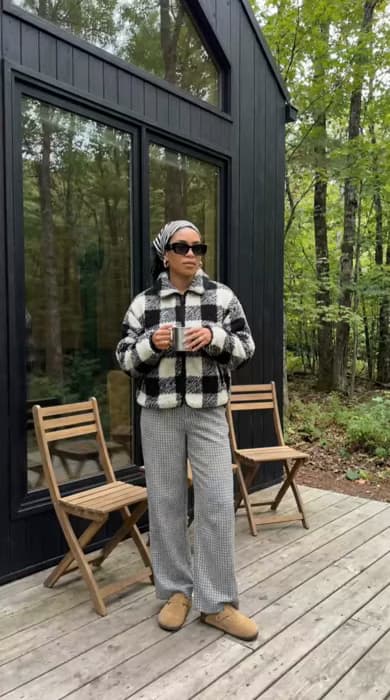
video phong cách sống với lớp phủ văn bản nhẹ nhàng
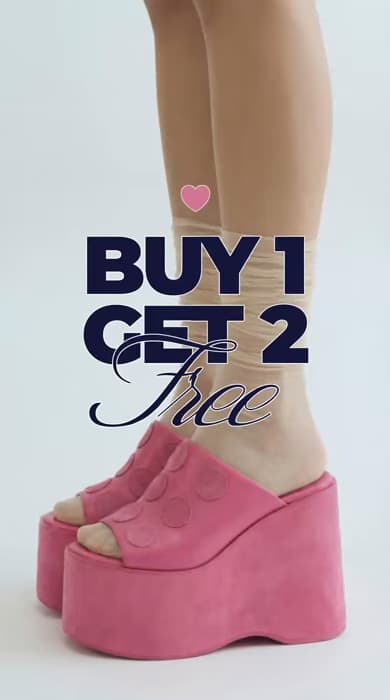
video sản phẩm với văn bản quảng cáo đậm nét
video mùa hè với phụ đề văn bản
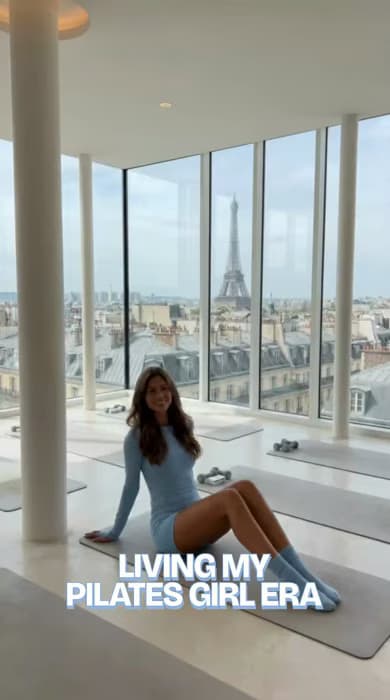
video phong cách sống với lớp phủ câu trích
video du lịch với tiêu đề văn bản
video hoạt hình với văn bản thú vị
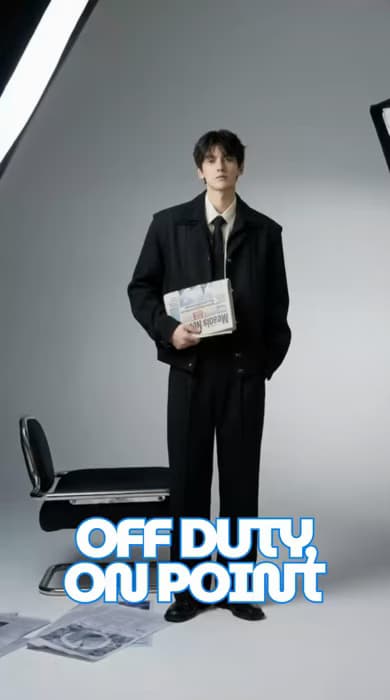
video thời trang với lớp phủ văn bản đậm nét
biểu tượng hỗ trợ lớp phủ văn bản miễn phí

Hỗ trợ lớp phủ văn bản miễn phí

Thêm văn bản vào video miễn phí với phụ đề, tiêu đề và điểm nổi bật giúp nội dung rõ ràng và hấp dẫn hơn.

biểu tượng cho trình chỉnh sửa văn bản hoạt động trên mọi thiết bị

Hoạt động trên mọi thiết bị

Chỉnh sửa video và thêm văn bản trong Trình chỉnh sửa Văn bản Video dựa trên trình duyệt trên máy tính, máy tính bảng hoặc di động.

biểu tượng cho tùy chỉnh văn bản video

Hỗ trợ tùy chỉnh văn bản

Chọn từ hơn 1,000 phông chữ và điều chỉnh màu sắc, kích thước, vị trí, hiệu ứng động, nét vẽ và bóng đổ một cách dễ dàng.


Làm thế nào để thêm văn bản vào video

1

Tải lên video của bạn

Mở trình chỉnh sửa và thêm video của bạn trực tiếp từ thiết bị của bạn - không cần cài đặt hay tải xuống.

2

Thêm văn bản của bạn

3

Tùy chỉnh giao diện

4

Xem và xuất


Thêm văn bản vào video trực tuyến dễ dàng

Thêm phụ đề, tiêu đề và lớp phủ trực tiếp vào video của bạn bằng Trình chỉnh sửa Văn bản Video dựa trên trình duyệt. Không cần cài đặt hoặc thiết lập - chỉ cần trải nghiệm mượt mà, trực quan hoạt động trên các thiết bị. Tạo video rõ ràng hơn, hấp dẫn hơn và bóng bẩy hơn về mặt hình ảnh trong khi chỉnh sửa hoàn toàn trực tuyến, dù bạn đang làm việc trên máy tính để bàn, máy tính bảng hay di động.

Tùy chỉnh văn bản video với kiểm soát đầy đủ

Bạn có thể kiểm soát hoàn toàn khi thêm văn bản vào video, với sự tự do chọn phông chữ, tinh chỉnh màu sắc, điều chỉnh kích thước và áp dụng các hiệu ứng động phù hợp với phong cách của bạn. Chọn từ các phông chữ cơ bản sạch sẽ hoặc phông chữ do AI tạo ra cho video, sau đó tinh chỉnh các chi tiết để văn bản của bạn phản ánh thương hiệu, tâm trạng hoặc hướng sáng tạo mà không làm cho việc chỉnh sửa trở nên phức tạp.

Tạo video xã hội hấp dẫn bằng cách thêm văn bản

Khi bạn thêm văn bản vào video, nội dung của bạn sẽ dễ theo dõi hơn trên các nền tảng như Instagram, TikTok, YouTube, và nhiều hơn nữa. Phụ đề, tiêu đề và chú thích giúp video nổi bật trong các danh sách nhanh chóng, cải thiện khả năng tiếp cận cho mọi người xem, và khuyến khích sự tương tác cao hơn bằng cách làm cho những khoảnh khắc quan trọng rõ ràng ngay tức khắc.

Thêm văn bản vào video quảng cáo và quảng bá

Thêm văn bản vào video quảng cáo và video quảng bá để làm nổi bật sản phẩm, chia sẻ ưu đãi hoặc hướng dẫn người xem hành động. Với các công cụ đơn giản để chỉnh sửa văn bản video, các nhà sáng tạo, doanh nghiệp nhỏ và nhà tiếp thị có thể thêm lời kêu gọi hành động, thông báo và chi tiết quan trọng nhanh chóng mà không cần phải đối mặt với quy trình chỉnh sửa phức tạp.

Nâng cao video với văn bản để kể chuyện và hướng dẫn

Văn bản giúp hướng dẫn người xem qua các ý tưởng, bước tiến, và câu chuyện một cách rõ ràng. Khi bạn nâng cao video với văn bản, hướng dẫn có văn bản trở nên dễ theo dõi hơn, và kể chuyện cảm giác như có cấu trúc hơn. Sử dụng Trình chỉnh sửa Văn bản Video, bạn có thể thêm ngữ cảnh hữu ích giữ cho người xem tham gia và làm cho nội dung phức tạp dễ hiểu hơn.

Tự động tạo phụ đề khi thêm văn bản vào video

Với công cụ thêm văn bản vào video của Picsart, bạn có thể chọn cách văn bản xuất hiện dựa trên nội dung của bạn. Đối với video nói, phụ đề tự động chuyển đổi giọng nói thành văn bản trên màn hình, trong khi công cụ văn bản thủ công hoạt động tốt nhất cho tiêu đề và điểm nhấn. Phụ đề tự động cải thiện khả năng tiếp cận, hỗ trợ hướng dẫn và giữ cho video dễ theo dõi ngay cả khi âm thanh tắt.


Xây dựng video tốt hơn với công cụ văn bản mạnh mẽ

Khám phá các công cụ giúp bạn thêm văn bản vào video trực tuyến nhanh chóng và kiểm soát. Tạo nội dung rõ ràng, hấp dẫn với phụ đề, phong cách và hiệu ứng động - tất cả trong một nơi.

Hỗ trợ hơn 1,000 phông chữ

Tìm phong cách phù hợp cho mọi video, từ những giao diện tối giản đến các thiết kế đậm nét, biểu cảm.

Tạo phông chữ do AI tạo ra

Tạo phong cách văn bản độc đáo với phông chữ do AI tạo ra nổi bật trong bất kỳ video nào.

Tạo phụ đề từ giọng nói

Chuyển đổi từ ngữ nói thành phụ đề chính xác tự động, giúp video của bạn dễ theo dõi ở bất kỳ đâu.

Cho phép tùy chỉnh văn bản hoàn toàn

Kiểm soát màu sắc, kích thước, vị trí, nét vẽ và bóng đổ để phù hợp với phong cách hình ảnh chính xác của bạn.

Áp dụng hiệu ứng động văn bản

Thêm chuyển động mượt mà cho văn bản của bạn để hướng dẫn sự chú ý và giữ người xem xem lâu hơn.

Bao gồm mọi loại văn bản

Thêm phụ đề, tiêu đề, điểm nổi bật, và chú thích bằng một Trình chỉnh sửa Video mạnh mẽ ở một nơi.

Hoạt động trên nhiều thiết bị

Chỉnh sửa trên máy tính để bàn, máy tính bảng, hoặc di động trong khi giữ cho tiến trình của bạn được đồng bộ hóa và quy trình làm việc không bị gián đoạn.

Chạy hoàn toàn trực tuyến

Sử dụng trình chỉnh sửa dựa trên trình duyệt để thêm văn bản vào video trực tuyến miễn phí mà không cần cài đặt bất cứ gì.


Đánh giá

Tôi quay và đăng nhanh chóng. Thêm phụ đề từng làm chậm quá trình của tôi, nhưng giờ tất cả mọi thứ diễn ra suôn sẻ. Video của tôi cảm giác hoàn thiện mà không cần thêm nhiều nỗ lực.
Maya R., Người sáng tạo nội dung
Tôi cần một cái gì đó đơn giản mà vẫn sắc nét. Lớp phủ văn bản đã làm cho video sản phẩm của tôi rõ ràng hơn, và mọi người cuối cùng đã bắt đầu chú ý.
Jordan K., Chủ doanh nghiệp nhỏ
Tôi quan tâm đến sự rõ ràng hơn bất cứ điều gì. Có thể làm nổi bật các điểm chính ngay trên màn hình khiến bài giảng của tôi dễ theo dõi và hấp dẫn hơn cho học viên của tôi.
Elena V., Giảng viên trực tuyến

Nhiều Công Cụ Hơn Để Yêu Thích

Trình tạo video AI của Picsart

Trình tạo video AI

Tạo video tùy chỉnh bằng AI chỉ bằng cách viết mô tả ngắn về tầm nhìn của bạn.

trình tạo hình ảnh thành video AI trực tuyến

Chuyển đổi hình ảnh thành video AI

Biến bất kỳ hình ảnh nào thành video động bằng AI.

xóa đối tượng khỏi video

Bộ công cụ xóa đối tượng khỏi video

Loại bỏ những chi tiết không cần thiết trong video của bạn với sự trợ giúp của AI.

trình tạo phụ đề AI

Trình tạo phụ đề AI

Suy nghĩ các phụ đề hấp dẫn cho phương tiện truyền thông xã hội, bộ sưu tập ảnh hoặc dự án tiếp thị.

thêm phụ đề vào video trực tuyến miễn phí

Thêm Phụ Đề vào Video

Tạo phụ đề chính xác cho bất kỳ video nào trong vài giây.

thêm nhạc vào video trực tuyến miễn phí

Thêm Nhạc vào Video

Thêm nhạc vào video trực tuyến chỉ trong vài bước.


Thêm văn bản giúp video dễ theo dõi hơn

Chỉnh sửa video đơn giản.
Tạo video nhạcLàm phụ đề cho videoThử chuyển văn bản thành videoXóa nềnXóa đối tượng trong videoKhám phá hình ảnh thành videoChỉnh sửa videoTạo video AIKhám phá bộ lọc video AITạo video lưu trữ

Use Picsart anywhere

Install the app, or bring Picsart into the AI workspaces your team already uses.

Use Picsart with

  • ChatGPT / Codex
  • Claude
  • Terminal
  • Cursor
  • OpenClaw
  • Hermes

Download the app

Download on the App StoreGET IT ON Google PlayGet it from Microsoft

Follow Picsart

Pinterest
AICPA SOC

Create

  • AI Image Generator
  • AI Video Generator
  • AI Playground
  • Flow
  • AI Photo Editor
  • AI Video Editor
  • AI Agents
  • Content Library
  • AI Models

Creators

  • Earn with Picsart
  • Earn campaigns
  • Clipping
  • For Brands
  • Video Studio
  • Tutorials
  • Challenges

Connect

  • ChatGPT / Codex
  • MCP setup
  • Command line
  • Developers
  • Google Drive

Business

  • Pricing
  • Enterprise
  • Industries
  • Quicktools

Company

  • Support
  • Careers
  • About us
  • Blog
  • Press Center
Terms of UsePrivacy PolicyDo Not SellInternet-Based AdvertisingCommunity GuidelinesDMCASecurity PolicyAccessibility
© 2026 PicsArt, Inc.

Học những kiến thức cơ bản về chỉnh sửa video

Học cách thực hiện những chỉnh sửa gọn gàng hơn cho các đoạn phim.

How to edit videos with AI in Picsart video editor preview
Video editing

How to edit videos with AI in Picsart video editor

5 minIntermediate
How to apply AI video filters and effects in Picsart preview
Video editing

How to apply AI video filters and effects in Picsart

4 minBeginner
How to add text and captions to videos online preview
Video editing

How to add text and captions to videos online

4 minBeginner
How to create smooth video transitions with AI effects preview
Video editing

How to create smooth video transitions with AI effects

4 minIntermediate
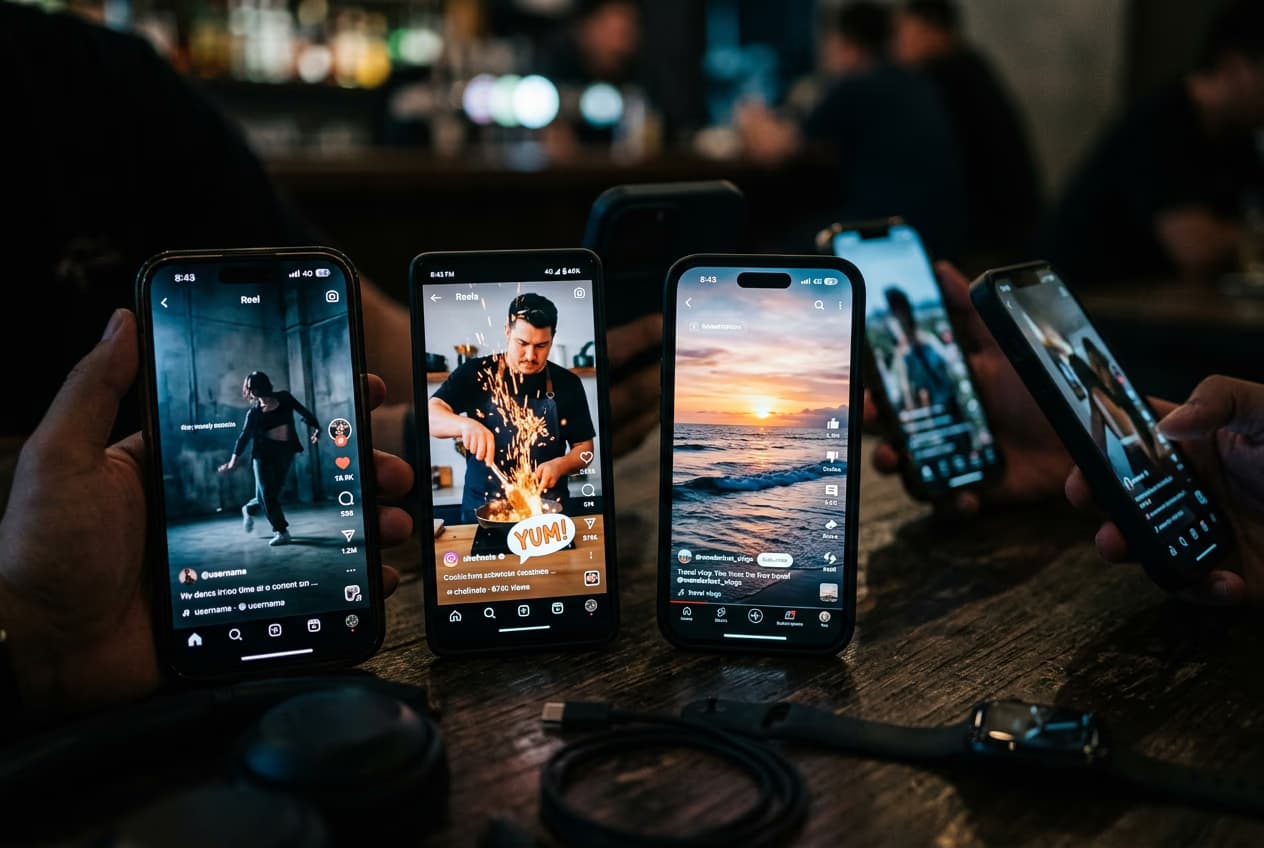
How to export videos for TikTok, Reels, YouTube, and Stories preview
Video editing

How to export videos for TikTok, Reels, YouTube, and Stories

5 minIntermediate
How to fix eye contact in talking-head videos with AI preview
Video editing

How to fix eye contact in talking-head videos with AI

4 minIntermediate
Video editing

How to create faceless YouTube history videos with Picsart Storyline

4 minIntermediate
Xem tất cả các hướng dẫn

Tạo video với văn bản bằng mô hình video AI

Sử dụng mô hình video để biến các clip, cảnh quay và hướng dẫn thành các video có văn bản cho xã hội, quảng cáo và quy trình sáng tạo.

Seedance 2.0New
Next-gen cinematic video with optional audio and reference image. Up to 4K.Reference inputAudio4KCinematicSee model
Seedance 2.0 FastNew
Fast cinematic video with audio, reference images, and start/end frame control.Reference inputAudioFast generationCinematicSee model
Seedance 2.0 Video EditNew
Edit video — replace subjects, add or remove objects, restyle scenes with reference images.Video editingReference inputVideo generationSee model
Seedance 2.0 Fast Video EditNew
Fast video edit — modify scenes with reference images.Video editingReference inputFast generationSee model
Sora 2 Pro
Up to 1080p with strong physical realism and optional reference image.Reference input1080pPro qualityCinematicSee model
Sora 2
Naturalistic 720p video with lifelike motion and character detail.CinematicVideo generationSee model
Wan 2.7
Wan 2.7 T2V — up to 15s at 1080p with audio input and prompt enhancement.Text to videoAudio1080pCinematicSee model
Kling V3
Long-form video up to 15s with native audio and start/end frame control.AudioCinematicVideo generationSee model
Kling V3 Turbo
Faster V3 variant — long-form video up to 15s with native audio, start/end frame control, and 720p/1080p output.Audio1080pFast generationCinematicSee model
Kling V2.6
Mature pipeline with audio, adjustable cfg, and standard/pro rendering.AudioPro qualityCinematicSee model
Kling V3 Omni
Flexible generation across creative styles using V3 Omni architecture, with optional 4K output.4KCinematicVideo generationSee model
Kling Video O1
O1-architecture video generation with 5 or 10 second output.CinematicVideo generationSee model
Seedance 2.0New
Next-gen cinematic video with optional audio and reference image. Up to 4K.Reference inputAudio4KCinematicSee model
Seedance 2.0 FastNew
Fast cinematic video with audio, reference images, and start/end frame control.Reference inputAudioFast generationCinematicSee model
Seedance 2.0 Video EditNew
Edit video — replace subjects, add or remove objects, restyle scenes with reference images.Video editingReference inputVideo generationSee model
Seedance 2.0 Fast Video EditNew
Fast video edit — modify scenes with reference images.Video editingReference inputFast generationSee model
Sora 2 Pro
Up to 1080p with strong physical realism and optional reference image.Reference input1080pPro qualityCinematicSee model
Sora 2
Naturalistic 720p video with lifelike motion and character detail.CinematicVideo generationSee model
Wan 2.7
Wan 2.7 T2V — up to 15s at 1080p with audio input and prompt enhancement.Text to videoAudio1080pCinematicSee model
Kling V3
Long-form video up to 15s with native audio and start/end frame control.AudioCinematicVideo generationSee model
Kling V3 Turbo
Faster V3 variant — long-form video up to 15s with native audio, start/end frame control, and 720p/1080p output.Audio1080pFast generationCinematicSee model
Kling V2.6
Mature pipeline with audio, adjustable cfg, and standard/pro rendering.AudioPro qualityCinematicSee model
Kling V3 Omni
Flexible generation across creative styles using V3 Omni architecture, with optional 4K output.4KCinematicVideo generationSee model
Kling Video O1
O1-architecture video generation with 5 or 10 second output.CinematicVideo generationSee model
Seedance 2.0New
Next-gen cinematic video with optional audio and reference image. Up to 4K.Reference inputAudio4KCinematicSee model
Seedance 2.0 FastNew
Fast cinematic video with audio, reference images, and start/end frame control.Reference inputAudioFast generationCinematicSee model
Seedance 2.0 Video EditNew
Edit video — replace subjects, add or remove objects, restyle scenes with reference images.Video editingReference inputVideo generationSee model
Seedance 2.0 Fast Video EditNew
Fast video edit — modify scenes with reference images.Video editingReference inputFast generationSee model
Sora 2 Pro
Up to 1080p with strong physical realism and optional reference image.Reference input1080pPro qualityCinematicSee model
Sora 2
Naturalistic 720p video with lifelike motion and character detail.CinematicVideo generationSee model
Wan 2.7
Wan 2.7 T2V — up to 15s at 1080p with audio input and prompt enhancement.Text to videoAudio1080pCinematicSee model
Kling V3
Long-form video up to 15s with native audio and start/end frame control.AudioCinematicVideo generationSee model
Kling V3 Turbo
Faster V3 variant — long-form video up to 15s with native audio, start/end frame control, and 720p/1080p output.Audio1080pFast generationCinematicSee model
Kling V2.6
Mature pipeline with audio, adjustable cfg, and standard/pro rendering.AudioPro qualityCinematicSee model
Kling V3 Omni
Flexible generation across creative styles using V3 Omni architecture, with optional 4K output.4KCinematicVideo generationSee model
Kling Video O1
O1-architecture video generation with 5 or 10 second output.CinematicVideo generationSee model
Seedance 2.0New
Next-gen cinematic video with optional audio and reference image. Up to 4K.Reference inputAudio4KCinematicSee model
Seedance 2.0 FastNew
Fast cinematic video with audio, reference images, and start/end frame control.Reference inputAudioFast generationCinematicSee model
Seedance 2.0 Video EditNew
Edit video — replace subjects, add or remove objects, restyle scenes with reference images.Video editingReference inputVideo generationSee model
Seedance 2.0 Fast Video EditNew
Fast video edit — modify scenes with reference images.Video editingReference inputFast generationSee model
Sora 2 Pro
Up to 1080p with strong physical realism and optional reference image.Reference input1080pPro qualityCinematicSee model
Sora 2
Naturalistic 720p video with lifelike motion and character detail.CinematicVideo generationSee model
Wan 2.7
Wan 2.7 T2V — up to 15s at 1080p with audio input and prompt enhancement.Text to videoAudio1080pCinematicSee model
Kling V3
Long-form video up to 15s with native audio and start/end frame control.AudioCinematicVideo generationSee model
Kling V3 Turbo
Faster V3 variant — long-form video up to 15s with native audio, start/end frame control, and 720p/1080p output.Audio1080pFast generationCinematicSee model
Kling V2.6
Mature pipeline with audio, adjustable cfg, and standard/pro rendering.AudioPro qualityCinematicSee model
Kling V3 Omni
Flexible generation across creative styles using V3 Omni architecture, with optional 4K output.4KCinematicVideo generationSee model
Kling Video O1
O1-architecture video generation with 5 or 10 second output.CinematicVideo generationSee model
Seedance 2.0New
Next-gen cinematic video with optional audio and reference image. Up to 4K.Reference inputAudio4KCinematicSee model
Seedance 2.0 FastNew
Fast cinematic video with audio, reference images, and start/end frame control.Reference inputAudioFast generationCinematicSee model
Seedance 2.0 Video EditNew
Edit video — replace subjects, add or remove objects, restyle scenes with reference images.Video editingReference inputVideo generationSee model
Seedance 2.0 Fast Video EditNew
Fast video edit — modify scenes with reference images.Video editingReference inputFast generationSee model
Sora 2 Pro
Up to 1080p with strong physical realism and optional reference image.Reference input1080pPro qualityCinematicSee model
Sora 2
Naturalistic 720p video with lifelike motion and character detail.CinematicVideo generationSee model
Wan 2.7
Wan 2.7 T2V — up to 15s at 1080p with audio input and prompt enhancement.Text to videoAudio1080pCinematicSee model
Kling V3
Long-form video up to 15s with native audio and start/end frame control.AudioCinematicVideo generationSee model
Kling V3 Turbo
Faster V3 variant — long-form video up to 15s with native audio, start/end frame control, and 720p/1080p output.Audio1080pFast generationCinematicSee model
Kling V2.6
Mature pipeline with audio, adjustable cfg, and standard/pro rendering.AudioPro qualityCinematicSee model
Kling V3 Omni
Flexible generation across creative styles using V3 Omni architecture, with optional 4K output.4KCinematicVideo generationSee model
Kling Video O1
O1-architecture video generation with 5 or 10 second output.CinematicVideo generationSee model
Seedance 2.0New
Next-gen cinematic video with optional audio and reference image. Up to 4K.Reference inputAudio4KCinematicSee model
Seedance 2.0 FastNew
Fast cinematic video with audio, reference images, and start/end frame control.Reference inputAudioFast generationCinematicSee model
Seedance 2.0 Video EditNew
Edit video — replace subjects, add or remove objects, restyle scenes with reference images.Video editingReference inputVideo generationSee model
Seedance 2.0 Fast Video EditNew
Fast video edit — modify scenes with reference images.Video editingReference inputFast generationSee model
Sora 2 Pro
Up to 1080p with strong physical realism and optional reference image.Reference input1080pPro qualityCinematicSee model
Sora 2
Naturalistic 720p video with lifelike motion and character detail.CinematicVideo generationSee model
Wan 2.7
Wan 2.7 T2V — up to 15s at 1080p with audio input and prompt enhancement.Text to videoAudio1080pCinematicSee model
Kling V3
Long-form video up to 15s with native audio and start/end frame control.AudioCinematicVideo generationSee model
Kling V3 Turbo
Faster V3 variant — long-form video up to 15s with native audio, start/end frame control, and 720p/1080p output.Audio1080pFast generationCinematicSee model
Kling V2.6
Mature pipeline with audio, adjustable cfg, and standard/pro rendering.AudioPro qualityCinematicSee model
Kling V3 Omni
Flexible generation across creative styles using V3 Omni architecture, with optional 4K output.4KCinematicVideo generationSee model
Kling Video O1
O1-architecture video generation with 5 or 10 second output.CinematicVideo generationSee model