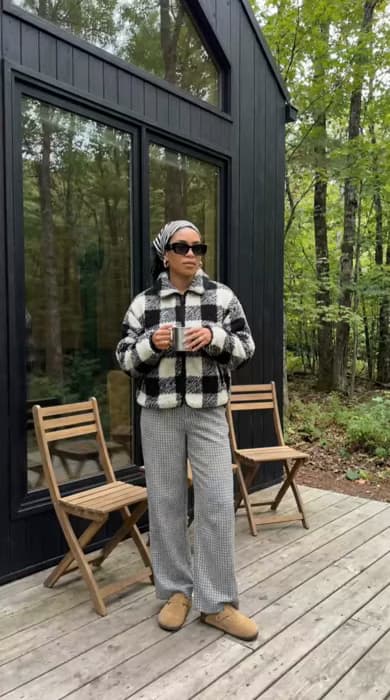
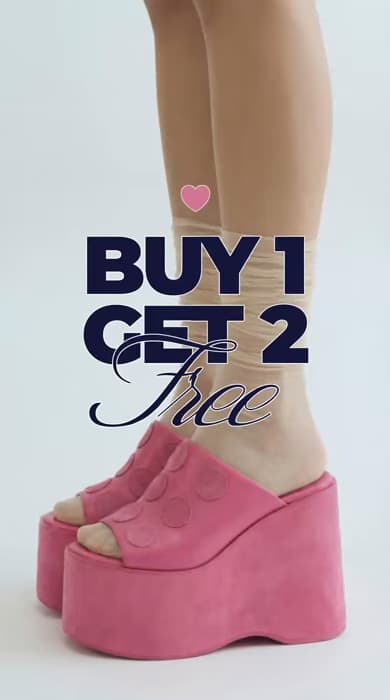
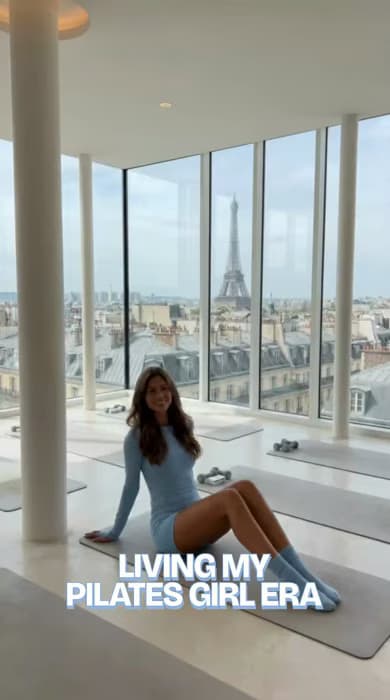
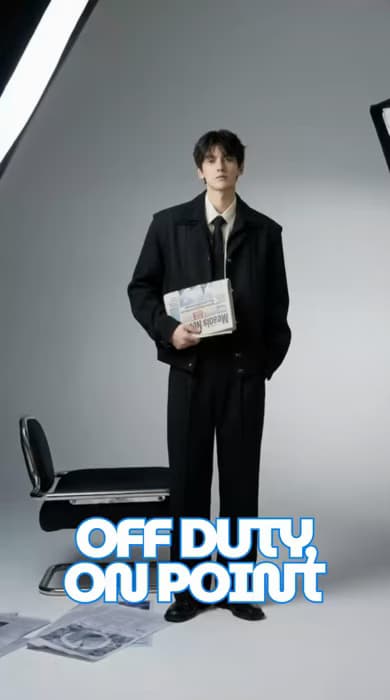
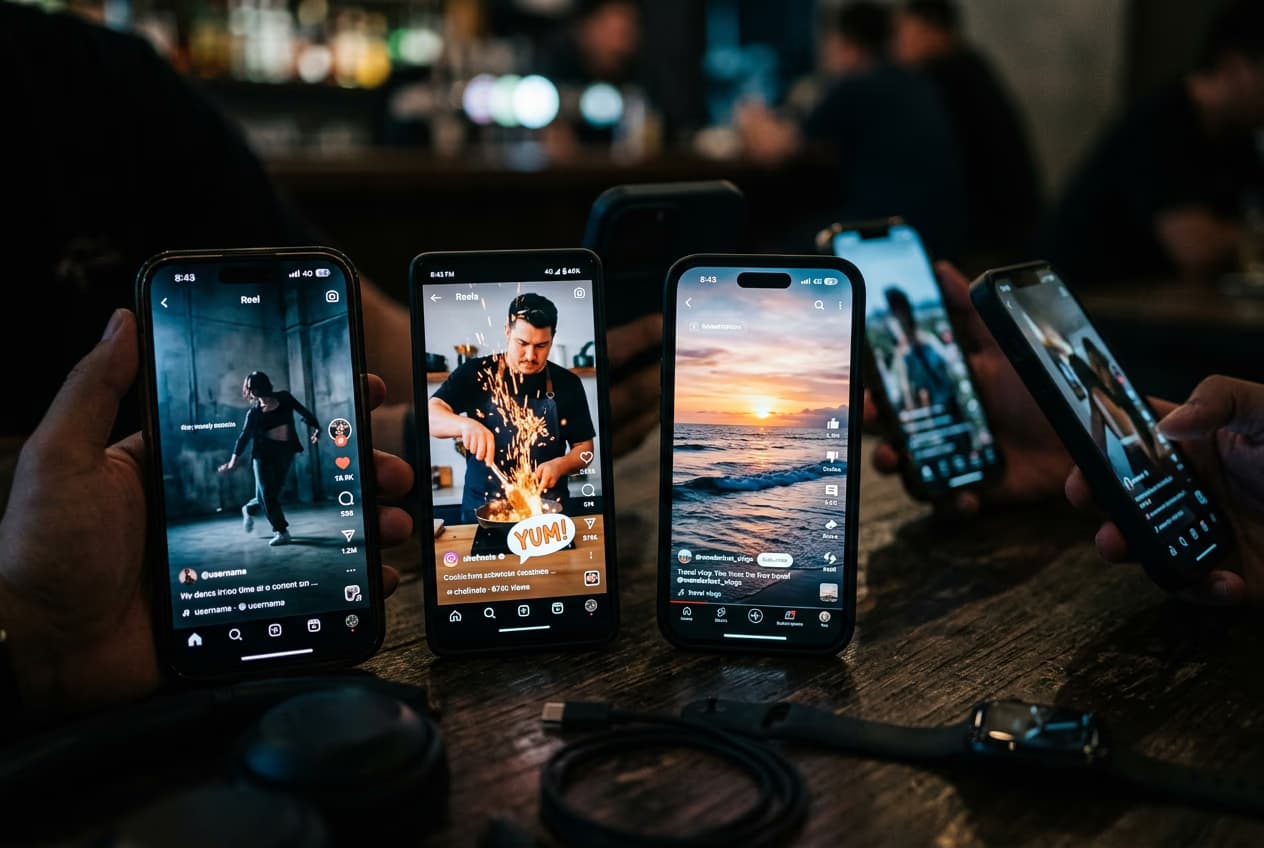
ऑनलाइन वीडियो में टेक्स्ट जोड़ें और सरल क्लिप्स को स्पष्ट, आकर्षक कहानियों में बदलें - कैप्शन, शीर्षक और ओवरले के साथ जो वीडियो को और जानकारीपूर्ण और आकर्षक बनाते हैं।
मुफ्त टेक्स्ट ओवरले का समर्थन करता है
कैप्शन, हेडिंग और हाइलाइट के साथ वीडियो में टेक्स्ट जोड़ें - बिल्कुल मुफ्त।
सभी डिवाइस पर काम करता है
डेस्कटॉप, टैबलेट या मोबाइल पर ब्राउज़र-आधारित वीडियो टेक्स्ट एडिटर में वीडियो संपादित करें और टेक्स्ट जोड़ें।
टेक्स्ट कस्टमाइजेशन का समर्थन करता है
1,000+ फॉन्ट में से चुनें और रंग, आकार, प्लेसमेंट, एनिमेशन, स्ट्रोक और शैडो को आसानी से समायोजित करें।
वीडियो में टेक्स्ट कैसे जोड़ें
1
अपना वीडियो अपलोड करें
एडिटर खोलें और अपनी डिवाइस से सीधे वीडियो जोड़ें - कोई सेटअप या डाउनलोड की जरूरत नहीं।
2
अपना टेक्स्ट जोड़ें
3
लुक को कस्टमाइज करें
4
प्रीव्यू और एक्सपोर्ट करें
आसानी से ऑनलाइन वीडियो में टेक्स्ट जोड़ें
ब्राउज़र-आधारित वीडियो टेक्स्ट एडिटर का उपयोग करके सीधे अपने वीडियो में कैप्शन, शीर्षक और ओवरले जोड़ें। कोई इंस्टॉल या सेटअप नहीं - बस एक सुचारु, सहज अनुभव जो सभी डिवाइस पर काम करता है। स्पष्ट, आकर्षक और दृश्य रूप से पॉलिश किए गए वीडियो बनाएं, भले ही आप डेस्कटॉप, टैबलेट या मोबाइल पर काम कर रहे हों।
पूर्ण नियंत्रण के साथ वीडियो टेक्स्ट को कस्टमाइज करें
वीडियो में टेक्स्ट जोड़ते समय आपको पूर्ण नियंत्रण होता है - फॉन्ट चुनने, रंगों को परिष्कृत करने, आकार समायोजित करने और अपनी स्टाइल के अनुरूप एनिमेशन लागू करने की स्वतंत्रता के साथ। स्वच्छ बेसिक्स या अभिव्यंजक, AI-जनित वीडियो फॉन्ट में से चुनें, फिर विवरण को परिष्कृत करें ताकि आपका टेक्स्ट आपके ब्रांड, मूड या क्रिएटिव दिशा को दर्शाए।
टेक्स्ट जोड़कर आकर्षक सोशल वीडियो बनाएं
जब आप वीडियो टेक्स्ट जोड़ते हैं, तो आपकी सामग्री Instagram, TikTok, YouTube और अन्य प्लेटफॉर्म पर अनुसरण करना आसान हो जाता है। कैप्शन, शीर्षक और एनोटेशन वीडियो को तेज़ गति वाले फीड में अलग दिखने में मदद करते हैं, सभी दर्शकों के लिए एक्सेसिबिलिटी बेहतर करते हैं और मुख्य पलों को स्पष्ट करके उच्च एनगेजमेंट को बढ़ावा देते हैं।
प्रमोशनल वीडियो और विज्ञापनों में टेक्स्ट जोड़ें
प्रोडक्ट हाइलाइट करने, ऑफर शेयर करने या दर्शकों को कार्रवाई के लिए प्रेरित करने के लिए प्रमोशनल वीडियो और वीडियो विज्ञापनों में टेक्स्ट जोड़ें। वीडियो टेक्स्ट संपादित करने के सरल टूल के साथ, क्रिएटर, छोटे व्यवसायी और मार्केटर तेज़ी से कॉल-टू-एक्शन, घोषणाएं और महत्वपूर्ण विवरण जोड़ सकते हैं।
कहानी कहने और ट्यूटोरियल के लिए वीडियो को टेक्स्ट से बेहतर बनाएं
टेक्स्ट दर्शकों को विचारों, चरणों और आख्यानों के माध्यम से स्पष्टता के साथ मार्गदर्शन करता है। जब आप वीडियो को टेक्स्ट से बेहतर बनाते हैं, तो टेक्स्ट वाले ट्यूटोरियल अनुसरण करना आसान हो जाता है और कहानी कहना अधिक संरचित महसूस होता है। वीडियो टेक्स्ट एडिटर का उपयोग करके, आप सहायक संदर्भ जोड़ सकते हैं जो दर्शकों को संलग्न रखता है।
वीडियो में टेक्स्ट जोड़ते समय ऑटो-जनरेट कैप्शन करें
Picsart के वीडियो टेक्स्ट जोड़ने के टूल के साथ, आप अपनी सामग्री के आधार पर टेक्स्ट कैसे दिखाई दे यह चुन सकते हैं। बोलने वाले वीडियो के लिए, कैप्शन स्वचालित रूप से भाषण को ऑन-स्क्रीन टेक्स्ट में बदल देते हैं, जबकि मैनुअल टेक्स्ट टूल शीर्षक और हाइलाइट के लिए सर्वश्रेष्ठ काम करते हैं। ऑटो-जनरेट कैप्शन एक्सेसिबिलिटी में सुधार करते हैं और वीडियो को आसान बनाते हैं।
शक्तिशाली टेक्स्ट टूल्स से बेहतर वीडियो बनाएं
उन टूल्स खोजें जो आपको गति और नियंत्रण के साथ ऑनलाइन वीडियो में टेक्स्ट जोड़ने में मदद करते हैं। कैप्शन, स्टाइलिंग और एनिमेशन के साथ स्पष्ट, आकर्षक सामग्री बनाएं।</p>
1,000+ फॉन्ट का समर्थन करता है
किसी भी वीडियो के लिए सही स्टाइल खोजें - न्यूनतम लुक से लेकर साहसी, अभिव्यंजक डिज़ाइन तक।
AI-संचालित फॉन्ट जनरेट करता है
AI-जनित फॉन्ट के साथ अद्वितीय टेक्स्ट शैलियां बनाएं जो किसी भी वीडियो में अलग दिखें।
भाषण से कैप्शन बनाता है
बोले गए शब्दों को स्वचालित रूप से सटीक कैप्शन में बदलें, जिससे आपके वीडियो को कहीं भी अनुसरण करना आसान हो जाए।
पूर्ण टेक्स्ट कस्टमाइजेशन सक्षम करता है
रंग, आकार, प्लेसमेंट, स्ट्रोक और शैडो को नियंत्रित करें ताकि आपकी सटीक दृश्य शैली से मेल खाए।
टेक्स्ट एनिमेशन लागू करता है
अपने टेक्स्ट में सुचारु गति जोड़ें ताकि ध्यान आकर्षित हो और दर्शक देखते रहें।
सभी टेक्स्ट प्रकारों को शामिल करता है
एक जगह शक्तिशाली वीडियो एडिटर का उपयोग करके कैप्शन, शीर्षक, हाइलाइट और एनोटेशन जोड़ें।
डिवाइस पर काम करता है
डेस्कटॉप, टैबलेट या मोबाइल पर संपादित करें, अपनी प्रगति सिंक रखें और अपने वर्कफ़्लो को बाधित न होने दें।
पूरी तरह ऑनलाइन चलता है
ब्राउज़र-आधारित एडिटर का उपयोग करके बिना कुछ इंस्टॉल किए वीडियो में टेक्स्ट जोड़ें।
प्रशंसापत्र
मैं तेज़ी से शूट करता हूँ और तेज़ी से पोस्ट करता हूँ। कैप्शन जोड़ना पहले मुझे धीमा करता था, लेकिन अब सब कुछ बस बहता है। मेरे वीडियो बिना अतिरिक्त प्रयास के तैयार महसूस होते हैं।
Maya R., कंटेंट क्रिएटर
मुझे कुछ सरल चाहिए था जो फिर भी तीव्र दिखे। टेक्स्ट ओवरले ने मेरे प्रोडक्ट वीडियो को स्पष्ट बनाया, और लोग अंततः ध्यान देने लगे।
Jordan K., छोटे व्यवसाय के मालिक
मैं स्पष्टता के बारे में सबसे अधिक परवाह करता हूँ। स्क्रीन पर मुख्य बिंदुओं को हाइलाइट करने में सक्षम होने से मेरे पाठ आसान और अधिक आकर्षक हो गए।
हर कहानी के लिए टेक्स्ट शैलियों के साथ वीडियो जोड़ें
हर पल को स्पष्ट, साहसी और अनुसरण करने में आसान बनाएं।
Fast cinematic video with audio, reference images, and start/end frame control.Reference inputAudioFast generationCinematicSee model
Edit video — replace subjects, add or remove objects, restyle scenes with reference images.Video editingReference inputVideo generationSee model
Fast video edit — modify scenes with reference images.Video editingReference inputFast generationSee model
Up to 1080p with strong physical realism and optional reference image.Reference input1080pPro qualityCinematicSee model
Naturalistic 720p video with lifelike motion and character detail.CinematicVideo generationSee model
Wan 2.7 T2V — up to 15s at 1080p with audio input and prompt enhancement.Text to videoAudio1080pCinematicSee model
Long-form video up to 15s with native audio and start/end frame control.AudioCinematicVideo generationSee model
Faster V3 variant — long-form video up to 15s with native audio, start/end frame control, and 720p/1080p output.Audio1080pFast generationCinematicSee model
Mature pipeline with audio and pro-tier rendering.
Fast cinematic video with audio, reference images, and start/end frame control.Reference inputAudioFast generationCinematicSee model
Edit video — replace subjects, add or remove objects, restyle scenes with reference images.Video editingReference inputVideo generationSee model
Fast video edit — modify scenes with reference images.Video editingReference inputFast generationSee model
Up to 1080p with strong physical realism and optional reference image.Reference input1080pPro qualityCinematicSee model
Naturalistic 720p video with lifelike motion and character detail.CinematicVideo generationSee model
Wan 2.7 T2V — up to 15s at 1080p with audio input and prompt enhancement.Text to videoAudio1080pCinematicSee model
Long-form video up to 15s with native audio and start/end frame control.AudioCinematicVideo generationSee model
Faster V3 variant — long-form video up to 15s with native audio, start/end frame control, and 720p/1080p output.Audio1080pFast generationCinematicSee model
Mature pipeline with audio and pro-tier rendering.
Fast cinematic video with audio, reference images, and start/end frame control.Reference inputAudioFast generationCinematicSee model
Edit video — replace subjects, add or remove objects, restyle scenes with reference images.Video editingReference inputVideo generationSee model
Fast video edit — modify scenes with reference images.Video editingReference inputFast generationSee model
Up to 1080p with strong physical realism and optional reference image.Reference input1080pPro qualityCinematicSee model
Naturalistic 720p video with lifelike motion and character detail.CinematicVideo generationSee model
Wan 2.7 T2V — up to 15s at 1080p with audio input and prompt enhancement.Text to videoAudio1080pCinematicSee model
Long-form video up to 15s with native audio and start/end frame control.AudioCinematicVideo generationSee model
Faster V3 variant — long-form video up to 15s with native audio, start/end frame control, and 720p/1080p output.Audio1080pFast generationCinematicSee model
Mature pipeline with audio and pro-tier rendering.
Fast cinematic video with audio, reference images, and start/end frame control.Reference inputAudioFast generationCinematicSee model
Edit video — replace subjects, add or remove objects, restyle scenes with reference images.Video editingReference inputVideo generationSee model
Fast video edit — modify scenes with reference images.Video editingReference inputFast generationSee model
Up to 1080p with strong physical realism and optional reference image.Reference input1080pPro qualityCinematicSee model
Naturalistic 720p video with lifelike motion and character detail.CinematicVideo generationSee model
Wan 2.7 T2V — up to 15s at 1080p with audio input and prompt enhancement.Text to videoAudio1080pCinematicSee model
Long-form video up to 15s with native audio and start/end frame control.AudioCinematicVideo generationSee model
Faster V3 variant — long-form video up to 15s with native audio, start/end frame control, and 720p/1080p output.Audio1080pFast generationCinematicSee model
Mature pipeline with audio and pro-tier rendering.
Fast cinematic video with audio, reference images, and start/end frame control.Reference inputAudioFast generationCinematicSee model
Edit video — replace subjects, add or remove objects, restyle scenes with reference images.Video editingReference inputVideo generationSee model
Fast video edit — modify scenes with reference images.Video editingReference inputFast generationSee model
Up to 1080p with strong physical realism and optional reference image.Reference input1080pPro qualityCinematicSee model
Naturalistic 720p video with lifelike motion and character detail.CinematicVideo generationSee model
Wan 2.7 T2V — up to 15s at 1080p with audio input and prompt enhancement.Text to videoAudio1080pCinematicSee model
Long-form video up to 15s with native audio and start/end frame control.AudioCinematicVideo generationSee model
Faster V3 variant — long-form video up to 15s with native audio, start/end frame control, and 720p/1080p output.Audio1080pFast generationCinematicSee model
Mature pipeline with audio and pro-tier rendering.
Fast cinematic video with audio, reference images, and start/end frame control.Reference inputAudioFast generationCinematicSee model
Edit video — replace subjects, add or remove objects, restyle scenes with reference images.Video editingReference inputVideo generationSee model
Fast video edit — modify scenes with reference images.Video editingReference inputFast generationSee model
Up to 1080p with strong physical realism and optional reference image.Reference input1080pPro qualityCinematicSee model
Naturalistic 720p video with lifelike motion and character detail.CinematicVideo generationSee model
Wan 2.7 T2V — up to 15s at 1080p with audio input and prompt enhancement.Text to videoAudio1080pCinematicSee model
Long-form video up to 15s with native audio and start/end frame control.AudioCinematicVideo generationSee model
Faster V3 variant — long-form video up to 15s with native audio, start/end frame control, and 720p/1080p output.Audio1080pFast generationCinematicSee model
Mature pipeline with audio and pro-tier rendering.