1. Home
  2. Uklanjanje pozadine s videa

Besplatni alat za uklanjanje pozadine iz videa

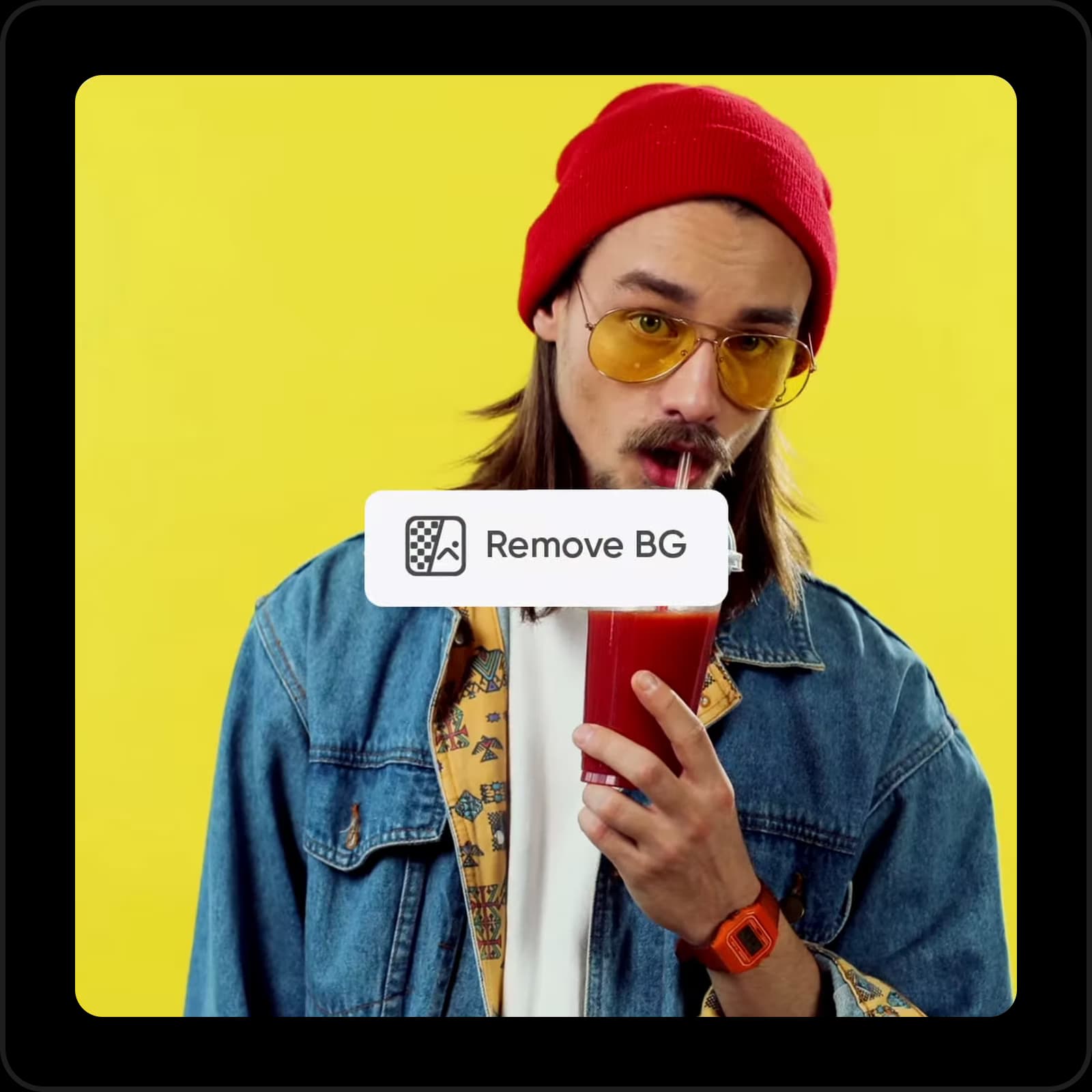
Bez napora uklonite pozadinu iz videa pomoću AI-powered Video Background Removera od Picsarta. Nije potrebno video editing iskustvo ili softver, sve je savršeno automatizirano, precizno i početnicima prijateljski.

ikona za uklanjanje pozadine iz videa

Jednostavno uklanjanje pozadine iz videa

Uklonite pozadinu iz videa jednostavno bez korištenja kompliciranin alata.

ikona za besplatno korištenje

Besplatno korištenje

Uživajte u isplativom uklanjanju pozadine iz videa sa Picsartom. 

ikona za AI

Jednostavno i intuitivno sučelje

Pojednostavnite uklanjanje pozadine iz videa s laganim alatom. 

Kako ukloniti pozadinu iz videa sa Picsartom

1

Prenesite svoj video

Koristite gumb Browse files gore da odaberete video. 

2

Pregledajte rezultat

3

Preuzmi

Ostali relevantni alati za uređivanje videa
Uklonite objekte iz videaUređujte videa na internetuUklonite pozadine slikeKreirajte video sadržajDodajte video filtereGenerirajte AI pozadinePretvorite slike u videeDodajte glazbu videuPromijenite veličinu svojih videaIzrežite video sadržajSkratite video isječkeIstražite video alate

Use Picsart anywhere

Install the app, or bring Picsart into the AI workspaces your team already uses.

Use Picsart with

  • ChatGPT / Codex
  • Claude
  • Terminal
  • Cursor
  • OpenClaw
  • Hermes

Download the app

Download on the App StoreGET IT ON Google PlayGet it from Microsoft

Follow Picsart

Pinterest
AICPA SOC

Create

  • AI Image Generator
  • AI Video Generator
  • AI Playground
  • Flow
  • AI Photo Editor
  • AI Video Editor
  • AI Agents
  • Content Library
  • AI Models

Creators

  • Earn with Picsart
  • Earn campaigns
  • Clipping
  • For Brands
  • Video Studio
  • Tutorials
  • Challenges

Connect

  • ChatGPT / Codex
  • MCP setup
  • Command line
  • Developers
  • Google Drive

Business

  • Pricing
  • Enterprise
  • Industries
  • Quicktools

Company

  • Support
  • Careers
  • About us
  • Blog
  • Press Center
Terms of UsePrivacy PolicyInternet-Based AdvertisingCommunity GuidelinesDMCASecurity PolicyAccessibility
© 2026 PicsArt, Inc.

Automatizirajte uklanjanje pozadine iz videa s AI-om 

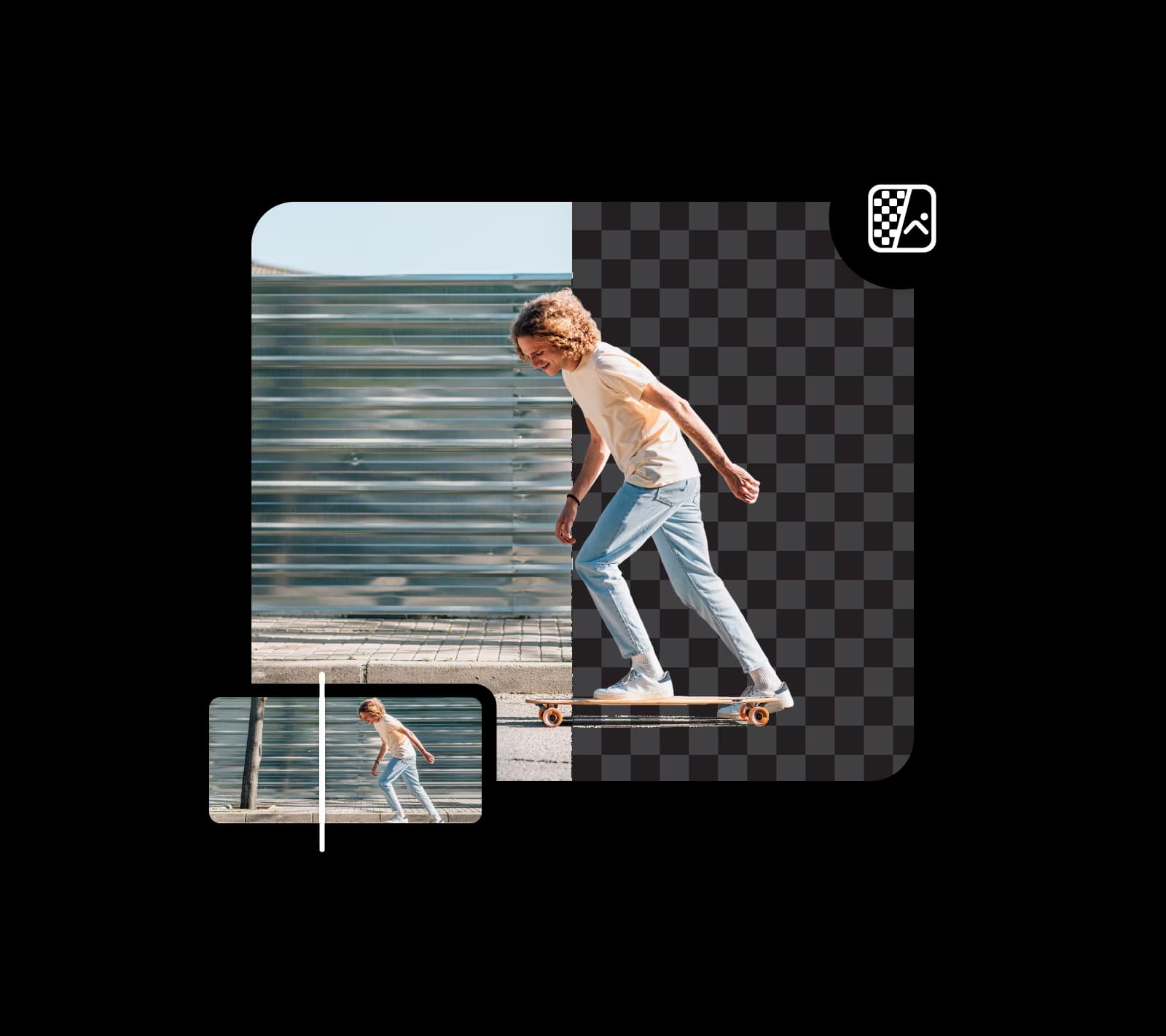
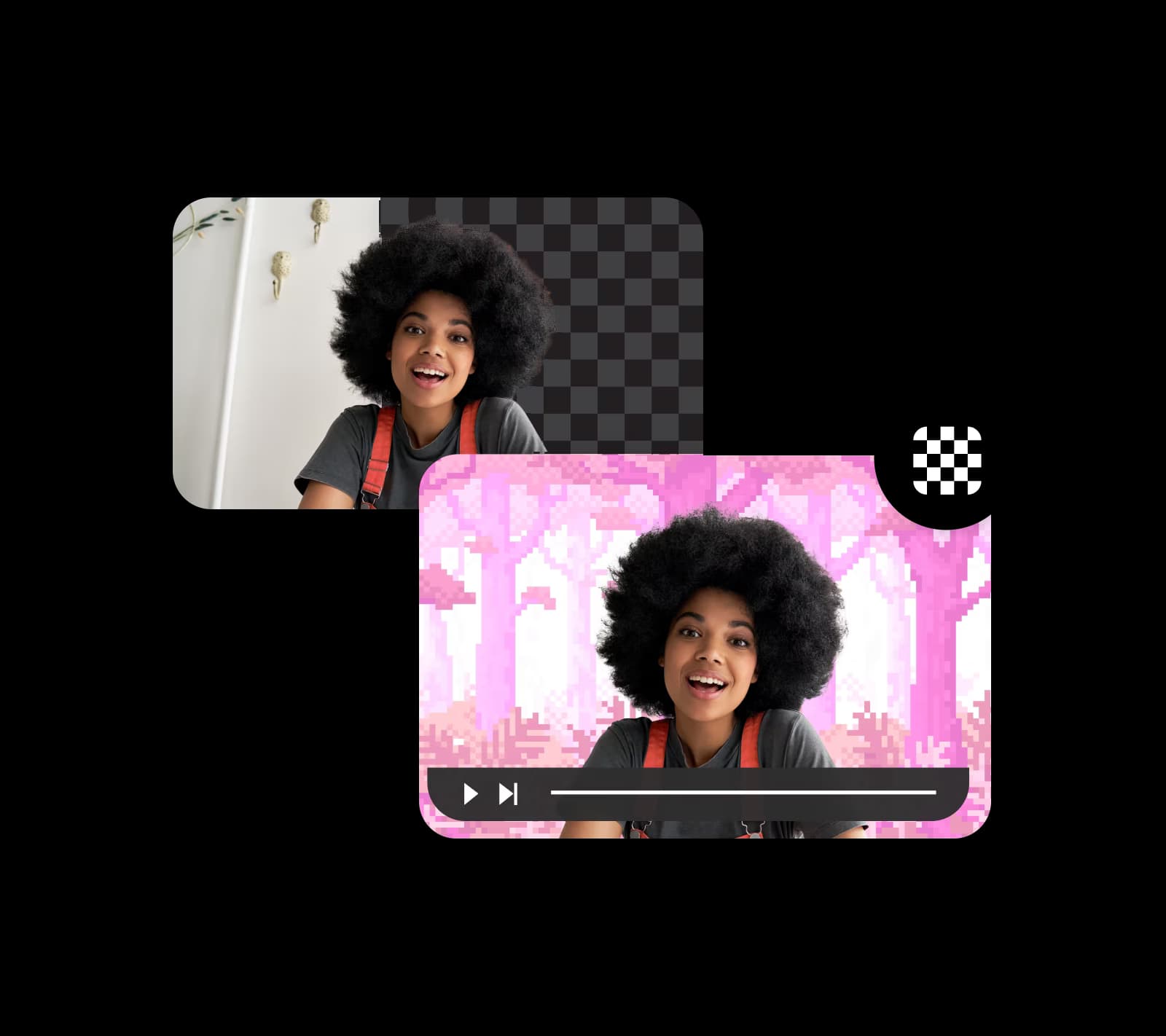
Prenesite video i uklonite pozadinu s jednim potezom pomoću Video Background Removera od Picsarta. AI-powered tehnologija detektira pozadine i čini ih nestao u sekundi, bez troškova. Sve se radi automatski i u trenu. Pustite alat da radi magiju dok vi štedite vrijeme i smanjujete ručni rad. 

Uklonite pozadinu iz videa
automatsko uklanjanje pozadine iz videa

Zamijenite pozadinu videa prilagođenim pozadinama

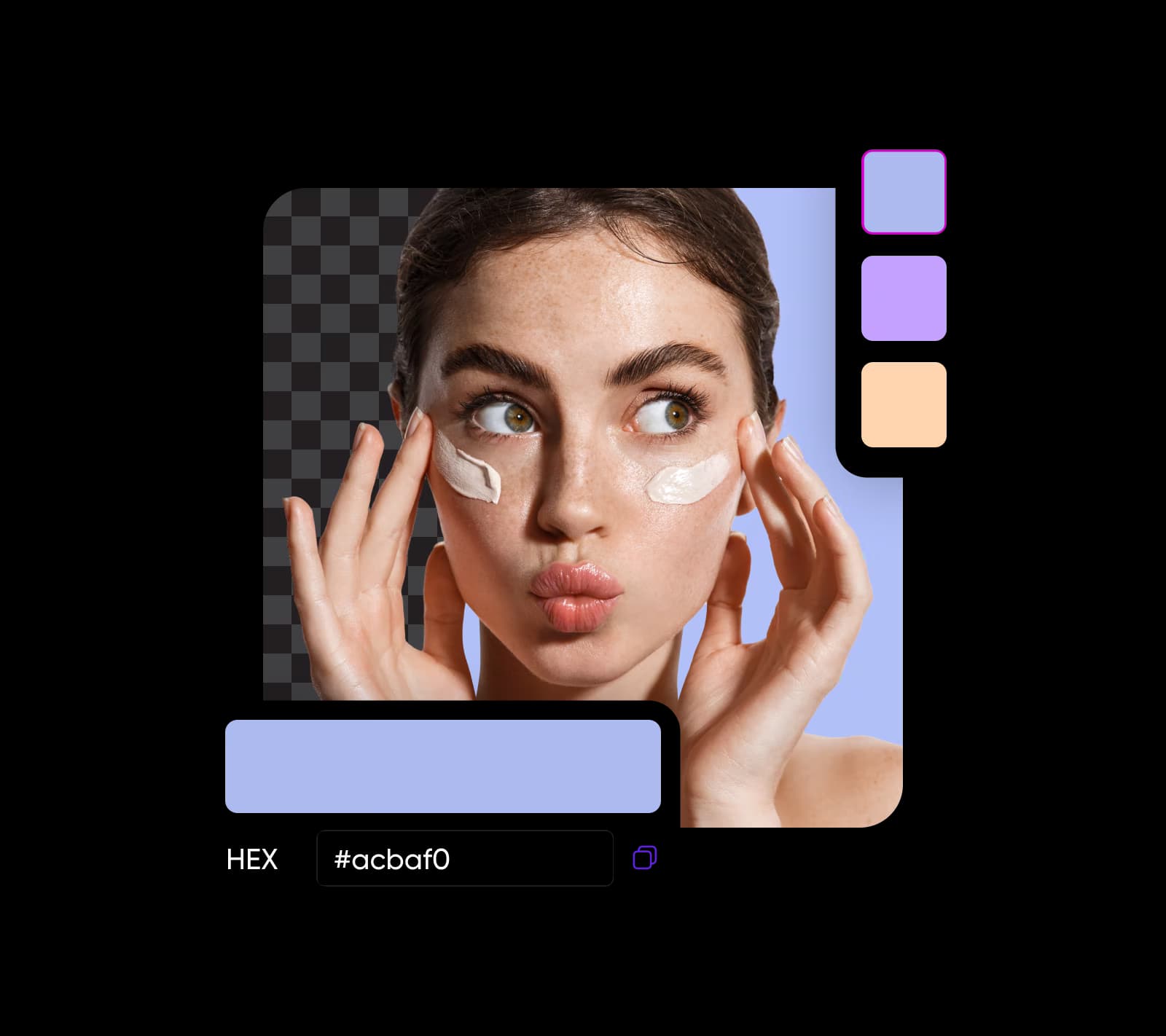
Nije samo da možete koristiti alat za promjenu pozadine videa za jednostavno uklanjanje pozadine, alat vam također omogućuje zamjenu pozadine različitim bojama. Idite dalje dodavanjem vlastitih pozadina ili boja koje su potpuno prilagođene. 

Uklonite pozadinu iz videa
promjena pozadine videa online

Bez napora zamijenite green screen-e

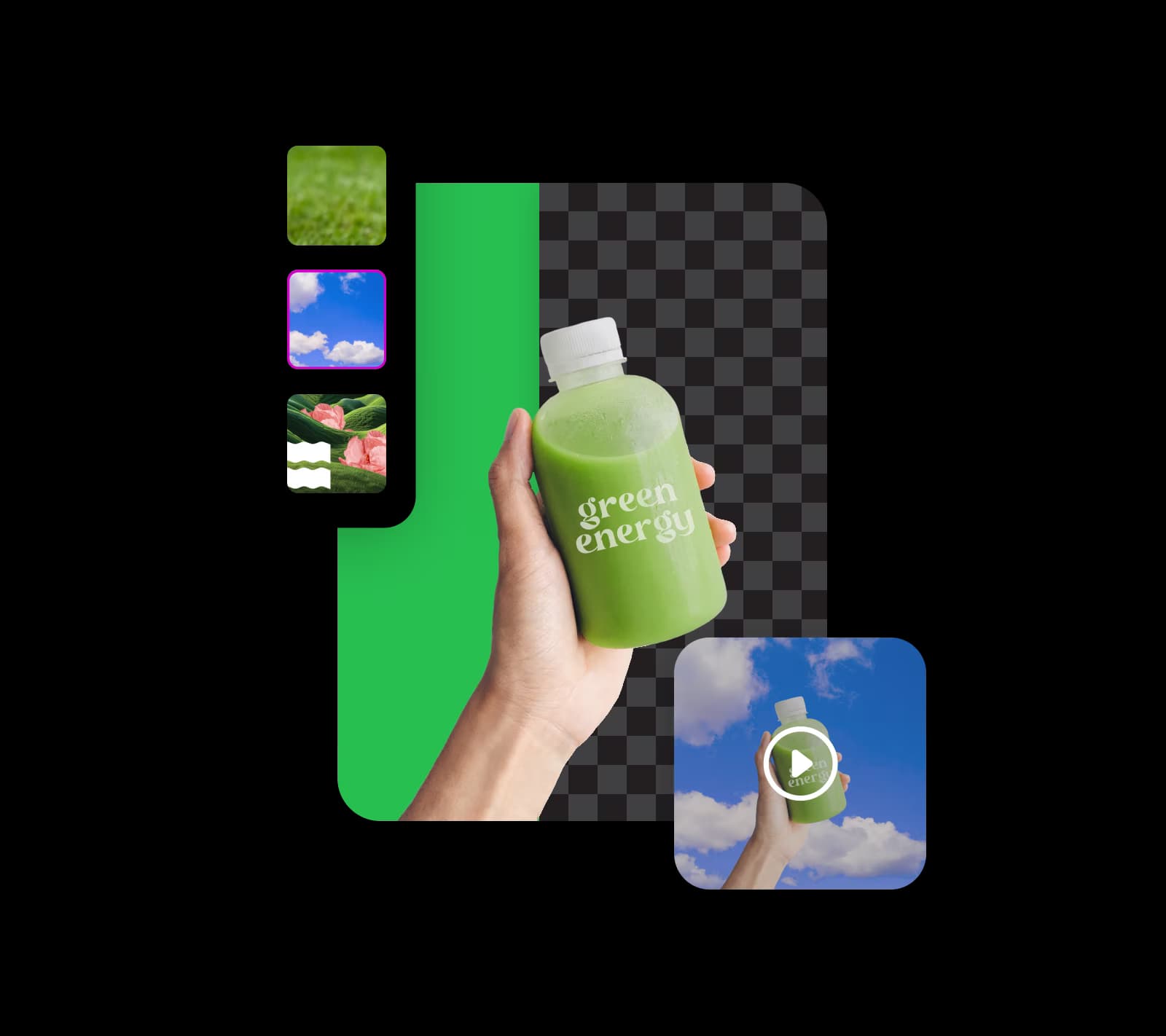
Zamijenite čak i green screen pozadine s bilo kojom slikom jednostavno pomoću Video Background Removera od Picsarta. Zamislite transport voditeljatora na vulkanski brežuljak, prikaz vašeg proizvoda u užurbanenoj gradskoj panorami ili kreiranje drugih očaravajućih vizualnih efekata. Iskoristite AI-powered green screen removal tehnologiju za stvaranje privlačnog i fascinantnog video sadržaja.

Uklonite pozadinu iz videa
uklanjanje i zamjena green screen-a

Kreirajte video tutoriale s jedinstvenim pozadinama

Video Background Remover od Picsarta pomaže instruktorima da brzo kreiraju profesionalne edukativne videa. Promijenite pozadine za poboljšanje svog izgleda, koristite slide-ove iz vaše prezentacije ili odaberite zanimljive slike. Dodajte zabavu u tutoriale s dodavanjem naslova i generiranjem kontekstom baziranih pozadina koristeći Picsartov alat za pametnu pozadinu.

Uklonite pozadinu iz videa
edukativni video tutoriali s prilagođenim pozadinama

Elevate product marketing s uklanjanjem pozadine iz videa

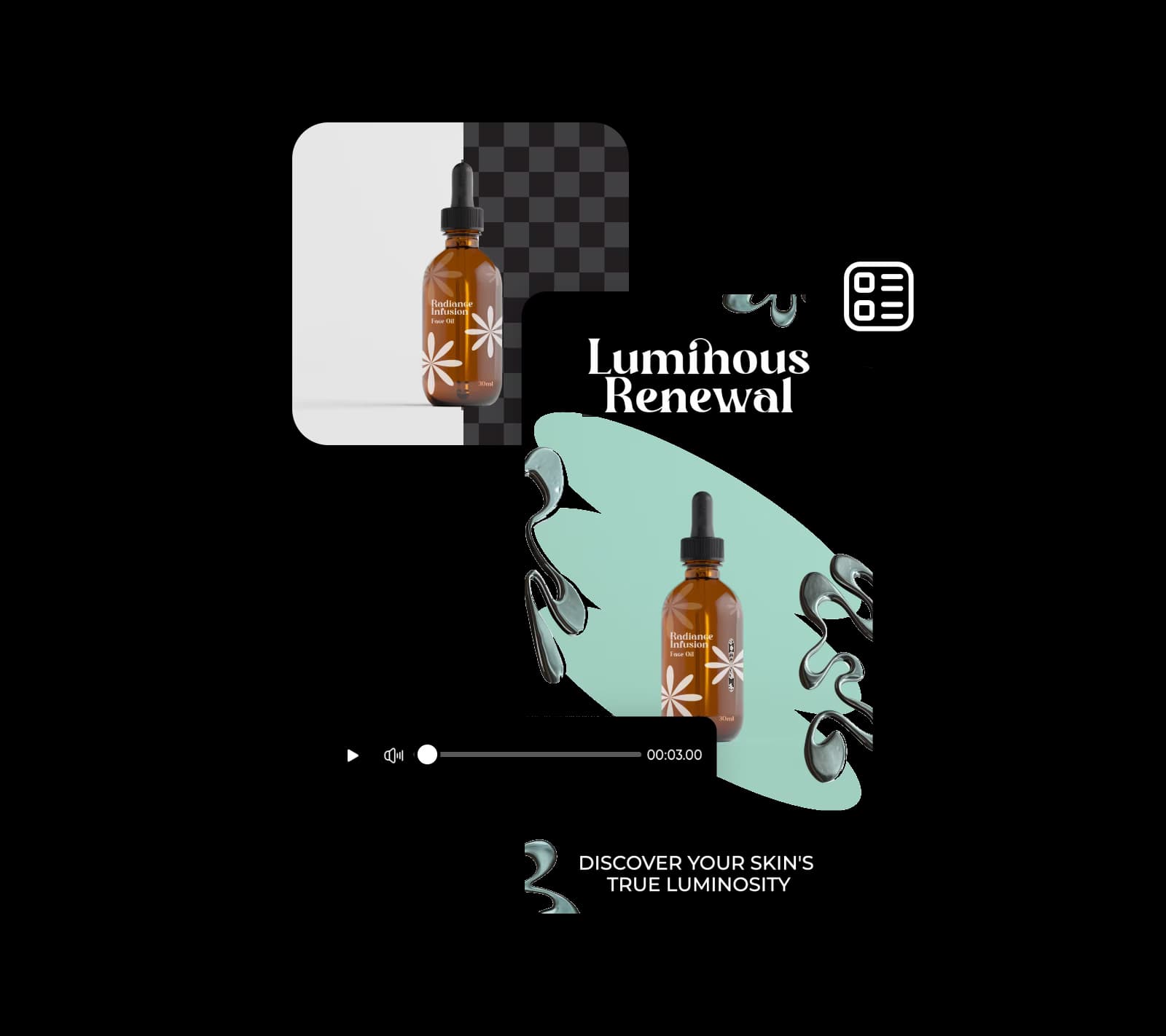
Pobrinite se da vaš proizvod ostavi uvjerljiv prvi dojam koristeći Video Background Remover od Picsarta. Dodajte overlaye, animacije, tekst i ostale elemente za kreiranje istaknutih interaktivnih demo proizvoda. Kombinuajte alat s Picsartovim video ad makerom da sastavite angažirajuće video oglase koji nisu nepobjedivi, i pustite vaše proizvode da sjaje na bilo kojoj pozadini.

Uklonite pozadinu iz videa
uklanjanje pozadine videa za stvaranje zanimljivih marketing materijala

Učinite više od uklanjanja pozadine iz videa

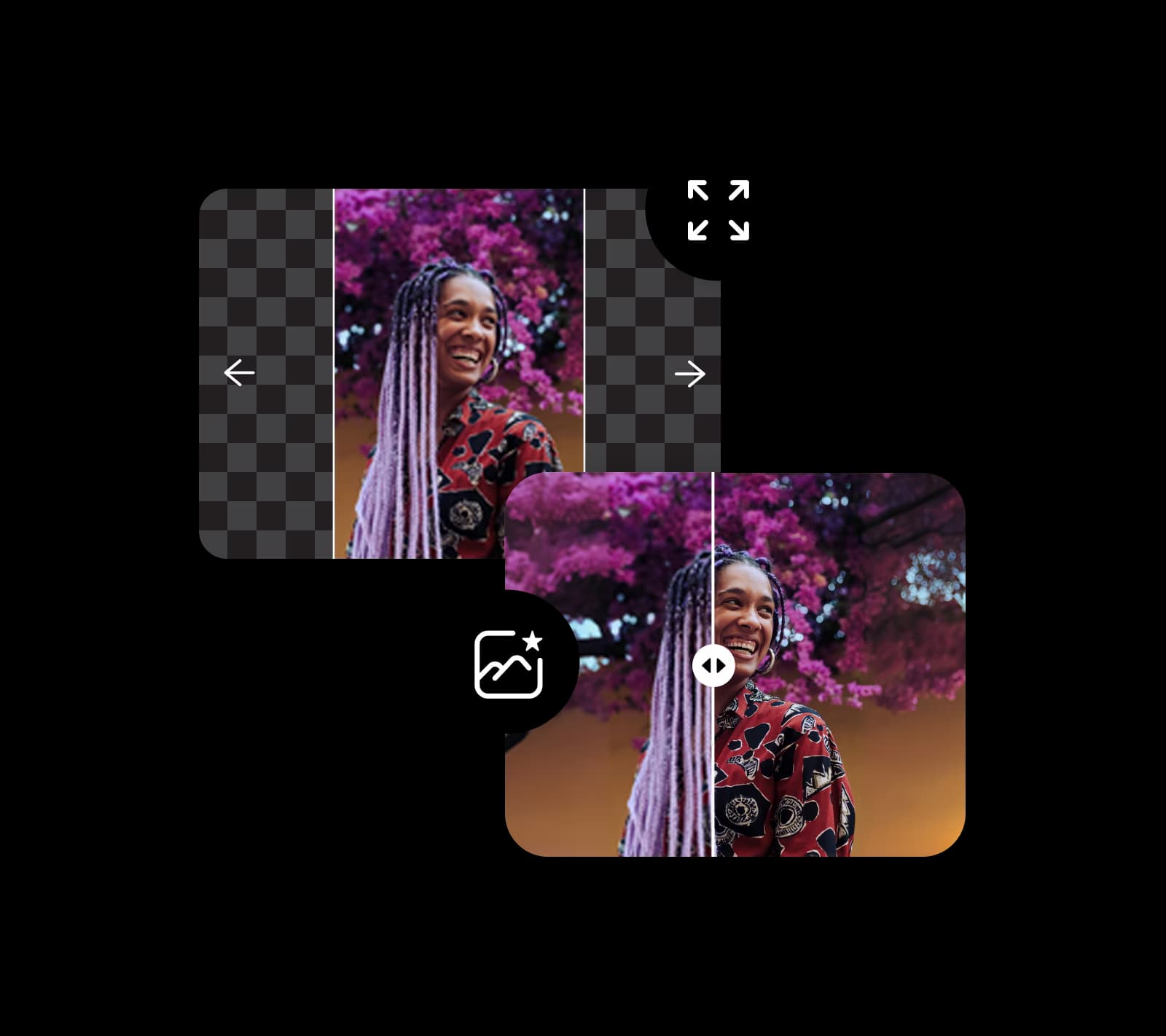
Razine s Picsartovim laganim editing alatima. Postanite stručnjak u uklanjanju pozadine iz videa i slika s AI-om. Eksperimentirajte s alatima kao što su image extender, AI filteri, text editor i više. Izbrišite objekte iz videa i depixeltajte fotografije u trenu. Izbijte iz okvira u poboljšavanju sadržaja. 

Uklonite pozadinu iz videa
više od video background removera

 Besplatni Video Background Remover od Picsarta

Koristite besplatni Video Background Remover od Picsarta da se riješite pozadine videa, promijenite snimke proizvoda za vašu trgovinu, poboljšate marketing na društvenim mrežama i podiznite razinu s demo proizvodima i prezentacijama. Ribolovite za ideju s drugim Picsartovim AI alatima kao što su image extender, AI pisac, maker cartoon likova i više. 

Uklonite pozadinu iz videa

FAQ Video Background Removera

Video Background Remover vam omogućava brisanje originalne pozadine iz vašeg videa i zamjenu s nečim drugim, kao što je čvrsta boja ili prilagođena vizuala.

Najjednostavniji način za uklanjanje pozadine iz videa je korištenje besplatnog online alata za uklanjanje pozadine videa kao onaj od Picsarta. 

Da, koristeći AI-powered video background remover, možete ukloniti bilo koju boju iz vašeg videa. 

Da, Picsartov Video Background Remover je besplatan alat.

Ne. Zahvaljujući njegovim mogućnostima, AI će detektirati i ukloniti pozadine videa bez žrtvovanja kvalitete.

Da, nakon što se uklanjanje pozadine videa završi, možete je zamijeniti s drugim slikama i čak bojama. 


Više alata od Picsarta koje možete pokušati

alat za uklanjanje pozadine u Picsart photo editory

Uklanjač pozadine

Virtuozno izbrišite pozadinu s AI-om ili je učinite transparentnom.

promjena pozadine

Changer pozadine

Zamijente pozadinsku dekoru s vašom fotografijom ili odaberite iz Picsartove biblioteke. 

Boja picker od Picsarta

Boja picker

Odmah pronađite točan kod boje koju tražite. 

 Oštrini slike sa Picsartom

Oštrini slike

Odmah pronađite točan kod boje koju tražite. 

video ad maker

Video ad maker

Kreirajte privlačne video oglase u sekundama koristeći AI.


crno-bijeli filtri

Video eraser za objekte

Oslobodite se nepotrebnih detalja iz vaših videa s pomoću AI-a.

depixelate slike online

Depixelate slike

Očistite slike koristeći Picsartov AI-powered image enhancer.

Generirajte pozadine s Picsartovim AI background generatorom

AI background

Generirajte jedinstvene pozadine iz nule samo s promptom.

poboljšajte jasnoću slike s Picsartovim unblur alatom

Unblur slika

Recite zbogom zamućenim fotografijama s AI blur removalom.

PricingSave big

Kreirajte videa bez pozadine s AI video modelima

Koristite video modele za transformaciju snimki, footage-a i upita u videa bez pozadine za društvene mreže, oglase i creative workflow-e.

SESeedance 2.0New
Next-gen cinematic video with optional audio and reference image. Up to 4K.Reference inputAudio4KCinematicSee model
SESeedance 2.0 FastNew
SESeedance 2.0 Video EditNew
SESeedance 2.0 Fast Video EditNew
WAWan 2.7
KLKling V3
KLKling V3 TurboNew
KLKling V2.6
KLKling V3 Omni
KLKling Video O1New
KLKling Motion Control V3
KLKling Motion Control 2.6
SESeedance 2.0New
SESeedance 2.0New
SESeedance 2.0New
SESeedance 2.0New
SESeedance 2.0New
Fast cinematic video with audio, reference images, and start/end frame control.Reference inputAudioFast generationCinematicSee model
Edit video — replace subjects, add or remove objects, restyle scenes with reference images.Video editingReference inputVideo generationSee model
Fast video edit — modify scenes with reference images.Video editingReference inputFast generationSee model
Wan 2.7 T2V — up to 15s at 1080p with audio input and prompt enhancement.Text to videoAudio1080pCinematicSee model
Long-form video up to 15s with native audio and start/end frame control.AudioCinematicVideo generationSee model
Faster V3 variant — long-form video up to 15s with native audio, start/end frame control, and 720p/1080p output.Audio1080pFast generationCinematicSee model
Mature pipeline with audio and pro-tier rendering.
AudioPro qualityCinematic
See model
Flexible generation across creative styles using V3 Omni architecture, with optional 4K output.
4KCinematicVideo generation
See model
O1-architecture video generation with 5 or 10 second output.CinematicVideo generationSee model
Map body movement from a video clip onto a portrait photo — V3 quality.CinematicPhotorealVideo generationSee model
Transfer body movement from a reference video onto a portrait photo.Reference inputCinematicPhotorealSee model
Next-gen cinematic video with optional audio and reference image. Up to 4K.Reference inputAudio4KCinematicSee model
SESeedance 2.0 FastNew
Fast cinematic video with audio, reference images, and start/end frame control.Reference inputAudioFast generationCinematicSee model
SESeedance 2.0 Video EditNew
Edit video — replace subjects, add or remove objects, restyle scenes with reference images.Video editingReference inputVideo generationSee model
SESeedance 2.0 Fast Video EditNew
Fast video edit — modify scenes with reference images.Video editingReference inputFast generationSee model
WAWan 2.7
Wan 2.7 T2V — up to 15s at 1080p with audio input and prompt enhancement.Text to videoAudio1080pCinematicSee model
KLKling V3
Long-form video up to 15s with native audio and start/end frame control.AudioCinematicVideo generationSee model
KLKling V3 TurboNew
Faster V3 variant — long-form video up to 15s with native audio, start/end frame control, and 720p/1080p output.Audio1080pFast generationCinematicSee model
KLKling V2.6
Mature pipeline with audio and pro-tier rendering.AudioPro qualityCinematicSee model
KLKling V3 Omni
Flexible generation across creative styles using V3 Omni architecture, with optional 4K output.4KCinematicVideo generationSee model
KLKling Video O1New
O1-architecture video generation with 5 or 10 second output.CinematicVideo generationSee model
KLKling Motion Control V3
Map body movement from a video clip onto a portrait photo — V3 quality.CinematicPhotorealVideo generationSee model
KLKling Motion Control 2.6
Transfer body movement from a reference video onto a portrait photo.Reference inputCinematicPhotorealSee model
Next-gen cinematic video with optional audio and reference image. Up to 4K.Reference inputAudio4KCinematicSee model
SESeedance 2.0 FastNew
Fast cinematic video with audio, reference images, and start/end frame control.Reference inputAudioFast generationCinematicSee model
SESeedance 2.0 Video EditNew
Edit video — replace subjects, add or remove objects, restyle scenes with reference images.Video editingReference inputVideo generationSee model
SESeedance 2.0 Fast Video EditNew
Fast video edit — modify scenes with reference images.Video editingReference inputFast generationSee model
WAWan 2.7
Wan 2.7 T2V — up to 15s at 1080p with audio input and prompt enhancement.Text to videoAudio1080pCinematicSee model
KLKling V3
Long-form video up to 15s with native audio and start/end frame control.AudioCinematicVideo generationSee model
KLKling V3 TurboNew
Faster V3 variant — long-form video up to 15s with native audio, start/end frame control, and 720p/1080p output.Audio1080pFast generationCinematicSee model
KLKling V2.6
Mature pipeline with audio and pro-tier rendering.AudioPro qualityCinematicSee model
KLKling V3 Omni
Flexible generation across creative styles using V3 Omni architecture, with optional 4K output.4KCinematicVideo generationSee model
KLKling Video O1New
O1-architecture video generation with 5 or 10 second output.CinematicVideo generationSee model
KLKling Motion Control V3
Map body movement from a video clip onto a portrait photo — V3 quality.CinematicPhotorealVideo generationSee model
KLKling Motion Control 2.6
Transfer body movement from a reference video onto a portrait photo.Reference inputCinematicPhotorealSee model
Next-gen cinematic video with optional audio and reference image. Up to 4K.Reference inputAudio4KCinematicSee model
SESeedance 2.0 FastNew
Fast cinematic video with audio, reference images, and start/end frame control.Reference inputAudioFast generationCinematicSee model
SESeedance 2.0 Video EditNew
Edit video — replace subjects, add or remove objects, restyle scenes with reference images.Video editingReference inputVideo generationSee model
SESeedance 2.0 Fast Video EditNew
Fast video edit — modify scenes with reference images.Video editingReference inputFast generationSee model
WAWan 2.7
Wan 2.7 T2V — up to 15s at 1080p with audio input and prompt enhancement.Text to videoAudio1080pCinematicSee model
KLKling V3
Long-form video up to 15s with native audio and start/end frame control.AudioCinematicVideo generationSee model
KLKling V3 TurboNew
Faster V3 variant — long-form video up to 15s with native audio, start/end frame control, and 720p/1080p output.Audio1080pFast generationCinematicSee model
KLKling V2.6
Mature pipeline with audio and pro-tier rendering.AudioPro qualityCinematicSee model
KLKling V3 Omni
Flexible generation across creative styles using V3 Omni architecture, with optional 4K output.4KCinematicVideo generationSee model
KLKling Video O1New
O1-architecture video generation with 5 or 10 second output.CinematicVideo generationSee model
KLKling Motion Control V3
Map body movement from a video clip onto a portrait photo — V3 quality.CinematicPhotorealVideo generationSee model
KLKling Motion Control 2.6
Transfer body movement from a reference video onto a portrait photo.Reference inputCinematicPhotorealSee model
Next-gen cinematic video with optional audio and reference image. Up to 4K.Reference inputAudio4KCinematicSee model
SESeedance 2.0 FastNew
Fast cinematic video with audio, reference images, and start/end frame control.Reference inputAudioFast generationCinematicSee model
SESeedance 2.0 Video EditNew
Edit video — replace subjects, add or remove objects, restyle scenes with reference images.Video editingReference inputVideo generationSee model
SESeedance 2.0 Fast Video EditNew
Fast video edit — modify scenes with reference images.Video editingReference inputFast generationSee model
WAWan 2.7
Wan 2.7 T2V — up to 15s at 1080p with audio input and prompt enhancement.Text to videoAudio1080pCinematicSee model
KLKling V3
Long-form video up to 15s with native audio and start/end frame control.AudioCinematicVideo generationSee model
KLKling V3 TurboNew
Faster V3 variant — long-form video up to 15s with native audio, start/end frame control, and 720p/1080p output.Audio1080pFast generationCinematicSee model
KLKling V2.6
Mature pipeline with audio and pro-tier rendering.AudioPro qualityCinematicSee model
KLKling V3 Omni
Flexible generation across creative styles using V3 Omni architecture, with optional 4K output.4KCinematicVideo generationSee model
KLKling Video O1New
O1-architecture video generation with 5 or 10 second output.CinematicVideo generationSee model
KLKling Motion Control V3
Map body movement from a video clip onto a portrait photo — V3 quality.CinematicPhotorealVideo generationSee model
KLKling Motion Control 2.6
Transfer body movement from a reference video onto a portrait photo.Reference inputCinematicPhotorealSee model
Next-gen cinematic video with optional audio and reference image. Up to 4K.Reference inputAudio4KCinematicSee model
SESeedance 2.0 FastNew
Fast cinematic video with audio, reference images, and start/end frame control.Reference inputAudioFast generationCinematicSee model
SESeedance 2.0 Video EditNew
Edit video — replace subjects, add or remove objects, restyle scenes with reference images.Video editingReference inputVideo generationSee model
SESeedance 2.0 Fast Video EditNew
Fast video edit — modify scenes with reference images.Video editingReference inputFast generationSee model
WAWan 2.7
Wan 2.7 T2V — up to 15s at 1080p with audio input and prompt enhancement.Text to videoAudio1080pCinematicSee model
KLKling V3
Long-form video up to 15s with native audio and start/end frame control.AudioCinematicVideo generationSee model
KLKling V3 TurboNew
Faster V3 variant — long-form video up to 15s with native audio, start/end frame control, and 720p/1080p output.Audio1080pFast generationCinematicSee model
KLKling V2.6
Mature pipeline with audio and pro-tier rendering.AudioPro qualityCinematicSee model
KLKling V3 Omni
Flexible generation across creative styles using V3 Omni architecture, with optional 4K output.4KCinematicVideo generationSee model
KLKling Video O1New
O1-architecture video generation with 5 or 10 second output.CinematicVideo generationSee model
KLKling Motion Control V3
Map body movement from a video clip onto a portrait photo — V3 quality.CinematicPhotorealVideo generationSee model
KLKling Motion Control 2.6
Transfer body movement from a reference video onto a portrait photo.Reference inputCinematicPhotorealSee model

Uredi videa koji drže pažnju na tebi

Pro

Most popular

AI tools for everyday creative work.

$15 $10.5/mo
Billed yearly
You save $54 with yearly
  • Access to all photo & video editing features
  • Advanced background & object removal
  • Parallel video generations with the world's most powerful AI video models
  • Unlimited image generations with Flex.2 Klein
  • 1-tap image enhancer
  • Millions of stock photos & Getty video clips
  • Selection of trendy fonts, text styles & stickers
  • Thousands of premium templates
  • Support for 3+ brand kits
  • Bulk edit up to 50 images at once
  • 100 GB of cloud storage
New features:
  • Auto-generate content from your terminal or agent with the Picsart CLI
  • Use Picsart inside Claude Code, Cursor, and ChatGPT via MCP — coming soon
  • AI agents for multi-step workflows and batch generation — coming soon

Ultra

Most powerful

Heavy AI usage for creators & teams.

$45 $24.5/mo
Billed yearly, per seat
You save $246 with yearly
  • Everything in Pro
  • Early access to advanced AI features
  • Leading AI models to design & automate workflows (Nano Banana, Veo 3, Seedance 2.0 & more)
  • Parallel video generations with the world's most powerful AI video models
  • Unlimited image generations with Flex.2 Klein
  • Support for 10+ brand kits
  • Add team seats
  • Create ad variations and localize
  • Track ads performance
  • 2000 credits for API services
  • Bulk edit up to 100 images at once
  • 300 GB of cloud storage per seat
New features:
  • Auto-generate content from your terminal or agent with the Picsart CLI
  • Use Picsart inside Claude Code, Cursor, and ChatGPT via MCP — coming soon
  • AI agents for multi-step workflows and batch generation — coming soon

Enterprise

Custom AI solutions for large organizations.

Custom credit volume
  • Volume discounts on credit rate
  • On-demand top-ups
Custom
Contact for pricing
  • Access to photo & video editor SDKs
  • Mobile web SDK support
  • Prepaid or pay-as-you-go creative APIs
  • Embed professional-grade editing into your product or workflow
  • Fully configurable editing experience
  • White-label to match your brand
  • Support for built-in marketing, e-commerce & printing use cases
  • Bring your own assets: images, templates & fonts
  • Enterprise-grade security, SLAs & support
  • Dedicated account manager

Razumite edite pozadine

Saznajte kako ukloniti, zamijeniti i očistiti pozadine.

How to remove backgrounds from photos with AI preview
Backgrounds

How to remove backgrounds from photos with AI

3 minBeginner
How to replace backgrounds with AI-generated scenes preview
Backgrounds

How to replace backgrounds with AI-generated scenes

4 minIntermediate
How to generate custom backgrounds from text descriptions preview
Backgrounds

How to generate custom backgrounds from text descriptions

4 minIntermediate
How to create product photography backgrounds with AI preview
Backgrounds

How to create product photography backgrounds with AI

4 minIntermediate
How to make virtual backgrounds for video calls preview
Backgrounds

How to make virtual backgrounds for video calls

3 minBeginner
Backgrounds

How to replace product photo backgrounds at scale with AI agents

4 minAdvanced
Pogledajte sve tutoriale