1. Home
  2. ビデオ背景リムーバー

無料ビデオ背景削除ツール

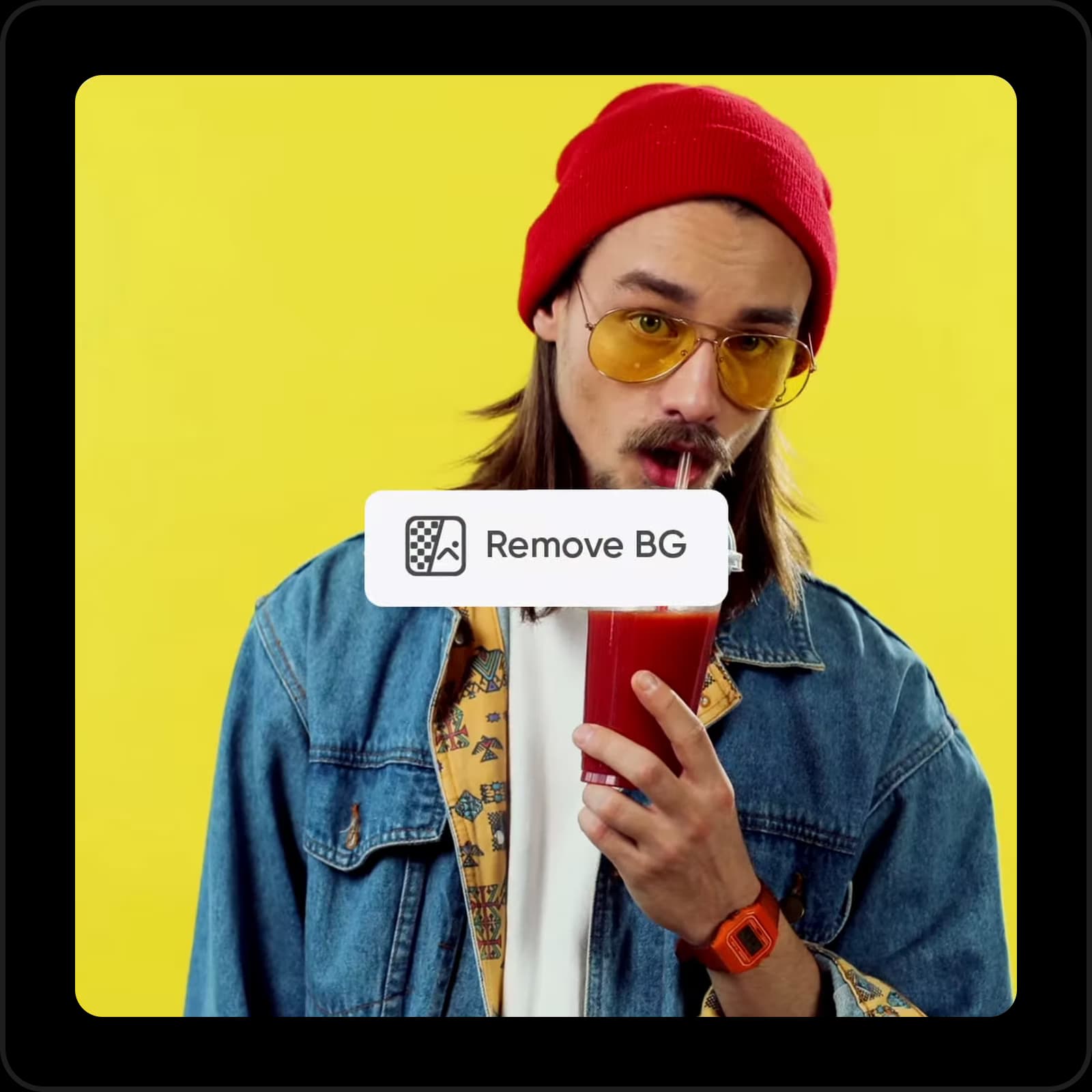
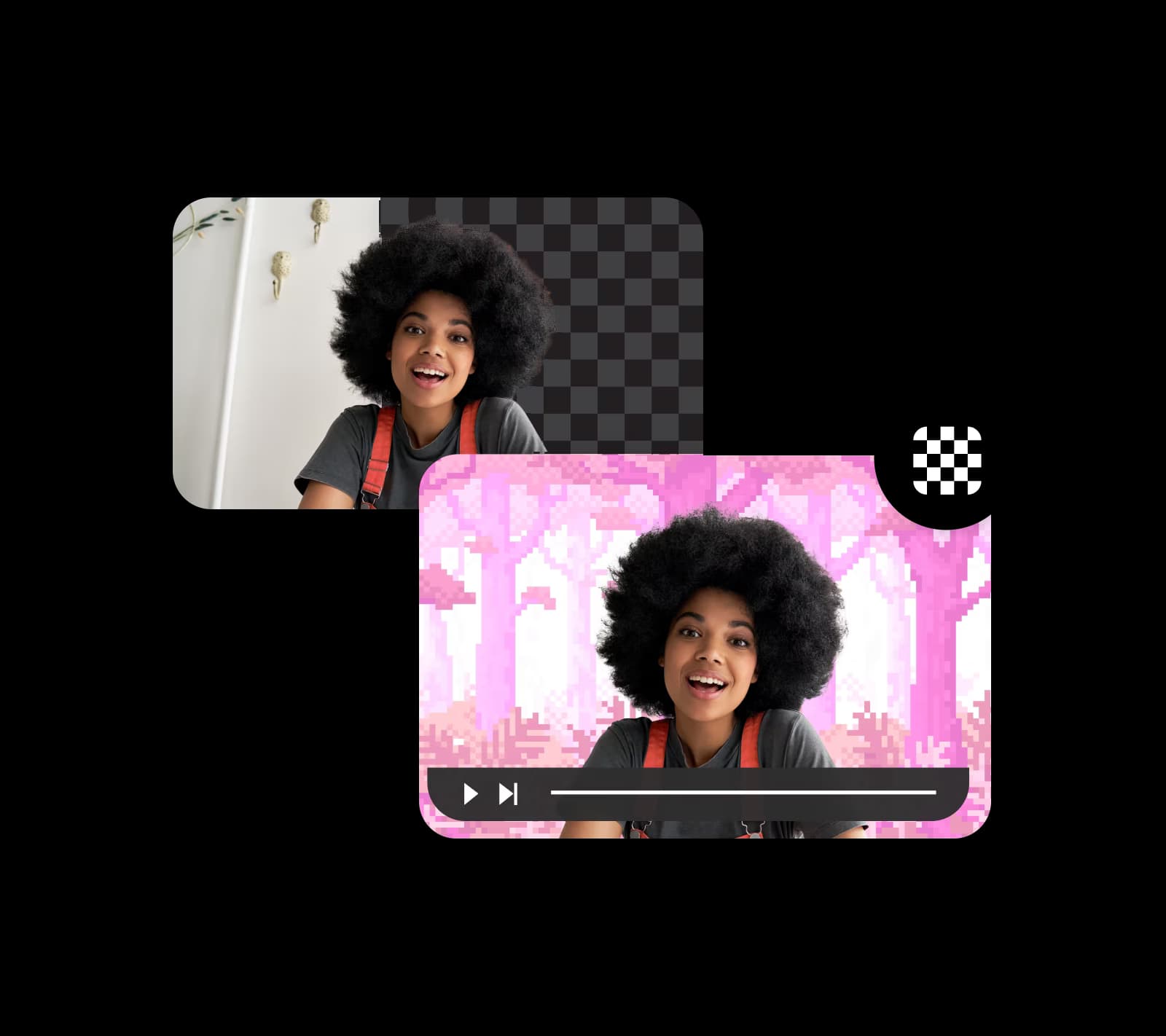
Picsartの AI搭載ビデオ背景削除ツールで、ビデオの背景を簡単に削除できます。ビデオ編集スキルやソフトウェアは必要なし。すべてが完全に自動化され、正確で初心者向けです。

ビデオ背景削除のアイコン

簡単なビデオ背景削除

複雑なツールを使わずに、ビデオから背景を簡単に削除できます。

無料使用のアイコン

無料で使用可能

Picsartで費用効果的なビデオ背景削除をお楽しみください。

AIのアイコン

シンプルで直感的なインターフェース

使いやすいツールでビデオ背景削除を効率化できます。

Picsartでビデオ背景を削除する方法

1

ビデオをアップロード

上のファイル参照ボタンを使用してビデオを選択します。

2

結果をプレビュー

3

ダウンロード

その他の関連動画編集ツール
動画からオブジェクトを削除オンラインで動画を編集画像の背景を削除動画コンテンツを作成動画フィルターを追加AI背景を生成画像を動画に変換動画に音楽を追加動画をリサイズ動画コンテンツをクロップ動画クリップをトリム動画ツールを探索

Use Picsart anywhere

Install the app, or bring Picsart into the AI workspaces your team already uses.

Use Picsart with

  • ChatGPT / Codex
  • Claude
  • Terminal
  • Cursor
  • OpenClaw
  • Hermes

Download the app

Download on the App StoreGET IT ON Google PlayGet it from Microsoft

Follow Picsart

Pinterest
AICPA SOC

Create

  • AI Image Generator
  • AI Video Generator
  • AI Playground
  • Flow
  • AI Photo Editor
  • AI Video Editor
  • AI Agents
  • Content Library
  • AI Models

Creators

  • Earn with Picsart
  • Earn campaigns
  • Clipping
  • For Brands
  • Video Studio
  • Tutorials
  • Challenges

Connect

  • ChatGPT / Codex
  • MCP setup
  • Command line
  • Developers
  • Google Drive

Business

  • Pricing
  • Enterprise
  • Industries
  • Quicktools

Company

  • Support
  • Careers
  • About us
  • Blog
  • Press Center
Terms of UsePrivacy PolicyInternet-Based AdvertisingCommunity GuidelinesDMCASecurity PolicyAccessibility
© 2026 PicsArt, Inc.

AIでビデオ背景削除を自動化

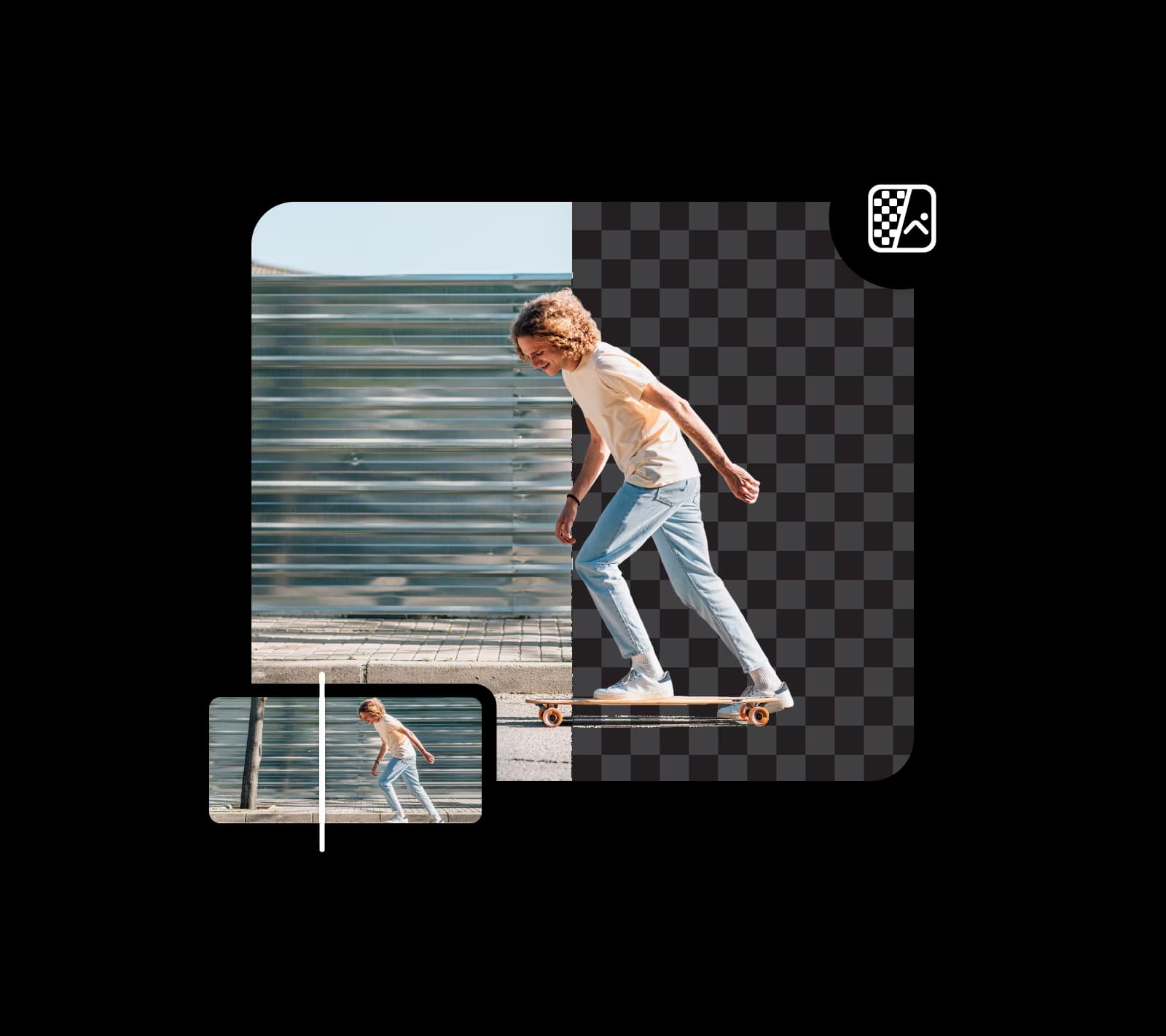
ビデオをアップロードし、Picsartのビデオ背景削除ツールでワンステップで背景を削除します。AI搭載テクノロジーが背景を検出し、瞬時に消去します。完全無料です。すべてが自動で瞬時に完了します。ツールに任せて、時間を節約し、手作業を削減しましょう。

ビデオ背景を削除
自動ビデオ背景削除

ビデオ背景をカスタム背景に置き換え

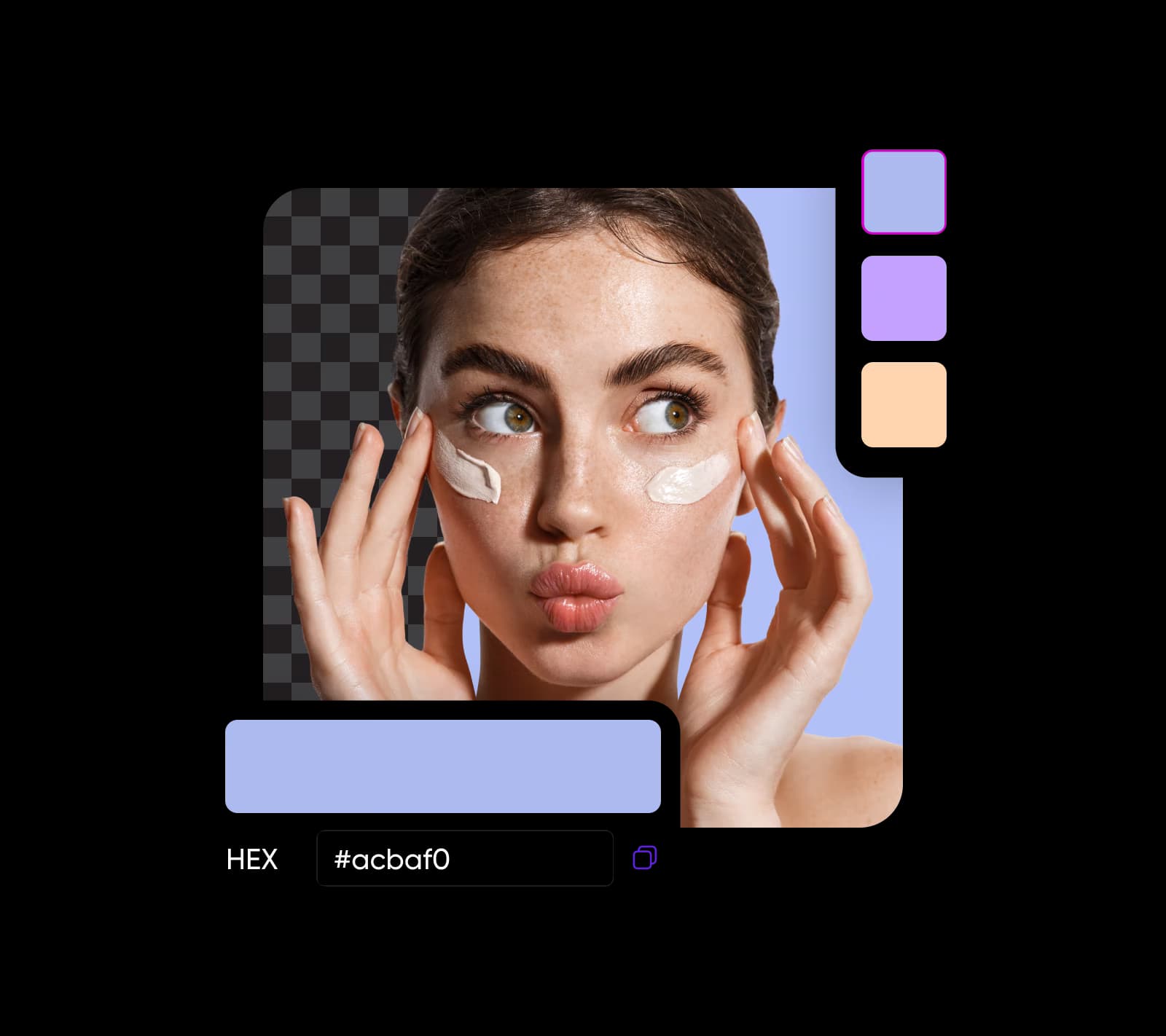
ビデオ背景チェンジャーで背景を簡単に削除できるだけでなく、背景を別の色に置き換えることもできます。独自の背景や完全にカスタマイズされた色を追加して、さらに可能性を広げましょう。

ビデオ背景を削除
オンラインでビデオ背景を変更

グリーンスクリーンを簡単に置き換え

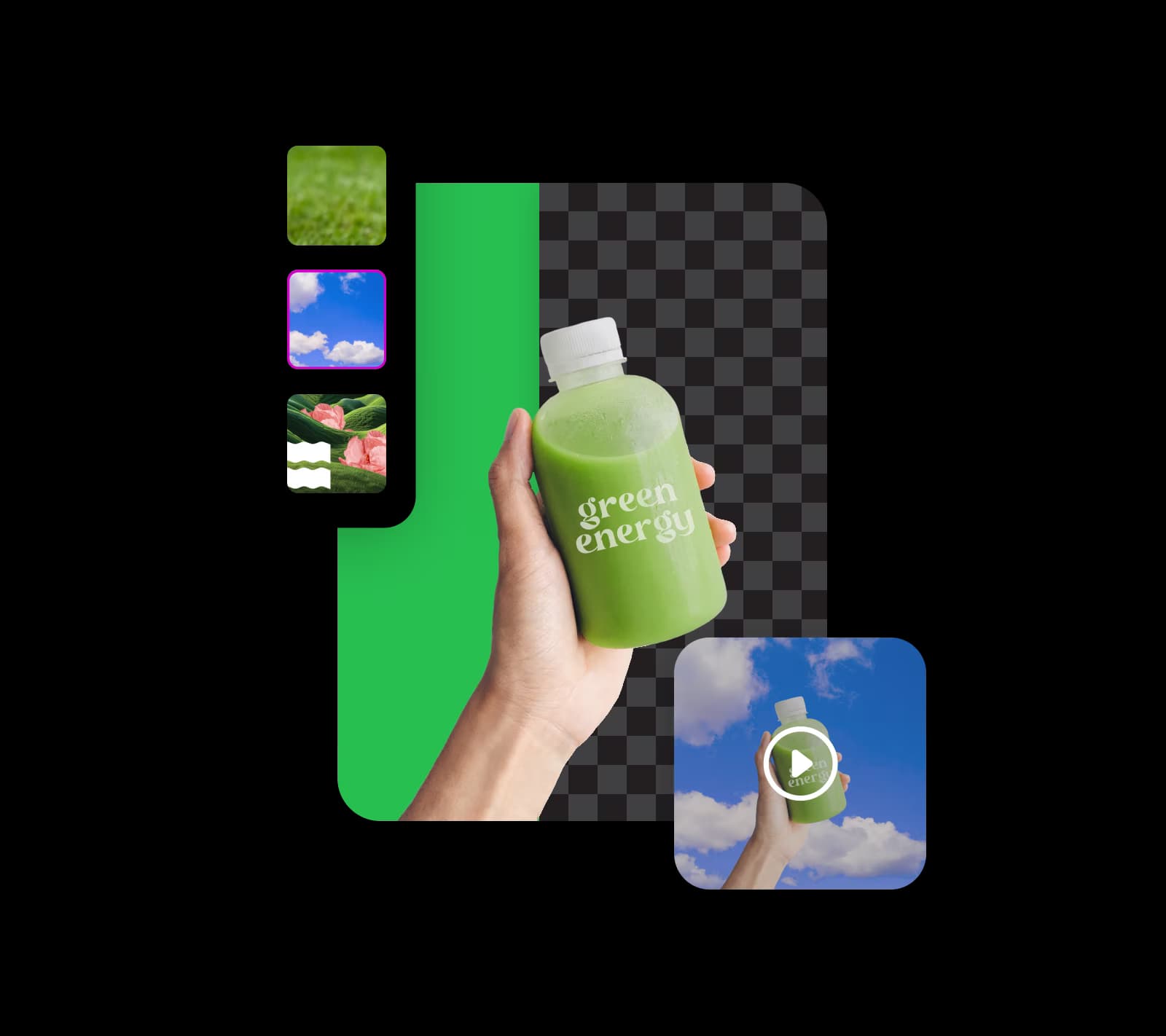
Picsartのビデオ背景削除ツールを使用して、グリーンスクリーン背景も簡単に置き換えることができます。プレゼンターを火山に転送したり、製品を賑やかな街並みで紹介したり、他の驚くべき視覚効果を作成したりできます。AI搭載グリーンスクリーン削除テクノロジーを活用して、魅力的で心を掴むビデオコンテンツを作成しましょう。

ビデオ背景を削除
グリーンスクリーンを削除して置き換え

ユニークな背景でビデオチュートリアルを作成

Picsartのビデオ背景削除ツールは、チューターと講師がプロフェッショナルな訓練ビデオを迅速に作成するのを支援します。背景を変更して画面上の見た目を高め、プレゼンテーションのスライドを使用したり、魅力的な画像を選択したりできます。キャプションを追加し、Picsartのスマート背景ツールを使用してコンテキストベースの背景を生成して、チュートリアルに楽しさを取り戻しましょう。

ビデオ背景を削除
カスタム背景付き教育ビデオチュートリアル

ビデオ背景削除でプロダクトマーケティングを強化

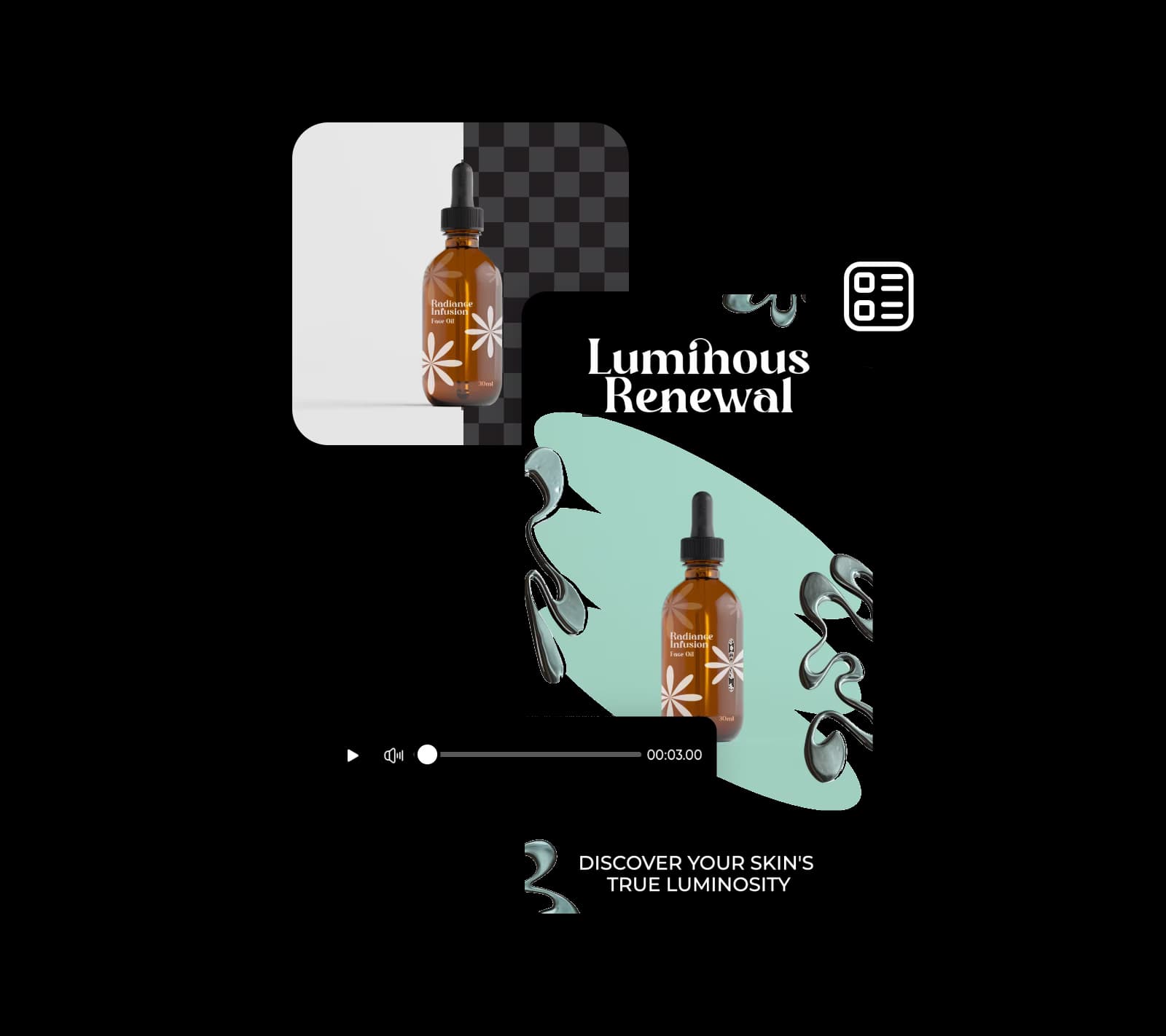
Picsartのビデオ背景削除ツールを使用して、製品に説得力のある第一印象を与えましょう。オーバーレイ、アニメーション、テキスト、その他の要素を追加して、目立つインタラクティブな製品デモを作成します。Picsartのビデオ広告メーカーと組み合わせて、魅力的でかなわない動画広告を作成し、製品を輝かせましょう。

ビデオ背景を削除
興味深いマーケティング資料を作成するためにビデオ背景を削除

ビデオ背景削除以上のことを実現

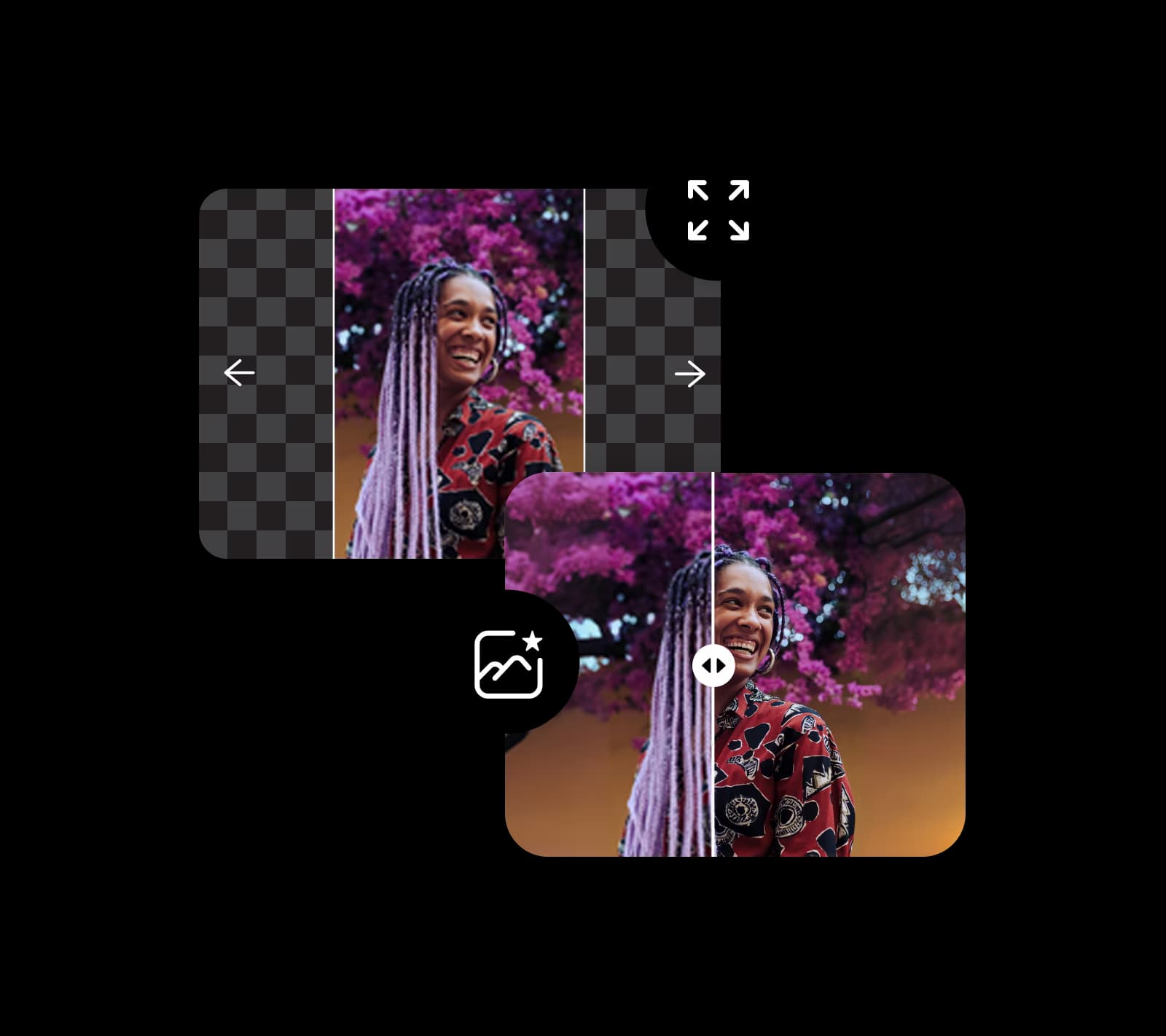
Picsartの使いやすい編集ツールでレベルアップしましょう。AIで動画と画像から背景を削除するプロになります。画像拡張ツール、AIフィルター、テキストエディターなどのツールを試してみましょう。ビデオからオブジェクトを削除し、写真をピクセル解除できます。コンテンツ強化の枠を超えましょう。

ビデオ背景を削除
ビデオ背景削除以上

 Picsartの無料ビデオ背景削除ツール

Picsartの無料ビデオ背景削除ツールを使用して、ビデオ背景を削除し、店舗の製品ショットを変更し、ソーシャルメディアマーケティングを強化し、製品デモとプレゼンテーションを向上させることができます。画像拡張ツール、AIライター、漫画キャラクターメーカーなど、Picsartの他のAIツールでアイデアを探してみましょう。

ビデオ背景を削除

ビデオ背景削除ツール FAQ

ビデオ背景削除ツールを使うと、ビデオの元の背景を消し、単色やカスタムビジュアルなど別のものに置き換えられます。

ビデオから背景を削除する最も簡単な方法は、Picsartのような無料オンラインビデオ背景削除ツールを使うことです。

はい、AI搭載ビデオ背景削除ツールを使えば、ビデオから任意の色を削除できます。

はい、Picsartのビデオ背景削除ツールは無料です。

いいえ。AIの機能により、品質を損なわずにビデオ背景を検出して削除できます。

はい、ビデオ背景削除が完了した後、他の画像や色で置き換えることができます。


Picsartの他のツールをお試しください

Picsart フォトエディターの背景削除ツール

背景削除ツール

AIで背景を巧みに消去したり、透明にしたりできます。

背景チェンジャー

背景チェンジャー

独自の写真で背景を入れ替えたり、Picsartのライブラリから選択したりできます。

Picsartのカラーピッカー

カラーピッカー

探している正確な色合いコードを即座に見つけられます。

Picsartで画像をシャープに

画像をシャープに

探している正確な色合いコードを即座に見つけられます。

ビデオ広告メーカー

ビデオ広告メーカー

AIを使用して、数秒で魅力的な動画広告を作成します。


黒と白のフィルター

ビデオオブジェクト削除ツール

AIの助けを借りて、ビデオから不要な詳細を削除します。

オンラインで画像をピクセル解除

画像をピクセル解除

Picsartの AI搭載画像エンハンサーを使用して画像をクリアにします。

Picsartの AI背景ジェネレーターで背景を生成

AI背景

プロンプトだけで、ゼロから独自の背景を生成します。

Picsartの クリア化ツールで画像の鮮明さを改善

画像をクリアに

AIブラー除去で、ぼやけた写真から別れを告げましょう。

PricingSave big

AI ビデオモデルで背景なしビデオを作成

ビデオモデルを使用して、クリップ、フッテージ、プロンプトを背景なしビデオに変換し、ソーシャル、広告、クリエイティブワークフローに対応します。

SESeedance 2.0New
Next-gen cinematic video with optional audio and reference image. Up to 4K.Reference inputAudio4KCinematicSee model
SESeedance 2.0 FastNew
SESeedance 2.0 Video EditNew
SESeedance 2.0 Fast Video EditNew
WAWan 2.7
KLKling V3
KLKling V3 TurboNew
KLKling V2.6
KLKling V3 Omni
KLKling Video O1New
KLKling Motion Control V3
KLKling Motion Control 2.6
SESeedance 2.0New
SESeedance 2.0New
SESeedance 2.0New
SESeedance 2.0New
SESeedance 2.0New
Fast cinematic video with audio, reference images, and start/end frame control.Reference inputAudioFast generationCinematicSee model
Edit video — replace subjects, add or remove objects, restyle scenes with reference images.Video editingReference inputVideo generationSee model
Fast video edit — modify scenes with reference images.Video editingReference inputFast generationSee model
Wan 2.7 T2V — up to 15s at 1080p with audio input and prompt enhancement.Text to videoAudio1080pCinematicSee model
Long-form video up to 15s with native audio and start/end frame control.AudioCinematicVideo generationSee model
Faster V3 variant — long-form video up to 15s with native audio, start/end frame control, and 720p/1080p output.Audio1080pFast generationCinematicSee model
Mature pipeline with audio and pro-tier rendering.
AudioPro qualityCinematic
See model
Flexible generation across creative styles using V3 Omni architecture, with optional 4K output.
4KCinematicVideo generation
See model
O1-architecture video generation with 5 or 10 second output.CinematicVideo generationSee model
Map body movement from a video clip onto a portrait photo — V3 quality.CinematicPhotorealVideo generationSee model
Transfer body movement from a reference video onto a portrait photo.Reference inputCinematicPhotorealSee model
Next-gen cinematic video with optional audio and reference image. Up to 4K.Reference inputAudio4KCinematicSee model
SESeedance 2.0 FastNew
Fast cinematic video with audio, reference images, and start/end frame control.Reference inputAudioFast generationCinematicSee model
SESeedance 2.0 Video EditNew
Edit video — replace subjects, add or remove objects, restyle scenes with reference images.Video editingReference inputVideo generationSee model
SESeedance 2.0 Fast Video EditNew
Fast video edit — modify scenes with reference images.Video editingReference inputFast generationSee model
WAWan 2.7
Wan 2.7 T2V — up to 15s at 1080p with audio input and prompt enhancement.Text to videoAudio1080pCinematicSee model
KLKling V3
Long-form video up to 15s with native audio and start/end frame control.AudioCinematicVideo generationSee model
KLKling V3 TurboNew
Faster V3 variant — long-form video up to 15s with native audio, start/end frame control, and 720p/1080p output.Audio1080pFast generationCinematicSee model
KLKling V2.6
Mature pipeline with audio and pro-tier rendering.AudioPro qualityCinematicSee model
KLKling V3 Omni
Flexible generation across creative styles using V3 Omni architecture, with optional 4K output.4KCinematicVideo generationSee model
KLKling Video O1New
O1-architecture video generation with 5 or 10 second output.CinematicVideo generationSee model
KLKling Motion Control V3
Map body movement from a video clip onto a portrait photo — V3 quality.CinematicPhotorealVideo generationSee model
KLKling Motion Control 2.6
Transfer body movement from a reference video onto a portrait photo.Reference inputCinematicPhotorealSee model
Next-gen cinematic video with optional audio and reference image. Up to 4K.Reference inputAudio4KCinematicSee model
SESeedance 2.0 FastNew
Fast cinematic video with audio, reference images, and start/end frame control.Reference inputAudioFast generationCinematicSee model
SESeedance 2.0 Video EditNew
Edit video — replace subjects, add or remove objects, restyle scenes with reference images.Video editingReference inputVideo generationSee model
SESeedance 2.0 Fast Video EditNew
Fast video edit — modify scenes with reference images.Video editingReference inputFast generationSee model
WAWan 2.7
Wan 2.7 T2V — up to 15s at 1080p with audio input and prompt enhancement.Text to videoAudio1080pCinematicSee model
KLKling V3
Long-form video up to 15s with native audio and start/end frame control.AudioCinematicVideo generationSee model
KLKling V3 TurboNew
Faster V3 variant — long-form video up to 15s with native audio, start/end frame control, and 720p/1080p output.Audio1080pFast generationCinematicSee model
KLKling V2.6
Mature pipeline with audio and pro-tier rendering.AudioPro qualityCinematicSee model
KLKling V3 Omni
Flexible generation across creative styles using V3 Omni architecture, with optional 4K output.4KCinematicVideo generationSee model
KLKling Video O1New
O1-architecture video generation with 5 or 10 second output.CinematicVideo generationSee model
KLKling Motion Control V3
Map body movement from a video clip onto a portrait photo — V3 quality.CinematicPhotorealVideo generationSee model
KLKling Motion Control 2.6
Transfer body movement from a reference video onto a portrait photo.Reference inputCinematicPhotorealSee model
Next-gen cinematic video with optional audio and reference image. Up to 4K.Reference inputAudio4KCinematicSee model
SESeedance 2.0 FastNew
Fast cinematic video with audio, reference images, and start/end frame control.Reference inputAudioFast generationCinematicSee model
SESeedance 2.0 Video EditNew
Edit video — replace subjects, add or remove objects, restyle scenes with reference images.Video editingReference inputVideo generationSee model
SESeedance 2.0 Fast Video EditNew
Fast video edit — modify scenes with reference images.Video editingReference inputFast generationSee model
WAWan 2.7
Wan 2.7 T2V — up to 15s at 1080p with audio input and prompt enhancement.Text to videoAudio1080pCinematicSee model
KLKling V3
Long-form video up to 15s with native audio and start/end frame control.AudioCinematicVideo generationSee model
KLKling V3 TurboNew
Faster V3 variant — long-form video up to 15s with native audio, start/end frame control, and 720p/1080p output.Audio1080pFast generationCinematicSee model
KLKling V2.6
Mature pipeline with audio and pro-tier rendering.AudioPro qualityCinematicSee model
KLKling V3 Omni
Flexible generation across creative styles using V3 Omni architecture, with optional 4K output.4KCinematicVideo generationSee model
KLKling Video O1New
O1-architecture video generation with 5 or 10 second output.CinematicVideo generationSee model
KLKling Motion Control V3
Map body movement from a video clip onto a portrait photo — V3 quality.CinematicPhotorealVideo generationSee model
KLKling Motion Control 2.6
Transfer body movement from a reference video onto a portrait photo.Reference inputCinematicPhotorealSee model
Next-gen cinematic video with optional audio and reference image. Up to 4K.Reference inputAudio4KCinematicSee model
SESeedance 2.0 FastNew
Fast cinematic video with audio, reference images, and start/end frame control.Reference inputAudioFast generationCinematicSee model
SESeedance 2.0 Video EditNew
Edit video — replace subjects, add or remove objects, restyle scenes with reference images.Video editingReference inputVideo generationSee model
SESeedance 2.0 Fast Video EditNew
Fast video edit — modify scenes with reference images.Video editingReference inputFast generationSee model
WAWan 2.7
Wan 2.7 T2V — up to 15s at 1080p with audio input and prompt enhancement.Text to videoAudio1080pCinematicSee model
KLKling V3
Long-form video up to 15s with native audio and start/end frame control.AudioCinematicVideo generationSee model
KLKling V3 TurboNew
Faster V3 variant — long-form video up to 15s with native audio, start/end frame control, and 720p/1080p output.Audio1080pFast generationCinematicSee model
KLKling V2.6
Mature pipeline with audio and pro-tier rendering.AudioPro qualityCinematicSee model
KLKling V3 Omni
Flexible generation across creative styles using V3 Omni architecture, with optional 4K output.4KCinematicVideo generationSee model
KLKling Video O1New
O1-architecture video generation with 5 or 10 second output.CinematicVideo generationSee model
KLKling Motion Control V3
Map body movement from a video clip onto a portrait photo — V3 quality.CinematicPhotorealVideo generationSee model
KLKling Motion Control 2.6
Transfer body movement from a reference video onto a portrait photo.Reference inputCinematicPhotorealSee model
Next-gen cinematic video with optional audio and reference image. Up to 4K.Reference inputAudio4KCinematicSee model
SESeedance 2.0 FastNew
Fast cinematic video with audio, reference images, and start/end frame control.Reference inputAudioFast generationCinematicSee model
SESeedance 2.0 Video EditNew
Edit video — replace subjects, add or remove objects, restyle scenes with reference images.Video editingReference inputVideo generationSee model
SESeedance 2.0 Fast Video EditNew
Fast video edit — modify scenes with reference images.Video editingReference inputFast generationSee model
WAWan 2.7
Wan 2.7 T2V — up to 15s at 1080p with audio input and prompt enhancement.Text to videoAudio1080pCinematicSee model
KLKling V3
Long-form video up to 15s with native audio and start/end frame control.AudioCinematicVideo generationSee model
KLKling V3 TurboNew
Faster V3 variant — long-form video up to 15s with native audio, start/end frame control, and 720p/1080p output.Audio1080pFast generationCinematicSee model
KLKling V2.6
Mature pipeline with audio and pro-tier rendering.AudioPro qualityCinematicSee model
KLKling V3 Omni
Flexible generation across creative styles using V3 Omni architecture, with optional 4K output.4KCinematicVideo generationSee model
KLKling Video O1New
O1-architecture video generation with 5 or 10 second output.CinematicVideo generationSee model
KLKling Motion Control V3
Map body movement from a video clip onto a portrait photo — V3 quality.CinematicPhotorealVideo generationSee model
KLKling Motion Control 2.6
Transfer body movement from a reference video onto a portrait photo.Reference inputCinematicPhotorealSee model

背景編集を理解する

背景を削除、置き換え、クリーンアップする方法を学びます。

How to remove backgrounds from photos with AI preview
Backgrounds

How to remove backgrounds from photos with AI

3 minBeginner
How to replace backgrounds with AI-generated scenes preview
Backgrounds

How to replace backgrounds with AI-generated scenes

4 minIntermediate
How to generate custom backgrounds from text descriptions preview
Backgrounds

How to generate custom backgrounds from text descriptions

4 minIntermediate
How to create product photography backgrounds with AI preview
Backgrounds

How to create product photography backgrounds with AI

4 minIntermediate
How to make virtual backgrounds for video calls preview
Backgrounds

How to make virtual backgrounds for video calls

3 minBeginner
Backgrounds

How to replace product photo backgrounds at scale with AI agents

4 minAdvanced
すべてのチュートリアルを表示

あなたに注目を集めるビデオを編集

Pro

Most popular

AI tools for everyday creative work.

$15 $10.5/mo
Billed yearly
You save $54 with yearly
  • Access to all photo & video editing features
  • Advanced background & object removal
  • Parallel video generations with the world's most powerful AI video models
  • Unlimited image generations with Flex.2 Klein
  • 1-tap image enhancer
  • Millions of stock photos & Getty video clips
  • Selection of trendy fonts, text styles & stickers
  • Thousands of premium templates
  • Support for 3+ brand kits
  • Bulk edit up to 50 images at once
  • 100 GB of cloud storage
New features:
  • Auto-generate content from your terminal or agent with the Picsart CLI
  • Use Picsart inside Claude Code, Cursor, and ChatGPT via MCP — coming soon
  • AI agents for multi-step workflows and batch generation — coming soon

Ultra

Most powerful

Heavy AI usage for creators & teams.

$45 $24.5/mo
Billed yearly, per seat
You save $246 with yearly
  • Everything in Pro
  • Early access to advanced AI features
  • Leading AI models to design & automate workflows (Nano Banana, Veo 3, Seedance 2.0 & more)
  • Parallel video generations with the world's most powerful AI video models
  • Unlimited image generations with Flex.2 Klein
  • Support for 10+ brand kits
  • Add team seats
  • Create ad variations and localize
  • Track ads performance
  • 2000 credits for API services
  • Bulk edit up to 100 images at once
  • 300 GB of cloud storage per seat
New features:
  • Auto-generate content from your terminal or agent with the Picsart CLI
  • Use Picsart inside Claude Code, Cursor, and ChatGPT via MCP — coming soon
  • AI agents for multi-step workflows and batch generation — coming soon

Enterprise

Custom AI solutions for large organizations.

Custom credit volume
  • Volume discounts on credit rate
  • On-demand top-ups
Custom
Contact for pricing
  • Access to photo & video editor SDKs
  • Mobile web SDK support
  • Prepaid or pay-as-you-go creative APIs
  • Embed professional-grade editing into your product or workflow
  • Fully configurable editing experience
  • White-label to match your brand
  • Support for built-in marketing, e-commerce & printing use cases
  • Bring your own assets: images, templates & fonts
  • Enterprise-grade security, SLAs & support
  • Dedicated account manager