เปลี่ยนสีพื้นหลังของรูปภาพใด ๆ ได้ฟรี
สร้างภาพสะดุดตาออนไลน์ด้วย Background Color Changer ของ Picsart แทนที่ฉากหลังที่รบกวนสายตาด้วยการเปลี่ยนเป็นพื้นหลังสีเรียบ เพื่อเปลี่ยนรูปธรรมดาให้กลายเป็นโพสต์โซเชียลและภาพสินค้าที่สร้างสรรค์


ทำไมต้องใช้การเปลี่ยนสีพื้นหลัง?




วิธีเปลี่ยนสีพื้นหลังของรูปภาพ
How to
อัปโหลดรูปภาพ
อัปโหลดรูปภาพเพื่อให้ระบบลบและ เปลี่ยนสีพื้นหลังแบบอัตโนมัติออนไลน์
เปลี่ยนสีพื้นหลังรูปภาพได้อย่างง่ายดาย
การเปลี่ยนสีพื้นหลังของรูปภาพออนไลน์อาจใช้เวลา แต่ไม่จำเป็นต้องยุ่งยาก ด้วย Picsart’s Background Changer การแต่งรูปให้ได้ลุคใหม่หมดทำได้ง่ายกว่าที่เคย เพียงอัปโหลดภาพของคุณ แล้วให้เครื่องมือ Background Remover ที่ขับเคลื่อนด้วย AI ลบพื้นหลังเดิมให้อัตโนมัติ จากนั้นคุณก็เปลี่ยนพื้นหลังเป็นสีใดก็ได้ในไม่กี่วินาที เพื่อหาสีที่ลงตัว ใช้ตัวเปลี่ยนสีพื้นหลังเพื่อทดลองโทนต่าง ๆ รหัส HEX และสีของแบรนด์
- เปลี่ยนฉากหลังวัตถุของคุณ
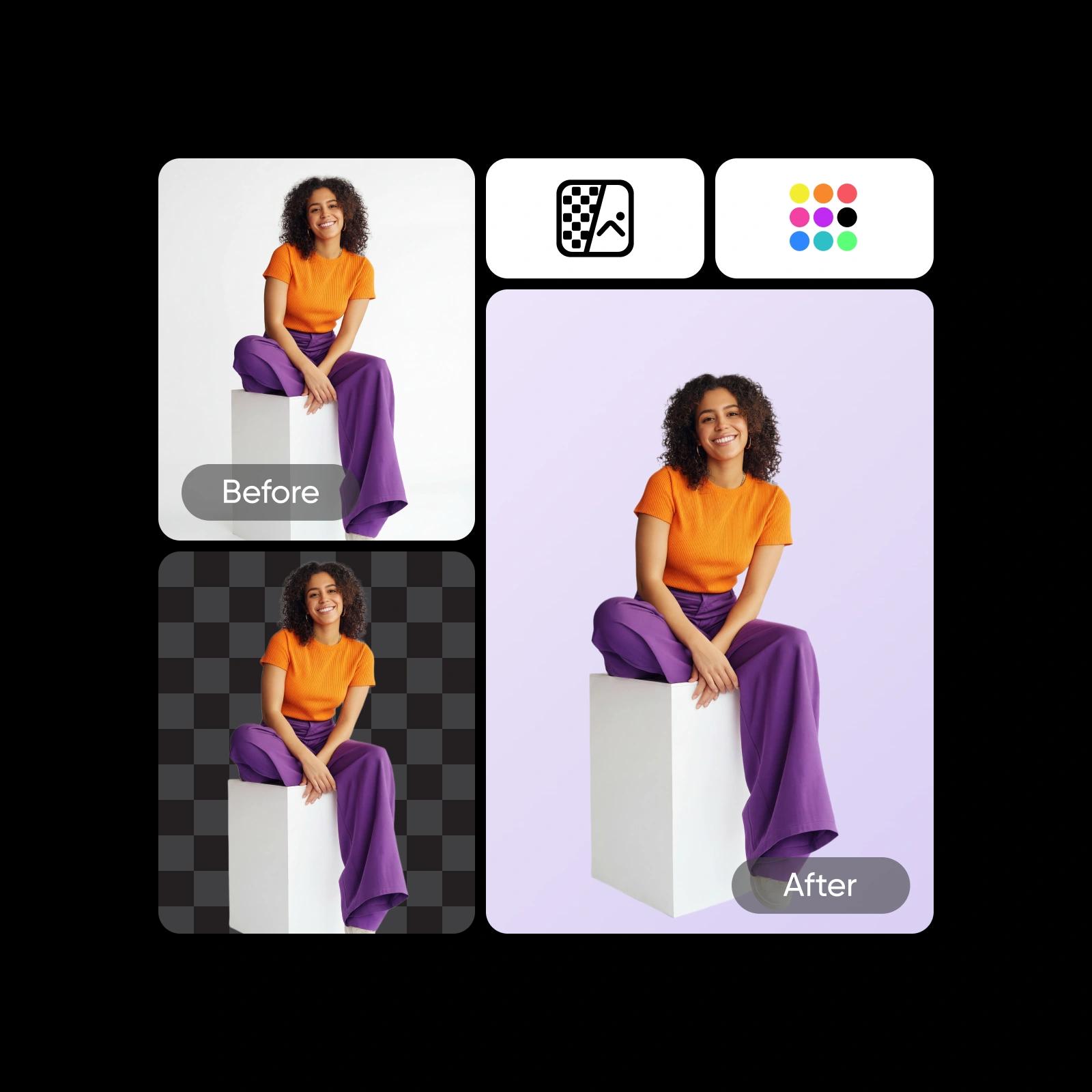
สลับสีพื้นหลังได้ในพริบตา
การเปลี่ยนสีพื้นหลังของรูปภาพไม่เคยง่ายเท่านี้มาก่อน อยากโชว์ความสนุกด้วยสีสว่าง โฟกัสตัวแบบด้วย พื้นหลังสีขาว หรือให้รูปดูเนี้ยบด้วย ฉากสีดำ? สบายมาก เพียงลบพื้นหลังเดิมแบบอัตโนมัติ แล้วไล่ดูสีที่คัดไว้ให้หลากหลาย ใช้วงล้อสีเพื่อได้เฉดที่ตรงเป๊ะ หรือใช้ AI Background Generator เพื่อสร้างฉากแบบกำหนดเองตั้งแต่ศูนย์

สร้างฉากหลังสำหรับภาพบุคคล ข้อความ กราฟิก และอื่น ๆ
ใช้ Background Color Changer ออนไลน์ของ Picsart เพื่อแก้ไขฉากหลังของภาพทุกประเภท ทั้งงานส่วนตัวและงานมืออาชีพ ไม่ว่าคุณต้องการเปลี่ยนพื้นหลังของภาพบุคคล กราฟิก หรือข้อความ AI ที่ใช้งานง่ายของ Picsart ก็สามารถจัดการรายละเอียดที่ซับซ้อนได้ทุกแบบ และเปลี่ยนสีพื้นหลังได้โดยไม่ทิ้งร่องรอยของต้นฉบับ
- จับฉากหลังให้เหมาะกับโปรเจกต์
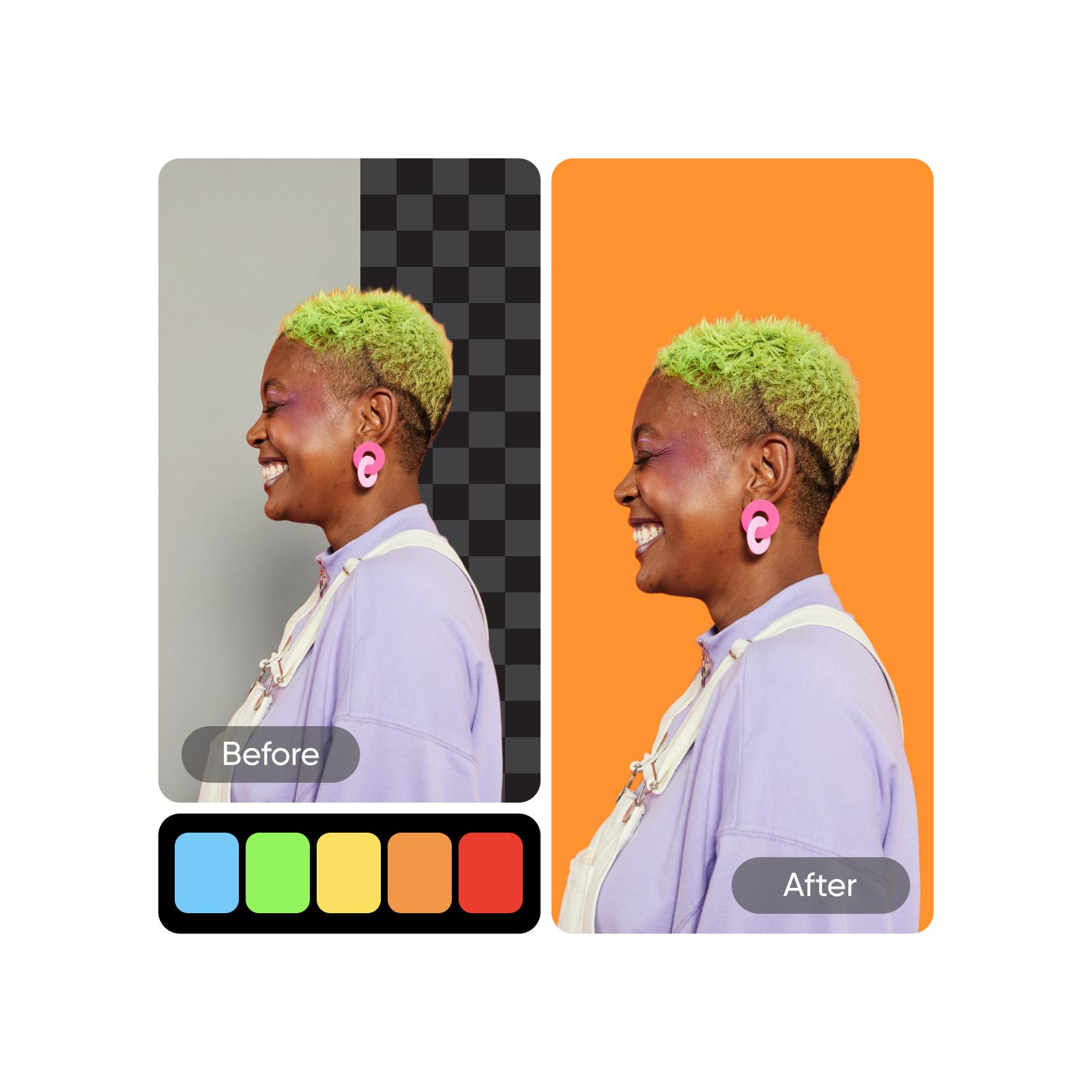
สร้างเวอร์ชันเฉพาะตัวสำหรับทุกโปรเจกต์
รูปเดียวก็สร้างไอเดียได้ไม่รู้จบเมื่อคุณทำหลายเวอร์ชันของสีพื้นหลัง สร้างสไตล์ที่ต่างกันสำหรับแคมเปญการตลาด ไฮไลต์สินค้า โพสต์โซเชียล หรือพรีเซนต์ลูกค้า แต่ละเวอร์ชันจะให้สไตล์ภาพที่ปรับให้เข้ากับคุณ ช่วยให้ปรับตัวได้รวดเร็ว รักษาความสม่ำเสมอของแบรนด์ และจุดทางสร้างสรรค์ใหม่ ๆ โดยไม่ต้องเริ่มจากศูนย์
- สร้างเฉดสีใหม่เพื่อใช้แบบอื่น

เสริมพลังจินตนาการของคุณด้วย AI
เมื่อคุณเชี่ยวชาญการเปลี่ยนสีพื้นหลังรูปภาพแล้ว ก็ถึงเวลาตกแต่งขั้นสุดท้าย เพื่ออัปเกรดแคนวาสของคุณ ให้ใช้ AI Photo Editor เพื่อเพิ่มฉากหลังใหม่จากคลังพื้นหลังของ Picsart หรือทำให้ไอเดียของคุณมีชีวิตด้วยสติกเกอร์ ฟิลเตอร์ และองค์ประกอบการออกแบบ เพื่อเร่งขั้นตอนการแก้ไขและลบพื้นหลังอย่างรวดเร็ว ให้ใช้ Batch Photo Editor ของ Picsart คุณยังสามารถสำรวจ AI Background เพื่อทดลองฉากหลังใหม่ที่สร้างด้วย AI สำหรับภาพสุดท้ายของคุณได้
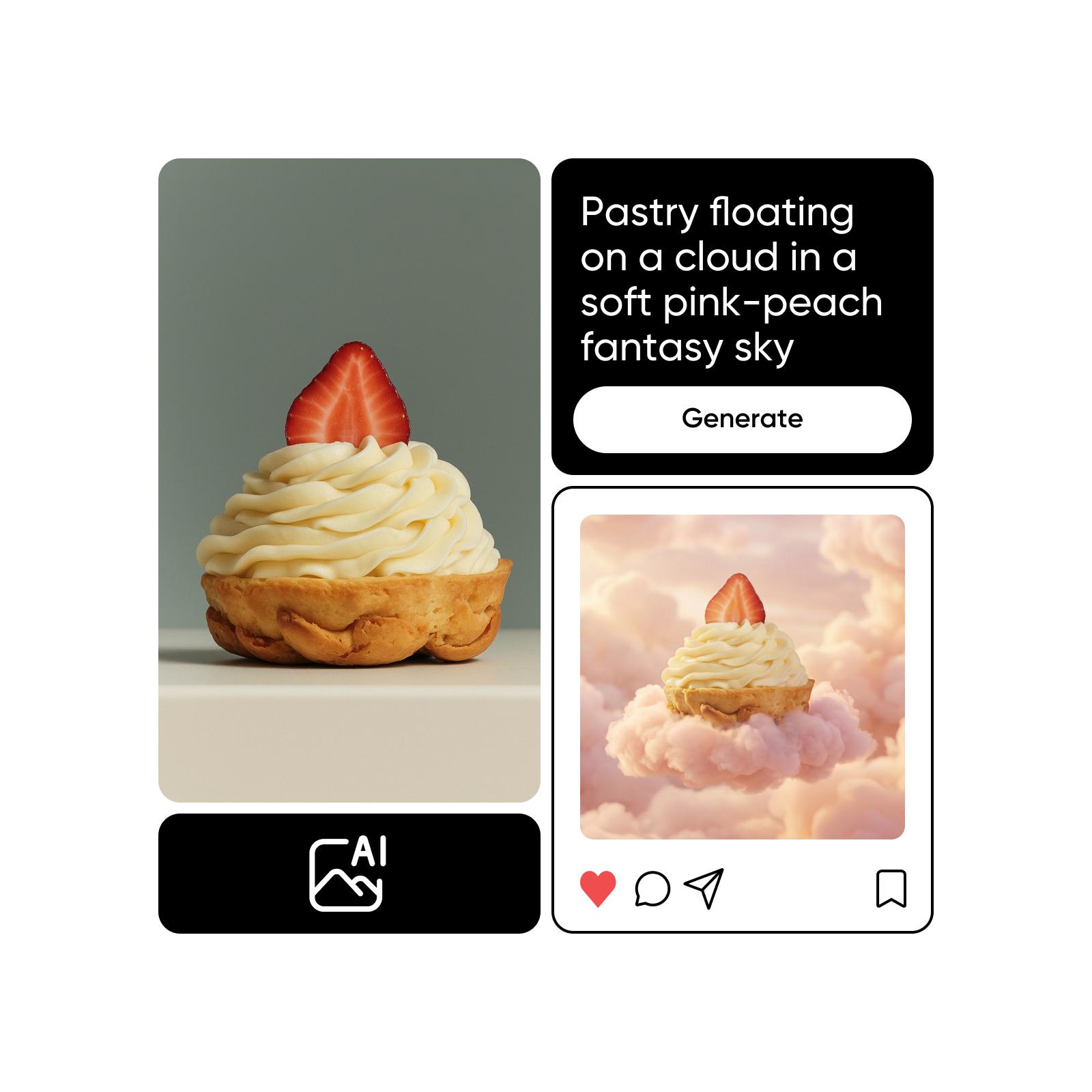
สร้างสีด้วยโมเดลภาพ AI
ใช้โมเดลภาพเพื่อแปลงพื้นหลัง ภาพสินค้า และภาพตัดให้เป็นงานภาพที่ดูเนี้ยบ
คำถามที่พบบ่อยเกี่ยวกับ Background Color Changer
ในการ เปลี่ยนสีพื้นหลังของรูปภาพออนไลน์ คุณเพียงอัปโหลดรูปภาพไปที่ Background Color Changer ลบพื้นหลังปัจจุบัน แล้วเลือกสีใหม่ ง่ายแค่นั้นเอง!
สร้างสีพื้นหลังให้เข้ากับทุกสไตล์ภาพ
Pro
Most popularAI tools for everyday creative work.
Ultra
Most powerfulHeavy AI usage for creators & teams.
Enterprise
Custom AI solutions for large organizations.
- Volume discounts on credit rate
- On-demand top-ups
สำรวจเครื่องมือแก้ไขที่เกี่ยวข้อง


