Image
Video
Library
Creators
Solutions
Community
MCP & CLI
Pricing
  1. Home
  2. Відео Тример

Безплатний триммер відео

Скоротіть відео онлайн за кілька секунд за допомогою простого в використанні триммера відео Picsart. Обрізайте відеокліпи до ідеальної довжини, виділяйте кращі моменти та створюйте привабливий контент за кілька кліків за допомогою редактора відео.

іконка для швидкого робочого процесу обрізання

Швидкий робочий процес обрізання

Скорочуйте відео з початку або кінця всього за кілька кліків. Швидке редагування та гладкий робочий процес допомагають завершити обрізання без зайвих кроків.

іконка редагування відеошкали часу

Редагуйте прямо на шкалі часу

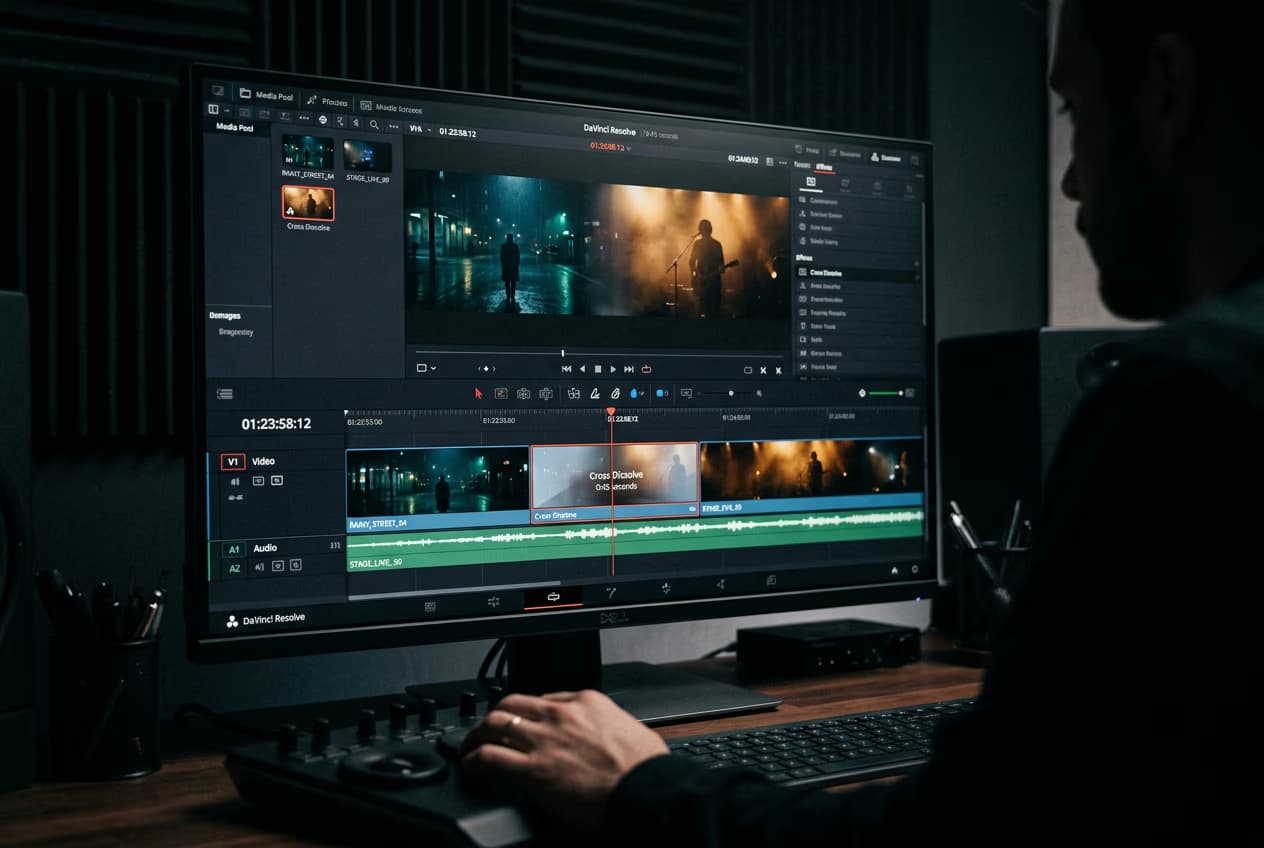
Працюйте в шкалі часу відео, щоб обрізати один або кілька кліпів, розділити відеоматеріал і керувати шарами з точністю.

іконка якісного обрізання відео

Висока якість результатів

Обріжте кліпи без втрати чіткості. Редагування залишається чітким і чистим, тому ваші відео готові до поширення після кожного обрізання.

Як обрізати відео онлайн

1

Завантажте своє відео

Почніть з завантаження відео з вашого пристрою або виберіть одне з збережених файлів. Ваш клип з'явиться прямо на полотні, готовий до редагування.

2

Відкрийте розширену шкалу часу

3

Налаштуйте довжину відео

4

Застосуйте та експортуйте

Встановіть ідеальну довжину відео за допомогою безплатного триммера відео

Безплатний триммер відео Picsart дозволяє скорочувати відеокліпи та обрізати відео онлайн швидко й легко. Він зручний для початківців і розроблений для збереження високої якості ваших відео, виділення найкращих моментів, створення чіткої шкали часу історії та підготовки привабливого контенту для поширення в соціальних мережах.

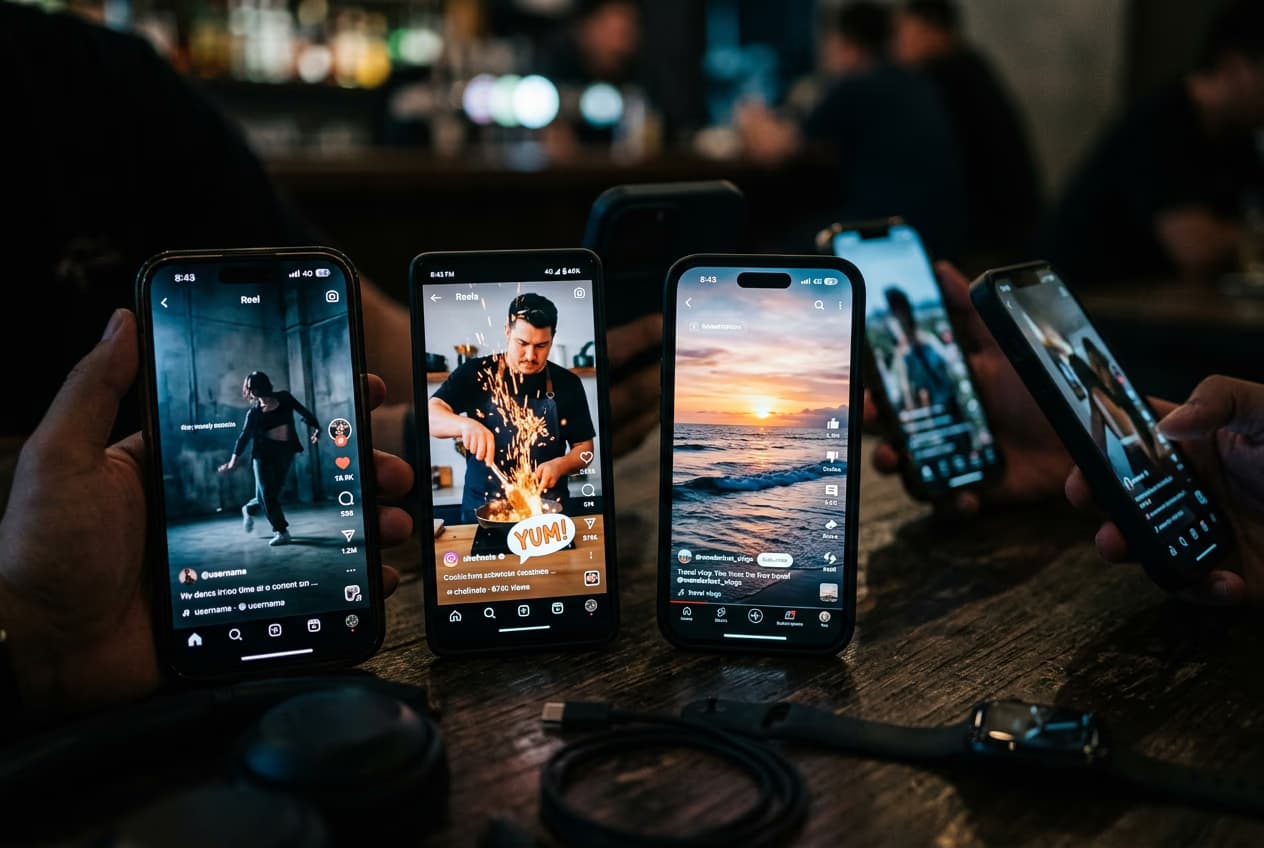
Скорочуйте довгі відео для поширення в соціальних мережах

Picsart дозволяє легко перетворювати довгі відео на коротший, придатний для поширення контент за допомогою обрізання та розділення разом. Обрізайте повні відео YouTube на Shorts, створюйте трейлери подкастів або побудуйте кілька коротких кліпів з одного довгого запису. Видаляючи розділи та розділяючи кліпи прямо в шкалі часу, ви можете ефективно повторно використовувати свій контент і адаптувати його для різних платформ без необхідності починати з нуля.

Обріжте та вирізайте відео з повним контролем

За допомогою онлайн триммера відео Picsart ви можете скорочувати відео з більшою гнучкістю, ніж просто обрізання на початку або в кінці. Редагуючи прямо в шкалі часу, ви можете розділяти кліпи, видаляти небажані розділи з середини та видаляти непотрібні моменти. Це дає вам точний контроль над тим, що залишиться у вашому відео, допомагаючи ефективно очищувати контент без додаткових інструментів або складних кроків.

Покращуйте свої відео за допомогою інструментів редагування відео

Обрізання — це лише перший крок. Після скорочення вашого клипу дослідіть інструменти редагування відео Picsart, щоб додавати текстові накладання, фонову музику, візуальні ефекти або налаштовувати швидкість відео. Ці інструменти допомагають вам удосконалити контент, поліпшити розповідь історії та створити полірковані відео, готові для соціальних мереж, маркетингу або особистих проектів.

Що кажуть користувачі

Швидко та легко використовувати. Я використав безплатний триммер відео, щоб скоротити відео для соціальних мереж, і це спрацювало ідеально. Прості елементи керування та чудові результати щоразу.
- Alex M., менеджер соціальних мереж
Чудова якість після обрізання. Я зміг швидко обрізати відеокліпи, а якість залишилась чіткою. Це один з найкращих онлайн триммерів відео, які я пробував.
- Priya K., творець контенту
Ідеально для швидкого редагування. Цей триммер відео дозволяє легко вирізати кліпи з початку або кінця без будь-яких проблем. Ідеально, коли вам потрібне швидке, чисте редагування.
- Daniel R., цифровий маркетолог

ЧАП триммера відео

Так. Picsart пропонує безплатний триммер відео, який дозволяє скорочувати відео та обрізати кліпи онлайн. Деякі розширені функції редагування можуть потребувати підписки, але базове обрізання доступне безплатно.

Обрізання відео зосереджується на скороченні клипу шляхом видалення розділів з початку або кінця, тоді як вирізання відео зазвичай означає розділення відео на кілька частин або видалення розділів з середини.

Ні. Коли ви обрізаєте відео за допомогою Picsart, оригінальна дозвіл та чіткість зберігаються, тому ваше остаточне відео залишається високої якості після редагування.

Більше інструментів, які вам сподобаються

ai text to video безплатно

AI Text-to-Video

Перетворюйте написані промпти на контент, який привертає увагу, за допомогою AI Text-to-Video Picsart.

редактор ai відео

Редактор AI відео

Відкрийте найлегший спосіб створення відео за допомогою AI.

Генератор AI відео Picsart

Генератор AI відео

Генеруйте користувацькі відео за допомогою AI, просто написавши короткий опис вашого бачення.

видалити об'єкт з відео

Видалювач об'єктів з відео

Позбавтесь непотрібних деталей з ваших відео за допомогою AI.

додати субтитри до відео онлайн безплатно

Додати субтитри до відео

Генеруйте точні субтитри для будь-якого відео за кілька секунд.

Редагуйте відео для різкіших постів у соціальних мережах

Створюйте відео, які привертають увагу.
Видаліть фонСтерти об'єкти з відеоПеретворіть зображення на відеоРедагуйте відеоГенеруйте AI-відеоСтворюйте AI-фільтри для відеоСпробуйте стокові відеоЗмінюйте відео за допомогою AIДослідіть інструменти для відеоВиявіть музику для відео

Use Picsart anywhere

Install the app, or bring Picsart into the AI workspaces your team already uses.

Use Picsart with

  • ChatGPT / Codex
  • Claude
  • Terminal
  • Cursor
  • OpenClaw
  • Hermes

Download the app

Download on the App StoreGET IT ON Google PlayGet it from Microsoft

Follow Picsart

Pinterest
AICPA SOC

Create

  • AI Image Generator
  • AI Video Generator
  • AI Playground
  • Flow
  • AI Photo Editor
  • AI Video Editor
  • AI Agents
  • Content Library
  • AI Models

Creators

  • Earn with Picsart
  • Earn campaigns
  • Clipping
  • For Brands
  • Video Studio
  • Tutorials
  • Challenges

Connect

  • ChatGPT / Codex
  • MCP setup
  • Command line
  • Developers
  • Google Drive

Business

  • Pricing
  • Enterprise
  • Industries
  • Quicktools

Company

  • Support
  • Careers
  • About us
  • Blog
  • Press Center
Terms of UsePrivacy PolicyDo Not SellInternet-Based AdvertisingCommunity GuidelinesDMCASecurity PolicyAccessibility
© 2026 PicsArt, Inc.

Вивчіть основи редагування відео

Дізнайтесь, як робити чистіше редагування кліпів.

Переглянути всі навчальні матеріали

Створюйте коротші кліпи за допомогою AI моделей відео

Використовуйте моделі відео для трансформації кліпів, відеоматеріалів і промптів у коротші кліпи для соціальних мереж, реклами та творчих робочих процесів.

Seedance 2.0New
Next-gen cinematic video with optional audio and reference image. Up to 4K.Reference inputAudio4KCinematicSee model
Seedance 2.0 FastNew
Fast cinematic video with audio, reference images, and start/end frame control.Reference inputAudioFast generationCinematicSee model
Seedance 2.0 Video EditNew
Edit video — replace subjects, add or remove objects, restyle scenes with reference images.Video editingReference inputVideo generationSee model
Seedance 2.0 Fast Video EditNew
Fast video edit — modify scenes with reference images.Video editingReference inputFast generationSee model
Sora 2 Pro
Up to 1080p with strong physical realism and optional reference image.Reference input1080pPro qualityCinematicSee model
Sora 2
Naturalistic 720p video with lifelike motion and character detail.CinematicVideo generationSee model
Wan 2.7
Wan 2.7 T2V — up to 15s at 1080p with audio input and prompt enhancement.Text to videoAudio1080pCinematicSee model
Kling V3
Long-form video up to 15s with native audio and start/end frame control.AudioCinematicVideo generationSee model
Kling V3 Turbo
Faster V3 variant — long-form video up to 15s with native audio, start/end frame control, and 720p/1080p output.Audio1080pFast generationCinematicSee model
Kling V2.6
Mature pipeline with audio, adjustable cfg, and standard/pro rendering.AudioPro qualityCinematicSee model
Kling V3 Omni
Flexible generation across creative styles using V3 Omni architecture, with optional 4K output.4KCinematicVideo generationSee model
Kling Video O1
O1-architecture video generation with 5 or 10 second output.CinematicVideo generationSee model
Seedance 2.0New
Next-gen cinematic video with optional audio and reference image. Up to 4K.Reference inputAudio4KCinematicSee model
Seedance 2.0 FastNew
Fast cinematic video with audio, reference images, and start/end frame control.Reference inputAudioFast generationCinematicSee model
Seedance 2.0 Video EditNew
Edit video — replace subjects, add or remove objects, restyle scenes with reference images.Video editingReference inputVideo generationSee model
Seedance 2.0 Fast Video EditNew
Fast video edit — modify scenes with reference images.Video editingReference inputFast generationSee model
Sora 2 Pro
Up to 1080p with strong physical realism and optional reference image.Reference input1080pPro qualityCinematicSee model
Sora 2
Naturalistic 720p video with lifelike motion and character detail.CinematicVideo generationSee model
Wan 2.7
Wan 2.7 T2V — up to 15s at 1080p with audio input and prompt enhancement.Text to videoAudio1080pCinematicSee model
Kling V3
Long-form video up to 15s with native audio and start/end frame control.AudioCinematicVideo generationSee model
Kling V3 Turbo
Faster V3 variant — long-form video up to 15s with native audio, start/end frame control, and 720p/1080p output.Audio1080pFast generationCinematicSee model
Kling V2.6
Mature pipeline with audio, adjustable cfg, and standard/pro rendering.AudioPro qualityCinematicSee model
Kling V3 Omni
Flexible generation across creative styles using V3 Omni architecture, with optional 4K output.4KCinematicVideo generationSee model
Kling Video O1
O1-architecture video generation with 5 or 10 second output.CinematicVideo generationSee model
Seedance 2.0New
Next-gen cinematic video with optional audio and reference image. Up to 4K.Reference inputAudio4KCinematicSee model
Seedance 2.0 FastNew
Fast cinematic video with audio, reference images, and start/end frame control.Reference inputAudioFast generationCinematicSee model
Seedance 2.0 Video EditNew
Edit video — replace subjects, add or remove objects, restyle scenes with reference images.Video editingReference inputVideo generationSee model
Seedance 2.0 Fast Video EditNew
Fast video edit — modify scenes with reference images.Video editingReference inputFast generationSee model
Sora 2 Pro
Up to 1080p with strong physical realism and optional reference image.Reference input1080pPro qualityCinematicSee model
Sora 2
Naturalistic 720p video with lifelike motion and character detail.CinematicVideo generationSee model
Wan 2.7
Wan 2.7 T2V — up to 15s at 1080p with audio input and prompt enhancement.Text to videoAudio1080pCinematicSee model
Kling V3
Long-form video up to 15s with native audio and start/end frame control.AudioCinematicVideo generationSee model
Kling V3 Turbo
Faster V3 variant — long-form video up to 15s with native audio, start/end frame control, and 720p/1080p output.Audio1080pFast generationCinematicSee model
Kling V2.6
Mature pipeline with audio, adjustable cfg, and standard/pro rendering.AudioPro qualityCinematicSee model
Kling V3 Omni
Flexible generation across creative styles using V3 Omni architecture, with optional 4K output.4KCinematicVideo generationSee model
Kling Video O1
O1-architecture video generation with 5 or 10 second output.CinematicVideo generationSee model
Seedance 2.0New
Next-gen cinematic video with optional audio and reference image. Up to 4K.Reference inputAudio4KCinematicSee model
Seedance 2.0 FastNew
Fast cinematic video with audio, reference images, and start/end frame control.Reference inputAudioFast generationCinematicSee model
Seedance 2.0 Video EditNew
Edit video — replace subjects, add or remove objects, restyle scenes with reference images.Video editingReference inputVideo generationSee model
Seedance 2.0 Fast Video EditNew
Fast video edit — modify scenes with reference images.Video editingReference inputFast generationSee model
Sora 2 Pro
Up to 1080p with strong physical realism and optional reference image.Reference input1080pPro qualityCinematicSee model
Sora 2
Naturalistic 720p video with lifelike motion and character detail.CinematicVideo generationSee model
Wan 2.7
Wan 2.7 T2V — up to 15s at 1080p with audio input and prompt enhancement.Text to videoAudio1080pCinematicSee model
Kling V3
Long-form video up to 15s with native audio and start/end frame control.AudioCinematicVideo generationSee model
Kling V3 Turbo
Faster V3 variant — long-form video up to 15s with native audio, start/end frame control, and 720p/1080p output.Audio1080pFast generationCinematicSee model
Kling V2.6
Mature pipeline with audio, adjustable cfg, and standard/pro rendering.AudioPro qualityCinematicSee model
Kling V3 Omni
Flexible generation across creative styles using V3 Omni architecture, with optional 4K output.4KCinematicVideo generationSee model
Kling Video O1
O1-architecture video generation with 5 or 10 second output.CinematicVideo generationSee model
Seedance 2.0New
Next-gen cinematic video with optional audio and reference image. Up to 4K.Reference inputAudio4KCinematicSee model
Seedance 2.0 FastNew
Fast cinematic video with audio, reference images, and start/end frame control.Reference inputAudioFast generationCinematicSee model
Seedance 2.0 Video EditNew
Edit video — replace subjects, add or remove objects, restyle scenes with reference images.Video editingReference inputVideo generationSee model
Seedance 2.0 Fast Video EditNew
Fast video edit — modify scenes with reference images.Video editingReference inputFast generationSee model
Sora 2 Pro
Up to 1080p with strong physical realism and optional reference image.Reference input1080pPro qualityCinematicSee model
Sora 2
Naturalistic 720p video with lifelike motion and character detail.CinematicVideo generationSee model
Wan 2.7
Wan 2.7 T2V — up to 15s at 1080p with audio input and prompt enhancement.Text to videoAudio1080pCinematicSee model
Kling V3
Long-form video up to 15s with native audio and start/end frame control.AudioCinematicVideo generationSee model
Kling V3 Turbo
Faster V3 variant — long-form video up to 15s with native audio, start/end frame control, and 720p/1080p output.Audio1080pFast generationCinematicSee model
Kling V2.6
Mature pipeline with audio, adjustable cfg, and standard/pro rendering.AudioPro qualityCinematicSee model
Kling V3 Omni
Flexible generation across creative styles using V3 Omni architecture, with optional 4K output.4KCinematicVideo generationSee model
Kling Video O1
O1-architecture video generation with 5 or 10 second output.CinematicVideo generationSee model
Seedance 2.0New
Next-gen cinematic video with optional audio and reference image. Up to 4K.Reference inputAudio4KCinematicSee model
Seedance 2.0 FastNew
Fast cinematic video with audio, reference images, and start/end frame control.Reference inputAudioFast generationCinematicSee model
Seedance 2.0 Video EditNew
Edit video — replace subjects, add or remove objects, restyle scenes with reference images.Video editingReference inputVideo generationSee model
Seedance 2.0 Fast Video EditNew
Fast video edit — modify scenes with reference images.Video editingReference inputFast generationSee model
Sora 2 Pro
Up to 1080p with strong physical realism and optional reference image.Reference input1080pPro qualityCinematicSee model
Sora 2
Naturalistic 720p video with lifelike motion and character detail.CinematicVideo generationSee model
Wan 2.7
Wan 2.7 T2V — up to 15s at 1080p with audio input and prompt enhancement.Text to videoAudio1080pCinematicSee model
Kling V3
Long-form video up to 15s with native audio and start/end frame control.AudioCinematicVideo generationSee model
Kling V3 Turbo
Faster V3 variant — long-form video up to 15s with native audio, start/end frame control, and 720p/1080p output.Audio1080pFast generationCinematicSee model
Kling V2.6
Mature pipeline with audio, adjustable cfg, and standard/pro rendering.AudioPro qualityCinematicSee model
Kling V3 Omni
Flexible generation across creative styles using V3 Omni architecture, with optional 4K output.4KCinematicVideo generationSee model
Kling Video O1
O1-architecture video generation with 5 or 10 second output.CinematicVideo generationSee model