Image
Video
Library
Creators
Solutions
Community
MCP & CLI
Pricing
  1. Home
  2. Trình tạo tài liệu

Trình tạo tài liệu trực tuyến miễn phí của Picsart

Chắp cánh cho các đề xuất tinh tế, báo cáo tài chính, hóa đơn và các tài liệu khác với trình tạo tài liệu trực tuyến và miễn phí của Picsart. Thiết kế tài liệu như một chuyên gia và xuất nó một cách dễ dàng ở bất kỳ định dạng nào!

Tạo tài liệu
trình tạo tài liệu
biểu tượng cho thiết kế một tài liệu

Mẫu chuyên nghiệp cho mọi ngành nghề

Nói lời tạm biệt với tài liệu cũ kĩ và thiết kế tài liệu với các mẫu hấp dẫn cho mọi ngành nghề. 

biểu tượng cho việc tạo tài liệu ở định dạng pdf

Tải xuống nhiều định dạng

Viết một tài liệu và xuất nó ở định dạng PDF hoặc bất kỳ định dạng nào bạn có thể nghĩ đến.

biểu tượng cho mẫu tài liệu có thể tùy chỉnh

Dễ dàng tùy chỉnh mẫu tài liệu

Tinh giản quy trình tạo tài liệu trực tuyến của bạn bằng cách tạo và chỉnh sửa các mẫu dựa trên nhu cầu của bạn.

Làm thế nào để tạo tài liệu trực tuyến với Picsart?

1

Chọn một mẫu

Khi bạn đang ở trình chỉnh sửa, chọn một mẫu từ cột bên trái.

2

Thêm văn bản

3

Thêm tài sản hình ảnh

4

Xuất tài liệu của bạn

Thiết kế một tài liệu như một chuyên gia

Trở thành một chuyên gia trong việc tạo tài liệu với trình tạo tài liệu trực tuyến miễn phí của Picsart. Sử dụng và chỉnh sửa các mẫu được thiết kế sẵn tinh tế để tạo tài liệu như biên bản cuộc họp, đề xuất sự kiện, báo cáo tài chính và bài thuyết trình. Tất cả được thực hiện chỉ trong vài phút và bạn có thể xuất tài liệu của mình ở bất kỳ định dạng nào bạn muốn, làm cho quá trình dễ dàng và ít tốn thời gian hơn.

Tạo tài liệu
tạo tài liệu trực tuyến và miễn phí

Tạo và tùy chỉnh tài liệu dễ dàng

Dù là hóa đơn, biên lai, báo cáo hay thậm chí là các bài thuyết trình đơn giản, bạn có thể hình dung chúng theo bất kỳ phong cách nào với trình tạo tài liệu của Picsart. Đơn giản chỉ cần viết một tài liệu và thực hiện các điều chỉnh. Chỉnh sửa văn bản, thử nghiệm các phông chữ và màu sắc, và thêm tài sản từ thư viện phong phú của Picsart. Tùy chỉnh mọi thứ hơn nữa bằng cách chỉnh sửa ảnh của riêng bạn và thêm chúng vào tài liệu! 

Tạo tài liệu
tạo tài liệu qua các mẫu thiết kế sẵn

Tiết kiệm thời gian với trình tạo tài liệu liền mạch

Không cần phải dành hàng giờ quý báu để định dạng tài liệu, tìm kiếm ảnh vừa ý, và tạo ra thiết kế cuối cùng. Hãy loại bỏ tất cả sự phiền phức đó với trình tạo tài liệu miễn phí của Picsart! Chọn một mẫu tài liệu từ thư viện mẫu cực lớn phù hợp với phong cách bạn mong muốn. Tất cả những gì còn lại là tùy chỉnh nội dung và xuất tài liệu của bạn ở bất kỳ định dạng nào bạn muốn.

Tạo tài liệu
trình tạo tài liệu trực tuyến miễn phí


Tăng tốc quy trình làm việc của bạn với trình tạo tài liệu

Chuẩn bị tài liệu tiếp thị và bán hàng

Thêm vào những đề xuất tiếp thị, bài thuyết trình, và tờ bướm bán hàng của bạn một sự tuỳ chỉnh đặc biệt với công cụ tạo tài liệu, và nổi bật hơn đối thủ cạnh tranh với những tài liệu được tùy chỉnh!

tạo tài liệu cho tài liệu tiếp thị

Chỉnh sửa báo cáo tài chính của bạn

Thêm vào dữ liệu tài chính, báo cáo, tóm tắt ngân sách, hóa đơn, đơn đặt hàng và các thủ tục kinh doanh khác của bạn một thiết kế nhất quán và chuẩn hóa bằng cách sử dụng công cụ tạo tài liệu trực tuyến miễn phí.

tạo tài liệu hóa đơn tài chính

Nói lời chia tay với tài liệu giáo dục nhàm chán

Thay vì các kế hoạch giảng dạy tẻ nhạt, tài liệu phát tay và các tài liệu đào tạo khác, hãy nghĩ ra những thiết kế hấp dẫn cho sinh viên của bạn. Tạo ra những tài liệu hấp dẫn về mặt hình ảnh, nhất quán và mang lại cảm giác độc đáo! 

tạo tài liệu cho tài liệu giáo dục


Tạo tài liệu với trình tạo tài liệu trực tuyến miễn phí của Picsart

Dù là báo cáo tài chính, tài liệu tiếp thị, tài liệu giáo dục hoặc một bài thuyết trình đơn giản, công cụ tạo tài liệu có ở đây để giúp bạn tạo ra những tài liệu chuyên nghiệp một cách nhanh chóng. Trong khi đó, bạn có thể kiểm tra công cụ thiết kế đồ họa của Picsart để lấy cảm hứng cho dự án tiếp theo của bạn. 

Tạo tài liệu

Câu hỏi thường gặp về trình tạo tài liệu

Việc tạo tài liệu với Picsart nhanh chóng và hiệu quả. Tất cả những gì bạn cần làm là theo các bước đơn giản sau:


1. Sử dụng nút Mẫu trên thanh bên trái để chọn một mẫu bạn thích

2. Thêm / tải lên các tài sản như ảnh, video, sticker, v.v.

3. Thêm văn bản của bạn và tùy chỉnh phông chữ và màu sắc

4. Xuất tài liệu cuối cùng của bạn ở bất kỳ định dạng nào bạn muốn 

Có, Picsart cung cấp một loạt các mẫu cả miễn phí và trả phí mà bạn có thể lựa chọn và tùy chỉnh.

Có. Sau khi bạn chọn mẫu của mình, bạn có thể tạo tài liệu bằng cách tùy chỉnh chúng và thêm vào sự sáng tạo của bạn. 


Nhiều công cụ khác để yêu thích từ Picsart

Thêm văn bản vào ảnh với Picsart

Trình chỉnh sửa văn bản

Chỉnh sửa văn bản theo mọi cách có thể tưởng tượng với công cụ chỉnh sửa văn bản của Picsart. 
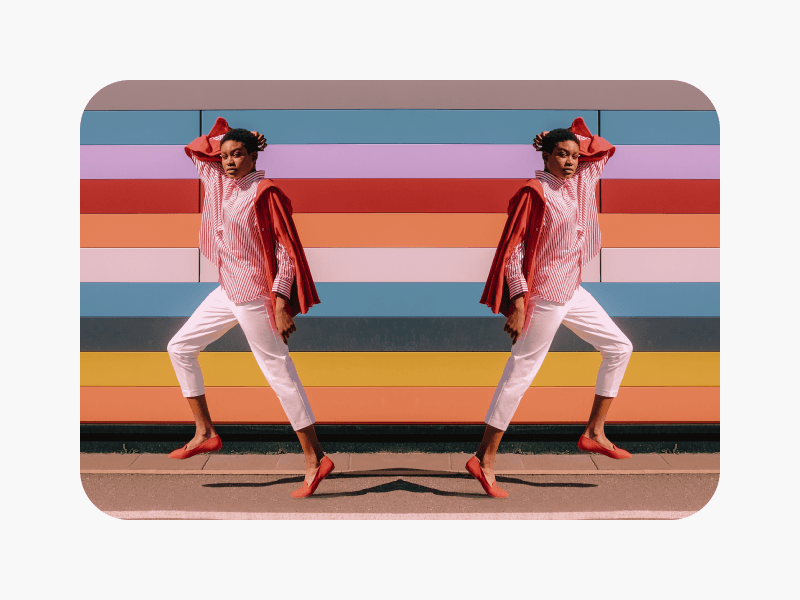
lật hình ảnh dễ dàng

Lật hình ảnh

Sử dụng công cụ lật ảnh để lật hình ảnh của bạn theo bất kỳ hướng nào chỉ trong vài giây. 
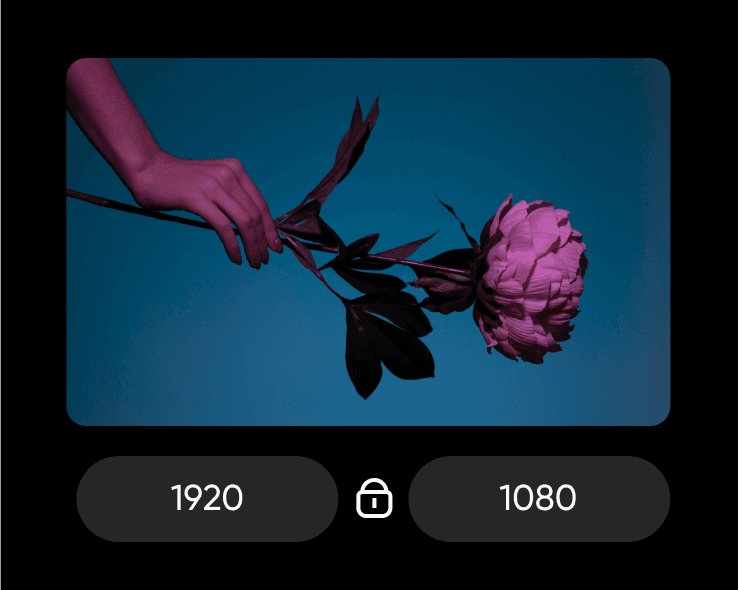
thay đổi kích thước hình ảnh dễ dàng

Thay đổi kích thước hình ảnh

Thay đổi kích thước hình ảnh của bạn một cách dễ dàng với công cụ thay đổi kích thước hình ảnh. 

công cụ chỉnh sửa ảnh AI

Trình chỉnh sửa ảnh AI

Chỉnh sửa ảnh nhanh chóng với trình chỉnh sửa ảnh dựa trên AI của Picsart.

Thêm màu nền cho PNGs

Thay đổi màu sắc PNG

Thay đổi màu nền của các tập tin PNG của bạn với công cụ thay đổi màu sắc PNG.


công cụ xóa nền trong trình chỉnh sửa ảnh Picsart

Công cụ xóa nền

Xóa các đối tượng không mong muốn, chẳng hạn như văn bản và nền, khỏi hình ảnh của bạn.

trình tạo png trực tuyến

Trình tạo PNG

Sử dụng trình tạo PNG của Picsart để biến bất kỳ hình ảnh nào thành PNG trong suốt. 

Chọn các mẫu tài liệu nổi bật theo nhiều phong cách

Khám phá bộ sưu tập lớn các mẫu tài liệu được tạo bởi các chuyên gia của Picsart và chọn một mẫu mà bạn có thể sử dụng và chỉnh sửa cho dự án của bạn. Tùy chỉnh dễ dàng bất kỳ mẫu nào để thiết kế một tài liệu được cá nhân hóa theo sở thích và thương hiệu của bạn.

Colorful Productivity Steps Infographic TemplatePlus
Try it out
Project Workflow Infographic with Pink and Blue
Try it out
Sleek Green Infographic for Product Launch ProcessPlus
Try it out
Colorful Infographic Design Guide Poster
Try it out
Keramé Haircare Infographic with Olive GreenPlus
Try it out
Vibrant Purple Home Activities Poster Design
Try it out
Bright and Colorful SWOT Analysis TemplatePlus
Try it out
Yellow Black SWOT Analysis Poster Design
Try it out
Step-by-Step Order Fulfillment Infographic in BluePlus
Try it out
Soothing Pink Wellness Tips Poster Template
Try it out
Green Infographic Process Flow for Smooth PlanningPlus
Try it out
Colorful Teacher's Blog Infographic Post Design
Try it out
Colorful Subscription Service Infographic with GreenPlus
Try it out
FAQ Instagram Square Post in Cool Blue
Try it out
Efficient Process Flow Infographic in PurplePlus
Try it out
Tạo tài liệu

Thiết kế tài liệu cho công việc, ứng dụng và nhu cầu kinh doanh

Tài liệu của bạn có thể có một số hương vị khác nhau

Tạo hóa đơn kinh doanhTạo tài liệu PDFThiết kế tiêu đề thư chuyên nghiệpTạo đề xuất kinh doanhTạo báo cáo tài chínhThêm văn bản vào tài liệuTạo nội dung AITạo sơ yếu lý lịch chuyên nghiệpXây dựng CV đầy đủThiết kế danh thiếpTạo bộ truyền thôngTạo chứng chỉ tùy chỉnhTạo thư giới thiệuTạo danh sách kiểm tra

Use Picsart anywhere

Install the app, or bring Picsart into the AI workspaces your team already uses.

Use Picsart with

  • ChatGPT / Codex
  • Claude
  • Terminal
  • Cursor
  • OpenClaw
  • Hermes

Download the app

Download on the App StoreGET IT ON Google PlayGet it from Microsoft

Follow Picsart

Pinterest
AICPA SOC

Create

  • AI Image Generator
  • AI Video Generator
  • AI Playground
  • Flow
  • AI Photo Editor
  • AI Video Editor
  • AI Agents
  • Content Library
  • AI Models

Creators

  • Earn with Picsart
  • Earn campaigns
  • Clipping
  • For Brands
  • Video Studio
  • Tutorials
  • Challenges

Connect

  • ChatGPT / Codex
  • MCP setup
  • Command line
  • Developers
  • Google Drive

Business

  • Pricing
  • Enterprise
  • Industries
  • Quicktools

Company

  • Support
  • Careers
  • About us
  • Blog
  • Press Center
Terms of UsePrivacy PolicyDo Not SellInternet-Based AdvertisingCommunity GuidelinesDMCASecurity PolicyAccessibility
© 2026 PicsArt, Inc.

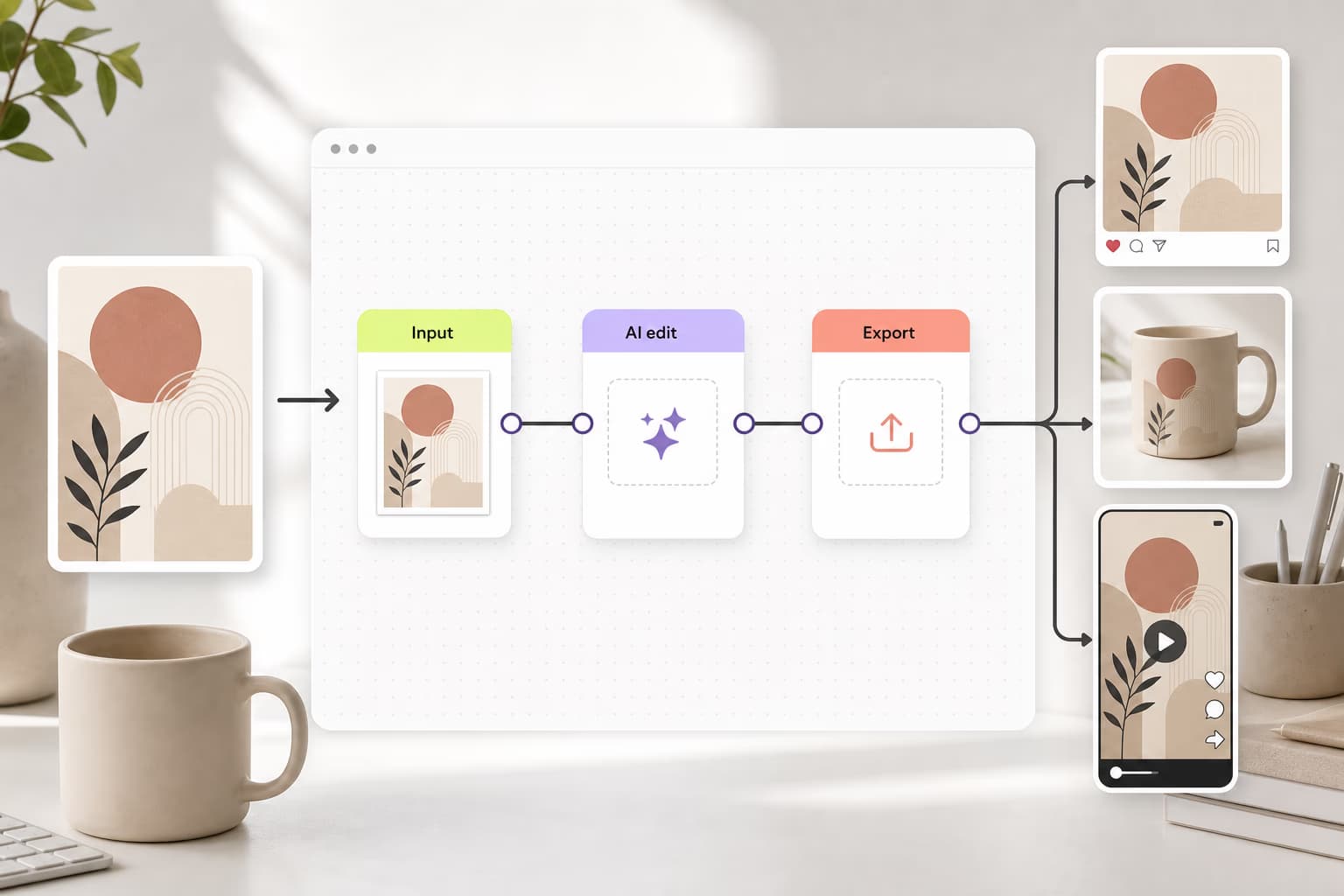
Học xây dựng quy trình làm việc

Tìm hiểu cách kết nối các công cụ, bước, và kết quả đầu ra.

Xem tất cả các hướng dẫn

Làm cho tài liệu sắc nét hơn với mô hình hình ảnh AI

Sử dụng mô hình hình ảnh để tạo bìa, biểu đồ, hình ảnh và tài sản tinh tế cho bố cục tài liệu.

GPT Image 2NewImage
Next-gen GPT image model with arbitrary output dimensions and multi-image input.Reference inputImage generationSee model
Seedance 2.0NewVideo
Next-gen cinematic video with optional audio and reference image. Up to 4K.Reference inputAudio4KCinematicSee model
Seedance 2.0 FastNewVideo
Fast cinematic video with audio, reference images, and start/end frame control.Reference inputAudioFast generationCinematicSee model
Seedance 2.0 Video EditNewVideo
Edit video — replace subjects, add or remove objects, restyle scenes with reference images.Video editingReference inputVideo generationSee model
Seedance 2.0 Fast Video EditVideo
Fast video edit — modify scenes with reference images.Video editingReference inputFast generationSee model
Sora 2 ProVideo
Up to 1080p with strong physical realism and optional reference image.Reference input1080pPro qualityCinematicSee model
Sora 2Video
Naturalistic 720p video with lifelike motion and character detail.CinematicVideo generationSee model
Wan 2.7Video
Wan 2.7 T2V — up to 15s at 1080p with audio input and prompt enhancement.Text to videoAudio1080pCinematicSee model
Lyria 3Audio
Generate high-quality music and audio for creative projects.AudioPro qualityMusic generationSee model
Nano Banana 2Image
Fast 4K generation with accurate text and search-grounded accuracy.4KFast generationImage generationSee model
Nano Banana ProImage
Top-tier 4K images with precise multilingual text rendering.4KPro qualityImage generationSee model
Flux 2 FlexImage
Adaptable generation across varied visual styles at 2K.Image generationSee model
GPT Image 2NewImage
Next-gen GPT image model with arbitrary output dimensions and multi-image input.Reference inputImage generationSee model
Seedance 2.0NewVideo
Next-gen cinematic video with optional audio and reference image. Up to 4K.Reference inputAudio4KCinematicSee model
Seedance 2.0 FastNewVideo
Fast cinematic video with audio, reference images, and start/end frame control.Reference inputAudioFast generationCinematicSee model
Seedance 2.0 Video EditNewVideo
Edit video — replace subjects, add or remove objects, restyle scenes with reference images.Video editingReference inputVideo generationSee model
Seedance 2.0 Fast Video EditVideo
Fast video edit — modify scenes with reference images.Video editingReference inputFast generationSee model
Sora 2 ProVideo
Up to 1080p with strong physical realism and optional reference image.Reference input1080pPro qualityCinematicSee model
Sora 2Video
Naturalistic 720p video with lifelike motion and character detail.CinematicVideo generationSee model
Wan 2.7Video
Wan 2.7 T2V — up to 15s at 1080p with audio input and prompt enhancement.Text to videoAudio1080pCinematicSee model
Lyria 3Audio
Generate high-quality music and audio for creative projects.AudioPro qualityMusic generationSee model
Nano Banana 2Image
Fast 4K generation with accurate text and search-grounded accuracy.4KFast generationImage generationSee model
Nano Banana ProImage
Top-tier 4K images with precise multilingual text rendering.4KPro qualityImage generationSee model
Flux 2 FlexImage
Adaptable generation across varied visual styles at 2K.Image generationSee model
GPT Image 2NewImage
Next-gen GPT image model with arbitrary output dimensions and multi-image input.Reference inputImage generationSee model
Seedance 2.0NewVideo
Next-gen cinematic video with optional audio and reference image. Up to 4K.Reference inputAudio4KCinematicSee model
Seedance 2.0 FastNewVideo
Fast cinematic video with audio, reference images, and start/end frame control.Reference inputAudioFast generationCinematicSee model
Seedance 2.0 Video EditNewVideo
Edit video — replace subjects, add or remove objects, restyle scenes with reference images.Video editingReference inputVideo generationSee model
Seedance 2.0 Fast Video EditVideo
Fast video edit — modify scenes with reference images.Video editingReference inputFast generationSee model
Sora 2 ProVideo
Up to 1080p with strong physical realism and optional reference image.Reference input1080pPro qualityCinematicSee model
Sora 2Video
Naturalistic 720p video with lifelike motion and character detail.CinematicVideo generationSee model
Wan 2.7Video
Wan 2.7 T2V — up to 15s at 1080p with audio input and prompt enhancement.Text to videoAudio1080pCinematicSee model
Lyria 3Audio
Generate high-quality music and audio for creative projects.AudioPro qualityMusic generationSee model
Nano Banana 2Image
Fast 4K generation with accurate text and search-grounded accuracy.4KFast generationImage generationSee model
Nano Banana ProImage
Top-tier 4K images with precise multilingual text rendering.4KPro qualityImage generationSee model
Flux 2 FlexImage
Adaptable generation across varied visual styles at 2K.Image generationSee model
GPT Image 2NewImage
Next-gen GPT image model with arbitrary output dimensions and multi-image input.Reference inputImage generationSee model
Seedance 2.0NewVideo
Next-gen cinematic video with optional audio and reference image. Up to 4K.Reference inputAudio4KCinematicSee model
Seedance 2.0 FastNewVideo
Fast cinematic video with audio, reference images, and start/end frame control.Reference inputAudioFast generationCinematicSee model
Seedance 2.0 Video EditNewVideo
Edit video — replace subjects, add or remove objects, restyle scenes with reference images.Video editingReference inputVideo generationSee model
Seedance 2.0 Fast Video EditVideo
Fast video edit — modify scenes with reference images.Video editingReference inputFast generationSee model
Sora 2 ProVideo
Up to 1080p with strong physical realism and optional reference image.Reference input1080pPro qualityCinematicSee model
Sora 2Video
Naturalistic 720p video with lifelike motion and character detail.CinematicVideo generationSee model
Wan 2.7Video
Wan 2.7 T2V — up to 15s at 1080p with audio input and prompt enhancement.Text to videoAudio1080pCinematicSee model
Lyria 3Audio
Generate high-quality music and audio for creative projects.AudioPro qualityMusic generationSee model
Nano Banana 2Image
Fast 4K generation with accurate text and search-grounded accuracy.4KFast generationImage generationSee model
Nano Banana ProImage
Top-tier 4K images with precise multilingual text rendering.4KPro qualityImage generationSee model
Flux 2 FlexImage
Adaptable generation across varied visual styles at 2K.Image generationSee model
GPT Image 2NewImage
Next-gen GPT image model with arbitrary output dimensions and multi-image input.Reference inputImage generationSee model
Seedance 2.0NewVideo
Next-gen cinematic video with optional audio and reference image. Up to 4K.Reference inputAudio4KCinematicSee model
Seedance 2.0 FastNewVideo
Fast cinematic video with audio, reference images, and start/end frame control.Reference inputAudioFast generationCinematicSee model
Seedance 2.0 Video EditNewVideo
Edit video — replace subjects, add or remove objects, restyle scenes with reference images.Video editingReference inputVideo generationSee model
Seedance 2.0 Fast Video EditVideo
Fast video edit — modify scenes with reference images.Video editingReference inputFast generationSee model
Sora 2 ProVideo
Up to 1080p with strong physical realism and optional reference image.Reference input1080pPro qualityCinematicSee model
Sora 2Video
Naturalistic 720p video with lifelike motion and character detail.CinematicVideo generationSee model
Wan 2.7Video
Wan 2.7 T2V — up to 15s at 1080p with audio input and prompt enhancement.Text to videoAudio1080pCinematicSee model
Lyria 3Audio
Generate high-quality music and audio for creative projects.AudioPro qualityMusic generationSee model
Nano Banana 2Image
Fast 4K generation with accurate text and search-grounded accuracy.4KFast generationImage generationSee model
Nano Banana ProImage
Top-tier 4K images with precise multilingual text rendering.4KPro qualityImage generationSee model
Flux 2 FlexImage
Adaptable generation across varied visual styles at 2K.Image generationSee model
GPT Image 2NewImage
Next-gen GPT image model with arbitrary output dimensions and multi-image input.Reference inputImage generationSee model
Seedance 2.0NewVideo
Next-gen cinematic video with optional audio and reference image. Up to 4K.Reference inputAudio4KCinematicSee model
Seedance 2.0 FastNewVideo
Fast cinematic video with audio, reference images, and start/end frame control.Reference inputAudioFast generationCinematicSee model
Seedance 2.0 Video EditNewVideo
Edit video — replace subjects, add or remove objects, restyle scenes with reference images.Video editingReference inputVideo generationSee model
Seedance 2.0 Fast Video EditVideo
Fast video edit — modify scenes with reference images.Video editingReference inputFast generationSee model
Sora 2 ProVideo
Up to 1080p with strong physical realism and optional reference image.Reference input1080pPro qualityCinematicSee model
Sora 2Video
Naturalistic 720p video with lifelike motion and character detail.CinematicVideo generationSee model
Wan 2.7Video
Wan 2.7 T2V — up to 15s at 1080p with audio input and prompt enhancement.Text to videoAudio1080pCinematicSee model
Lyria 3Audio
Generate high-quality music and audio for creative projects.AudioPro qualityMusic generationSee model
Nano Banana 2Image
Fast 4K generation with accurate text and search-grounded accuracy.4KFast generationImage generationSee model
Nano Banana ProImage
Top-tier 4K images with precise multilingual text rendering.4KPro qualityImage generationSee model
Flux 2 FlexImage
Adaptable generation across varied visual styles at 2K.Image generationSee model